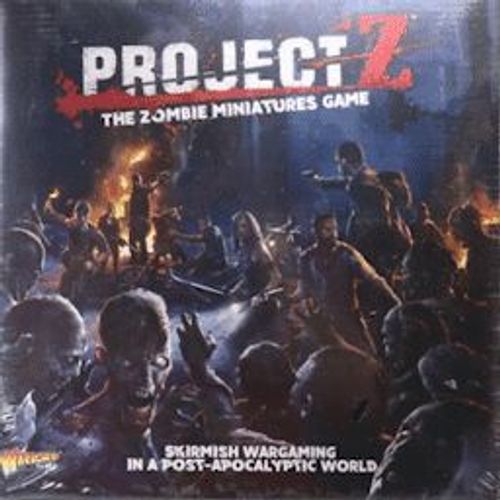
Project Z: The Zombie Miniatures Game
Project Z: The Zombie Miniatures Game Rulebook
Table of Contents
Table of Contents
Game Elements
Character Cards
Each team is made up of a number of miniatures. Their characteristics are shown on the Character cards. The Survivors Guide For Dummies explains in detail how to use these cards to build a group of miniatures for a game.
All Character cards share the following key elements:
- Number of miniatures - represented by a number of silhouettes or with a multiplier.
- General profile of the miniatures in the card.
- Special traits of the miniatures.
- Grit tokens that the card contributes to the group's Grit pool.
- Special traits & rules summary. For convenience these are explained in detail on the back of each card.
Margin note: a handwritten annotation on this page of the scan (not printed text) reads "A CHARACTER is any miniature on the board being managed by one of the players. This includes Archetypes and common miniatures alike but excludes the zombies if these are managed by the game mechanics, and not by a player." It is a player's note and is omitted here.
Teams: Groups of Survivors, Motorcycle Gangs or Special Operations units are all options when choosing which miniatures you wish to play a game of Project Z. Throughout these rules we refer to all these options as TEAMS.
The general profile has four main values that describe a character in a statistics line (stats):
- Movement: A value in inches that represents the furthest distance a miniature from this card can move during their activation in the Movement Sub-phase.
- Resilience: This is the combined value of body armour, resistance to damage and training that a miniature has. The number is the number of Combat dice rolled when a miniature is shot at.
- Melee: A miniature's skill in hand-to-hand fighting and is the number of Combat dice the character adds (or subtracts if they are impeded) to the total roll for an attack during a melee action.
- Shooting: This represents particular skills using firearms, and is the number of Combat dice the character adds (or subtracts if they are impeded) to the total roll for an attack during a shooting action.
Combat Dice
All combats and other actions in Project Z are resolved using a number of Combat dice. They are specially designed dice with three sides showing hits, two sides showing defences and one side showing a surge. They are used in different numbers depending on a miniature's skill or other circumstances.
Loot Markers
In order to give a team a better chance at surviving, they must constantly be on the lookout for ammo, weapons, medicines and food. These items are scarce and must be captured before opposition gangs find them.
Project Z comes with 12 double sided Loot markers that are deployed during the setup of a game according to the scenario played.
Loot markers may never be dropped voluntarily, once you pick one up you must guard it with your life!
Zombie Entry Points
Project Z is supplied with six double-sided Zombie Entry Points to mark the positions from which the zombies enter the game, which they do in waves. During the Upkeep Phase, zombies are placed adjacent to the Entry Points according to the scenario rules, and may then move during the ensuing Action Phase.
Zombie Entry Points are double-sided markers with one side showing the Escalation Entry Point (marked with a Z).
Certain events will trigger an escalation in the number of zombies appearing from each Entry Point. This escalation is explained in each scenario.
When Entry Points "escalate", flip all of the markers so they show their "escalation side". Unless specified otherwise, all Entry Points escalate at the same time.
Wound Tokens
Some characters are more adept when it comes to surviving the daunting environment, being either far more heavily armoured or skilled in general.
Characters with multiple wounds on their Character cards, take a Wound token (blood drop icon) after being injured, rather than rolling on the damage table. If a character already has a number of Wound tokens equal to its Wounds trait, then roll on the damage table as normal next time it is injured.
Reload Tokens
Ammunition is in short supply and weapons are difficult to reload in the heat of battle. Whenever a character fires a weapon place a single bullet Reload token (single bullet icon) next to it, this can be removed in the Upkeep Phase. If the weapon has the Reload special rule then it receives twice the number of reload tokens. A character can never fire a weapon if it has one or more Reload tokens.
Use the double bullet Reload token (double bullet icon) to represent 2 (single bullet icon).
Grit Tokens
When the going gets tough and you're facing difficult odds, courage, anger and some true determination sometimes bring better results than skill itself.
Your starting pool of Grit is determined when you create your team, this can go up and down. Grit tokens are used in a number of ways (see page 9). Any character can use the team's Grit, even if they did not contribute to the pool themselves.
Combat Cards
Project Z uses with a deck of 36 Combat cards that serve primarily to increase the number of hits and defences scored on a combat roll.
Survival Cards
Each team starts the scenario with up to 5 Survival cards. Project Z comes with 10 generic Survival cards that can be distributed randomly between the opposing players at the begining of the game.
Other specific Survival cards will be available in following expansions.
Additional Markers
The game box also comes supplied with one Spec Ops/Vending Machine double-sided marker. The Spec Ops marker is only used with the Special Operations Team expansion box.
The Vending Machine marker is used when the appropriate Survival Card is played.
Main Rules
Project Z is a scenario driven skirmish wargame played over a set number of turns in which opposing players move and combat with their miniatures in order to achieve the greatest number of Victory Points during a set number of turns.
While this is happening, a horde of zombies, controlled by the game, tries to get to them ... for a good meal!
Game Set Up
After the players have decided which scenario to play, it is time to set up the gaming area, grab the counters and each player's team.
To create a team, players must agree on the number of Character cards they will be using between 1 and 4. The scenario will describe the location of the Zombie Entry Points and their escalation rules. Once these have been clearly marked, players arrange the desired scenery elements according to their taste and collections.
If you are playing with the Additional Rules - For True Survivors, players also receive 5 random Combat cards from the Combat cards deck and their corresponding number of Grit tokens.
The Turn
Each turn is divided into three phases as follows:
- Initiative phase
- Action phase
- Movement Sub-phase
- Shooting Sub-phase
- Engage and Melee Sub-phase
- Upkeep Phase
- Recover Shocked miniatures
- Roll to Reload weapons
- Replenish Combat card hand
- Spawn Zombies as per scenario.
1. Initiative Phase
At the beginning of each turn players roll five Combat dice to determine the order of initiative during the turn. The player that scores a higher number of hits becomes the ACTIVE or ACTING player. Players who tie re-roll all their Combat dice.
2. Action Phase
When initiative order has been resolved the sequence follows this simple structure:
Movement Sub-phase
- ACTIVE player moves their miniatures.
- Next player moves their miniatures.
- All Zombies move.
Shooting Sub-phase
- ACTIVE player shoots.
- Next player shoots.
- Zombies groan incoherently.
Melee Sub-phase
- ACTIVE player moves and fights.
- Next player moves and fights.
- Zombies move and fight.
2.1 Movement Sub-phase
Movement is a key aspect of survival. In Project Z characters move around to capture particular objectives representing supplies and equipment vital for the survival of the team. Of course avoiding rival gangs and the hordes of zombies is crucial.
Characters can be moved in any direction a number of inches indicated on their Movement profile (movement icon) with no restriction other than the interference of certain terrain features and other obstacles that can sometimes hinder them. See rules for Scenery & Terrain in the Appendix section on page 10.
All players may pre-measure a character's movement before committing to the final position.
but once a character has been moved it can't be taken back.
You may move through characters from your own team with no penalty, but you may not finish on top of them. You may not finish your movement within 1" of a non-friendly model in the Movement Sub-phase.
To complete a movement action, place the movement ruler provided, or use a tape measure. Place the device flat against the base of the miniature and move it along so by the end of this movement no part of the base has moved beyond its movement value in inches.
Figure caption: "The Biker moves 5" out of his movement 10 towards the Survivor to be in a position to engage him later in the turn. Notice the measurement is made from the front of the base to the front of the base."
2.1.1 Moving Zombies
Once all players have moved their miniatures, each player moves the zombies on the board that are closer to their opponent.
The zombies always move 4" towards the nearest living enemy character - whether visible or not - ignoring any obstacles (see page 10). Like other miniatures, during the Movement Sub-phase a zombie must finish its movement when within 1" of any enemy character.
2.2 Shooting
Again, starting with the ACTIVE player, each team has a chance to open fire with its characters. Choose a character from your team and resolve the shooting action in the following manner. The shooting character is called the attacker with the objective miniature being the target.
2.2.1 Determine Line of Sight
After declaring the intended target, the attacker checks the Line of Sight (LOS) and range.
For the attacker to be able to shoot it must be able to see its target. Use the width of the movement ruler provided to show the corridor of the shot. If there are no enemy miniatures (including zombies), obstacles or walls (see page 10) even partially covered by the ruler, then the shot is clear.
If there are any of the above elements in this corridor then the shot is innacurate and the target is deemed to be obscured.
Target Obscured:
Shots taken against obscured targets are Inaccurate. Inaccurate shooting actions receive a penalty of -1 Combat dice for each obstruction or rule that makes the shot Inaccurate. This may mean that some shots become impossible as the number of penalties reduces the Combat dice to 0 or less.
LOS Blocked:
If the entire corridor of the shot is covered by a single element then the LOS is blocked and the shot may not be taken.
2.2.2 Check Range
Once the Line of Sight has been confirmed, check the range to the target.
All weapons have an effective range described in inches in the weapon's profile (range icon). However, characters can fire their weapons up to twice the effective range but the shooting action is then considered Inaccurate (see above).
2.2.3 Resolving the Shooting Action
Once the range and any Inaccurate effects have been determined, the player resolves the shooting action. To do so, the attacker rolls the correct number of Combat dice. The number of dice to roll is the sum of:
- Weapon's ranged value (this is expressed in a number of Combat dice to be rolled).
- Character's shooting modifier value (a number of Combat dice to add or subtract from the total in the character's stat line).
- Minus 1 Combat dice for every obstacle or other rule that makes the shot Inaccurate.
The defender then rolls a number of Combat dice based on:
- Defender's Resilience value (this is a number of Combat dice to be rolled).
- Plus 1 Combat dice for cover (see beside).
Every defence rolled by the defender cancels a hit scored by the attacker. If any hits are left, roll for damage as explained on page 8.
When a zombie is the target of an attack, let an opposing player roll the combat dice for it.
Figure caption: "In this example a Zombie has received a shooting attack from a Survivor armed with an assault rifle that has scored 3 hits. The Zombie rolls 1 Combat die for its Resilience 1 value and scores 1 defence that cancels one of the hits scored. The other 2 hits remain and count as HITS. The attacker takes these two dice and rolls them on the damage table, scoring a defence and a hit. Applying the best result, the zombie is now Shocked and must be laid down on the table."
Claiming Cover
When a target is in base to base contact with an element of scenery that obscures a shooting action (effectively making the shooting Inaccurate) the miniature also benefits from cover.
- When behind cover, the target gets +1 Resilience die. Zombies can never claim this bonus.
2.3 Melee Sub-phase
Following the Initiative order, during the Melee Sub-phase, the ACTIVE player can move any of their characters that are within 2" of an enemy miniature into base contact with it and engage in close combat. This is an engage movement and initiates a melee action.
Once engaged, resolve each combat in full, including damage resolution, before moving onto the next.
To resolve a melee combat, both combatants (attacker and target character) roll a number of Combat dice which is the sume of:
- The character's melee weapon value (this is expressed in a number of Combat dice to be rolled).
- Combatant melee modifier value (a number of Combat dice to add or subtract from the total in the character's stat line).
- Other modifiers:
- I. Engaging modifier: +1 Combat die to the miniature that initiated the combat.
- II. Multiple combat: +1 Combat die for each miniature after the first that is attacking the same target.
- III. King of the Hill: +1 Combat die to the miniature holding higher ground (see page 11).
The result of all the dice coming from one weapon must be applied to one single target - unless the weapon or character has the Burst or Blast special trait. If more than one target is valid, the attacking player can choose which miniature receives the attacks.
Characters with more than one attack can choose a subsequent valid target. However, these attacks do not receive the engaging modifier.
Compare the results obtained by both combatants. The side that scored the highest number of hits wins the melee round.
When a zombie is involved in the melee, an opposing player should roll the zombie's Combat dice for much rejoice! All rules apply normally.
All weapons showing "C" in their range value on the weapon's profile table can be used in melee.
2.3.1 Melee Resolution
After resolving the melee action, check the overall result and apply the outcome:
- All of the combatants on one side are Slain. The winner needs to do nothing else and the melee ends.
- All of the combatants on one side are Shocked. The winner can immediately use a Grit point or an additional attack, if available, to finish off a Shocked target. This is Slain and removed from play. Any Shocked miniatures left are pushed back 1" by the winner and the melee ends.
- There are fully operative combatants on both sides. The attacking characters - including those that are Shocked - are pushed back 1" by the side that did not engage and the melee ends.
Margin note: a handwritten annotation on this page of the scan (not printed text) reads "FINISH OFF! Shocked characters are perfect targets for an easy kill. Either for a shooting action or in melee, a character can declare a Shocked miniature as the target of their attacks. When shooting, any 'clean' hit scored against a Shocked target can be rolled on the Damage table to try to Slain the character. The target applies its Resilience normally. In melee, an attacking character will automatically Slain its victim if at least one attack can be declared against it. No rolls needed!" It is a player's note and is omitted here.
Figure caption: "In this example three zombies have engaged a Gang Biker & Companion. This character card has the Melee (2) special trait which means they can issue two attacks instead of one when in melee. We assume the gangers use the bunch of chains as it is the only melee weapon shown on the miniature. The first Zombie (Melee 2) engages the gangers and rolls to hit 3 Combat dice (2 Combat dice for its melee value, +1 Combat die for engaging). The gangers roll two sets of 2 Combat dice as a response (as they have two attacks thanks to their Melee 2 special trait). The results of both rolls are worked out and compared with the zombie score separately applying damage if necessary, also separately. Work out the results in order, as if the zombie gets Shocked with the first round, the second attack from the Melee 2 trait can Finish it off automatically. If the couple of gangers stands, the second zombie will attack with 4 Combat dice (2 Combat dice for its melee value, +1 Combat die for engaging, +1 Combat die bonus for being the second miniature to attack the same target). With their combination of melee attacks and additional wound, the gangers have a good chance to resist the bash. However, if the third zombie gets to attack, it will do it with a threatening total of 5 Combat dice (2 Combat dice for its melee value, +1 Combat die for engaging, +2 Combat dice bonus for being the third miniature attacking them!)."
2.3.2 Zombies
Zombies move and engage in the same way as all other characters.
After all characters have engaged and resolved their melee actions each zombie gets to Engage the nearest character within 2". Once in base to base contact, zombies attack immediately following the normal rules for combat and multiple combats described above. Zombies act in groups and for this reason whenever possible several zombies must always engage one single character.
Zombies have the following profile:
| Zombie | Traits |
|---|---|
| Movement 4, Resilience 1, Melee 2, Shooting - | Brain-dead, Blood Thirst (Hunter*) |
* Zombies become Hunters when the scenario escalates (see scenarios in the Survivors Guide For Dummies).
Damage
After determining the number of HITS during a shooting or a melee attack, you must determine the fate of the target by making one damage roll on the damage table below for every hit left.
- Flesh Wound (defence icon)
- Shocked (hit icon)
- Slain (surge icon)
Flesh Wound: The character is Fully Operative.
Shocked: Lay the model face down on the spot. Shocked characters are recovered during the Upkeep Phase (see next). Grit tokens can also be used to recover a Shocked character immediately after they have been Shocked (see Additional Rules - For True Survivors on page 9).
Slain: Remove the model from the table immediately. Nothing can be done to avoid this. But don't worry, the character will probably come back to eat the rest of your team!
3. Upkeep Phase
At the end of each turn, starting with the ACTING player, each player resolves the following steps.
- Recover Shocked miniatures
- Roll to Reload weapons
- Replenish Combat cards hand
- Spawn zombies
3.1 Recover Shocked Miniatures
Starting with the player with the initiative, all players stand their Shocked characters back up. Zombies stand up last.
3.2 Roll to Reload Weapons
When using the Additional Rules - For True Survivors, every time a character uses a firearm, the controlling player places one Reload token (single bullet icon) next to the character. During the Upkeep Phase, each character rolls one Combat die for every Reload token they have. A player may remove a Reload token for every defence scored.
A character with one Reload token cannot use any of their ranged weapons until all tokens are removed in this way.
3.3 Replenish Combat Cards
If using the Additional Rules - For True Survivors, draw as many Combat cards as needed to fill in your starting hand.
Alternatively, do not replenish your hand and receive one Grit token.
3.4 Spawn Zombies
Zombies are spawned according to the mission rules for Zombie Entry Points. If you run out of zombies to spawn in all Entry Points, players can choose where to place the remaining ones and all zombies receive the Hunter special trait for the rest of the game.
Additional Rules For True Survivors
Grit Tokens
Facing waves of zombies in a hail of shots means every moment can be life or death. Characters can show real mettle and perform feats that they would not normally be capable of.
All Grit tokens received when putting together a team form the Grit pool for the player. These Grit tokens can be used during the game to do one of the following:
- Remove one Reload token at any time (remember double bullet counts as 2x single bullet).
- Re-roll all or any Combat dice from a single hand roll immediately.
- Immediately recover a Shocked miniature right after the result was scored.
- Finish Off an enemy Shocked miniature during the melee round.
In case of a clash of actions between players, whoever holds the initiative resolves first.
Grit tokens are difficult to recover, which makes them a precious resource! During the Upkeep Phase, players can recover one Grit token if they do not draw any Combat cards.
Ammo Control
Every time a firearm is discharged, the character receives one Reload token. Place a single bullet token (single bullet icon) next to the character's base. Certain weapons, especially those with an automatic function, are harder to reload. They produce a two bullet Reload token (double bullet icon) when fired.
A character with one or more Reload tokens cannot open fire again until these are cleared during the Upkeep Phase.
Combat Cards
When using Combat cards, each player starts the game with a hand of 5 cards. During the Set Up, shuffle the Combat card deck and deal 5 Combat cards to each player.
During each turn players can use their cards to reinforce hits and defences during combat actions. A few special Combat cards will also allow players to change the results of dice scored in other rolls through the game like Damage or Reload rolls, for example.
Here is a quick description of the icons found on the combat cards:
- Defence icon: Can be played during a combat resolution to add defence to any roll after all hits have been calculated.
- Hit icon (red): Can be played during a combat resolution to add hits to any roll before any defence cards have been played. Hit cards must always be played first.
- Re-roll icon (red die): Re-roll any or all the dice of a single hand of dice.
- Double hit icon: Double all the hits scored during a combat action.
- Cancel icon: Cancels all hits scored and any hit card played during a combat action.
- Surge icon: Use this card as if a surge had been rolled.
- Grit icon: Use this card as if it where a Grit.
- Pistol icon: This card can be played at any time, including during another player's turn or to affect the result of dice rolled for any action or event resolution.
Appendix
Scenery and Terrain
The streets of Project Z are littered with trash; from boxes and oil drums to old appliances as big as refrigerators, all being the result of previous raids or from the chaos that occurred years ago when the plague started.
All rules for movement and combat are designed to reflect that the combat area is littered with small piles of rubble and general rubbish that do not hinder the actions of the characters. However, there are certain elements that do reduce the mobility, visibility or the combat effectiveness of the characters.
1. Obstacles
We consider obstacles as the more bulky elements of scenery that present a physical barrier between the character and the place they wish to move to, or between the character and their target when determining the Line of Sight to resolve an attack.
Anything solid that lies in the way of a miniature, except other friendly miniatures, is an obstacle.
An obstacle higher than two combat dice stacked together is also a wall.
Common examples of obstacles are cars, urban barricades or large white goods (like fridges, washing machines, or even a bath tub!).
A miniature cannot end its movement "inside" or in the middle of an obstacle, but otherwise can try to cross it by halving its normal movement value (movement icon) if any part of the movement would be affected by the obstacle. If the character cannot cross the obstacle in one go, it will need to find a different route or stop in base contact with the obstacle before crossing it in the next turn.
If in base contact with an obstacle at the begining of the movement action, a character can jump on it if prefered.
Obstacles interfere with the LOS when shooting making any shot passing through them Innacurate.
Figure caption: "Trying to escape from the menacing zombie horde, these two Survivors are trying to reach the other side of the barrier. The Survivor with the chainsaw checks the distance to the other side of the obstacle. He must be able to completely cross the obstacle by moving up to 3" (his movement 6/2). Unfortunately, he would not be able to do this and must stop his movement in base contact with the closest side of the barrier. The second Survivor, armed with an assault rifle, is closer to the barrier and, with his reduced movement (again 3"), is sufficiently close to fully cross it."
2. Walls
Sometimes an obstacle is tall enough to present a real challenge to overcome. These obstacles act as impassable barriers for which we will use the generic term walls. Walls cannot be walked through or jumped over, but instead must be moved around. Walls can be the obvious four sides of a building, high vehicles like trucks or vans or a car on its side, for example.
To check if an obstacle is also a wall, stack two Combat dice together. If the obstacle is taller than the height of the two dice, the object is considered a wall. A wall blocks all movement and LOS through it (see page 5).
Walls block the LOS altogether and shooting through them is not permitted.
3. King of the Hill
The way Project Z is presented and the way it plays, invites you to make a more cinematic use of the scenery elements than just mere obstacles. When surrounded by a fierce horde of zombies, some high ground could be the difference between life and death.
3.1 Jumping onto Obstacles
When in base contact with an obstacle, instead of following the normal rules for crossing it (see page 10), a character may decide to jump onto it. This costs its full movement and the obstacle must be wide enough to carry the models entire base. You can reposition a character on top of an obstacle up to 2" in any direction. To jump off, a character just measures his movement from his current position. This costs no extra movement.
The only limit to the number of characters that can stand on an obstacle is its actual physical capacity.
Any melee attacks made against a character on top of an obstacle are resolved by engaging the obstacle itself (move the attacking miniature so it ends in base to base contact with the obstacle). The target character receives a +1 Combat die bonus for being on higher ground and cancels the +1 Combat die that miniatures normally receive for engaging.
If two characters are engaged in a melee action while on top of an obstacle neither of them receives any bonuses or penalties for engaging on high ground.
Figure caption, "Jumping onto obstacles": "The kid is facing an imminent attack from the zombie horde. To win some advantage in the upcoming melee and to get a good shooting position, he decides to jump onto the truck ready for action. Luckily his previous action brought him in base contact with the scenery element and therefore he can jump straight onto the bonnet and even move up to 2" anywhere atop the truck (its repositioning allowance for jumping onto an obstacle)."
4. Scenarios
Project Z is played using one of the scenarios provided in the Survivors Guide For Dummies. More scenarios will be created in our future product releases and also on our website www.warlordgames.com.
Scenarios are won by scoring more Victory Points than your opponent. Each scenario will explain the way VPs are awarded and if gangs have any special rules or effects that could affect the rewards received.
Weapons Chart
Ranged Weapons
| Weapon | Range | Shooting | Traits |
|---|---|---|---|
| Hand Pistol | 6 | 2 | Short Range, also counts as Hand Weapon |
| Rack o' pistols | 6 | 3 | Short Range |
| UZI | 6 | 3 | Short Range, Burst, Reload |
| Rack o' UZI | 6 | 6 | Short Range, Burst, Reload |
| Shotgun | 6 | 3 | Burst |
| Barrel-saw Shotgun | One or two hands as modelled | ||
Melee Weapons
The Melee column gives the number of Combat dice added in melee; "C" in the Range column means the weapon can be used in melee (see Melee Sub-phase, page 6).
| Weapon | Range | Melee | Traits |
|---|---|---|---|
| Improvised Defense | C | 1 | |
| Hand Weapon | C | 2 | |
| 2x Hand Weapons | C | 3 | |
| Machete | C | 3 | Melee (2) (if paired) |
| Chains & Whips | C | 2 | Entangling |
| Two-handed Weapon | C | 4 | Ram |
| Axe | - |