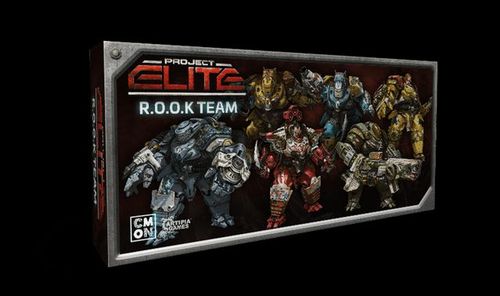
Project: ELITE – R.O.O.K Team
Project: ELITE – R.O.O.K Team Rulebook
Table of Contents
Table of Contents
Components
- 6 ROOK figures
- 6 ROOK dice
- 6 ROOK dashboards
- 12 Enraged Swarm cards
- 1 Caitlin Ability token
ROOK Dashboard
- A – Name and Illustration.
- B – Damage Track.
- C – Locked Dice Slots.
- D – ROOK Weapon's name and Range.
- E – ROOK Weapon Dice Slots.
- F – ROOK Special Ability.
- G – ROOK Malfunction Effect.
- H – Damage Threshold.
- I – Special Ability.
ROOK Rules
To play the ROOK Team Pack, follow the normal Game Setup instructions in the Project: ELITE Rulebook, with the following adjustments:
NOTE: In any Mission, any number of players may choose to use a ROOK figure and dashboard instead of a regular Hero figure and dashboard.
Setup
- ROOK Heroes do not take Basic Weapons.
- If you are playing with a ROOK Hero, replace 1 Action die with 1 ROOK die.
- For each ROOK Hero in the game, shuffle 2 Enraged Swarm cards in the Swarm Spawn deck.
Phases of the Game
During the Alien Spawning Phase, reveal 1 extra Swarm card per ROOK Hero in the game.
No Equipment
ROOK Heroes don't start with Basic Weapons and are not allowed to make any Search actions, gain Alien Tech cards or trade Equipment cards. Each ROOK Hero has Weapons (D) that are activated when dice are allocated to them. All ROOK Weapons have 2 effects and 2 Action dice slots. Players can allocate 1 die to activate the first effect, or allocate 2 dice to activate the second effect.
Enraged Swarm
Enraged Swarm cards don't specify the Swarm type to be Spawned, so when an Enraged Swarm card is revealed, players choose 2 types of Swarms to be Spawned instead of one. Each Swarm type is Spawned at 1 Alien Cluster.
ROOK Dice
ROOK dice follow the same Rules as Action dice, and have the following different results:
- ROOK symbol (helmet icon): When spending this symbol, the ROOK Hero activates their ROOK Special Ability. See letter (F) on the ROOK dashboard.
- Malfunction symbol (red circle with a cross): When this result is rolled, immediately Lock the ROOK die in the Malfunction slot and the Hero has a disadvantage. To unlock the Malfunction die, that ROOK Hero must spend two Wrench symbols with their remaining dice.
NOTE: You never have to roll all your available dice, so you can choose to roll your ROOK die only when the situation calls for it!
Transcriber note: the two icons in the Malfunction rule are Wrench symbols (as on the Action dice), rendered here as words; the ROOK and Malfunction symbols are rendered as descriptions of the printed icons.