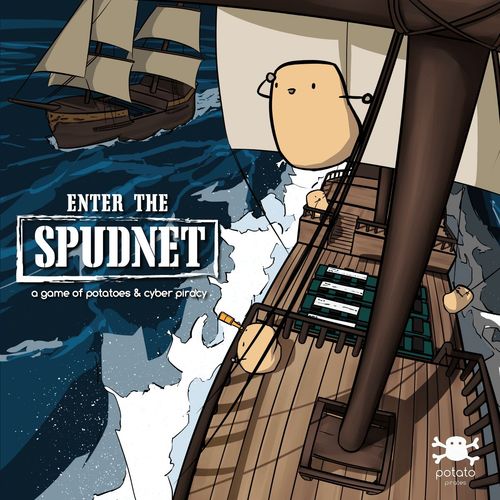
Potato Pirates: Enter the Spudnet
Potato Pirates: Enter the Spudnet Rulebook
Table of Contents
Table of Contents
Components
- 1 x Game Board
- 1 x Instruction Manual
- 1 x Starting Player Token
- 1 x Co-op Tracker Token
- 2 x Reference Cards
- 40 x Ability Cards
- 6 x 8-sided Dice
- 12 x Warehouse Tokens
- 12 x Firewall Tokens
- 36 x Ship Tokens
- 30 x Order Tokens
- 19 x Structure Tokens
- 6 x Warehouse Status Tokens
- 20 x Bot Ship Tokens
- 6 x Bot Warehouse Tokens
Competitive Mode
Objective
Compete against other players and be the first player to fulfill all 5 of your potato Orders!
To fulfill an Order, send Ships from your Warehouses to the Node where your Order is. (See "Fulfilling An Order", Pg. 8)
Setup
- Unfold the game board and set it on the table.
- Each player chooses a color. The color represents the Zone that the player will start in.
- Pick the corresponding set of colored tokens:
- 2 Warehouses, 6 Ships, 5 Orders, 2 Firewalls and 1 Die.
- Together, decide on which deck recipe to use for the game (See "Deck Recipes", Pg. 23).
- For 2 and 3 players, pick a 12-card recipe.
- For 4 to 6 players, pick a 18-card recipe.
- Or be adventurous and build your own recipe!
- Locate your Orders - Roll your die for all Zones except yours. Place an Order on the corresponding Node number in each Zone (See Fig. 1).
- Each player should have a total of 5 Orders across all Zones, except their own Zone.
- After all Orders are placed, setup 2 Warehouses in your Zone. Warehouses can be placed on any empty Node without an Order (See Fig. 2).
(Fig. 1) The orange player rolled a "6" in the purple Zone and will place an Order on Node "6". If another player rolls "6" in purple, stack the Order there too.
(Fig. 2) The orange player placed warehouses on "5" & "8". Orange "6", "7" & "4" have orders on them so warehouses cannot be placed there.
A Node and a Route is defined as follows (Fig. 3):
- Nodes are 'white circles' with an address label.
- Routes are the colored lines linking Nodes.
Game Round
Each player may hold up to 2 cards during the round but only a maximum of 1 card can be held at the end of the round. Any additional cards must be discarded.
A round is split into 3 phases and goes in this order:
- Draft
- Place
- Action
Once the ability deck has lesser cards than the number to be drawn, shuffle the discard pile and put it at the bottom of the ability deck.
The Starting Player token will be passed to the player on the left at the start of each round. For the first round, the player who last ate a potato dish gets the Starting Player token.
1. Draft Phase
In the Draft phase, players choose ability cards, which can either be beneficial to them or harmful to others.
From your ability deck,
- For 2 players, draw 3 cards For 3 players, draw 4 cards For 4 players, draw 5 cards For 5 players, draw 6 cards For 6 players, draw 7 cards
- Look at the cards and secretly pick one.
- Pass the remaining cards to the player on the left, until everyone has an ability card.
- Put the last card into the discard pile, facing up.
2. Place Phase
Place a Ship on each of your Warehouses.
- Each player can have a maximum of 6 Ships on the board. If a player already has 5 Ships on the board, they place 1 Ship on either of their Warehouses.
- This step is compulsory even if there are other existing Ships on the Warehouse.
(Fig. 4) Orange player places 1 Ship on each orange Warehouse.
3. Action Phase
Players will take turns to move their Ships and play their ability cards. The starting player moves first, followed by other players in a clockwise direction.
Moving Ships
Ships move from one Node to another via the connecting Routes.
- Each Ship can move up to 2 Nodes per round (i.e. can move 0/1/2 Nodes, See Fig. 5).
- For example, if you have 4 Ships on the board, you can move all 4 Ships on the same turn.
- Ships can move onto any Node even if there is an Order, Ship or Warehouse on that Node.
(Fig. 5) Each Ship can move up to 2 Nodes. Tip: Lay Ships on their side after moving to remember which ones have been moved this round.
Fulfilling An Order
If a Ship moves to or through a Node with an Order of the same color as the Ship, that Order is considered fulfilled. Remove both Order and Ship from the board. Once all your Orders are off the board, you win the game! So remember to pay attention to how many Orders other players are left with.
(Fig. 6) When an orange Ship lands on an orange Order, that Order is fulfilled.
Playing Ability Cards
- Cards can only be played during your turn except for cards that state otherwise ("Play this card anytime").
- If a player chooses not to play an ability card in a round, that player may keep it in their hand.
- Players can only keep a maximum of 1 card in their hand at the end of a round.
- Card abilities only last for the round they are played in unless otherwise specified.
- Cards go into the discard pile once they have been played.
Map Structures
There are 4 types of structures in the game:
- Player-owned
- Warehouse Status
- Map
- Temporary
Player-owned, Map, and Warehouse Status structures are permanent and can only be repositioned when the card is played again.
Map, Warehouse Status and Temporary structures are public and can be used by all players.
Player-owned Structures
The only Player-owned structures are Firewalls. Players that place Firewalls can control access of the Route, allowing or disallowing Ships to go through at their discretion, for the rest of the game.
Warehouse Status Structures
Warehouse Status structures (Leeched, Ransomed, DoS 'B', DoS 'A') are attached to a Warehouse when used.
Warehouse Status structures can be removed when:
- The card requirement is satisfied
- Or the Warehouse is overloaded/reformatted
- Or all the tokens are on the board and the ability card is played again.
Map Structures
Static Route, Kraken Catapult, 502 Bad Gateway and Proxy. Map structures last throughout the game and can only be repositioned when all the tokens are on the board and the ability card is played again.
The Proxy token can be overloaded like a regular Warehouse. If it overloads, remove it from the board.
Temporary Structures
Downtime and Kraken Security. Temporary structures only last for one round. At the end of the round, all Temporary structures are removed.
When a downtime token is on a Warehouse, no Ships or Warehouse Status Structures can be placed on it for that round.
Ship Collision
When a Ship moves to a Node with another Ship on it, check the following:
- If that Node has a Warehouse, both Ships can stay on that Node without colliding.
- If that Node does not have a Warehouse, a collision happens. Both Ships are destroyed and removed from the board.
- Even if the Ships are of the same color, they will still collide into each other, except for Bot Ships (See "Bot Ships", Pg.11).
- If that Node has an Order on it, collision occurs before the Order is fulfilled.
(Fig. 7) These 2 Ships will collide as they are on the same Node.
Overloading
If a Warehouse has 4 or more Ships, it is overloaded.
- This also applies to the Place phase when you place a new Ship on your Warehouse that already has 3 Ships.
- Remove all Ships and Firewalls corresponding to that particular Warehouse's color from the board.
- Remove all other Ships on both of that player's Warehouses. Place a Downtime token on both Warehouses of that color. No Ships can enter or pass through them for this round.
(Fig. 8) There are 4 or more Ships on the Warehouse, so the orange player's Warehouse is overloaded.
Bot Ships
- Bot Ships collide with Player Ships but do not collide with other Bot Ships.
- They can overload Warehouses like normal Player Ships but cannot be used to fulfill Orders.
- They do not belong to any player but can be controlled by a player using specific ability cards, such as Botnet and Command & Control.
- All effects of Structure tokens applies to Bot Ships as well (e.g. Kraken Catapult, Firewall).
In the Competitive mode, there can only be a maximum of 10 Bot Ships on the board at any time. Any additional Bot Ships beyond that will not be placed, even with a card effect.
Ending a Round
Once all players have taken turns to move their Ships, the round ends. At this point, each player can only have up to a maximum of 1 card in their hand. Any additional cards must be discarded.
Remove all Temporary structures from the board (See Pg. 9).
If a player played a "Priority Packet" card, that player gets to take the Starting Player token. Otherwise, the person to the left of the current starting player will take the Starting Player token. In the next round, the player with the Starting Player token will go first.
Ending the Game
When you fulfill all 5 of your Orders, you win.
Co-operative Mode
Objective
Fulfill all player Orders before the bots takeover! Come together as a team to overcome the invasion of the evil potatoes and their Bot Ships!
Setup
Follow Steps 1 to 6 of Competitive Mode (See Pg. 6), using the "Co-op" recipe instead (See "Deck Recipes - Co-op", Pg. 25).
Additional setup steps for Co-operative mode:
- Bot Warehouses - Roll a die for your own Zone and place a Bot Warehouse of your color on that node along with a Bot Ship (See Fig. 9).
- Roll again if there is already a Player Warehouse.
- Bot Warehouses can be placed on Nodes with Orders.
- If there are 3 players, there will only be 3 Bot Warehouses at the start.
- Place Bot Ships - Roll a die and place a Bot Ship on the corresponding Nodes in all Zones. If you roll a "5", place a Bot Ship on all Nodes labeled "5".
- Bot Ships can be placed on any Node, even if it is already occupied.
- Place the Co-op Tracker token at Round "1" on the Co-op Tracker on the map.
(Fig. 9) How a player Zone is setup in Co-op mode. Place the Bot Warehouse color-coded with your Zone color for easy tracking during the Infect Phase.
In a Round
A round is split into 3 phases and goes in this Order:
- Place
- Action
- Infect
The Starting Player token will be passed to the player on the left each round. For the first round, the player who last ate a potato dish gets the Starting Player token.
1. Place Phase
Place a Ship on each of your Player Warehouses.
Each player can have a maximum of 6 Ships on the board. If a player already has 5 Ships on the board, they place 1 Ship on either of their Warehouses.
(See "Place Phase", Pg. 7)
2. Action Phase
Beginning with the starting player,
- Draw a card from the deck, face up.
- If it says, "Play this card immediately", you need to play the effect first.
- Else, you may choose to play the card or hold on to it.
- Move each of your Ships up to 2 Nodes.
Repeat until all players have taken their turn.
3. Infect Phase
After all players have played their turn, the Bot Ships will infect.
-
Move Bot Ships - All Bot Ships move 1 Node towards the nearest Player Warehouse unless there is a Honeypot (See "Bot Ship Movement Priority", Pg. 15).
Bot Ships on Player Warehouses do not move.
-
Place a Bot Warehouse
- Roll the dice for Zones without a Bot Warehouse.
- Re-roll the die with the highest number.
- Place a Bot Warehouse on the Node indicated by the die color and number.
- Roll again if a Player Warehouse is already on that Node.
- Bot Warehouses can be placed on Nodes with Orders.
(Fig. 10) Since purple and orange Zones do not have a Bot Warehouse, roll the purple and orange dice only and follow the steps above.
-
Place Bot Ships - Place a Bot Ship on all Bot Warehouses on the board.
Ending a Round
- Pass the Starting Player token to the player on the left.
- Shift the Co-op Tracker to the next round on the board.
At the end of a round, players can only keep a maximum of 1 card in their hand. If there are 2 cards in a player's hand, discard 1.
Losing Conditions
The pesky bots won't make your life easy! Strategize as a team to take down the bots and avoid the following scenarios. The bots dominate and you lose when any of these scenarios are met:
A. All 20 Bot Ships are on the board and you need to place more. B. All 6 Bot Warehouses are on the board at the end of a round and you need to place more. C. A player is eliminated before fulfilling all of their Orders (See "Overloading"). D. You reach the end of Round 10 before fulfilling all Player Orders. E. Your Order is on a Bot Warehouse and it is overloaded before you fulfill it.
Ship Collision
Same as Competitive Mode (See Pg. 10).
Overloading
Overloading rules in Co-operative mode are slightly different from Competitive mode.
- When there are 4 or more Ships on a Warehouse, overloading occurs.
- If a Warehouse is overloaded, remove only that Warehouse and the Ships on it from the board.
- If a player loses both their Player Warehouses, they are eliminated.
- During bot movement, perform all the movements before resolving overloading.
Bot Ships
- Same as Competitive Mode (See Pg. 11).
- In the Co-operative mode, all 20 Bot Ships will be available for use during play.
Bot Warehouses
- Can be placed on any Node except Nodes with Player Warehouses.
- Overloading rules apply to Bot Warehouses (See "Overloading").
Bot Ship Movement Priority
Bot Ships will always move towards a Honeypot.
Otherwise, they will move towards a Player warehouse, prioritizing B1 to B5 in order.
A. Honeypot token within 3 Nodes from the Bot Ship (See Fig. 11).
B. A Player Warehouse:
- Closest to the Bot Ship. Count the number of Nodes on routes without a Firewall.
- With more Ships on it in total (See Fig. 12).
- With more Bot Ships on it.
- With the most Orders along the way (See Fig. 13).
- With the most Player Ships along the way.
If there are multiple identical scenarios, Bot Ships will prioritize movement within the same zone.
If none of these conditions are met, you get to choose which of the closest Warehouses the Bot Ship moves towards. If there is more than 1 Bot Ship on a Node, they will both move towards the same Warehouse.
Bot Ships that are already on a Player Warehouse will not move, even if a Honeypot is nearby.
During Bot movement, perform all the movements before resolving overloads and collisions.
(Fig. 11) The Bot Ship will move towards the Honeypot as it is within 3 Nodes from it even though the red Warehouse is right beside it.
(Fig. 12) The Bot Ship will move towards the Warehouse on red "3" as there are more Ships on it. Bot Ships on the Player Warehouses will not move.
(Fig. 13) As both Warehouses are equally far and have the same number of Ships, the Bot Ship will move onto the Node with an Order.
Ability Cards
Each card shows a flavour quote, omitted here.
Cloning
Duplicate 1 of your Ships onto 1 of its adjacent Nodes.
- The cloned Ship cannot be moved this round.
- If cloned onto a Node with an Order belonging to the player, fulfill the Order immediately.
Stacking
Choose any Player's Warehouse. Place a Ship of that color on it.
- You may choose another Player's Warehouse but you have to place their Ship there instead of yours.
- The newly placed Ships cannot move this round.
Timeout
Destroy any Ship.
- You can remove any Player's Ship or Bot Ship from the board.
Hyper Stack
Roll a die. Place exactly that number of Ships distributed between your Warehouses.
- You may choose to distribute the Ships between your Warehouses.
- If you roll more than 6, you only get to place a maximum of 6 Ships.
- The newly placed Ships cannot move this round.
Leeching
Place a leech token on a Player's Warehouse. In the next Place phase, place your Ship on that Warehouse instead.
- The player affected cannot place a Ship on that Warehouse.
- This is effective only in the next round. The leech token must be removed after the Place phase in the next round.
403 Forbidden
Destroy all Ships in your own Zone except your Ships.
Firewall
Place your Firewall token on any empty Route. Ships moving through must seek your permission.
- The owner decides who gets to go through the Route.
- A Firewall is removed when any of its owner's Warehouses are overloaded.
- There can only be a maximum of 2 Firewalls per player on the map at any point in time. If a 3rd one is to be placed, shift an existing one instead.
Denial of Service
Place DoS 'A' & DoS 'B' tokens on 2 different Warehouses. Move all Ships on 'A' to 'B' for the rest of the game.
- There can only be 1 pair of DoS tokens on the board. If this card is played again, shift the current pair elsewhere.
- If a Warehouse with either token on it gets overloaded, remove both DoS tokens from the map.
- The newly moved Ships cannot move in that round.
Kraken Catapult
Place a Kraken Catapult token on any empty Route. Ships move for free along that Route.
- There can only be a maximum of 3 Kraken Catapults on the map at any point in time. If a 4th Kraken Catapult is to be placed, shift an existing one instead.
Static Route
Place a Static Route token on any empty Node. Ships can only move in the direction of the arrow.
- Position the arrow to point to a Route. Any Ship that lands on that Node can only move in that direction. This still counts as 1 move (i.e. the arrow does not give a free move).
- There can only be a maximum of 3 Arrows on the map at any point in time. If a 4th Arrow is to be placed, shift an existing one instead.
Proxy
Choose a Zone and roll a die. Place a Proxy token on that Node. Ships can teleport there from any Warehouse.
- The Proxy token can only be placed on an empty Node. Re-roll if that Node is occupied.
- The Proxy token is treated like a Warehouse and overloading rules apply.
- If this card is played again, shift the Proxy token elsewhere together with the Ships on it.
- The teleported Ships cannot move this round.
502 Bad Gateway
Place a Bad Gateway token on any empty Node. No Ships can pass through it.
- This card effectively removes a Node from play.
- There can only be a maximum of 3 Bad Gateways on the map at any point in time. If a 4th Bad Gateway is to be placed, shift an existing one instead.
Botnet
Roll a die. Place a Bot Ship in every Zone indicated by the die except yours.
- If a Bot Ship lands on a Node with an existing Ship, it counts as a collision.
- There can only be a maximum of 10 Bot Ships. Any additional Bot Ships will not be placed.
Command & Control
Move all Bot Ships up to 2 Nodes each.
- If there are no Bot Ships on the board, this card has no effect.
Trojan
Choose any Warehouse with Players' Ships. Convert all Ships on it to Bot Ships.
- There can only be a maximum of 10 Bot Ships. Any additional Bot Ships will not be placed.
Bloatware
Place a Bot Ship on any Order.
- Collision rules apply.
- There can only be a maximum of 10 Bot Ships. Any additional Bot Ships will not be placed.
Worm
Choose a Bot Ship. Place an additional Bot Ship on all adjacent Nodes.
- There can only be a maximum of 10 Bot Ships. Any additional Bot Ships will not be placed.
Transmission Boost
Move 1 of your Ships up to 2 more Nodes.
- This card can only be used on your own Ships.
Rerouting
Move another Player's Ship up to 3 Nodes.
- You cannot reroute Bot Ships.
Propagation Delay
Choose any player. Their Ships move 1 less Node in this round.
- This card can be played out of your turn. The effect only applies until the end of the round.
Tunneling
Teleport any Player's Ship on a Warehouse to another. It cannot move this round.
- Ships may move to a Warehouse and use Tunneling but it cannot move again after teleporting.
- Even if another player tunnels your Ship away, you cannot move it this round.
- You can tunnel to Bot Warehouses in Cooperative mode.
Intranet
Choose 1 of your Ships. It can move unlimited Nodes within its current Zone.
- Intranet only applies to the current Zone the Ship is in. If that Ship crosses to another Zone, the effect will end.
- The chosen Ship must move sequentially to adjacent Nodes (i.e. no teleporting in the zone).
- Collision rules will still apply during the Ship's movement.
Hyper Boost
Choose 1 of your Ships and roll a die. Move your chosen Ship exactly that many more Nodes.
- Collision and Overloading rules apply.
- You cannot backtrack your steps.
- You cannot use any Route more than once.
Fair Winds
Choose a Zone. Ships in that Zone can move 1 more Node in this round.
- The additional move only applies to Ships in the chosen Zone.
- You may use the additional move to move out of the chosen zone.
- You cannot use the additional move to move into the chosen zone.
Kraken Security
Place a Kraken Security token on 1 of your ships. Prevent it from being destroyed this round.
- This card cannot be played out of your turn.
- The effect only applies until the end of the round.
- In the event of overloading, this card cannot be used to protect your Ship.
Tsunami
Choose a Zone. Shift all Ships in that Zone by 1 Node number.
- You may choose to shift by either increasing or decreasing all the Node numbers.
- This card affects all Ships, including Bot Ships.
- Ships cannot move through Firewalls, even if affected by a Tsunami card. Structure token rules still apply.
Deny
Deny any card effect.
- This card can be played out of your turn.
- The card that has been denied is considered used and will go into the discard pile.
High & Dry
Choose a Zone. Ships in that Zone cannot move this round.
- This card can be played out of your turn. The effect only applies until the end of the round.
- This card affects all Ships, including Bot Ships.
- Ships can move into the chosen Zone, but cannot move after that.
Priority Packet
Be the first player to start next round.
- If no one picks this card, the player to the left of the current starting player will go first in the next round.
Man-in-the-Middle
When a player fulfills an Order, roll that Zone's die and move the Order to that Node instead.
- Play this card when a player fulfills an Order.
- The Ship is removed but the Order is not fulfilled.
- Re-roll the die if the Order lands on a Warehouse.
301 Redirect
Choose any Player's Warehouse. Move it to another empty Node within its Zone.
- All Ships and Warehouse Status structures on the Warehouse will also be moved.
Recycle
Use any card from the discard pile.
- You may choose which card to use in the discard pile (i.e. cards that are not drafted or have been used by other players).
- The recycled card has to be used immediately.
Ransomware
Place a ransom token on a Player's Warehouse. That player cannot place new ships on it until they give you a card.
- The ransom lasts indefinitely.
- If a ransomed Warehouse gets overloaded, remove the ransom token from it.
- There can only be a maximum of 2 Ransomware tokens on the map at any point in time. If a 3rd Ransomware is to be placed, shift an existing one instead.
Reformat
Place a Downtime token on any Player's Warehouse. Remove all Ships on it. No Ships can pass through in this round.
- The effect only applies until the end of the round.
- Remove all Warehouse Status structures.
Honeypot
Place a Honeypot token on any empty Node. All Bot Ships within 3 Nodes will prioritize movement towards it.
- This card does not activate bot movement when it is played.
- The Honeypot takes the highest priority during bot movement.
- The Honeypot acts as a Warehouse and overloading rules apply.
- If this card is played again, shift only the Honeypot token elsewhere, leaving the Ships on it at the same Node.
Security Patch
Choose a Bot Warehouse to destroy. Remove the Bot Warehouse and all Bot Ships on it.
- Player ships will not be removed, but collision rules apply if there are 2 or more Player Ships on the Node after removing the Bot Warehouse.
- You can play this card on a Bot Warehouse with an Order.
Backdoor
Roll your die. Place a Bot Ship on an Order nearest to that Node.
- Dice rolls only affect Nodes in your own Zone.
- Collision rules apply.
- If there is more than 1 Order nearest to that Node, pick one.
- If there are no Orders in your Zone, this card has no effect.
Rootkit
Roll your die. Choose the nearest Warehouse to that Node and convert all Ships on it to Bot Ships.
- Dice rolls only affect Nodes in your own Zone.
- If there is more than 1 Player Warehouse nearest to that Node, pick one.
Botzilla
Roll your die. Place a Bot Ship on all adjacent Nodes.
- Dice rolls only affect Nodes in your own Zone.
- You do not need to place a Bot Ship on the node which is rolled.
A-bot-calypse
Move all Bot Ships up to 2 Nodes each towards the nearest Player's Warehouse.
- Bot Ship movement priority applies. (See Pg. 15)
- Perform all movements before resolving overloads and collisions.
Deck Recipes
For 2 and 3 players use a 12-card recipe. For 4 to 6 players, add the 6 "Additional Cards (4 to 6 Players)" of the same recipe to make an 18-card recipe.
Basic
- Man-in-the-Middle, 301 Redirect, Hyper Stack, Tunneling, Rerouting, Stacking, Transmission Boost, Timeout, Deny, Cloning, Intranet, High & Dry
- Additional Cards (4 to 6 Players): Propagation Delay, Recycle, Priority Packet, Fair Winds, Hyper Boost, 403 Forbidden
Crash Course
- Botnet, Command & Control, Kraken Security, Rerouting, Firewall, Kraken Catapult, Cloning, Ransomware, Proxy, Transmission Boost, Deny, Leeching
- Additional Cards (4 to 6 Players): Priority Packet, Man-in-the-Middle, Trojan, Recycle, Tsunami, Reformat
DDoS
- Botnet, Command & Control, Bloatware, Denial of Service, Tsunami, Cloning, Trojan, Timeout, Recycle, Deny, High & Dry, Static Route
- Additional Cards (4 to 6 Players): Priority Packet, Tunneling, Worm, 301 Redirect, 403 Forbidden, 502 Bad Gateway
Swift
- Timeout, Intranet, Propagation Delay, High & Dry, Fair Winds, Kraken Security, Transmission Boost, Hyper Boost, Cloning, Rerouting, Hyper Stack, Kraken Catapult
- Additional Cards (4 to 6 Players): Stacking, Tsunami, Tunneling, Static Route, Proxy, Denial of Service
Sabotage
- Leeching, Bloatware, Kraken Security, High & Dry, Deny, Recycle, 301 Redirect, Denial of Service, Ransomware, Firewall, Worm, Reformat
- Additional Cards (4 to 6 Players): Rerouting, Man-in-the-Middle, Trojan, Priority Packet, 403 Forbidden, 502 Bad Gateway
Co-op
- Honeypot, Security Patch, A-bot-calypse, Botzilla, Rerouting, Reformat, Firewall, Stacking, Transmission Boost, Cloning, Tunneling, Kraken Security
- Additional Cards (4 to 6 Players): Backdoor, Rootkit, Timeout, Intranet, Tsunami, 301 Redirect
Note: the printed recipe tables list the cards in a two-column grid; the recipe assignment above follows the table layout of the printed pages.
Real-World Concepts (Concept / Game Analogy / Explanation)
- Client Requests (Orders): Clients refer to Internet users like you and me. As we surf the Internet, we are requesting and retrieving data from the web servers. The act of requesting/retrieving such data is called a Client Request.
- Servers (Warehouses): Servers process requests and provide information for clients (end users) over a network connection. Clients request data and servers provide that data.
- Packets (Ships): Data is sent in small chunks, called packets, divided and packaged by servers. They travel through the network by hopping across multiple routers and reassemble when they reach the destination.
- Packet Collision (Ship Collision): When devices share the same network pipe, data packets can collide when two or more devices are sending at the same time, resulting in data loss.
- Routers (Nodes): Routers are network devices that direct the flow of network traffic. They are analogous to crossroads which direct car traffic.
- Static Route: Static routing is a form of routing that specifies the destination of certain traffic permanently, instead of dynamically routing it.
- Packet Rerouting (Rerouting): Packets come attached with information, called headers, which determine where it should be sent to (like a mailing address). That address can be modified to route the packet to a different destination.
- Propagation Delay: Propagation delay refers to the amount of time it takes for data to travel from one end of the link to another. An increase in that time results in slower data transfer.
- Packet Timeout (Timeout): When a packet timeouts, it has reached its limit to make 'hops' across the network and is dropped/destroyed. This is to ensure that no packet can live in the network forever, potentially congesting it.