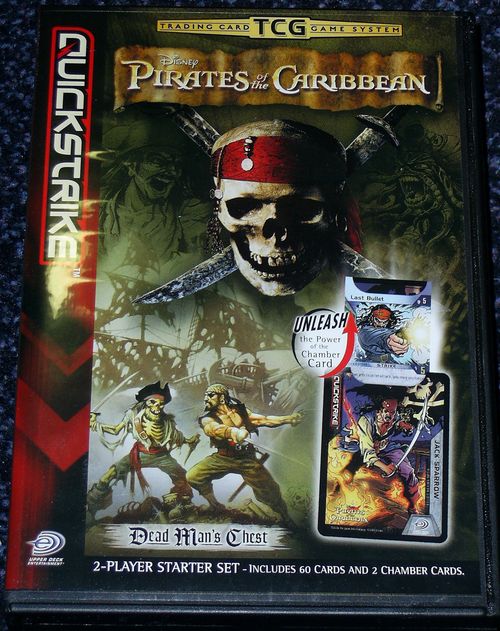
Pirates of the Caribbean: Trading Card Game
Pirates of the Caribbean: Trading Card Game Rulebook
Table of Contents
Table of Contents
- 1. Introduction
- 2. Game Overview
- 3. Trading Card Games
- 4. Card Types
- 5. Basic Set-Up and Gameplay
- 6. Basic Game Concepts
- 7. Opening Attack
- 8. Basic Combat: Using Strikes to Counterattack
- 9. Turn Sequence
- 10. Scoring Points and Winning the Game
- 11. Running Out of Cards
- 12. Payment Powers
- 13. More About Other Card Types
- 14. Game Terms and Keywords
- 15. Deckbuilding and Traits
- 16. The QuickStrike System
- 17. Frequently Asked Questions
- 18. Glossary
1. Introduction
Welcome to the Pirates of the Caribbean TCG, the game that takes you into the world of Disney's Pirates of the Caribbean. In this game, you become your favorite character and fight in one-on-one battles. Play as Will Turner and try to save the lovely Elizabeth Swann, or become Jack Sparrow and try to recapture The Black Pearl from the clutches of Captain Barbossa! You can take on the role of your favorite pirate or character and engage in the struggle for mastery over the Caribbean. No matter whose side you're on, this game is fast paced and exhilarating!
The Pirates of the Caribbean TCG uses the QuickStrike game system. That means you can combine Pirates of the Caribbean cards with other cards from the QuickStrike universe for an entirely new experience.
2. Game Overview
The Pirates of the Caribbean TCG is a different kind of card game. First of all, you don't play with a hand of cards. Instead, you flip cards from the top of your deck, and your opponent flips cards from the top of his or her deck.
You'll use a strike card to send an attack against your opponent. Your opponent will then have three chances to stop your attack with a strike of his or her own. These chances are represented by the three colored zones on your playmat. If your opponent runs out of zones without stopping your attack, you score a point. The first player to score three points wins the game. Be careful, though, because if your opponent hits back with a counterattack, you'll be the one in the hot seat!
Attacking isn't free, however. You have to pay for cards before you can play them. When you flip a strike, the card will tell you how much energy you have to pay before you can send an attack against your opponent.
Strikes aren't the only things you need to win a battle. Sneaky tactics, represented by advantage cards, and help from your friends, represented by ally cards, can mean the difference between winning and losing. Be sure to keep track of your energy, because you have to pay to play these cards too.
One last thing! Each character has a set of signature moves. To see a character's signature moves, just look at the pull-out section within that character's Chamber Card. Signature moves represent a character's special attacks, which can only be played under certain conditions. Keep reading, because we'll get to what those are soon.
3. Trading Card Games
If you've never played a trading card game (TCG) before, prepare yourself for a whole new experience!
TCGs are different from other games in two ways. First, the cards in a TCG can change or go beyond the game's basic rules. The golden rule of TCGs is that the card is always right. That means you should always do what the card says even if the rules say something different.
Second, you get to choose what cards you want to play with. For example, you decide which strikes Jack Sparrow will make, what advantages he will use, and which of his friends will help him. In this game, the power of your deck is only limited by the strength of your imagination.
4. Card Types
A. Strike Cards
Strikes represent the attacks and defensive maneuvers that a character can play. Strike cards have a blue border.
Card Name: This is the name of the strike.
Force: Force represents the attack strength of a strike. A strike's Force has a lightning bolt icon near it. After you send an attack, your opponent can only counterattack with a strike that has an Intercept greater than or equal to the Force of your strike.
Intercept: Intercept represents the defensive strength of a strike. A strike's Intercept has a shield icon near it. You can play a strike only if its Intercept is greater than or equal to the Force of an incoming attack.
Sidebar Cost: The sidebar cost tells you how much energy you have to pay to play the strike. The numbers inside the colored boxes tell you how many of each color energy you must pay.
Rules Text: The rules text tells you about any special rules and abilities for the strike.
Trait Requirement: Trait requirements are only used when you build your deck. You can play a strike with a trait requirement only if your character's Chamber Card has the matching symbol. You don't have to worry about trait requirements when playing the starter deck game.
B. The Chamber Card: Short Version
When you pick a character to play with, you get to use that character's Chamber Card. Chamber Cards have a front side and a back side. The front has the character's trait symbols on the left-hand side of the card. The back has the Pirates of the Caribbean logo instead. Chamber Cards start play with the front side face up.
C. Ally Cards
Ally cards represent your friends and companions who help you in a battle. Ally cards have a purple border. You can have more than one copy of an ally card in play—that just means your friend is giving you more help! Just like strikes, ally cards have a sidebar cost as well as an area for rules text.
D. Advantage Cards
Advantage cards represent the special tactics and training that a character can use. Advantage cards have a gold border. Advantage cards can do lots of different things. They can make your strikes better, add energy, and eliminate ally cards, for example. Advantage cards can also let you charge a zone, which is something we'll explain later. Just like strike and ally cards, advantage cards have a sidebar cost as well as an area for rules text.
5. Basic Set-Up and Gameplay
Let's get on to fighting and looting!
But first, let's set up the game. Here are the instructions:
- The starter deck has two packs of thirty (30) cards and two Chamber Cards. Each player chooses a character and shuffles that character's deck (minus the Chamber Card).
- Each player lays out his or her half of the playmat. Make sure to overlap the top sections of the playmats so that each player has only one advantage area.
- Each player puts his or her Chamber Card and deck into the marked play spaces. Make sure that your Chamber Card is placed with the front showing (the side with the trait symbols).
- Each player places three cards from his or her deck face down into each of the colored energy areas on the right-hand side of the playmat. Each player starts the game with three green energy, three yellow energy, and three red energy. Don't look at these cards!
- Place four cards face up into your discard pile.
See the diagram on the next page.
Now, we have to decide who goes first. Each player adds up the total Force on the cards in his or her discard pile. The player with the greater total Force will decide who defends against the opening attack. (See the "Opening Attack" section.) If the numbers are tied, each player puts an additional card from his or her deck into the discard pile until someone has more Force than the other player.
6. Basic Game Concepts
A. Zones
Each player has three zones where he or she can defend against the opponent's attacks. These zones are color-coded to represent the level of danger that the player is in while defending. The green zone is a player's first line of defense, followed by the yellow zone. A player makes a final stand in the red zone, the last line of defense. If a player fails to defend in the red zone, his or her opponent will score a point.
- Unless a card says otherwise, you always begin defending in the green zone.
Zones represent different opportunities to defend against an attack and build your own strategy.
There are three things you should remember about zones.
- They are where you flip your cards. Each zone has an area labeled "Flip Here."
- They are where you store your energy.
- They are where you put your ally cards. Each zone has an area labeled "Ally."
B. Defending in a Zone
When you start defending in a zone, the first thing you do is flip a card face up into that zone in the area labeled "Flip Here."
Once you have flipped a card, you may choose to play any payment powers that the card has. (Go to the "Payment Powers" section for more information.)
Next, you have the chance to play the card by paying its sidebar cost. This cost is shown on the left side of the card in its sidebar.
- If you are playing a strike, you turn the card sideways to show that you're counterattacking. It is now your opponent's turn.
- If you are playing an advantage, you move the card into the advantage area and follow its instructions. If the advantage has the keyword "Immediate" in its rules text, you put the card into your discard pile instead. Then, you continue defending in the same zone. That means you flip a new card into that zone.
- If you are playing an ally, you move the card to the ally space in the zone where you're defending. Then, you continue defending in the same zone.
Sometimes, you won't want to play a card. You might not want to spend the energy for it, or you might be waiting for a better option. Other times, you won't be able to play a card. For example, a strike's Intercept might be too low to stop an attack. In these cases, you can:
- Focus the card. You do this by turning it face down and putting it onto the energy stack in the zone where you're defending.
- Discard the card. Sometimes, certain card effects make it so you don't want to focus or you can't focus. You discard a card by placing it face up in your discard pile.
Whether you choose to focus or discard a card, the next step is to start defending in the next zone down (unless you're already in your red zone—in that case, your opponent scores a point).
C. Energy
Energy represents the strength that a character draws upon to perform his or her actions. You use energy to pay for your cards. Your energy level is represented by the number of face-down cards on the right-hand side of each of your zones.
There are three different colors of energy. Red energy is the strongest, followed by yellow energy. Green energy is the weakest.
Here's what you need to remember about energy:
- Each player begins the game with three energy of each color.
- Whenever you add energy, you take a card from your discard pile and place it face down in the appropriate zone's energy stack.
- Your energy levels will go up and down throughout the game. Use your energy wisely!
D. Paying Energy Costs
Almost every card costs energy to play. A card's energy cost is represented by the colored sidebar on the left side of the card. The numbers inside the colored boxes show you how many of each kind of energy you need to play the card. For example, to pay for a card that costs one green energy, take one of the cards in your green zone's energy stack and put it face up into your discard pile.
To play Thrown Overboard, you need to pay two green energy and one yellow energy. Take two green energy from your green zone's energy stack and one yellow energy from your yellow zone's energy stack and put them face up into your discard pile.
E. Overpaying Energy
What if you didn't have enough green energy to play Thrown Overboard? If you had one green, one yellow, and one red energy, you could still play the card if you wanted to!
To play the strike, you would be forced to overpay. Remember how red is the most powerful energy, followed by yellow, and then green?
Overpayment works like this:
- A yellow energy can be used to pay a green cost.
- A red energy can be used to pay a yellow cost or a green cost.
In this example, you could play Thrown Overboard by paying one green energy and then using one yellow energy to pay for the remaining green cost. Finally, you would pay one red energy to pay for the remaining yellow cost.
F. Focusing
Focusing is one of the main ways to gain energy. Instead of playing a card, you can choose to focus it by adding it to your energy stack.
When you want to focus, take the card you just flipped and move it face down to the energy stack of the zone where you're defending. After that, you start defending in the next zone down.
Note that you can focus in your red zone, even if it would mean that your opponent scores a point. In fact, most of the time when your opponent scores a point, you will focus the card in your red zone.
7. Opening Attack
The opening attack is a strike that starts off the action in a Pirates of the Caribbean TCG battle. At the beginning of the game and after each point is scored, one player will make an opening attack.
At the beginning of the game, each player puts the top four cards of his or her deck into his or her discard pile. The player whose cards have the greater total Force gets to choose which player will defend against the opening attack.
When a player scores a point, his or her opponent gets to decide which player will defend against the opening attack.
The opening attack is a strike that has 4 Force. The player who defends against this strike adds a green energy before starting his or her turn.
8. Basic Combat: Using Strikes to Counterattack
Each strike has an Intercept, representing that card's ability to block an incoming attack, as well as a Force, representing the ferocity and strength of that card's attack. When you play a strike, its Intercept has to be equal to or greater than the Force of your opponent's attack. You also have to be able to pay for the strike.
If a strike doesn't have enough Intercept to stop your opponent's attack, you can't play it. But even if a strike has enough Intercept, you don't have to play it. You can decide not to play a strike for any reason. For example, you might be hoping to find a more powerful strike, or maybe you want to save your energy for later. If you choose not to play a strike, you can either focus it or discard it. After that, you begin defending in the next zone down. If you are already in your red zone, your opponent scores a point.
Playing a strike is called a counterattack. When you counterattack, you turn the strike card sideways. That means your turn is over and your opponent must defend against the Force of your strike.
9. Turn Sequence
OPENING ATTACK = 4 FORCE. DEFENDER ADDS ONE GREEN ENERGY
Each player's turn can be divided into four simple steps: cleanup, replenish, signature move, and flip.
A. Cleanup
When you start your turn, the first thing you do is clean up. That means you put your strike and any cards in your advantage area into your discard pile. You don't clean up any of your energy or ally cards.
B. Replenish
Replenishing is another way that a player can gain energy. The longer your opponent takes to return your strike, the more energy you're able to replenish.
It's easy to figure out how much energy you gain. First, add one energy of the same color as the zone where your opponent counterattacked. Then, add one energy to each of the zones above that zone.
Sound complicated? Well, here's an easier guide.
- If your opponent counterattacked from the green zone, you get to add one green energy.
- If your opponent counterattacked from the yellow zone, you get to add one yellow and one green energy.
- If your opponent counterattacked from the red zone, you get to add one red, one yellow, and one green energy.
- If your opponent counterattacked with a signature move, you don't get to add any energy. This is because signature moves don't come from any zone.
Whenever you replenish your energy, you take cards from your discard pile and place them face down in the appropriate energy stack.
C. Signature Move
During this step, you can defend with a signature move, the special strike that's inside your Chamber Card. You can play a signature move only if all of your zones are charged. (We'll get to charging a little bit later.)
If you decide to play a signature move, you uncharge all of your zones, open your Chamber Card to reveal your strike, and pay its sidebar cost (if any). You are now counterattacking with your strike.
If your Chamber Card is placed with the front side showing, you can only play the strike on the front of the pull-out section. If your Chamber Card is placed with the back side showing, you can only play the strike on the back of the pull-out section. Your Chamber Card starts in play with the front side showing.
If you can't play or decide not to play a signature move, you'll go to the next step.
D. Flip
When you get to this step, you start defending in your green zone. This is where most of the action in the game happens. You should look at the "Defending in a Zone" section for more information.
Here are the basic steps for defending:
- When you start defending in a zone, the first thing you do is flip a card face up into that zone's area labeled "Flip Here."
- You now decide whether to play the flipped card. Depending on what type of card it is, different things will happen. If you don't want to play the card, go to step 3.
- If you are playing a strike, turn the card sideways to show that you're counterattacking. It is now your opponent's turn.
- If you are playing an advantage, move the card to the advantage area and follow the card's instructions. If the advantage has the keyword "Immediate" in its rules text, you put the card into your discard pile instead. Once the advantage has been played, charge the zone where you are defending. (We'll get to more on this later.) Then, you continue defending in the same zone. That means you flip a new card in that zone.
- If you are playing an ally, move the card into the ally space in the zone where you're defending. Then, you continue defending in the same zone. That means you flip a new card in that zone.
- If you can't or don't want to play a card, you can focus or discard it. Then, you begin defending in the next zone down. If you are already in the red zone, your opponent scores a point.
10. Scoring Points and Winning the Game
If you can't or decide not to counterattack in the red zone, your opponent scores a point. The first player who scores three points wins the game.
If no one has won the game after a point is scored, this is what happens:
A. Celebration
When you score a point, you get to celebrate. That means you get to add an energy to each zone where you have an ally. Any effects that occur because of celebration should now take place.
B. Cleanup
This is a lot like the cleanup step at the beginning of each turn, except both players have to clean up. You do this by putting any cards in your advantage area and any strikes you played when defending last into your discard pile. Your opponent does the same with his or her cards. Remember, you don't clean up any ally or energy cards this way.
C. Opening Attack
The player who was scored against gets to decide who will defend against the opening attack.
11. Running Out of Cards
It's OK if you run out of cards in your deck. Once you flip your last card into a zone, take note of which zones are charged and how much energy you have in each zone. Then, shuffle together all of the cards in your energy areas and discard pile. You do not shuffle your Chamber Card, ally cards, or cards in your advantage area. Re-deal the same number of energy that you had before you ran out of cards, put four cards from your deck face up into your discard pile, and turn your deck and discard pile sideways if those zones were already charged. You can now go on with the game.
If you ever run out of cards in your discard pile, put the top four cards of your deck into your discard pile. That way, you can always add energy from there.
12. Payment Powers
Some cards have payment powers in their rules text boxes. Playing a card's payment power allows you to put in some extra effort to make the card you're playing much better. You can recognize a payment power by the use of the payment symbol. If you pay the cost, which appears before the symbol, you get the effect, which appears after the symbol. Unless the card says otherwise, you can pay the cost and get the effect as many times as you like.
If you choose to use a strike card's payment power, you must pay the cost of the payment power before you pay the sidebar cost of the strike. There are different types of costs, such as paying energy or eliminating one of your cards. Keep in mind that to pay the cost of a payment power, you have to be able to afford it. You can't spend something that you don't have!
Some payment powers have costs written as a color word. This means you can pay that color of energy to use that payment power.
Example (Down the Barrel, a strike with the rules text "Red: +2 Intercept and +2 Force. Use only once."): Danny is defending against Easy Mark, a strike that has 6 Force. He flips Down the Barrel, a strike that has 4 Intercept. Down the Barrel wouldn't usually be able to counterattack, but its rules text says, "Red [payment] +2 Intercept and +2 Force. Use only once." Danny decides to pay one red energy for the payment power, which gives Down the Barrel 6 Intercept total. Now, Down the Barrel's Intercept is equal to Easy Mark's Force, so Danny can counterattack with Down the Barrel.
Some payment powers have costs that reduce a strike's Intercept. If you use a power that reduces your strike's Intercept so it can't stop the incoming attack, you won't be able to counterattack with that strike. Also, you can't reduce a strike's Intercept to less than 0 when paying for a payment power, because you can't spend something that you don't have.
Example (Berserk Parrot, a strike with 5 Intercept, 2 Force and the rules text "-1 Intercept [payment] +1 Force."): Brian is now defending against Good Night, Captain, which has 1 Force. He flips Berserk Parrot, a strike that has 5 Intercept, 2 Force, and rules text that says, "-1 Intercept [payment] +1 Force." Brian decides to use the payment power four times, so his strike now has 1 Intercept and 6 Force. He doesn't want to use the power a fifth time, because that would reduce Berserk Parrot's Intercept to 0, so he wouldn't be able to counterattack. Brian then pays the sidebar cost of Berserk Parrot and turns it sideways to show that he's counterattacking.
Transcriber note: in the PDF the payment-power symbol and the colour-energy symbol are glyph icons that the text layer does not reproduce; they are rendered here as "[payment]" and the colour word, as described in the text above.
13. More About Other Card Types
A. Ally Cards
Playing Ally Cards
When you flip an ally card, you may play it by paying its sidebar cost. Once you pay the cost of an ally card, move it to the ally space in the zone where you're defending. An ally stays in play until the end of the game unless another card removes it. The most important rule of ally cards is that an ally only affects cards that are in the same zone as that ally.
(Diagram: Greenbeard affects only the green zone.)
Once you've placed an ally card in an ally space, you continue defending in the same zone. However, you can choose to focus or discard an ally card rather than play it. In that case, you start defending one zone down.
You can have one ally in play in each of your zones. If you flip an ally card in a zone that already has an ally, you can still pay its cost and play it. If you do, one of two things can happen:
- You can replace the existing ally card with the one you've just played. If you choose to do that, put the old ally card into your discard pile. You are still defending in the same zone.
- You can put the ally card you just played into your discard pile. You are still defending in the same zone. If you choose to put the ally card in your discard pile without paying its cost, you will be defending in the next zone down.
Using Ally Cards
An ally card only affects the zone that it's in. When you're defending in a zone with an ally, that ally is constantly affecting cards in that zone. For example, Greenbeard has rules text that says, "In Greenbeard's zone, your strikes have +1 Force." That means that whenever you counterattack from the same zone that Greenbeard is in, you get to add 1 to your strike's Force.
It's important to remember that the bonus only exists while Greenbeard is in play. If he is eliminated, his effect will also disappear.
Some ally cards have payment powers. These powers work in much the same way that payment powers on strikes do, with two differences. First, an ally card's payment power can only be used when you are defending with a strike in that ally's zone. Second, an ally payment power can only affect a strike while it's in that ally's zone.
Keep in mind that if you eliminate an ally that is affecting a strike, the effect on that strike will disappear.
Example (Last Meal, an advantage with the rules text "Immediate: You may eliminate an ally in any zone. If you do, add [energy] to that zone."): Justin has counterattacked from Greenbeard's zone with Thrown Overboard, a strike that has 4 Force. Greenbeard gives strikes in his zone +1 Force, so Cate needs a strike that has at least 5 Intercept to counterattack. But wait! Cate flips Last Meal, an advantage that can eliminate Greenbeard. She pays for and plays the advantage. Now she needs a strike that has only 4 Intercept, because Greenbeard is no longer affecting Justin's strike.
Ally Cards and Celebration
Celebration is one of the ways to gain energy. Whenever you score a point, you get to celebrate with your crew. This means that you get to add an energy to each of the zones where you have an ally.
B. Advantage Cards
Advantage cards represent the training and tactics that a character can use in battle. Advantage cards have a gold border, and they can do lots of different things. For example, some advantage cards can make your strikes better, eliminate cards in play, or add energy.
Playing Advantage Cards
Just like ally and strike cards, you play an advantage card by paying its sidebar cost. When you play an advantage card, you move it to your advantage area. That advantage will have an effect until you've reached your next cleanup step or a point has been scored.
When you play an advantage card, you continue defending in the same zone. This means you get to flip a new card in that zone. There's no limit to how many advantage cards you can have in your advantage area, nor is there a limit to how many you can play in one turn. An advantage stops having an effect as soon as it's removed from the advantage area.
Immediate Advantage Cards
Some advantage cards have the keyword "Immediate" as part of their rules text. These cards don't go to the advantage area when you play them. Instead, they go directly to your discard pile once you've gotten their effects.
Charging Your Zones
Advantage cards are important because they're one of the main ways to charge your zones. When all of your zones are charged, you can play a signature move, which is the special strike that's within your character's Chamber Card.
When you play an advantage, you charge the zone where it was played. To show that a zone is charged, turn the cards in that zone's charge space sideways.
- To charge your green zone, turn your Chamber Card sideways.
- To charge your yellow zone, turn your deck sideways.
- To charge your red zone, turn your discard pile sideways.
Once charged, a zone will remain that way until you play a signature move or an effect makes you uncharge it.
C. The Chamber Card
The Chamber Card represents the character who you've chosen to be in the Pirates of the Caribbean TCG. The Chamber Card affects you in three ways.
- It determines which signature moves you can play. A character's signature moves are hidden strikes that slide out of the chamber.
- The traits of your character affect what cards you can have in your deck. You can only play cards that share a trait symbol with your Chamber Card.
- Each Chamber Card has one or more cards that are exclusive to it. That means only that character can have those cards in his or her deck.
Signature Moves
Each Chamber Card contains two signature move cards, one on the front and one on the back. Each one is more powerful than the average strike. The signature move on the back is even more powerful than the one on the front. When you're playing the game, you can look at your signature moves at any time, but be sure not to let your opponent know what your secret moves are!
You can play a signature move only when all of your zones are charged. Most of the time, a zone gets charged when you play an advantage card in that zone, but there are also strike and ally cards that can charge and uncharge zones.
A signature move can only be used during the signature move step, after you've replenished for the turn. See the "Turn Sequence" section for more information about when you can play a signature move. All signature moves in this game are strikes, so they have the same play restrictions as normal strikes. That means that in addition to having all of your zones charged, you have to make sure that you can pay the strike's cost, and the strike must have an Intercept that's greater than or equal to the Force of the incoming attack.
Once all of these conditions are met, you can play a signature move. To do so, uncharge all of your zones by rotating the cards in the charge spaces so they're right-side-up again. Then, pull out your Chamber Card's drawer, reveal the signature move to your opponent, and pay any sidebar costs the strike has. If you want to use a signature move's payment power, you first pay the cost of the power, and then you pay the sidebar costs.
Because you don't counterattack with signature moves from a zone, your ally cards don't affect them, and your opponent doesn't get to replenish any energy on his or her turn.
When you clean up a signature move during your cleanup step or after a point has been scored, you do the following two things:
- Push the signature move back into the Chamber Card.
- Turn the Chamber Card over to the other side.
The next time all of your zones are charged, you'll be able to play the signature move on the back of your Chamber Card. Once you've used that signature move, turn your Chamber Card to the front and start all over again!
Exclusive Cards
Each Chamber Card has access to exclusive cards that can only be put into your deck when you're playing that character. These are powerful cards that are unique to each character. An exclusive card has a special foil treatment, and the keyword "Exclusive" appears in its rules text box. The name of the character that the card is exclusive to appears after the keyword. For example, Forged Fury can only be put into your deck when you're playing as Will Turner.
14. Game Terms and Keywords
There are a few words that have special meanings in the Pirates of the Caribbean TCG. These keywords let you know that a card has certain abilities.
A. Eliminate
A card can have an ability that allows you to eliminate it or another card. When one of your cards is eliminated, you remove it from play and put it into your discard pile. Sometimes, you'll eliminate a card to pay the cost of a power, or a power will make your opponent eliminate one of his or her cards.
B. Immediate
Some advantage cards have the keyword "Immediate" in their rules text. These cards are placed in the discard pile instead of the advantage area after they have been played.
C. Reflip
A card that has the "Reflip" keyword can be replaced if you don't need that card at the moment. To use this ability, you have to pay the reflip cost of the card, which appears right after the keyword. Once you've paid this cost, you put the card into your discard pile and flip a new card into the same zone where you were defending. You do not have to pay the card's sidebar cost in order to reflip.
Example (Hit the Deck, a strike with 1 Intercept and the rules text "Reflip: Green (You may pay a green energy to discard this card and flip a new one in this zone.)"): Ben is defending in his red zone against David's attack, which has 3 Force. He flips Hit the Deck, but he can't counterattack with it, because it only has 1 Intercept. Normally, he would have to focus the strike and let David score a point. But luckily for Ben, Hit the Deck has "Reflip: Green" in its rules text box, so he can pay a green energy to get another shot at counterattacking against the strike. Ben pays the reflip cost and puts Hit the Deck into his discard pile. He then flips a new card into the flip space in his red zone.
D. Deploy
The keyword "Deploy" is an ability on certain ally cards. It allows you to place an ally in one of your empty ally spaces even if you didn't flip the ally in that space's zone. To use Deploy, you first pay the sidebar cost of the ally. Then, you may choose to pay the Deploy cost. If you pay the Deploy cost, you may place that ally in any of your empty ally spaces. You then continue defending in the zone where you originally flipped the ally.
Example: Morgan is defending in his green zone. He flips J. Bennie, Royal Executioner, which has the rules text, "Deploy: Green." Morgan would like to have J. Bennie in his empty red ally space, so he pays a red energy for the sidebar cost of the ally. Then he pays a green energy for the deploy cost. He places J. Bennie in his empty ally space in his red zone. Since he just played an ally, he is still defending in his green zone, so he flips a new card into that zone's flip space.
15. Deckbuilding and Traits
Now that you've played the game with the starter deck, it's time to make your own decks with your favorite characters, strikes, and other cards.
There are a few rules you need to follow when building your decks:
- Your deck has to have at least sixty (60) cards.
- You can't play more than four (4) copies of any single card.
- You can only play cards that share a trait symbol with your Chamber Card. Some cards don't have any trait symbols. You can put those cards into any deck.
A. Traits
Traits represent the special styles and skills that your character can use in battle. There are nine basic traits in the game, with three for each of the basic card types. Plus, there are three special Pirates of the Caribbean TCG traits that represent the different ways the characters like to battle at sea. Each character has four traits (one for each card type and one Pirates of the Caribbean TCG trait) that tell you which cards you can play in that character's deck. You can only put cards in your deck that share a trait symbol with your Chamber Card.
If a card doesn't have any trait symbols, any character can use it. These cards are called generics. Keep in mind though that you can never play an exclusive card unless you're playing with that card's character.
Example: Elizabeth Swann's Chamber Card has the Bull, Mind, Shadow, and Cannon traits. This means that she can only use cards that have these trait symbols. She can also use cards that don't have any trait symbols.
The nine basic traits are:
- Strike group: Bull, Fox, Lion
- Advantage group: Mind, Body, Spirit
- Ally group: Light, Shadow, Dark
The three Pirates of the Caribbean TCG traits are Sail, Sword and Cannon.
B. Basic Trait Descriptions
Each of the nine basic traits captures a different aspect of the characters in the Pirates of the Caribbean universe.
The Strike Group
This group of traits represents a character's fighting style. These traits appear as animal symbols.
- Bull: Bull strikes are very destructive, both to you and your opponent. They tend to give up resources for immediate gain, or they can punish your opponent for his or her weaknesses.
- Fox: Fox strikes are tricky, relying more on cunning than brute force. Fox strikes wear down an opponent over time rather than bashing through his or her defenses.
- Lion: Lion strikes are often protective or help build up to something big. Lion strikes are more about helping yourself than hurting your opponent.
The Advantage Group
This group of traits shows you a character's personality and how he or she relates to others and the world at large.
- Mind: A character who has the Mind trait likes to plan before acting. Long-term strategy is important to a Mind character.
- Body: A character who has the Body trait is focused on the physical nature of the world.
- Spirit: A character who has the Spirit trait can draw upon heart, intuition, fortitude, and charisma to achieve his or her goals.
The Ally Group
This group of traits shows you a character's friends and other characters who have a similar outlook on life.
- Light: A character with the Light trait has an ordered outlook on the world. James Norrington and Rachel Darling are good examples of the Light trait.
- Shadow: Characters with the Shadow trait value their independence and passions. Will Turner, Jack Sparrow, and Elizabeth Swann have the Shadow trait.
- Dark: Dark characters seek to dominate or like to be part of a conquest. They will often stop at nothing to achieve their goals. Captain Barbossa is a great example of a Dark trait character.
C. Special Trait Descriptions
The Pirate Group
Each character in the Pirates of the Caribbean TCG has a special Pirate trait symbol that shows the character's combat preference when he or she is sailing in the Caribbean.
- Sail: Characters with the Sail symbol prefer outsmarting their opponents through navigational cunning and mastery over the winds. They believe that outmaneuvering an opponent will often lead to an advantage in ship-to-ship combat.
- Sword: The Sword symbol represents characters who prefer to have their ship enter close combat with opponents. Steel on steel is an honorable way of determining a victor.
- Cannon: Fire away! Characters who are part of the Cannon trait believe that superior firepower and crippling an enemy from afar are the best ways to attain victory in the Caribbean.
16. The QuickStrike System
You may have been wondering what the word "QuickStrike" means on the back of your cards. The Pirates of the Caribbean TCG is part of a larger game system that lets you duel with characters from different universes! All QuickStrike games share the same combat system as well as the nine basic traits. You can add cards from any QuickStrike game to your deck as long as those cards have a matching trait symbol with your Chamber Card.
Each QuickStrike game will have unique aspects. The Pirates of the Caribbean TCG has special Pirate traits, but each new universe could have any number of special features. If you like the Pirates of the Caribbean TCG, you should keep an eye out for more games that use the QuickStrike system!
17. Frequently Asked Questions
What if two effects happen at the same time? What order do they go in?
If more than one thing would happen at the same time, the player whose turn it is decides in what order they will happen.
Example: Ben has Davy Jones in his green zone, which is uncharged. Davy Jones's card text reads, "When you counterattack from Davy Jones's zone, you may uncharge his zone. If you do, charge one of your zones." Ben flips Rifle Crash, a strike that has the text, "When you counterattack, charge this zone." Ben pays the sidebar cost to counterattack with Rifle Crash. When he counterattacks, there are two abilities that can happen: charging the green zone and having Davy Jones's effect happen. Ben wants to charge his red zone, so he makes Rifle Crash's ability happen before Davy Jones's.
When does my turn end?
Your turn is over once you've counterattacked and any effects that trigger from counterattacking ("When you counterattack . . . ") are done. The first thing you do at the start of your next turn is clean up your cards.
What happens with negative Force and Intercept?
If your strike's Force or Intercept is reduced below 0, you should treat that number as 0 when comparing Force and Intercept. A Force of 0 is stopped by an Intercept of 0. Negative numbers only mean something when you are adding or subtracting to that number. For example, if your strike has -2 Force and an effect gives it +3 Force, your strike will have a total Force of 1. Keep in mind that you can never reduce the total Force or Intercept of a strike below 0 to pay the cost of a payment power.
Can I charge a charged zone? Can I uncharge an uncharged zone?
The answer is no to both questions. If a card tells you to charge a zone, you can't charge a zone that's already charged. Similarly, if a card tells you to uncharge a zone, you can't uncharge a zone that's already uncharged.
What happens when I play an advantage in a charged zone?
When you play an advantage in a charged zone, you skip charging that zone and cards that trigger from charging don't go into effect.
When a card asks me to do something that I can't do, what happens?
For example, what happens when I play a card that says, "Eliminate one of your opponent's allies," but my opponent doesn't have any? If a card asks you to do something that you can't do or can only do in part, try to do as much as you can. In the example, you would skip over the "Eliminate one of your opponent's allies" part of the card's rules text.
What if two contradicting effects are trying to happen? Which one wins?
The golden rule for situations like this is that "cannot" always beats "can." If you have a card that says, "You cannot charge any of your zones," and you have another card that says, "Charge this zone," the "cannot" ability wins out, so you won't be able to charge your zone.
18. Glossary
Advantage (card type) – Advantage cards represent the tactics and mindset of a character. Advantage cards have gold borders, and they are the main way to charge your zones. There are three basic advantage traits: Body, Mind, and Spirit.
Advantage Area – The advantage area is where you place advantages when you play them. At the beginning of your turn or whenever a point is scored, you clean up all the cards in your advantage area.
Ally (card type) – Ally cards represent your friends as well as anyone who is helping you in a duel. When you play an ally card, it goes into the ally space to the left of the flip space. Ally cards are active only when you are defending in that ally's zone. There are three basic ally traits: Light, Shadow, and Dark.
Celebration – When you score a point, you get to celebrate. This means that you add an energy to each of your zones with an ally.
Chamber Card – This represents the character whose role you are taking in the duel. Chamber Card characters are from all parts of the Pirates of the Caribbean universe, so you can choose which side of the battle you are fighting on! Each Chamber Card has a character's traits on the front, and his or her special signature moves are inside of the card.
Charge – Charging is the way that each character builds up to play his or her signature moves. A player charges a zone by turning the cards in the charge space sideways.
Clean Up – When you clean up, you put all of the cards in your advantage area and any strikes you have into your discard pile.
Cleanup Step – This is the first step of each turn. You clean up your cards during this step.
Counterattack – A counterattack happens when you pay for the sidebar cost of a strike and turn it sideways. A counterattack usually ends your turn.
Deploy: [Cost] – This is a keyword that appears on ally cards. When you play an ally, you may also pay the deploy cost. If you do, you can move that ally to any one of your empty ally spaces.
Eliminate – When a card is eliminated, put it into its owner's discard pile.
Energy – You pay energy to play cards. Energy is represented by face-down cards in the right-hand side of a zone.
Exclusive—[Character Name] – Cards that have this keyword can only be put into decks that use the Chamber Card of the given character name.
Flip – When you flip a card, you put a card from the top of your deck into your flip space.
Flip Step – This is the last step of a turn. At the start of your flip step, you begin defending in your green zone.
Focus – You focus a card when you can't or choose not to play that card. Focusing is a main way for you to increase your energy. To focus a card, you turn it face down and put it into the energy area of the zone where you were defending.
Force – This is a number on a strike that indicates the strike's attack strength. The Force value is located halfway down on the right-hand side of your strike cards. It's a gold number that's next to a lightning bolt icon.
Generic – A generic card doesn't have any traits and can be used by any character. A generic card doesn't have any trait symbols in the top left-hand corner.
Immediate – This is a keyword on advantage cards. An advantage with the "Immediate" keyword is put into your discard pile instead of the advantage area.
Intercept – This is a number on a strike that indicates the strike's ability to defend against an attack. The Intercept value is located on the top right-hand corner of your strike cards. It's a white number next to a shield icon.
Opening Attack – The opening attack is the first strike of the game and the first strike sent after a player has scored a point. It always has 4 Force. The player who defends against the opening attack adds one green energy.
Payment Powers – These are special abilities on cards. Payment powers are marked with the payment symbol. You can get the ability of a payment power if you pay the cost before the symbol.
Play – When you pay the cost of a card or a payment power, you are playing that card or payment power.
Rarity – There are three card rarities. A card's rarity is indicated by the number and color of diamonds just below the picture box of that card. One black diamond means the card is common. Two white diamonds means the card is uncommon, and three gold diamonds means the card is rare. Exclusive cards are ultra rare and have a special foil treatment.
Reflip: [Cost] – Reflip is a keyword ability. If you pay the reflip cost, you can put the card into your discard pile and flip another card into the same zone.
Replenish – You replenish when you add energy based on which zone your opponent counterattacked from.
Replenish Step – This is the second step of a turn, when you replenish your energy.
Scoring a Point – You score a point when an opponent fails to defend against your strike in his or her red zone. When you score three points, you win the game.
Sidebar Cost – The sidebar cost is a feature of all cards, appearing on the left-hand side of each strike, advantage, and ally card. The sidebar cost is made up of three colored sections: green, yellow, and red. Each section indicates how much of that colored energy the card costs to play.
Signature Move – The signature move is a character's special attack that you can only play if all of your zones are charged.
Signature Move Step – This is the third step of a turn, when you can choose whether to defend with a signature move.
Strike (card type) – Strike cards are the main way to battle against your opponent. Each strike card has a Force and an Intercept. Some strike cards have special abilities or effects that can make them more powerful. There are three basic strike traits: Bull, Fox, and Lion.
Traits – Cards are divided by traits, which appear as a symbol on the top left-hand corner of each card. There are nine basic traits and three special Pirate traits. Your deck can only have cards that share a trait with your Chamber Card.
Uncharge – When you play a signature move, or when a card tells you to uncharge a zone, you turn the cards in the appropriate zone's charge space upright.
Zones – There are three colored zones: green, yellow, and red. Zones represent opportunities to stop your opponent's attack. Each zone has four sections: the ally space, the flip space, the charge space, and the energy space.