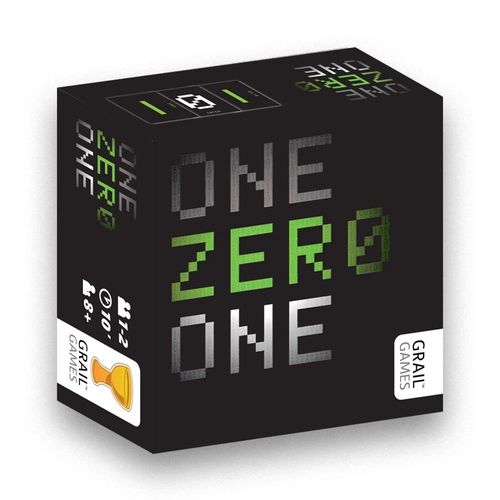
One Zero One
One Zero One Rulebook
Table of Contents
Table of Contents
Game Contents
Your game of One Zero One contains the following cards...
Base Game:
- 5 Control cards
- 5 Program Line cards
- 52 Command cards
- 1 RUN card
- 2 Player Aid cards
101.1 Expansion Set:
- 12 extra Command cards
- 1 extra Control card
- 1 Program Line card (60)
- 1 CPU card
Setting Up
First, set up the program display: The program display is made up of five lines where players will be playing their cards. To set up the program display, place the five Program Line cards in a vertical column (10-50), with the five Control cards placed vertically to the left of them. (This signifies that neither 0 nor 1 is in control of the program lines yet.) Then, place the "RUN" card to the right of the "50" program line card so that 3 cards will be able to fit between them.
Second, give each player their decks: Collect all the Command cards (those with 0s on one side and 1s on the other). One player receives all the cards with green digits, the other player receives the cards with white digits. Each player should have 17 cards. These two decks contain identical cards—the different colours have no value or purpose, other than to help when handing out the decks.
Unless you are playing with the game variants, you will only need to use the cards displaying the following commands: DELETE, ENTER, IF... THEN..., PRINT and SAVE, as well as all the Command cards without text (showing just 0 or 1). Remove all the other cards from the game. For information on how to play the game with the extra cards, please read the Variants section of these rules.
Then, get ready to begin! One player will be "0" and must flip all of their 17 cards to the "0" side. The other player will be "1" and must flip all their cards to the "1" side. Players must then remove one card from their set with no command text (just their digit) on it and set it aside for now. Their remaining 16 cards are to be shuffled thoroughly and placed in a pile in front of them, all with their digit (0 or 1) facing up.
Decide randomly who will go first. The starting player will place the card they had previously put aside to the immediate right of the "10" Program Line card, with their digit (0 or 1) facing up. The player going second will do likewise, but place their card to the right of the 20 program line card. Players will then draw the top 3 cards from their decks. This is their starting hand for the game. Play then begins with the first player.
Here is a game set up and ready to play. 0 will be going first. (Note the Control cards show 0 is white and 1 is green in this game.)
How to Play
On every player's turn, these three things must happen in order:
- INPUT — Play a card from your hand to the program.
- EXECUTE — If the card you played had command text on it, you will execute the command.
- LOAD — Draw cards from your deck until you have 3 cards in your hand.
These steps will now be explained in detail:
1. INPUT — Play a card from your hand to the program.
On your turn, you must select one card from your hand to play to one of the lines in the program display.
The following rules must be followed when playing a card...
- The card must be played with your digit (0 or 1) facing up.
- The card may be rotated (to place commands on a particular edge) before being placed, but the card must be placed vertically (not sideways).
- The card must be placed in the left-most empty space in a program line. If the line is empty, the card will be placed directly to the right of the Program Line card. Otherwise, it will be placed in the first available position to the right of any cards already in that line. This may mean your card will have to be placed in a gap between two cards.
- Except when playing to the 10 and 20 line, no card may be played to a program line unless every line above it has at least 3 cards already placed in it.
- There is no limit to the number of cards that may be played to a program line, except for the 50 line. No more than three cards may ever be placed in that line.
Some card commands will allow you to break these rules!
2. EXECUTE — If the card you played had command text on it, you will execute the command.
10 of the 16 cards in each player's decks have commands printed on them (2x: DELETE, ENTER, IF... THEN..., PRINT and SAVE.) If a player plays one of these cards, then its command (special action) must go into effect immediately, if possible. The card (or empty space) that will be affected by the command is the card (or empty space) that the command text is oriented towards when it is played to the program display.
Targeting a card: In this instance, 1 has played a DELETE card with the command text oriented towards the 0. The 0 will be affected by the DELETE command.
If a card with a command is placed so that the command text is directed towards an empty space (except in the cases of PRINT and SAVE) or, outside the boundaries of the program display (pointing towards a program line card, the RUN card, above the top line, or below the bottom line), then the command will have no effect.
The different command effects are explained later in these rules.
3. LOAD — Draw cards from your deck until you have 3 cards in your hand.
At the end of your turn, draw cards from your deck until you have 3 cards in hand. You may never have more than 3 cards in your hand.
Controlling Program Lines
At the end of the game, points will be awarded to the player who controls each of the program lines. The number of points that are awarded are shown on each program line card (ie: 10, 20, 30, 40 or 50 points). In order to win the game, a player must be in control of program lines that give them more total points than their opponent.
For a player to gain control of a program line, two things must happen:
- Their digit (0 or 1) must be face-up on more cards than the other player (the colour of the cards does not matter), and,
- There must be at least three cards in the program line.
If neither of these conditions are met, then neither player is in control of the program line and neither player would be awarded points for that line if the game was to end.
Gaps may appear in the program lines due to different commands, but this does not affect control in any way. To determine control, count the number of cards with each digit anywhere in the program line.
As soon as a player is deemed to be in control of a program line, the Control card of that line should be rotated to denote which player is in control. This helps players to see quickly how many points they would have if the game was to end at that particular moment. If a program line is deemed to be under neither player's control, its Control card should be returned to a vertical orientation.
Example of control: In this instance, 1 has more cards than 0 in this line. 1 is in control and will win 30 points if the game was to end now.
Ending the Game
Most of the time, the end of a game of One Zero One is triggered by a player. Deciding when to end the game (or to dissuade the opposing player from ending the game) is very important.
The game ends in either of these two ways:
- Immediately after the 3rd card is played to the 50 program line (next to the RUN card), or,
- Immediately after either player attempts to draw cards from their deck at the end of their turn, and they are unable to draw back up to a hand of 3 cards (their deck is depleted).
Usually the game will end by the placement of a third card in the 50 line, which runs the program and ends the game. At this point, players will add up the points of all the program lines they control, and the player with the highest points wins the game!
In the case of a tie, the player who was in control of the highest numbered program line wins. (Usually this will be the 50 line.)
In very rare situations, when the 2nd game-ending condition is met (a deck is depleted), the game may end with every single program line in dispute (neither player scores any points). In this situation, the game is considered a draw.
Example of a game at its completion. In this example, "1" won 80-40!
The following pages outline the different effects found on the Command cards. If a card has command text, it must be executed once played. Remember that for a card to be affected by a command, the command text must be oriented in its direction.
Unless otherwise stated, commands are single use only!
The Commands
DELETE
When a DELETE card is placed so that the word "DELETE" is targeting another card, that card is immediately removed from the game.
If this causes a gap in a program line, that gap remains until a player places a card there on any subsequent turn.
ENTER
When an ENTER card is placed so that the word "ENTER" is targeting another card, that card is immediately placed in the first available spot on the Program line immediately below its original position (even if this will move that card into a line before all the lines above it have at least 3 cards in them!)
If this causes a gap in a program line, that gap remains until a player places a card into that gap on any subsequent turn.
If a card in the 50 program line is affected by ENTER, it is placed in the 10 line.
IF... THEN...
When an IF... THEN... card is placed so that the words "IF... THEN..." are alongside another card, that neighbouring card is immediately flipped to the side showing the digit that the IF... THEN... command text dictates. (1 will be turned into 0, and 0 into 1.)
When a PRINT card is placed so that the word "PRINT" is targeting an empty space (either at the end of a program line, a gap in the middle of a program line, or an empty position above or below that card's program line), that empty space must be filled immediately with another card from the hand of the player who just played the PRINT card (even if this means placing a card on a new line before all the lines above it have at least 3 cards in them!)
If the "printed" card also has command text upon it, that command must be executed, too.
If the "printed" card must be placed so that there are gaps in the program line on one or both sides of it, the card must not move to fill those gaps—it "hangs" in the space it was "printed" into.
If a PRINT card's command text is targeting another card, nothing happens.
SAVE
When a SAVE card is placed so that the word "SAVE" is targeting another card, both that neighbouring card, AND the card with the SAVE command on it, are protected for the remainder of the game. Neither card may be moved, turned over, or removed in any way.
If a SAVE card is placed so that the "SAVE" command text is targeting an empty space, then the next card played into that space will be the card that will be "saved".
Variants
Open Source
The default method of play is for each player's decks to be in full-view of either player (each player can see what card their opponent will draw next), while their hand cards remain hidden. It is possible to play with each player's hand cards always in view (laid on the table). This can make the game harder as players can see what commands are available to their opponent at any time.
Alternatively, if you wish to keep all cards private, consider covering each draw deck with one of the Player Aid cards.
Alternative Cards
The following sets of variant cards may be swapped into players' decks to increase variability when playing One Zero One. Simply remove Command card sets from the defaut set-up and substitute them with any of the following card sets.
When experimenting with different deck set-ups, ensure that both players begin the game with identical cards in their decks. Decks should also have 7 cards without commands and 10 with commands. Players may play with larger decks, but this will reduce the likelihood of seeing a particular card. If doing so, it is suggested that you increase the 50 line to be able to hold 5 cards (instead of 3).
Enjoy using the variant cards - different combinations make every game unique!
CUT & PASTE
When a CUT card is placed so that the word "CUT" is targeting another card, that neighbouring card is immediately removed from the program display and placed nearby. If this causes a gap in a program line, that gap remains until a player places a card there on any subsequent turn.
When a PASTE card is placed so that the word "paste" is targeting an empty space (either at the end of a program line, a gap in the middle of a program line, or an empty position above or below that card's program line), that empty space must be filled immediately with one of the previously "cut" cards (even if this will place that card on a new line before all the lines above it have at least 3 cards in them!) The "pasted" card may have been "cut" by either player, but it must return to the program display with the same face-up digit (0 or 1) as it showed when it was "cut". The player "pasting" the card may, however, rotate it before placing it.
If no cards had previously been "cut" then playing "paste" has no effect.
If the "pasted" card has command text on it, that command must be executed for a second time!
If decks include CUT and DELETE cards, only cards that are "cut" may be "pasted." "Deleted" cards are still removed from the game.
It is suggested that both these sets of command cards should appear together in a game—do not play with PASTE cards if you are not using CUT cards.
GOTO 10
When a GOTO 10 card is placed so that the words "GOTO 10" are targeting another card, that card is immediately moved to the first legal position on the 10 program line.
IF...THEN...ELSE...
When an IF...THEN...ELSE... card is played, EVERY neighbouring card is affected by it (unless SAVED). First, any neighbouring card that does not match the face-up digit of the IF...THEN...ELSE... card is flipped. Then, any neighbouring card that did match the face-up digit of the IF...THEN...ELSE... card is "deleted" from the program display!
REM
When a REM card is played to a program line, every card in the direction of the command "REM" (ie: either to the left or the right of the REM card), including any cards that are played there on a future turn, do NOT count when determining control of that program line.
The REM card itself still counts for control.
SYNTAX ERROR
When a SYNTAX ERROR card is played to a program line, every card already in its column (not line) in the direction of the "SYNTAX ERROR" command text, must be flipped to its opposite side. Then the SYNTAX ERROR card flips as well!
101.1 Rules
This edition of One Zero One comes complete with the mini-expansion 101.1! Here are the rules for playing with these extra cards...
Playing with a 60 Line
SETUP: Simply place the 60 card and its control card beneath the 50 line, and place the RUN card in the 60 line, ensuring there is space for three Command cards to be placed before it.
GAMEPLAY: While using the 60 line, gameplay does not change. All the rules connected to the 50 line in One Zero One now apply to the 60 line. For example, the game now ends when three cards are in the 60 line, not the 50. Using the 60 line not only allows players to earn more points, but for those players who like to play the game with decks larger than the standard (17 cards), using the 60 line allows more time for their cards to be played.
The Expansion Cards
The following sets of variant cards may be swapped into players' decks to increase variability when playing One Zero One. It is suggested players remove Command card sets from the defaut set-up and substitute them with any of the following card sets.
When experimenting with different deck set-ups, ensure that each player begins the game with identical cards in their decks!
END & CONT
For the END command to have an affect it must be placed at the end of a line (not into a gap partway along a line), with the END command text facing to the right. No further cards (except for a CONT card) may be played to a line after the END card. The line is "shut off." No (non-CONT) cards may even be PRINTed or moved into the line. (Command cards that would do so have no effect.)
Any player may later "re-open" the line, however, by playing a CONT card next to an END card!
GET
After playing a GET card, the active player takes a card from his or her opponent's hand at random and places it in their own hand. The active player then flips the card so their digit is now face-up—it will be played on a later turn by the player as if it was one of their cards.
The player who had a card taken from their hand must then draw a replacement card. (It does not matter in what orientation the GET card is placed, or what the command text is targeting.)
If the active player now has three cards in their hand, they will not draw a card at the end of their turn.
To "randomly" take an opponent's card, the opponent's hand should be shuffled and the exchange occur under the table or by some other method that ensures a random selection.
GOSUB
The card targeted by the GOSUB command can go to any line in the program that already has at least three cards in the line. The active player must immediatly place the targeted card in the first available space in the line they select.
NEXT
After a NEXT card is played, the following player MUST play their card to the empty space targeted by the NEXT command text. If the NEXT card was not played so that its command text was targeting an empty space in the program display it will have no effect.
The CPU (Solo Mode)
The CPU is a single card that gives One Zero One an AI, enabling players to enjoy the game solitaire!
SETUP: Follow the usual rules for setting up the game. Give yourself either the green or white deck and decide whether you will play as 0 or 1. The CPU will take the other side and deck.
Place your starting card on the 10 line and the CPU's on the 20 line (the CPU plays second).
Shuffle the decks. You draw 3 cards into your hand as normal, but the CPU has no hand cards. Instead, the top card of its deck will always be the next card it plays to the program display on its turn.
Lastly, place the CPU card in view, with the NOT WINNING subroutine (frowning-face side) face-up, and oriented so the text with the "1>" is the right way up for you to read.
PLAYING AGAINST THE CPU: On the CPU's turns (except on the first turn of the game), the first thing you must do is check if it is winning or losing the game by adding up points for the lines you and the CPU control. You must then move the CPU card accordingly. If the game state has changed since the CPU's last turn (ie: it was losing but now it is winning) then you must flip the CPU card to its correct side (NOT WINNING/WINNING), and orient it so the "1>" command text is readable.
If the game state has not changed since the CPU's last turn (ie: it was losing and it is still losing) then you must rotate the CPU card to the right (clockwise) so that the next number in sequence (and its command text) is readable. (Once the CPU reaches the fourth step in a subroutine and must rotate on its next turn, it simply repeats the fourth step.)
Only after the CPU card is in its correct position for its turn does the CPU play cards. It does this according to the command text that is now in play on the CPU card.
To take the CPU's turn, you must take the top card off its deck and place it as directed by the CPU card. Often, you will have to play more than one card (the CPU is in control and can break rules)! You must place these cards to the program display in order - you should not look ahead to what cards are coming up for the CPU!
After the CPU has played all its cards for its turn, proceed to your next turn.
When playing cards for the CPU, all placement rules from One Zero One must be followed. The CPU card will tell you which line(s) to play cards in, but you may have to rotate the CPU's card so the card's command text is in the position the CPU "wants."
To determine what the CPU wants, follow this checklist:
- The CPU will never put itself into a losing position, unless it has to.
- The CPU will never put the player into a winning position, unless it has to.
- The CPU will always prefer to move its own cards down lines, and the player's cards up lines (ie: when using an ENTER card).
- The CPU will never remove one of its own cards from the display unless it has to (ie: when using DELETE).
Sometimes it is difficult to choose between two options. Remember the CPU will never want to hurt its own chances. Also remember that a card's command text can be placed so that it affects nothing. Maybe this will be the best option for the CPU in certain situations!
CPU Card Glossary
LOWEST/HIGHEST LINE: This refers to lines that are physically lower or higher (ie: the "highest" row is the 10 line).
ACTIVE LINE: An active line is a line that is open to play (cards can legally be played there because each line above it has at least 3 cards in it.) The 10 and 20 line are always active.
PLAYS UNTIL WINNING: Keep playing cards to the line for the CPU until it is winning that line!
In all cases where the CPU plays more than one card on its turn, finish activating any commands on its first card before placing the second, and so on!
BE CAREFUL! Remember the game will end if the CPU runs out of cards!
INCREASING THE DIFFICULTY: Once you are capable of defeating the CPU regularly, you may wish to increase the difficulty setting of the CPU...
- LEVEL 1: The rules as stated above.
- LEVEL 2: Never use the "1" commands on the CPU card. Always start the WINNING and LOSING subroutines at number "2".
- LEVEL 3: As with Level 2, but start each subroutine on Level 3.
- LEVEL 4: As with Level 2, but start each subroutine on Level 4. (Note: This level may be impossible!)