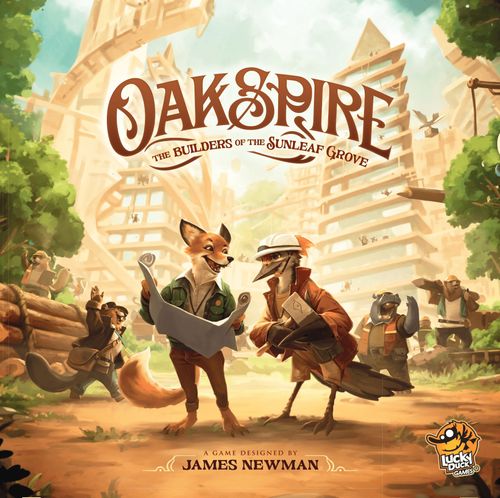
Oakspire: The Builders of the Sunleaf Grove
Oakspire: The Builders of the Sunleaf Grove Rulebook
Table of Contents
Table of Contents
Goal of the Game
In Oakspire: The Builders of the Sunleaf Grove, players take on the role of construction company representatives working tirelessly to erect magnificent buildings in the newly established city of Sunleaf Grove. Collect, float, and process wood to complete impressive construction projects!
Throughout the game, you will earn Victory Points (VP). The player with the most Victory Points at the end of the game wins!
Component List
- 1 Community Board
- 5 Player Boards
- 108 Unique Project Cards
- 10 Unique Specialty Cards
- 5 Helper Cards
- 7 Solo Mode Cards
- 5 Architect Tokens
- 1 Rulebook
- 1 Deck Holder
Resource Tokens
- 40 Reclaimed Wood
- 40 Log
- 30 Board
- 30 Panel
Coin Tokens
- 20 Coins worth 1 VP
- 10 Coins worth 3 VP
- 10 Coins worth 5 VP
Setup
- Place the Community Board in the center of the table, within easy reach for all players.
- Shuffle all Project Cards and place them in the Deck Holder on the Community Board; they'll be called the Project Deck. Draw 5 Project Cards and place them on the Community Board.
- Place all Resource Tokens and Coin Tokens in a supply nearby.
- The player who has most recently been in a forest becomes 1st player.
Player Setup
Each player takes:
- a. 1 Player Board
- b. 1 Helper Card
- c. 5 random Project Cards from the deck
- d. 1 Coin with value "1"
- e. 2 Specialty Cards, from which they choose 1 and discard the other
- f. 1 Architect Token
All Resources, Player Boards, and Project Cards already in the Fulfilled Projects Tableau, as well as the Specialty Cards, are common information. Project Cards in the players' hands are kept secret throughout the game.
At the end of the setup, each player places 1 of their Project Cards facedown in their Woodseek Area and 1 faceup in their Blueprint Area. The remaining 3 Project Cards form the player's starting hand.
If a player places a Project Card with only 2 or 3 Woodseek Icons in their Woodseek Area, that player takes, respectively, 2 or 1 Reclaimed Wood Tokens and places them in their River Area.
Additionally:
- g1. The 1st player doesn't get any additional Resources.
- g2. The 2nd player gets 1 Reclaimed Wood and places it in the River Area on their board.
- g3. The 3rd player gets 1 Reclaimed Wood and places it in the Workshop Area on their board.
- g4. The 4th player gets 2 Reclaimed Wood and places them in the River Area on their board.
- g5. The 5th player gets 2 Reclaimed Wood and places one in the River Area and one in the Workshop Area on their board.
Components Explained
1. Resource Tokens
Resource Tokens (Reclaimed Wood, Logs, Boards, and Panels) are needed to Fulfill Projects. They are obtained, upgraded, and moved through the Player Board using various Company Actions (pp. 8-9).
2. Project Cards
Project Cards are obtained from the Market on the Community Board or directly from the Project Deck. They can be played and used in multiple ways, as described in detail in the Gameplay section.
3. Coins
Coins can be obtained as an Instant Reward by performing certain Actions or using Card Effects. They can be spent to use certain Card Effects and are also worth 1 VP each at the end of the game.
4. Specialty Cards
Specialty Cards are personal abilities and objectives each player tries to achieve in order to gain additional Coins and unlock new possibilities.
Each player uses 1 Specialty Card throughout the game.
The Basic Ability of this Card is available to this player from the start of the game.
The Goal can be fulfilled at any point during the game to score 3 Coins and unlock the Advanced Ability.
Basic Ability remains available after unlocking Advanced Ability.
The rulebook prints one example, the Specialty Card "Deeralt Tools", whose text reads:
- Basic Ability: You can always Collect with any 1 Project Card. If this Project Card has the Collect icon, gain 1 additional Coin.
- Goal: Have a Project Card with 12 Reclaimed Wood icons in your Woodseek Area.
- Advanced Ability (3 Coins): Whenever any player Collects, gain 2 Reclaimed Wood in your River Area or Float, up to 2 Reclaimed Wood.
The Advanced Ability line is read from the card's icons (River Area icon and Float icon), since the card shows them as symbols rather than words. The rulebook does not print the text of the other Specialty Cards, so they are not reproduced here.
Project Card Anatomy
- Name
- Victory Points (awarded once the Project is Fulfilled)
- Woodseeking Icons (also shown on the card's back, used in the Woodseek Action)
- Company Action Icon(s) (showing what Action(s) can be performed after playing the Card or during the Community Action Phase)
- Required Resources (needed to Fulfill the Project)
- Instant Reward (granted once the Card is Fulfilled)
- Card Effect (available only when the Card is in the Fulfilled Projects Tableau). There are three types of effects:
- Passive: these work continually after the Project is Fulfilled
- Action: once the Project has been Fulfilled, these effects can be used as 1 of the Actions available during a player's turn (see Card Action, p. 9)
- Endgame: these grant additional VP at the end of the game
- Card Number (for reference only)
5. Player Board
The Player Board represents the player's wood supply and processing chain. It's divided into a number of areas:
- The Woodseek Area, where Project Cards are played to produce Reclaimed Wood by Collecting it
- The River Area, where the Reclaimed Wood is stored after Collecting it but before being Floated to the Workshop Area
- The Workshop Area, where the Resources are Processed (exchanged for a higher-level type of Resource)
- The Construction Site Area, where the various Resources are collected to Fulfill a Project
- The Blueprint Area, where Project Cards are played as Blueprints
- The Fulfilled Projects Area, where Blueprints are moved after being Fulfilled
- The Action Track, where the Architect Token is moved to help keep track of the number of Actions a player has performed during their turn
6. Community Board
The Community Board is a place where players can obtain Project Cards and where the Community Action is determined.
It has designated slots for the Project Deck, the Discard, and the Market, which has 5 slots for Project Cards.
Game Flow
The game is played in turns until one player Fulfills their 7th, 6th or 5th Project (in a 2, 3, or 4-5 player game, respectively). That player receives 3 Coins and each other player takes one more turn. Then everyone tallies their score.
The players take turns sequentially in clockwise order. Each turn, the current player performs 3 Actions in any order of their choosing. The same type of Action can be performed multiple times during a turn.
Once the player's Actions are finished, the Community Action is determined and performed by all the players who are able to do so (see the Community Action Phase on p. 9). After the Community Action, the Market is refilled. Finally, the current player has to discard excess Resources from their board and the next turn begins.
Actions
During their turn, a player can perform any 3 of the following Actions:
- Play a Project Card
- Wild Action
- Woodseek
- Place Blueprint
- Draw a Card
- Card Action
1. Play a Project Card
Play a Project Card from your hand and perform a Company Action printed on it (see right). Once played, the Project Card goes into the Discard Pile next to the Community Board.
The 5 Company Actions
There are 5 Company Actions that represent different services provided by 5 animal companies. They enable the player to gain, move, and upgrade the Resources on their Player Board. They all require playing a Project Card with a specific Company Action Icon (or using such a Card during the Community Action Phase).
Action iconography on Cards:
- Float / Process (two Company Action icons separated by a slash): The player chooses which of the 2 Actions to perform.
- Float + Process (two Company Action icons joined by a plus sign): The player can pay 1 Coin to perform both Actions or perform 1 of them without paying.
- Float (with a Coin icon) / Process: The player performs the first Action and receives 1 Coin, or performs the second Action. The player doesn't get the Coin if they are unable to perform the Action with the added Coin icon.
COLLECT
Play a Card with the "Collect" icon. Next, discard any number of cards from your Woodseek Area and put a number of Reclaimed Wood Tokens in your River Area. The number of Tokens placed must match the number of Woodseek icons on the discarded Cards.
FLOAT
Play a Card with the "Float" icon. Next, move any number of your Reclaimed Wood Tokens from the River Area to the Workshop Area.
PROCESS
Play a Card with the "Process" icon. Next, upgrade (discard a Token to gain another Token from the supply) any number of the Resources you have in your Workshop Area as follows:
- Reclaimed Wood can be upgraded to Logs
- Logs can be upgraded to Boards
- Boards can be upgraded to Panels
Each Resource can be upgraded only once in a single Process Action. You can, however, Process different types of Resources in a single Process Action. You can never downgrade a Resource. Panels can't be upgraded any further.
TRANSPORT
Play a Card with the "Transport" icon. Next, move any number of Resources from your Workshop Area to your Construction Site Area.
FULFILL
Play a Card with the "Fulfill" icon. Next, move Resources from your Construction Site Area onto 1 or more Project Cards in your Blueprint Area. The Resource Icons printed on a Project Card determine the type and the number of Resources that must be placed on it. You have to move all Resources at once in order to Fulfill a Project. Once the required Resources are placed on the Card, the following happens:
- the Resources from the Project Card are returned to the supply
- the player gains the Instant Reward printed on the Card
- the Project Card is moved from the Blueprint Area to the Fulfilled Projects Area
It is possible to move multiple Project Cards to the Tableau with a single Fulfill Action.
IMPORTANT: Reclaimed Wood is never required for any Project. Therefore, you are NOT allowed to Transport it.
2. Wild Action
Discard 2 Project Cards from your hand and perform any Company Action.
3. Woodseek
Place 1 Project Card from your hand facedown in the Woodseek Area. There is no limit on the number of Project Cards that can be placed in this area.
4. Place Blueprint
Place 1 Project Card from your hand faceup in your Blueprint Area. There is no limit on the number of Project Cards that can be placed in this area.
5. Draw a Card
Take a Project Card from the Market or directly from the deck to your hand. There is no hand size limit. The Market is refilled at the end of the turn.
IMPORTANT: Whenever you are supposed to draw a Card, unless explicitly stated otherwise, you can draw either from the Market or from the deck.
6. Card Action
Each Project Card has a unique Card Effect that becomes available once the Card is in the Fulfilled Projects Area. Some of these Effects are Actions that can be performed as one of the 3 Actions available during a player's turn (in such cases, the Card explicitly uses the word "Action" and has the Card Action icon in its text).
To help keep track of the number of Actions performed, after each of their Actions the active player moves their Architect Token one space to the right on their Action Track. At the end of the turn, the Architect Token returns to the starting space.
Community Action Phase
After the active player performs all 3 of their Actions, the Community Action Phase begins. Note that this is formally still part of the active player's turn, so whenever the "end of the turn" phrase is mentioned, it refers to the moment after the Community Action has been completed and the Market refilled.
During the Community Action Phase, the rightmost Project Card in the Market (i.e., the one closest to the Discard Pile; if Market is empty, take the first Card from the Deck) becomes the Community Card. The next step depends on the number of players:
- In 2-3 player games, all players (starting from the active player and going clockwise) perform the Company Action(s) printed on it if they are able to do so, as if they played it from their hand. Next, the Community Card is discarded and each of the remaining Project Cards in the Market are moved to the rightmost available slots. Finally, the empty slots get refilled with Cards from the Project Deck.
- IMPORTANT: In 4-5 player games, only the active player and the 2 players previous in the turn order (sitting to the right of the active player) perform the Community Action.
Example
This is a 4 player game between Adam, Julia, Maria, and Daniel. Adam is playing his turn.
As a first Action, Adam draws "Discovery Center" from the Market, as it has icons that he needs. He moves the Architect Token once.
As a second Action, Adam plays "Discovery Center" from his hand and pays 1 Coin to perform both available Company Actions: Process and Transport. Process allows him to exchange 2 Reclaimed Wood and 1 Log in his Workshop Area for 2 Log and 1 Board, respectively. Then he Transports all 3 Resources to the Construction Site Area. He moves the Architect Token for the second time.
As a third Action, Adam plays "Quality Augers Boutique" to perform the Fulfill Action. He moves Log / Log / Board / Panel / Panel onto "Stadium Wild Sports Field" to finish the Blueprint. Then he discards these Resources and moves the Card into his Tableau. Adam immediately receives an Instant Reward: in this case, 2 Coins.
As a Community Action, "Fur-Ris Wheel" is triggered. Adam, Maria, and Daniel can either Float OR Process + receive a Coin. Adam has no Resources in his Workshop Area, so he decides to Float his 2 Reclaimed Wood from the River Area to the Workshop Area.
As it is a 4 player game, Julia can't perform the Community Action after Adam's turn.
Maria has no Resources in her River Area, but she can Process up to 3 Logs from her Workshop Area. Moreover, due to her Specialty Card, "Deeralt Tools", she can also Collect instead. She decides to Process anyway; she removes all 3 Logs from her Workshop Area and exchanges them for 3 Boards. She also receives 1 Coin.
Daniel has Resources both in his River Area and Workshop Area, so he can either Float or Process. He decides to Float all 4 Reclaimed Wood from his River Area to the Workshop Area.
After the Community Action, Adam moves "Fur-Ris Wheel" to the Discard Pile. Then he refills the Market. He slides the remaining 3 Project Cards to the right and places 2 new Project Cards from the deck on the empty spaces.
Adam checks if he has reached the Resource limit in any space on his board. He hasn't, so his turn ends. Even though Daniel now has 7 Resources in his Workshop Area, he doesn't have to discard them, as the limit is only checked for the active player.
Julia begins her turn. After her 3 Actions, she, Daniel, and Adam will perform the Community Action, but Maria won't.
Turn Summary
- The active player performs 3 Actions.
- Up to 3 players perform the Community Action (if able).
- The Market is refilled.
- The active player's Resources that exceed the limit are returned to the supply.
IMPORTANT: There is a 6 Resource Tokens limit for each of the areas on the Player Board, but this comes into effect only at the end of your turn (once the Community Action is over). At this point, you need to put all the Resources that exceed the limit back into the supply. Your Resource Tokens CAN exceed the limit at any other time, including at the end of another player's turn.
Game End and Scoring
The players take turns until one player has placed the 7th, 6th, or 5th card in their Tableau at the end of their round (depending on whether it is a 2, 3, or 4-5 player game, respectively). That player receives 3 Coins and each other player takes their last turn. During these turns, all the players use the Community Actions as normal, including the player who triggered the end of the game.
Next, each player counts their total score by adding up:
- Victory Points on Cards in their Fulfilled Projects Tableau
- Victory Points from their Coins
- Victory Points from all "Endgame" Cards in their Fulfilled Projects Tableau
The player with the highest score wins. If one or more players are tied, the one with the most Cards in their Tableau wins. If the players are still tied, the one with the most Resources in their Construction Site wins. If the players are still tied, they share the victory.
Solo Mode
In solo mode, you will always be playing for 15 rounds. The number of Fulfilled Projects doesn't matter. Your goal will be to score enough points to complete a given challenge within the specified number of rounds.
1. Preparing the Game
To play solo mode, you will need the 7 additional Solo Mode cards. Shuffle them and place them next to the play area. This will be called the "Solo Deck".
You are always the 1st player. Prepare your components as in the multiplayer game.
2. Playing the Game
After each round, you need to perform additional steps:
- Draw the first Card from the Solo Deck and look at the upper half of this Card.
- Discard all Cards from the Market marked with an X.
- Perform the Community Action from the rightmost Card in the Market. Then move it to the Discard Pile as always.
- Place the used Solo Card above the previously played Solo Card to cover its upper half. Then, discard all Cards from the Market according to the bottom part of the previously played Solo Card (skip this step if this is the first Solo Card played).
If the Solo Deck is emptied once and you can't draw any more Cards, shuffle all discarded Solo Cards and proceed with the additional steps described above (once again skipping the 4th step). If the Solo Deck is emptied a second time, don't shuffle it. Play your last round and tally the score (because the end of this game mode is fixed at 15 rounds, you'll never receive a reward for triggering the end of the game). If you have scored enough points to fulfill the goal of the challenge, you win!
Challenges
Solo challenges are scenarios in which you try to achieve the best possible score while having some additional rules and restrictions. Each challenge has 3 point thresholds that can be achieved. Complete all challenges on hard mode to be the ultimate master of Oakspire!
Challenge 1: Tools for Fools
Additional Rules: You can't Fulfill any Blueprints with the Card Action icon. Don't use Specialty Card "Skunk-Ska".
- Easy - 40 VP
- Medium - 50 VP
- Hard - 60 VP
Challenge 2: Trust the Process
Additional Rules: You can't Fulfill any Blueprints with the Endgame icon.
- Easy - 30 VP
- Medium - 40 VP
- Hard - 50 VP
Challenge 3: Angry Squirrels
Additional Rules: Apart from game setup, you can't Woodseek any Card with 3 or 4 Reclaimed Wood icons. After you Collect, you have to pay 1 Coin or discard a Card. Don't use Specialty Card #1.
- Easy - 25 VP
- Medium - 35 VP
- Hard - 45 VP
Challenge 4: Wool Street Bonanza
Additional Rules: You don't score any VP for Coins. At any point during your round, you can spend 1 Coin to draw a Card. This is not an Action.
- Easy - 40 VP
- Medium - 50 VP
- Hard - 60 VP
Challenge 5: Hurry up, before we all come to our senses!
Additional Rules: Draw a Card at the beginning of each round. You have to Fulfill at least 12 Blueprints.
- Easy - 30 VP
- Medium - 40 VP
- Hard - 50 VP
Icon Reference
- Woodseek
- Blueprint
5 Company Actions
-
Collect
-
Float
-
Process
-
Transport
-
Fulfill
-
Coin/Point
-
Card
-
Reclaimed Wood
-
Log
-
Board
-
Panel
-
Passive Effect
-
Card Action Effect
-
Endgame Effect