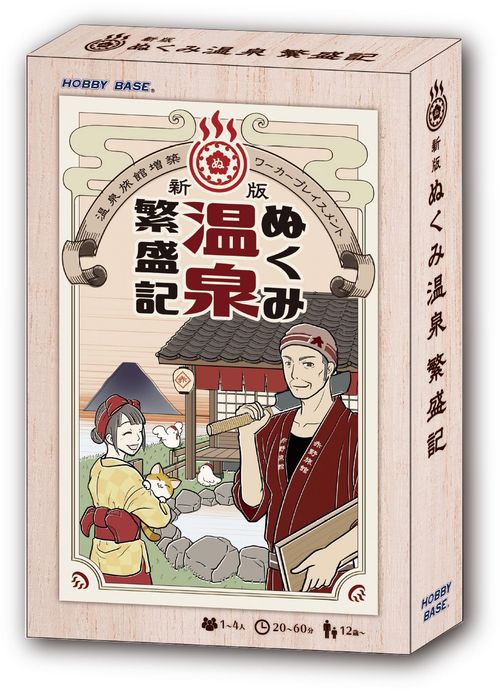
ぬくみ温泉繁盛記 (Nukumi Onsen Hanjouki)
ぬくみ温泉繁盛記 (Nukumi Onsen Hanjouki) Rulebook
Table of Contents
Table of Contents
Game Information
- Players: 1–4
- Playing time: 20–60 minutes
- Age: 12 and up
- Card size: 63 x 88mm
- Chip size: 18mm round
- Tile size: 35 x 35mm
Components
- 17 Action Cards
- 7 Round Cards
- 40 Helper Cards
- 5 Overall Policy Cards
- 5 Personal Policy Cards
- 4 Game Summary sheets
- 36 Inn Tiles
- 62 Resource Chips
- 42 Money Chips
- Employee pieces: 4 colors x 3 each (12 total)
- 1 twelve-sided die
- 1 Start Player piece (cat)
- 1 rulebook
Setup
- Each player chooses a color and takes a reception tile and 3 employee pieces.
- Deal each player a personal policy card face down, at random. Only the player who receives a card may look at it.
- Shuffle the helper cards well face down to form a draw deck.
- Randomly choose 2 overall policy cards and lay them face up.
- Lay out the action cards in the center of the table according to the player count. The numbers on the bottom center of each action card correspond to player count as follows:
- 1 player: 1–12
- 2 players: 1–12
- 3 players: 1–12, and i–iii
- 4 players: 1–12, and i–v
- Cards i–v are not used in 1- or 2-player games.
- If a card's bottom right shows a specific player count, use it only for that count. Cards marked "common" are used regardless of player count.
- Side A and side B of each card may be combined however you like.
- Stack the round cards face down in round order.
- Place the resources and money in an open area.
- Determine the start player. The start player is whoever most recently visited a hot spring or public bath, or is chosen by another fair method such as rock-paper-scissors. The start player takes the start player marker.
- Starting with the start player and going clockwise, deal starting funds of 2, 3, 4, and 5 money, increasing by 1 money per player.
- Setup is complete.
Rules
Objective
The players' objective is to grow their own inn and become the most popular inn. At the end of round 7, the player with the highest popularity points wins.
What Players Do
Players simply place employees on action cards. An action card with an employee placed on it immediately triggers its effect. Unless an action card states otherwise, you cannot place an employee on an action card that already has one.
Game Flow
The game is played over 7 rounds. Each round consists of Phases 1 through 7.
Phase 1: Draw a Helper Card
Draw 1 helper card from the deck and keep it in your hand.
Phase 2: Procurement
You may spend helper cards and money to gain resources. Go in turn order starting with the start player, clockwise, and be sure to confirm whether the previous player is gaining resources before moving on. See "Uses for Helper Cards" below for details.
Phase 3: Action
Starting with the start player, place 1 employee on an action card and trigger its effect. Going clockwise, the next player places 1 employee on an action card and triggers its effect. Repeat until all employees have been placed.
Phase 4: Bonus
Gain bonuses from eggs, chickens, and facility tiles. See "Types of Bonus" below for details.
Phase 5: Paying Employees
Pay the wage shown on the round card for your employees. The wage is not per employee — it is the wage for all 3 employees together. Wages may be paid with ingredients such as vegetables or fish instead of money. If you pay with ingredients, note that you receive no change. You may also combine money and ingredients to pay a wage; in that case, since money is included, you do receive change if any is owed. If you cannot pay the full wage, take -3 points for each money you are short.
Phase 6: Recovering Employees
Recover all employees placed on action cards.
Phase 7: Reveal the Round Card
Turn over the next round card and place it face up as a new action card.
Game Hints
Uses for Helper Cards
The biggest feature of Nukumi Onsen Hanjouki is the "helper card." A helper card, gained at the start of a round or through an action, has three possible uses:
- Play the helper card.
- Use the helper card for procurement.
- Pay the helper card to increase a die roll.
Playing a helper card: place an employee on an action that lets you "play a helper card (optionally)" to play it. Once played, the helper card stays revealed in front of you.
Using a helper card for procurement: during Phase 2 (Procurement), reveal a helper card from your hand and pay the procurement cost printed on it in money to gain the resources shown. After procuring, return the helper card to the bottom of the deck.
Paying a helper card to increase a die roll: place an employee on the "roll the twelve-sided die" action, roll the die, and then you may pay helper cards. Each helper card you pay increases the die result by 1 for each card paid. After paying, return the helper cards to the bottom of the deck.
Types of Bonus
There are two kinds of bonus you can receive during the Bonus phase:
- Chicken bonus
- Facility bonus
If you have eggs or chickens, you may take one of the following bonuses:
- Turn all your eggs into chickens.
- If you have a chicken, gain an egg.
Note that you may only choose one of these, not both. Also note that even if you have 2 or more chickens, you can gain at most 1 egg. For example, if you have 2 chickens and 1 egg, you can choose either of the following:
- Turn the egg into a chicken, giving you 3 chickens.
- Gain 1 egg.
From your facility tiles, you receive the money and resources shown by the icons on each facility tile, every round. For example, a facility tile might let you receive 1 vegetable and 2 money.
How to Gain Popularity Points
There are 7 ways to gain popularity points:
- Build facility tiles onto your inn to gain popularity points.
- Collecting 3 chickens gains you 10 popularity points. Chickens short of a full set of 3 do not gain popularity points.
- Your personal policy gains popularity points at the end of the game if its condition is met.
- The overall policy gains popularity points at the end of the game if its condition is met.
- Helper cards you have played gain popularity points.
- At the end of the game, your remaining cash becomes popularity points as-is.
- Negative points reduce your popularity points, so try to avoid taking them where you can.
End of Game
When the round card is turned over for round 7, the game ends. Add up the popularity points you have gained so far. The player with the highest total popularity wins. Popularity points are shown by the popularity point icon, from the following sources:
- Popularity points on the facility tiles in your inn.
- Popularity points on the chickens in your play area.
- Popularity points on your personal policy card, if its condition is met.
- Popularity points on the overall policy card, if its condition is met.
- Popularity points on the helper cards in your play area.
- The money in your play area, counted directly as popularity points.
- Subtract any negative points from your popularity points.
Ties are a draw — congratulate each other on a well-fought game.
Component Notes
Blank action cards are included so you can design your own actions. Try creating your own game content with everyone!