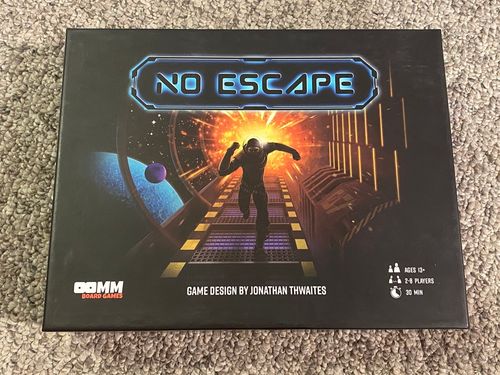
No Escape
No Escape Rulebook
Table of Contents
Table of Contents
Components
- 2 Starting Boards (double sided) the size of 9 game tiles
- 42 Action Tiles, which have various effects on the gameplay
- 90 Maze Tiles, which extend the size of the maze
- 12 New Path Tiles, a third the size of other tiles
- 8 Meeples (Player Pieces)
- 8 Player Reference Cards
- 24 Energy Tokens
- 2 Six-sided Dice, numbered 1-3
Objective
To win, be the first player to get your Meeple off the board. Play tiles to try to extend your opponent's maze.
Setup
- Determine the number of players and select the proper Starting Board and place at center of table.
- Place the New Path Tiles in a face-up stack on the table.
- Shuffle the Maze and Action Tiles together and deal 3 tiles to each player. If you are dealt only Action Tiles, discard and draw 3 new tiles.
- Place the remaining tiles into face-down pile(s).
- Each player takes 3 Energy Tokens and places them green side up in front of them.
- Each player chooses a Meeple and places it on the Starting Board's red circle.
- Hand out the corresponding Reference Cards to each player, i.e., RED card for RED meeple.
- Determine who goes first (use any method you wish).
Gameplay
- You may play 1 Action Tile from your hand. The action takes place immediately and then is placed in the Discard Pile.
- You must play 1 Maze Tile from your hand by placing it in any legal position. If you do not have a Maze Tile that can be legally played, you must discard your entire hand and flip tiles from the top of the Draw Pile into the Discard Pile until a 'legal' Maze Tile is revealed to be played.
- You may use 1 Green Energy Token. Flip the token from the green side to the red side to gain +1 movement, and Jetpack over opponents.
- Roll dice and move your Meeple the number of spaces equal to the number rolled. If another Meeple(s) "blocks" your path forward DO NOT pass them but instead PUSH them ahead of you until you complete the number of moves left on your roll. If any "blocking" Meeple(s) are facing towards you, turn them around to face the same direction as your Meeple.
- If you have less than 3 tiles, draw more tiles from Draw Pile until you have 3 tiles.
- Your turn ends and play proceeds clockwise.
No Draw Pile
If for any reason there is no Draw Pile remaining, the game ends immediately and Titan Station explodes causing all the players to lose.
Turn Reference
- You may play one Action Tile from your hand.
- You must play one Maze Tile from your hand.
- You may use one Energy Token to gain +1 movement, and Jetpack over opponents.
- Roll dice and move your Meeple the total result.
- If needed, draw tiles until you are holding 3 tiles.
- Your turn ends, and play proceeds clockwise.
Actions and Abort Actions
One Action tile may be played each turn. Each action has its own effect on yourself or the other players.
Abort Actions can only be played on another player's turn. They may only be played when the condition on the Abort Action tile occurs. When played, the Abort Action prevents the outlined condition from occurring. For instance, the Abort Action-Roll tile may only be played after another player rolls the dice. When this Abort Action is played, the dice must be re-rolled and the new result is used instead. Any abort may be used to stop the effect of another abort. If two or more aborts are played at the same time the first abort, in clockwise order from the current player, takes effect.
Placing Tiles (Legal Tile Placement)
Maze Tiles are placed along the board edge at a maze exit. When placing a new tile, the maze exits MUST connect together. No tile can be placed to block off the exit of any tile with the side wall of another tile.
Maze exits can only be completely closed with tunnel end tiles (Control Room or Teleporter tiles). You may never place a tile that would block off all exits from the board. If there is no legal placement for the last maze tile in your hand you must discard your entire hand and flip tiles from the top of the Draw Pile into the Discard Pile until a 'legal' Maze Tile is revealed. Proceed to play this legal tile.
If you are given the opportunity to move or remove a maze tile from the board, you must leave a connecting path from all tiles back to the starting tile, and ensure tile exits align.
In the example shown, the highlighted tile cannot be placed in this location as the tile exits do not line up with the adjacent tile exits. However, it can be placed in the areas shown by the green highlights which are the current available maze exits.
Replacing Tiles
If you are ever directed to replace a tile with one in your hand, discard the tile you wish to replace. You then choose a Maze Tile in your hand that can be legally placed into that position and place it into the empty position.
NOTE: A tile cannot be replaced or moved if it is occupied by a Meeple.
New Path Tiles
Smaller than the Maze Tiles, the New Path Tiles can be placed ONLY on top of these 2 unoccupied Maze Tiles: the Single Space and Triple Space Maze Tiles. This "new" tile which creates a NEW exit off that tile is now set for the rest of the game, unless...
a) the "combined" tile is to be swapped with another tile (via an Action Tile) then both the pieces move together.
b) If the "combined" tile is to be discarded from the board (via an Action Tile) the New Path Tile is placed back in the New Path pile and the Maze Tile is placed into the discard pile.
Moving Your Meeple
Roll both dice and move the total spaces shown between both dice. Each blue catwalk on the maze represents one space of movement. Meeples must always move in the direction they are facing (the front of the Meeple shows the direction). Only when a player's Meeple reaches a Maze End is it turned around.
When a Meeple reaches a branch in the maze, the owner of that Meeple, whether it is their turn or not, must immediately turn it to the direction they want it to go. The Meeple CANNOT go the direction/path it just came from. See Diagram A.
When coming into contact with another player's Meeple, your Meeple will push the other Meeples ahead (except when the Jetpack is enabled. See below). This will turn the opposing Meeples to whatever direction the active Meeple is moving. If multiple Meeples are all lined up, each Meeple is moved. When an opponent's Meeple is moved in this way and reaches an intersection, that player must immediately decide which direction their Meeple will go. See Diagram B.
(Diagram B example: If it's the Red Meeple's turn, it will push the Yellow Meeple to the intersection so its player immediately must choose which direction its Yellow Meeple will go. If White is moving, both Red and Yellow will be pushed.)
Jetpack
Before a player rolls the dice, they may flip one (and only one) Energy Token from Green to Red to activate their Jetpack, which will:
- Add +1 to the result of the dice.
- Enable your Meeple to "fly over" other Meeple(s) that are in your path (you must still count that space as part of your movement). If you land on another Meeple at the end of your movement, continue moving forward until you come to an empty space.
NOTE: Meeples can NEVER occupy the same space.
Teleport
When a player moves onto a White Teleport Indicator, they immediately move to the space of any other Teleport Indicator and then complete their remaining movement.
The Yellow Teleport Indicator may only be moved to from other Teleport Indicators. You may not move from it to another Teleport Indicator.
NOTE: White Teleport Indicators also count as connecting different parts of the station together. This allows a Teleporter to count as the connecting path back to the starting board.
Control Center
When a player reaches a Yellow Control Center indicator they may Refill Energy. Flip all your Red (empty) Energy Tokens to the green (full) side.
When a player reaches a White Control Center indicator, they may Refill Energy AND place a New Path Tile onto the board.
Core Game Definitions
- Action Tiles: Tiles that have a variety of effects on the game, described on the individual tiles.
- Abort: These tiles can be played on any opponent's turn. They must be played immediately following whatever activity is listed on the tile. When an Abort Action is played it stops the listed activity from occurring.
- Board Edge: Any tile that is not surrounded on all sides. If a player is able to replace a tile at the board edge, it must be in a legal position.
- Draw Pile: Action & Maze Tiles shuffled together to make the Draw Pile. When the Draw Pile is empty, the game ends.
- Discard Pile: Tiles that have been discarded or removed from the board are placed face up in a single pile. These tiles are only accessible by certain Action Tiles.
- Energy Token: The round tokens that are Green on one side and Red on the other. Each player is given 3 tokens at the beginning of the game.
- Jetpack: Jump over opponents without affecting your opponent's Meeples.
- Maze End: The Control Room or Teleport tile are the 2 Maze Ends.
- Maze Tile: Maze Tiles extend the game board's maze.
- Maze Exit: Any point where the maze leads off the board.
- New Path Tile: The tiles that are 1/3 of the size of the Maze Tiles.