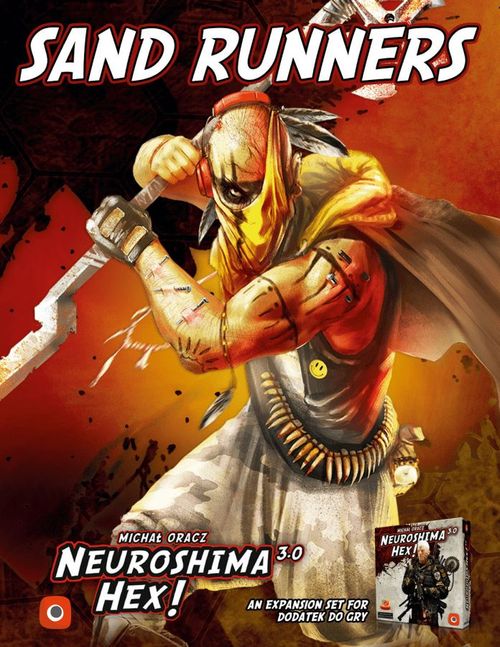
Neuroshima Hex! 3.0: Sand Runners
Neuroshima Hex! 3.0: Sand Runners Rulebook
Table of Contents
Table of Contents
Army Description
The main advantage of this army is its ability to turn off the fundamental board space during the Battle with the use of Sandstorm. Some Sand Runner Warriors have Features like Modules which helps them support each other during Battles. Additionally, the HQ is double-sided, which allows it to eliminate a single, slower threat before it attacks. Their disadvantage is their low starting initiative, and the fact that an unfortunate change of the HQ side may result in the inability to kill adjacent units during the Battle.
New Rules
Double-sided HQ
The Sand Runners HQ uses both of its sides during the game (front and back). During setup, when placing their HQ, a player controlling Sand Runners chooses the side which they will start the game with.
Adaptation
Once per turn, a tile with this icon may be flipped over and rotated at the same time.
Foundation Tiles
A Foundation tile can only be placed on an empty hex. Any unit (friendly or enemy) can normally be placed or moved onto (or be pushed onto, etc.) a Foundation tile. Foundation tiles are not considered units, and they cannot be moved, pushed, netted, taken over, wounded, etc. They can be destroyed only by Instant Action tiles (Sniper, Grenade, Air Strike, Small bomb). Foundation tiles don't block the line of fire - you can shoot over them. For the purposes of Battles triggered by a fully occupied board, a hex with ONLY a Foundation tile is not considered occupied.
Sandstorm
Sandstorm is a special type of Battle tile - all of the normal rules are applied when it comes to playing it (it ends the player's turn, and it cannot be played once the last tile has been drawn, etc.). However, before the Battle begins, it is placed on any tile on the board (belonging to any player, including HQ tiles) or on an empty hex. A hex with Sandstorm on top of it is excluded from this Battle. Meaning, that if a tile is under it, it cannot attack and cannot be attacked, it cannot perform any actions, and doesn't provide any Features. Sandstorm also blocks line of sight, meaning any ranged attacks (even the ones with Mortar, Sharpshooter, Gauss, Rocket Launcher or Shotgun) cannot travel beyond it. After the Battle is fully resolved, remove the Sandstorm tile from the board.
Special Rules
More on Adaptation
A Netted tile with Adaptation cannot be flipped and rotated. Rotation can't happen without flipping the tile to the other side.
More on Quicksands
Medics can absorb the damage done by Quicksands in the usual way.
If an opponent's Headquarters is on a Quicksands tile during the Battle, the Quicksands is destroyed, but the Headquarters remains unwounded.
Explosives - Explosives activates at the same moment as Quicksands.
Dancer Object - if the Dancer Object is on the Quicksands tile during the Battle, it takes a single Wound at the start of the Battle and the Quicksands are removed afterwards.
More on Sandstorm
Quicksands/Explosives - if Sandstorm is placed on a hex with Quicksands or Explosives, the effects of those tiles don't trigger during this Battle.
Steel net - if Sandstorm is placed on the Steel Police Headquarters, the Steel net stops working immediately and returns to the player.
Quill - if Sandstorm is placed on the Mephisto Headquarters, the Quill won't work. After the Battle, markers are removed from the board and return to the player's hand.
Death Breath - if Sandstorm is placed on the Death Breath Headquarters, the Revival Feature won't work during this Battle. However, all killed units are placed in the Zombie Pool as usual.
Neojungle - if Sandstorm is placed on the Neojungle Headquarters, the Motherland stops working entirely. However, if it's placed on any other tile within the Motherland, it doesn't break any Motherland connection. The affected tile still connects any units adjacent to it, but any Modules connected to it are treated as not connected to anything.
Venom - if Sandstorm is placed on a tile with a Venom marker on it, the Venom doesn't inflict a Wound during this Battle.
Hole - if Sandstorm is placed on a hex with a Hole, Hole's effect is ignored at the end of this Battle.
Markers (f.ex.: Incubator, Quill, Ranged net) - If Sandstorm is placed on a hex with markers, they normally return to the available pool after the end of this Battle.
Long distance module - Sandstorm blocks the connection of long distance modules.
More on Warriors with Module Features
Scoper - when connected to a Warrior with the Module Feature, the Module Features give bonuses to the Outpost's units which are connected, but the Warrior still attacks as usual.
Spy Feature - units with the Spy Feature can link themselves to Modules provided by Warriors. If a Warrior with the Medic module is linked to several units (including a Spy) which all take damage simultaneously, then the Warrior's owner decides which linked unit will be healed as usual.
Field Medic - if the Field Medic saves another unit in Initiative 0, it still performs its attack. Field Medic cannot save a unit with the Medic Feature if it takes Wounds and is destroyed during the same Initiative.
Tactical Advice
The player should identify which units could start an unfortunate chain of events during the Battle - and target those units with Sandstorm. They should always keep in mind that by doing so, they will be unable to eliminate any token with Sandstorm on it. This means that the Sandstorm by itself doesn't solve the problem - it just allows the player to face it when they're ready.
Army Tiles
The sheet lists each tile with its tile count (the number after the name) and its printed text.
Double-sided HQ (1) - Special feature: Adaptation (allows the player to flip over and rotate this tile once per turn, rotation can't happen without flipping the tile to the other side). Front: Melee attack. Back: Melee attack. Armor.
Move (3) - Move a unit to an adjacent, unoccupied hex and/or turn it in any direction you want.
Sandstorm (5) - Place this tile on any hex on the board (even with a tile on it), and a Battle begins. The hex with Sandstorm is excluded from this Battle and also blocks line of sight. After the Battle, the player's turn ends, and this tile is removed from the board. Not usable if any player drew their last tile.
Quicksands (2) - Foundation tile. If there's an enemy unit (except HQ) on a Quicksands tile at the beginning of the Battle, both the unit and the Quicksands are automatically destroyed and removed from a board. If there's no tile on it when Sandstorm is played (but before the Battle starts), Quicksands may be moved to an adjacent unoccupied hex before you place a Sandstorm tile on the board. For convenience, a Quicksands marker can be used to mark any tile standing on the Quicksands (just to remember about the Quicksands underneath). The sheet also shows a Quicksands marker (x2) as a component.
Push Back (2) - Push an adjacent enemy unit 1 hex away to an unoccupied hex. If there's a choice, enemy player selects the hex.
Trigger (1) - Ranged attack. Melee attack. Armor.
Optimist (3) - Ranged attack & Mobility. Module Feature: Scout (Connected units +1 Initiative).
Vulture (2) - Ranged attack. Melee attack.
Hammer (3) - Melee attack. Armor & Toughness.
Field Medics: Santa & Lu (2) - Melee attack. Module Feature: Medic (A connected unit must ignore all wounds from 1 attack & Warrior with Medic Feature is discarded). Note that the Field Medics have two different graphic representations - for the purposes of game play, they are identical.
Secateur (2) - Ranged attack.
Mirage (2) - Mirage affects all connected enemy units and decreases their Initiative by 1.
Officer I (2) - Connected units +1 Strength in Melee combat.
Chieftain (2) - Connected units can perform an additional attack in the Initiative phase that follows their last Initiative phase. If a unit performs attacks in two Initiative phases, the additional (third) attack is performed in the phase that follows the other two. If all attacks are taken in Initiative phase 0, the additional action is lost and cannot be performed.
Officer II (1) - Connected units +1 Strength in Ranged combat.
Caravan (2) - Mobility. On your turn a connected unit can perform an additional Move action and/or turn as if it had Mobility. The connected unit can move immediately after placing this tile on the board and is allowed to move away from the Caravan.
Example of Resolving Sandstorm
After playing a Sandstorm tile, the player chooses and places the tile on the Rocket Launcher, before the Battle commences. After that, this player moves their Quicksands on the board.
During Initiative number 2, Spy-shooter hits Sand Runners Headquarters Armor, but its second attack is blocked by the Sandstorm tile. The Vulture hits the New York Headquarters, which receives 1 Wound, and Vulture's other attack is blocked by the Sandstorm tile as well. Sharpshooter hits the Sand Runners Headquarters for 1 Wound, and the HQ hits back at Sharpshooter for 2 Wounds - Sharpshooter will be removed at the end of this Initiative. Since Rocket Launcher is under the Sandstorm effect, it doesn't attack and doesn't take any Wounds.
Components
Box content: 35 Sand Runners tiles, 14 Wound markers, 2 Sand Runners markers, 2 Quicksands markers, 1 spare tile, rulebook.