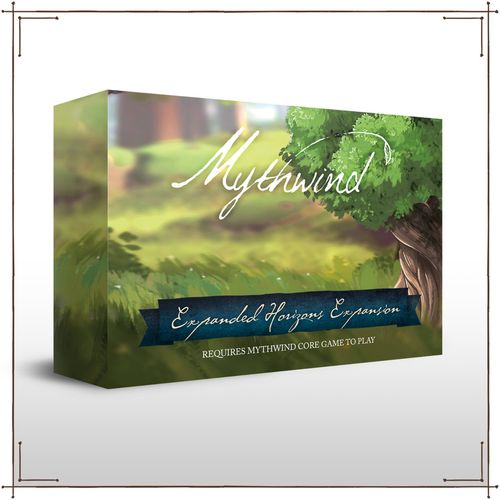
Mythwind: Expanded Horizons
Mythwind: Expanded Horizons Rulebook
Table of Contents
Table of Contents
- Overview
- Components
- Setup
- Unique Gameplay Mechanics
- Building Appendix
- Innkeeper Journal: Introduction
- Innkeeper Journal: Complexity
- Innkeeper Journal: Components
- Innkeeper Journal: Setup
- Innkeeper Journal: Basic Concepts
- Innkeeper Journal: Day Phase Summary
- Innkeeper Journal: Phase 1 Dawn
- Innkeeper Journal: Phase 2 Daytime
- Innkeeper Journal: Phase 3 Dusk
- Innkeeper Journal: End of Season Summary
- Innkeeper Journal: Skills
- Innkeeper Journal: Skill Index
- Innkeeper Journal: Saving the Game
- Innkeeper Journal: Continuing the Game
- Innkeeper Journal: Reference Card
Overview
The Expanded Horizons expansion adds a 5th player option for Mythwind through a new character. The Innkeeper focuses on bringing many patrons to her establishment to feed and entertain day after day. In addition to new adventures and goals to work through, a unique story with some history of the valley is provided that seamlessly integrates with the event deck. Five new buildings can now be constructed, providing a new type of action to benefit players as they expand their town.
Components
- Event Cards (26)
- Adventure Cards (25)
- Goal Cards (8)
- Building Cards (5)
- Sprite Dice (2)
- Villager Dice (2)
- Hermit & Moses Tokens
- Coins (50): 1 value (13), 5 value (20), 10 value (17)
- Storage Tray
Setup
Expanded Horizons has been created to seamlessly integrate into the Mythwind core box. Follow the instructions below to setup Expanded Horizons.
Event and Adventure Cards
After opening secret envelope #1, take event card EH1 and adventure card EH1 and shuffle the cards into their respective decks. Do not open the secret envelope until prompted.
Goal Cards
Shuffle goal cards EH-1 and EH-5 into the goal deck.
Worker Dice
Add the additional villager and sprite dice to the game tray on the locked side.
New Buildings
There are several new buildings in the Expanded Horizons expansion. Follow all prerequisite rules from the Town Charter.
Unique Gameplay Mechanics
There are several gameplay mechanics introduced in the Expanded Horizons expansion.
5th Player
Players can use the Innkeeper as a 5th player for Mythwind. Follow all rules for the 3+ player count from the core box with the 5th player.
Hermit
If the Hermit or Moses token is on a building that is removed or covered up for any reason, move the token to the next sequential town space with a building.
Trigger Building Effect
Expanded Horizons introduces the new building effect. These buildings activate after a specific action has been taken.
The Bank has a trigger building effect. When you take the construct or demolish town action, you will also increase 2 villagers at the tower.
Building Appendix
Bank (Trading Post) (I) When you take the construct or demolish town action, increase 2 villagers at the tower.
Cotton Mill (I) When you use the hire action you may spend 5 coins to gain 1 production.
Farmer's Market (Delicatessen) (I) When you add production from the improve town action, you may spend 5 coins to gain 1 food.
Stables (Tavern) (I) When you add income from the improve town action, you may spend 5 coins to gain 1 culture.
Textile Factory (Cotton Mill) (II) When you use the hire action you may spend 5 coins to gain any resource once.
Innkeeper Journal: Introduction
The Innkeeper's goal is to host guests and ensure everyone has a great stay at the inn. The Innkeeper spends their day organizing the inn and managing the various accommodations to create a satisfying evening for all the guests and a profitable evening for the inn. After each successful night of hosting guests, the Innkeeper's renown grows, bringing even more guests to the inn in the coming days.
Innkeeper Journal: Complexity
Key Concepts
Guests & Satisfaction. At the beginning of each day guests are drawn from a bag randomly, and it is the Innkeeper's responsibility to ensure that all of those guests' requests are fulfilled. The more satisfied guests, the more coins gained!
Renown. There are three levels of renown for the Innkeeper. The higher the renown, the more guests will be attracted to the inn!
Mingle. The Innkeeper can read the pulse of the townsfolk, utilizing their social skills to provide bonuses to the entire community.
Innkeeper Journal: Components
- Innkeeper Board
- Innkeeper Tray
- Innkeeper Header
- Draw Bag
- Innkeeper Renown Track
- Renown Marker
- Innkeeper Miniature
- Reference Card
- Skills (10)
- Accommodations (29)
- Gossip Cards (6)
- Guest Tokens (30)
- Party Token
Innkeeper Journal: Setup
To set up the first game for the Innkeeper, perform the steps presented in this section. To set up subsequent games, see "Saving and Continuing" on page 34.
- Assemble Innkeeper Tray: Insert the two innkeeper boards and the innkeeper header into the innkeeper tray as depicted.
- Gather Skills, Miniature, and Coins: Take the innkeeper miniature, 10 coins, and the 10 innkeeper skills and place them near the innkeeper tray. Place the 10 innkeeper skills facedown so the level is visible.
- Set Renown Track: Place the renown token in the leftmost slot on the renown track.
- Prepare Guest Tokens: Separate the guest tokens into three piles according to their level. Then, place all 12 of the level I guest tokens into the draw bag.
- Create Supply: Shuffle the deck of gossip cards and place it in the supply along with the level II and level III guest tokens and all accommodation tokens.
- Place Starting Accommodations: Place a table, window, and door in the inn. The table can be placed anywhere, the door and window must be placed in an outer slot.
- Draw Cards: Draw two gossip cards to create the Innkeeper's hand.
Innkeeper Journal: Basic Concepts
This section contains the basic concepts for players who are using the Innkeeper.
The Inn
The Inn is the Innkeeper's pride and joy. They spend their day purchasing and rearranging the inn's accommodations in an effort to satisfy their guests and gain renown.
The Inn is represented by 25 slots on the Innkeeper's character tray. Throughout the game, these slots will be filled with guests and accommodations. The 16 slots around the edge of the inn are Outer slots. Certain accommodations, which are described later, can only be placed in these outer slots.
Accommodations
Accommodations are tokens that represent the furniture and services that the Innkeeper can purchase to improve the inn and satisfy guests. Some accommodations can be damaged and require upkeep. Damaged accommodations are described later. There are five types of furniture and six types of services, as follows:
- Furniture: Window, Door, Table, Bar, Fireplace
- Services: Kitchen, Drink, Food, Stage, Music, Play
If two accommodations in the inn occupy slots that are next to each other, those accommodations are Adjacent. Accommodations that are diagonal from one another are not adjacent.
Guests
Guests are tokens that represent the visitors and townsfolk of the Mythwind Valley who are seeking an evening of comfort and entertainment. Each guest has a front and a back. A guest's front is indicated by its level.
When the Innkeeper places a guest in the inn, the token is inserted into the top portion of an inn slot where it will remain upright. Any guests placed in the inn are seated. A guest that is seated with its front facing you is front facing. A guest seated with its back facing you is back facing. The rules and distinctions of this facing are described later.
Guest Satisfaction
The goal of the Innkeeper is to satisfy their guests by providing them with the accommodations they request. The front side of each guest token shows all of that guest's Requests and the back side shows all of the guest's Complaints.
During dusk, the Innkeeper tries to satisfy as many guests as possible. Complaints from unsatisfied guests can cause negative effects for the Innkeeper, which are described later. To satisfy a guest, the Innkeeper must fulfill all of a guest's requests. There are three kinds of requests, as follows:
Example (illustration caption): This guest's request is to be seated near a window. The guest's complaint could cost the Innkeeper one renown.
- Furniture Requests: If a guest has a furniture request, they must be seated in a slot in the inn that contains the type of furniture that matches that request. Each furniture accommodation can fulfill the request of one guest at a time.
- Service Request: If a guest has a service request, the inn must have a slot that contains that type of service. A guest does not have to be seated in the same slot as the service for their request to be fulfilled. A single service token can fulfill one request of any number of guests. For example, if there are three guests seated in the inn and all of them request a kitchen, a single kitchen token fulfills that request for all three guests.
Example (illustration caption): This guest's stage request is fulfilled because the inn has a stage.
- Style Requirement: Some accommodations and requests have a style icon attached to them. There are three types of styles: Cultured, Imperial, and Frontier. If the inn ever has two or more undamaged accommodations of a particular style, the inn has that style.
When an inn has embraced a style, a guest's request for that style can be fulfilled by placing them either adjacent or diagonal to an accommodation with that style. The inn can embrace multiple styles.
Renown
Renown represents the Inn's reputation among its patrons. As the Innkeeper gains renown, the Inn will attract more guests, allowing the Innkeeper to increase their profits if they are able to provide those guests with the appropriate accommodations.
The Innkeeper's renown is tracked on their character tray. The Innkeeper begins the game with the renown at the far left of the track at level I renown.
To increase or decrease the renown track, simply move the renown token along the track as appropriate. The Innkeeper cannot decrease their renown if the token is in the leftmost space.
Innkeeper Journal: Day Phase Summary
Each game round of Mythwind is a day that consists of three phases: Dawn, Daytime, and Dusk. To resolve each phase, characters perform a number of steps. The primary steps of each phase are resolved by all characters as a group, and the rules for these steps are described in detail throughout the Town Charter. In addition to a phase's primary steps, each character has their own unique steps to resolve. These steps are spread throughout the three day phases and are different for each character. The rules that govern the Innkeeper's unique steps are detailed on the next page.
Simultaneous Play
When resolving each of a day's phases, characters can do so simultaneously. Portions of the game may require discussion and cooperation to resolve while other portions are resolved individually. During play, ensure that all characters have completed the current phase before proceeding to the next one.
Below is a summary of the three day phases for the Innkeeper. Each step that is governed by rules presented in the Town Charter is followed by a Town Charter icon. All other steps are unique to the Innkeeper and governed by the rules presented in this Character Journal.
Phase 1: Dawn
- Determine Weather
- Check Season Effect
- Resolve Weather Effect
- Party Preparations
- Welcome Guests
Phase 2: Daytime
- Perform Town Action
- Perform Character Action
- Operate
- Resolve Skill
- Perform Worker Actions
Phase 3: Dusk
- Return Character
- Return Workers
- Host Guests
Innkeeper Journal: Phase 1 Dawn
The Innkeeper's unique steps for dawn are described in this section.
Party Preparations
During this step, the Inkeeper's fame spreads throughout the valley and the value of their party is increased.
If the day's current weather card has an event icon, the Innkeeper takes one coin from the supply and places it next to the party action on their character board to track the value of their party. The Innkeeper can only increase the value of the party if the value is less than their current renown level. For example, if the Inkeeper has a renown level of 1 and they have 1 coin already next to the party action, they cannot gain another coin.
Example (illustration caption): The current weather card has an event icon. The Innkeeper has a renown of I and fewer than 1 coin next to their party action. So, they can increase their party's value by placing 1 coin next to the party action.
Welcome Guests
During dawn, the Innkeeper welcomes guests to their inn. The number of guests that visit each day is determined by the renown level and the current weather.
At level I renown, the Innkeeper draws 6 guests.
To welcome guests, the Innkeeper draws a number of guest tokens from the draw bag equal to their current renown, modified by the current weather, as follows:
- Sunny: -1 guest
- Cloudy: 0 additional guests
- Rainy: +1 guest
If the weather is the same for two or more consecutive days, the number of guests is modified for each of those consecutive days. For example, if the Innkeeper's renown level is 1 and the current day as well as the previous day was rainy, the Innkeeper would welcome 8 guests. The Innkeeper may not welcome more guests than there are tokens in the draw bag.
The guests that the Innkeeper draws are placed front facing near their character tray - do not flip them over. Before the end of the day, the Innkeeper will attempt to seat as many of these guests in the inn as possible.
Innkeeper Journal: Phase 2 Daytime
During the daytime, the Innkeeper performs the character action, which includes the Operate and Resolve Skill actions, followed by any number of worker actions. The Innkeeper's unique character and worker actions are described in this section.
Perform Character Action: Operate
This character action allows the Innkeeper to operate the inn, including purchasing accommodations and serving their guests.
The Innkeeper begins by selecting one of the five actions displayed on their character tray. Each of these actions is designated as a sprite action, a villager action, or both. An action's designation is indicated by the worker icons and the color scheme (blue for sprites, orange for villagers) on the character tray.
For example, the top two actions on the character tray are sprite actions because they appear on a blue background near a sprite icon.
The action type that the Innkeeper selects must match their alignment (Town Charter, page 20). If they are aligned with the sprites, they can select the top two actions or the middle action. If they are aligned with the villagers, they can select the bottom two actions or the middle action.
Each selection allows the Innkeeper to perform a specific action, as follows: Pamper, Improve, Serve, Mingle, Party.
Pamper
The Pamper action allows the Innkeeper to seat a picky guest who has requests that are difficult to fulfill. The Innkeeper can use this action to seat the guest, ignoring all of their requests. This extra effort does not satisfy the guest, but it does prevent them from being unsatisfied.
To perform the pamper action, the Innkeeper chooses one guest from those that were drawn. Then, they take that guest and seat them back facing in any slot in the inn that contains a furniture token. The Innkeeper can ignore all of the guests's requests. Gain one coin for seating the guest. Then, reduce renown by one, if able.
Example (illustration caption): This pampered guest can be seated back facing at a slot with any furniture token, ignoring their requests.
Improve
The Improve action allows the Innkeeper to purchase an accommodation and add it to the inn, move an already purchased accommodation to a new location, sell unwanted accommodations, or repair damaged accommodations. When performing the Improve action, the Innkeeper can do any combination of the purchase, move, or sell actions, limited to one of each.
Purchase
To purchase, the Innkeeper takes from the supply any one accommodation token for which they fulfill the renown level requirement, pays its cost, and then places it in the inn. The cost of each accommodation is shown on the back of its token.
Example (illustration caption): If renown level II, the Innkeeper can purchase a window (in the imperial style) by spending 12 coins.
After purchasing an accommodation, the Innkeeper places it in any empty slot in the inn. The following accommodations have additional placement restrictions:
- Doors and Windows: These must be placed in an outer slot.
- Drinks and Food: These must be placed in a slot adjacent to a kitchen.
- Music and Plays: These must be placed in a slot adjacent to a stage.
All other accommodations can be placed in any empty slot in the inn.
Move
This option allows the Innkeeper to move one accommodation. To move an accommodation, the Innkeeper can take any accommodation in the inn and move it to any empty space, obeying all placement restrictions as normal.
The Innkeeper cannot move an accommodation if there is a guest seated in its slot.
Example (illustration caption): The Innkeeper moves the play, keeping it adjacent to the stage, to make room for a window that must be placed in an outer slot.
Sell
This option allows the Innkeeper to sell one accommodation from the inn. When selling an accommodation, the Innkeeper removes it from the inn and places it back in the supply. Then, they gain a number of coins equal to half of its cost (rounded down). Accommodations used to fulfill placement restrictions (page 19) cannot be sold.
Example (illustration caption): The Innkeeper sells their window, gaining 4 coins.
Repair
This option allows the Innkeeper to repair any number of damaged accommodations so they can be used by guests and to avoid discarding them at the end of the season (see "Accommodation Damage" on page 30).
To repair damaged accommodations, spend coins equal to half the price of the price of the accommodation (rounded up). Then, flip the accommodation faceup; it can now be used to accommodate guests.
Serve
The serve action allows the Innkeeper to provide their guests with certain accommodations without adding them to the inn.
To serve, the Innkeeper takes a gossip card from their hand and places it faceup near the inn. Each gossip card contains accommodations printed at the bottom of the card as well as some text that is ignored during this action.
The accommodations on faceup gossip cards are treated as if they are part of the inn. As such, they can be used to fulfill guest requests during dusk.
Any style icons on the gossip card count toward helping the inn embrace that style.
The gossip card is discarded at the end of the day and shuffled back into the gossip card deck.
Mingle
The mingle action allows the Innkeeper to schmooze and network with their guests, planting seeds of grandeur that may bear fruit in the future.
To mingle, the Innkeeper takes one of their gossip cards from their hand, if able, and shuffles it into the adventure deck. Then, the Innkeeper draws a number of gossip cards equal to their current renown level. If the gossip card deck is depleted, the Innkeeper cannot draw more gossip cards.
During a future adventure action, when a gossip card is drawn from the adventure deck, the character who draws it resolves its text and its effect icon (the accommodations at the bottom of the card are ignored). Then, they place the card facedown at the bottom of the gossip card deck.
Example (illustration caption): When a player draws this gossip card from the adventure deck, they advance the construction queue (see Town Charter) and then draw the next adventure card.
Party
The party action allows the Innkeeper to enhance the benefit of a specific type of accommodation at the cost of renown.
To party, the Innkeeper reduces their renown by 2 and places the party token on one furniture accommodation in the inn to signify which accommodation has been enhanced. When seating guests during the dusk phase, each guest seated on the furniture type marked by the party token (even if they are not satisfied) generates one additional coin for each coin placed on the party action of the Innkeeper board. After all guests have generated coins, if the Innkeeper's renown level is equal to or greater than the number of coins next to the party action, all of these coins are discarded from the Innkeeper board and placed in the supply.
The party action cannot be performed if renown is in the two leftmost slots on the renown track.
Example (illustration caption): If the Innkeeper has 2 coins next to the party action and the party token is marking a table, they earn 6 additional coins if they seat 3 guests at tables.
Perform Character Action: Resolve Skill
This character action allows the Innkeeper to resolve a skill that is in the same row as the action they resolved on their character tray.
Example (illustration caption): The Innkeeper chose to improve. They may resolve the previously gained Waxed Furniture skill.
Resolving a skill is optional. The rules for gaining and resolving skills is described later on page 28.
Perform Worker Actions
The Innkeeper has five worker actions on their character tray that require a worker to resolve. Two of the actions are sprite actions that require a sprite die, two of the actions are villager actions that require a villager die, and one of the actions requires any type of die.
During this step, the Innkeeper can use any number of their hired workers in their dice well to perform these worker actions. To use a hired worker, the Innkeeper takes a die from their dice well, decreases it (reducing the number of pips shown by one), and places it in the slot of the worker action they wish to perform. Only sprites can be placed in sprite action slots, and only villagers can be placed in villager actions slots.
After placing a die into a worker action slot, the Innkeeper resolves that action. The worker actions allow the Innkeeper to perform any of their operate actions using the same rules described earlier in this rulebook.
Example (illustration caption): This dice action allows the Innkeeper to improve.
Innkeeper Journal: Phase 3 Dusk
The Innkeeper's unique steps for dusk are described in this section.
Host Guests
When dusk arrives, the inn opens its doors. The Innkeeper invites in all of the guests for a relaxing evening filled with food, drink, and entertainment. Hopefully the Innkeeper's effort throughout the day has prepared them for a busy night.
During this step, the Innkeeper seats all of the guests whose requirements can be fulfilled, gaining or losing both coins and renown depending on the success of the evening. Then, after the entire process is complete, the Innkeeper places all the guests back into the draw bag.
To host, perform the following steps in order:
Seat Guests
To seat guests, the Innkeeper seats any of the guests that were drawn from the bag into an inn slot obeying the following rules:
- A guest can only be seated if doing so satisfies them (all of the guest's requests must be fulfilled).
- Seated guests must be placed in empty slots with the matching furniture request.
- Seated guests are placed so they are front facing.
After seating all of the guests they wish to, the Innkeeper gains one coin for each front facing guest in the inn. Guests seated on an accommodation type enhanced by the party token generate one additional coin for each coin on the Inkeeper's character board (see "Party" on page 23). Finally, remove the party token from the accommodation.
Example (illustration caption):
- The Innkeeper drew 7 guests because it was a rainy day and they are renown level I.
- They are able to meet four guests' requirements and seat them on the window, bar, door and table. Since they do not have a kitchen, second bar, or second door accommodation, they are unable to seat three remaining guests.
- The Innkeeper gains 4 coins for seating 4 guests.
Resolve Complaints
To resolve complaints, the Innkeeper ensures that all of the unsatisfied, unseated guests that were drawn from the bag have their back sides faceup. Then, the Innkeeper resolves the complaints shown on each of those guests one at a time.
The complaint icon will indicate the Innkeeper should lose a number of coins, lose the type of accommodation shown (disregarding accommodation style), or draw an additional guest. Ignore complaints that cannot be resolved.
The Innkeeper has the opportunity to seat drawn guests, gaining the benefits of doing so. If they are unable to seat the newly drawn guests, resolve their complaints, if any.
Example (illustration caption): These complaints would force the Innkeeper to lose one coin, one table, and draw an additional guest.
Any coins or accommodations that the Innkeeper loses are placed in the supply. If a guest is in a slot with an accommodation that is destroyed, that guest is unseated and placed next to the other unsatisfied guests, but the Innkeeper does not resolve that guest's complaints.
Determine Guest Satisfaction
To determine guest satisfaction, the Innkeeper counts the number of seated guests (front and back facing) as well as the number of unseated guests. Then, they resolve one of the following:
- If the number of seated guests is greater than the number of unseated guests, the Innkeeper increases their renown by one.
- If the number of unseated guests is equal to or greater than the number of seated guests, the Innkeeper decreases their renown by one.
The Innkeeper can only increase to renown level III if the inn has embraced at least one style.
Remove Guests
Remove all guests from the inn and place them back in the draw bag.
Innkeeper Journal: End of Season Summary
When the end of the season arrives, each character has their own upkeep steps to resolve. Characters can resolve their character upkeep steps simultaneously.
Below is a summary of the End of Season Upkeep steps for the Innkeeper:
- Resolve End-of-Season Actions
- Resolve Goal Cards
- Reset Weather Deck
- Change Season Tile
- Resolve Character Upkeep
- Change Characters
The Innkeeper resolves their upkeep before deciding if they wish to change characters, as described in the Town Charter.
Character Upkeep
During the character's upkeep, they resolve accommodation damage, update the draw bag according to their renown, and discard any coins next to the party action.
Accommodation Damage
During this step, the accommodations of the Inn suffer some wear and tear and become damaged. The Innkeeper must repair them before the end of the next season or else the accommodations will be lost.
When an accommodation is damaged, the Innkeeper flips it so it is facedown in the Inn. A damaged item cannot be used until it is repaired (see "Improve" on page 20).
To resolve the accommodation step, the Innkeeper performs the following steps in order:
- Discard Damaged Accommodations: The Innkeeper discards all damaged accommodations in the Inn, returning them to the supply. Discarded accommodations can be repurchased as normal.
- Damage an Accommodation: The Innkeeper chooses one accommodation in the Inn to damage, flipping it facedown. If there are no accommodations in the inn, the Innkeeper skips this step.
- Damage Additional Accommodations: The Innkeeper damages an additional number of accommodations according to their renown:
- Renown Level 1: No additional accommodations are damaged.
- Renown Level 2: Roll one villager die from the tower (or supply if necessary). Damage one accommodation in the inn, if able, for each pip shown on the die result. Then, place the die back at the tower or supply as appropriate, preserving the result. If the roll produced a blank result, do not damage any accommodations, but reroll blank results as normal before placing the die back at the tower.
- Renown Level 3: Roll one villager die and one sprite die from the tower (or supply if necessary). Damage one furniture accommodation in the inn, if able, for each pip shown on the villager die and damage one service accommodation, if able, for each pip shown on the sprite die. Then, place the each die back at the tower or supply as appropriate, preserving the result. If any roll produced a blank result, do not damage any accommodations for that die, but reroll blank results as normal before placing that die back at the tower.
Update Draw Bag
To update the draw bag, the Innkeeper removes all of the guest tokens and places them into the supply. Then, they add new guests from the supply according to their renown level.
- Renown level I: 12 Level I guests
- Renown level II: 12 Level I + 9 Level II guests
- Renown level III: 9 Level II + 9 Level III guests
All other guest tokens are placed in the supply.
Discard Party Action Coins
The Innkeeper discards any coins that were placed on the party action of their character board during the Party Preparations step.
Innkeeper Journal: Skills
As described in the Town Charter, characters can gain skills by using the Longhouse or resolving game effects that have a skill icon.
When a character gains a skill, they must pay its cost. For the Innkeeper, the cost for a skill is coins.
There are three skill levels. Levels II and III can only be gained if either of the two sprites depicted on the skill is in play. Sprites come into play once unlocked through event cards.
Example (illustration caption): One of the sprites depicted at the top of the token must be in play to gain the Waiting List skill. The cost for the Waiting List skill is 25 coins.
After the Innkeeper pays the cost for a skill, they flip it to the ability side and place it in any of the skill slots on their character tray.
When a character gains a skill, they can rearrange all of their gained skills among their skill slots however they choose.
The Innkeeper may be able to resolve one of their gained skills during the resolve skill action described on page 24.
Innkeeper Journal: Skill Index
This index contains the rules for all the Innkeepers' skills. A skill can only be resolved if the character performs the action that is in the same row as the skill.
Level I
- Musical Ear: Gain one coin for each bar accommodation in your inn.
- Waxed Furniture: Gain one coin for each table accommodation in your inn.
- Rumormonger: Return a guest to the bag.
- Quartermaster: Gain one coin for each door accommodation in your inn.
Level II
- Waiting List: Return two guests to the bag.
- Entertainer: If the day's weather is cloudy, add a coin to the party action (if the renown allows) or perform the party action.
- Patron: Gain two coins for each accommodation with the culture style.
Level III
- Worker Encouragement: Spend five coins to increase all hired workers.
- Favorite: Return a drawn guest to the bag and choose one to replace it.
- Charming: Gain three coins for each accommodation with the frontier style.
Innkeeper Journal: Saving the Game
To save the Innkeeper, perform the steps presented in this section.
- Return the Innkeeper miniature and updated draw bag (with guests) to the game box.
- Remove the Innkeeper header from the tray.
- Place all of the Innkeeper's coins, guest tokens, accommodations, party token, and gossip cards into the tray. The accommodations go below the gossip cards when placing them in the tray. Replace the Innkeeper header on the tray. Gossip cards in the adventure deck will remain there until they are drawn during play.
- Remove the left Innkeeper board and place any unused skills in the tray. Replace the board.
- Finally, place the lid on the character tray to preserve the state of all the in-play components.
Innkeeper Journal: Continuing the Game
To continue with the Innkeeper, perform the steps presented in this section.
- Gather the Innkeeper miniature and draw bag from the game box and the coins and skills from the tray storage.
- Remove guest tokens, accommodations, party token, and gossip cards from the tray and set them to the side.
Innkeeper Journal: Reference Card
The Innkeeper
- Actions: Serve, Pamper, Mingle, Party, Improve, Renown
- Guest: Lose [Complaint], Add [Complaint], Outer Slot
- Furniture: Window, Door, Table, Bar, Fireplace
- Services: Kitchen, Drink, Food, Music, Play, Stage
- Accommodation styles: Imperial, Cultured, Frontier
Day Phases
- Dawn: 1. Determine Weather, 2. Check Season Effect, 3. Resolve Weather Effect, 4. Party Preparations, 5. Welcome Guests
- Daytime: 1. Perform Town Action, 2. Perform Character Action (Operate, Resolve Skill), 3. Perform Worker Actions
- Dusk: 1. Return Character, 2. Return Workers, 3. Host Guests
The Reference Card says: "Reference the Town Charter any time you see this icon."
Version 1.1 (Innkeeper Journal, last page).