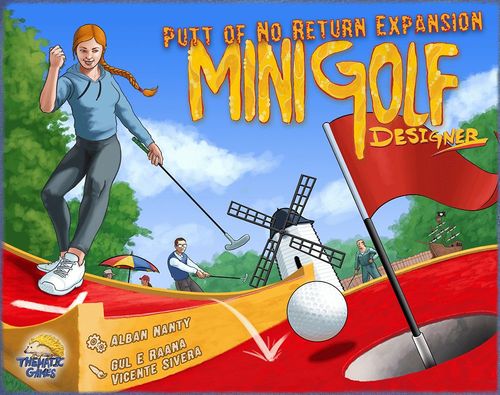
Minigolf Designer: Putt of No Return Expansion
Minigolf Designer: Putt of No Return Expansion Rulebook
Table of Contents
Table of Contents
Content
- 4 new client cards (2 males and 2 females)
- 24 new minigolf tiles
- 5 double layered score sheets
- This rule book
New Clients
Mrs Noreturn
Mrs Noreturn likes one way obstacles: you get points for any tile with a white arrow that indicates a direction on the pathway of the hole. There weren't as many of those tiles in the original game. Therefore this expansion adds 9 tiles with a directional arrow. If you want to play with Mrs Noreturn, you should add these tiles in the bag.
When scoring Mrs Noreturn, gain 3 Satisfaction Points per correctly oriented white arrow visible on your minigolf course. If the white arrow is pointing in the wrong direction (toward the Tee tile, instead of the Putting Green tile), then you don't gain Satisfaction Points for this arrow. Therefore it is useless to pick a directional tile if you cannot place it in the right orientation (apart from preventing another player from picking it).
Each hole may have several arrows, and you gain 3 points for each arrow correctly oriented.
Example: For this hole, Mrs Noreturn will give you 3 points for the center tile, since it has a directional arrow and is correctly oriented.
Example: This hole contains two directional arrows, but the corner tile goes in the wrong direction. Only the straight tile is correctly oriented, so Mrs Noreturn will give you 3 points for this hole. If the corner tile would have been in the correct direction, you would have gained 6 points.
Note: The rule book says "white arrow" in the Mrs Noreturn section, while the Tile Reference section describes the arrows as yellow. Both refer to the same directional arrow on the tiles.
Mr Intheway
Mr Intheway likes obstacles. Obstacles are the small yellow cement borders or cement blocks that the golfers have to putt around. Water pools, pipes and flower beds are not considered obstacles when scoring Mr Intheway. Obstacles are always drawn in the same yellowish brown color as the two borders of the red pathway*.
During scoring, Mr Intheway gives you 2 Satisfaction Points for each hole that contains at least one obstacle. Note that he doesn't give 2 points per obstacle, but 2 points per hole containing obstacle(s), no matter how many.
Example: Here are two examples of tiles with obstacles.
Example: This hole has many obstacles (8 on the Tee tile and 6 on the Putting Green tile), but it only gives 2 Satisfaction Points. Mr Intheway gives 2 points per hole with obstacle(s), not per tile with an obstacle or per obstacle.
Example: This hole doesn't have any obstacles. The center tile is a bifurcation, and the Putting Green needs to be accessed by one of the two pipes, but it's not an obstacle that golfers can putt around. Mr Intheway doesn't give any points for this hole.
Example: This hole has an obstacle on the Tee tile, but is not complete. As per normal rule, Mr Client doesn't score uncompleted holes.
(*) If you have a Kickstarter Edition of the original game, and you have a doubt if one specific tile contains an obstacle or not, please download the updated Rule Book PDF from the publisher's website: https://www.thematicgames.com/?page=minigolfdesigner
Mrs Camper
Mrs Camper didn't want to open a minigolf course, that was her husband's idea. She wanted to open a campground instead! In the end they agreed to combine the two on their land, so the more space you leave for the campers, the happier she will be. No doubt she will make a great couple with Mr Short, and probably a not so peaceful one with Mr Long.
During scoring, Mrs Camper will give you 2 Satisfaction Points for each grass tile, i.e. a tile with 4 green edges and no minigolf pathway.
Example: For this minigolf course, the blue player will score 12 points from Mrs Camper, because they have 6 grass tiles (no matter inside or outside the land plot).
Mr Perfect
Mr Perfect gets a real feeling of satisfaction when appreciating perfection. During scoring he will give you various amounts of Satisfaction points for each constraint that your minigolf design respects perfectly. We suggest you use the Mr Whim Promise disk to score Mr Perfect after checking each constraint, in order to avoid checking all the constraints twice.
The more difficult the constraint is to respect, the more points he will give:
Perfectly Playable (3 points)
Mr Perfect will give you 3 points if you didn't lose any points for the Playability constraint. Which means that you have 9 holes exactly, all your directional tiles are correctly oriented, there's no mismatched tile connections and no holes with two Tees or two Putting Greens, and no holes making a loop.
Uncompleted holes don't make you lose points for the playability constraint, so you can get these 3 Satisfaction points, even if you have uncompleted holes in your minigolf design.
Perfect Land (4 points)
Mr Perfect will give you 4 points if your minigolf course fills the plot on your land card perfectly, which means no missing tiles inside the plot, and no tile outside the plot.
Example: A perfect land: no tile is missing inside the plot, and no tiles are placed outside of the plot. For this minigolf course, Mr Perfect will give you 4 Satisfaction points.
Perfect Circuit (5 points)
Mr Perfect will give you 5 points if your 9 holes circuit is perfect, including the Tee #1 and the Putting Green #9 in contact with the starting tile. In other words, if you have scored 20 points for the Circuit constraint you get 5 more with Mr Perfect.
Example: A perfect circuit: all the 10 transitions are respected, so the blue player gains 20 points for the Circuit constraint. For this minigolf course, Mr Perfect will give you 5 more Satisfaction points.
Perfect Par (6 points)
Mr Perfect will give you 6 points if you have a perfect Par, which means all the hole's par are in the green area of the score sheet and the total par is 36. In other words, if you have scored 18 points on the Par constraint you get 6 more with Mr Perfect.
Example: A perfect par: The blue player used all their 36 cubes and each hole has its par in the green area. The blue player scored 18 points for the Par constraint, therefore, Mr Perfect will give them 6 more Satisfaction points.
In total, Mr Perfect can give you a maximum of 18 points (3+4+5+6).
New Tile Scoring
This expansion brings 9 tricky tiles:
- 3 tiles containing a Tee and a straight or corner pathway
- 3 tiles containing a Putting Green and a straight or corner pathway
- 3 tiles containing both a Tee and a Putting Green
The two pathways drawn on those tiles can belong to different holes or the same hole. If it belongs to the same hole, count the tile two times when checking the hole length for Mr Long or Mr Short. Obviously, since you have two pathways on a single tile, this helps to increase the length of a hole while using less space of the land. This is particularly convenient if you play with Mr Long.
Example: In this example, the tricky tile is used in only one hole. When you count the number of tiles for Mr Long, this hole is counted as 6 tiles long, which is enough for Mr Long to give you 2 points. Its par is 5.
Example: These two holes use two other tricky tiles. Hole #1 is 3 tiles long and has a par of 5 (3+1+1). Hole #2 is 4 tiles long and has a par of 4 (1+1+1+1).
Checking the circuit condition with these tricky tiles might seem complex sometimes, but the rule stays the same: if the tile with the Putting Green and the one depicting the Tee are adjacent, you score 2 points. And obviously, if the Tee and the Putting green are on the same tile, you can also score 2 points for the circuit condition.
Example: The Putting Green of hole #1 is adjacent to the Tee of hole #2, therefore this transition gives 2 points for the Circuit Condition.
Example: The Putting Green of hole #1 and the Tee of hole #2 are on the same tile, so of course they are considered adjacent. Therefore, this transition will give you 2 points for the Circuit condition. Moreover, since they are aligned, Mr Straightforward will give you 2 points for this transition as well.
Example: These four holes form a Circuit. The Putting Green of hole #1 is adjacent to the Tee of hole #2. The Putting Green of hole #2 is on the same tile as the Tee of hole #3 (although not aligned, Mr Straightforward won't give points for this transition). Finally, despite the feeling that the Putting Green of hole #3 seems far from the Tee of hole #4, they are still on adjacent tiles. Therefore this transition will also give 2 points for the Circuit condition (6 points in total for 3 valid transitions).
Tile Reservation Rule
Sometimes a tile that you really want to use is drawn while you don't currently have a spot to place it in your minigolf design. This is more often the case with the new, more complex tiles in this expansion and the two crossover tiles from the original game.
This expansion introduces a new rule, called Tile Reservation, that lets you pick a tile but not immediately place it in your minigolf design. This is an optional rule. If you prefer, it is very much possible to play this expansion without it.
When you want to reserve a tile, simply pick it and leave your pawn at its place on the rack as usual, but instead of placing the tile in your design, place it on your entrance gate quarter disk tile.
Example: The blue player really wants the directional tile, but cannot place it correctly now, so they decide to reserve it.
You cannot reserve more than one tile, which means if you already have a tile on your entrance gate, you cannot place another tile on it.
Later on during the game, when you want to place your reserved tile, you must pass (place your pawn on the most left position on the rack's bench as usual) and then place the reserved tile, from your entrance in your minigolf design, following the normal placement rules.
Example: Three rounds later, the blue player decides to pass in order to place their reserved tile.
At the end of the game, during scoring, if you still have a reserved tile on your entrance gate, you lose 3 Satisfaction Points.
Tile Reference
In this section, you will find all the tiles available in this expansion. Those tiles have a little transparent logo in their corner, in case you want to distinguish them from the base game tiles. You can refer to this section, in case you are uncertain about some tile features or need to resolve a disagreement during the scoring phase.
Next to each tile, you will first see a x1 because they are all unique, then an indication if there is a Tee or a Putting Green on the tile. Followed by a list of the number of People (or Person), Dogs, Trees, Benches, water Pools, Pipes or tunnels, elevations (Slopes), and Flower beds. It also mentions if there are Obstacles on the tile for Mr Intheway. Finally each tile with a directional constraint appreciated by Mrs Noreturn, has a yellow arrow printed next to it.
Tiles are listed below in the order of the printed reference, left to right and top to bottom. "Arrow" marks a tile with a directional constraint for Mrs Noreturn.
Printed page 18
- x1 – 1 Person, 1 Dog – Arrow
- x1 – Obstacle – Arrow
- x1 – 2 People, 1 Tree – Arrow
- x1 – 1 Dog, 1 Slope – Arrow
- x1 – 1 Person, 1 Flower – Arrow
- x1 – 1 Pool
Printed page 19
- x1 – 1 Person, 1 Slope, 1 Pipe, Obstacle – Arrow
- x1 – 1 Person, 1 Pool, 1 Tree – Arrow
- x1 – 1 Person, 1 Pipe, 1 Flower, 2 Benches – Arrow
- x1 – Tee, Putting Green, 3 People, 1 Flower
- x1 – Tee, Putting Green, 3 People, 1 Bench
- x1 – Tee, Putting Green, 2 People, 1 Dog, 1 Tree
- x1 – Tee, 3 People, 1 Slope, 1 Pool – Arrow
- x1 – Tee, 4 People, 1 Flower, 1 Bench
- x1 – Tee, 2 People, 1 Dog, Obstacle
- x1 – Putting Green, 3 People, 1 Pipe, 1 Pool
- x1 – Putting Green, 4 People, 1 Tree, 1 Slope
- x1 – Putting Green, 3 People, 1 Pipe, Obstacle
- x1 – 1 Person, 1 Tree
- x1 – 1 Person, 1 Tree
- x1 – 1 Tree
- x1 – (no features listed)
- x1 – 2 People
- x1 – 3 People
Note: the printed reference lists the tiles in a grid and does not number them individually; the tile numbers on the back of the tiles are explained in the Game Design Trivia section below.
Game Design Trivia
Why are the minigolf pathways red, and not green?
Well, we actually chose to represent an European style minigolf. In Europe, outdoor minigolf courses are often created with red-tinted concrete, and not green artificial grass/carpet as it can be found in the USA. The main reason for this game design choice was to provide a good color contrast between the minigolf pathways and the surrounding grass. If we would have colored the minigolf pathway green, the surrounding area couldn't have been grass, and should have been a different color (grey? white?).
Photo caption: Minigolf course of Fischbach, Austria.
How are the numbers on the back of the tiles assigned?
The tile numbers only depend on two factors, the Par value and the number of people drawn on the tile. You can refer to the table to find the tile number according to the par and the people count on the tile.
| 0 | 1 | 2 | 3 | |
|---|---|---|---|---|
| 0 | 1 | 5 | 9 | 13 |
| 1 | 2 | 6 | 10 | 14 |
| 2 | 3 | 7 | 11 | 15 |
| 3 | 4 | 8 | 12 | 16 |
The printed table has its row labels (0–3) down the left and column labels (0–3) across the top, but does not name which axis is Par and which is the people count. The values are transcribed as printed.