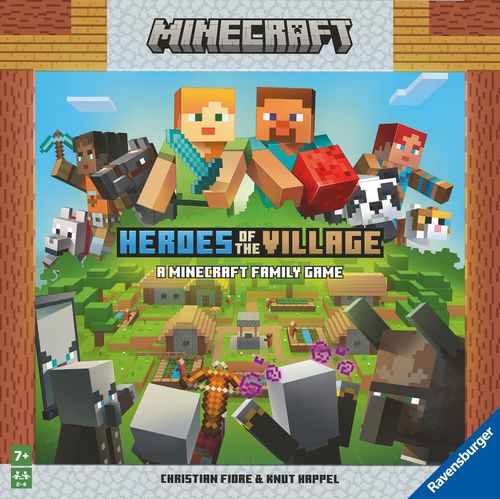
Minecraft: Heroes of the Village
Minecraft: Heroes of the Village Rulebook
Table of Contents
Table of Contents
Contents
- 25 Blocks: 6 Wood (brown), 6 Stone (gray), 6 Sand (beige), 3 Redstone (red), 4 Darkness (black)
- 18 World Tiles
- 4 Color Bases + 4 Inventory Cards (matching)
- 6 Player Tiles + 6 Player Character Cards
- 6 Pet Tiles + 6 Special Ability Cards
- 9 Buildings + 3 Bases
- 12 Mob Tokens
- 1 Starting Tile
- 1 Illagers Path Tile
- 1 Illagers Piece + 1 Base
- 1 Fight Die (black)
- 1 Illagers Die (white)
- 1 Pouch
Game Setup
A. Choose a Player Piece and Pet
- Select 1 color base, 1 Player tile, and 1 Pet tile.
- To assemble the Player piece, insert the Player and Pet tiles into the slots of the chosen color base.
- Find the Inventory card matching the chosen color base and attach it to both the Player Character card corresponding to the Player tile and the Special Ability card corresponding to the Pet tile.
- Note: For more information on Pets, see Pets and Their Special Abilities.
B. Set Up the World
-
Place the 4 Blocks pictured on the back of the Starting tile in the pouch. There should be 1 Block each of Wood, Sand, Stone, and Darkness.
-
Place the Starting tile face up in the middle of the table. Place all Player pieces on its center, which represents the Village the team has pledged to protect. Attach the Illagers Path tile to the top of the Starting tile.
-
Place the Illagers piece on space 9 of the Illagers Path. Place the remaining 3 Darkness Blocks on spaces 5, 6, and 7 of the Illagers Path.
HINT: Place the Illagers piece on space 11 of the Illagers Path tile when playing with young children or to make gameplay easier.
-
Shuffle the 18 World Tiles and divide them into 3 stacks of 6, Block side up. Set the stacks next to the Starting tile.
-
Place the remaining 20 Blocks next to the World Tiles.
-
Select 1 Building set. Consider using the Beginner set (Buildings 1 – 3) for the first few games. In later games, players can prove their mettle with the Advanced (Buildings 4 – 6) and Expert (Buildings 7 – 9) sets. Place the 3 Buildings of the chosen set next to the Starting tile. Return the remaining Buildings to the game box.
-
Shuffle the 12 Mob tokens and set them face down in a stack next to the Starting tile. Put the Fight die (black) next to the Mob token stack.
-
Hand the Illagers die (white) to the starting player.
Goal of the Game
Build the 3 selected Buildings before the Illagers reach the Village!
How to Play
The player who most recently tamed an animal in Minecraft starts. If no one qualifies, the youngest player begins the game.
The player performs 2 Actions per turn. Players may perform the same Action twice.
Possible Actions
- Explore the World
- Collect Blocks
- Fight a Mob
- Build
Notes:
- Moving the player piece does not count as an Action. Players may move freely through the World — before, after, or even in between their 2 Actions. To perform an Action in a particular location, the player must first move their Player piece to that space.
- A space may be occupied by multiple Player pieces. This applies to both World Tiles and the Village.
Action 1: Explore the World
To explore the World, the player moves to the space they wish to explore. They may add a new World Tile to any free side of the Starting tile or to existing World Tiles.
The player takes 1 World Tile from the top of a stack and puts the 1 – 3 Blocks depicted on the back of the tile into the pouch. They then turn the World Tile face up and place it adjacent to the space they currently occupy.
Example: The Player piece is located to the left of the Starting tile. The player may position the new World Tile on any of the green spaces.
Notes:
- Later in the game, some or all Block types on the back of the World Tile may not be available. The player may still lay out the World Tile. Put any available Blocks (that are shown on the back of the World Tile) into the pouch and ignore the rest.
- Do all 3 World tiles at the top of the stacks show Blocks no longer available or no longer needed? Players can add these World Tiles to the existing World (without adding the shown Blocks into the pouch) until a World Tile on top of 1 of the 3 stacks shows Blocks that are still needed. This does not count as an action.
Action 2: Collect Blocks
Players can collect Blocks from the World Tiles with a Collecting-symbol. Players can gather Wood from Forests, Sand from Deserts, and Stone from Caves. On the Starting tile adjacent to the Village, players will find 1 World Tile with a Collecting-symbol each for Wood, Stone, and Sand.
To perform this Action, the player must move their Player piece to the World Tile with a Collecting-symbol they want to collect Blocks from. They then draw 3 Blocks from the pouch without looking.
The success of this Action depends on the Blocks the player collects:
- Blocks don't match the Collecting-symbol: Return them to the pouch.
- Blocks match the Collecting-symbol: The player adds these Blocks to their Inventory.
- Redstone: Redstone is a special type of Block that doesn't have its own collecting location like wood, stone, or sand. Players who draw Redstone keep it in their Redstone Inventory slot.
- Darkness: Oh no! Players have dug too deep! The darkness harbors monsters ... A player who draws a Darkness Block encounters a dangerous Mob (monster). Return the Darkness Block to the pouch. Keep any Blocks that match the Collecting-symbol, as well as any Redstone Blocks. Then place a Mob Token on the Collecting-symbol. The Collecting location is now blocked by the Mob until a player defeats it (Refer to Action 3, Fight a Mob).
- Note: A player places just 1 Mob token on the Collecting-symbol even if they draw multiple Darkness Blocks.
In rare cases, if there are less than 3 blocks in the bag, only draw the available ones.
Player Inventory:
- 3 regular Inventory slots for Wood, Sand, Stone, and Darkness Blocks (see Action 3, Fight a Mob)
- 1 special Redstone Inventory slot
Players may add Blocks to their Inventory only if they have free slots!
HINT: At any time during the game, a player may peek in the pouch to check which Blocks are currently inside. Make sure to give it a proper shuffle afterward!
Turn A example: A player on a World Tile with a wood Collecting-symbol draws 2 Wood Blocks and 1 Redstone Block. There is enough room in their Inventory for all 3. The player adds all 3 Blocks to their Inventory.
Turn B example: On the World Tile with a wood Collecting-symbol, the player draws 1 Wood, 1 Stone, and 1 Darkness Block. The player adds the Wood Block to their Inventory and returns the Stone and Darkness Blocks to the pouch. The player must place 1 Mob token on the Collecting-symbol.
Action 3: Fight a Mob
To remove a Mob token that blocks a Collecting location, the player must fight it. The player occupies the same space as the Mob token and rolls the Fight die to determine whether they can defeat the Mob.
Each Mob has a Fight value printed on its token, ranging from 4 – 6 (Easy, Medium, Hard). Easy Mobs are defeated by rolling a 4 or higher; hard Mobs are defeated by rolling a 6. A player may roll the die up to 3 times to get the desired result. Once the player defeats the Mob, the Action is complete. At this point, the player may not roll the Fight die again.
- Defeating the Mob: Remove the Mob token from the World Tile. If players have used up all 12 Mob tokens, shuffle them and put them in a new face-down Mob stack. As a reward for vanquishing the Mob, the player draws 3 Blocks from the pouch. They select 1 Block from the 3 and add it to their Inventory if they have available slots. The player may keep a Darkness Block by adding it to 1 available regular Inventory slot (not Redstone). Use the darkness block instead of any other Block when building a Building in the Village.
- Rolling an Illagers symbol: The following happens immediately after rolling an Illagers symbol.
- The Illagers are intimidated! Move the Illagers piece 1 space backward on the Illagers Path, away from the Village.
- The Illagers take advantage of the distraction and move closer! Move the Illagers piece 1 space forward on the Illagers Path, in the direction of the Village.
Action 4: Build
To build, a player goes to the Village and turns in their collected Blocks.
The Blocks needed to construct a Building are printed on the Building tile. Place any useful Blocks next to the Buildings.
- A player may turn in any number of Blocks to add to single or multiple Buildings.
- All players work together on all Buildings.
- Players don't have to finish the Buildings in any particular order.
- A Darkness Block may be used instead of any other Block.
- Players may remove Blocks from their Inventories that are no longer needed for building. Return them to the box.
When players place the final Block, the Building is complete. Insert it into a base and place it in the Village.
Blocks used to construct this Building remain where they are and do not go back into the pouch.
The Illagers are intimidated by your Buildings and retreat! For each completed Building move the Illagers piece 1 space backward on the Illagers Path, away from the Village.
End of the Turn: The Illagers React
The player rolls the Illagers die at the end of their turn, once they have performed 2 Actions.
- A player who rolls the Illagers symbol moves the Illagers piece forward by 1 space, toward the Village.
- A player who rolls a blank is lucky! The Illagers can't move on this turn.
Once the player has finished their turn, play proceeds to the left.
When the Illagers reach spaces 7, 6, and 5 on the Illagers Path, the World get more dangerous! Place the Darkness Block located on the space into the pouch. The chance of encountering a Mob while collecting Blocks increases.
End of the Game
If the team completes all 3 Buildings before the Illagers reach the Village, the team wins. Congratulations, you are now the Heroes of the Village!
If the Illagers reach the Village first, the team loses. Better luck next time!
Pets and Their Special Abilities
- Wolf — The Wolf helps fight dangerous Mobs! A player performing the Fight a Mob Action rolls the Fight die and adds +1 to the result.
- Cat — The Cat keeps Mobs away! A player performing the Collect Blocks Action is protected from the effects of the first Darkness Block they draw. If they draw another Darkness Block during the same turn, the effect takes place.
- Fox — The Fox has found something! A player performing the Collect Blocks Action may keep 1 additional Block of any material that doesn't match the Collecting-symbol, except Redstone. This applies even if they do not draw a single Block matching that Collecting-symbol.
- Panda — The Panda is too fluffy and cute to resist! If a player performing the Fight a Mob Action rolls the Fight die, they are protected from the first Illagers symbol they roll. If they roll it again, the effect takes place.
- Horse — Explore the world even faster with the Horse! A player performing the Explore the World Action may lay out 2 World Tiles. Add the corresponding Blocks of both World Tiles to the pouch.
- Llama — The Llama carries extra Inventory! The player with the Llama has 1 more Inventory slot for Block storage. It can be used for any material, including Redstone.