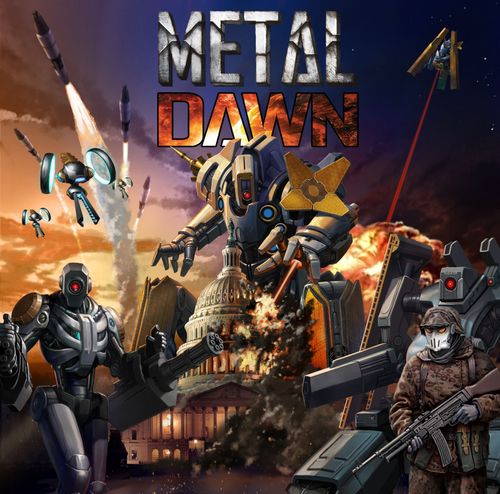
Metal Dawn
Metal Dawn Rulebook
Table of Contents
Table of Contents
- Objective: Winning and Losing
- Component List
- Setup
- Zone cards
- Location Abilities
- Weapon & Gear cards
- Agent cards
- Division Cards
- Mission cards
- Dominus Code cards
- Intel cards
- Dominus Board
- Firewall Tokens
- Dominus Unit types
- How To Play Metal Dawn
- Clean-up phase - end of round
- Act II: Dominus Down!
- Reference
- Tech War Expansion & Optional Game Mode
- Quick Reference
Objective: Winning and Losing
You are one of the heads of the important Divisions of a secret government Agency. As a Division leader, you're one of the last lines of defense between Dominus and the destruction of the human race. Your mission is clear - collaborate with other Division leaders of the Agency to deploy Agents and wrest control from the ever-tightening cybernetic hands of Dominus and his army.
Winning: To win, you'll need a decisive victory, able to eliminate the Dominus program forever. A task that definitely is not easy: you'll first need to hack the program to learn about its future moves, and then destroy it once it's landed in Transformed Robot form. At that point, it's not only that you've just won the game, you've also saved mankind. Epic!
Losing: If, at any point in the game, the Metal Dawn token ever goes beyond space 10, reaching the Metal Dawn space on the Metal Dawn track, OR if an Agent is killed there are no Agents left in the Agent Reinforcement pool, then we're sorry, but further resistance is futile - you have lost. Please try again.
Component List
- 1 Gameboard
- 1 Dominus board
- 1 Dominus Health board
- 1 Dominus Robot standee
- 1 Dominus Satellite standee
- 8 Agent standees
- 8 Tech War Agent standees
- 36 Dominus Unit standees
- 36 Tech War Dominus Unit standees
- 52 Plastic stands
- 6 Player mats
- 20 Tech War Objective cards
- 6 Player Reference cards
- 6 Block tokens
- 6 Zone Activation tokens (one per player)
- 10 Firewall tokens
- 6 Tech War tokens (one per player)
- 64 Health tokens
- 6 Mission tokens
- 1 Metal Dawn token
- 1 Dominus Health token
- 15 Dominus Code cards
- 52 Weapon cards (16 starting Weapon, 32 normal Weapon, 4 Tech War Weapon cards)
- 44 Gear cards (9 starting Gear, 18 normal Gear, 17 Tech War Gear cards)
- 40 Intel cards (20 starting Intel, 20 Tech War Intel cards)
- 30 Mission cards (10 Mission, 20 Tech War Mission cards)
- 24 Dominus cards
The 6 Player Reference cards carry the Unit Icons and Location Icons legends; both are transcribed in the Quick Reference section at the end of this rulebook.
Setup
- Place the gameboards in the center of the gaming area, within easy reach of all the players.
- Populate the board by placing a Zone card on each of the numbered spaces. For your first few games, start with "The White House" face up on space 1. Then, randomly place zones face up and face down according to the table below:
| Players | Zones |
|---|---|
| 1-2 Players* | 7 Face up, 5 Face down |
| 3 Players | 8 Face up, 4 Face down |
| 4 Players | 9 Face up, 3 Face down |
| 5 Players | 11 Face up, 1 Face down |
| 6 Players | 12 Face up, 0 Face down |
*For Solo play, use the 2 player setup (2 Divisions & 4 Agents etc.)
Players then look at the 11 remaining random Zone cards and decide together which of the available cards will be placed faceup and which will be face down. (see Destroyed Zones on page 6).
Once you've placed the zones, check to make sure you have at least 1 Intel Zone (The White House). You must always have at least 1 Zone that gives intel. (Once you're comfortable with the game, you can swap out The White House for any other random zone, just make sure you have a zone with at least 1 Intel on one of its locations.)
- Prepare enemy Units: a. Setup 40 total Dominus Units: 16 Drones, 8 Soldiers, 8 Cyborgs, & 8 Exterminators, by placing the Dominus Unit standees into the plastic stands so that the defense value number and any special ability icon on the bottom of the standee is covered by the plastic stand. Note: Special ability icons and defense values are varied and to be hidden by the plastic stands, and must stay hidden until revealed by a game effect. b. Organize and divide the Units into Drone, Soldier, Cyborg, and Exterminator Units and place them on one side of the board within easy reach of all the players.
Note: Units have a Normal mode and a Hard mode. We recommend you play with Normal mode for your first game. In order to use hard mode, simply refer to the Unit reference in this rulebook and on the reference cards provided and use "Hard Mode", which increases damage, for all units.
- Take the Dominus cards, and remove those cards matching the destroyed zones on the board. Shuffle the remaining Dominus cards to create the Dominus deck. Place this deck on the opposite space of the Dominus board.
- Take the Dominus Robot cards, and shuffle them to create the Dominus Robot deck. Place this deck on the appropriate space on the Dominus board.
- Take the Dominus Code cards, and shuffle them to create the Dominus Code deck. Then, draw 5 Dominus Code cards and place face down (without looking at them) on the corresponding empty spaces on the Dominus track.
- Place the Metal Dawn token on space "1" of the Metal Dawn track.
- Place a random Firewall token, number side down, on spaces 2, 4, 7, 9 of the Metal Dawn track.
- Each player chooses a color and takes 1 Player mat. (Also take 1 Tech War token in that color if you're using the competitive semi-cooperative mode "Tech War" see page 16). They also gain a. 1 Zone Activation token matching the color of their Player mat b. 2 Agent cards with the corresponding Agent standees, each with the plastic stands that match the color of their Zone Activation and Tech War token. c. Health tokens equal to their starting Agents' total health (total health value is stated on the Agent cards - see page 7 for details). Damage and healing occurring during the game are tracked with these tokens. d. 1 random Division card e. 2 random Starting Weapon and 2 random Starting Gear cards. The player looks at the cards and decides which cards are equipped to which Agent.
- Shuffle each of the following decks of cards separately: Intel cards, Weapon cards, Gear cards and Mission cards, and place on another side of the board.
- Place the Block tokens, Mission tokens, and other tokens near the board.
- Take 1 additional Agent card per player to form Agent Reinforcement pool and set this deck near the board.
- Return the following components to the box: a. all remaining Division cards b. all remaining Zone Activation tokens c. all remaining Firewall tokens d. all unused Agent cards
- Draw and resolve 1 Dominus card per player, plus one. To resolve these cards, ignore any special abilities listed, and proceed as follows: a. Find the Zone number in the top left corner of the card. This is the current zone. b. Spawn on the current zone all Units listed on the current Dominus card by placing one Unit per location (see zone cards on page 6), starting with the top left location and moving clockwise, following the arrows around the zone. c. Place any Mission tokens as noted on the card in the current zone. d. Place all used Dominus cards in a discard pile next to the board.
Zone cards
- Zone name
- Locations - Each zone contains 4 different locations. Each location has a specific ability that can be activated by Agents entering there (see Movement, on page 10) or by other game effects. Locations marked 1 to 4 show the order in which Units are spawned. Agents can move into locations that are NOT OCCUPIED. (see Movement on page 8).
- Zone power - Each zone has a specific power that can be activated by Agents spending a Zone Activation token while at any location of this Zone (see Free actions on page 12).
Any Zone with all spaces occupied is a Closed Zone and cannot be entered by Agents unless they have the Stealth ability.
Location abilities grant either an immediate effect or to draw a card (Weapon, Gear, Intel) as indicated by the icon present on the location. For the full chart of icons and their effects see the Location Abilities table below.
When a location ability allows you to draw a Weapon, Gear, or Intel card, that card immediately goes to your hand and then it may be equipped to your active Agent. If that Agent has an equipped Weapon or Gear card, you must discard that card in order to equip a card from your hand.
Destroyed Zones: Normally an Agent would not want to enter a Destroyed Zone, however, there are two reasons an Agent might choose to do so. The Agent may need to complete a mission by entering the Destroyed Zone or they may use the Destroyed zone to move closer to another Zone that is full of Units to attack a unit that would otherwise be out of range.
Zone Overflow: Each Unit to be spawned is placed on the first unoccupied location of the current zone, moving clockwise from location 1. (See Spawning Units on page 14) If Units cannot be spawned because some or all locations in the current zone are occupied, trigger Zone Overflow.
When the current zone overflows, Units are spawned on orthogonally adjacent zones, following the normal rules for location placement. Players are free to choose the adjacent zone to spawn the overflowing Unit or Units to if more than one adjacent Zone has unoccupied locations.
Zone Inundation: Remember, if at least one overflowing Unit cannot be placed due to the lack of unoccupied spaces on adjacent zones, stop spawning for that current Dominus card and go to the next card. Then raise the Metal Dawn track by 1.
Hand Limit Reminder: You can only have 1 Weapon, 1 Gear, and 3 Intel in your hand at once.
Location Abilities
- Draw a Weapon card
- Draw a Gear card
- Draw either a Weapon or Gear card.
- Draw an Intel card.
- Draw either a Weapon, Gear, or an Intel card.
- Place a Block token adjacent to any one Unit. That Unit does not attack during the Dominus phase. Remove all Block tokens during the Clean-up phase. If there are no Block tokens available, you cannot activate this ability.
- Destroy any revealed Unit on the board. Remember that Dominus is not a Unit.
- Reveal all Units in a single zone.
- You may automatically complete your active Mission.
Weapon & Gear cards
Weapon and Gear cards can be gained by resolving location abilities, or by means of other game effects. Gained cards go in the player's hand, and then they can be immediately played to become equipped. A player can discard an equipped card at any time during the game.
Most cards have a "use effect". These cards are printed with 1-4 ammo icons (on Weapon cards) or 1-4 gear icons (on Gear cards).
The cards enter in play with their maximum number of uses available printed on the upper border of the card. Every time you spend one use, you rotate the card counterclockwise, so that the number of uses remaining is right side up. This indicates the number of remaining uses on the top-most border of the card. After spending the last remaining use, the card is immediately discarded. (For example, the Night Stick can be used to attack 4 times until it's discarded and the Medpack is discarded after being used twice.)
Cards having a "permanent effect". These cards have no icons indicating the number of uses available, and they are discarded by specific game effects.
Equipping your Agents. Each active Agent may only have 1 Weapon and 1 Gear card equipped at one time. If your Agent has an equipped card when you choose to equip a Weapon or Gear card from your hand, you must first discard from play the card you want to replace. At this point, you can play the new Weapon (or Gear) card from your hand. The new card is now equipped. A maximum of 1 Weapon and 1 Gear may be held in the player's hand as reserve.
Agent cards
Agent cards represent operatives a player commands in the fight against Dominus.
- Agent name - usually a secret alias or codename
- Health - this is your agent's max health. Every time an Agent suffers damage, remove health tokens from that Agent equal to the amount of damage suffered. When an Agent's health reaches zero, the Agent is defeated.
- Special Ability - this is your Agent's Special Ability. Special abilities are free actions (see Free actions on page 10-11).
- Inactive Side - when an Agent's turn is completed, the Agent flips their Agent card face down. All Agent cards are flipped face up during the Clean-up phase.
Division Cards
This is the Division of which you are the commander. It's up to you to give the orders to your agents.
- Name - Division Name
- Once-Per-Game Special Ability - May be used once per game as a free action.
Mission cards
Mission cards represent important missions assigned to your division all around the city. When you complete a mission, you can upgrade your Agent or lower the Metal Dawn track. Beware: missions can be failed by Dominus and when they are, they have negative effects.
- Mission name
- Mission requirements
- Fail effect
- Success rewards
- Equipped Agent Ability
Mission tokens are spawned at the start of the game and during each Dominus Phase in Act I. Missions no longer spawn in Act II. To accept a Mission, pick up a mission token from your current Zone, return the token to the supply and draw a Mission card. Place the Mission card under the active mission section of your player mat on the side of the active Agent, as shown below. Agents may only have 1 mission at a time. To get a new one, the current one must be completed or failed.
Dominus Code cards
- Code difficulty - This is the number you must equal or beat with your Intel cards to successfully hack the code.
- Code ability - This is the special ability that is triggered by this Code Card.
Most Dominus codes have special abilities that trigger at different times! Read the text of this ability aloud as soon as the card is revealed and execute the ability when stated on the card.
Example: "Reactive Ice", Code difficulty 1. "When attempting to hack this code, draw an Intel card and add its Intel value to this card's Code value. If the hack fails, this ability remains active."
Intel cards
- Intel value - Value used to hack Dominus Code cards.
- Intel ability - Special ability granted by Intel card.
Gained Intel cards are placed in that player's Intel pool, on their mat (they do not belong to specific Agents). Each player can have a total of 3 Intel cards in their pool at any time. If you ever have more than 3 Intel Cards, you must discard down to 3.
Dominus Board
- Dominus AI deck
- Dominus Code cards
- Robot Dominus cards
- Robot Dominus deck
- Metal Dawn track
Firewall Tokens
Firewall Tokens represent Dominus anti-hacking software that triggers special attacks against the Agents as the Metal Dawn track goes up. At the start of the game place 1 random face down Firewall token on each of the following Metal Dawn track spaces: 2, 4, 7 and 9. Once the Metal Dawn track token reaches one of these Firewall tokens, flip the Firewall token and reveal the number. Then trigger the ability that matches that number in the Firewall Ability Table. (Below and back of Rulebook)
Firewall Ability Table
| No. | Firewall Ability |
|---|---|
| 1-3 | Drones Replicate: For each Drone unit on the game board, add one new Drone unit to that Drone's zone. |
| 4 | Attack of the Drones: All Zones without a Drone unit immediately gain a Drone unit if a location is available. (does not trigger Zone overflow or Terror advancement if unable to spawn) |
| 5 | Backfire: All players must discard 1 Weapon card (equipped or in hand) or have an Agent take 2 damage. |
| 6 | Virus: All players must discard 1 Gear card (equipped or in hand) or have an Agent take 2 damage. |
| 7 | Double Agent: All Players must discard 1 Intel card or have an Agent take 2 damage. |
| 8 | Hackproof: Add an additional Dominus code to the Dominus board, face down. |
| 9 | Exterminate: Draw an additional Dominus card this turn. |
| 10 | Anarchy: Agents may only move to adjacent zones next turn. |
Dominus Unit types
In your fight against Dominus, look out for the following Units and destroy them whenever possible. All Units start with their defense values and special ability icon hidden beneath a plastic stand, but their attack values are always known.
Dominus units do not track damage. Instead, a unit is immediately destroyed when an Agent's damage meets or exceeds the units Defense value or with other game effects.
Unit Icons
- Self Destruct - When revealed, this unit self destructs and deals 1 damage to all agents in the zone.
- Lure - When revealed, move the nearest unit of the same type into the zone if there is space.
- Gain Skill - When defeated, draw a Mission card and add that skill to your Agent.
- Gain Action - When defeated, your active agent gains 1 action this turn.
- Gain Health - When defeated, heal 1 damage from your agent.
- Transform - When revealed, replace this Soldier unit with a Cyborg unit and reveal it.
- Incite - When this Unit is present in a zone, all other Units deal 1 additional damage.
- Defend - No other Unit in this Zone may be targeted while this Unit is present.
- Reveal Code - When defeated, reveal the next Dominus Code.
- Terrify - This Unit causes an additional terror during the Dominus phase.
- Suppress - No Agents may move into or out of this Zone while this Unit is present.
Drone units
These highly mobile Drone Replicators with firing platforms have been equipped with self-replicating nano-technology. They deal 1 damage, and always have a defense value of 1. Be careful! Drone units may self-destruct when revealed, dealing damage to all Agents in the zone.
| Normal Damage | Hard Mode Damage | Defense |
|---|---|---|
| 1 | 1 | 1 |
Soldier units
Dominus has infected a large portion of the military forces with malicious nano-technology, creating an army of automatons. These once human soldiers have had their synaptic impulses overridden and now follow every Dominus order. They have no special power, but can still deal 1 damage.
| Normal Damage | Hard Mode Damage | Defense |
|---|---|---|
| 1 | 1 | 2-3 |
Cyborg units
Robotic death machines created in the U.S. Secret Robotics Facility, these state-of-the-art fighters have combat-specific AI and are literally programmed to kill. Unfortunately, Dominus has taken complete control of global Cyborg forces. Cyborgs deal 1 damage and have a defense value ranging from 2 to 4.
| Normal Damage | Hard Mode Damage | Defense |
|---|---|---|
| 1 | 2 | 2-4 |
Exterminator units
Like the Cyborgs above, these tank-like destroyers of humanity have excellent terrain management systems as well as demolition rail-guns. Their high-velocity rounds travel at a speed faster than sound, sending small projectiles into buildings, enemy vehicles, and other armored targets. They devastatingly deal 2 damage and have a high defense ranging from 3 to 5.
| Normal Damage | Hard Mode Damage | Defense |
|---|---|---|
| 2 | 3 | 3-5 |
How To Play Metal Dawn
Act I: Day of Judgment
In this act, players are using their Agents to find equipment, defend important Zones, take on secret missions, and to hack Dominus. All this in hopes of bringing Dominus down before it causes global anarchy and nuclear war.
Agent phase
During the Agent phase, players take turns trying to prevent the armageddon, Metal Dawn. On a turn, players will choose to activate one of their two agents. During their activation, each Agent can perform up to 2 standard actions and any number of free actions before ending their activation. As a player ends their activation, they flip over the Agent card of the Agent they just activated and play passes to the next player in clockwise order. Once all players have used both of their two agents, the Agent Phase ends.
Actions
There are two types of Actions: Standard Actions, and Free Actions. Standard Actions are limited to 2 per agent per turn, while Free Actions are unlimited.
Standard Actions
Move Action - An Agent may resolve a Move action to move to any unoccupied location of any zone on the board. Immediately after moving to a location, as part of their Move action, they may activate that location's power. This is NOT an additional action, it triggers when the Agent moves into that location. Agents cannot move to occupied locations. (An occupied location contains another Agent or a Dominus unit in it.)
Turn Example: Arnold's Agent is on a location in the White House zone. He decides to reveal all Units in an adjacent zone. He moves his Agent to a location with the eye icon, activating the location ability and revealing all Units in an adjacent zone. Now that they're all revealed, Arnold is able to check their defense value and see which Units are vulnerable to his 2-damage ranged weapon. He spends his next action to attack that Unit, destroying it. Since this is his last Action, and he doesn't want to perform any additional free actions, he ends his turn.
Any Zone where all the locations are currently occupied is considered closed and cannot be used, unless a specific game effect allows players to do so (see Stealth Ability on page 16).
Attack action: Your agent may use an action to attack a Dominus Unit or Robot Dominus (Robot Dominus is only in Act II). Satellite Dominus can never be attacked, only Hacked. (See Hacking on page 11)
When an Agent resolves an Attack action, they first declare a target for their attack. If the target is an unrevealed Unit, that Unit is revealed. Slide the unit's standee from left to right revealing it's hidden defense value and special ability icons (if any). Some Unit special abilities are triggered immediately when revealed, while others are triggered when the Unit is destroyed. (see Units on page 16)
Range: Each Agent's starting range is zero. A range of zero allows an Agent to attack a Unit on any location of their current zone, or Dominus in its robot form when present on their current zone. When attacking a unit in another zone, the agent must have a ranged weapon, with a range value equal to or greater than the number of zones counted orthogonally away from agent.
The range value of a Gear or Weapon is the number of zones it extends the range of the Agent. For range purposes, zones are counted orthogonally (Up, Down, Left, Right) and NOT diagonally. Note: Weapon or Gear cards, once equipped, may allow your Agent to extend their starting range by the range value listed on the card, if any.
Damage: Damage is the amount your Agent's attack or a Unit's attack is doing. An Agent's attack damage starts at 1 damage & 0 range for an Unarmed (no weapon) attack. Weapons and sometimes Gear usually grant higher damage which are desperately needed to destroy the units of Dominus and Robot Dominus himself (in Act II).
Destroying Units: If the Agent's damage total is equal to or greater than the target's defense value, that Unit is destroyed and returned to the box. Remember to check unit special abilities from the icon on the unit.
Note: There are instances when units can be returned to the pool of Units that can be spawned. (See Returning Units to Play on Page 14.)
Attack Turn Example 1: One of Jim's Agents is in a location at range 1 from his target, an unrevealed Exterminator. He has equipped a Weapon card with a range 1 and a damage of 4. He spends his first Action attacking the Exterminator. He turns the weapon counter-clockwise, spending 1 of its 3 ammo. He then reveals the Exterminator's defense value finding a 5. Since it's a 5, the 4 damage of his weapon would not defeat the Exterminator. Therefore, it stays on the board in its revealed state. With his second action, he moves to a location with the crosshair icon, unoccupied and activates its ability "Destroy any revealed Unit on the board." Since the previously targeted Exterminator is now revealed, the Exterminator is defeated instantly. That ends that Agent's turn. He then flips that Agent's card to its "Inactive Side" and play continues to the next agent in clockwise order.
Attack Turn Example 2: One of Evan's Agents starts his turn in the same Zone as a Drone unit and has no weapons. Knowing that Drone units have a defense value of 1, he spends his first action to attack the Drone unarmed. Even if Evan knows that the defense value of the Drone is not able to stop his attack, he still reveals the Unit to check for special abilities. The Drone Evan is attacking has the Self Destruct icon, so it is immediately removed from the board, and all Agents in the zone suffer one damage.
With Evan's second Action, he moves to an unoccupied Location in a Zone on the other side of the board. He draws a Weapon card, equips it to his Agent, and ends that Agent's turn, flipping that Agent card to inactive.
Using an Intel card Action: Intel cards can be used in two different ways: to hack Dominus codes during Act I, or for their special ability.
Hacking Dominus action - If the active Agent's current zone is the same as Dominus, the Agent may spend an action to hack one Dominus code.
Following these steps: First, select an Intel card from your Intel card pool. Then, select a Dominus code card to hack. If it is face down (unrevealed), flip the card face up.
When the Dominus code is revealed, the active player compares the code difficulty with the value of the just played Intel card. If the code difficulty is equal to, or lower than, the value of the Intel card, the code is hacked. Instead, if the Code difficulty has not been met or exceeded by the first Intel card played, the active player may play additional cards from their Intel card pool. The player may continue to play cards adding to their total intel value to meet or exceed the Code card value. If they are unable to do so, the Hack is failed.
Hack successful: The player must discard all the Intel cards played during this hacking attempt. Once that has occurred, and any Code abilities have resolved, the hacked Code card is removed from play and players are rewarded with a Robot Dominus Future Plan.
NOTE: Any Intel cards spent that exceed the Code value are also discarded. You do not get any Intel points back from spent Intel cards that are above the value needed.
Robot Dominus Future Plans: Immediately after hacking a code, the active player gets to see a Robot Dominus Future Plan allowing the player to look at the top two cards of the the Robot Dominus deck, pick one to place on the space of the just hacked code, and place the other Robot Dominus card on the bottom of the Robot Dominus deck. These cards represent Robot Dominus' first moves during in Act II.
For the first 5 Robot Dominus activations in Act II, instead of drawing from the Robot Dominus deck, you'll draw from these face up Robot Dominus cards in the Code track. After each one is used, it's discarded. Once they're all used, a random card is drawn from the top of the Robot Dominus deck for each Robot Dominus activation.
Hack Failed: If the Dominus Code card value is greater than the value of the Intel cards spent during this hacking attempt, the hack fails. The active player discards the Intel card they played first during the current hacking attempt, and returns any other Intel cards to their Intel pool. The Code stays revealed.
Hack Example: Chris plays a 4-value Intel card to hack one of the 5 unrevealed Dominus codes. He picks one of them and flips it over, revealing a code difficulty of 5. To hack the code, Chris must play another Intel card worth at least 1. He plays another intel card value 3 which brings his total Intel value of played cards to 7, which exceeds the code card (5) which is successful hack. Chris then draws two cards from the Robot Dominus deck, and chooses one to put on the Dominus board, while the other one is placed at the bottom of the deck. Chris discards both Intel cards played. The hacked Dominus code is returned to the box. Chris does not get any leftover Intel points back from spending the Intel that exceeded the Dominus Code card.
Using an Intel card special ability: Intel cards can also be discarded as an action to trigger their special ability. Most Intel cards have unique abilities like healing one Agent, or allowing to automatically destroy Units. However, remember, Intel is necessary to hack Dominus; without it, you'll never be able to bring him down to Earth to defeat him.
Strategy Note: The longer you take to defeat Dominus, the higher the risk of being overrun, having agents killed, or having the Metal Dawn token advance too far on the Metal Dawn track.
Once all Dominus Codes have been hacked, Act II begins at the beginning of the next round. The "Check Hacked Codes" part of the Clean Up phase is the reminder. (See Cleanup Phase on page 15)
Free actions
The active Agent can perform any number of free actions during their turn.
Equip an Agent: Anytime during the Agent Phase, you may choose to equip your selected Agent with a Weapon or Gear card from your (player) hand. Player's may hold 1 Gear and 1 Weapon in their hand. You may not equip an Agent during combat.
Gain a Mission card: If there is a Mission token in the active Agent's current zone, that Agent may discard that token to gain a Mission card from the deck. The Mission card is placed on the active player's mat.
NOTE: Each Agent may only have one active Mission Card at any time. If the Agent already has an active Mission, they cannot resolve a Gain Mission card free action.
The reason you cannot get a new Mission when you already have one is that each Mission is very important to the resistance against Dominus. They must either be completed or failed by Dominus, but cannot be abandoned.
When completed, most Missions give you a choice between retreating the Metal Dawn token or attaching the card to your Agent for a powerful, permanent upgrade.
While Mission rewards can be extremely helpful, a failed Mission can be devastating. Fail effects may advance the Metal Dawn token or spawn more Units to a zone.
Complete a Mission: After fulfilling all requirements on your active Mission card, you can complete it and gain the reward.
Mission success
When an Agent fulfills the requirements of their active Mission, they must immediately choose their reward.
To choose your reward, you must either: Discard the mission card to lower the Metal Dawn Track by 1 or equip the mission card to the Agent who completed it by sliding the card under the agent card showing only the bottom box with the new equipped Agent ability. Once equipped, the mission card may not be discarded to reduce the Metal Dawn Track. It is permanent, until the Agent is defeated.
Mission failure
Missions are failed when: Dominus or Robot Dominus moves into a Zone with a Mission Token in it and/or with an Agent having an active mission in it. (See Dominus movement on Page 14 and Robot Dominus Movement on page 16)
Activate a Zone power: Each Zone has a special ability power that can be activated once per Agent Phase. As a reminder this power has been used during this Agent Phase, place a Zone activation token on top of the activated zone.
Use an Agent special ability: Each Agent card has a special ability on them. Not all Agent abilities require actions to activate them, some are static abilities and are always active, while others are a free action. Other Agent abilities include abilities gained by completing Missions.
Use Division special ability: Once per game, you may flip over your Division card to use its ability as stated on the card.
IMPORTANT: Retreat the Metal Dawn token- Anytime during the game, during an Agent phase, players may collectively discard 1 Intel card per every 2 Agents in play, to retreat the Metal Dawn track 1.
Dominus phase
"Hell hath no fury like a scorned AI orbital defense system looking for global domination!"
This is what's going to happen:
-
Advance towards Metal Dawn!
-
Dominus units attack!
-
Satellite Dominus activates!
-
Advance towards Metal Dawn:
Advance the Metal Dawn token on the Metal Dawn track by 1. If this results in the Metal Dawn token reaching the Metal Dawn space at the end of the track, players immediately lose the game.
- Dominus units attack!
All Units attack.
- Starting with zone 1 and moving through each zone of the board, each Unit in each zone resolves an attack. When Units in a zone attack, start with the Unit in the top left location, and proceed clockwise until all Units in that zone have performed an attack.
- When a Unit attacks, it deals its specific amount of damage to the zone directly, which raises the Metal Dawn track by 1 per damage dealt, unless Agents take the damage instead!
IMPORTANT: Any Agent present in a zone that is about to be damaged may intercept all the damage dealt by that attack. An Agent intercepting damage dealt to the zone suffers damage equal to the damage the zone would have suffered by the attacking Unit. If this brings that Agent's current health to zero (or below), that Agent is defeated (see Defeated Agents below).
REMEMBER: Any damage not intercepted by agents raises the Metal Dawn track by 1 per damage dealt.
Each Unit's attack is resolved individually, one at a time; an Agent cannot choose to intercept only part of the damage dealt to the zone by an individual Unit. However, each individual Unit may be blocked by different Agents in the same zone as the attacking Units.
Units deal damage in the following amounts:
| Unit | Normal Dmg | Hard Mode Dmg | Defense |
|---|---|---|---|
| Drone | 1 | 1 | 1 |
| Soldier | 1 | 1 | 2-3 |
| Cyborg | 1 | 2 | 2-4 |
| Exterminator | 2 | 3 | 3-5 |
Example: Kim's Agent is in the White House zone. There is 1 Drone unit and 2 Cyborg units in the same zone at the end of the round. The Metal Dawn token is on space 7 of the Metal Dawn track. The Drone unit is capable of dealing 1 damage, while each of the Cyborg units deals 2 damage. The total damage coming from the 3 attacks combined is 5, enough for Dominus to triumph and destroy the world! Kim's Agent has to do something! She decides her Agent will intercept the first two attacks dealt to the zone, losing health after each of these attacks. Her health is 4 before intercepting the attacks, so that the attacks bring her down to 4-1-2=1 remaining health, meaning her Agent barely survives the attack. The Cyborg attack is not intercepted by Kim's Agent, and since there are no other Agents in this zone, the zone is damaged and the Metal Dawn token in advanced by 2 points (since the Cyborg attack dealt 2 damage), reaching space 9 of the Metal Dawn track, and putting the players dangerously close to Metal Dawn and losing the game.
Defeated Agents
If at anytime during the game, an Agent takes damage equal to, or greater than their current health, that Agent is defeated. Advance the Metal Dawn token on the Metal Dawn track by 1. Return the defeated Agent's card and standee to the box. Discard all Weapons, Gear, and attached Mission cards. Replace (if able) the defeated Agent with a new Agent card from the Agent reinforcement pool and take the matching standee. Place the new standee in the same space where the previous Agent was defeated and gain 1 starting Weapon and 1 starting Gear card.
If no Agents are available in the Agent pool when you attempt to draw a new one, players immediately lose the game.
- Satellite Dominus activates!
Draw Dominus cards equal to the number of players, and resolve each card individually.
Dominus cards
- Active Dominus Zone: This is the zone where all of the effects below occur. Additionally, this is the zone where Dominus is moved to on the last Dominus card drawn.
- + Mission: If this icon is present on the card, place a Mission token on the active Dominus zone.
- Spawn Instructions: Which Unit types spawn, in order (Spawn from top of the list to the bottom)
- Special ability: When, what, and how a special ability occurs. The ability triggers when the card is drawn, unless otherwise noted.
To resolve a Dominus card, do the following in order:
a. Move Dominus: For the last Dominus card you resolve this round only! Move Dominus Satellite to the new active Dominus zone. For all other Dominus cards, skip this step. If Dominus enters a zone where a Mission token is present: discard that token, draw a Mission card and resolve its Fail effect. If Dominus enters a zone where Agents are located, all Agents having an active Mission card discard their active Mission and resolve its Fail effect.
b. Spawn new Missions: If there is a +MISSION symbol in the top right corner of the card, place a Mission token on the active Dominus zone.
c. Spawn Units: In order, 1-4 as per diagram below, place each Unit listed on the first open location of the zone indicated, following all spawning and overflow rules. (Page 6)
Dominus card resolution example: At the end of the Agent phase, the Dominus phase begins. As it's a two player game, two Dominus cards are drawn and resolved, one at a time. The first card says zone 5, and has a +Mission icon. Since it's not the last card drawn, Dominus does not move yet. (He moves on the last card drawn.) Place a +Mission Token on this zone and spawn Units spawn on that zone. The card instructs to spawn 4 Soldier units there, but location 2 is occupied by an Agent, leaving space to spawn only 3 Units: the first Soldier unit is placed on location 1, then the second unit on location 3, and finally the third unit on location 4. The last Soldier unit overflows: players choose an empty location on an adjacent zone where to spawn it.
After spawning, the card's special ability triggers. The card's special ability says "Systematic Extermination: each Agent in, or adjacent to, the active Dominus zone suffers 3 damage". No Agents are near this card's Zone right now, so no damage is dealt.
The 2nd Dominus card is then resolved. It says Zone 6 and since it's the last Dominus card drawn, the Dominus Satellite standee is moved to that zone. There's an Agent in this zone who has an Active mission. That mission immediately fails, it's discarded, and the Metal Dawn track goes up by +1. The next part of the Dominus card, +Mission is not visible on the card so no mission token is placed. The card says to spawn 2 Drone units and 1 Exterminator unit. Since Zone 6 has no Agents or Units right now, the Drone units are spawned one on location 1, and one on location 2; the Exterminator unit is spawned on location 3, leaving location 4 empty. The card's special ability says Drones Replicate: For each Drone unit on the game board, add one new Drone unit to that Drone's zone. At the moment there are only 2 Drone units on the board (the ones just spawned on Zone 6), and each one of these creates a new Drone unit which would spawn in the very same zone. Since zone 6 only has 1 empty location (location 4), the first Drone unit that was replicated, spawns a new Drone unit on location 4, and the other Drone unit that was replicated, overflows and spawns the new Unit on a empty location in an adjacent zone chosen by the players. Since all Units have been spawned and both Dominus cards entirely resolved, the Dominus phase is now complete.
Ran Out of a Specific Unit Type?
If you run out of a Unit type, you will instead spawn the next more difficult Unit type according to the table below.
| Missing Unit | Spawn Instead |
|---|---|
| Drone unit | Soldier unit |
| Soldier unit | Cyborg unit |
| Cyborg unit | Exterminator unit |
| Exterminator unit | Reinforce Dominus, Increase MD Track +2 |
Reinforce Dominus - When you're out of Exterminator units, Dominus gets reinforced! All defeated Units previously removed from the game to the box are returned to play. Reset their standee to cover their details and return them to the available units pool. Then raise the Metal Dawn track +2.
Clean-up phase - end of round
Assuming you survive the Dominus phase, you'll need to do some basic clean-up before entering another Agent phase:
- Reactivate zone powers by returning Zone Activation tokens to their owners.
- Refresh all Agents by flipping them to their active side.
- Return any Block tokens from the board to the supply (see See Location Abilities on page 6).
- Check Hacked Codes: if all 5 Dominus Codes have been hacked, start the next round in Act II. Follow Act II Setup below.
- Players decide who will be the First player during the next round.
Act II: Dominus Down!
Dominus is more than meets the eye. Once hacked, it knows its time is short. It must act fast. The Agents and all remaining civilians in the area cover their ears as a sonic boom is heard throughout the city, shattering glass and setting off car alarms. The Earth shakes as a building falls onto Pennsylvania avenue. Dominus is here. As if you thought it couldn't get any worse! It's transformed...into a giant Robot!
Once all of Dominus codes have been hacked, Act II is about to begin! Dominus is flying down from space to Earth to transform into a giant Robot!
The phases in Act II are different from Act I. Instead of resolving all Agent's actions and then triggering a Dominus phase, in Act II after each Agent acts, Robot Dominus acts.
Act II begins immediately after the Clean-up phase at the end of the round where an Agent hacks the last Dominus code. After completing that Clean-up phase, proceed to Act II - Setup.
Act II - Setup
Replace the Satellite Dominus standee with the Robot Dominus standee. You no longer use the Dominus AI deck, isntead you use the Robot Dominus cards revealed from the Robot Dominus Future Plans and the Robot Dominus deck. Agents start Act II with a new Agent phase. Place the Dominus Health token on the Dominus Health Board according to the table below.
| Players | Dominus Health | Players | Dominus Health |
|---|---|---|---|
| 2 Players* | 16 Health | 5 Players | 40 Health |
| 3 Players | 24 Health | 6 Players | 48 Health |
| 4 Players | 32 Health |
*For Solo play, use the 2 player setup (4 Agents)
Act II - Gameplay
During Act II, Agents alternate resolving their turns, according to the following structure:
During each Agent's turn they can resolve any number of free actions, and two standard actions, as in Act I. Exceptions: The Hack Dominus action is no longer needed. The Attack action, can now be used to attack Robot Dominus as well as Dominus units.
After an Agent ends their turn, they resolve a Dominus Counterattack (See below). After all Agents have resolved their turns, proceed to the Act II Dominus phase, and then to the Clean-up phase, which is resolved the same as Act I.
Dominus Counterattacks! - After an Agent has resolved their turn, instead of passing play to the next active Agent, they immediately, resolve Dominus Counterattack, by resolving one Robot Dominus card.
Robot Dominus card
- The amount of damage Robot Dominus deals while attacking
- The direction and number of zones Robot Dominus moves
- The special ability trigger
Players start Act II with Robot Dominus cards already on the Dominus Board (these cards were seeded in the game during Act I after successfully resolving of a hack action). As long as there are face up cards on the track, when asked to resolve a Robot Dominus card, players will resolve the cards on the track from top to bottom, instead of drawing cards from the top of the Robot Dominus deck. Resolved cards are then discarded to a faceup discard pile. After all seeded cards are discarded, additional Robot Dominus cards are drawn from the top of the deck. If the deck runs out, shuffle the discard pile to start a new deck.
When resolving a Robot Dominus card, perform the following in order
- Read the special ability text aloud and resolve it as soon as the conditions are triggered.
- Resolve Robot Dominus movement: move the Robot Dominus standee a number of zones equal to the number listed on the current Robot Dominus card, in the direction shown by the arrow on that card, starting from the last active Dominus zone and moving to a new Dominus zone on an orthogonally adjacent zone. a. When Robot Dominus moves through, or ends its movement in a zone with Agents, each agent in that zone suffers damage equal to the value shown on the current Robot Dominus card. b. When Robot Dominus moves through, or ends its movement in a zone with a Mission token, discard that Mission token to draw a Mission card and resolve its Fail effect. c. When Robot Dominus moves through, or ends its movement in a zone with Agents having an active Mission, these Missions are automatically failed, and their Fail effect is immediately resolved. d. When Robot Dominus exits the board from one side, it re-enters from the opposite side.
Act II - Dominus phase
When all Agents have completed their turn, the game moves to Act II Dominus phase. Players resolve in order the following steps:
- Advance the Metal Dawn token on the Metal Dawn track by 1.
- All Units on the board activate and attack their current zones (as in Act I).
Act II - Clean-up phase
After resolving the Dominus phase, if the world wasn't ended by Dominus, players receive a full clean-up phase, resolved as per rules of Act I. The game then continues with a new Agent phase.
The printed rulebook repeats this paragraph with a variant; both versions are reproduced as printed.
After resolving the Dominus phase, if the world wasn't ended by Dominus, players receive a full clean-up phase, resolved as per rules of Act I except for Check Hacked Codes (since they're already hacked!). The game then continues with a new Agent phase.
Game end
Gameplay continues until one of the following occurs:
Robot Dominus suffers damage equal to its current health value and is destroyed. Players immediately win the game! (Huzzah!)
OR
The Metal Dawn token advances on the Metal Dawn track until it reaches the space marked with Metal Dawn. Players immediately lose the game!
OR
If after an Agent is defeated, there are no Agents left in the Agent reinforcement pool to replace that agent, players immediately lose the game!
Read aloud when Dominus is defeated
Congratulations!!!
Nobody said taking down the world's strongest AI entity would be easy, but somebody had to do it. And that somebody was you! Billions of people may be unaware just how close they came to death, but those that realize the severity of the threat heap accolades on your cunning and powerful team. With Dominus destroyed, your sincere hope is that the right precautions will be taken in the future. You may have won this round, but at the rate that technology advances, you may not be so lucky next time - who knows what terrifying AI lurks just around the corner? Bask in your glorious achievement for now and time will tell if humanity has learned its lesson...
Reference
Stealth Ability - Any Zone with all spaces occupied are blocked and cannot be entered by Agents unless they have the Stealth ability. This Stealth ability allows an Agent to move into a Zone without actually being on the Zone space. The Agent is placed next to that space on the Zone Card and for all intents and purposes is in that space.
Intel Card Pool - Players may have 3 Intel cards at any time. This is the Division (Player's) Intel Pool. These are the cards a player will choose from to initiate a hack or use the Intel special ability. Up to three may be used for a hack attempt. (See Hacking on page 11).
Tech War Expansion & Optional Game Mode
This special Kickstarter Edition version of Metal Dawn includes an entire expansion called "Tech War". This expansion includes the ability to expand the game from 1-4 players up to 1-6 players. In addition to adding the components to add more players, it includes more Agents, Zones, Weapons, Gear, Missions, Dominus Units, and tokens! These cards can be interchanged with the normal core game components or completely mixed together! If you prefer to play with only core game components or Tech War, you can simply sort the cards by referencing the Tech War icon on the cards so you can find them easily. These Tech War cards help to add variation and replayability to the game.
In addition, Tech War brings its own special semi-cooperative/competitive mode of play.
For a competitive mode of the game, while trying to save the world, the Divisions and their Agents all vie for salvaging the most Dominus tech. You can play Tech War by using the Tech War victory point tracker, Tech War tokens, and Tech War objective cards.
Tech War objectives are a way to track Victory Points that players gain during normal play to become the ultimate Division and winner of the game. Players will now compete to destroy certain units, complete specific tasks, and gain certain cards in order to earn more points.
This is another and more challenging way to play the game making players cooperate with a competitive edge.
During setup, shuffle the Tech War objective cards and place four cards face up near the edge of the board. When a Division completes the conditions listed on the card at any time during a player's turn, they may claim that card, discard it, and immediately gain the points per the large number listed on the card. A new card is drawn immediately. Players may claim multiple cards on one turn if they can meet the conditions.
Please note that Divisions might need to keep track of the Units they destroy to meet the conditions on the cards. Instead of placing these Units in the box they can store up to 4 defeated Units on their agency card to fulfill objective cards.
These Units are discarded when objectives are met. Points are tracked using the Tech War token that matches your player color. Place the tokens on the Dominus health track to track points. If you get to 50 points, flip the token to the 50 side and go back to 1. If you go over 100 points, track extra points with paper and pencil.
If the Dominus units get reinforced during the game, all Divisions lose all units they were storing on their Agency card and they're all returned to the supply as normal.
If players win the game as in the normal game, the player with the most Victory Points is the ultimate winner!
Quick Reference
Actions
Standard Actions (2 per Turn): Move, Attack, Use Intel, Hack
Free Actions (Unlimited): Equip Agent, Gain Mission, Complete Mission, Use Location Ability, Activate Zone Power, Use Division Ability, Reduce Metal Dawn Track
How to reduce Metal Dawn track
During the Agent phase, all players must discard 1 Intel card each, to retreat the Metal Dawn token by 1. OR Complete Missions.
Hand Limit Reminder: You can only have 1 Weapon, 1 Gear, and 3 Intel in your hand at once.
Dominus Health
| Players | Dominus Health |
|---|---|
| 2 Players* | 16 Health |
| 3 Players | 24 Health |
| 4 Players | 32 Health |
| 5 Players | 40 Health |
| 6 Players | 48 Health |
*For Solo play, use the 2 player setup (4 Agents)
Missing Unit
| Missing Unit | Spawn Instead |
|---|---|
| Drone unit | Soldier unit |
| Soldier unit | Cyborg unit |
| Cyborg unit | Exterminator unit |
| Exterminator unit | Reinforce Dominus, Increase MD Track +2 |
Unit Damage
| Unit | Normal Dmg | Hard Mode Dmg | Defense |
|---|---|---|---|
| Drone | 1 | 1 | 1 |
| Soldier | 1 | 1 | 2-3 |
| Cyborg | 1 | 2 | 2-4 |
| Exterminator | 2 | 3 | 3-5 |
Location Icons
- Draw a Weapon card
- Draw a Gear card
- Draw a Weapon or Gear card
- Draw an Intel card
- Draw a Weapon, Gear, or Intel card
- Place a Block token adjacent to any Unit
- Destroy any revealed Unit
- Reveal all Units in a single zone
- Agent automatically completes active Mission
Unit Icons
- Self Destruct - Deals 1 damage Agents in Zone
- Lure - Move nearest Unit of same type into Zone
- Gain Skill - On defeat, draw Mission & add skill to Agent
- Gain Action - On defeat, Agent gains 1 action
- Gain Health - On defeat, heal 1 damage from Agent
- Transform - Replace Soldier unit with a Cyborg unit
- Incite - All other Units in same Zone deal +1 damage
- Defend - No other Unit in this Zone may be targeted
- Reveal Code - On defeat, reveal next Dominus Code
- Terrify - Causes additional +1 terror during Dominus phase
- Suppress - No Agents may move into or out of Zone