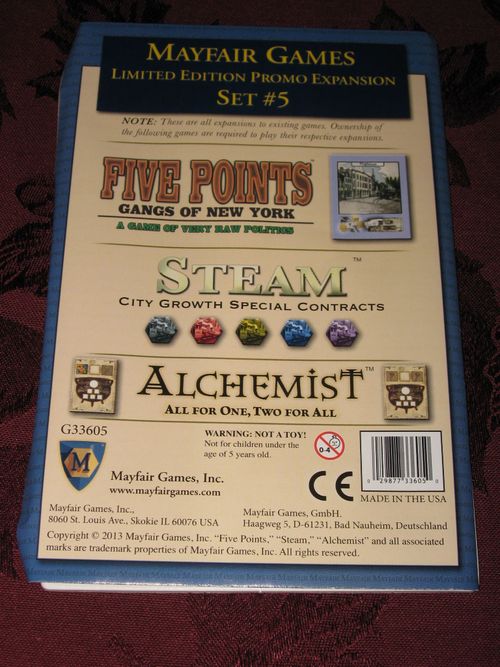
Mayfair Games Limited Edition Promo Expansion Set #5
Mayfair Games Limited Edition Promo Expansion Set #5 Rulebook
Table of Contents
Table of Contents
Five Points: Gangs of New York - Flophouse
Set Up
The Flophouse tile is mixed in with the rest of the buildings and is used with the normal building rules.
Game Play
After scoring this building space, if you control the flophouse you may remove up to 3 of your rabbles from any neighborhood tile and return them to your headquarters.
Steam - City Growth Special Contracts
Initial Set Up
Add these 5 City Growth Special Contract Markers to the 10 City Growth Markers that are placed beside the board.
Phase 2 - Build Track
When you place a City Growth Marker onto a city, you may choose to use one of the 5 colored Special Contract Markers as per normal City Growth rules—it is for all other purposes still a City Growth Marker. This must be placed color side up, and may only be placed in a city that you have track directly connected to, or will have your track directly connected to by the end of your build phase.
Base Game: Upon placing the Special Contract Marker, using the City Growth action, you must immediately pay an additional $2.
Standard Game: You cannot place a Special Contract Marker on a like colored city.
Phase 3 - Move Goods
You can move a Goods cube to a colored Special Contract Marker, as you would to any same color City. In all rules instances a city with a colored Special Contract Marker is considered to be both the original color and the Special Contract Marker color, thus any shipment through the city or returning to the city is limited by the original rules.
After delivering a goods cube to a Special Contract Marker, the demand is fulfilled; flip the marker over to the standard City Growth Marker art on the back of the tile. The city is now only considered strictly its original color.
Alchemist - All for One, Two for All
Set Up
Randomly determine which variant cauldron you will be playing with. With 2-3 players, overlay this tile over a randomly determined cauldron on the game board. With 4-5 players, place the cauldron beside the board as an additional playable area. Place the 3/7 potion value tile with the rest of the value tiles. This 3/7 tile can only be used on the new cauldron.
Creating A New Potion
For the special cauldrons, you may use any combination of colors when creating a new potion (even all 5, but still a maximum 2 per color). When you select a potion value tile for the special cauldrons, you may choose to use either side of the 3/7 tile for that face value. You may not choose a different value tile.
By Products
All for One: The All for One Cauldron will grant you one ingredient of your choice from the supply as a by-product—even one that was used to create the potion. This must be chosen before the tribute.
Two for All: The Two for All Cauldron will grant you 2 ingredients pulled randomly from the bag. If the bag is empty, then add 1 of each kind of ingredient available from the common supply to the bag.