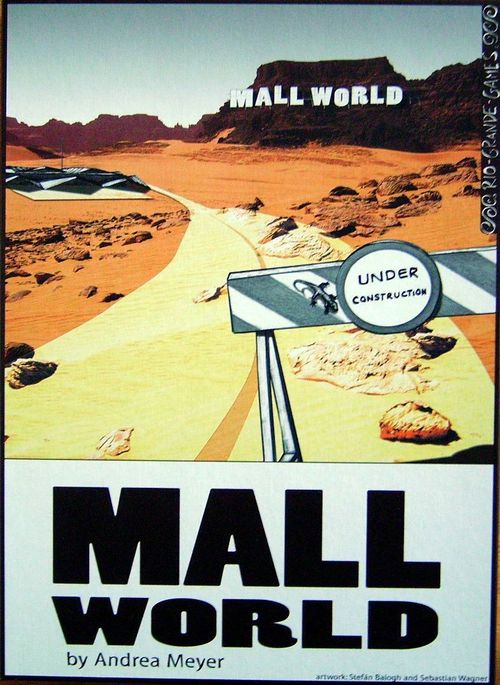
Mall World
Mall World Rulebook
Table of Contents
Table of Contents
Game Contents
- 1 Game board
- 1 Slush fund tile
- 36 Shop tiles (9 green, 9 purple, 9 blue, 9 red)
- 1 Storage room tile
- 1 Bathroom tile
- 32 Customer chips (8 green, 8 purple, 8 red, 8 blue)
- 10 Administration fee chips
- 40 Approval cards
- 10 Cards red orders for basic shop layout
- 12 Cards green orders for rent to specific outlets
- 6 Cards blue special orders of layout of specific outlets
- 25 Wooden coins representing cash capital
- 10 Player markers (2 in each color)
- 5 Player overviews
- 1 Set of rules
Preparations
- Place the board in the center of the table (with 4 players block spaces with the storage room; with 3 players block spaces with the bathroom tile as well.) Place 1 shop tile of each type on the board and make sure they don't touch, not even at the corners.
- Place the slush fund tile next to the board.
- Sort the customer chips and shop tiles by color and place them next to the board.
- Shuffle the approval cards and deal each player 4 cards. Place the remaining approval cards as a face-down pile next to the board and display 4 cards from the pile near the board as well.
- Shuffle the green and red orders separately and put them as one pile (red on top of green) on the designated place on the board. Display the top 4 cards on the four spaces from right to left (with 3 players remove 3 green and 3 red orders from the game).
- Place as many administration fee chips as there are players (+ 1) in the mall bureau area. Double the number of chips as players in the last (3rd.) round.
- Give each player 2 markers in his chosen color and one overview card. Each player places 1 marker on the CHF20,000 space on the money track.
- Each player receives 5 coins of cash capital & 1 blue special order card.
Playing the Game
At the beginning, players get red orders that show a combination of two shop tiles of the same or different colors. Example: a player may get a card showing a red shop next to a blue shop. This player now wants to make that combination of red next to blue appear on the board as many times as possible. Approval cards are the trigger to place shop tiles or (later) customer chips on the board in the pattern shown on the specific approval card. Then, at the time of scoring, that player will get paid the money shown on the order card for every instance that combination appears on the board.
The problem is that, to score an order the player needs to spend a turn to play it in front of him. When he does, he takes an administration fee chip from the mall bureau and pays for it. The round ends when a player takes the last of these chips. At that time, the orders the players have played out in front of themselves are scored and then returned to the box.
As the game progresses, green rent-orders become available. These orders represent shops that have been rented to a customer. When scoring a green rent order, the player gets paid the amount shown for each occurrence of either of the two shop/customer combinations found on the board. As soon as the green orders become available, the player can choose to use approval cards for either placing a shop tile or a customer (as shown on the cards).
Mall World normally lasts for three rounds. The player with the most money on the money track wins. Each coin a player owns in the end adds CHF1000 to the total score.
Turn Actions
A turn consists of the following steps, in this order:
- Buy an order (optional)
- Either a) Auction approval cards, OR b) Play a contract
- Clean up and/or draw approval cards (optional)
- Distribute the money in the slush fund (if applicable)
- Scoring orders (at the end of the round)
Buy an Order (optional)
The player may buy 1 order from the lobby for the price displayed above it and adds it to his hand. Then he moves the remaining cards to the right to fill the space (unless he took the leftmost card) and replenishes from the draw pile.
If he doesn't buy an order, he puts his other marker next to the lobby to show that no order has been refreshed. Whenever another player buys an order, he gives all markers back to their owners. If all player's markers are in the lobby, the cheapest order card is removed from the game and the display is replenished with a new one.
The initial orders are the red layout orders, but it is possible that green rent orders come up in the first round. If a player buys a green order in the first round, immediately remove any remaining red ones from the display and replace them with green orders.
Either a) Auction 1, 2 or 3 Approval Cards
- Auctioning 1 order: The player plays 1 approval card in front of him, pays 1 coin to the slush fund and executes the action. Once any player has bought a green rent order, or when the second round has begun, the player can also choose to execute the alternate rent action at the bottom (see "Or b) Playing an Order").
- Auctioning 2 orders: The player plays 2 approval cards. The other players bid to pick 1 of them. The highest bidder chooses 1 card, pays his bid to the slush fund and executes it immediately. The other approval card remains with the auctioneer. If nobody bids, then both cards remain with the player (the auctioneer) for free.
- Auctioning 1 order: The player plays 3 approval cards. All other players make a bid to pick 2 of them. The highest bidder chooses 1 card, pays his bid to the auctioneer and executes the card. The second highest bidder chooses the next card, pays his bid to the slush fund and executes the card. The remaining approval card is for the auctioneer. If nobody bids, then all three cards are executed by the auctioneer for free.
Note: the source prints the third column's heading as "Auctioning 1 order" although its text describes playing 3 approval cards; the heading is kept as printed.
Bidding: The players put the coins they want to bid in their fist and reveal them when everyone is ready. The highest bidder gets to choose (first). In case of a tie, the player closest in turn order to the auctioneer is considered the highest. He picks the order, pays for it and executes it immediately. When there are no other bidders, the auctioneer gets to execute all offered approval cards for free.
Whether to perform the shop layout (middle) or the rent action (bottom) depends on the timing. Once any player has bought a green rent order, or when the second round has begun, the player in turn can choose to execute either of the two. Otherwise he can only the do the shop layout action.
Or b) Playing an Order
The player selects 1 order card from his hand and plays it in front of him. It could also be the special order. Then he takes one of the administration fee chips from the mall bureau and pays CHF2000 by moving back his marker on the money track.
The order cards are only scored at the end of the round. The round ends whenever a player has taken the last administration fee chip from the mall bureau and completed his turn. Orders scored in this manner are removed at the end of the scoring. Any orders still in the player's hand are not scored.
Note: In the 3. round the player may play both a) Auction cards AND b) Play an order.
Clean Up and/or Draw Approval Cards (optional)
As the game progresses, approval cards may become unusable. The player may clean-up and discard unusable approval cards from his hand and from the display and removes them from the game. Then, he refills the display until all of the cards in it are usable before proceeding with his decision to draw or refresh the display.
If he wishes to refresh all displayed cards, he pays 2 coins to the slush fund, discards all the old cards and makes a fresh display. He can repeat this as long as he pays 2 coins.
The player may draw 1 or 2 cards from the displayed approval cards into his hand. He may not exceed a limit of 8 hand cards in total. Then he replenishes the display to 4 cards.
When the draw pile runs out, shuffle the discard pile and form a new draw pile.
Distribute the Slush Fund (mandatory if applicable)
Whenever the slush fund contains at least as many coins as players, distribute the coins evenly among the players. Any odd numbers of remaining coins are left in the fund for possible distribution in a later turn.
Scoring Orders at the End of the Round
Scoring Red Orders
Count up the number of times the displayed combination of shop tiles appears on the board. Score the amount shown for each such combination by moving the marker on the money track. One tile may be counted in more than one combination, but the same two tiles only count as one combination. Rented shops (who have a customer on them) don't count for basic combinations.
Example: 1 blue shop tile next to a 1 red shop tile is a combination.
Scoring Green Orders
For the rent orders, treat each image separately. Count up the number of times each image appears on the board (shop of the color shown containing a customer of the color shown). Then multiply the total times with the amount shown on the order.
The player scores for either of the two customer/shop combinations appearing on the board. Each instance for either combinations found is scored.
Scoring Blue Orders
When scoring a blue special order, the two shop tiles must be adjacent and contain the exact combination of shop/customer shown on the order. It is possible (though difficult) to create this combination more than once, in which case it scores for each occurrence.