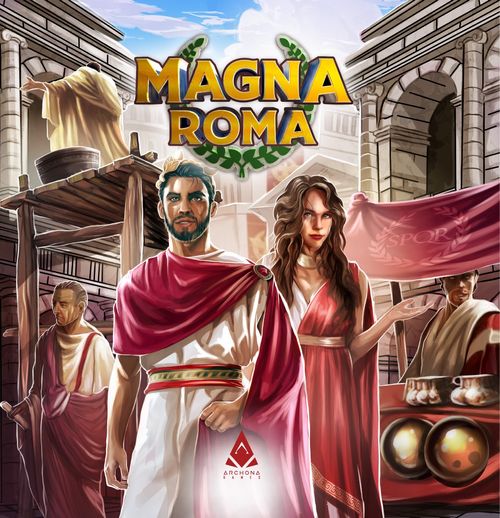
Magna Roma
Magna Roma Rulebook
Table of Contents
Table of Contents
Game Components
- 96 City Tiles
- 4 Starting City Tiles
- 12 Monument Tiles
- 10 Province Cards
- 30 Coin Tokens
- 16 Blessing Tokens
- 50 Population Meeples
- 6 Market Trade Tokens
- 4 Player Aids
- 1 Double-sided Tile Draft Board
- 1 Solo Mode Board
- 4 City Dashboards (1 per player)
- 1 Pantheon Board
- 1 Market Board
- 1 Military Board
- 12 Solo Mode Objectives (4 of each level I, II and III)
- 44 Player Markers (7 Cube Markers, 3 Disc Markers and 1 Cylinder Marker per player)
- 4 Markers for 50/100 Victory Points (1 per player)
City Tiles
These tiles represent the city blocks that you will use to expand your city and give you resources depending on how you connect their symbols to those of adjacent tiles. With careful planning you will maximize your efficiency at gaining resources, which will lead to a greater number of victory points.
- Town Center Tile (player-color roofs)
- Administrative City Tile (red roofs)
- Cultural City Tile (purple roofs)
- Residental City Tile (brown roofs)
City Tile Type Icon
Used to differentiate the City tile types: Administrative City Tile, Cultural City Tile, Residental City Tile.
City Tile Half-Symbols
The main mechanism of Magna Roma: Combining half-symbols into full symbols will provide you with the different resources needed to build and expand your city.
There are three half-symbols present in the game.
Beautification Icons
These icons mean that this city tile has a particularly beautiful street corner or location.
At the end of the game, you may score additional victory points according to the icons present in your city.
Star Icons
These icons allow you to advance your markers on the same-colored tracks of your Neighborhood board.
Tile Placement and Combining Symbols
When you place a tile into your city, you must place it orthogonally adjacent to another tile. If that tile's placement creates one or more full symbols, you gain the benefits of those symbols.
If you created a symbol by combining tiles of different colors, you gain that symbol's lesser benefit (the smaller amount). If you combined tiles of the same color, you gain the symbol's greater benefit (the larger amount).
Example: You placed a tile that created a Military symbol. Because the two tiles are of different colors, you will gain the lesser benefit - in this case, gain 1 Legion (advance 1 step on the Military board). You also placed a tile that created a Military symbol. Because the two tiles are the same color, you will gain the greater benefit - in this case, gain 2 Legions (advance 2 steps on the Military board).
If you place a tile that creates two or more symbols, you gain the benefit of each symbol you connected. In the example below you gain 2 Legions and 1 Faith (advance 1 step on the Pantheon board).
For quick reference on the benefits of the different symbols, you can use the player aid cards.
Symbol Benefits
- Luxuries - Gain 1 or 2 Luxuries on the Market board.
- Prestige - Score 1 or 3 Victory Points on the Score track.
- Coins - Gain 1 or 2 Coins.
- Population - Gain 1 or 2 Population.
- Military - Gain 1 or 2 Legions on the Military board.
- Gods' Favor - Gain 1 or 2 Faith on the Pantheon board. When you reach a space with the symbol, gain one Blessing Token.
Benefit amount: If you created a symbol by combining tiles of different colors, you gain that symbol's lesser benefit (the smaller amount). If you combined tiles of the same color, you gain the symbol's greater benefit (the larger amount).
City Dashboard
The City dashboard has 3 tracks, each corresponding to a different color of City tile. Some City tiles are illustrated with Stars. When you place a tile that has at least one star, you will advance your marker a corresponding number of spaces along the same-colored track. If you reach a space with a bonus icon, immediately gain that bonus.
Note: A player may only receive each of these bonuses once per game.
Resource Storage - These spaces are used to store your Blessing tokens, Population meeples, and Coins.
Gaining Stars - When you place a City tile that has at least 1 Star, move your marker along the corresponding track (in this case, the red track) for each Star present on the tile you just placed in your city.
Linked Bonus Resources - Some bonuses are linked to two tracks. To gain these bonuses, your markers from both linked tracks must either be on or past the corresponding bonus space.
Value Indicator - This shows the values of the different types of City tiles you have placed in your city. These values are important for end-game scoring on the Market board.
City Dashboard Bonuses - When your marker reaches the space connected to the bonus resource, you gain that resource (in this case, 1 Population). City Dashboard Bonuses:
- Advance 1 space on the Military board
- Gain 1 Coin
- Gain 1 Population
- Advance 1 space on the Market board
Score and Draft Board
Victory points are scored during end-game scoring and by creating the Prestige symbol with your City tiles.
- A: Score 1 (advance one space on the score track) if you created a Prestige symbol with tiles of different colors.
- B: Score 3 (advance three spaces on the score track) if you created a Prestige symbol with tiles of the same color.
City Tile Draft Slots - City tiles will be placed in these slots for players to draft.
City Tiles Deck - Empty City tile slots will be replenished from this deck.
Monuments
These tiles represent grand structures that may be built in your city. To build a Monument, you must pay its corresponding coin cost. For the Monument to score points at the end of the game, it must contain the number of Population meeples noted on that tile.
Construction Cost - The cost in Coins to build this Monument.
Immediate Bonus - You will receive this bonus as soon as you build this Monument.
Monument Market - You may only build Monuments that are on display at the Monument market.
Monument Deck - Empty Monument market slots will be replenished from this deck.
Functionality Cost - Shows how many Population meeples must be employed here at the end of the game in order for this Monument to be considered Functional so it can score you victory points.
For example, for the Temple of Mars to score 6 victory points at the end of the game, you must have 3 Population meeples employed here.
Market Board
The Market board represents how many Luxuries are in your city. You will advance on the Market board with your marker by placing your City tiles to create the Market symbol, and/or by gaining bonus Luxury resources. Some spaces on the Market board will allow you to exchange some of your resources for others.
At the end of the game, you will score victory points according to the position of your marker on the Market board, multiplied by the lowest-valued Star marker on your City dashboard. For more details on this scoring, see Final Scoring.
- A: Gain 1 Luxury (advance 1 space on the Market board) if you created a Market symbol with tiles of different colors.
- B: Gain 2 Luxuries (advance 2 spaces on the Market board) if you created a Market symbol with tiles of the same color.
Trade Tokens - When you reach a space connected to a Trade token, you may immediately trade the resources shown on the token to receive the reward (in this case, trade 1 Legion for 3 Coins).
End-Game Scoring
At the end of the game, you will score victory points according to your position on the Market board, multiplied by the lowest-valued marker on your City dashboard. For additional details, see Final Scoring.
Trade and Trade Tokens
When you reach a space that has a Trade token above it, you may immediately perform the trade as shown on the token.
You may only perform this trade once, and only when you reach that space of the Market board. You may not perform that trade on a later turn, unless you move your marker under the same Trade token.
The Trade tokens are:
- Trade 1 Legion for 3 Coins
- Trade 1 Coin or 1 Population for 2 Legions
- Trade 2 Legions for 1 Blessing token
- Trade 2 Population or 2 Coins for 4 [Luxuries]
- Trade 1 Legion for 3 Population
- Trade 1 Coin and 1 Population for 1 Blessing token
Military Board
The Military board represents the number of Legions you have under your command. You will advance on the Military board with your marker by creating the Military symbol with City tiles, and/or by gaining bonus Legion resources. As an optional action on your turn, you may conquer a slot on a Province card by sending the required number of Legions to that Province. To do so, move your marker backwards on the Military board by the number of Legions you are sending to the Province slot to conquer. For additional details, see Send Legions to Conquer Provinces.
At the end of the game, you will score victory points according to the Province slots you have conquered. For additional details on the scoring of Province cards, see Send Legions to Conquer Provinces and Province Cards.
- A: Gain 1 Legion (advance 1 space on the Military Board) if you created a Military symbol with tiles of different colors.
- B: Gain 2 Legions (advance 2 spaces on the Military Board) if you created a Military symbol with tiles of the same color.
Number of Legions - This number represents the number of Legions you have under your command. You may use these Legions to conquer Province slots.
End-Game Points - These are end-game victory points. If your marker ends on one of these spaces when the game ends, you will receive 3 or 5.
Province Slots - These spaces show how many Legions are required to conquer each slot on the corresponding Province card. Place your marker on that slot to indicate that you have conquered it. No other player may conquer that slot.
Province Bonuses - Whenever you conquer a Province slot that shows a bonus, you immediately receive that bonus.
End-Game Scoring
At the end of the game, you will score points according to which slots you have conquered on the Province cards. For more details, see the Province Cards scoring section.
Pantheon Board
You will advance on the Pantheon board with your marker by creating the Pantheon symbol with your City tiles.
- A: Gain 1 Faith (advance 1 space on the Pantheon board) if you created a Pantheon symbol with tiles of different colors.
- B: Gain 2 Faith (advance 2 spaces on the Pantheon board) if you created a Pantheon symbol with tiles of the same color.
Blessing Tokens - When you enter or pass a space that contains a Blessing symbol, you gain one Blessing token. As an optional action on your turn, you may use that token to bless a City tile. For additional details, see Bless a City tile.
End-Game Points
At the end of the game, you will score victory points according to how many unplayed Blessing tokens you have, and on the position of your marker on the Pantheon board.
For more details on this scoring, see Final Scoring.
Setup
- Give each player a Player Aid and City dashboard, plus a starting Town Center tile and matching-colored markers. Each player should arrange their Town Center tile so that City tiles may be placed around it. Each player then places a cube marker on each starting space (marked with a Star) of their City dashboards.
- Turn the tile Draft board to the appropriate side, according to the number of players. (The 2 and 3 player side has 8 tile slots surrounding the center, while the 4 player side has 10 tile slots surrounding the center). Place this board within reach of all players, and place one cube marker from each player on the "0" space of the score track.
- Shuffle the City tiles face-down and form 2 or 3 face-down tile decks (whichever is most convenient for you). Place one of these tile decks in the center of the tile Draft board, then draw tiles from the top of the deck and place one on each empty slot, face-up. This is the draft pool from which you will choose tiles on your turns.
- Place the Market, Military, and Pantheon boards within reach of all players. Each player places three of their disc markers next to the Military board, and one cube marker on the starting space of each of the Market, Military, and Pantheon boards, plus one more on the "0" space of the score track.
- Shuffle the Monument tiles into a deck, and place it next to the appropriate slot on the Draft board. Draw the top 3 tiles from that deck and place them on the marked slots next to the Monument tile deck. These are the starting Monuments.
- Shuffle and draw 3 cards from the Province card deck. Place each drawn card under a marked slot on the Military board. These Provinces will be in play for the rest of the game. Return the remaining Province cards to the game box.
- Shuffle the Trade tokens face-down, then draw 3 of them at random and place them face-up on the marked slots of the Market board. Return the rest of the tokens to the game box.
- Choose a player to select the first City tile. That player places their cylinder (draft) marker on the tile of their choice, and then, in counterclockwise order, each other player does the same. A player may not select a City tile that another player has already chosen.
After this, play begins with the last player to have chosen a tile. Going forward, all turns will proceed in clockwise order.
Gameplay
A game of Magna Roma is played in consecutive turns until each player has placed exactly 24 City tiles, after which final scoring is done. A finished city must form a 5x5 grid. Town Center tiles are not required to be at the center of this grid.
Turn Order
Place a city tile (Mandatory)
On your turn, you must take the City tile that your marker is on and place that tile into your city in any of its 4 possible rotations. The tile must be orthogonally adjacent to at least one another tile, but it is not required to create a symbol or be placed next to a tile of the same color.
Example: Blue chose this tile on their previous turn, and they are now placing it in their city. They have decided to rotate that tile before placing it.
Because Blue placed a red tile with one star, Blue must move their marker one space forward on the red track of their City dashboard. Then, Blue gains the benefits of the two symbols created by their tile placement (in this case, Blue gain 2 Legions and gain 1 Faith).
Play an Optional Action
After placing a City tile and gaining any benefits it provides, you may take one of the following optional actions:
- Build a Monument
- Send Legions to conquer provinces
- Bless one of your City tiles with a Blessing token
Build a Monument
As your optional action, you may build an available Monument and add it to your city. To do so, you must meet the following conditions:
Condition 1: You must have enough Coins to pay for the Monument. After paying for the Monument and placing it in your city, refill the empty space in the Monument market with a tile drawn from the top of the Monument deck.
Condition 2: When you buy a Monument tile you must be able to place it in an appropriate location within your city. Monument tiles must always be placed at the intersection of 4 City tiles (with the exception of the Forum). You must follow these rules for Monument placement:
- A: You may never build a Monument on top of tiles that have already been built on.
- B: You may never build a Monument on top of your Town Center tile.
- C: A Monument must always be placed at the intersection of 4 City tiles.
- D: A Monument may be built at this intersection, as this placement does not break any of the previous rules.
Note: The Forum is an exception to these rules, as it must be built directly on top of your Town Center, and not at an intersection of 4 City tiles.
Functional Monuments
In order for your Monument to score victory points at the end of the game, you must make it functional by employing your Population there.
You may employ Population at your Monuments at any time during your turns by simply putting your Population meeples onto the Monument tile. This does not count as an action.
You may also move Population between your Monuments at any time - again, this is not an action and you may do it as many times as you like.
Send Legions to Conquer Provinces
As your optional action, you may spend your Legions on the Military board to place one of your disc markers on an open Province card slot. At the end of the game, you will earn victory points according to how well you have met the requirements of each Province card you conquered. If you place one of your markers on a Province card slot that is illustrated with resource icons, you immediately receive those resources.
In this example, Blue has 4 Legions at their disposal. They may spend 3 or 4 of those Legions to place a Conquest marker on any Province card slot that requires 3 or 4 Legions in order to be conquered.
Blue decides to spend 4 Legions to conquer a Province. The "4" (middle) slots of Dalmatia and Aegyptus have already been conquered, so Blue places their disc marker on the "4" slot of the Africa Province and immediately gains a Population meeple.
Each Province has different end-game scoring requirements, and each Province card slot shows how many points the conquering player will earn for each instance in which they have met those requirements.
Other Important Rules for Conquest
- Province cards are never replaced during a game - the three cards placed on the Military board will remain there until the game is over.
- You may never place a disc marker on a slot that you or another player have already occupied.
- You may never place more than a single disc marker on any Province card.
In this example, because Blue conquered the middle slot of the Africa province card, they will score 2 for each pair of Lyre + Column icons present in their city. Explanations of all Province card scoring conditions can be found in Province Cards.
End-Game Military Bonus Points
If your Military board marker is on one of these spaces at the end of the game, you will score 3 or 5.
Bless a City tile
As your optional action, you may place one of your Blessing tokens on one of your City tiles to bless that tile. Blessing a City tile allows you to benefit from all symbol combinations on that tile as though it had just been placed. However, you do not gain any Stars from that tile.
In the example on the left, Blue plays a Blessing token on the marked City tile. They will gain 2 Coins, 1 Population, and 1 Legion.
Note: You may not place more than 1 Blessing token on any tile.
End of Turn
- At the end of your turn, you must choose a City tile to play on your next turn. You may choose a tile that is up to 2 spaces away, in either direction from your current position on the Draft board. You may jump over other players markers, and already-occupied spaces do not count towards your 2 space range. You may never choose a tile that is already occupied by another player's marker.
- After choosing the tile for your next turn, draw the top tile of the City tiles deck and place it face-up on the empty slot. There should always be 8 face-up tiles at end of a player turn in 2 and 3 player games, or 10 face-up tiles in 4 player games. The next player in clockwise order can now play their turn!
If the City tile deck is empty, simply fill that space with one of the set-aside City tile decks.
Game End
The game ends when each player has built a 5x5 city. When this happens, proceed immediately to final scoring.
Final Scoring
Market
Each player calculates their Market scoring by multiplying the value of their marker on the Market board by the value of the lowest-numbered marker among the three star tracks on their City dashboard.
In this example, Blue finished the game with their Market board marker on a "5x" space. Their lowest-valued City dashboard marker is on a "4" space, so Blue scores 20 (5 x 4 = 20) and moves their marker the same number of spaces along the score track.
Pantheon
Each player scores victory points for each of their unplayed Blessing tokens, according to the position of their marker on the Pantheon board.
In this example, Blue has 4 unplayed Blessing tokens at the end of the game. Their Pantheon board marker indicates that their Blessing tokens are worth 3 each, so Blue will score 12 (4 x 3 = 12) and move their marker the same number of spaces along the score track.
Monuments
Players score victory points for each of their fully populated Monuments whose scoring conditions have been met - these scoring conditions are described below.
If a Monument does not contain the required Population, it is considered non-functional and will not score any victory points.
- Fountain Garden: Functional: Score 7 at the end of the game.
- Mausoleum: Functional: Score 9 at the end of the game.
- Triumphal Arch: Functional: Score 4/7/9/12 if you have 1/2/3/4 Population employed here at the end of the game.
- Pantheon: Immediately: Gain 1 Blessing token. Functional: Score 5 at the end of the game.
- Thermae: Functional: Score 3 for each brown City tile under the Thermae at the end of the game.
- Basilica: Functional: Score 3 for each red City tile under the Basilica at the end of the game.
- Temple of Vesta: Functional: Score 3 for each purple City tile under the Temple of Vesta at the end of the game.
- Temple of Mars: Immediately: Gain 1 Legion. Functional: Score 6 at the end of the game.
- Colosseum: Functional: Score 3 for each Mask icon on the City tiles under the Colosseum at the end of the game.
- Odeon: Functional: Score 3 for each Lyre icon on the City tiles under the Odeon at the end of the game.
- Senate: Functional: Score 3 for each Column icon on the City tiles under the Senate at the end of the game.
- Forum: Must be constructed on the Town Center tile. Immediately: Gain 1 Luxury. Functional: Score 4 at the end of the game.
Province Cards
Players score victory points by meeting the specific conditions of each Province slot they conquered, as follows:
- Score 3/2/1 for each Column pair on tiles in your city.
- Score 3/2/1 for each Lyre pair on tiles in your city.
- Score 3/2/1 for each Mask pair on tiles in your city.
- Score 3/2/1 for each Lyre + Column pair on tiles in your city.
- Score 3/2/1 for each Mask + Column pair on tiles in your city.
- Score 3/2/1 for each Mask + Lyre pair on tiles in your city.
- Score 4/3/2 for each Mask + Lyre + Column trio on tiles in your city.
- Score 4/3/2 for each red district in your city.
- Score 4/3/2 for each brown district in your city.
- Score 4/3/2 for each purple district in your city.
What is a District?
A district is a group of at least two connected, same-color City tiles.
In this example, Blue has 4 Red Districts, 2 Purple Districts, and 2 Brown Districts. Here, Blue will score 16 because they have 4 Red Districts and they have conquered the 4 slot on the Aegyptus Province card, which scores for each Red District (4 x 4 = 16).
Military
If you end the game with your marker on one of the final two spaces of the Military board, you will score 3 or 5, according to the position of your marker.
In this end-game scoring example, Blue will score 5.
50/100 Victory Point Markers
If you pass 50 on the Score track, take the appropriate marker and turn it to its 50 side to mark that you have 50 or above. If you pass 100 on the Score track, turn the marker to its other side to show that you have 100 or above.
Declare A winner
The player with the most victory points is the winner! In the event of a tie, the player with the highest total Star value from their three City dashboard tracks is the winner. If there is still a tie, the player with the highest total of Population and Coins is the winner. If there is still a tie after that, the winner is the player whose marker is the highest on the Military board.
Solo Mode
Components: 1 Solo Mode Board, 12 Solo Mode Objectives (4 of each I, II and III level).
Setup
Set the game up as you would for a regular 2-player game, with the following changes:
-
Draft Board: City tile selection works a bit differently in solo mode. Shuffle the City tiles and reveal 3 of them to form your draft pool; the Draft board will only be used to track your score throughout the game.
-
Solo Mode Board: Place the Solo board in front of you and take all of the markers and Town Center tile of your chosen player color. Place your Town Center tile on the indicated spot of the Solo board.
-
Complexity: Choose a complexity level for your game: I - Easy, II - Medium, or III - Hard. Randomly place the matching solo mode objective tokens face-up on the side slots of the Solo board.
If you want a random level of difficulty, shuffle all solo mode objective cards together and choose 4 at random. Place these face-up on the side slots on the Solo board.
-
Prepare Military Board: Take 3 player markers of an unused player color and place them on the Military board as shown below. These spaces are blocked for the rest of the game. After this, shuffle the Province cards and place 3 of them on the Military board as normal.
Gameplay
Solo mode is played the same as the standard game, with the following changes:
- At the start of your turn, you must choose one of the 3 available City tiles and place it into your city. The chosen tile must be placed within the 5x5 grid of the Solo board, and it must be placed orthogonally adjacent to at least 1 tile already present in your city.
- At the end of your turn, remove the 2 remaining City tiles from the game and draw 3 new tiles to form a new draft pool.
Game End and Scoring
The game ends when you complete your 5x5 city grid.
In addition to the normal scoring, you will also score victory points for completed solo mode objectives.
Solo Objectives
Each objective corresponds to the row or column in which it was placed.
For example, this row's objective has been completed, because it contains at least 1 Mask and 1 Column icon.
1x Solo Objective (Completed = 4)
- Have at least one Mask and one Column icon in this row or column.
- Have at least two Blessing tokens played on City tiles in this row or column.
- No two adjacent City tiles in this row or column are of the same color.
2x Solo Objectives (Completed = 9)
- Have at least one Mask and one Lyre icon in this row or column.
- Have no Mask, Lyre or Column icons in this row or column.
- All five City tiles in this row or column have the same icon (Mask, Lyre, or Column).
3x Solo Objectives (Completed = 15)
- Have at least one Column and one Lyre icon in this row or column.
- Have at least seven Stars on City tiles in this row or column.
- Have at least two Monuments constructed on City tiles in this row or column.
4x Solo Objectives (Completed = 22)
- Have at least one City tile of each color (red, purple, brown) in this row or column.
- Have at least four City tiles of the same color (red, purple or brown) in this row or column.
- All five City tiles in this row are of the same color (red, purple or brown).
Check your Score
Finally, check your total victory points against the table below:
| Victory Points | Score Level |
|---|---|
| 0-49 | Tribune - Try Again |
| 50-59 | Senator - You're Getting Better |
| 60-69 | Quaestor - You're on the right path |
| 70-89 | Aedile - Doing Okay |
| 80-99 | Praetor - Doing Great |
| 90-99 | Consul - Fantastic |
| 100+ | Caesar - Your Skills Rival The Emperor's |