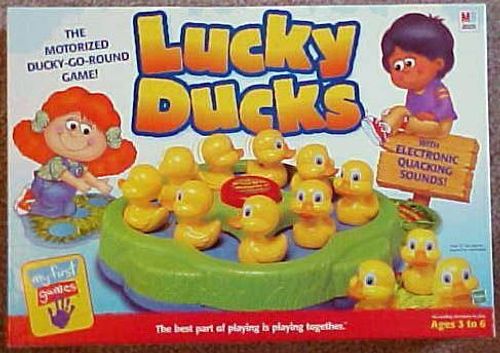
Lucky Ducks
Lucky Ducks Rulebook
Table of Contents
Table of Contents
Contents
12 Plastic Ducks and Motorized Pond
Object of the Game
To be the first player to find all three of your ducks.
Inserting the Batteries
Requires 2 x 1.5V "C"/LR14 size batteries (not included). Alkaline batteries recommended. Phillips/cross head screwdriver (not included) needed to insert batteries.
To insert the batteries, loosen the screw on the battery compartment, located on the bottom of the game, and remove the door. Insert 2 "C" size batteries, making sure to align the + and - symbols with the markings in the plastic. See Figure 1. Then replace the door and tighten the screw.
[Figure 1: diagram of the battery compartment with the two "C" batteries.]
Caution: To Avoid Battery Leakage
- Be sure to insert the batteries correctly and always follow the game and battery manufacturers' instructions; 2) Do not mix old and new batteries, or alkaline, standard (carbon-zinc), or rechargeable (nickel-cadmium) batteries; 3) Always remove weak or dead batteries from the product.
Important: Battery Information
Please retain this information for future reference. Batteries should be replaced by an adult.
Caution
- Always follow the instructions carefully. Use only batteries specified and be sure to insert them correctly by matching the + and - polarity markings.
- Do not mix old batteries and new batteries, or standard (carbon-zinc) with alkaline batteries.
- Remove exhausted or dead batteries from the product.
- Remove batteries if product is not to be played with for a long time.
- Do not short-circuit the supply terminals.
- Should this product cause, or be affected by, local electrical interference, move it away from other electrical equipment. Reset (switching off and back on again or removing and re-inserting batteries) if necessary.
- RECHARGEABLE BATTERIES: Do not mix these with any other types of battery. Always remove from the product before recharging. Recharge batteries under adult supervision. DO NOT RECHARGE OTHER TYPES OF BATTERIES.
Pond Diagram
[Figure: diagram of the motorized pond. The labels Triangle, Circle, Square and Star mark the shape symbols on the pond.]
How to Play
You must find all three ducks from the same family by matching their color and shape to your "home" symbol on the pond. Now put all of us in the pond so we can go swimming!
Press the ON/OFF button in the middle of the pond. You'll hear lots of fun quacking noises as the little ducks bump their way around the pond! The youngest player goes first. Play then continues to the left.
On Your Turn
Pick up a duck and look underneath to see if it matches your "home" symbol. Make sure all players can see the color and shape on the duck.
- If the duck matches your "home" symbol, you have found one of your ducks! Keep the duck and place it next to you. It is now the next player's turn.
- If the duck doesn't match your "home" symbol, it belongs to one of the other duck families. Put it back anywhere in the pond. It is now the next player's turn.
If a player picks up a duck that belongs to your family, keep an eye on that duck as it swims around the pond. On your next turn, try to remember which one that duck is!
Continue taking turns picking up ducks and trying to match them to your "home" symbol. Keep playing until a player has found all three little ducks from the same family.
Winning the Game
The first player to find all three ducks matching his or her "home" color & shape is the winner! Press the ON/OFF button to stop the game.
Short Game for Younger Players
For a shorter and easier game, remove one duck of each family (shape) from the pond.