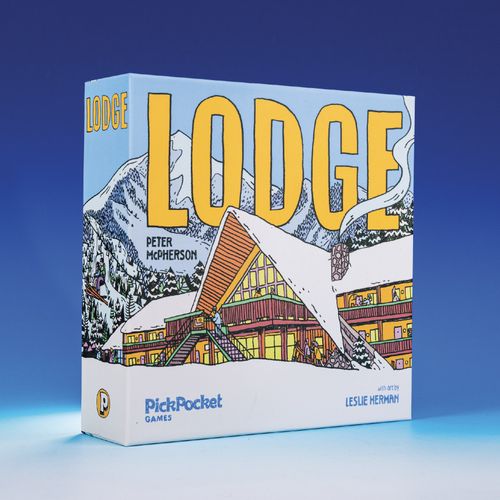
Lodge
Lodge Rulebook
Table of Contents
Table of Contents
Game Contents
- Room Tiles (95)
- Amenity Tiles (21)
- Refresh Tokens (4)
- Elevator Boards (4) & Ski Lift Board (1)
- First Player Token
- Valet Tiles (4)
- Draw Bags (2)
- Guest Tokens (50)
- Scorepad (1)
- Game Tray (1)
Setup
- Place the Game Tray and the Ski Lift Board in the middle of the table. Place the Room Tiles in the Room Draw Bag. Reveal sixteen Room Tiles and place them at random in the tray to form a face-up display (four levels of four tiles each).
- Place the Guest Tokens in the Guest Draw Bag. Draw four Guest Tokens and place them nearby to form a face-up display.
- Shuffle the Amenity Tiles and place them in a face-down stack. Reveal four Amenity Tiles and place them nearby to form a face-up display.
- Give each player an Elevator Board and a Valet Tile. Place them together to form each player's "lodge".
- Draw and give each player a random Guest Token to place on their Valet Tile. Draw and give each player a random Room Tile that does not match either of the colors on their starting Guest Token (redrawing if needed). Place it to the right of their Elevator Board.
- Give each player one Refresh Token. If playing with only two players, give each player two Refresh Tokens. Return any unused tokens to the box.
- Give the First Player Token to the player who most recently went skiing, snowboarding, or sledding.
How to Play
A game of Lodge is played over a series of rounds. Each round, you will take turns to build Room and Amenity Tiles and place Guest Tokens in your lodge.
On Your Turn
On your turn, you MUST either build a room or build an amenity. Then, you MAY place Guest Tokens in your lodge. Finally, you will check to see if the room display needs to be refreshed.
Build a Room
Take a Room Tile from the display and place it in your lodge following these building rules:
- Room Tiles are placed to the right of your elevator and MUST be placed on the same floor of your lodge as the level they occupied in the display.
- Tiles must share an edge with at least one existing tile.
- Tiles placed on your 2nd, 3rd, and 4th floors must be supported by a tile directly below them. Tiles on the 1st floor do not have support requirements.
Build an Amenity
Take an Amenity Tile from the display and place it in your lodge. Immediately draw a replacement from the stack to refill the display.
Amenity Tiles can be placed on ANY floor in your lodge (1-4), but must still follow all other building rules. (They must share an edge with at least one existing tile and they must be supported by a tile below them if they are placed on the 2nd, 3rd, or 4th floor.) Amenity Tiles score extra points if you complete their requirements by the end of the game.
Placing Guests (Optional)
After you either build a room or build an amenity, you MAY place a Guest Token from the display and/or your valet on Room Tile(s) in your lodge. You may place a maximum of one guest from the display per turn and one guest from your valet per turn.
In order to place a guest, you must have two empty, orthogonally adjacent rooms matching the colors shown on the Guest Token. The guest can be placed in either one of the two rooms. Each placed guest will score 2 points at the end of the game.
Each guest has a floor preference, indicating which floor of your lodge they'd like to be placed on. You are NOT required to place a guest on their preferred floor, but you will score extra points equal to their preferred floor at the end of the game if you do.
Example: A guest wants to be placed on the 4th floor of your lodge. You can place them on a different floor and score only 2 points, or you can place it on the 4th floor and you'll score 6 points (2 + 4 = 6).
Guest Display
At any time on your turn, if ALL FOUR of the guests in the display share one color, you MAY discard them. Draw four new guests to refill the display before returning the discarded guests to the bag.
When you place a guest from your valet, immediately choose a new guest from the display to place in your valet. After you have finished placing guests on your turn, refill any empty spaces in the guest display with new guests from the bag.
Refreshing the Room Display
At the end of your turn, check to see if the room display refreshes. If any level of the display (row) has no rooms in it OR if every room in the display is the same color, the display will refresh. Pick up and tilt the Game Tray to slide all the rooms downward to fill in the empty space, then draw Room Tiles from the bag to completely refill the display.
Refresh Tokens
At ANY TIME on your turn, you may discard your Refresh Token to the box to discard all of the rooms on a single level (row) of the display. Then, refresh the display as normal before returning the discarded rooms to the bag.
Ending the Game
The end of the game is triggered when a player has placed at least twelve guests in rooms in their lodge OR when the room bag runs out of tiles. (If the latter, refill the display as much as possible from bottom to top.) Continue playing until all players have taken the same number of turns (ending just before the player with the First Player Token), then use the Scorepad to calculate each player's score.
Scoring
- Gain two points for each guest placed in a room in your lodge.
- Gain points equal to the floor bonus of each guest placed on the floor matching their preference in your lodge.
- Gain the points listed on each amenity you have completed. (See the Amenity Reference for a full list of amenities.)
The player with the most total points wins! In the case of a tie, the tied player located later in turn order wins.
Example: A player has ten guests which score 20 points (2 x 10 = 20). They have one guest with a 1st floor bonus that is placed on the 1st floor, one guest with a 3rd floor bonus placed on the 3rd floor, and one guest with a 4th floor bonus placed on the 4th floor for 8 additional points (1 + 3 + 4 = 8). Finally, they have completed two of their three amenities, scoring an additional 11 points for a grand total of 39 points (20 + 8 + 11 = 39).
Solo Mode
When playing solo, use the setup and rule changes below. Unless otherwise stated, follow all other rules as normal.
Solo Setup
- Start the game with one Refresh Token. Place the remaining three Refresh Tokens above the Ski Lift Board.
- Place the First Player Token on the 1st level of the Ski Lift Board.
- Place any one of the available amenities in your lodge immediately.
On Your Turn (Solo)
You can no longer take Amenity Tiles on your turn. Each turn will consist of taking a single Room Tile and then optionally placing guests as normal.
End of Turn (Solo)
At the end of EVERY turn, follow these steps:
- Remove the rightmost Room Tile from the same level that the First Player Token currently occupies and return it to the bag. Refresh the tray immediately if this clears a row or causes all the tiles in the tray to be the same color.
- Discard to the box any one Guest Token with a color that matches that of the removed Room Tile. Refill the display immediately with a new Guest Token from the bag. If there are no Guest Tokens with the color of the removed Room Tile, skip this step.
- Move the First Player Token up one space to the next level of the Ski Lift Tile. If the First Player Token was on the 4th level, move it to the 1st level instead and perform the following:
- 3a. Gain one of the remaining Refresh Tokens from above the Ski Lift Board.
- 3b. Place one of the available amenities in your lodge. (Then, draw a replacement amenity to refill the display.)
End of Game (Solo)
The game no longer ends when you place a 12th guest. Instead, the game ends immediately when you need to take a Refresh Token but can't. Calculate your score and compare it to the table below:
| Score | Rank |
|---|---|
| Below 50 | Overnight Guest |
| 50-59 | Weekend Tourist |
| 60-69 | Luxury Vacationer |
| 70+ | Seasoned Globetrotter |
Difficulty Levels
When you're ready to ramp up the difficulty, you can play through these levels (in order). To win, you must score 60+ points while following the rules of your current level.
- You must complete all four of your amenities.
- Your guests can not be placed more than one floor away from their preferred floor.
- Discard Refresh Tokens when they are gained. (You may only use the Refresh Token you start with.)
- You may not place rooms of the same color in the same column. (Remove the "Ski Patrol" and "Conference Room" amenities from play.)
- Your four amenities must be placed on different floors.
- You may not take rooms from the same row as the First Player Token.
- At least one color room must NOT be present in your lodge.
- Your valet holds two guests instead of one. (Choose and take an extra guest from the display after setup.) You can no longer place guests from the display. You may place one or both guests from your valet on your turn.
Extreme Mode
Finish all eight levels? Want to make things ridiculously hard? Start over at Level 2 with the following change: You must follow the rules for your current level and ALL previous levels.
Amenity Reference
- Bar — Have 4+ purple rooms with guests.
- Coat Check — Have 4 rooms with guests diagonally adjacent to this amenity.
- Coat Closet — Have 3 rooms of the same color in the configuration shown (may be rotated).
- Coffee Bar — Have 4 rooms with guests orthogonally adjacent to this amenity.
- Concierge — Have 5 different color rooms around this amenity (orthogonally and/or diagonally).
- Conference Room — Have 3 rooms of the same color in the configuration shown (may be rotated).
- Flower Shop — Have 3 rooms with guests in this amenity's column.
- Gym — Have 3+ rooms of the same color on this amenity's floor.
- Heated Pool — Have 4+ blue rooms with guests.
- Hot Tub — Have 3+ blue rooms orthogonally adjacent to this amenity.
- Indoor Pool — Have 5+ rooms of the same color anywhere in your lodge.
- Launderette — Have 4+ rooms of the same color around this amenity (orthogonally and/or diagonally).
- Restaurant — Have 4+ red rooms with guests.