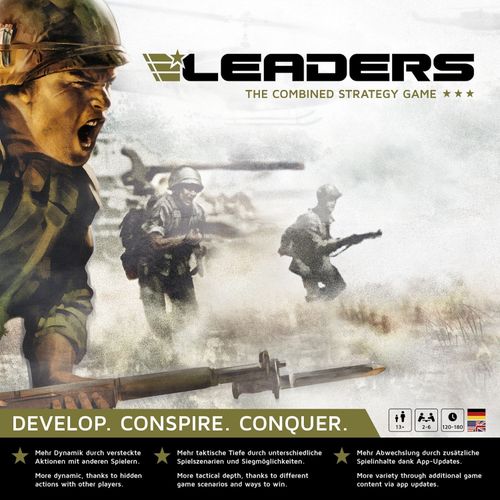
LEADERS: The Combined Strategy Game
LEADERS: The Combined Strategy Game Rulebook
Table of Contents
Table of Contents
A. Introduction
In developing "LEADERS – Board Game and App" we made sure it is as easy and quick as possible to get into the game. Besides the app, the enclosed quick guide is meant to explain the most important rules. Naturally, deeper questions arise during play, which we answer with this detailed rulebook. We are happy to answer questions about the rules, the app and the development of "LEADERS – Board Game and App" on our Facebook page, via WhatsApp (+43 664 830 4424), Skype and by e-mail: [email protected].
Important note: We regard LEADERS, and in particular the associated app, as a living project that is continuously developed further. It can therefore happen that parts of this rulebook differ from the app. In that case the rule shown in the app is always the current and valid one.
1. Before the First Game
1.1 Install the LEADERS app
To play "LEADERS – Board Game and App", the free LEADERS app must first be downloaded and installed on a smartphone or tablet.
- In the web browser of the smartphone or tablet, open the following address: https://leaders-game.com/app
- Follow the installation instructions on the smartphone or tablet.
- DONE! The LEADERS app can now be started.
Windows and other systems: Windows and other systems are not officially supported. If you wish, you can play "LEADERS – Board Game and App" in the browser, but we cannot offer future support or customer service for this.
Important note: To be able to use all functions of "LEADERS – Board Game and App" and thus enjoy the full game, it is necessary to always use the latest version of the app.
1.2 Register an account
A free player account is needed to play "LEADERS – Board Game and App". It can be created directly in the LEADERS app:
- Open the LEADERS app on the smartphone or tablet.
- Tap "CREATE ACCOUNT".
- Enter your own e-mail address and the desired password (min. 8 characters).
- Tap "REGISTER" to complete the process.
- DONE! The first "LEADERS – Board Game and App" game can begin!
Attention: You will receive an e-mail from us to confirm your account within 30 days.
2. Game Setup
2.1 Start the LEADERS app
To play "LEADERS – Board Game and App", the LEADERS app must first be started on the smartphone or tablet and one player logs in with his account.
Attention: The LEADERS app has an "Auto Login" function, which means the e-mail address and chosen password only have to be entered the first time you play or after the player has logged out. Note: This function is not yet available in all versions of the app!
On the "Log in" screen, one of the players logs in with his account:
- Enter e-mail address and chosen password.
- Tap "LOG IN".
- DONE!
Note: If the player has forgotten his password, he can reset it by tapping "Forgot password". Note: This function is not yet available in all versions of the app!
2.2 Select a game
The LEADERS app saves the game state automatically after every player. You can now choose whether to continue an already saved game or start a new game; simply tap the corresponding blue button.
On the "Game selection" screen the player chooses:
- "CONTINUE" a saved game, or
- "START" a new game.
Attention: If a new game is started, the oldest saved game state is overwritten and can no longer be loaded!
2.3 Number of players
Two to six players can take part in "LEADERS – Board Game and App". The LEADERS app automatically adjusts resources such as the costs of units, bonuses from research, etc., to the number of players.
Entering the number of players: The number of players is selected by tapping the corresponding number.
Example: costs of units in a 2-player game. In a 2-player game:
- One infantry unit costs 9 production points.
- One tank unit costs 12 production points.
- One aircraft unit costs 15 production points.
Example: costs of units in a 3-player game. In a 3-player game:
- One infantry unit costs 6 production points.
- One tank unit costs 8 production points.
- One aircraft unit costs 10 production points.
2.4 Scenario and settings
Different game scenarios can be selected in "LEADERS – Board Game and App".
Selecting the game scenario. To page through the different game scenarios, a player simply taps the arrows at the left and right edge of the screen. At the desired scenario, a player taps "Select" at the bottom right.
Although the basic rules are the same in every scenario, there are the following differences:
Nations. Each player must choose a nation he wants to play. Depending on the chosen scenario, this can be subject to certain restrictions:
- freely selectable: All playable nations can be chosen freely.
- by power bloc: In a power bloc scenario the available nations depend on the chosen power blocs (capitalist - neutral - communist):
- 2 players: 1 – 0 – 1
- 3 players: 1 – 1 – 1
- 4 players: 1 – 2 – 1
- 5 players: 2 – 1 – 2
- 6 players: 2 – 2 – 2
- fixed: The available nations are fixed and depend on the number of players. Note: Currently no scenario with fixed nations is available.
More on this under "The nations in detail".
Starting territories. There are three different ways to determine the players' starting territories:
- freely selectable: The starting territory can be chosen freely by each player. Afterwards a directly adjacent territory is always occupied with one infantry unit. This is repeated until all territories on the game board are occupied.
- Home Area: When occupying the territories, the players start from the Home Area of the respective nation. Afterwards a directly adjacent territory is always occupied with one infantry unit. This is repeated until all territories on the game board are occupied. Note: Currently no scenario with starting territories "Home Area" is available.
- fixed: The territories to be occupied are fixed by the LEADERS app.
More on this under "Occupying territories".
Victory conditions. If a player fulfils one of the scenario's victory conditions, he has won the game. The following victory conditions are possible:
- Military: At the beginning of his turn, a player can enter the number of production points specified by the scenario, or more.
- Research: A player has reached or exceeded the level specified by the scenario in all research fields.
- Missions: By fulfilling missions, a player has received the badge of honour specified by the scenario.
More on this under "Goal of the game and winner".
Additional settings. After a scenario has been selected, additional settings can be adjusted. Depending on the chosen scenario, further settings can then be made. After all settings have been made, a player taps the "NEXT" button.
- Timer: Here the time a player has per round in phase 5 "Headquarters" can be limited. When the time has run out, the selection made in the Headquarters is applied automatically. Note: Activating the timer function is recommended only for advanced players. Tip: For experienced players we recommend limiting the time in the Headquarters to 30-40 seconds.
- Special Skills: Here the special abilities of the nations (Special Skills) can be activated or deactivated. Note: This setting applies to all nations in the game. App-supported bonuses are activated or deactivated automatically by the LEADERS app, such as Germany's production point bonus. Bonuses that affect combat, for example the USA's exceeding of the troop limit, must be taken into account by the players themselves.
2.5 Player data and nations
The players now carry out the following steps one after another:
- Player information. The player enters his player name and chooses the desired player colour. Depending on the chosen game scenario, he may also have to choose a power bloc (capitalist – neutral – communist). When he has made all entries, the "NEXT" button appears, through which he reaches the nation selection.
- Nation selection. To page through the different nations, the player simply taps the arrows at the left and right edge of the screen. At the desired nation the player taps "SELECT" at the bottom right and passes the tablet or smartphone on to the next player.
The nations differ in three areas:
- a. Special ability. Each nation has a special ability (Special Skill). It is explained on the back of the respective nation card and can be looked up under "Nations in detail".
- b. Home Area. Each nation has its own Home Area. It matters only in scenarios with starting territory "Home Area". More on this under "Occupying starting territories". Note: Currently no scenario with starting territories "Home Area" is available.
- c. Power bloc. Each nation belongs to one of the three power blocs (capitalist – neutral – communist). The power blocs matter in some scenarios. All information on the individual scenarios can be looked up under "Scenarios in detail".
When all players have made their entries, the next step is "Take game material".
2.6 Take game material
As an example for the USA, the LEADERS app now shows which game material each player takes and places in front of him.
Each player receives the following game material:
- One player board. Each player places it directly in front of himself. The right side shows the Base Camp with the Drop Zone, the left shows the scales for badges of honour and military research. The middle has room for the nation card. At the top left the assignment of the combat dice to the units is shown.
- The nation card of his chosen nation. He places it on the space provided on his player board.
- All playing pieces of his chosen player colour. Usually 30 infantry, 10 tank and 10 aircraft units. These are placed as a supply to the right of the player board.
- All wooden markers of his chosen player colour. These are placed as a supply to the left of the player board.
When all players have laid out their game material, a player taps "NEXT".
2.7 Occupy starting territories
The LEADERS app now shows how the starting territories are to be occupied. Depending on the game scenario and chosen settings, one of these three variants is used:
Freely selectable
Player order. In the player order given by the LEADERS app, each player places exactly one infantry unit whenever it is his turn. The setup ends when all territories on the game board are occupied.
Occupying the first territory. At the start each player places his first infantry unit in any free territory. Along the bottom edge of the game board the players continuously mark their production points with a coloured wooden marker. For each occupied territory the marker is advanced by the production points of that territory.
Occupying further territories. Each further infantry unit must always be placed in a free territory adjacent to one of the player's own territories. If that is not possible (because all neighbouring territories are already occupied by other players' units), the player must choose any free territory on the game board and continue placing from there.
- Territories connected with a dotted line count as neighbouring.
- Sea areas (white circle with anchor symbol) count neither as adjacent at this point nor may they be occupied.
Continent bonus. If a player occupies an entire continent, he receives the corresponding continent bonus and advances his marker along the bottom edge of the game board by the continent's number of production points in addition.
Home Area
Note: Currently no scenario with starting set-up "Home Area" is available.
Player order. In the player order given by the LEADERS app, each player places exactly one infantry unit whenever it is his turn. The setup ends when all territories on the game board are occupied.
Occupying the first territory. At the start each player places his first infantry unit in the Home Area of his nation. Along the bottom edge of the game board the players continuously mark their production points with a coloured wooden marker. For each occupied territory the marker is advanced by the production points of that territory.
Occupying further territories. Each further infantry unit must always be placed in a free territory adjacent to one of the player's own territories. If that is not possible (because all neighbouring territories are already occupied by other players' units), the player must choose any free territory on the game board and continue placing from there.
- Territories connected with a dotted line count as neighbouring.
- Sea areas (white circle with anchor symbol) count neither as adjacent at this point nor may they be occupied.
Continent bonus. If a player occupies an entire continent, he receives the corresponding continent bonus and advances his marker along the bottom edge of the game board by the continent's number of production points in addition.
Fixed
Assignment of territories. The assignment of all territories is given by the LEADERS app. Each player places one infantry unit in each of the territories the LEADERS app shows in his player colour. Along the bottom edge of the game board the players mark the production points (as shown by the LEADERS app) with a coloured wooden marker.
Note: The production points shown correspond to the sum of the production points of all territories occupied by a player, including any continent bonuses.
2.8 Compensation for starting players
To offset the first player's starting advantage, the players take the following number of infantry units from their supply and place them in their Base Camp (right side of the player board).
| Player | Infantry units |
|---|---|
| 1st player | 1 |
| 2nd player | 2 |
| 3rd player | 3 |
| 4th player | 4 |
| 5th player | 5 |
| 6th player | 6 |
Example: compensation for player 3. At the start of the game the 3rd player receives 3 infantry units from his supply and places them in his Base Camp.
Example: compensation for player 5. At the start of the game the 5th player receives 5 infantry units from his supply and places them in his Base Camp.
2.9 Place scenario markers
Note: Currently no scenario that needs scenario markers is available.
2.10 Scenario rules
Before the first game round starts, the LEADERS app shows the ways to win as well as, depending on the chosen scenario, special rules valid in this game. Note: Currently no scenario with special rules is available.
3. Game Round
3.1 Overview
In a game round each player carries out his turn once as the active player. Each turn consists of 5 phases, which the player carries out in this order:
- Enter production points
- Withdraw units
- National events
- Command and fight
- Headquarters
Legend. For all steps and points of the rules:
- One icon means the smartphone or tablet is not used for this.
- The other icon means the smartphone or tablet is used for this.
- "Public" means all players should see these entries and procedures.
- "Not public" means only the active player himself may see the display of the smartphone or tablet.
Current phase. The LEADERS app shows the active player the current game phase he is in at the top right.
Afterwards the next player carries out his turn and begins by entering his production points. A game round is over when each player has carried out his turn once. The game always proceeds in the player order given by the LEADERS app.
3.2 Enter production points
The player enters his current production point total (= the sum of the production points of all territories he occupies, including continent bonuses) in the LEADERS app, clearly visible to all players. Each player's current production point total is marked at the bottom edge of the game board by his wooden marker.
Attention: Bonuses from research and nation traits (Special Skills) are determined and added automatically by the LEADERS app.
Example: step 1. The active player occupies the following territories:
| Territory | Production points |
|---|---|
| Venezuela | 4 |
| Andean Countries | 3 |
| Brazil | 3 |
| Southern Cone | 3 |
| Subtotal | 13 |
| Continent bonus* | +3 |
| Total | 16 |
* Since the active player occupies all territories of "South America", he also receives the continent bonus for "South America" of 3 production points.
Example: step 2. The active player enters the sum of the production points of all his territories including continent bonuses (example above: 16 production points for all of "South America") in the LEADERS app and then taps the "NEXT" symbol at the bottom right.
3.3 Withdraw units
The active player takes excess units, if any, from the game board back to his Base Camp. Only one unit may remain in each of his territories. The player decides for each territory which unit (infantry, tank or aircraft unit) remains.
Attention: No units may be withdrawn from sea areas (white circle with anchor symbol).
Afterwards the active player moves all units (if any) from the Drop Zone on his player board to the Base Camp.
Example. At the start of his turn the active player has 3 units (2 tank and 1 infantry unit) in "Central Africa". He now chooses two of these three units (in our example the two tank units) and puts them back in his Base Camp. One unit (in this case the infantry unit) remains in "Central Africa" and thus keeps the territory occupied.
Example. In "Horn of Africa" there are also 2 units (1 tank and 1 aircraft unit). The active player chooses one unit (in our example the aircraft unit) and puts it back in his Base Camp. One unit (in this case the tank unit) remains in "Horn of Africa" and thus keeps the territory occupied.
3.4 National events
The active player is now shown, if any, public (intended for all players) and secret (intended only for the active player) events. If there are also alliance offers from other players, the active player is asked to make "decisions" about them.
Attention: Only when the active player has paged through all events can he tap "NEXT" at the bottom right.
Example: public event Sabotage. The active player has been successfully sabotaged by another player. He must now remove the displayed number of units, in this case three units of his choice, from his Base Camp and put them back in his supply.
Attention: If the active player has fewer units in his Base Camp than displayed, only the maximum possible number of units is removed from the Base Camp.
With the arrows at the left and right edge of the screen, every event must be viewed and carried out according to the instructions in the LEADERS app. Only then can one continue with the "NEXT" symbol at the bottom right.
Public events
- Troop reinforcements
- Sabotage
- Boycott
- New technology (military)
- Fame and glory
Secret events
- New technology (technology and economy)
- New diplomats
- Tributes received
- Boycott (successful)
- Boycott failed
- Boycott foiled
- Diplomat caught
- Alliance
- New spies
- Sabotage (successful)
- Sabotage failed
- Sabotage foiled
- Secret information
- Espionage failed
- Espionage foiled
- Spy caught
- Mission failed
- Production points
Decisions
- Alliance offer
3.5 Command and fight
This phase consists of 4 steps, which the active player carries out once in order:
1. Place
The active player now places any number of units from his Base Camp into all his own territories (or the territories of his alliance partners) from which he wants to become active.
No units may be placed directly from the Base Camp into sea areas (white circle with anchor symbol).
Attention: The number of placed units (including the unit already present) may not be higher than the production points of the respective territory.
Tip: Through research "Military – Level 2" the maximum number of units per territory can be increased by one.
Each player should always keep a few units in his Base Camp to be able to defend himself during the other players' turns.
Note: With active "Special Skills" of the nations, the player playing the USA may exceed the maximum number of units per territory by one unit. If this player has also completed research "Military – Level 2", he may even exceed the maximum number of units per territory by two units.
Example "China": The territory "China" has 7 production points, so a maximum of 7 units may stand in "China". Since the active player already keeps the territory occupied with one unit, he may place at most 6 further units from his Base Camp in this territory.
Example "Brazil": "Brazil" has 3 production points, so a maximum of 3 units may be placed in "Brazil". The active player keeps "Brazil" occupied with one unit, so he may place at most 2 further units from his Base Camp. The active player decides to place a tank unit in "Brazil".
Example "Indonesia and New Guinea": The active player has stationed 1 infantry unit in "Indonesia" and 1 infantry unit in "New Guinea". Since he has only 4 units in his Base Camp, he decides to place 1 tank unit in "New Guinea" (maximum of 2 units in this territory) and the remaining 3 units in "Indonesia" (maximum of 6 units in this territory).
2. Move
The active player now moves the previously placed units into all those adjacent territories he wants to attack. The active player can:
- a. move units from one territory into an adjacent territory;
- b. split units from one territory among several adjacent territories;
- c. gather units from several territories into one commonly adjacent territory.
In addition:
- One unit must be left in each territory of the active player in order to keep that territory occupied.
- Empty territories can be taken without a fight in this step.
- Sea areas (white circle with anchor symbol) can only be reached via territories with an anchor symbol and a white dashed line. For units moved into a sea area, the turn ends immediately.
Attention: The maximum number of units per territory plays no role when moving.
Important: In this step the player must carry out all troop movements he wants to make; afterwards no more units may be moved!
Tip: Moving units from several territories into a commonly adjacent territory can considerably increase the attacking strength.
Example "China": The active player has a total of 7 units in "China". He moves 4 units to "Mongolia" and 2 units to "Manchuria". One unit must remain in "China" to keep that territory occupied.
Example "Brazil": The active player has 2 units stationed in "Brazil". He moves one unit to "Southern Cone"; the second unit must remain in "Brazil" to keep that territory occupied.
Example "Indonesia and New Guinea": The active player has 4 units in "Indonesia" and 2 units in "New Guinea". He moves 3 units from "Indonesia" and one unit from "New Guinea" to "Queensland", where he now has 4 units of his own; one unit each remains in "Indonesia" and "New Guinea" to keep the territories occupied.
3. Defend
Now it is the defender's turn (= the attacked player). If there are several defenders, they organise their defence one after another. Each defender may now place units from his Base Camp into his own attacked territories.
Attention: The number of the defender's own units in a territory may not be higher than the production points of the respective territory!
No additional units may be placed in sea areas (white circle with anchor symbol) for defence.
Tip: Each player should, whenever possible, always keep a few units in his Base Camp so that he can also defend himself in case of an attack.
Example "China": Player Red (defender) is attacked in "Mongolia" with 4 units, in "Southern Cone" with one unit and in "Queensland" with 4 units. There are 5 units in Player Red's Base Camp. Player Red places 2 units in "Mongolia". Since he already kept "Mongolia" occupied with one unit, with the two additional units he has reached the maximum number of units in this territory.
Example "Brazil": "Southern Cone" does not seem important to Player Red; he places no additional units there and so has only one unit there for defence.
Example "Indonesia and New Guinea": Player Red defends "Queensland" with one additional unit. So 2 units remain in his Base Camp, with which he can defend himself if he is attacked during the other players' turns in this game round.
4. Battle (retreat, victory or defeat)
After all defenders have placed their units, the battles begin. A battle is fought in all territories where units of different players stand, except sea areas: there the active player himself decides whether he wants to fight or not. This of course applies only to units that were already in the sea area before moving, since for new units in the sea area the turn ends immediately.
The attacker determines the order of the battles. A battle usually lasts several battle rounds and continues until the attacker or defender has no units left in the territory or one of the two retreats.
The battle round:
a. Retreat. At the start of each battle round, first the attacker and then the defender (in this order) can decide to retreat. Half (rounded up) of the player's units in the battle territory are lost. The player puts them back into his supply next to the player board. The remaining half of the units the player places back into the Drop Zone on his player board.
Note: With active "Special Skills" of the nations, the player playing France loses no units when retreating; he places all remaining units directly into the Drop Zone on his player board.
Example: The defender (red) decides to retreat. Half of the units, in this case 2 units – rounded up, are lost and go back to the supply. The remaining half, in this case one unit, goes to the Drop Zone.
b. Roll dice. How many and which dice (colours) attacker and defender may use depends on the number and type of units available to the respective player in this territory.
- For each infantry unit the player may roll one white die.
- For each tank unit the player may roll one grey die.
- For each aircraft unit the player may roll one black die.
Attention: Each side may roll a maximum of 3 dice (normally the strongest), even if more units take part in the battle.
Note: With active "Special Skills" of the nations, the player playing the United Kingdom may roll one additional white die in battles in and from sea areas as well as in all territories connected by a dotted line, and so may sometimes use four dice.
Example "China": The active player attacks "Mongolia" with 4 units: 1 aircraft unit, 1 tank unit, 2 infantry units. The defender has reached the troop maximum of 3 units in "Mongolia": 1 aircraft unit, 2 infantry units. The active player therefore rolls 1 black die for the aircraft unit, 1 grey die for the tank unit and 1 white die for 1 infantry unit. Since he may roll only 3 dice, the second infantry unit remains excluded from the battle. The defender rolls 1 black die for the aircraft unit and 2 white dice for the 2 infantry units.
c. Remove casualties. For each hit, the opposing player must remove one unit of his own choice from the territory. It goes back into his supply, not into the Base Camp!
Tip: One should remove one's weaker units first.
Example: The active player (blue) rolls one hit symbol. This means the opposing player (red) loses 1 unit. The defender rolls a double hit, so the active player (blue) loses 2 units. The active player (blue) removes 2 units of his choice (in this case the 2 infantry units) from the territory and puts them back into the supply (not into the Base Camp). The defender (red) removes 1 unit of his choice (in this case 1 infantry unit) from the occupied territory and likewise puts it back into the supply (not into the Base Camp).
d. Victory or defeat. If at the end of a battle round only units of one player (or one alliance) remain in the territory, this player has won the battle. There are three possible battle results:
- The defender has no units left in the territory. If at the end of the battle round only the attacker's units stand in the territory, he has won the battle. The attacker advances his marker on the production point scale by the production points of the territory, while the defender moves his marker back accordingly. Attention: Won or lost continent bonuses must be taken into account immediately. Example "Defender has no units left": The active player (blue) wins the battle in "Mongolia". He advances his marker on the production point scale by the production points of the territory. The defender (red) loses the battle in "Mongolia" and moves his marker back accordingly.
- The attacker has no units left in the territory. If at the end of the battle round only the defender's units stand in the territory, he has won the battle. The markers on the production point scale are not moved. Example "Attacker has no units left": The defender (red) wins the battle in "Mongolia", so the total of his production points and that of the active player (blue) do not change. The only loss is the units fallen in battle.
- No player has units left in the territory. If neither attacker nor defender has units left in the territory, the battle ends in a draw. However, the defender loses, since he has no units in the territory any more, the corresponding production points. The defender moves his marker on the production point scale back accordingly. The attacker's marker is not moved. Attention: Lost continent bonuses must be taken into account immediately. Note: The territory is now free and can be occupied without a fight by one of the next players in the step "Move" of phase 3 "Command and fight", provided that player has a directly adjacent territory. Example "No player has units left in the territory": The active player (blue) and the defender (red) lose all units in the battle for "Mongolia". Since the defender (red) also loses his occupied territory, he must move his marker on the production point scale back accordingly (that is, -3 production points).
3.6 Headquarters
In the Headquarters the active player can spend his production points in the various areas:
- Military: Recruit new infantry, tank and aircraft units!
- Research: Research different fields to receive additional bonuses!
- Diplomacy: Appoint diplomats to enter alliances with your fellow players or to initiate trade boycotts!
- Espionage and sabotage: Hire spies to spy on or sabotage your enemies!
- Missions: Fulfil secret missions to obtain valuable badges of honour!
Note: Production points that are not spent are saved automatically and are available again in the next game round.
After all settings have been made, the active player presses the "NEXT" symbol at the bottom right.
Attention: With the "Timer" function activated, the time in the Headquarters is limited. After the time has run out, the settings made up to then are applied automatically.
The production costs of units, research etc. depend on the number of players! (Production cost table)
Headquarters screen. At the top of the app the menu or submenu is displayed. In the middle area are the selectable objects such as units, research, fellow players and missions. In the blue gear the respective production costs are shown and in the red circle the required production time (= game rounds). At the bottom the player sees in the centre the resources available to him (production points, diplomats and spies).
3.6.1 Military
In the military area the active player takes care of the necessary troop reinforcement of his army. The units differ in cost (blue gear), production time (red circle) and the dice used for the unit in battle, or in other words their chances to hit. Otherwise the same rules apply to all units. The following units are available:
- Infantry (soldiers). The cheapest but also weakest unit in the game. In battle this unit uses a white die with only three hit sides, so it has a hit probability of 50%.
- Tank. Tank units are somewhat more expensive than infantry units, but in battle they use a grey die with four hit sides, which corresponds to a hit probability of 66%.
- Aircraft. Aircraft are the most expensive units in LEADERS. This unit uses in battle a black die with four hit sides (= hit probability of 66%), one of which however is a double hit.
Note: In battle it is advisable to combine the cheaper infantry units with the stronger tank or aircraft units. When casualties occur, the cheaper units can be removed first and the stronger but more expensive units are kept.
Example. By tapping Plus and Minus the active player can produce more or fewer units. Depending on the production time he receives the units in one of his next game rounds. The public national event "Troop reinforcements" then shows the finished units. Only then does the player take the units from his supply and place them in the Base Camp of his player board.
3.6.2 Research
In the research area the active player can invest his production points in researching new technologies. The research builds on itself, that is, one must first research level 1 in a research field to be able to begin researching level 2. However, one can research in all three research fields (Military, Technology and Economy) at the same time!
Tip: Production points that are not spent are saved for the next game round, so more expensive research can also be financed.
Military. Research in the "Military" field improves one's own military abilities. When the active player has finished researching a military technology, this is shown at the public national event "New technology". He then places one of his wooden markers in his player colour on the left side of the player board next to the corresponding research symbol.
Note: Completed military research is, unlike technology and economy research, displayed publicly, since the other players must always know which bonuses a player actually has in battle.
- Level 1 – Re-roll one die. In each battle round the player may re-roll any one die already rolled. The last result rolled counts. Example: The active player rolls 3 dice in battle – 1 black for his aircraft and 2 white for his infantry. With the two white dice he scores a hit each; with the black die he does not hit. Since any die may be re-rolled, the player decides to re-roll the black die. Now he scores a double hit. The opponent therefore loses 4 units of his choice.
- Level 2 – Place additional units. In phase 3 "Command and fight", in each territory from which he wants to become active, the active player may place one unit more than the respective territory shows in production points. Note: With active "Special Skills" of the nations, the player playing the USA may exceed the maximum number of units per territory by one unit. If this player has also completed research "Military – Level 2", he may even exceed the maximum number of units per territory by two units. Example: In "Western Australia" the active player may now place 4 units instead of the usual 3.
- Level 3 – Double hit. In each battle round the player turns one single hit into a double hit. Example: The active player rolls 3 dice. With the aircraft unit he does not hit; with the infantry unit and the tank unit he scores one hit each. Since the active player has developed military research level 3, any 1 single hit (in the example the infantry unit) counts as a double hit. The opponent therefore loses 3 units.
Technology. Researching new technologies brings the player bonuses in different areas and an advantage for his nation. When the active player has finished researching a technology, this is shown at the secret national event "New technology".
- Level 1 – Better diplomats and spies. The chance of success of one's own diplomats (trade boycott) and spies (sabotage and espionage) increases by 10%. This applies both to carrying out and to warding off. Note: The exact probability of success of a trade boycott, espionage or sabotage is given in phase 4.c "Diplomacy" and phase 4.d "Espionage and sabotage".
- Level 2 – Additional infantry unit. With the research of this technology the active player receives one additional infantry unit in every game round. Attention: The additional unit is added automatically by the LEADERS app and displayed at the public national event "Troop reinforcements".
- Level 3 – Higher economic output. This technology increases the economic output of the active player's territories by 10%. Attention: The additional production points are added automatically by the LEADERS app and displayed at the secret national event "Production points". Example: The active player occupies territories that together show 50 production points. Through technology research level 3 the player automatically receives 10% more production points, i.e. 5 additional points. The active player is therefore shown the value 55 at the secret national event "Production points".
Economy. Research in the "Economy" field brings the active player additional production point income. When the active player has finished developing an economy research, this is shown at the secret national event "New technology".
Attention: The additional production points are added automatically by the LEADERS app and displayed at the secret national event "Production points".
- Level 2 – Additional production points. Depending on the number of players, the active player receives a certain number of additional production points every round. This corresponds roughly to the value of one infantry unit.
- Level 3 – Additional production points. Depending on the number of players, the active player receives a certain number of additional production points every round. This corresponds roughly to one and a half times the value of an infantry unit.
3.6.3 Diplomacy
In the diplomacy area the active player can take diplomatic actions. For actions such as tribute, boycott and alliance offers the player must first appoint enough diplomats.
Appoint diplomat. By tapping Plus and Minus the active player can appoint more or fewer diplomats. In the next game round the diplomats take up their duty. For this the secret national event "New diplomats" is displayed.
Attention: Diplomats not deployed protect against boycotts! One should therefore always keep a few diplomats (maximum 10) in reserve to ward off enemy diplomats in a boycott attempt.
Tribute. Here the active player can, by deploying a diplomat, send his own production points to another player. The favoured player receives them in his next game round as part of the secret national event "Tributes received".
Boycott. The active player can send out a diplomat (tap the boycott symbol under the desired player) to trigger a boycott against a fellow player and thus inflict painful losses of production points on him. In his next game round the active player receives in phase 2 "National events" a secret piece of information on whether the attempt was successful or not.
Note: The probability of success of a boycott attempt depends on various factors: number of diplomats in the Headquarters of the player to be boycotted, research – Technology, level 1, and the special ability of the nation.
Attention: If the boycott fails there is a 50:50 chance that the opposing player learns who started the boycott attempt.
Tip: Whoever often falls victim to boycotts should appoint diplomats and leave them in the Headquarters, since there they serve to ward off boycotts.
Note: One may also boycott fellow players with whom one has an alliance. If one is caught doing so, however, it could have a negative effect on diplomatic relations!
Alliance. The active player can offer an alliance to another player. When the corresponding fellow player's turn comes, he must decide whether he wants to enter the alliance or not (National events – Decisions, Alliance offer). This decision is communicated to the offering player in his next round at the secret national event "Alliance". If the fellow player has declined, nothing further happens. If the fellow player accepts the alliance offer, the following rules apply to both alliance partners:
- One may not attack one's alliance partner or enter open combat with him!
- The alliance partner's territories can be used like one's own territories for placing units in phase 3 "Command and fight". Attention: The alliance partner's units in the territory are counted towards the maximum number of units that may be placed in this territory.
- When defending territories, a player can support his alliance partner with units from his Base Camp! In this case:
- The sum of the joint units may not exceed the maximum number of units in this territory.
- The attacked player commands the alliance partner's troops in the defence like his own units; this also applies to retreating, to all bonuses from research and to the special abilities of the nations.
- If the defender suffers casualties, the units of his alliance partner are removed first.
An existing alliance can be dissolved by tapping the "X" symbol at the respective player. However, the players may only attack each other again at the start of their respective next round.
Step by step
- Make an alliance offer. The active player (Alex, blue) decides to offer an alliance to a fellow player (Chris, green); he taps the Plus symbol for this.
- Accept (or decline) the alliance. The corresponding fellow player (Chris, green) receives, in his turn during phase 2 "National events - Decisions", the alliance offer from Alex, blue. Chris, green accepts the contract and therefore taps the "check mark" symbol; from now on the alliance applies. Alex will learn the decision in his next turn in phase 2 "National events".
- Alliance for attack. The active player (Alex, blue) wants to attack "Midwest". Since his already occupied territory "Quebec" does not border "Midwest", he decides to place 2 infantry units from his Base Camp in "Ontario" (alliance territory of Chris, green), in order to move his units from there to "Midwest" and attack.
- Alliance for defence. The active player (Alex, blue) is attacked in "Siberia" by a fellow player (red) with 5 units. He places his strongest unit (1 tank unit) from his Base Camp in "Siberia". His alliance partner (Chris, green) can now come to his aid. Since "Siberia" shows 4 production points (= maximum number of own troops in this territory) and Alex has already placed 2 units there, Chris may place at most 2 additional units in "Siberia". To increase the chances of winning, Chris decides on 1 aircraft and 1 tank unit. Attention: In case of casualties the defender (Alex = blue) must first take the units of his alliance partner (Chris = green) into the supply.
- Dissolve alliance. An existing alliance can be dissolved by tapping the X symbol at the respective player. The players may then attack each other again at the start of their respective next round.
3.6.4 Espionage and sabotage
In this area the active player can take actions in the field of espionage and sabotage; for this the player needs enough spies.
Hire. By tapping Plus and Minus the active player can hire more or fewer spies. In the next game round the spies take up their duty. For this the secret national event "New spies" is displayed.
Attention: Spies not deployed protect against espionage and sabotage! One should therefore always keep a few spies (maximum 10) in reserve to ward off enemy spies in an espionage or sabotage attempt.
Espionage. The active player can send out a spy (tap the espionage symbol under the desired player) to spy on a fellow player and thus learn what research status he has. In his next game round the active player receives in phase 2 "National events" a secret piece of information on whether the attempt was successful and thus the research status of the affected player, or whether it failed.
Note: The probability of success of an espionage attempt depends on various factors: number of spies in the Headquarters of the player to be spied on, research – Technology, level 1, and the special ability of the nation.
Attention: If the espionage attempt fails, there is a 50:50 chance that the opposing player learns who started the espionage attempt.
Tip: To ward off enemy players' espionage attempts, it is advisable to hire spies and leave them in the Headquarters, since there they serve to ward off espionage and sabotage.
Note: One may also spy on fellow players with whom one has an alliance. If one is caught doing so, however, it could have a negative effect on diplomatic relations!
Sabotage. The active player can send out a spy (tap the sabotage symbol under the desired player) to sabotage a fellow player and thus inflict painful losses of units in the Base Camp on him. In his next game round the active player receives in phase 2 "National events" a secret piece of information on whether the sabotage attempt was successful or failed.
Note: The probability of success of a sabotage attempt depends on various factors: number of spies in the Headquarters of the player to be sabotaged, research – Technology, level 1, and the special ability of the nation.
Attention: If the sabotage attempt fails, there is a 50:50 chance that the opposing player learns who started the sabotage attempt.
Tip: To ward off enemy players' sabotage attempts, it is advisable to hire spies and leave them in the Headquarters, since there they serve to ward off espionage and sabotage.
Note: One may also sabotage fellow players with whom one has an alliance. If one is caught doing so, however, it could have a negative effect on diplomatic relations!
3.6.5 Missions
Here the active player can accept secret missions in three categories (Military, Strategic and Special) and obtain valuable badges of honour by fulfilling these missions.
Note: The active player must first activate the mission he wants to fulfil by tapping the Plus symbol.
Attention: Several missions cannot be activated at the same time.
- Cunning and Guile. The active player must successfully sabotage any fellow player within 3 game rounds. Attention: Successful sabotage attempts count only from the next round on!
- Troop Strength. The active player must recruit a total of 30 units or more within 4 game rounds. Each infantry, tank or aircraft unit counts as one unit.
- Defence. For the next 5 game rounds the production point income from the active player's territories may not fall. Note: Only the sum of the production points of the territories counts. It therefore does not matter if he loses a single territory, as long as he also conquers at least an equivalent territory in the same game round.
- Top Secret. The active player must successfully spy on any fellow player within 3 game rounds. Attention: Successful espionage attempts count only from the next round on!
- Troop Strength. The active player must recruit a total of 30 units or more within 4 game rounds. Each infantry, tank or aircraft unit counts as one unit. (Listed a second time in the German source, under the next mission category.)
- Expansion. Within 5 game rounds the active player must increase his production point income by 15 points through conquering foreign territories or research.
- Foresight. If at the end of his round the active player has saved up 100 production points or more in the Headquarters, this mission is fulfilled. After activation the player has 99 rounds to fulfil this mission.
4. Goal of the Game and Winner
As soon as a player has fulfilled a victory condition specified by the chosen game scenario, he wins the game. This means that not necessarily all players have taken the same number of turns. Possible victory conditions are:
- Military. A player wins if, at the start of his turn, when entering production points, he can enter the value specified by the scenario or more.
Example "Free game": In the scenario "Free game", depending on the number of players, the following number of production points must be reached or exceeded:
- 2 players: 130 production points
- 3 players: 110 production points
- 4 players: 90 production points
- 5 players: 80 production points
- 6 players: 75 production points
- Research. A player wins if he has reached the research progress determined by the scenario in all three research fields. Example "Free game": In the scenario "Free game" a player must have completed level 3 in all three research fields (Military, Technology and Economy; the German text says "Forschung" for the third).
- Missions. A player wins if he is awarded a certain badge of honour through fulfilling missions. Example "Free game": In the scenario "Free game" a player must receive the 7th badge of honour "LEADERS" to win the game.
- Scenario-specific victory conditions. Depending on the chosen game scenario there may be further ways to win. These are explained in the LEADERS app before the first game round or can be looked up under "Scenarios in detail". Note: Currently no scenario with a scenario-specific victory condition is available.
5. Help and Support
Of course we strive to offer a unique play experience with "LEADERS – Board Game and App"; nevertheless it can happen that something does not work as it should. In this case choose one of the following options to describe your problem to us:
- Facebook: fb.com/LEADERScombinedgame
- WhatsApp: +43 664 830 4424
- Skype: rudy-games
- E-mail: [email protected]