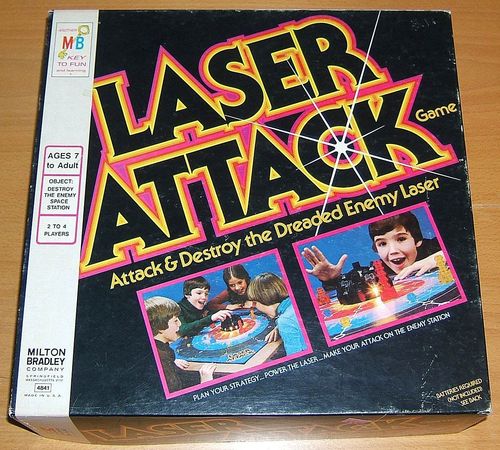
Laser Attack
Laser Attack Rulebook
Table of Contents
Table of Contents
Object
Destroy the enemy Space Station.
Contents
Game Board • Space Station • 4 Spaceships • 20 Energy Pods
Setup
To Set Up the Space Station
-
To power the laser beam in the Space Station, you must insert two AA-size 1.5 volt batteries in its base. Alkaline batteries are recommended for best performance and longer life. Invert the Space Station and turn the knob until a battery area is accessible through the window in the base. Press the battery in place between the plastic holders with its terminals in the direction shown in the battery area (see Fig. 1). Insert the second battery in the other area. Make sure the batteries are fresh and are positioned so that the same terminals of both batteries are not facing the bulb which is covered by a tube.
-
Spin the knob on the Space Station. When both batteries are properly in place, the bulb should flicker on and off rapidly when the beam comes to a stop. If the bulb does not light, check the metal clips and contacts to be sure they touch the battery terminals firmly. If they do not, remove each battery and bend the metal pieces slightly. Press the batteries back into position. Also check the bulb. Remove the tube, make sure the bulb fits tightly in the socket, and replace the tube.
To Set Up the Board
-
Place the enemy Space Station on the gameboard by inserting the prongs in the base into the holes in the gameboard.
-
Choose a color to play—you control the ship and energy pods of that color. Take the four large playing pieces (spaceships) and place them on the larger matching colored circles on the second outermost ring on the gameboard.
• When less than four people are playing, only use as many spaceships as there are players.
-
Place the 20 small pieces (energy pods) on the smaller matching colored dots.
• When a spaceship is not being played, the energy pods of that color are still placed on the board.
To Play
-
All players are called "Space Captains." In turn, each player is called "Space Control."
-
Spin the knob on the Space Station. When the beam comes to rest, the player whose energy pod, closest to the Space Station, is struck by the laser goes first. (If the beam falls on a color not chosen by any player, spin again until a player's pod is hit.) Others follow, in turn, clockwise.
-
Your turn as Space Control consists of four distinct parts:
A. Move your spaceship one space forward or backward on the straight white path or any number of spaces along the circular green path as long as you are not blocked by another piece.
B. Spin the knob on the Space Station. When it comes to rest, the laser beam will shine down one of the 12 white paths. Anything in its path is "hit."
C. All spaceships and energy pods hit by the laser beam are drawn forward one space toward the Space Station.
D. Read and follow the command at the end of the path lit by the beam.
-
When the command calls for all Space Captains to move, Space Control moves first and all others follow clockwise.
-
When the command tells you to move "one space," you can move only one space on the green or white paths.
-
When you are told to move an opponent's energy pod, you cannot move a pod which has been picked up by a spaceship or one that has been placed in the Space Station.
-
-
Gathering energy: You collect your own energy pods by moving your spaceship onto the space occupied by your pod. Pick up the energy pod and place it into the hole in the top of the spaceship. You move a pod onto a space occupied by a spaceship.
To Win
The player whose inserted energy pod is struck by the laser beam is the winner of the game.
Rules
-
You cannot jump any other piece with your spaceship.
-
Two unattached pieces cannot occupy the same space at the same time.
-
Moves must be made, when possible, even if it will be to your disadvantage.
-
When your spaceship is blocked and cannot move, go on to the next phase of your turn.
-
Under no circumstances will you pick up another Space Captain's energy pods.
-
When a spaceship is not in play, the energy pods of that color can only be moved when hit by the laser beam.
Notes on Storage and Care
-
When storing the game away, disconnect the laser by inverting the Space Station and lifting either contact away from the battery terminal (see Fig. 2). CAUTION—The spinner cannot rotate when a contact is disconnected.
Fig. 2: Push the contact back into place to reactivate the laser.
-
When closing the gameboard, first fold it in half with the playing surface inside (Fig. 3). Then fold it in half again (Fig. 4).
-
Replacements for the miniature lens end bulb (2.2 volt/0.25 amp) are available wherever flashlight accessories are sold.
-
Over a period of time, the spinner may lose some of its rotating speed. If this occurs, invert the Space Station and apply a few drops of mineral oil in the three areas indicated on the base (other oils may damage the plastic).