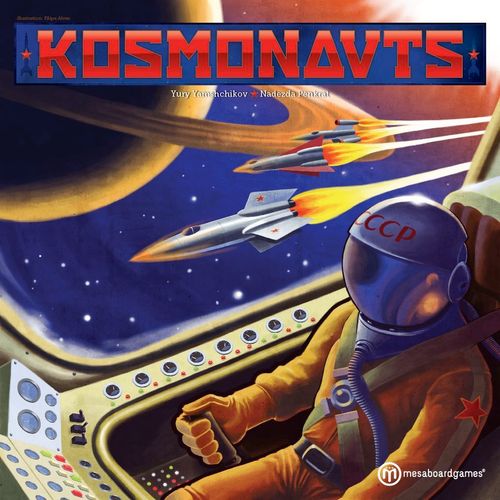
Kosmonauts
Kosmonauts Rulebook
Table of Contents
Table of Contents
The Goal of the Game
The players begin the race on the planet Earth. Victory Points ("VP") are awarded for visiting the Planets. The game ends when the first player lands on Earth after visiting all but one of the other Planets. Players can earn bonus VP by completing their secret Mission cards. The player with the most VP wins the game!
Game Components
- This rule book
- 1 Game board
- 1 Sticker sheet
- 4 Spaceship boards (1 for each player)
- 4 Spaceship tokens
- 1 instructor tile
- 48 Normal fuel cubes
- 16 Hyper-fuel cubes
- 12 Energy shield cubes
- 4 Player tokens
- 48 Game cards, including:
- 30 Event cards
- 8 Mission 1 cards
- 4 Mission 2 Alpha cards
- 4 Mission 2 Beta cards
- 9 Planet tokens (including Halley's Comet)
- 36 landing tokens (4 for each planet)
If this is your first time playing Kosmonauts, you will need to place the stickers on the Planets and Spaceships.
Setting Up the Game
The game board shows the orbits of the Planets of the Solar System and Halley's Comet. Each orbit includes Planet Spaces for the Planets to move on. Each Planet is represented by a token that matches the color of its orbit on the board.
In the corners of the game board there are Control Panels for each player.
-
Shuffle the Planets and deal them to the players. Starting with the youngest, and going clockwise (to the left), players take turns placing the tokens on any Planet Space of the matching orbit, one at a time, until all Planets are on the game board.
-
Each player chooses a Spaceship and places it on Earth. Any unused Spaceships can be returned to the game box.
-
Give the Instructor tile to a random player.
-
Sort the Landing tokens by planet and place them in stacks near the board, with value 1 on the bottom and 4 on the top.
Note: The Earth Landing tokens (blue) all have the same value: 2 VP.
-
Shuffle the Event cards and place 3 cards face up in a row by the board. The rest of the cards create a face down draw deck.
-
Each player places a Spaceship board in front of him, and places 3 Energy Shield cubes (grey), 2 Hyper-fuel cubes (red), and 8 normal Fuel cubes (yellow) on his board. The rest of the cubes are placed next to the board to create the General Supply. Each player also places his Player token on his Earth space.
Place your Player token on the Earth space of your Spaceship board. Landing tokens that you collect are placed on these spaces. Your Fuel Tank can hold 10 Fuel. Your Spaceship can have 3 Energy Shields.
-
Sort the Mission cards into 3 decks: Mission 1, Mission 2 Alpha, and Mission 2 Beta. Shuffle each deck separately and deal 1 card from each deck to each player. Keep your Mission cards secret from the other players! If a player's Mission 1 card shows the same Planet as either of his Mission 2 cards, he must exchange it for a different Mission 1 card from the deck, until he gets a card that does not show the same Planet. For more about Mission cards, see "Ending the Game and Scoring" below.
NOW YOU ARE READY TO BEGIN THE GAME! GOOD LUCK!
Playing the Game
Kosmonauts is played over a series of rounds. Each round is split into 4 phases, which are played in this order:
- Event Card Phase — This phase is skipped in the first round of the game. The player with the Instructor tile chooses one face up Event card. This card affects all players (including the Instructor).
- Order Phase — Each player may move up to 3 Fuel from his Fuel Tank (normal or Hyper-fuel) to his Control Panel. Players who stay "parked" on a Planet leave their Player tokens on the center of their Control Panels.
- Flying or Refuelling Phase — Each player moves his Spaceship according to the Fuel on his Control Panel. Players who stay on a Planet may refuel their Spaceships.
- Planet Movement Phase — The player with the Instructor tile moves each Planet along its orbit. Then, he gives the Instructor tile to the player on his left. The Round ends.
1. Event Card Phase
In this phase, the player with the Instructor tile chooses one of the face-up Event cards and follows the instructions for that card.
- The chosen card affects all players, including the holder of the Instructor tile.
- Players may protect themselves from some Event cards. See the examples below.
- Players cannot have more Fuel than what fits in their Fuel Tanks or more than 3 Energy Shields. A player's Fuel or Shields cannot go below zero.
- After the card is done, place it in a discard pile. Then, turn over the top card from the draw deck and place it face up with the others. There should always be 3 face-up Event cards.
- If needed, re-shuffle the discard pile to create a new draw deck.
Event cards:
- Refueling: You may add 1 Hyper-fuel cube from the General Supply to your Fuel Tank. If your tank is full, you may exchange 1 normal Fuel for 1 Hyper-fuel.
- Solar Wind: You must immediately add 1 or 2 normal Fuel cubes (as shown on the card) from the General Supply to your Control Panel, in the direction shown on the card (the card should face the same way as your Control Panel). These symbols show how the effects of this Event card can be avoided: a player may spend 1 Energy Shield cube, or stay on a Planet this round without moving.
- Energy Conversion: You may add up to 5 normal Fuel from the General Supply to your Fuel Tank if you pay 1 Energy Shield. This symbol means that a player must spend 1 Energy Shield to the General Supply to receive the bonus (even if the player takes only part of the bonus). If a player does not want the bonus or has no Energy Shields, he just ignores the Event card.
- Gravity Assist: If your ship is only 1 or 2 spaces away from a Planet, it is pulled to that Planet and lands on it. If you are near more than 1 Planet, you move to the nearest one (your choice if tied).
- Boosters: In Phase 2, you may spend up to 4 Fuel (instead of the normal 3).
- Solar Flares: In Phase 2, you may not place any Fuel on your Control Panel. This symbol shows how the effects of the Event card can be avoided: a player may spend 1 Energy Shield to ignore the Event card.
- Asteroids: You lose 5 normal Fuel from your Fuel Tank.
2. Order Phase
In this section, we explain how players spend Fuel on their Control Panels. To understand how ships move, see "Flying or Refueling Phase" below. After reading that section, it's a good idea to take a quick look at this section again.
In this phase, all players simultaneously decide how to spend Fuel to change the speed and direction of their Spaceships. Players may move from 0 to 3 Fuel cubes (normal Fuel or Hyper-fuel in any combination) from their Fuel Tanks to their Control Panels. It does not matter how many Fuel cubes are already on the player's Control Panel.
Fuel cubes can be placed on any part of the Control Panel the player chooses. If the Player token is on the center of his Control Panel, he must move it to his Spaceship board.
Important: Fuel that was placed during earlier rounds stays on the Control Panel and will affect Spaceship movement. Fuel spent during the current round is added to any Fuel already there. There is no limit to the number of cubes that can be on each space of a Control Panel.
A player can slow down or stop his Spaceship by cancelling out Fuel placed in earlier rounds.
Players cancel Fuel by placing new cubes on the opposite direction of their Control Panels. Immediately remove both the newly placed cubes and an equal value of cubes from the opposite side of the Control Panel.
Each Hyper-fuel is worth 2 normal Fuel. So, to remove 1 Hyper-fuel, a player must spend 1 Hyper-fuel or 2 normal Fuel.
If a player spends 1 normal Fuel to cancel a Hyper-fuel, replace the Hyper-fuel with 1 normal Fuel.
If a ship has already landed on a planet before the current round, its owner may decide to stay there to refuel. To do that, the player does not place any new fuel cubes on the Control Panel. His Player token remains in the center of his Control Panel this round. This way, it's clear that your Spaceship is not flying around.
Use of Energy Shields as Fuel
A player can use his Energy Shields as fuel for his engines: the player may exchange 1 Energy Shield for 2 normal Fuel from the General Supply, which are placed directly in his Fuel Tank.
This Fuel can be used during the current round or saved for later. Each player can convert only 1 Energy Shield into Fuel each round.
Playing Tip: Your Spaceship has only 3 Energy Shields, and you may need them for protection from dangerous regions of space or unwanted events. So, you should only use Energy Shields for fuel in very special cases!
Once this phase is over, the players cannot make any more changes to their Control Panels!
3. Flying or Refuelling Phase
In this phase, players either fly their ships or refuel at a Planet.
Flying
For each normal Fuel on a player's Control Panel, his Spaceship moves 1 space in the direction shown. Each Hyper-fuel moves the Spaceship 2 spaces in that direction. The order of the directions that a Spaceship moves does not matter—only the final hex of the movement is important. There is no limit to the number of Spaceships that can be in the same space.
The directions on the Control Panel show which direction the ship will fly. The center of the Control Panel matches where the Spaceship is on the game board. The Fuel on the Control Panel determines which directions the Spaceship moves.
Examples:
- 1 normal Fuel: The Spaceship moves 1 space in the same direction.
- 2 normal Fuel: The Spaceship moves 2 spaces in the same direction.
- The direction the Spaceship moves first doesn't matter: it ends up in the same space either way.
- 1 Hyper-fuel: The Spaceship moves 2 spaces.
- Several possible routes to the same destination are always equivalent—only the final space matters.
Landing on a Planet
If a Spaceship ends its movement on the same space as a Planet, it may land on the Planet (but it does not have to).
If a player decides to land, he must discard all Fuel from his Control Panel to the General Supply and move his Player token to the center of his Control Panel.
If a Spaceship moves through a space with a planet but does not stop there, it cannot land.
If only 1 Spaceship lands on this Planet this round, the player takes the Landing token for that Planet with the highest value and places it face down on the matching space of his Spaceship board.
If several Spaceships land on the same Planet during the same phase of the same round, each of those players takes a matching Landing token, starting with the Instructor and going clockwise.
Example: The yellow player moves his Spaceship to the same space as the Planet Saturn (the violet token). He decides to land and discards his Fuel to the General Supply. Because he was the first player to land on Saturn, he takes the violet Landing token with the highest value and places it (face down) on his Spaceship board. In the next round, if he orders his Spaceship to take off, he will place his Player token on top of the Saturn Landing token. This way, he will remember that the last planet he visited was Saturn, in case he needs to be rescued — see "Emergency Situations" below.
Important: Players may visit the same Planet more than once, but they cannot take a second Landing token from the same Planet. Earth Landing tokens can only be taken during the last round of the game (see "Ending the Game and Scoring"), but players may land there to refuel during the game.
Refueling Spaceships
If a Spaceship stays on a Planet (the Player token stays in the center of the Control Panel), that player may refuel while the other players move their Spaceships.
Example: The yellow player has left his Player token in the center of his Control Panel, so this round he refuels his Spaceship.
When a player refuels, he first takes 1 Hyper-fuel from the General Supply and places it in an empty space of his Fuel Tank. Then, he fills all of other empty spaces of his Fuel Tank with normal Fuel.
If a player has full Fuel Tanks when he refuels his Spaceship, he can still take 1 Hyper-fuel by swapping it for 1 normal Fuel. When a player refuels, he cannot add more than 1 Hyper-fuel cube to his Fuel Tank. A player may never have more than 4 Hyper-fuel cubes in his Fuel Tank.
Energy Shield cubes cannot be refueled. A Spaceship's Fuel Tank cannot have more cubes than the available spaces.
Dangerous Regions
The Asteroid Belt and the area near the Sun are dangerous places for Spaceships to travel.
If a Spaceship ends its movement for the round in the Asteroid Belt or one of the 6 spaces next to the Sun (any of the shaded spaces on the game board), it loses 1 Energy Shield. Flying through a dangerous region without stopping does not cost an Energy Shield.
The Sun
The Sun does not count as a space. Spaceships cannot move through the Sun even if they do not end their move there.
Emergency Situations and Evacuation
If a Spaceship has an Emergency, it must be "rescued". When a Spaceship is rescued, its movement is "zeroed out" (all Fuel on the Control Panel is returned to the General Supply), and the Spaceship is moved back to the last Planet it visited (the Player token on the Spaceship board shows which Planet the player visited most recently). During the current round, that Spaceship cannot move or refuel.
Any Fuel on a Control Panel is not removed after the Spaceship moves, and remains in place for the next round, unless the Spaceship lands on a Planet.
List of Emergency Situations:
- The Spaceship ends its move in a dangerous region and has no Energy Shields.
- The Spaceship flies out of the Solar System (off the edge of the game board).
- The Spaceship flies onto or through the Sun (the center of the game board).
Important: A player may also ask to be rescued during Phase 3 of the round.
4. Planet Movement Phase
The player with the Instructor token moves all Planets clockwise along their orbits to the next matching Planet Space. It is best to move the Planets one by one, without skipping, starting with Mercury and ending with Neptune. Don't forget to move Halley's Comet. The other players can watch to make sure all Planets are moved correctly.
If a Spaceship has landed on a Planet, it moves with the Planet when the Planet moves.
Example: The red Spaceship landed on Saturn during Phase 3 of the round. In this phase, it moves with the Planet.
Landing on Moving Planets
If a Planet moves to a Planet Space already occupied by a Spaceship, the owner of that Spaceship may land on the Planet (but he is not required to), following the normal rules — see "Landing on a Planet" above.
But, Spaceships that land on a Planet during Phase 4 arrive after any ships that landed in Phase 3, for purposes of taking Landing tokens.
If a Planet moves through a space with a Spaceship but does not stop there, the Spaceship cannot land on that Planet this round.
Example: The red player cannot land her ship on Uranus (the white token), but the green player may land his Spaceship on Neptune (the brown token).
After all of the Planets have moved, the player with the Instructor token must pass it to the player on his left. The current round ends and the next one can begin.
Ending the Game and Scoring
The game ends after Phase 4 of a round is finished if at least 1 Spaceship has landed on Earth after landing on all but 1 of the other Planets (note that Earth does not count for this purpose, but Halley's Comet does count).
Each player that returns to Earth during Phase 3 of this final round of play takes 1 Earth Landing token (blue), but only if he has visited all but 1 of the other Planets. Any player that lands on Earth during Phase 4 does not take an Earth Landing token unless no players landed on Earth during Phase 3.
Now, players add up their Victory Points:
- Landing tokens are worth the value shown on the token.
- Each player that completed the requirements for his Mission 1 card receives 2 VP.
- Each Mission 2 card that is completed awards 4 VP.
There is no penalty for failing to complete a Mission card.
Mission 1 cards have the objective to be the first player to reach a Planet. Mission 2 cards (Alpha and Beta) have the objective to be the second to land on a planet OR to be the only player to land on a planet.
Example: In this example, it's Planet Mercury. If this player gets the 4VP Landing token for Mercury, he gets 2 bonus VP. If this player completes the goal shown, she gets 4 bonus VP.
The player with the most VP wins the game! If there is a tie, the tied player who returned to Earth first (Phase 3 vs. Phase 4) wins.
If they are still tied, the tied player with the most 4VP Landing tokens wins.
If they still tie, they share the victory!