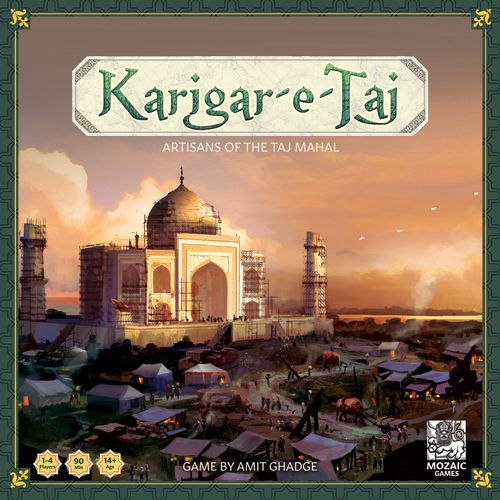
Karigar-e-Taj
Karigar-e-Taj Rulebook
Table of Contents
Table of Contents
Game Components
- 1 Game Board
- 16 Level Tiles
- 12 Taj Tiles
- 24 Bazaar Cards
- 9 Alliance Cards and 2 Trade Cards
- 8 Starting Resource Cards
- 9 Blue Print Cards
- 34 Bakshish Cards
- 32 Ustad Cards (AI)
- 12 Worker Meeples (3 per player)
- 4 Elephant Meeples
- 32 Taj Markers (8 per player)
- 80 Basic Resources
- 30 Special Resources
- 40 Silver Mohurs
- 20 Gold Mohurs
- 12 Taj Point Tokens
- 4 Player Screens
- 1 First Player Marker
Basic Concepts
Bazaar Cards
Each Bazaar card has 2 sections that can be visited independently. The left side lets you earn resources, and the right lets you exchange resources.
You may choose to place your worker(s) or Elephant in either of the two sections. Once a section is occupied, it cannot be occupied by another player's worker(s) or Elephant. Refer to the section 'Bazaar Actions' for more details.
Trade Cards
Trade your resources for Mohurs or exchange Mohurs in these locations in the Bazaar.
Alliance Cards
Special vendors visit the market, and you can form an alliance with them to get exclusive access to their wares.
You can acquire Alliance cards from the Bazaar. These cards also give you Taj points at the end of the game.
Bakshish Cards
Whenever you build a section of the Taj Mahal, you earn the Emperor's favour by getting Bakshish cards.
Bakshish cards may be used immediately or kept till the end of the game if they provide an end-game benefit. Bakshish cards have to be kept secret from other players.
Worker Meeples
All players start with 2 workers each. A worker can carry only 1 resource. When the second level of the Taj Mahal is completed, all players earn an additional worker.
Elephant Meeples
Elephants are unlocked when the first level (bottom level) of the Taj Mahal is completed. You can hire Elephants by paying 2 Gold or 6 Silver Mohurs.
An elephant can carry any number of resources. The Bazaar can accommodate up to 2 Elephants only.
Taj Markers
Once you build a section of the Taj Mahal, use the Taj Marker to mark it as yours.
Blueprint Cards
Blueprint Cards are private objective cards with which you can earn additional Taj Points by completing specific sections of the Taj Mahal. Earn Bonus points by completing all the sections indicated on the card.
Starting Resource Cards
Indicates the resources you start with at the beginning of the game.
Resources
Basic Resources
- Abini Wood: In the Mughal era, Abini Wood was used to lay solid foundations. Abini Wood requires a steady stream of moisture to not expand or contract, which the Yamuna river provides for the Taj Mahal.
- Red Sandstone: The mosque and the guest house in the Taj Mahal complex are built of red sandstone in contrast to the marble tomb in the centre.
- Lime Mortar: Country ingredients such as molasses; batashe (sugar-bubbles), belgiriwater, urd-pulse, curd, jute and Kankar (pieces of fossilized soil) were mixed with lime mortar to make it an ideal cementing material.
- Scaffolding: Scaffolding, also called scaffold or staging, is a temporary structure used to support a work crew and materials to aid construction.
Precious Resources
- Marble Stone: Makrana marble is a type of white marble popular for use in sculpture and building decor. It is mined in the town of Makrana in Rajasthan, India.
- Gems: Gems were chosen not only for their colour but also for the spiritual properties attributed to them at that time. Of the many different types of gems used, the most significant is Carnelian.
Coins
- Silver and Gold Mohurs: Silver and Gold coins were called Mohurs in 16-17th Century India.
The Taj Mahal Grid
The top half of the board is a 3 x 4 Grid where the completed Taj Tiles are placed in the game (3 columns and 4 rows).
Level Tiles
The Taj Mahal is built over 4 Levels, each containing 3 sections per level. Level Tiles display the resources required to complete a section of the Taj Mahal at each level. Higher levels require more precious resources.
Taj Point Tokens
Points that Emperor Shah Jahan rewards for completing a section of the Taj Mahal. They are placed in a stack with the Taj Point token values in descending order.
The Bazaar Grid
Bazaars were known to be bustling spaces, with trinkets and treasures from far and wide, for those willing to pay the right price.
Send your workers to the Bazaar to collect resources to build the Taj Mahal. You can even trade at the Bazaar by exchanging resources for other resources you need.
The Bazaar Grid in Detail
Here's a closer look at the Merchant's tent in the Bazaar Grid. Every Merchant's Tent has two spaces; on the left side, the Merchant allows you to earn resources and on the right side, the Merchant exchanges resources.
A Row in the Bazaar Grid includes all the Merchants in that row.
A Column in the Bazaar Grid includes all the Merchants in that column.
The Row or Column includes both - the left and right spaces of a Merchant's Tent.
The Taj and Bazaar Grid Pairing
The sections on the Taj Mahal Grid and the Bazaar Grid are connected.
Example: Section 1 on Level 1 of the Taj Grid is connected to Bazaar Card 1 in the Bazaar Grid. (The sections of the Taj Mahal Grid are numbered 1 to 12 on the board, and the Bazaar cards are numbered 1 to 12 to match.)
Refer to the section 'Building the Taj Mahal > Bazaar Change' to understand the significance of this pairing.
Setting Up
Initial Setup
- Assemble the Game Board in the centre of a flat surface, with at least 6 inches of free space around it.
- Separate the Taj Tiles and place them above the column corresponding to their level. For ease of use, place level 4 Taj tiles on the bottom of the stack, level 3 Taj tiles above them and so on. Level 1 would be on top and is the first portion of the Taj Mahal that will be built.
- Choose one Level Tile randomly for each of the 4 Levels, which displays the required resources to complete each tile of the Taj Mahal.
- Separate all the Taj Point tokens by the number of dots indicated, i.e. 1, 2, 3 and 4; this corresponds to the Levels. There will be 3 Taj Point tokens per level.
- Arrange the Taj Point tokens in descending order (the highest points go on top) and place them face-down on the board next to each of their corresponding levels.
- Shuffle the Bakshish cards and place them face-down next to the board.
- Separate all the Resource tokens and stack them by type next to the board to form the supply.
- Each player receives 1 Player Screen, 3 Workers, 8 Taj markers and 1 Elephant of their preferred colour. a. Players keep their Elephant to the left side of Level 2 on the board. This Elephant is available for hire only after Level 1 of the Taj Mahal is complete. b. Players keep 1 worker to the left of Level 3 on the board. This worker is unlocked for everyone only after Level 2 of the Taj Mahal is complete.
- Shuffle the Starting Resource cards and Blueprint cards and . The remaining starting resources and blueprint cards are placed back in the box. Players collect the starting resources as mentioned in their Starting Resource cards. Blueprint cards are private objectives and are kept secret.
How to Play
Main Actions
Players plan their actions to score the most Taj Points by racing to complete sections of the Taj Mahal by familiarising themselves with the resources required based on the chosen Level tiles.
The players choose one of the following main actions in their turn:
- Acquire Resources and/or an Alliance Card
- Use the ability of an Alliance Card
Free Actions
Players can carry out these free actions in their turn:
a. Build a section of the Taj Mahal b. Hire an Elephant c. Resolve favours mentioned in the Bakshish cards
Starting a New Round
The starting player examines the Bazaar, keeps both the workers in one spot and acquires the resources. The turn continues clockwise.
1.1 Acquiring Resources
Place a worker/s on a Bazaar card to Earn or Exchange resources in the Bazaar.
There are 2 categories of resources required to build the Taj Mahal.
- Basic Resources - The Blue Bazaar cards allow you to earn Basic Resources like Abini Wood, Red Sandstone, Lime Mortar, Scaffolding and Silver Mohurs.
- Precious Resources - The Yellow Bazaar cards allow you to earn Precious Resources like Marble, Gems and Gold Mohurs.
Note: 1 Worker can carry only 1 resource at a time. A proportionate number of workers are required to earn or exchange multiple resources.
Earning Basic Resources (Blue Bazaar card)
Example 1: Two workers occupying the same space in the Bazaar earn 2 resources. Player earns 2 Scaffolding in the scenario shown below.
Example 2: Two workers occupying the same space in the Bazaar earn only 1 resource. Player earns 1 Red Sandstone in the scenario shown below.
Exchanging Basic Resources (Blue Bazaar card)
Blue Bazaar cards provide 2 options to exchange resources. Players can do either or both exchanges depending on what resources they need and the number of workers available on the space.
Example 1: Two workers occupying the same space in the Bazaar exchanging resources. Player has chosen to earn 2 Silver Mohurs by exchanging 2 Scaffolding in the scenario shown below. (2:2 Exchange)
Example 2: Two workers occupying the same space in the Bazaar exchanging resources. Player has chosen to earn 2 Silver Mohurs by exchanging 1 Red Sandstone in the scenario shown below. (1:2 Exchange)
Example 3: Two workers occupying the same space in the Bazaar exchanging resources. Player can only choose the bottom exchange option since the top exchange option requires 3 workers. Player earns 1 Lime Mortar by exchanging 2 Silver Mohurs in the scenario shown below. (2:1 Exchange)
Example 4: Three workers occupying the same space in the Bazaar, exchanging resources. Player can choose the top and the bottom exchange options since there are 3 workers. Player earns 1 Lime Mortar by exchanging 2 Red Sandstone and earns 1 Scaffolding by exchanging 1 Red Sandstone in the scenario below. (2:1 & 1:1 Exchange)
Earning Precious Resources (Yellow Bazaar card)
Yellow Bazaar cards are activated only when a minimum of 2 workers are placed. Players cannot place just one worker on any of the spaces on a Yellow Bazaar card.
Example: Two workers on a Yellow Bazaar card earning resources. Player earns 1 Gem and 1 Lime Mortar in the scenario shown below.
Note: A Yellow Bazaar card may give Basic resources.
Exchanging Precious resources (Yellow Bazaar card)
Yellow Bazaar cards provide only 1 option to exchange resources and need minimum of two workers to activate this space.
Example: Two workers on a Yellow Bazaar card exchanging resources. Player earns 1 Gold Mohur by exchanging 1 Marble in the scenario shown below. (1:1 Exchange)
1.2 Movement of Workers
Players move their workers around the Bazaar to acquire or trade different resources required to build the various sections of the Taj Mahal.
In a player's turn, they must move all their workers in the Bazaar.
The only exception to this is when a player uses their Alliance card abilities by forgoing their turn. Refer to the section Acquire an Alliance Card for more details.
The movement of workers is limited to orthogonal directions only; diagonal movement is not allowed.
Players can move their workers across any number of spaces in a particular row or column.
- Available spaces: a space marked with a green tick is available.
- Unavailable spaces: a space marked with a red cross is unavailable.
- Spaces A and B are not available since they are not on the same column of Merchant tents.
- Space C is available since players can move workers across any number of spaces in a row.
- Space D is a Trade space. In this scenario, players cannot trade since it requires 3 workers to make this trade of 3 Silver to 1 Gold Mohur.
- Spaces E and F are both available since players can move their workers across any number of spaces in a column.
Example 1: If a player has more than one worker sharing a space in the Bazaar, the player can move all the workers together or separately to different locations in the row or column in the same turn.
Example 2: If the player has two workers in different spaces in the Bazaar, the player can move them to a common space by following the movement rules.
Example 3: Two workers are in different locations and come together to a new location in the same row/column but on either side of the bazaar to show that one can gain resources and the other can trade (blue bazaar space).
Note: Workers cannot move into a space occupied by any other player.
1.3 Trading Spaces in the Bazaar
Players can move workers to this space to exchange resources for Mohurs.
Exchange 1 Basic Resource for 1 Silver Mohur for each worker placed in this space.
Example 1: Two workers exchanging Basic resources for 2 Silver Mohurs.
Exchange 3 Silver Mohurs for a Gold Mohur. This space requires 3 workers or 1 Elephant for a player to carry out the trade actions.
Example 2: Three workers exchanging 3 Silver for 1 Gold Mohur.
1.4 Acquire an Alliance Card
Players can place their workers on an Alliance card space to acquire it by paying with the resources mentioned on the top left of the card.
Players earn additional Taj Points, as mentioned on the top right of the card at the end of the game.
If an Alliance card requires 3 resources, then 3 workers must be placed. Once purchased, the player keeps it visible to everyone throughout the game.
Example: Two workers paying resources to buy an Alliance card.
Note: Refer to the section Replenish Phase to know how to add new Alliance cards to the Bazaar.
2. Using an Alliance Card
Once per level, players can use their Alliance card abilities. Alliance cards do not need any workers to activate them. After using the Alliance card ability, players flip the card face down, and they cannot use this card's powers until the Replenish phase, where it is again flipped face up.
A player can control up to 2 Alliance cards in a game. Players can replace their Alliance cards if they find a better one, as long as they have a maximum of 2.
Note: When a player chooses to use an Alliance card in their possession, they have to forgo their turn and cannot move the workers on the board.
Building the Taj Mahal
Building a section of the Taj Mahal is a free action.
On their turn, players can build one section of the Taj by placing a Taj Tile on the Taj Mahal Grid as soon as they have acquired all the necessary resources mentioned on the Level Tile for the level currently being built.
Building a section of the Taj Mahal involves the following actions:
- Build the Taj Tile
- Earn Taj Points
- Collect Bakshish card/s - Emperor's Favour
- Bazaar Change
- Trigger Replenish phase (if a level is complete)
1. Build the Taj Tile
a. Return the required resources as per the Level tile to the supply. b. Choose and place the Taj Tile on a section in the grid. c. Place a Taj Marker on the tile as per the player's colour.
2. Earn Taj Points
Collect the top most Taj Point token on the level.
3. Earn the Emperor's Favour
Whenever players build a section of the Taj Mahal, they earn the Emperor's favour and pick Bakshish cards.
- The player built a Taj Tile, but it wasn't the last tile to be built on that level: The player picks 1 Bakshish Card.
- The player completes the level of the Taj Mahal by building the last remaining tile in that level: The player picks 2 Bakshish Cards and the First Player Marker.
Bakshish cards may be used immediately or kept till the end of the game if they provide an end-game benefit. Once a Bakshish card is used, it is placed in the discard pile.
Note: The bottom level of the Taj Mahal must be completed before building the next level.
Example: All 3 sections of Level 1 must be built before building any section of Level 2 of the Taj, and so on.
Note: Earn additional Taj Points by building as per the Blueprint Card during end-game scoring.
4. Bazaar Change
During the 22 years of building the Taj Mahal, many vendors in the Bazaar were replaced due to changes in demand for their resources or by a better vendor.
When any player completes a section of the Taj Mahal, the Bazaar card on the corresponding space in the Bazaar Grid is immediately discarded and replaced with another card from the draw pile to form the new Bazaar.
5. Replenish Phase
Completing a level of the Taj Mahal triggers the Replenish Phase.
- Flip Level Tile: The Level tile is flipped over, indicating that it has been completely built.
- Recall Workers: All players now take back all their workers from the game board.
- Replenish Alliance Cards in the Bazaar: Any Alliance cards remaining on the board are discarded and refilled with new cards from the Alliance cards deck.
- Players reset their Alliance Cards: Any facedown Alliance cards owned by players are flipped over, indicating that the card can be reused while building the next level.
- Collect the First Player Marker: The player who built the last section on a level receives the First Player Marker and starts the new round.
The following effects apply when a level is completed:
- If 1st level has been completed, Elephants are unlocked and available for hire. Refer to the section "Hiring Elephants" for more details.
- If 2nd level has been completed, an additional 3rd worker is unlocked, and each player adds the new worker to their supply.
Hiring Elephants
Elephants provide a strategic advantage to players.
Elephants are temporary workers. They can carry unlimited resources. Players have to move their Elephants along with their workers in their turn and must follow orthogonal movement rules.
After the 1st level of the Taj is complete, the players can hire an Elephant by paying 6 Silver or 2 Gold Mohurs or 3 Silver and 1 Gold Mohur in their turn at any time during the game.
Once hired, the Elephant is immediately placed in any available space in the Bazaar.
Note: Only 2 Elephants can be active at any point, as the Bazaar can only accommodate up to 2 Elephants.
Workers and Elephants cannot share the same space in the Bazaar.
Elephants Earning Resources in the Bazaar
Example 1: An Elephant on a Blue Bazaar card can be used to earn all the Basic Resources. Player earns 3 Red Sandstone in the scenario shown below.
Yellow Bazaar cards are activated when an Elephant is placed.
Example 2: An Elephant on a Yellow Bazaar card can be used to earn resources. Player earns 1 Gem and 1 Lime Mortar in the scenario shown below.
Elephants Exchanging Resources in the Bazaar
Blue Bazaar cards provide 2 options to exchange resources. Elephants can execute any one of the exchange options.
Example 1: An Elephant can be used to exchange resources in the Bazaar. Player has chosen to earn 3 Silver Mohurs by exchanging 1 Lime Mortar in the scenario shown below. (1:3 Exchange)
Example 2: One Elephant on a Yellow Bazaar card can be used to exchange resources. Player earns 2 Gold Mohurs by exchanging 1 Marble in the scenario shown below. (1:2 Exchange)
Elephants Visiting Trading Spaces in the Bazaar
Players can move their Elephants to this space to exchange resources for Mohurs.
Example 1: An Elephant can be used to exchange 1 Basic resource for 1 Silver Mohur. Note: Only 1 exchange can be done.
Example 2: An Elephant can be used to exchange 3 Silver for 1 Gold Mohur. Note: Only 1 exchange can be done.
During the Replenish phase, Elephants are returned to their original space and can be re-hired in the next round on a first-come, first-serve basis.
Elephants Acquiring Alliance Cards in the Bazaar
Players can place their Elephant on an Alliance card space to acquire it by paying with the resources mentioned on the top left of the card.
Example: An Elephant can be used to pay for resources to buy an Alliance card.
Game End
The game ends immediately when the last section of the Taj Mahal is built.
The players calculate their total Taj Points as per below:
- Add all Taj Point tokens
- Add Bakshish cards which award Taj Points
- Add Blueprint card points (and any bonus)
- Add Taj Points on all Alliance cards acquired
The player with the most Taj Points wins! In the event of a tie, the player who has built the most Taj Tiles wins. In case there is still a tie, the player with the least resources wins. If there is still a tie, players share the victory.
Game Play with Ustad Cards (AI)
Ustad Cards can be used to make the game more competitive by adding 1 or 2 AI Players.
Initial Setup
Ustad Cards contain cards for 2 AI players.
- Separate the cards into 2 decks, each containing 16 unique cards with the serial numbers UC 1 to UC 16.
- If playing against 1 AI player, only one deck is required. If playing against 2 AI players, then both decks will be used, where each deck represents one AI player.
- The AI player's turn is resolved by Human players themselves.
- Ustad cards for each AI player should be shuffled.
- Choose 4 Ustad cards to make the starting draw pile per AI player for Level 1 (number of cards per level is calculated as the Level's Number + 3).
IMPORTANT: Starting draw pile for Level 1 has 4 Ustad cards, Level 2 has 5 Ustad cards, Level 3 has 6 Ustad cards, and Level 4 has 7 Ustad cards.
- Human players choose their workers and Taj markers in their preferred colour and keep one worker and one set of Taj markers of a different colour to represent each AI player.
- Distribute one Blueprint card to each player and keep it visible for the AI Player.
- Starting Resource cards are not used while playing against AI player(s).
Note: AI Players do not have Elephants in the game.
How to Play with AI Players
Human player(s) starts first and places their workers in any space and follow the same rules of placement and movement in the Bazaar as usual.
AI Player's Turn
The turn starts by revealing the Ustad card from the top of the starting deck.
- The Bazaar card location indicated on the Ustad card is flipped over, marking it as reserved by the AI player by keeping the AI worker on top of the card, which means the entire Bazaar card is unavailable. No resources are collected for the AI player(s).
- If the Ustad card indicates the location of an Alliance card, then the Alliance card is gained by the AI Players and is not replaced until the Replenish phase. Max limit of 2 Alliance cards rule does not apply to AI Player(s).
- AI players can occupy the same Bazaar card, if the Ustad cards revealed have the same location in the Bazaar.
AI Players Building a Taj Tile
AI Player(s) build a section of the Taj as soon as the cards in the draw pile have been exhausted.
- AI Player collects the Taj Token and Bakshish cards every time a section of the Taj is built. The AI Player builds a Taj Tile and places its Taj marker as per its Blueprint. If the section indicated on the Blueprint is already built, then the AI player builds on another section of the current level being built.
- If AI Player builds the last section in a level, then the AI player is given 2 Bakshish cards along with the Taj Point token and receives the First Player Marker. Replenish phase is triggered as usual.
- Once a section of the Taj is built, the corresponding AI player's Ustad card deck is re-shuffled, and a fresh draw pile is created based on the current level.
Replenish Phase in a Game with AI Players
The additional step required for setting up a new round in a game with AI Players is as follows:
- AI Player sub-decks are reshuffled (even if the deck was partially used) to form a fresh draw pile based on the level currently being built.
All other rules remain the same, and play continues until the entire Taj Mahal is built.
Game End with AI Players
Points are calculated based on the Taj Point tokens collected by the Human Players and AI Players. Any Blueprint, Bakshish and Alliance cards which award Taj Points are calculated for all players. The player or AI with the most Taj Points wins! In the event of a tie, the player who has built the most Taj Tiles wins.