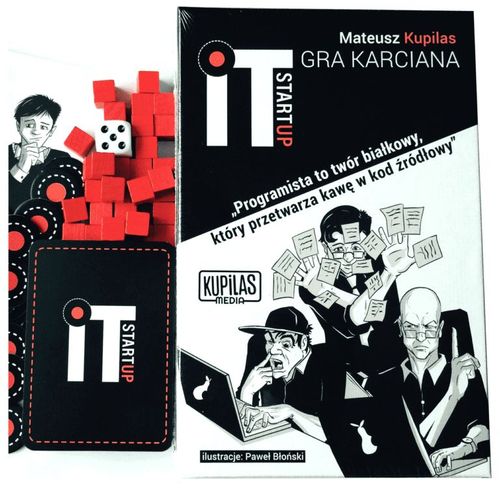
IT Startup
IT Startup Rulebook
Table of Contents
Table of Contents
- Game Components
- Your Goal
- Developing Your Project / Scoring Project Points
- Counting Project Points
- Beating the Competition / Victory Conditions
- Get Ready to Launch / Start of the Game
- Turn Overview / A CEO in Action
- Every Action Has a Cost / Resource Cost of Cards
- Income Sources / Gaining Resources
- At the Market / Selling and Buying Cards
- A Pool of Chips / Hoarding Resources
- Knowing Your Trade / Card Types
- Hitting the Wall / Employee Burnout
- Develop Competencies / Knowledge Cards
- Be Efficient! / Playing Knowledge Cards for Less Resources
- Share the Knowledge / Transferring Knowledge Cards
- Taking Decisive Action / Action Cards
- Anticipate Your Move / Planning Action Cards
- An Offer You Cannot Refuse / Taking Over Employees
- Temporary Arrangements / Outsourced Employees
- A Fresh Approach / Returning Employees to Your Hand
- Solo and 2 vs 2 Game Mode
Game Components
- 64 cards,
- 32 chips (resource tokens),
- 32 red cubes (burnout markers),
- 1 six-sided die,
- rulebook.
Your Goal
To win you must be the first player to finish their project, or in case of a tie over the finish line, you must have the most valuable project as measured in project points. You finish your project by getting enough project points. You may compete over a standard project: 64 points, a small project: 32 points or a comprehensive project: 128 points. Choose the game mode (project size) depending on how long you want to play. You may even set a higher victory threshold (like 256 points if you enjoy really long game sessions), but our suggestion is to set the max goal to 128 points.
Developing Your Project / Scoring Project Points
Each developer has their efficiency value. At the end of your turn you get an amount of project points equal to the sum of the efficiency value of your active developers.
Example: you have 2 developers on the table. Look at the red numbers in the circles (ignore the rest for now): 5 and 2. At the end of your turn, you get 7 (5 + 2) project points. The points are scored at the end of your turn – no need to wait for all other players to finish their turn.
Counting Project Points
The easiest way to keep track of points is using a sheet of paper. It helps to control whether every player took an equal amount of turns, and allows to quickly check the current turn count. In the example below, we can see that after 3 turns Pat scored 8 points, and Mat scored 10. The following turn will be turn number 4.
| Pat | Mat |
|---|---|
| 2 | 0 |
| 5 | 5 |
| 8 | 10 |
Beating the Competition / Victory Conditions
When each player finishes their turn and one of them has the required number of points (or more), they win. Check the victory condition after everyone finishes their turn – each player must have the chance to use the same amount of time, as measured in number of turns. If more than one player reaches the victory threshold, the one with the higher total score wins. For example: when developing a standard project (64 points), after 7 turns 2 players reach the required number of points (64 or more), the player with the higher total score wins. If they have exactly the same score: another turn is played.
Get Ready to Launch / Start of the Game
- Each player draws 5 cards.
- Roll the die to determine the amount of starting resources. Each player starts with the same number. E.g. if you roll 3, every player starts the game with (3) resources.
- If you do not like a card from your starting hand, you can discard it and draw a new one. You can do this for one, two, three, four or even all five cards from your opening hand (you may choose the cards only once – you CANNOT replace a newly drawn card).
- Roll the die or choose who starts the game.
Tip: For starters: it's good to have at least one developer in your opening hand. You will learn the best way to build your starting hand during your games.
Turn Overview / A CEO in Action
- Draw a card at the start of your turn.
- Then obtain resources: (1) resource token chip in your first turn, (2) resource token chips in your second turn, etc. The maximum amount of resources you get at the beginning of your turn is (8).
- If you have an outsourced employee (an employee you got using the "Outsourcing" card), it is returned to its previous employer.
- Optional game mechanic: bonus for proper project planning (during your first couple of games you can skip this mechanic and introduce it later). If your project points are equal to 1, 2, 4, 8, 16, 32, 64, 128 (power of 2), you can remove 1 burnout point from one of your employees.
- Play your cards! Playing cards costs resource tokens (the resource cost is in the top-right corner of a card). You can only do this during your turn. You can also "plan ahead" an Action Card (put it face down on the table). "Planning" Action Cards will be explained in detail later.
- At the end of your turn you score project points for each of your developers. You count the efficiency value of your developers + any optional effects from Action Cards played that turn.
- After you add the project points, every employee you control gets (1) burnout point. Red cubes are used to keep track of an employee's burnout points.
Every Action Has a Cost / Resource Cost of Cards
To play a card, you have to pay its cost. To do so, return the appropriate number of resource tokens back to the pool.
Here are 3 cards that cost (4) resources to play (see the top-right corner):
- Senior Backend Developer (Employee – DEV). When played: look at the top (5) cards of the deck and draw (2) of them. Put the rest on the bottom of the deck. Flavor: "Deploy on Friday, they said. It'll be fun, they said."
- Technical debt (Action Card). Shuffle all employees and their knowledge into the deck. Flavor: "Are you brave enough to touch the ancient legacy code?"
- Scrum Master (Employee – Agile Coach). When played: draw a card for each developer you control. While in play: your developers have efficiency +1. Flavor: "If you can't convince them, confuse them."
Income Sources / Gaining Resources
- At the start of the game: a roll with a six-sided die determines the number of resource tokens the players start with. Every player starts with the same amount.
- At the start of your turn: gain (1) resource token on the first turn, (2) on the second turn... (5) on the fifth, etc. The maximum amount of resources received at the beginning of the turn is (8). So, on turn eight you get (8) resources, on the ninth turn also (8) and so on.
- By selling cards from your hand or playing the "Investor" Action Card.
At the Market / Selling and Buying Cards
You have the option to sell cards from your hand. To do so, discard any number of cards, placing them at the bottom of the deck, and get (1) chip for every discarded card. There is also an option to buy extra cards by paying resources. Paying (2) chips allows you to draw (1) extra card. There is no limit to the amount of cards you sell or buy (there is no hand size limit) – you can perform those actions as long as you have cards to discard, or resources to pay for the extra draws. This can only be done during your turn.
A Pool of Chips / Hoarding Resources
Resources can be hoarded and used in later turns (unused resources do not disappear at the end of your turn). There is no resource hoarding limit.
Knowing Your Trade / Card Types
There are 3 basic card types:
- Employees,
- Knowledge cards,
- Action Cards.
Employee Cards – Developers (programmers)
Developers are your main source of project points.
- Intern (Employee – DEV), efficiency 1. Flavor: "I have no idea what I'm doing."
- Lead Developer (Employee – DEV), efficiency 5. While in play: transferring knowledge between developers costs you (2) less. Flavor: "In order to understand recursion, one must first understand recursion."
- Database Developer (Employee – DEV), efficiency 2, burnout resistance 1. When played: draw (2) cards. For any action card drawn this way: you can play it this turn for (0). Flavor: "Drop database? I meant drop the bass!"
The top-right corner of a card informs you about the card's play cost. For the above cards the costs are as follows: (1), (5) and (4). The digit on the shield ("1" on the "Database Developer" card) is the burnout resistance (the burnout mechanic is explained in detail in the "Employee burnout" section). The red number in the circle (1, 5 and 2) is the developer's efficiency value. The rule text on the card informs you about the effect when the card is played or while the card is in play. The text on the bottom (e.g. "I have no idea what I'm doing") is called flavor text – it does not affect gameplay.
Employee Cards – HR
HR lets you draw extra cards and take over your opponent's employees.
- The Nice HR Lady (Employee – HR), burnout resistance 1. At the end of your turn: draw a card. Flavor: "It's nice to be important, but it's important to always be nice."
- Rockstar Recruiter (Employee – HR). When played: if an opponent has (4) or more employees: take over a target employee. At the end of your turn: draw a card. Flavor: "I'm not stalking you. It's social research."
- Undercover HR Agent (Employee – HR). Once per turn you may pay (1): declare a coin flip. If you win: take over a target employee. Before the coin flip any opponent may pay you (3) to counter this ability. Flavor: "Our new employee used to write spaghetti code for a big pasta company." The top-right corner of a card informs you about the card's play cost: (2), (3) and (3). Almost every card contains a rule text. The text on the card is its effect. It can be triggered when the card is played or at the end of your turn (it's important to remember that "At the end of your turn" triggers EVERY turn – as long as the card remains on the table of course). The "Undercover HR Agent" has an effect that can be activated by paying (1) resource token. The icons in the circle should help you remember what the card does: draw a card at the end of your turn, or give you the option to flip a coin. HR has no efficiency like developers do. HR (like every employee) can also have burnout resistance (the number on the shield icon).
Employee Cards – Agile Coach
The value of the Scrum Master is higher with every developer you control. While the Scrum Master is in play, every developer has +1 efficiency value. When he is played, you draw a card for each developer you control.
Hitting the Wall / Employee Burnout
At the end of your turn your employees get 1 burnout point. After an employee gets 3 burnout points, they are removed from the table (put the card on the bottom of the deck) – this happens the moment they get the last burnout point (not only at the end of turns). An employee may remain active with more than 3 burnout points if they have burnout resistance (shield icon).
With the burnout resistance of 1, an employee is removed after 4 burnout points; with burnout resistance of 2 – after 5 burnout points. Burnout is marked with red cubes.
Burnout points can also be removed. A few cards that can do this are: "Get away from it all", "Coffee machine", "Office Manager".
- Get away from it all (Action Card). All your employees lose (1) burnout point and they don't get any burnout points at the end of this turn. Flavor: "I need a six month vacation, twice a year."
- Coffee machine (Action Card). You get (1) project point for every developer you control. All your employees lose (1) burnout point. Flavor: "Let's turn caffeine into code!"
- Office Manager (Employee – HR). When played: remove (1) burnout point from all your employees. At the end of your turn: draw a card. Flavor: "Entry level positions require 2 years of experience?"
Burnout can also be removed by using the proper project planning bonus – an optional game mechanic.
Proper project planning bonus (optional game mechanic) – at the start of your turn: if your project points are equal to 1, 2, 4, 8, 16, 32, 64, 128 (power of 2) you can remove 1 burnout point from one of your employees. It's an optional game mechanic that makes the game more challenging. You can skip it during the first couple of games and introduce it later if you want to add more depth into the game.
There are also cards that add burnout points to employees. For example: "Downer Dave", "Monster Bug", "Crunch Time".
- Downer Dave (Employee – DEV), efficiency 1, burnout resistance 2. When played: add (1) burnout point to an opponent's employee. Flavor: "Have you tried turning it off and on again?"
- Monster Bug (Action Card). All opponent employees get (1) burnout point. Flavor: "It's not a bug, it's a feature."
- Crunch Time (Action Card). You get (2) project points for every developer you control. At the end of your turn every developer you control gets (1) burnout point. Flavor: "Work-life balance? What's that?"
Develop Competencies / Knowledge Cards
Knowledge improves your developers' efficiency. Knowledge cards are attached to one of your developers by paying their resource cost. In the case of the "TDD" card you have to pay (4) resources.
- TDD (Knowledge, +5). Attach this card to one of your developers to improve their efficiency. Knowledge can be transferred to another developer by paying its cost. Flavor: "Test first, debug later."
Be Efficient! / Playing Knowledge Cards for Less Resources
If a developer card has the effect "playing and transferring knowledge cards on this developer costs (2) less." a knowledge card can be attached to this developer for less resources. In this example the "TDD" knowledge card can be played on the "Full Stack Ninja" for (2) instead of (4).
- Full Stack Ninja (Employee – DEV), efficiency 3. Playing and transferring knowledge cards on this developer costs (2) less. Flavor: "I know HTML, CSS and some Minecraft Development."
Share the Knowledge / Transferring Knowledge Cards
Knowledge can be transferred to another developer by paying its resource cost. There is one exception: knowledge cannot be transferred to or from an outsourced employee.
There is no knowledge cards limit a developer can have.
It's a good idea to transfer a knowledge card from a developer before they burn out. If a developer with knowledge burns out, they are removed to the bottom of the deck together with all the knowledge cards attached.
Taking Decisive Action / Action Cards
Action cards do what the effect says. A played or countered action card is placed at the bottom of the deck. An Action Card sometimes contains information on how it can be countered.
An Action Card can also be "planned" (played face down – this does not cost any resources) and played in one of the next turns for (1) less resource point.
- Head Hunter (Action Card), play cost (5). Take over a target employee. The opponent can pay you (5) to counter this card. Flavor: "Don't sell yourself short, my friend."
- Monster Bug (Action Card). All opponent employees get (1) burnout point. Flavor: "It's not a bug, it's a feature."
Anticipate Your Move / Planning Action Cards
Action Cards (and only Action Cards) can be planned. To do so, place it face down in front of you. This does not cost any resources – you pay the card's resource cost after you turn the card face up. If you have a "planned" card from one of your previous turns (a card has to be "planned" at least one turn before), you may play it for (1) less resource cost. Only 1 card at a time can be "planned".
This comes with a small downside: the planned card can't be replaced with another Action Card (you can't return it to your hand and "plan" another Action Card – another Action Card can be "planned" after the previous one was played). You may of course play another Action Card that was not "planned", but then you have to pay the card's full play cost ("planned" Action Card can be played for (1) less).
Example: you "plan" (place it face down) the "Head Hunter" card on your third turn. From your fourth turn, the card can be played for (1) less resource cost. So in the case of the "Head Hunter" card, you only pay (4) to play it, instead of the card's standard resource play cost of (5).
"Planning" Action Cards saves you resources, but remember that you can plan only one Action Card at a time and a "planned" Action Card can't be replaced (you have to play the "planned" Action Card to "plan" a new one).
An Offer You Cannot Refuse / Taking Over Employees
Some cards let you take over employees from other players, like the "Head Hunter" card from the previous example.
- An employee is taken over with his burnout points and knowledge cards.
- After you take over an employee, all normal mechanics apply: scoring project points from developers, burnout, etc. The only exception is "outsourced employees" from the "Outsourcing" card. Rules for outsourced employees follow in the next section.
Temporary Arrangements / Outsourced Employees
An employee who has been taken over by the "Outsourcing" card:
-
Cannot transfer knowledge cards to your employees.
-
Returns to their previous employer at the start of your next turn.
-
Cannot be returned to your hand (returning employees to your hand is explained in the next section).
-
Gets burnout points like every other employee.
-
Outsourcing (Action Card). Take over a target employee until the start of your next turn. The opponent gets the resources you paid for this card. Flavor: "I used to outsource all my homework to someone from another country."
The previous employer of the taken over employee gets the resources you paid for the "Outsourcing" card. If it was "planned" and you paid (1) then they get 1 resource token, if it was played for (2) then they get two resource tokens, etc.
A Fresh Approach / Returning Employees to Your Hand
One of the cards allows you to return employees to your hand:
-
When an employee returns to your hand they lose all burnout points.
-
If the developer has Knowledge Cards attached, the Knowledge Cards are also returned to your hand.
-
An outsourced employee cannot be returned to your hand.
-
Code Monkey "Mike" (Employee – DEV), efficiency 2. When played: you may return one of your employees to your hand. This ability can't target outsourced developers. Flavor: "'Good code documents itself?' So that's why we have to write so much documentation..."
Solo and 2 vs 2 Game Mode
There are also a solo and 2 vs 2 game versions of "IT Startup – The Card Game".
The current version of the solo game mode is available at: playitstartup.com/solo. The 2 vs 2 game mode is available at: playitstartup.com/2vs2