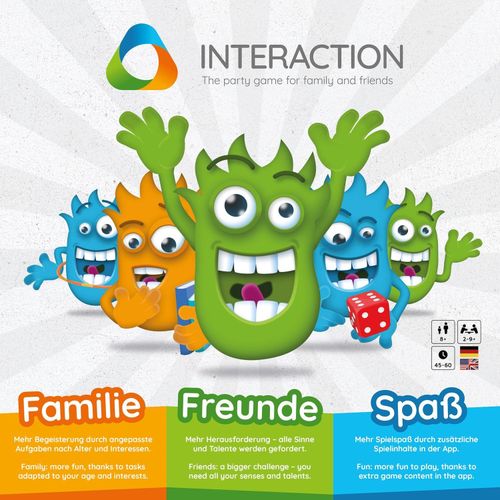
INTERACTION: No more boredom!
INTERACTION: No more boredom! Rulebook
Table of Contents
Table of Contents
1. Game materials
INTERACTION includes the following components:
- 1 game box
- 1 puzzle game board
- 1 W6 dice
- 1 capacitive pen
- 3 play markers (green, blue and orange)
- 3 large playing pieces (green, blue and orange)
- 1 card set, consisting of:
- 15 Knowledge Cards
- 15 Creative Cards
- 15 Action Cards
- 15 Social Cards
- 15 Games Cards
- 15 Shitty Cards
- 1 sticker sheet
- 1 activation card
- 1 support card
- 1 quick start guide
Player count: 2–9+ players. Age: 8+. Playing time: 40–60 minutes.
2. Before the first game
Before the first round of play, the players have to take care of a few small things.
2.1 Design of the game figures (Meebs)
The game comes with green, orange and blue playing pieces as well as a sheet of stickers with eyes and mouths. Each team gets a playing piece in their desired color and the matching sticker set. The teams can then design their playing piece (Meeb) accordingly.
2.2 Installation of the INTERACTION app
One player needs to download the free game app onto their smartphone or tablet. To do so, they open the following web address in the browser on their device:
https://interaction-game.com/app
The website forwards the player automatically to the right app in the Apple Store or Google Play Store.
The player downloads the app – note: additional charges for data could apply, depending on the network provider – and installs it onto their smartphone or tablet. Once the installation is complete, the player starts the app.
2.3 Setting up the account
In order to play, at least one player needs to have a free "combined games" account. If the player doesn't have an account yet, they can open one directly in the app. To do so, the player presses the "Register Account" button in the app, enters their email address and chooses a password. To complete the registration, the player presses on the "Register" button. The player can then complete their player profile (optional).
Note: To activate the account, the player must click on the link in the confirmation email within 30 days.
2.4 Activation of the game
Next, the player enters the code on the activation card into the INTERACTION app when prompted. This activates the game and opens up the available game content.
3. Game preparations
3.1 App settings
One player starts the app, logging into his "combined games" account. The player then selects the appropriate number of players (name and age) and adds them to the individual teams (orange, green or blue). Up to three players can play on a single team. The player then presses "Next".
3.2 Assembling the game board
The players put together the puzzle pieces that make up the game board and place the part with the progress box in the center.
3.3 Prepare playing cards
Players then shuffle the 5 Category Cards and the Shitty Card stacks separately and place them next to the game board.
Each team then draws three cards from the Shitty Card stack.
3.4 Ready, set, go
Each team now places the round wooden marker of their color on the start area (with the arrow) in the progress box in the middle of the game board. They then place the playing piece (Meeb) of their color on the Joker or the start area in that color (with the star) in the action area of the game board.
Finally, one player presses "Next" in the app to start the game.
4. How to play
In each round of play, every player on a team has a turn to play. The INTERACTION app displays the current player.
Each player goes through the following phases of the game in one round:
4.1 Roll the dice
The current player rolls the red dice and moves their team's playing piece (Meeb) clockwise around the action field based on the number on the dice. The player then presses "Next" in the app.
The app now automatically selects a mini-game in the corresponding category for the player. The player acknowledges this by pressing "Next".
4.2 Select category
The player presses the symbol for their playing piece (Meeb) in the app; this selects the play category (knowledge, creativity, action, social or games). If the playing piece is on a Joker field (marked with a star), the player can choose whatever category they want in the app.
4.3 Play the cards
The teams now have the opportunity to play as many cards as they like. They are of the following types:
Shitty Cards. Opposing teams can use these cards to make the current player's game task more difficult. For each card played, the current player presses the "Shitty symbol" in the app.
Lovely and Category Cards. The player's own team can play Category Cards to make their team member's task easier. The current player presses the "Lovely symbol" in the app.
Opposing teams play these cards to make the current player's task more difficult, just like the Shitty Cards. The active player then presses the Shitty symbol in the app.
Joker Cards. The red Joker Cards can be used to "steal" the mini-game from the current player. If someone plays a Joker Card, the player then presses the "Star symbol" in the app.
In the next step, the team that played the Joker Card now chooses one player to complete the game task.
But be careful! There are special rules here:
- If the new player solves the game task, then:
- The original team draws the top card from the corresponding category stack.
- The team that stole the task moves their wooden marker ahead one space in the progress box.
- If the new player fails to solve the task, then:
- The original team can advance their wooden marker one space in the progress box.
- The new player gets nothing.
4.4 Playing a mini-game
The selected mini-game now starts. The specific tasks vary based on the age, location and interests of the player. They simply follow the instructions in the app to master the game task.
4.5 Victory and defeat
Moving the marker. If the current player has successfully completed the mini-game, he can move his team's round wooden marker ahead one space in the progress box. Then press "Next".
Example mini-game: Muscle Machine.
Draw cards. If the player has won the mini-game, they must draw the top card from the respective category stack. If not, they must take one from the "Shitty" stack.
Attention: A team can hold a maximum of 5 cards; if a team already has 5 cards, they cannot take any more cards.
Exchange cards. Regardless of whether or not the active player has won or lost the mini-game, their team can exchange three cards in the same category in the team color or three cards from different categories. Joker Cards function as wild cards here, representing any category card in the team color. Changing the cards triggers a special action in the progress box. The player simply follows the instructions in the app.
Possible special functions can include, for example:
- Advance to the next team
- Move all opposing teams back 1 space
- Advance 3 spaces
- Take one card from each opposing team
The player completes their turn by pressing the "Next" button in the app and the next player rolls the dice to start their turn.
Exchange cards: 3 cards of the same category in team color, or 3 cards of different categories in team color.
5. The aim of the game
The goal of the game is to move the round wooden marker to the final space in the progress box by solving the mini-games. The game ends as soon as one team moves their marker into the final space.