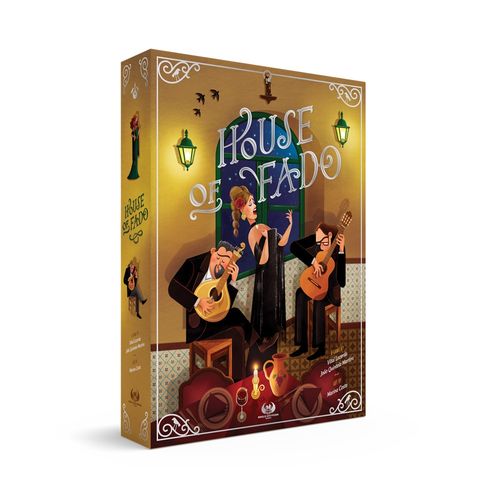
House of Fado
House of Fado Rulebook
Table of Contents
Table of Contents
Components
- 1 Game board
- 4 Restaurant boards (1 per player color)
- Musician tiles: 6 Portuguese guitar players, 6 singers, 6 classical guitar players
- 18 Fado tiles (6 x 3 VP, 4 x 5 VP, 8 x 7 VP)
- 33 Notation tiles (4 types)
- 36 Customers (8 gray, 12 black, 16 brown)
- 3 Critics (salmon meeples)
- 1 Customer bag
- 18 Dice
- 5 Stars
- 1 First Player marker
- 3 Billboard Scoring tiles
- 12 Workers (3 meeples per player color)
- 32 Prestige cubes (8 per player color)
- 4 Scoring disks (1 per player color)
- 4 Decoration tiles
- Coins (1s, 5s, and 10s)
Game Overview
In this game, you will gain prestige for your Fado house by managing your restaurant. You will use your Workers to hire and promote Fado musicians and attract customers and critics, and you will use your hired musicians to write Fados.
Writing Fados, improving and promoting your musicians, and earning money and Stars for your restaurant will earn you Prestige points on the Scoring track. The player with the most Prestige points at the end of the game will be the winner.
Setup
Game Board Setup
- Place the game board in the middle of the table.
- If you are playing with 4 players, you will use all the Musician tiles. If playing with 3 players, separate the Musician tiles with 4 on their backs and place them back in the game box. They will not be needed in this game. If you are playing with 2 players, return the Musician tiles with 3+ and with 4 on their backs to the game box. Create the musicians market by placing the remaining Musician tiles face up on the corresponding spaces on the game board, according to their specialty (Portuguese Guitar, singer, or classical guitar).
- Sort the Notation tiles into 4 stacks according to the note depicted on them. Place each of these stacks face up on the corresponding spaces on the game board.
- If you are playing with 2 players, you will only use the Fado tiles with 2 on their back, place the others back in the game box. They will not be needed in this game. Shuffle the remaining Fado tiles face down to form the Fado stack and place it to the left of the game board. Place the top 4 tiles in the stack face up on the game board as shown. Flip the topmost Fado tile in the Fado stack face up and place it back on the top of the stack.
- Place a number of Customers of different colors in the Customer bag according to the number of players: 2 gray, 3 black, and 4 brown Customers per player. In a 2- or 3-player game, return the remaining Customers to the game box. Place 3 groups of Customers on the game board. For each group, draw 4 Customers at random from the bag and place them in the corresponding spaces as shown. Place the Customer bag next to the game board.
- Place Critics on the game board in the appropriate spaces:
- In a 4-player game, place 3 Critics on the game board, 1 with each group of Customers.
- In a 3-player game, place 2 Critics on the game board, 1 with the leftmost group and 1 with the rightmost group of Customers.
- In a 2-player game, place 1 Critic on the game board, with the middle group of Customers.
- In a 2- or 3-player game, return the remaining Critics to the game box.
- Place the 5 Stars in the appropriate places on the game board as shown.
Player Setup
A. Each player: Choose a color and take: 1 Restaurant board, 3 Workers, 8 Prestige cubes, and 1 Scoring disk in your chosen color, 1 Decoration tile, and 5 money.
B. Cover the 4-Customer table on the right of your Restaurant board with your Decoration tile.
C. Place 1 of your Prestige cubes on each space of the Prestige track on your Restaurant board.
D. Take and place a treble clef Notation tile on the appropriate space at the bottom of your Restaurant board.
E. Place your Workers and your money next to your Restaurant board.
F. Place your Scoring disk next to the 1 space of the game board's Scoring track.
First Player
The player who has most recently listened to a fado song is the first player. Alternatively, you may choose the first player using any method you prefer. The first player takes the First Player marker.
How to Play
The game is played in a clockwise order starting with the first player.
On your turn, place one of your Workers on one of the seven Action spaces on the game board or on the Action space on your Restaurant board. You may then perform the action of that Action space. When your action is complete, play proceeds to the next clockwise player.
In each of your first three turns, the Worker you are placing is taken from those placed next to your Restaurant board during setup. From your fourth turn onwards, it is taken from those placed on a previous turn.
If you want to place your Worker on an Action space that is occupied by another player's Worker, the other player's Worker is moved to an unoccupied Kick-out space for that Action space. They may immediately receive the benefit depicted on that Kick-out space. If there is more than one unoccupied Kick-out space, the player whose Worker is being moved chooses which Kick-out space their Worker moves to.
Golden Rule: You may not place a Worker on an Action space if you already have a Worker on that Action space or on any of the three Kick-out spaces for that Action space.
In addition, you may not place a Worker on an Action space if you took it from that Action space or any of the three Kick-out spaces for that Action space.
Example 1: The yellow player wants to activate the action occupied by the blue player so the blue player is kicked from the action and chooses one of the 3 bonuses available below. He chooses the money (1 coin that he gains immediately) and the yellow player performs the chosen action.
Example 2: The yellow player may not place a Worker on this Action space as they already have a Worker on a Kick-out space for that Action space.
Example 3: The yellow player may place their Worker on this Action space as long as it was not taken from that Action space or any of the three Kick-out spaces for that Action space.
Your Workers
Having all 3 of your Workers placed on the game board makes it more likely you will gain the benefit of a Kick-out space, but gives you fewer options when it comes to choosing an action to perform on your turn. Once a Worker is placed on the game board it may never be returned to the area next to your Restaurant board.
Locations
There are 4 locations on the game board, each of which contains either 1 or 2 Action spaces.
Location #1 // Musician Market
Action: Hire Musicians
When you take this action, choose up to 1 Musician tile from the group of Musician tiles to the left and up to 1 Musician tile from the group of Musician tiles to the right of the Action space where you placed your Worker. If you choose a Musician tile without a die on it, immediately place a die showing a 1 on that tile to indicate that Musician has a Fame of 1. The cost to hire each musician is calculated by adding together:
- An amount determined by the Fame of the musician. The Fame of a musician is indicated by the die on the Musician tile. The cost is shown in the top left of your Restaurant board. Note: It is not possible to hire a musician with a Fame of 6.
- An amount determined by the specialty of the musician, shown on the game board above the group of Musician tiles of that specialty.
Cost of each Fame of musician:
- Fame 6: Cannot be hired
- Fame 5: 15 money
- Fame 4: 10 money
- Fame 3: 6 money
- Fame 2: 3 money
- Fame 1: 1 money
Example: The yellow player wants to hire a Fame 2 Portuguese Guitar player and a Fame 1 singer. The cost to hire the Portuguese Guitar player is 4 (3 for hiring a Fame 2 musician +1 for hiring a Portuguese Guitar player from the market). The cost to hire the singer is 3 (1 for hiring a Fame 1 musician + 2 for hiring a singer from the market).
After hiring a musician, place the Musician tile on the corresponding space on your Restaurant board according to the musician's specialty (a Portuguese Guitar player on the leftmost space, a singer in the middle space, or a classical guitar player on the rightmost space). Each Musician tile has a note depicted in its bottom left corner; take a Notation tile from the stack on the game board matching that note and place it on the matching space at the bottom of your Restaurant board.
You may only have one musician of each specialty in your restaurant; if you already have a musician of a given specialty, you may not hire another of that same specialty.
Resident Musicians
The three musicians depicted on your Restaurant board are resident musicians who are always ready to play every night. The musician on the left is a Portuguese Guitar player, the musician in the middle is a singer, and the musician on the right is a classical guitar player. Resident musicians are considered to have a Fame of 0. Hiring more accomplished musicians will earn you Prestige points when you dismiss them, send them to the Billboard, or at the end of the game.
Your Bar
The bar can hold at most 2 Customers at a time. Customers at your bar will not earn you any money, but their applause will increase the Fame of your musicians when you close your bar for the day. (see Restaurant Board, below)
Note: The only way to get Customers at your bar is from Kick-out spaces.
Kick-out Spaces
The benefits of the Kick-out spaces for this action are:
- Take 1 money.
- Choose a Customer from the group of Customers to the left or right of the Kick-out space you moved your Worker to. Place the chosen Customer on an unoccupied space at your bar on your Restaurant board.
- Pay 1 money to choose a Customer from the group of Customers to the left or right of the Kick-out space you moved your Worker to. Place the chosen Customer on an unoccupied space at your bar on your Restaurant board.
There are 2 spaces for Customers at your bar. If you do not have an unoccupied space, you may not place another Customer there. This benefit does not allow you to take a Critic.
Location #2 // Street
Action: Bring in Customers
When you take this action, you may choose to either bring in Customers or a Critic. You may not bring in both Customers and a Critic with the same action.
If you choose to bring in Customers, choose up to 4 Customers from either the group of Customers to the left or the group of Customers to the right of the Action space where you placed your Worker. You may not choose to bring in Customers from both groups with the same action.
Take the chosen Customers and place them all at one empty table in your restaurant. You may not split the Customers between tables. The maximum number of Customers that may be seated at each table is indicated on the table itself (up to 2 at the first, leftmost table, up to 3 at the second table, and, if you have unlocked your third table, up to 4 at that table). Consequently, you may not take more Customers with this action than spaces you have remaining at a single empty table.
Unlocking Your Third Table
Once the 5th Prestige cube is removed on your Prestige track at the bottom of your restaurant board you unlock your third table; remove your Decoration tile from the game.
If at the end your turn there are 0 or 1 Customers remaining in any group in the street, refill that group back to 4 Customers by drawing Customers at random from the bag. Do not count any Critic that may be with that group of Customers. If there are no Customers remaining in the bag and you need to draw more, place all the Customers that are in the discard pile into the bag and continue refilling. In case there are more than one Customer group to refill, do it always from left to right.
Customers
Customers are important as they earn you money! The higher your restaurant's Prestige, the more money you will earn from each Customer. Their applause will also increase the Fame of your musicians.
If you choose to bring in a Critic, pay the cost indicated on the Prestige track on your Restaurant board and take a Critic that is with either the group of Customers to the left or the group of Customers to the right of the Action space where you placed your Worker. If there are no Critics with either of these groups of Customers, you may not choose to take a Critic. Place the chosen Critic at an empty table in your restaurant. Additionally, if you already have a Critic in your restaurant, you may not bring in another.
Cost to Bring in a Critic
- 0 or 1 Prestige cubes have been removed: 3 Money
- 2 or 3 Prestige cubes have been removed: 2 Money
- 4 or 5 Prestige cubes have been removed: 1 Money
- 6 or more Prestige cubes have been removed: 0 Money
Critics
Having a Critic review your restaurant will increase its Prestige. However, Critics must be paid when brought into your restaurant, and the lower your restaurant's Prestige, the more you will have to pay. They also take up an entire table, do not applaud your musicians, and do not pay for their food!
Kick-out Spaces
The benefits of the Kick-out spaces for this action are:
- Take 1 money.
- Pay 1 money to take a Notation tile from the game board and place it on the appropriate space at the bottom of your Restaurant board.
- Pay 2 money to take a Notation tile from the game board and place it on the appropriate space at the bottom of your Restaurant board.
Location #3 // Rehearsal Room
Action: Write Music
When you take this action, you may choose to either score a Fado tile or gain a Notation tile. You may not do both with the same action.
If you choose to score a Fado tile, choose a Fado tile on the game board. For each musical symbol on the chosen Fado tile, return a Notation tile that depicts that musical symbol from your Restaurant board to the appropriate space on the game board. If you do not have all the required Notation tiles on your Restaurant board, you may not choose to score that Fado tile. Place the chosen Fado tile on the painting in your restaurant and score the Prestige points shown on the Fado tile on the Scoring track.
Immediately after scoring the Fado tile, place the topmost Fado tile in the Fado stack on the game board in the space that contained the Fado tile that has just been scored. Flip the topmost Fado tile in the Fado stack face up and place it back on the top of the stack.
Note: You may not score the topmost Fado tile on the Fado stack. It is face up just to show you the next Fado tile that will be available to be scored.
The first player to score 3 Fado tiles gains the Star beside the Fado tiles on the game board and places it in front of them.
Gaining a Star
There are several ways you may gain one of the Stars on the game board. When you gain a Star, place it in front of you. You will score Prestige points at the end of the game for any Stars you have gained.
If you choose to gain a Notation tile, take a Notation tile from the game board and place it on the appropriate space at the bottom of your Restaurant board. You can have Notation tiles of the same type.
Kick-out Spaces
The benefits of the Kick-out spaces for this action are:
- Take 2 money.
- Increase the Fame of one of the Musician tiles on your Restaurant board by 1 by paying an amount of money equal to their new Fame, and adjusting their die accordingly. If you do not have enough money you may not gain this benefit.
Example: If you use this benefit to increase the Fame of one of your Musician tiles from Fame 3 to Fame 4, you must pay 4 money.
Location #4 // Billboard
This location has 2 Action spaces, each of which allows you to either promote a musician or contract a renowned musician. You may not do both with the same action.
Action: Promote a Musician
Take a Musician tile from your Restaurant board and place it on the appropriate space in the Billboard location according to the musician's specialty (Portuguese Guitar player on the leftmost space, singer on the middle space, and classical guitar player on the rightmost space).
You may only promote a Portuguese Guitar player or a singer with the leftmost billboard Action space and you may only promote a singer or a classical guitar player with the rightmost billboard Action space. You may only promote a Musician with at least a Fame of 2. If there is already a Musician tile on that space, the Fame of the Musician tile you are placing must be higher than the Fame of the Musician tile already on the space; return the Musician tile already on that space to a space in the appropriate area of the musicians market along with the die on it. The Fame of that Musician tile does not change.
Take the leftmost Prestige cube from your Prestige track and place it on an empty space next to the Musician tile you just placed. Score Prestige points equal to the number on the die on the Musician tile. If you don't have any Prestige cubes left on the Prestige track you cannot Promote a Musician.
Note: A Fame 6 Musician tile promoted to a space on the Billboard may not be replaced and no player may promote another musician of the same specialty for the remainder of the game.
Action: Contract a Renowned Musician
Choose a Musician tile in the Billboard location and pay an amount of money determined by its Fame as shown in the top left of your Restaurant board (1 money for a Fame 1 musician, 3 money for a Fame 2 musician, and so on). Place the Musician tile on the corresponding space on your Restaurant board according to the musician's specialty (a Portuguese Guitar player on the leftmost space, a singer in the middle space, or a classical guitar player on the rightmost space).
You may only contract a Portuguese Guitar player or a singer with the leftmost billboard Action space and you may only contract a singer or a classical guitar player with the rightmost billboard Action space. You may not contract a Fame 6 musician.
You may only have one musician of each specialty in your restaurant; if you already have a musician of a given specialty, you may not contract another. You always get a Notation tile for each contracted musician.
Kick-out Spaces
The benefits of the Kick-out spaces for this action are:
- Take 2 money.
- Take a Notation tile from the game board and place it on the appropriate space at the bottom of your Restaurant board.
- Choose one Customer from the group of Customers to the left or right of the Kick-out space you moved your Worker to. Place the chosen Customer on an unoccupied space at your bar on your Restaurant board. If you do not have an unoccupied space, you may not receive this benefit. This benefit does not allow you to take a Critic.
Restaurant Board
Your Restaurant board has 1 Action space which only you may use. Consequently, it has no Kick-out spaces. This Action space allows you to close your restaurant for the day.
Action: Close Your Restaurant
When you take this action, perform the following 5 steps in the order shown:
Step 1 // Customers Pay for Their Meals
For each Customer at a table in your restaurant, you receive the amount of money indicated on your Prestige track.
You do not receive money for any Critic you may have in your restaurant or any Customers at your bar.
Money received for each Customer at a table:
- 1 money if you have removed 2 or fewer Prestige cubes
- 2 money if you have removed 3 to 6 Prestige cubes
- 3 money if you have removed 7 or more Prestige cubes
Step 2 // Customers Applaud
At the start of this step, ensure all Customers in your restaurant are lying down.
You may increase the Fame of the Musician tiles in your restaurant by standing up 1 or more lying down Customers (representing them applauding your musicians). Customers at tables and at the bar may be used to increase a musician's Fame. For each musician whose Fame you wish to increase, you must stand up a number of lying down Customers as shown in the top left of your Restaurant board according to the Fame of the Musician tile.
Number of Customers required to increase the Fame of a musician:
- From Fame 5 to Fame 6 or Fame 4 to Fame 5: 3 Customers
- From Fame 3 to Fame 4 or Fame 2 to Fame 3: 2 Customers
- From Fame 1 to Fame 2: 1 Customer
You may only increase the Fame of a guitar player (Portuguese or classical) by standing up gray and/or brown Customers. You may only increase the Fame of a singer by standing up gray and/or black Customers.
Customer types required to increase the Fame of a musician:
- Portuguese Guitar player - gray or brown
- Singer - gray or black
- Classical guitar player - gray or brown
You may increase the Fame of several different Musician tiles and you may increase the Fame of the same Musician tile more than once if you wish (and you stand up enough Customers to do so).
The Customers you stand up may be anywhere in your restaurant: at any table or at your bar. Each Customer you stand up may only be used to help increase the Fame of one Musician tile by 1 Fame. You may not use a Critic to help increase the Fame of a Musician tile.
Designer's tip: "Specific color choices are offered to Customers based on the type of musicians and cultural influences. Brown signifies an appreciation for wooden instruments like guitars, while black is associated with singers, as Fado singers traditionally attire themselves in black. This color distinction not only aids in recalling which Customers applaud for which musicians but also adds a layer of cultural significance."
Example: You have 3 Musician tiles (two with a Fame of 2 and one with a Fame of 3) and a total of 3 brown, 1 black, and 1 gray Customers in your Restaurant, as well as a Critic. You stand up 2 brown Customers to increase the Fame of your classical guitar player from 3 to 4. (1)
You cannot increase the Fame of that Musician tile to 5 as you would need to stand up 3 more gray and/or brown Customers and you only have 2 more that remain lying down.
You could increase the Fame of your Portuguese Guitar player by standing up the gray Customer and the remaining lying down brown Customer or you could increase the Fame of your singer by standing up the gray and black Customers. However, you do not have enough lying down Customers to do both.
You decide to increase the Fame of your singer from 2 to 3, standing up the gray and black Customers. (2)
The remaining lying down brown Customer is not enough to increase the Fame of any of your Musician tiles any further. The Critic may never be used to increase the Fame of a Musician tile.
Step 3 // The Top of Their Career
If a musician reaches Fame 6, they are at the top of their career!
If they are the first musician of their specialty to reach Fame 6:
- Immediately place their Musician tile in the appropriate space of the Star Musicians area of the game board.
- Gain the Star below that space.
- Score 6 Prestige points.
If they are not the first musician of their specialty to reach Fame 6, do one of the following:
- Immediately remove the Musician tile from the game and score 6 Prestige points.
- Leave the Musician tile in your restaurant.
Step 4 // Keep or Dismiss Musicians
For each Musician tile in your restaurant, you must decide if you will keep the musician or dismiss them.
If you decide to keep a musician, simply leave the Musician tile in your restaurant.
For each musician you decide to dismiss:
- Return the Musician tile to a space in the appropriate area of the musicians market along with the die on it. The Fame of the Musician tile does not change.
- Score Prestige points equal to their Fame.
Critic Reviews the Restaurant
If you have a Critic in your restaurant, remove the 2 leftmost Prestige cubes on your Prestige track from the game and return the Critic to one of the Customer groups on the game board without a Critic.
Step 5 // Customers Leave the Restaurant
Remove all Customers from your restaurant and place them in the Customer discard pile.
Example: A player is closing his restaurant:
1. Customers pay for their meals. The player receives 6 money from the 3 Customers at the middle table (2 money for each, according to their Prestige track). The Critic does not pay for the meal, and the 2 Customers at the bar do not pay either, since they are not dining.
2. Customers applaud. The player decides to proceed as follows: a) One of the brown Customers at the table stands up and applauds the Portuguese Guitar player (on the left). That musician's Fame increases from 1 to 2. b) The other brown Customer at the table and the brown Customer at the bar stand up and applaud the classical guitar player (on the right). That musician's Fame increases from 3 to 4. c) The black Customer at the table and the gray Customer at the bar stand up and applaud the singer (in the middle). The singer's Fame increases from 2 to 3.
3. Keep or dismiss musicians. The player decides to dismiss the Portuguese Guitar player, but keep the other two musicians. They return the dismissed Musician tile to the Portuguese Guitar area of the musicians market and score 2 Prestige points as it has a Fame of 2.
4. Critic reviews the restaurant. 2 Prestige cubes are removed from the Prestige track. This causes the table icon to be reached, so the Decoration tile is removed from the Restaurant board, making the third table available. The Critic is returned to a Customer group on the game board without a Critic.
5. Customers leave the restaurant. The Customers in the restaurant are placed in the Customer discard pile and the Critic is returned to the game board.
Prestige Track
Your Prestige track may be improved by removing the Prestige cubes from it. Prestige Cubes are removed when you promote a musician and after each Critic review.
Removing Prestige cubes from your Prestige track provides the following benefits:
- After the 2nd, 4th, and 6th Prestige cubes are removed, the cost of bringing in a Critic is reduced.
- After the 3rd and 7th Prestige cubes are removed, the money you receive for each Customer at a table in your restaurant is increased.
- When the 5th Prestige cube is removed, you remove the Decoration tile from your Restaurant board and unlock your 4-Customer table.
A Placa Estelar
The Star you gain for being the first player to remove all of their Prestige cubes is a prestigious Placa Estelar for exceptional cuisine. It's not worth any more than any other Star you may gain, but still, good work!
If you are the first player to remove all of your Prestige cubes from your Prestige track, you gain the Star next to the table icon in the bottom right of the game board.
End of the Game
Once the third Star has been gained, complete the current round so all players have an equal number of turns. The game then ends and you perform final scoring.
Final Scoring
Each player scores the following Prestige points during final scoring:
-
Each Musician tile in their restaurant scores Prestige points equal to its Fame.
-
Each player scores Prestige points based on the number of Stars they have gained according to the following table:
Stars gained 1 2 3 4 Prestige points 10 15 21 28 -
Score each specialty on the Billboard using the Billboard Scoring tile below it. The player with the most Prestige cubes next to a specialty scores the highest number of Prestige points on the Billboard Scoring tile. The player with the second most Prestige cubes next to a specialty scores the second highest number of Prestige points on the tile.
In a 3- or 4-player game, the player with the third most Prestige cubes next to a specialty scores the third-highest number of Prestige points on the tile.
In the case of only one or two players having Prestige cubes next to a specialty in a 3- or 4-player game, or only one player having Prestige cubes next to a specialty in a 2-player game, no other player scores for the corresponding Billboard Scoring tile.
In Case of a Tie
In the case of a tie, sum the Prestige points for several places according to the number of tied players, and divide the total by the number of tied players (rounding down).
Example: The Yellow player has the most Prestige cubes on the Billboard, earning 14 Prestige points. The Purple and Green players are tied for second with 2 Prestige cubes each, earning 6 Prestige points each (8+5, divided by 2, and rounded down). The Blue player scores 0 Prestige points.
-
Each player scores Prestige points based on the number of Fado tiles they have scored during the game according to the following table:
Fado tiles scored 1 2 3 4 Prestige points 3 6 10 15 Note: Even if a player has scored more than 4 Fado tiles during the game, they still only score 15 Prestige points.
-
1 Prestige point for every 5 money they have.
The player with the most Prestige points is the winner.
In the case of a tie, the tied player with the most Stars wins. If there is still a tie, the tied player who scored the most Fado tiles wins. If there is still a tie, the tied player with the most money wins. If there is still a tie, the tied players share the victory.
Recreation from the painting by the Portuguese painter José Malhoa created in 1910. Oil painting on canvas.
Solo
The solo game follows a similar structure to the 2-player game, but you will be facing against an automaton called Alfama.
Game Setup
Choose the color you will play and a color for Alfama. Set up the game in the same way as for a 2-player game with the following exceptions:
- Alfama does not receive any money.
- Alfama's 3 Workers are placed on the game board at the beginning of the game.
To determine the placement of Alfama's first Worker, roll a die. Count the leftmost Musician Market space as space 1 and proceed clockwise, making space 2 the rightmost Market space, space 3 the rightmost Street space, and so on, with space 6 being the Rehearsal Room space. Place Alfama's first Worker on the space according to the value rolled on the die.
Continue in the same manner for the second and third Alfama Workers. If a space is already occupied, it is skipped, and the count moves to the next available space in a clockwise direction.
First Player
Place the First Player marker in front of you; you will be the first player.
How to Play
There are 3 important exceptions when playing the solo game:
- Alfama never receives Kick-out space benefits.
- Alfama never pays or receives money.
- The colors of the Customers in Alfama's restaurant does not affect the increasing of the musicians' Fame.
As in the multiplayer game, the solo game is played in turns. On your turn you place a Worker and take an Action in the same way as in a 2-player game.
Alfama's Worker actions and subsequent actions are entirely dependent on your choices.
The Worker moved by Alfama is always the one from the Action space right after the last Action space you used, in a clockwise direction. Then they execute the action on the next Action space available. A location is available when there are none of Alfama's Workers on the Action space and associated Kick-out spaces.
Alfama's movement always follows a strict clockwise pattern. If you place a Worker in a space already taken by Alfama, they don't receive any bonus and simply place their Worker on any Kick-out space. If Alfama encounters your Worker, you receive your chosen Kick-out bonus as usual, after which Alfama proceeds with their action.
Example: You (yellow) just finished your turn by Writing a Fado on the Rehearsal Room (1). On their turn Alfama (blue) will move the Worker closest to the Rehearsal Room in clockwise order (2). That Worker is on the left space of the Musician Market.
Alfama Actions
Musician Market
Action: Hire Musicians
When Alfama takes this action, they choose the top-left most famous Musician tile from the group of Musician tiles on the left to hire. Then they receive a wild Notation tile.
If Alfama already has a musician of that type in their restaurant, they hire the top-left most famous musician from the group on the right. Alfama pays no cost to hire a musician.
If Alfama already has both types of musicians in their restaurant, they do not perform the action from that action space. Instead, they move to the action space on the next available location in a clockwise direction and perform the action from there.
Whenever Alfama hires a musician, they pick up any Notation tile and place it face down on their Restaurant board. Alfama uses the wild notation symbol, which represents any notation (the back of the tile).
Street
Action: Bring in Customers
When Alfama takes this action, they pick from the bigger of the two adjacent Customer groups, starting with gray Customers, then brown Customers and finally the black ones, preferring the leftmost customers of each color. If both groups are the same size, choose the group in the center first.
The new Customers will always occupy the first empty table from left to right in Alfama's restaurant. If there are no Customers in the restaurant yet, they will be seated at the table for two.
The number of Customers to be picked up is always equal to the number of vacant seats at the table to be occupied.
If it is not possible to perform this action because all tables are already full, Alfama does not perform the action from that action space. Instead, they move to the action space on the next available location in a clockwise direction and performs the action from there.
Alfama never takes a Critic.
Billboard
Action: Promote a Musician
Take a Musician tile from Alfama's Restaurant board and place it on the appropriate space in the Billboard location, based on the musician's specialty. If Alfama has multiple options for musicians to promote using that action space, they choose the most famous one.
Take the leftmost Prestige cube from Alfama's Prestige track and place it on an empty space next to the Musician tile just placed. Alfama scores Prestige points on the Scoring track equal to the number on the die shown on the Musician tile.
The rules for this action are the same as in multiplayer mode. If it is not possible to perform this action because Alfama does not have the necessary musicians, they perform the Contract a Renowned Musician action.
Action: Contract a Renowned Musician
Alfama chooses the Musician tile from the left side of the Billboard location without paying any coins. Place the Musician tile on the corresponding space on Alfama's Restaurant board.
If Alfama already has a musician of the same specialty playing in their restaurant, they choose the musician on the right.
If it is not possible to perform this action, Alfama does not perform the action from that action space. Instead, they move to the action space on the next available location in a clockwise direction and perform that action.
Whenever Alfama contracts a musician, they pick up any Notation tile and place it face down on the notation symbol location on their Restaurant board. Alfama uses a wild notation symbol, which represents any notation (the back of the tile).
Rehearsal Room
Action: Write a Fado
When Alfama takes this action, they return the number of Notation tiles (in this case wild Notation tiles) from its Restaurant board to the appropriate spaces on the game board equal to the number of Notation tiles depicted on the Fado Tile on the top of the Fado Stack. Place that Fado tile on its proper place in Alfama's restaurant and score the Prestige points shown on the Fado tile.
If Alfama doesn't have the required number of Notation tiles on their Restaurant board, they may not pick the Fado tile, and instead they take another Notation tile, flip it to the Wild Symbol side, and place it on their Restaurant board.
Restaurant Board
Alfama's restaurant board functions slightly differently from the multiplayer game.
Action: Close Your Restaurant
There are two situations in which Alfama performs this action:
- Alfama closes their restaurant right after you perform the closing action. In this case, Alfama doesn't need to allocate their Worker to the restaurant. They simply perform the action, and then you take your turn again.
- If Alfama's Worker completes a full turn (clockwise) without finding a location to perform an action, they place their Worker in their restaurant action space, and Alfama proceeds to close the restaurant.
On their next turn, the Worker that Alfama will use is the one in the restaurant. Following the clockwise direction, Alfama will place their Worker at the next location in relation to the last Worker you used and execute that action.
Instead of performing the usual 5 steps for closing the restaurant, Alfama only performs the following 3 steps in order:
- Customers score. Instead of money, Alfama gains 1, 2, or 3 points for each Customer on their restaurant. The value gained is indicated by the number of coins on their Prestige cube track.
- Customers Applaud. When Customers applaud, all the musicians in the restaurant increase their Fame based on the number of occupied tables.
- If there is only one table with Customers, upgrade all the musicians by 1 Fame.
- If there are 2 tables with Customers, upgrade all the musicians by 2 Fame.
- If there are 3 tables with Customers, upgrade all the musicians by 3 Fame.
- If there are no hired musicians or no Customers at any table, remove 1 cube from Alfama's Prestige track instead.
- Customers Leave the Restaurant. Remove all Customers from Alfama's restaurant and place them in the Customer discard pile.
Final Scoring
Alfama scores as in the multiplayer game, but in the case of a tie on the billboard scoring, Alfama gets the higher scoring.