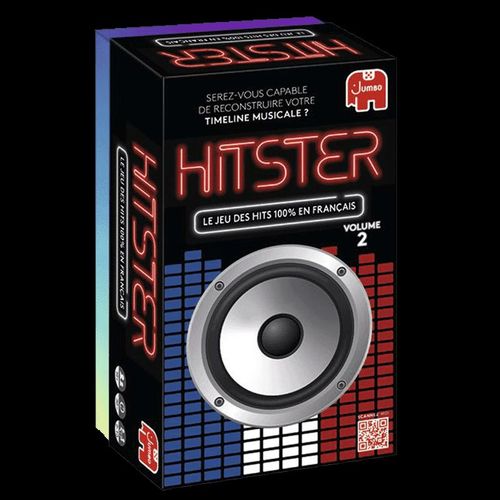
Hitster: Volume 2
Hitster: Volume 2 Rulebook
Table of Contents
Table of Contents
Let's Go!
1. Scan
The DJ scans the QR code of the first card of the draw pile with the HITSTER app, and the music starts.
2. Place the Card
When it is your turn, take the card and place it face down on your timeline, trying to guess whether it must go before, after or between the cards you already have.
3. Flip the Card
Flip the card to check that it is in the right position. If so, keep it. If not, discard it. If the year is identical to that of another card in your timeline, you can place it just before or just after it.
It is now the next player's turn.
Original Mode
Preparation
- First decide whether you want to play individually or in teams.
- Place a deck of cards on the table, QR code side up.
- Deal one card to each player (or team). Each player places their card face up (with the year showing) in front of them to start their timeline.
- To make the game more challenging, you can use the tokens (see HITSTER Tokens below).
- Open the HITSTER app on your phone.
- Choose the player who will be the DJ. This player is in charge of scanning the cards, but can still play with the others! You can keep the same DJ for the whole game or swap roles whenever you like.
- Each player draws a card at random to decide who starts: whoever draws the oldest date. Then continue clockwise. Put the cards back in the draw pile, then start the game.
Note: the DJ must not wear a smartwatch (such as an Apple Watch) during the game, because this kind of device may display information about the songs.
Music Settings
How the songs are played depends on the streaming platform you use and the type of account you have.
If you play without an account or with a free account. You will only hear a short excerpt of the song. You can choose one of two playback options in the SETTINGS menu of the app:
- Gyroscope — The music starts when you lay the phone face down.
- Countdown — The song starts playing after a short 3-second countdown. Make sure you place your phone face down before the countdown ends.
If you play with a paid account. In addition to the playback options above, you can also choose how you want to listen to the songs:
- Full tracks — Listen to the whole song from the start. Ideal for enjoying the best experience.
- Previews — Quick mode! Flip your phone to start playback and listen to a short excerpt.
Who Is Declared the Winner?
The first player (or team) to correctly place 10 cards on their timeline is declared the winner!
HITSTER Tokens
To get the most out of the HITSTER experience, each player or team starts with 2 HITSTER tokens and one card.
During Your Turn
Don't know the song? Use 1 HITSTER token to skip the song and scan a new card.
During an Opponent's Turn
Do you think someone placed a card in the wrong spot? Shout "HITSTER" and place 1 token on your opponent's timeline, at the spot where you think the card should be placed. If you are right, take the card and place it on your own timeline. Return the used tokens to the game box.
At Any Time
Exchange 3 HITSTER tokens for a card from the draw pile and place it directly on your timeline. No need to guess the year! You do not need to wait for your turn to do this.
How to Earn HITSTER Tokens
During your turn, you can earn 1 HITSTER token if you manage to guess the title and the artist of the song. In that case, you earn the token even if you did not correctly place the card on your timeline. Players cannot have more than 5 tokens at a time during the game.
Notes
- If you think an opponent made a mistake but they were right, your action is cancelled and your opponent keeps the card. Even if you placed your token on another correct position of their timeline (e.g. two cards with the same year), the player whose turn it is keeps the card and you lose your token.
- The player who shouts "HITSTER" fastest may place their token first. If another player also shouts "HITSTER", they may choose to place their token at a different spot on the opponent's timeline to try to steal the card. It is not possible to place two tokens at the same spot on an opponent's timeline.
Advanced Modes
For a more balanced game, each player (or team) can choose their own difficulty level:
PRO
You must not only place the card correctly on the timeline, but also name the artist and the song title in order to win or steal a card.
Each PRO player starts with 5 tokens and cannot earn any more for the rest of the game.
EXPERT
You must not only place the card correctly on the timeline, but also name the artist, the title and the exact release year of the song in order to win or steal a card.
Each EXPERT player starts with 3 tokens and cannot earn any more for the rest of the game.
COOPERATIVE
Start with 5 tokens and 1 card on your timeline. Work as a team to place new cards in the right position. If you make a mistake, you lose a token.
You win the game if you manage to correctly place 10 cards before running out of HITSTER tokens.
Alternative Rules
To make the game even more challenging, reduce the number of HITSTER tokens. Or increase the number of cards needed to complete your timeline.
Frequently Asked Questions
How do I play the music? When opening the app, follow the on-screen instructions to connect to your favourite music streaming service, or choose to listen to music without an account. If you play without an account, the track starts playing either after you physically turn your phone face down ("Gyrosensor") or after a short 3-second countdown ("Countdown"). If you have a paid account, you can choose between listening to the whole song from the start ("full tracks") or enjoying an excerpt ("Previews"). Please see the game rules for more details on how to play music.
Can I play HITSTER without the card deck? No. You need the HITSTER cards to be able to play. For more information, see our list of retailers.