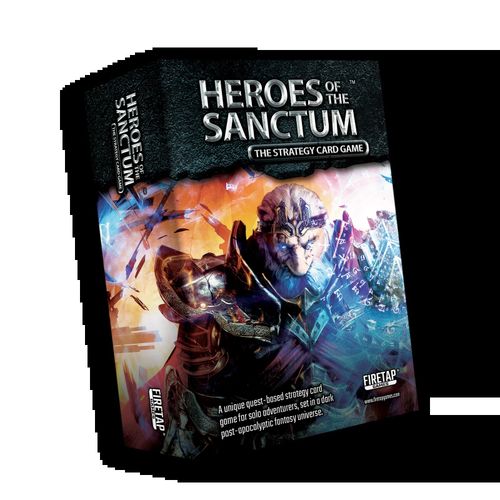
Heroes of the Sanctum: The Strategy Card Game
Heroes of the Sanctum: The Strategy Card Game Rulebook
Table of Contents
Table of Contents
Game Overview & Objective
Heroes of the Sanctum: The Strategy Card Game™ is a strategic, quest-based solo adventure set in a dark, post-apocalyptic fantasy universe. Players must first assemble a party of 4 heroes (out of the available 12) and select a quest to undertake. Players will travel through dangerously reactive environments, interact with the area around them and become more powerful by defeating enemies, finding loot, managing equipment, and advancing their heroes. Players are victorious if they can successfully complete the objectives on their chosen quest card.
Game Components
- 12 x Hero Cards
- 30 x Threat Cards
- 11 x Quest Cards
- 16 x Loot Cards
- 15 x Proximity Cards
- 18 x Region Cards
- 2 x Sanctum Banner Cards
- 1 x Standard Bearer Card
- 12 x Stratagem Cards
- 1 x Quest Tracker Card
- 5 x Quest Tokens
- 33 x Damage Tokens
- Time & Scout Tracker Tokens
- 4 x Stunned / Defence Tokens
- 12 x Hero Tokens
Game Setup
Follow these steps to setup a game of Heroes Of The Sanctum:
-
Choose Heroes & Setup Battle Lines: Place 4 heroes around 2 Sanctum Banners in the middle of the Battlefield. Heroes can start in any position but the layout shown in the diagram must be followed. New players should use Pathbreaker, Assassin, Warlock and Spirit Dancer. Heroes should not be Advanced (unless directed by a Quest card).
-
Choose & Setup Quest: Select a Quest card. If it is your first play through, start with the tutorial Quest named 'Answering The Call'. Read the setup side of the Quest card and follow its instructions.
-
Create Region Stack: Setup a stack of Region cards by reading the Region Stack Setup text on the Quest card. Ensure the ARRIVED keyword is facing up on each Region. Place the Quest card (quest side up) above the Battle Lines and the Region stack close in front of you.
-
Setup Proximities: Look at the Proximity Setup Icons on the first region in the stack. Find the Proximity cards that match the number shown on the icons. Position them in the corners of the Battlefield as shown by its icon. Then, place the other Proximity cards in a deck nearby.
-
Prepare Stratagem Deck: Place the Stratagem deck (facing up) below the Battlefield. Ensure 'It Comes Full Circle' is the top card.
-
Quest Tracker: Place the Quest Tracker near the Stratagem deck. Set Time Token to 1 on the Time Track and Scout Token to 0 on the Scout Track.
-
Prepare Token Supply: Place Damage and Quest Tokens in nearby supplies. Then, place 4 Hero Tokens (matching the icons of the chosen Hero cards) and Defending/Stunned Tokens next to the Stratagem deck.
Ensure cards are in easy reach of players. Then, the Hero Phase begins.
How To Play
Choose A Difficulty Mode:
- Adventurer: At the start of a quest, Advance 2 Heroes and discard 1 threat.
- Champion: At the start of a quest, Advance 1 Hero.
- Hero: No changes (for experienced players only!)
Game Phases
Every Game Round of Heroes Of The Sanctum is played over 4 phases:
- The Hero Phase
- The Threat Phase
- The Region Phase
- The Quest Phase
After setting up a Difficulty Mode, the game begins with the Hero Phase.
1) The Hero Phase
The Hero Phase allows the player to plan strategies and control heroes. In the following order, the player must:
- Reveal and resolve the Current Stratagem.
- Spend Action Points to assign and resolve Available Actions.
Solo & Collaborative Mode
The player resolves all actions in Solo Mode. In Collaborative Mode, multiple players can plan actions as a team with one player resolving them. Optionally, the Standard Bearer card is used to take turns resolving actions.
Revealing & Resolving The Current Stratagem
The Stratagem deck must be facing up so the top card is the only one visible and in play - this is the Current Stratagem. After the first game round, all Hero Tokens are discarded, and the top Stratagem card is moved to the bottom of the deck to reveal a new Current Stratagem.
After revealing the Current Stratagem, players must read the Narrative and resolve its effects, as it may introduce new rules for the current game round.
Spending Action Points On Available Actions
The top right of every Stratagem card shows how many Action Points the player can spend on Actions each round. On the left are 9 Available Actions that can be allocated to heroes by spending Action Points. Red actions cost 2 Action Points and blue actions cost 1.
Every hero card has a corresponding double-sided Token which displays its unique Hero Icon. To allocate a blue action to a hero, players flip its matching Hero Token to the blue side and place it on the chosen blue Available Action on the Stratagem card. Similarly, Hero Tokens are flipped to the red side when using a red Available Action.
This example shows both sides of the Pathfinder's Hero Token. It displays the same Hero Icon found on the Hero card.
Rules & Limitations
The cost of Actions cannot exceed Action Points.
Only one Hero Token can be placed on one Available Action.
Players cannot assign Actions to STUNNED or defeated heroes.
When a Hero Token has already been assigned, that hero cannot perform additional Actions (unless specifically stated by another game effect).
Heroes may remain unassigned (idle). Unspent Action Points are lost.
Example Of Spending Action Points
When a hero is assigned to an Available Action, that hero is referred to as the Current Hero.
-
The player finds the Hero Token with the matching Hero Icon and flips it to the blue side.
-
The blue side of the Hero Token is placed on the chosen blue Available Action.
-
The assigned Action is resolved (this is explained in the 'Resolving Actions' section).
This blue action has cost the heroes 1 Action Point (2 if it was red). If there are more unassigned Hero Tokens and Action Points to spend, players may continue to assign Available Actions to the remaining heroes.
Resolving Actions
When on Available Action is assigned, it must immediately be resolved. This section explains what these Actions do and how to resolve them.
ATTACK
This action allows a hero to battle a threat. Unless otherwise stated, players target 1 threat from the hero's Battle Line (or if the Quest Rules permit it, the Epic Threat located on the Quest card).
The target receives Damage (drop) equal to the hero's Attack Value (X). The equivalent Damage Tokens are placed on the target's card. Some game effects can modify the targets that can be chosen or how much damage (drop) to apply. Hero cards, Loot and other effects will inform players of this.
Refer to the 'Receiving Damage' section in the 'Rules Reference' for more details.
This example shows the Pathbreaker hero using the ATTACK action on a threat in his Battle Line. 1 Damage (equal to his Attack Value) is placed on the threat's card.
HEAL
This action allows a hero to remove 1 Damage (drop) from their horizontally adjacent Sanctum Banner. Other game effects may modify how much Damage (drop) can be removed or which hero may be chosen for healing.
Refer to the 'Healing Damage' section in the 'Rules Reference' for more details.
This example shows the Assassin hero using the HEAL action. 1 Damage is removed from the horizontally adjacent Sanctum Banner.
DEFEND
This action allows a hero to start DEFENDING which temporarily increases the hero's Defence Value (heart) by 1. A Defending Token is placed on the hero's card. Only 1 of these tokens can be placed on a hero at a time. After a threat attacks a hero, the Defending Token is removed.
Refer to the 'Defending/Stunned Tokens' section in the 'Rules Reference' for details.
This example shows the Pathbreaker hero using the DEFEND action. The Defending icon is flipped to the correct side and placed on his Hero card.
SCOUT
This action allows heroes to find a way through the Current Region. Unless otherwise stated, the Scout Token on the Scout Track is incremented by 1. Some Loot, proximities and other game effects may modify how much to increment the Scout Track.
This example shows how to increment the Scout Track with the SCOUT action.
ANY RED / BLUE ACTION
This Available Action means it is replacable. The red background means it can be replaced with any other red Action and the blue background allows it to be replaced with any other blue Action.
USE
This action allows a hero to USE one attached Loot card or Proximity card (assuming they are the Nearest Hero). The effects of the USE keyword on the chosen card are immediately resolved.
TAUNT
This action allows a hero to force a threat card in another hero's Battle Line to move into their own.
This example shows how the Pathbreaker hero uses a TAUNT action to force a threat to move from another Battle Line into his own Battle Line.
ASSIST
This action allows a hero to target another hero. If the target hero is STUNNED, the Stunned Token is removed from the target hero's card. Then, both heroes may give, take, exchange or discard any of their attached Loot cards.
MOVE
This allows any two heroes to swap their position (as long as neither of the two are STUNNED). The heroes, attached Loot and any tokens are all moved. This action can affect the Maximum Health of Sanctum Banners.
This example shows how a MOVE action swaps two hero's Battle Lines. The threats stay in the same place but the hero, attached Loot and any tokens are swapped with the other hero.
Free Actions
Some game effects may state a specific Action is "free" or may be "freely spent". If this happens, that Action no longer requires Action Points to be assigned (for the duration described by the card).
Completing The Hero Phase
Once the players have finished assigning and resolving hero Actions, the Hero Phase ends and the Threat Phase begins.
2) The Threat Phase
All ACTIVE threats retaliate in this phase. Any EXPENDED threats cannot attack or perform Threat Actions. In the following order, the player must:
- Attack the Heroes and apply damage.
- Perform Threat Actions.
Attacking The Heroes
Starting with the top left Battle Line and moving clockwise, the threats attack the heroes. The Attack Value (X) of every ACTIVE (vertical) threat in a Battle Line is tallied and subtracted by the hero's current Defence Value (heart). Any result higher than zero is applied as Damage to that hero. If the hero was DEFENDING during an attack, the Defending Token is immediately removed from the hero and put back in the supply. Lastly, if an undefeated Epic Threat exists and can ATTACK (check the Quest Rules), players decide which hero it should target. No additional Attack Values are tallied when an Epic Threat attacks a hero.
How Threats Attack Battle Lines
This example shows how ACTIVE threats attack each Battle Line.
The three ACTIVE threats in this Battle Line each have an Attack Value of 1 (X). After tallying the Attack Values, the total is 3 (X).
This hero has a Defence Value of 1 (heart) and a Defending Token (+1 heart). He has no other Loot or game effect that increases his defence. His total Defence Value is 2 (heart). Note that a Defence Value cannot be less than 0.
The attack is resolved: Attack (3 X) - Defence (2 heart) = Damage (1 drop).
1 drop is then placed on the hero's horizontally adjacent Sanctum Banner.
Threat Actions
After the threats have attacked the heroes, they proceed to perform their unique actions. Starting from the Battle Line in the top left and moving clockwise, players select an ACTIVE (unrotated) threat card and resolve its ACTION keyword.
When a threat ACTION keyword is resolved (or if no ACTION keyword exists), that threat is EXPENDED (turned sideways). Once all threats are EXPENDED, the Region Phase begins.
3) The Region Phase
The Region phase simulates environmental effects and ultimately allows heroes to journey to new areas. In the following order, the player must:
- UPDATE the Region.
- Resolve the REGION keyword on any Proximity cards.
- Decide to leave the Current Region if it has been Fully Scouted.
Updating The Region
Players flip the Region card and resolve the effects of the UPDATED keyword on the other side.
Resolving The Proximities
Starting from the top left Proximity card and moving clockwise, players check if that Proximity card has a REGION keyword. If it does, its effects are immediately resolved.
Deciding To Leave The Region
If the Scout Token on the Quest Tracker meets or exceeds the Current Region's Scout Value, it is Fully Scouted and players may choose to travel to the next Region (if one exists). If this happens, The Scout Token is reset to 0 and the Current Region is discarded to reveal the next Region card. All proximities and threats on the Battlefield are discarded. New proximities are setup, new threats are spawned and the ARRIVED keyword is resolved. Then, the Quest Phase begins.
Example Of Leaving The Region
This example demonstrates how to travel to a new Region:
After UPDATING the Region card and resolving Proximities, players check if the Scout Token matches or exceeds the Current Region's Scout Value. In the above example, both have a value of 8 which indicates the region is Fully Scouted. This gives heroes the choice to leave the Current Region (as long as there are more cards in the Region Stack). Otherwise, the game proceeds to the Quest Phase.
If the heroes leave, the Scout Token is reset to 0, the Current Region is discarded and the proximities on the Battlefield are placed back in the Proximity deck. The new visible Region card becomes the Current Region. New Proximity cards are placed on the Battlefield using the Proximity Setup Icons in the bottom left of the Current Region card.
Once the Proximities are setup, all threats in Battle Lines are discarded and new threats are spawned using the Threats To Spawn value in the top right of the Region card. Starting with the top left hero and moving clockwise, 1 new threat card is drawn and placed in its Battle Line. Repeat this until the Threats To Spawn value has been met.
Lastly, any ARRIVED keyword effects on the Current Region are resolved.
4) The Quest Phase
The Quest Phase tracks the current objectives of the chosen Quest and resolves unique events. In the following order, the player must:
- Check if the Quest's objective has been met.
- Check and resolve Quest Events.
- Check if any heroes have been defeated.
- Increment the Time Tracker.
- Activate all threats and begin a new game round.
Checking The Quest Objective
The Quest Rules on the Quest card will state the objective, e.g. "Heroes are victorious when the Dread Knight is defeated". If the conditions are met, the heroes are victorious, any defeated heroes are revived, and the Quest Phase ends.
Resolving Quest Events
Starting from the top of the card and moving downwards, Quest Events instruct players to do something based on its icon. If the icon shows a number from the Time Track, the effects should only be resolved if the number matches the actual Time Tracker value. Sometimes the Time Tracker will display an 'X', or a completely unique event will be displayed with a different icon. They too are resolved by following the instructions in the text.
Check If The Heroes Have Been Defeated
If a Sanctum Banner has taken more damage than its Maximum Health value, it is defeated and its adjacent Battle Lines collapse (see 'When A Sanctum Banner Is Defeated' in the 'Rules Reference' booklet). If all Sanctum Banners have been defeated, the Quest ends in defeat.
Increment The Time Tracker
Unless a Quest Event has already moved it this round, the Time Tracker is incremented by 1 to a maximum of 6.
This demonstrates how to increment the Time Tracker token from 1 to 2.
Activate All Threats
All threats in the Battlefield that have been Expended (rotated horizontally) should now be Activated (rotated vertically).
All threats should be Activated before the Hero Phase repeats.
Start A New Game Round
If heroes are not victorious or defeated, the Hero Phase starts again.
Strategy Tips
Selecting Your Heroes
As all heroes have unique advantages and disadvantages, assembling a well-rounded party is wise. It's recommended to focus the upper Battle Lines on defence and melee combat with a lower Battle Line focus on ranged combat, healing and specialist support. Players may use the guide below to help assemble a party of heroes before each quest:
Recommended Heroes for the upper Battle Lines: Pathbreaker, Thunderhammer, Assassin, Deflector
Recommended heroes for the lower Battle Lines: Warlock, Visionseeker, Spirit Dancer, Pyromage, Powermancer, Marksman, Lightbringer, Infiltrator
Managing Loot
Loot management should be a core part of your strategy. Try to ensure that a Loot item is given to a hero that will maximise its effectiveness.
Frequently Asked Questions
If the Quest Track is on 6, does it reset back to 1 in the Quest Phase during the "Increment Time Track" step? No. Unless a Quest Event specifically tells you to change it, it stays on 6.
Do all threats attack during the Threat Phase? No. Any EXPENDED threats cannot attack or perform Threat Actions.
Which hero does the Epic Threat attack? After all other threats attack, players decide which hero will be targeted.
What happens when the Threat/Loot Deck is depleted? All cards from its discard pile are reshuffled to recreate the deck.
Can a Defending Token stay on a Hero after the round is over? Yes it can. A Defending Token is only removed after a Hero is attacked.
If I cannot "directly assign" ATTACK actions, can I use other effects such as the "Berserker's Axe" to get around it? Yes you can! The same applies to "directly assigning" other actions.
What happens if I fulfill the Quest Objective but my heroes are defeated on the same game round? Because the Quest Objective is checked first, you will be victorious!
Rules Reference
Initial Concepts
Heroes
The player controls a party of 4 unique heroes. These heroes are represented by Hero cards. An example Hero card shows: Health Value, Card Title, Unique Hero Icon, Attack Value (X), Passive Effects, Defence Value (heart), Unique Action, and Flavour Text.
If instructed to Advance a hero, that hero card is flipped to reveal the 'Advanced' version. If any game effect instructs you to trigger a hero's UNIQUE ACTION, resolve the Unique Action effects on that hero's card.
Sanctum Banners & Battle Lines
Heroes are always in formations of two and surround a Sanctum Banner. Heroes also have their own Battle Lines facing outwards. If heroes do not adequately protect their Sanctum Banners, they will be defeated.
Battlefield
The Battlefield represents the immediate area surrounding the heroes. When starting a new Quest in Heroes of the Sanctum, the heroes are placed two at a time in horizontal rows, along with a Sanctum Banner in the middle. Players may freely decide the starting position of their heroes. Heroes are usually in proximity of special objects and places that can be interacted with. These are represented by Proximity cards.
Proximities And The Nearest Hero
Only the Nearest Hero can use or be affected by Proximity cards. If only one horizontal row of heroes remain, the Nearest Hero is the hero either above or below a Proximity card.
Some Proximities can be used and others apply effects at certain times. The Current Region determines what proximities surround the heroes.
Regions
Heroes must journey through various regions to complete quests. These locations are represented by double-sided Region cards. Region cards setup the proximities, threats, and effects of the current area. The Region the heroes are currently located in is referred to as the Current Region.
Region cards start on the side that contains the ARRIVED keyword. Players use the Proximity Setup Icons to place Proximities on the Battlefield (simply find the cards with the matching card number). When arriving at a new region, the ARRIVED keyword effects are resolved.
The Region card example instructs players to find the Proximity card with ID '3' and place it in the bottom right of the Battlefield.
Certain events in the game may instruct players to UPDATE the Region. When this happens, the Region card should be flipped to the other side. Players should then find the UPDATED keyword and resolve any effects.
Heroes may travel to a new Region when they have scouted enough to match or exceed the Current Region's Scout Value. The Regions that heroes travel through is determined by the Current Quest.
Quests & Epic Threats
To play Heroes of the Sanctum, players must first choose a Quest. Every Quest card contains setup instructions, special game rules and quest events. Some also have battle values. When the Quest begins, it is flipped to the Quest Side and placed at the very top of the Battlefield. When Attacking heroes, this card is referred to as the Epic Threat.
The Setup Side of the Quest card shows the Quest Narrative, the estimated Game Duration and Setup Rules.
Players should follow the Region Stack Setup instructions to correctly prepare the order of Region cards for the Quest. The item on top of the list must be the first visible Region card in the stack. Some quests may only use a single Region card. All Regions in the stack must be flipped so the ARRIVED keyword is facing upwards.
In the example from the Quest card shown above, players are instructed to order a specific stack of Regions with the 'Lurkwood' card at the top and flipped so the ARRIVED keyword is visible.
Loot
Loot is found while defeating threats and other game events. When a hero gains Loot, a card is drawn from the Loot deck and attached to their Hero card. If Loot has the USE keyword, it can only be activated by a hero's USE Action. If the REACTION keyword is used, it can only be activated after the described event has happened. Lastly, if the PASSIVE keyword is present, its effects are persistent while attached to the hero.
In this example, the Loot card contains the USE keyword. The hero holding this Loot card can only activate it by spending Action Points on a USE action. Hero actions are explained in the 'How To Play' booklet.
When a hero gains Loot, it is attached under a hero card and lowered to reveal its text. An example of a hero with attached loot is shown below.
Each hero can only hold a maximum of 2 loot cards. If they gain more, they must choose which 2 to keep and place the rest in the Loot discard pile.
If a hero gains Loot but there is no more cards left in the deck, a new deck is shuffled and created from the Loot discard pile.
In the example above, the Assassin hero has two Loot cards attached under its hero card. This hero is at maximum capacity and cannot hold additional Loot.
Threats
Enemies and other moving dangers that can cause damage to heroes are usually represented with threat cards.
Threats have attack and health values but can also have unique effects. Passive Effects should always be read before targeting a threat with any Action. Threat cards are always located and spawned in a hero's Battle Line. Note that Quest cards never reside in Battle Lines.
Regardless of whether Threats are spawning, moving or attacking, they are always located in a hero's Battle Line.
Card States
Threats and other cards can be in the following states:
Active cards are face-up and indicate they can be used normally.
Expended cards are used to indicate that it should temporarily not be used. They are rotated horizontally.
Receiving Damage
Damage Tokens have a value of either 1 or 3 and must be used to track the exact amount of damage (drop) that has been applied to a target.
When a threat receives damage, Damage Tokens are placed directly on its card. The same applies to Quest cards. A threat is defeated when its damage matches or exceeds its Maximum Health. When defeated, any DEFEAT keyword effects on the card are immediately resolved. Threats are then discarded.
A threat receives damage directly on its threat card. The same applies to the unique 'Epic Threats' found on Quest cards.
Hero Damage & The Sanctum Banner
Using powerful arcane energies, Sanctum Banners connect adjacent heroes to make them stronger. However, this means that horizontally adjacent heroes not only share health but damage and even death.
Hero damage is absorbed by the horizontally adjacent Sanctum Banner. Its Maximum Health is (8+6=) 14.
When heroes receive damage, it is absorbed and placed on the adjacent Sanctum Banner card. A banner's Maximum Health is the combined Health Value of both adjacent heroes. If damage equals or exceeds that value at the end of a game round, it is defeated. The Banner, adjacent Heroes and any attached Loot cards are discarded. The Battle Lines collapse: existing threats move vertically to other Battle Lines and proximities are squeezed tighter. Players fail when no heroes remain.
When A Sanctum Banner Is Defeated
If a Sanctum Banner is defeated, its surrounding Battle Lines collapse. This happens after checking Quest Objectives and resolving Quest Events:
This particular Sanctum Banner is connecting a hero with a Health Value of 7 and another hero with a Health Value of 6. Therefore, the Sanctum Banner's Maximum Health is currently 13 (7 + 6).
During the Quest Phase, the same Sanctum Banner is checked and found to have taken 13 Damage (equal to its Maximum Health). The Sanctum Banner has now been defeated. The banner, its adjacent heroes and any attached Loot are discarded. Battle Lines collapse.
Existing threats move vertically to any neighbouring Battle Lines. Proximity cards are then packed tighter around the remaining heroes.
Damage Token Rules
Damage tokens cannot be added in excess of a card's Maximum Health. Any additional damage is ignored. Damage Tokens may also be exchanged for the equivalant amount at any time (e.g. three Damage Tokens with a value of 1 can be swapped for one token with a value of 3).
Healing Damage
If instructed to HEAL damage from a threat or Quest card, the equivelant Damage Tokens are removed directly from that card and placed back in the supply.
Sanctum Banners absorb both hero damage and healing effects. If a hero is instructed to HEAL damage, the tokens are removed from the Sanctum Banner that is horizontally adjacent to that hero.
Unless otherwise stated, HEAL actions subtract 1 from the value of damage. All HEAL actions cannot exceed the actual value of damage on a card.
Quest cards and threats heal damage by removing the equivelant value of Damage Tokens from the card.
Quest Tracker
Players use the Quest Tracker card to keep track of the current game round and the progress made in scouting the Current Region. The Quest Tracker uses the Time Token to increment the Time Track and a Scout Token to increment the Scout Track.
Defending / Stunned Tokens
These double-sided yellow tokens are placed on Hero cards to track if heroes are STUNNED or DEFENDING.
STUNNED heroes cannot perform any actions until another hero ASSISTS them (or they recover from another game effect). When DEFENDING, heroes gain a temporary +1 bonus to their Defence Value (heart).
Only one of these tokens can be placed on a hero card at a time. STUNNED takes precedence. A hero cannot start or continue DEFENDING if they are STUNNED.
Quest Tokens
Double-sided Quest Tokens are used in some Quests. Their rules are defined on the Quest cards that use them.
Stratagem Deck & Hero Tokens
Players use Stratagem cards each turn to receive Action Points, Available Actions and the current Narrative.
Players use Hero Tokens to spend Action Points and assign Actions to heroes.
This is explained in the Hero Phase section of the 'How To Play' booklet.
Rule Clarifications
Players may refer to this if the need arises
The Golden Rules
- If the text of a card directly contradicts the rules in the game's booklets, the card overrides the rules. Rules and effects are prioritized in the following order: Quest rules and effects, Region effects, Proximity effects, Threat effects and then all remaining effects.
- All effects must be resolved as completely as possible.
- If any card uses the word "cannot", that effect is absolute and can never be superseded by other effects.
- If any effect uses the word "may", that effect is optional.
- If there is more than 1 valid way to resolve an effect, the player chooses which of the valid ways to resolve it.
- If an effect has any requirements or costs, it cannot be resolved unless all requirements and / or costs are met.
- If more tokens are needed, players may use suitable substitutes.
Discarding & Rebuilding Decks
When Threats and Loot are discarded, they are placed in their own discard piles. If the Threat/Loot deck is depleted, its discard pile is shuffled to form a new one. Discarded Stratagem cards are placed at the bottom of the Stratagem deck. Discarded Proximity cards are returned to the Proximity deck. Discarded Heroes, Regions and Quests are placed back in the game box. All discarded tokens are placed back in the supply.