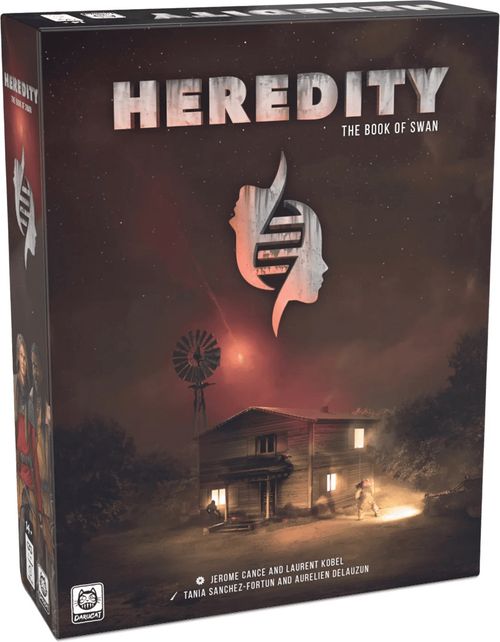
Heredity: The Book of Swan
Heredity: The Book of Swan Rulebook
Table of Contents
Table of Contents
Overview
Heredity is a cooperative game in which you play as a family getting by in a post-apocalyptic world.
The campaign is organised in five chapters, represented by 5 packs of cards known as Adventure decks. These contain everything you need to play the game: Terrain cards that form the game board, Characters with which to interact, Items, Narrative cards, etc.
The 4 Player Characters (PC), all members of the same family, will be in play. Swan, the youngest child, will be a Non-Player Character (NPC).
In a 4-player game, each player controls one PC. With 3 players, one of the PCs is controlled collectively. For a 2-player game, we recommend playing one parent and one child each. In solo mode, you control all 4 PCs.
You can also learn to play by watching our video tutorial: https://hereditygame.com/en/rules/
Components
1 Core deck (18 cards) — these are the cards you will be using in all chapters:
- 12 PC cards
- 4 Player Aids
- 1 Family card
- 4 card standees representing the Player Characters (PC)
5 Adventure decks: 5 chapters forming the campaign (304 cards).
1 Secrets deck (29 cards).
12 Action tokens (3 per colour + 1 purple).
Materials tokens x24. Damage tokens x33.
Terrain tokens x10. Reference tokens x7. Hourglass token x1. Generic tokens x24 (in a set of x9).
Ally tokens x1. Hostile tokens x12.
- 18 bases (including 4 coloured bases for PCs)
- This rulebook
- Card standees representing Non-Player Characters (NPCs) and tokens discovered as the campaign progresses. The quantities of these special components are limited by the box contents, unlike those of the tokens listed above.
Note: Standees and tokens are grouped together by chapter, to help you find them more easily. NPCs are identified by the number of the corresponding card. Take them only when you need to put them into play.
Tip: After punching out the tokens, store the empty token sheets under the plastic storage insert in the game box. This will keep everything at just the right level.
Setup for Chapter I
- Take the Family card from the Core deck in order to prepare the Timeline, and place the Hourglass token above it.
- For each of the 4 PCs:
- Take the 3 PC cards from the Core deck and assemble them face-up,
- Collect the PC's 3 Action tokens and standee,
- Collect a Player Aid.
- For your first game, take the 9 Karma cards (901 to 909) from the Secrets deck. Shuffle them together and place them face-down to form the Karma deck. In future, you will retain your Karma deck between games.
- Place the rest of the Secrets deck within reach. If at any time you need a card with a number greater than 900, you will find it in the Secrets deck.
- Place the Damage, Generic, Hostile, Materials, Reference and Terrain tokens within reach.
- Take the Adventure deck for Chapter I. After reading the rulebook, follow the instructions on the first card in the Adventure deck to start the game. The Secrets deck will provide additional setup instructions for later chapters.
1. Foreword
Whenever a card contradicts a rule in this rulebook, the card effect prevails.
If two or more equivalent options are possible when applying a rule, players may choose between them.
Player and Non-Player Characters
Player Characters (PC) are your avatars, representing the family members under your control. All other Characters you encounter in the various chapters are Non-Player Characters (NPCs).
Rules that refer to "Characters" apply to PCs and NPCs alike.
Overview
Begin the game by reading aloud the top cards in the Adventure deck. These provide:
- an introduction to the chapter and its objectives;
- any chapter-specific rules;
- the Terrain cards on which to place the Characters;
- the cards that must be added to the Timeline.
PCs will then be able to use their Action tokens to explore, speak to other Characters, fight enemies, etc.
Then, the Hourglass token will advance from card to card in the Timeline until a victory or defeat condition is fulfilled, ending the game.
Heredity is not a turn-based game. Rather, it is the Timeline that sets the tempo, defines when the various PCs and NPCs can play, and triggers events.
Notes on cards
Heredity is a card-driven game, and it is important to understand a few key terms before you begin.
Front/back of cards. Cards are identified by a number in the top left-hand corner. Card backs are similarly identified with the same number, followed by a "b". The back of card no. 100 is named 100b.
Card references. xxx refers to the card xxx. This is typically shown written as follows: Take 100: Collect card no. 100.
- Retrieve it from the Adventure deck without looking at the other cards (use the top card in the deck as a "cover").
- Read the card aloud and apply its effects in order.
Read only the front of the card. Never flip it unless instructed to do so.
Flip a card. Instructs you to turn over the card you are currently reading, or the card with the designated number: 100: Flip card no. 100.
- Flip the card, read it aloud and apply its effects in order.
- If there were any tokens or Characters on the card, put them back in the same areas or slots after flipping the card. Put any Action tokens back on your PC cards to indicate that they are not available.
Burn a card. Instructs you to "burn" the card you are currently reading, or the card with the designated number: 100: Burn card no. 100, regardless whether its front or its back 100b is showing.
- Put the card back in the box (don't literally set fire to it!). You won't need it again in this chapter. You will still be able to look at it later, if you need to.
- If any Action tokens are present on the card, move them to the middle of your PC cards to indicate that they are not available.
Player Character (PC) cards. PC cards represent the 3 sections of your PC: "Head", "Torso", and "Feet".
These have slots for Action tokens, which let you perform Watch, Speak, Interact and Move actions; they also have anchors on the left and right, allowing you to equip your PC with Items.
2. Basic actions
This section describes the available basic actions. Other actions will be described in later sections, such as using and repairing Items or launching Melee attacks.
Action tokens
Each PC has 3 colour-coordinated Action tokens. To perform an action, place an Action token on a free Action slot bearing the icon representing the desired action (on a PC card or on an Item carried by the PC), and then apply the action's effect.
An Action slot is free if it does not already contain an Action token or a Damage token. If an Action slot contains multiple icons, you must choose one when you place the token on it.
Important: There is no set play order meaning players can coordinate the actions of their PCs however they like. One PC might perform an action, with another PC then taking over to carry out an action. However, a PC performing an action must fully resolve that action before another one can begin.
Tip: Make a habit of setting aside your available Action tokens on the table, away from your PC cards, to differentiate between available and unavailable tokens.
Watch
Watching consists in observing the surroundings (to spot Items or clues, for example). The PC must be located in an area (see p.8) containing the Watch icon.
- Place an Action token on a Watch slot on your PC. Then take the designated card.
Example: Maeve is located in an area containing the Watch icon. Spend 1 Action token to retrieve card no. 960 from the deck. This is a Narrative card. Read it and apply its effects immediately.
Speak
Speaking means engaging in dialogue with an NPC. The PC must be located in an area containing the Speak icon.
- Place an Action token on a Speak slot on your PC. Then take the designated card.
- If the card shows an NPC, place the NPC in the area containing the Speak icon.
Interact
This action lets PCs interact with their environment (to search an area, for example). The PC must be located in an area containing the Interact icon.
- Place an Action token on an Interact slot on your PC. Then take the designated card.
Move
Moving consists in crossing one or more white, green or red boundary lines, but not an intersection.
- Place one or more Action tokens on one or more Move slots on your PC (only one token per slot). Then move the PC, crossing one line per Action token spent.
Full areas. An area is full if you are unable to place a Character inside it without its base touching the area's boundary lines. Characters cannot stop in full areas, but can still pass through them by spending multiple Action tokens as they Move.
Example: Brick and Djamal are in the same area. Maeve cannot end her movement in their area, as her base would not fit inside the area boundary. However, Maeve can spend 2 Action tokens (simultaneously) to move through Brick and Djamal's area to another location.
3. Terrain cards
Terrain cards (or simply Terrain) represent the geographical locations into and through which Characters can move. Assemble them (systematically oriented in the same direction) on the tabletop to form the game board.
NB: When you flip Terrain, any tokens or Characters present remain on the card. Put them back in the same areas after flipping it. Other icons may appear. Be sure to spot and apply them.
Whenever a Watch, Speak or Interact action is available on a Terrain card, place the corresponding token on the action. You will remove the token after performing the action.
Take the number of Materials tokens (see p.10) shown next to the icon and place them in the area.
Area
An area is a space bounded by lines. The colour of the boundary line indicates whether Ranged attack or Move actions are possible, and identifies any specific effects:
| Line | Passable | Allows Ranged attacks | Example |
|---|---|---|---|
| white | Yes | Yes | - |
| green | Yes | Yes | door |
| blue | No | Yes | window |
| black | No | No | wall |
| red | Yes, but inflicts 1 Damage | Yes | fire |
Example: This Terrain contains 3 areas. On revealing the card, you must place 2 Materials in area 1 and 1 Materials in area 2, as shown on the card.
Exploration
Exploring consists in taking an unexplored (unrevealed) Terrain card from the Adventure deck and moving a PC onto it.
Conditions:
- An Explore icon must be present on the Terrain occupied by the PC.
- The PC must spend an action to Move onto the unexplored Terrain.
NB: It is possible to leave from any area on the Terrain (unless blocked by a black or blue line) in the direction of the Explore icon.
Example: Terrain 962 has the Explore icon for Terrain 963 on its right. Maeve Moves from that area. Take Terrain 963 and lay it on the table to the right of card 962. The icon on the right indicates that the path exists for both areas on Terrain 962. It is possible to Explore from either area.
Exploring sometimes expands existing areas.
Example: Maeve Moves and Explores. Take Terrain 963 and lay it on the table. Once the card is revealed, the 2 cards form a single, large area outside the cabin. Brick can now enter the cabin with a single Move.
Level Change
A Level Change is a movement between 2 non-contiguous areas linked by a Level Change icon. This applies, for example, to 2 areas on different floors of a building, connected by a staircase.
Conditions:
- A Level Change icon must be present in each area.
- The Character must Move between the areas.
If the Level Change results from an Explore action, take the designated card and place it near the other Terrain cards, but not touching them. Then move your PC to the area with the Level Change icon on the new card.
Terrain effects
Immediate event. Apply its effects immediately when a PC enters an area containing an Immediate Event icon.
Example: Brick Moves, crossing the green line into the area with the Immediate Event icon. This triggers the effect: flip the Terrain, which reveals the interior of the cabin and offers a new action on the Terrain. Put the PC back in the same area.
Terrain swap. A revealed Terrain numbered in the format XXX > YYY replaces another Terrain already in play.
- Place card no. XXX > YYY on the table, in place of card YYY.
- Put any tokens and Characters back in the same areas.
Example: Card no. 143 > 102 replaces card 102. The replaced card is burned.
Area modifications. Terrain areas may be modified by swapping or flipping a Terrain card. Where applicable, an icon on the card shows where to place any Characters and tokens that were present on the card before the areas were modified.
Example: Brick and Maeve are located in 2 different areas on Terrain 962. Flipping the Terrain modifies the areas. Move Brick and Maeve to the area shown by the icon on the card.
Symbols
Coloured symbols show the starting areas for each PC.
Some Terrain cards include additional symbols. Ignore them until a card explains their meaning.
4. Items and Materials
Item cards (with a brown or grey background) represent Items that PCs can carry and use.
Materials are components used to repair and upgrade Items, or used as a trading currency with NPCs.
Players keep Items and Materials throughout the campaign.
Description of an Item card
- NAME
- VALUE
- ANCHOR
- ILLUSTRATION
- ACTION SLOT AND EFFECT
- UPGRADES AND UPGRADE COST
Inventory
PCs can only use Item cards that are present in their inventory. Brown Items must be placed to the right of PC cards, matching up the anchor symbols. Grey Items must be placed to the left of PC cards, matching the anchors.
Their effects are permanently active and cumulative.
Initialise an Item. Effects preceded by an Initialise icon initialise the Item. They are applied:
- the first time the Item card is collected in a chapter;
- during the setup phase at the start of a chapter;
- when the Item is Upgraded.
Items can only be initialised if the necessary components are available in the box.
Additional actions
Action slots with Watch, Speak, Interact or Move icons on Items function in the same way as on PC cards.
Use an Item
PCs may Use an Item in their inventory.
- Place an Action token on the desired Action slot on the Item card.
- Apply the effect described on the card or in the chapter.
Example: Brick has collected the Spiked Club Item card. To use it, spend an Action token on its slot.
Example: The Gas Mask has a permanent effect, allowing the wearer to ignore gas effects. It can also receive a Damage token, meaning it can be damaged and repaired. If the Gas Mask sustains 1 Damage in place of a PC, its permanent effect ceases to apply until it is repaired.
Damaged Item. An Item with one or more Action slots that has a Damage icon can receive one or more Damage tokens, meaning it can be damaged. When all such slots on the Item are covered by Damage tokens, that Item's permanent effects are disabled. Items with no such slots cannot be damaged.
Note: An Item with an Action slot that has no Watch, Speak, Interact or Move icon but does have an effect and no icon can receive a Damage token but does not grant an Action.
Repair an Item
PCs can Repair damaged Items in their inventory.
- Perform an Interact action and discard 1 Materials from your inventory.
- Remove a Damage token from the Item.
Upgrade an Item
PCs can Upgrade Items in their inventory. There must be no Action tokens or Damage tokens on the Item card.
- Perform an Interact action and discard the required Materials from your inventory.
- Apply the Upgrade effect.
Note: It is not possible to flip an Item card before Upgrading it.
Example: Brick performs an Interact action and discards 2 Materials to Upgrade the Spiked Club. Flip the Item card.
5. Actions on Items and Materials
Whenever a PC collects an Item card as the result of an action (e.g. Watch, Interact, etc.), take the Item and equip it, matching the anchor symbols on the PC cards.
Whenever a PC collects Materials, store them on one of their PC cards.
Items and Materials granted other than by an action (for example, as the result of an event in the Timeline) may be allocated freely among the PCs.
Items and Materials introduced when an NPC dies appear in that NPC's area.
Drop an Item and/or Materials
A PC may, during any PC's action and at no cost:
- drop Materials in their own area;
- and/or drop one or more Item cards in their area. Place the Item card next to the Terrain and deploy a pair of matching Reference tokens (one on the Item card, the other in its area). Keep any (Damage or other) tokens and any Action tokens on the card.
Pick up an Item and/or Materials
Perform an Interact action with a PC:
- pick up Materials in your PC's area;
- and/or pick up one or more Item cards in your PC's area. Remove the Reference tokens but keep any (Damage or other) tokens and Action tokens on the card.
Example: In Maeve's area, there are 2 Materials and 1 Reference token indicating that the Rifle is also in her area. The same Reference token is present on the Rifle card. Maeve performs an Interact action to pick up the Materials and the Rifle.
Trade carried Items and/or Materials
The 2 PCs trading Items must be located in the same area and the players controlling them must agree to the trade.
Perform an Interact action with one of the 2 PCs:
- trade Materials between the 2 PCs;
- and/or trade Item cards between the 2 PCs. Keep any (Damage or other) tokens and Action tokens on the card.
6. Narrative cards
Narrative cards may be divided into sections, as described below or later in the rules:
- see the Timeline section for the Event section (red background)
- see the Non-Player Characters section for NPCs.
Narrative section
This section (with a paper-coloured background) drives the story arc.
If a particular PC's name is mentioned at the start of the text, the player controlling that PC should read it.
Instruction section
This section (black background) explains, step by step, what must be done in-game. It is important to apply all instructions in this section, in the listed order.
Read order. If an instruction prompts you to take a card, immediately read and apply the new card's effects before proceeding to any subsequent instructions on the original card.
"ELSE" instructions. If two instructions are separated by "ELSE", attempt to apply the first instruction. If that is not possible, then apply the second instruction.
"IF … THEN … ELSE …" instructions. With "IF [condition] THEN [condition1] ELSE [condition2]" instructions, check whether the condition is satisfied; if it is, apply instruction1. If the condition is not met, apply instruction2.
Example: This card features a Narrative section and an Instruction section. The player controlling Brick reads the card aloud and then applies the Instructions in order: Take 56 (take card 56 and read it before proceeding to the next instruction). Attempt to remove a token from the card. This is not possible (as there are none), so you must add a token to the card. Remove a token from the card (which is now possible). Check that there are no tokens present on the card: as this is the case, flip the card. Otherwise, you would have taken card no. 967.
Persistent information. This type of instruction remains active after the card has been read. Be mindful of this while it remains in play.
Terrain action. This instruction indicates a new action available on the Terrain.
- The number under the mini-card identifies the Terrain.
- The icon on the mini-card indicates the area on the Terrain card in which the action must be performed.
- The icon in the text identifies the requisite action.
Place the Narrative card on the table, near the corresponding Terrain card. Place a pair of matching Reference tokens to link the area and the card.
To perform the action, the PC must be located in the designated area.
- Place an Action token on a slot matching the specified icon.
- Apply the instructions associated with the action.
Example: Maeve is located in the area shown by the icon on card no. 958b. You decide to spend an Action token on an Interact slot to perform the action and remove a token. Now there are no more tokens on the card. Flip the card.
Note: Actions not linked to a specific area or NPC may be performed from any area.
Combined action. Sometimes, an Action section indicates that two or more PCs must perform an action at the same time. In such cases, the PCs must be located in the designated area(s) and simultaneously spend their Action tokens to perform the action together.
7. Timeline
The Timeline consists of the Family card and Narrative cards from the Adventure deck. The Hourglass token moves between the cards, indicating what you need to do at a particular point in time.
Whenever the Hourglass moves onto a card in the Timeline, you must apply all instructions in the card's Event section (red background), in order. Ignore the Instruction section (black) and Narrative section (paper), which will have already been resolved when the card was taken or flipped.
This progression along the Timeline controls the tempo, letting you play (when the Hourglass is on the Family card) or activating an NPC or a particular event associated with the current chapter.
Example:
- The Hourglass begins on the Family card. The card's Event section prompts PCs to retrieve their Action tokens and spend them. Next, check the 'Defeat condition'.
- Then move the Hourglass onto the next card. The Event section tells you to remove a token. When no tokens remain on the card, flip it. The Hourglass is on the final card in the Timeline.
- Return the Hourglass to the start of the Timeline. The Event section indicates that the birds are singing; the Hourglass is about to move onto the Family card, enabling the PCs to retrieve and spend their Action tokens. The Hourglass will continue to move in the same way until the end of the game.
Note: You may refer to the Event section of a card at any time, but you must only resolve it when the Hourglass moves onto it.
Principle
- When the game begins, the Hourglass is placed on the Family card. Resolve its Event section.
- Then move the Hourglass to the right, onto the next card, and apply that card's Event section.
- Continue in the same way to the last card in the Timeline, resolving the Event sections on each card.
- Return the Hourglass to the start of the Timeline and continue cycling through the cards until the end of the game, resolving the Event sections on each card.
Family card
The game begins with the Hourglass positioned on the Family card in the Timeline.
This is when players can perform actions. This instruction ends when you have either spent all your Action tokens or decided not to spend any more.
The Event section of the Family card concludes by checking the 'Defeat condition'.
Important: At the start of the game, the Hourglass is placed on the Family card, not on the first card in the Timeline. It subsequently moves in the normal way.
Anchor a card
If the Anchor icon is visible in the Instruction (black) section of a card, you must anchor that card in the Timeline.
Starting from the current position of the Hourglass in the Timeline, find the first free slot with an anchor block (with a blue, green, yellow, red or purple symbol) matching the card to be anchored.
If you can't find a matching slot by the end of the Timeline, continue searching from the start of the Timeline.
If there are still no free slots, apply the alternative shown on the card. "Anchor ELSE Burn" means anchor the card or ELSE burn it.
Some cards can be anchored vertically, below a card already present in the Timeline. Vertically anchored cards change the effects of the card below which they are anchored. If no suitable slot is available, apply the alternative as explained above.
Whenever the Hourglass moves onto a card with one or more vertically anchored cards, consult all cards in the vertical stack and apply their effects.
Vertically anchored cards always have a trigger condition in the title of their Event section.
Example: This Narrative card is anchored vertically below the Family card. The title of its Event section tells you when to apply its effect.
Example:
- You must anchor a card with a blue anchor. The first free slot with a blue anchor is situated at the end of the Timeline.
- Here, you must anchor a card with a green anchor. The first free slot with a green anchor is at the start of the Timeline.
Note: When you anchor a card in the Timeline, do not apply the instructions in the card's Event (red) section. They will be resolved later, when the Hourglass moves onto the card.
Remove a card from the Timeline
Cards positioned in the Timeline are sometimes burned or flipped.
- Take the card from the Timeline.
- If you are flipping the card, apply the effects on its back.
Important: When you flip a card, you may be instructed to anchor it (or another card) in the Timeline again. If so, you must attempt to anchor it starting from the current position of the Hourglass in the Timeline. This means the card may return to its original position. However, the card's Event section will not be resolved until the Hourglass moves onto it again.
Example:
- Move the Hourglass onto card 969. You remove the final token, as a result of which you must flip the card.
- The back of the card tells you to anchor it in the Timeline again; the first free slot with a blue anchor, starting from the Hourglass, is located below the Hourglass's current position. The Event section on the back of the card will be resolved later, when the Hourglass moves onto it again.
Note: With a green Anchor on the back, the card would have been moved to the start of the Timeline, and the Timeline would have had to be restored.
Restore the Timeline
You must restore the Timeline if it contains a gap after moving the Hourglass, before resolving the relevant Event section.
- Close the gap by sliding the cards (together with the Hourglass if necessary) towards the Family card.
- Lastly, resolve the Event section on the card with the Hourglass on it.
Example:
- The card in the centre of the Timeline is removed from play.
- The Hourglass moves onto the next card.
- Restore the Timeline by sliding the card with the Hourglass towards the Family card.
- Then resolve the Event section of the Angry Fox card you just moved.
Narrative cards - Overview:
- Narrative section (paper-coloured background): Read when you take or flip the card.
- Instruction section (black background): Resolve when you take or flip the card.
- Event section (red background): Resolve only when the Hourglass moves onto the card, although players may refer to it at any time.
8. Non-Player Characters (NPC)
Description of an NPC Narrative card
- NPC ANCHORING AND POSITIONING. The NPC card is anchored to the Timeline. Place the NPC standee in the designated area on the Terrain card (or on the icon if one appeared as a result of an action).
- NAME.
- ATTITUDE. If a Hostile icon is visible, the NPC is Hostile.
- LIFE.
- DEFENCE.
- ARTIFICIAL INTELLIGENCE (AI).
- NPC DEATH. If the NPC(s) die(s), apply the effect described here.
Example: The Angry Fox must target a PC. It would need to move 3 areas to reach Maeve, but only 2 to reach Brick. It therefore targets Brick. The Angry Fox then moves 1 area as indicated by its AI. It does not reach its target's area and therefore cannot perform a Melee attack during this activation.
Full areas: When instructed to place an NPC in an area that is full, move the NPC (crossing a white or green line if necessary) to an adjacent, non-full area that has already been revealed. If all adjacent areas are full, move the NPC one adjacent area further away, repeating the process until you find a revealed, non-full area.
Neutral or Hostile NPCs
A Hostile icon or token on an NPC identifies it as Hostile. Otherwise, the NPC is Neutral.
If you (or an ally) attack a Neutral NPC (even if the attack inflicts no Damage), or if a card indicates that an NPC has turned Hostile, place a Hostile token on the NPC's card.
NPC artificial intelligence (AI)
Whenever the Hourglass stops on an NPC card, apply its AI.
- Sometimes, a single NPC card represents multiple NPCs on the Terrain. In such cases, activate the NPCs one after the other (each NPC must perform all its actions before moving on to the next). Activate the NPC closest to the PCs first.
- Hostile NPCs target the nearest non-Dying PC. Players choose freely between equidistant targets.
- Then apply the instructions for each NPC, in the order shown on the card:
- Move X: The NPC moves up to X areas towards its target. It stops moving as soon as it is able to attack. It always chooses the shortest path (and in a tie, whichever path inflicts the least damage).
- Melee or Ranged attack: If possible, the NPC attacks its target (see Combat).
If an NPC is not present in the Timeline, the Hourglass cannot stop on their card and the NPC takes no action for the moment.
Example: The Angry Fox must target a PC. It would need to move 3 areas to reach Maeve, but only 2 to reach Brick. It therefore targets Brick. The Angry Fox then moves 1 area as indicated by its AI. It does not reach its target's area and therefore cannot perform a Melee attack during this activation.
Allies
An Ally icon or token on an NPC identifies it as an ally. Allies behave like other NPCs, with the following exceptions:
- You choose the NPC's target.
- By saving Action tokens, you can combine your attacks with your ally's attacks in the same way as for a Combined attack by PCs (see Combat).
- An ally is treated as a PC when a Hostile NPC must choose a target.
Dead NPCs - Removal from the Timeline
An NPC that sustains Damage equalling or exceeding their Life dies and is removed from the Terrain. Then apply the effect described after the NPC Death icon.
Don't apply the NPC Death effect if the NPC's card is removed from the Timeline for any other reason.
Whenever an NPC card is removed from the Timeline, immediately remove the corresponding NPC(s) from the Terrain.
Actions associated with NPCs
If an action is available on an NPC, the PC must be located in the same area as the NPC in order to perform that action.
Example: Maeve is in the same area as the Angry Fox. She performs an Interact action, spending 1 Materials to feed the Angry Fox, then flips its card.
9. Combat
Combat rules are the same for all Characters (PC and NPC), unless otherwise indicated.
A PC may use only one Action token during an attack.
Melee attack
PCs may perform a Power 1 Melee attack using their fists or feet. They may also use an Item, in which case, the attack Power is shown on the Item card.
For an NPC, the attack Power is shown on the AI section of the NPC's card.
Melee attack sequence:
- Check that the target is in the same area.
- Perform the attack:
- PC: Place an Action token on a Head or Feet slot, for a punching or kicking attack, or on the slot corresponding to the Item you want to use.
- NPC: The NPC attacks when the Hourglass is on their card.
- Draw a card from the Karma deck (if the deck is empty, shuffle the corresponding discard pile).
- Add the value of the Karma card to the attack Power and subtract the target's Defence value:
- PC: A PC's Defence value (0 by default) is the sum of their Defence, generally granted by Items.
- NPC: An NPC's Defence value is shown on their card.
- Resolve the attack:
- If the total is positive, the attack is successful and the target takes Damage matching the total (see Damage).
- If the total is zero or negative, or if the Karma card says so, the attack fails.
- Discard the Karma card next to the Karma deck.
- If an attack targets multiple targets, repeat steps 1 to 6 for each target.
Example: The Angry Fox is in the same area as Brick. Brick attacks it with the Spiked Club (Power 3). He draws a Karma card (+1), which he adds to his Item's Power (3), then subtracts the Fox's Defence (5). The total is -1, meaning the attack fails and the Angry Fox suffers no Damage. Brick discards the (+1) Karma card.
Melee in a full area
Characters that would normally end their movement in a full area in order to perform a Melee attack instead halt their movement before entering the full area, but may still attack as if they were inside it.
Example: The Angry Fox should in principle end its movement in Brick and Maeve's area and then attack, but the area is full. The Angry Fox therefore stops before reaching the full area and attacks the PCs as if it were with them inside the area. Brick is in the same situation. He would normally move into the full area to attack the Angry Fox. Instead, he stops his movement early and performs a Melee attack as if he were in the area.
Ranged attack
A Character may perform a Ranged attack using a suitable Item, or by performing an action with a Range followed by a Power.
Range. A range value of X lets you perform a Ranged attack in a straight line. The range X is the maximum number of boundary lines between the attacker and the target. Only black lines block Ranged attacks. Other Characters do not block Ranged attacks (it is possible to shoot past or through them).
If the target is within Range, Ranged attacks are resolved exactly like Melee attacks.
Example: Brick, armed with a Rifle (Range 3), can attack targets in area 1 and in area 2, which is separated from him by a white line. He can attack area 3 through the blue line. He is also able to attack areas 4 and 5, through the green line. However, he cannot attack area 6 in a straight line.
Note: It is not possible to perform a Ranged attack between 2 areas on different levels connected by a Level Change.
Keep in mind that although the situation on the tabletop is static, the Characters themselves are not. The attacker and their target are mobile and might be anywhere in their area.
Combined attacks
Important: Heredity is a game in which you play as an ordinary family pitted against seasoned fighters. If you do choose to fight, teaming up is often the best tactic.
You can combine the attacks of two or more PCs, in which case:
- Check that the target is within Range or in the same area as each attacking PC.
- Each PC wishing to participate in a combined attack simultaneously spends one Action token to perform an attack.
- Draw a single card from the Karma deck.
- Add the value of the Karma card to the combined Power of the various attacks, then subtract the target's Defence.
- If the total is positive, the attack is successful and the target takes Damage matching the total (see Damage).
- If the total is zero or negative, or if the Karma card says so, the attack fails.
- Discard the Karma card next to the Karma deck.
Example: Brick attacks the Angry Fox with a Spiked Club (Power 3). Maeve, brandishing the Rifle (Power 3), is in range and performs a Ranged attack. The 2 PCs simultaneously spend 1 Action token on the corresponding Item cards. One of the PCs draws a Karma card and adds its value (+1) to the Power of Maeve's Rifle (3) and Brick's Club (3). This gives a result of 7, from which they deduct the Angry Fox's Defence (5). The total is 2, meaning the attack succeeds and the Angry Fox takes 2 Damage. The Karma (+1) card is then discarded.
10. Damage
Characters take Damage in combat or if instructed by a card.
Important: If a card instructs you to apply Damage directly, ignore any Defence values.
For a PC: place the required number of Damage tokens on action slots with a heart icon on that Character's PC or Item cards. These are the only slots that can receive Damage tokens.
You may place Damage tokens on slots already occupied by Action tokens (underneath the Action tokens), but action slots covered by a Damage token are no longer free.
For an NPC: place the required number of Damage tokens on the NPC's card.
Example: The card indicates that the Characters each take 5 Damage. Maeve places a Damage token on all her Action slots except a Heal slot.
Severe injury
A PC must sustain a severe injury if every Action slot (PC cards and Item cards) with a heart icon is covered by a Damage token and they are required to assign one more Damage token: Choose a PC card. Discard all tokens from the card and flip it to reveal its back (b side). Place the remaining tokens on the revealed Action slot on the reverse side.
Severe injuries cannot be healed: PC cards flipped onto their back will stay that way until the end of the chapter.
Note: PCs may voluntarily choose to suffer a severe injury at any time if every Action slot on the front of one PC card is covered by a Damage token. Discard all Damage tokens from the card and flip it to reveal its back (b side). The revealed Action slot on the reverse side is available for immediate use.
Example: Maeve takes 1 Damage and chooses to suffer a severe injury to the head. Discard the 2 Damage tokens and flip the "Head" card. Place the remaining Damage token on the revealed Action slot.
Dead and dying PCs
If a PC has 3 severe injuries (i.e. all 3 PC cards are flipped), and all their action slots with a heart icon (including any on Item cards) are covered with Damage tokens, that PC is Dying.
- Dying PCs can no longer be targeted. They are in very bad shape and practically incapable of action.
- Discard any Damage tokens that would normally be assigned to them.
- However, they may continue to use free Action slots that do not have a heart icon.
- As soon as a Damage token is removed from one of the PC's Action slots (including on Item cards), they are no longer Dying.
Death of a PC. The Family card shows how a Dying PC can die. This is a 'Defeat condition' applicable in all chapters.
Heal
You may Heal yourself or another Character in the same area.
- Place an Action token on a Heal slot on your Character.
- Remove a Damage token from the Healed Character. This immediately frees the Healed Action slot, unless it is already occupied by an Action token.
11. Karma cards
Using the Karma deck
As the game unfolds, you will frequently be instructed to draw a Karma card. Karma cards are discarded after being drawn. (You may look at the discard pile at any time).
If your Karma deck is empty, shuffle the discard pile to re-form the deck.
The size of the Karma deck is invariable (9 cards). It contains a single card of each type: Violence, Brute, Pacifist, Dodge, Treasure Hunter, Looter, Social, Scar and Memory.
Using Karma cards
When resolving an attack, use only the value or text in the centre of the card.
Unless otherwise indicated, you can simply ignore the rest of the card. In particular, the game will explicitly instruct you when to use a Karma card effect.
Your deeds and decisions throughout the campaign are reflected in your Karma. Replacing a card in the Karma deck has a short-term effect as you use the deck, but also influences your characters' unfolding fate.
Evolution of your Karma deck
Over the course of the campaign, the game will occasionally instruct you to take a new Karma card. The new card systematically replaces another karma card with a similar name.
Swap cards in this way when the game instructs you to apply the Karma evolution effect. 'Burn' the replaced card. Always shuffle the Karma deck (reincorporating any discarded cards) whenever it is modified.
Example: If the game instructs you to take the "Pacifist I" card and apply the evolution effect, you must replace the "Pacifist I" card with card 917 in the Karma deck. 'Burn' the "Pacifist I" card. Then shuffle the Karma deck, reincorporating the discard pile.
12. Conclusion
You are now ready to begin the campaign. Anything else you need to know will be introduced as the game progresses.
Player Aid
Timeline management
Throughout the game:
- Move the Hourglass to the right, cycling through all cards in the Timeline.
- Resolve Event sections (red background) in order only when the Hourglass token moves onto a card, and check the defeat conditions.
- When the Hourglass lands on the Family card, play your Action tokens.
- When the Hourglass reaches the end of the Timeline, simply return it to the first card in the Timeline and continue playing…
Boundary line table
| Line | Passable | Allows Ranged attacks | Example |
|---|---|---|---|
| white | Yes | Yes | - |
| green | Yes | Yes | door |
| blue | No | Yes | window |
| black | No | No | wall |
| red | Yes, but inflicts 1 Damage | Yes | fire |
Browse the Heredity FAQ: https://hereditygame.com/en/faq/
A few points to remember
- When you flip a Terrain card, some icons will no longer be visible.
- This avoids you having to redundantly place tokens that you have already retrieved.
- Actions such as Watch, Speak or Interact sometimes disappear during play.
- When is a PC or NPC's defence used?
- Only in combat. Whenever a Character takes Damage directly, ignore its Defence.
- How do you find information in the rulebook?
- Use the Player Aids with page numbers like an index, or refer to the Contents page.
An FAQ is available on the game's website.