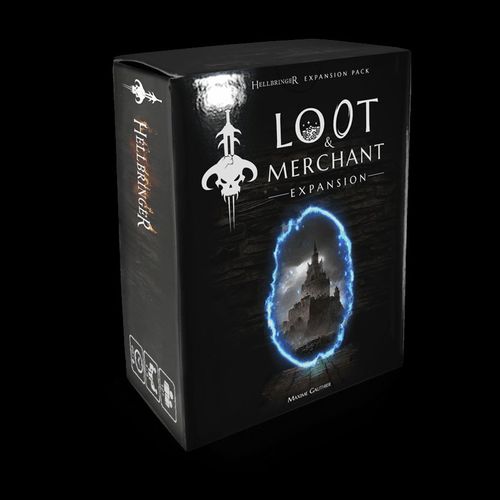
Hellbringer: Loot & Merchant Expansion
Hellbringer: Loot & Merchant Expansion Rulebook
Table of Contents
Table of Contents
Content
- 1x Rulebook
- 1x Merchant Board
- 71x Playing Cards
- 1x Summary Card *
- 4x Town Portal Cards *
- 36x Loot Cards
- 30x Merchant Cards
* Double-sided cards
Merchant Board
The top left and middle sections are the Loot and Merchant piles respectively.
The top right section is the discard pile of the Loot and Merchant piles. Loot and Merchant Cards are placed on top of this discard pile when they are activated or discarded.
- Loot Draw Pile (top left)
- Merchant Draw Pile (middle)
- Loot and Merchant Discard Pile (top right)
The bottom part, divided into three sections, displays the amount of Gold you must pay to purchase a card from the Merchant while the Shopping Phase is active.
Additional Game Setup
When setting up the game, place the Merchant Board, the Loot Draw Pile and the Merchant Draw Pile to the right of the Enemy Board.
In the Game Setup Step 4 (Creating the Common Draw Pile), add and shuffle the Town Portal Cards according to the chart below:
| Pile 1 | Pile 2 | Pile 3 | Pile 4 | Pile 5 |
|---|---|---|---|---|
| None | 1 Town Portal | 1 Town Portal | 1 Town Portal | See below |
In Pile 5, insert a Town Portal Card according to the following indications:
- 1 player: after the top 8 cards
- 2 players: after the top 10 cards
- 3 players: after the top 12 cards
- 4 players: after the top 14 cards
Continue preparing the game as usual.
Additional Card Types
Town Portal
These cards are scattered throughout the Common Draw Pile and allow players to return safely to the merchant to sell and buy various items.
Loot
These cards contain Gold and Bones that can be used to trade when the Shopping Phase is active. When drawn, they are placed near the Player Board and do not count as cards in hand.
If you have Gold Tokens, these cards can be replaced by the tokens included in the Loot Bag. Refer to the cards to apply the tokens' effects. Once used, the token is placed near the discard pile. If you run out of tokens in the bag, return all discarded tokens to the bag and shuffle them.
Merchant
These cards are revealed on the bottom of the Merchant Board when a Town Portal Card is drawn.
Additional Mechanics
Elimination of an Enemy
When an enemy is eliminated, the player draws a Loot Card. If the Loot Draw Pile is empty, sort the Loot Cards from the discard pile and shuffle them to create a new draw pile.
Shopping Phase
When a Town Portal Card is drawn, the Shopping Phase is activated.
During the Shopping Phase, both active and eliminated players perform the following actions any number of times, unless otherwise specified:
- Buy a revealed Merchant Card at the cost indicated. The Gold used is discarded and the difference between the cost and the buyer's total Gold is not refunded. Each card is purchased separately.
- Once during each Shopping Phase, and only if no card purchase has been completed, the 3 revealed Merchant Cards may be discarded and 3 new cards revealed.
- Discard a combination of 2 cards in hand and/or equipped to draw 1 Loot Card.
- Discard a total of 30 Gold or more to draw the first card on top of the Merchant Draw Pile.
- Trade a card in hand with another player.
- Share a Loot Card with another player.
When all players decide to end the Shopping Phase, all the revealed Merchant Cards that remain are discarded. Players then return to the dungeon and the game continues as usual.
Additional Co-op Rules
Trading a Card in the Shopping Phase
During the Shopping Phase, players may trade as many cards in hand as they wish with other players or the Mule according to the Trading a card rules. (Rulebook, page 31)
This action may be performed as many times as desired. Trading a card costs no Action Points.
Loot Sharing in the Shopping Phase
During the Shopping Phase, a player may give as many Loot Cards as they want to another player. Sharing a card costs no Action Points and does not require giving a card in return.