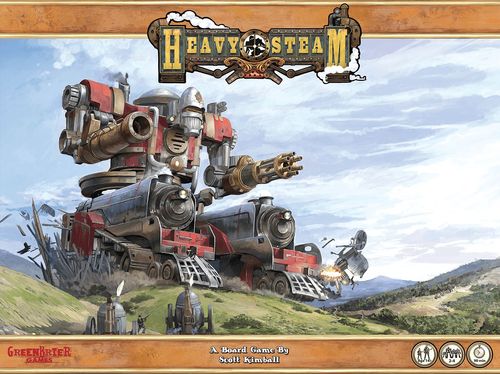
Heavy Steam
Heavy Steam Rulebook
Table of Contents
Table of Contents
Game Components
- 8mm square cubes: (160) white cubes, (40) blue cubes, (20) red cubes, (130) black cubes
- Dice: (6) Blue Defense Dice, (8) Red Attack Dice, (2) Standard Six Side Dice (2d6)
- (1) Battle Board per game
- Miniature Set #1 (U.K.): (1) Heavy Titan (four pieces), (2) Light Titans (six pieces), (4) Mobile Cannons, (6) Infantry
- Miniature Set #2 (C.E.T.): (1) Heavy Titan (four pieces), (2) Light Titans (six pieces), (4) Mobile Cannons, (6) Infantry
- (4) Player boards per game
- Playing Cards: (54) Battle Cards, (10) Pilot Cards
- Rule Book
- Smaller Cards: (15) British Weapon Cards, (16) C.E.T. Weapon Cards
- Tokens: (1) Player Initiative token, (3) Smoke tokens, (1) Zeppelin token
Glossary of Terms
Critical Hit - when an attack roll is a hit and contains more rolls of a [attack die hit icon] than the defender's roll of [defense die shield icon] it is considered a critical hit. Critical hits have special rules for placing damage cubes.
Damage Cubes - BLACK cubes that are placed onto a steam titan when it takes damage.
Heat Cubes - RED cubes that are added to a steam titan's boiler pressure whenever a steam cube is placed into a RED square within that steam titan or from certain other game effects.
Hit Location - a part of a steam titan that can be hit by an enemy weapon. A steam titan typically has 5 hit locations: head, body, left arm, right arm and legs. Each hit location typically contains one or more stations within it, each labeled appropriately as to which hit location it is in.
Station - Each hit location on a steam titan such as the arm, has multiple stations. Stations are divided by [circular arrow marker].
Initiative - Determines which faction plays first in each phase.
Shield Cubes - BLUE cubes that are added to a steam titan's shield when WHITE steam cubes are put in that shield station.
Steam Cubes - WHITE cubes that flow through a steam titan during the steam phase and which are used to pay for various steam titan actions such as moving or using a weapon.
Volatile Square - a square found in a weapon card with a red number inside.
Weak Point Square - a square found in a station with a black number inside.
Game Setup
Choose a Scenario
Players should choose one of the game scenarios found at the end of these rules. For your first game it is suggested you play the meeting engagement scenario.
Heavy Steam is a game for 2 to 4 players. Players should be broken up into two teams, with one team playing the UK Alliance faction and the other playing the C.E.T. (Central European Trust) faction. In a 3 player game, 2 players will be on one team and 1 player on the other.
The scenario chosen will define many of the setup rules. Below are the things you will do for setup regardless of the scenario.
Choose a Steam Titan
The scenario you have chosen to play will outline which size steam titans (heavy or light) are available for each team in the game.
One team will choose their steam titans from the UK Alliance faction and the other will choose from the C.E.T. faction. Players on opposite teams cannot choose steam titans from the same faction.
Customize Steam Titan
Before each battle, players have the option to customize their steam titan with new weapons and equipment. If this is your first time playing the game, it is recommended you play your first battle with the weapons and equipment printed on the titan boards.
When to Customize
Players will customize their titans in secret. Players on the same team may confer with each other as they decide how to customize their titans. Once all players have finished customizing their steam titans by adding cards to their steam titan boards they will all reveal their choices. At this point no further changes to the loadout of steam titans is allowed (though players will still need to pick their pilot cards).
How to Customize
The game comes with weapon and equipment cards that the players can use to customize their steam titan. There is one deck for each faction.
Each steam titan has a steam titan point value listed in the top left. This is the total value of weapon and equipment cards the player may have attached to his steam titan.
Each weapon and equipment card has a cost for attaching that card to a steam titan listed in the top right of the card. This value also shows an arm symbol or a torso symbol, indicating that the card MUST be attached to an arm weapon station or a torso weapon station.
The total cost of all weapons and equipment attached to a steam titan may not exceed the steam titan point value of that steam titan. (Example: a titan with a point value of 12 may carry a Torso card costing 3, a Left Arm card costing 3 and a Right Arm card costing 6.)
Some weapon and equipment cards may indicate that they can only be attached to a light or heavy steam titan. If the card does not indicate this, then it may be attached to any size steam titan. There are 3 armament slots on each steam titan: left arm, right arm and torso.
Choose a Pilot
During setup, each player should choose 1 pilot for their steam titan from the pilot cards available to them. Pilots belong to a specific faction and players can only choose a pilot from the same faction as their steam titan.
Players will choose their pilots in secret. Players on the same team may confer with each other while choosing their pilots. Once all players have chosen their pilots, they all should reveal them. Revealed pilot cards should be placed in the commander box on the steam titan board. Players are free to look over any players pilot once they are revealed, or at any time. Once revealed, pilots may not be changed, either before or during the game.
Some pilots may be restricted in the type of steam titan it can pilot, either heavy or light. If this is the case, it will say so on the pilot card. Otherwise any pilot may command any size steam titan.
Steam Titan Board Diagram
- Pilot Card - After choosing a pilot card, the player places the pilot card in area 1 on the battle board.
- Boiler Pressure & Overload - The boiler pressure will determine the effectiveness of a titan's defense, modifying the number of defense dice rolled in combat.
- Power Reserve - Main steam cube reserve. Each titan starts with a base amount of steam as shown.
- Command Station - Steam moved to the command station is used both to determine initiative and to purchase battle cards.
- Boiler Station - The heart of the titan - all steam flows outward from this station.
- Repair Station - Steam in the repair station is used to repair damaged locations on the titan.
- Mobility - Steam in this station is used for movement and to evade.
- Weapon Station - Before the match begins, players choose which weapons they would like to outfit their titan with, placing each weapon card on the appropriate station.
- Shield Station - Place shield cubes here.
- Steam Vent - Move steam here to vent extra pressure.
- Hit Location - Selected in yellow is the left arm hit location.
- Station - Each hit location has multiple stations.
The titan board also lists the game phases: 1 Move; 2 Combat; 3 Steam Allocation (move steam along designated paths, refill boiler at steam production rate); 4 Battle Card Acquisition; 5 Determine Initiative; 6 Pressure Release (check OVERLOAD, bleed steam to power reserve).
Customize your steam titan with a variety of weapon cards. Make sure the total cost of all the cards is at or below the listed steam titan point value. Each pilot adds a unique personal ability as well as a powerful Once Per Game ability. Pilot choice affects overall game strategy, so choose wisely!
Pilot Abilities
Each pilot comes with a special ability and a once per game effect.
Special abilities can be used whenever appropriate as many times during the game as the player likes. When each special ability can be used will be indicated on the pilot card.
Once per game effects can only be used once per battle. Unless noted otherwise on the card, a once per game effect may only be used when it is the turn of the owner's team during a phase. When a once per game effect is used, mark the pilot card with a cube or token to indicate the effect has been used.
Example pilot cards:
- Lord Zedock Singleton - Ability: Whenever you move 2+ steam to the command station, add 1 extra steam from the power reserve. Once Per Game: Take a random card from the hand of an opposing player. Then give them a card from your hand.
- Hofjunker Johann Baer - Ability: Gain +1 [attack die icon] the turn you move your steam titan. Once Per Game: Take 3 steam from power reserve and place them anywhere in your steam titan's legs (including shields).
- Colonel Ninian Puffer - Ability: Gain +1 bleed in the pressure release phase. Once Per Game: After firing a weapon move that weapon's steam to power reserve rather than to boil pressure.
Set up Your Steam Titan Board
Each steam titan has a unique game board that players should now lay out onto the table.
- Place your chosen pilot on the titan board.
- Add any weapons you have chosen and place them on the titan board.
- Players should place WHITE steam cubes on each WHITE colored square with a white dot on their titan board.
- Players should place BLUE shield cubes on each BLUE colored square with a white dot on their titan board.
- Players should place WHITE steam cubes in their steam titans power reserve equal to the start value shown.
Set up the Battle Board
The battle board should be put on the table between the two teams such that everyone can reach it easily.
The battle board represents the battlefield itself in an abstracted way. The battle board is broken into sectors which represent distance on the battlefield.
Players should place their steam titan miniatures on the battle board as dictated by the chosen scenario. For example, in the meeting engagement scenario, players of one team will place their miniatures in sectors 1 and 2, and the other team in sectors 5 and 6, depending upon if their steam titans are heavy or light.
Set up the Battle Cards on the Battle Board
Players should choose a battle deck to play with or one that is stated in the chosen scenario. Place the battle cards next to the battle board as shown below.
Remove the 10 event cards from the battle card deck. These cards say event clearly at the top of each card.
Remove the 4 enemy in sight cards from the battle card deck. These cards say 'start card' at the top of each card.
Shuffle the battle cards and deal 3 cards to each player. Place 1 enemy in sight card onto the battle board for each player in the game, starting with the spot marked [titan icon] and working left. So, for instance, if there are two players playing the game, there will be an enemy in sight card on spots [titan icon] and [titan icon].
Put any remaining enemy in sight cards to the side. They will not be used for the remainder of the game.
Fill any remaining empty card spots on the battle board with battle cards from the shuffled deck.
Shuffle the event cards and randomly select 3 cards. Without looking at the event cards, shuffle them into the deck of battle cards. Put the remaining event cards back in the box. Place the deck of battle cards next to battle board where it will be easily acceptable.
Roll for Starting Initiative
Both teams should roll 2 6-sided dice. The side that rolls highest starts with initiative and should place their marker in the 'has initiative' space on the battle card board.
The team that wins this initial initiative roll will act first in each phase of the first turn of the game, but will not receive the ability to move 2 steam cubes within their steam titan as is usually the case when a side wins initiative.
YOU ARE NOW READY TO PLAY!
Round Sequence
Each round of the game is broken into 6 phases. Before moving to the next phase, all players complete their activities for that phase.
The order in which players conduct activities within each phase is determined by who has initiative. The team with initiative typically takes their actions first, followed by the team without initiative. More information about initiative is provided in each phase.
During each Phase, you may play up to one battle card. Rules for playing battle cards are explained in the battle card acquisition phase.
- Move
- May spend mobility steam to move.
- May play a terrain card if steam titan moved.
- Combat
- Use any weapons, cards and/or infantry/mobile cannons to damage the enemy.
- Steam Allocation
- Move steam cubes down steam paths on steam titan.
- May lower shields.
- Fill boiler with steam from power reserve.
- May conduct any repair actions.
- Battle Card Acquisition
- Buy battle card(s) from those revealed.
- Slide remaining cards down, then reveal new cards to fill spots.
- Play any events drawn, then discard event card and draw new card to fill spot.
- Determine Initiative
- Use steam in command station to determine which side has initiative.
- The side which keeps or gains initiative may move 2 steam within their steam titan(s).
- Pressure Release
Move Phase
In this phase, players can move their steam titans on the battle board in an attempt to get closer or further away from their opponents.
Initiative Order
During this phase, players take any move actions in initiative order. The team that has initiative will move all their steam titans first, in any order they desire, then the team that does not have initiative will move all their steam titans in any order they desire.
A steam titan must finish its move (as well as playing a terrain card and/or moving infantry and mobile cannons) before any other steam titan can begin its move.
Move Cost
In order to move their steam titans, players must expend steam cubes from the mobility station in the legs of their steam titan. The amount of cubes a player must spend to move is listed in the mobility section of their steam titan and can be different from one steam titan to the next.
When moving, players can move their steam titan either 1 or 2 sectors on the battle board. The cost for moving 2 sectors is higher and is listed in the mobility station of the steam titan.
Steam spent to move is placed in the next left most open squares in the player's boiler pressure box.
How to Move
When the player has paid the steam cost from his mobility section to move his steam titan, the player can then move his steam titan miniature on the battle board.
If the player paid steam to move 1 sector, then the player may either move his miniature:
- 1 sector closer to the enemy start sector
- 1 sector closer to the friendly start sector
- Have his miniature remain in its current sector.
If the player paid steam to move 2 sectors then the player may move his miniature:
- 1 sector closer to the enemy start sector
- 2 sectors closer to the enemy start sector
- 1 sector closer to the friendly start sector
- 2 sectors closer to the friendly start sector
- Have his miniature remain in its current sector.
Note: paying to move a steam titan but not actually moving it to a new sector is usually done in order to play a new terrain card on the steam titan.
Neither enemy nor friendly steam titans, mobile cannons or infantry block movement; players can move into or through sectors containing enemy or friendly models with no penalty or hindrance.
Battle Cards: Terrain
The battle card deck contains terrain cards, and other various card types. Terrain cards are purchased with steam cubes in the same manner as all other battle cards, at which point they are placed in the players hand.
Playing New Terrain Cards
After a player has finished moving his steam titan he may, at his discretion, play a terrain card from his hand to indicate his steam titan is now in that terrain. Terrain cards played on a steam titan are placed in the marked location on the battle board for that player, and can only be played after his spending steam in the move phase unless he is allowed to do so by some other battle card (such as the 'Maneuver' card found in the urban deck). A player can still play a terrain card if they choose not to leave their currently occupied sector, but must still play the card in the move phase.
If a player does not play a terrain card on his steam titan after moving, the steam titan is considered in clear terrain. If the terrain card slot is unoccupied, there is no game play effect. Playing a terrain card on your steam titan after moving counts towards the 1 card played per phase limit.
(Example terrain card, "Terrain: Woods": Gain 1 [defense die] defense dice. Light steam titans get an additional +1 [defense die] when in the woods.)
Removing Existing Terrain Card
Whenever a player moves his steam titan, whether or not the steam titan moved into a new sector, the player must remove any terrain card previously played on that steam titan. The terrain card is placed into the battle card discard pile.
Moving Infantry and Mobile Cannon Support
After moving any steam titans, players whose steam titan has moved may move up to 1 infantry and 1 mobile cannon controlled by their team.
Infantry can move 1 sector and mobile cannon 2 sectors.
There is no limit on how many times a single infantry or mobile cannon can be moved in a single phase. If there are two players on a team, and both move their steam titans in the move phase, then they can both move the same infantry or mobile cannon.
Infantry and mobile cannon are not impeded from moving by other steam titans, mobile cannon or infantry.
Card Diagrams
Battle Card: 1. Phase restriction of when battle card can be played. 2. Purchase cost of the card.
Weapon Card: 3. Attack cost. 4. Weapon special traits. 5. Weapon's range. 6. Damage dice rolled. 7. Potential damage. 8. Point value for customizing steam titan. 9. Close combat damage (damage fueled by movement).
Combat Phase
Initiative Order
Attacks are done in initiative order, with the side that has initiative conducting the first attack followed by the opposing team attacking. Teams alternate taking one attack until all attacks are complete.
An attack is defined as one attempt to hit one target with one weapon. A target can be an enemy steam titan, infantry or mobile cannon.
If a side declines to take an attack, either because they have no actions left to take or they choose not to take them, that side can make no more attacks for the remainder of the phase. The opponent can then take actions until they also pass.
Attack Cost
All weapons have an attack cost. This is listed in the top left of the weapon card (see icon 3 in the card diagram). This cost is the amount of steam cubes the player must spend from the weapon's available steam cubes.
Steam cubes used to fire a weapon are placed into the next available spaces in the steam titan's boiler pressure box. Steam cubes are spent before any attack roll is made. Even if the attack ends up missing the target the steam is still spent.
Range (rng)
All weapons have a range chart, which shows how many attack dice the weapon gets, and damage it will do at different ranges (see icon 5 in the card diagram).
To determine the range to your chosen target simply count the number of sectors from the attacking steam titan to the target. Do not count the sector the attacking steam titan is in.
Once you have determined the range to the target look on the weapon's range column in the column with that range. This will tell you the number of attack dice you will roll to attack and the damage for the weapon at that range if you hit.
If the target is at a further range than allowed by the weapon's chart, the target is out of range and you may not use that weapon against it. Some weapons cannot be used at too short a range. If the target is at a range that is below the shortest range listed in the weapon's chart, then the target cannot be hit with that weapon.
There is no concept of 'line of sight' in Heavy Steam. When determining range to a target nothing will block the attacker's shot, including friendly or enemy steam titans or infantry and mobile cannon.
Close Combat
When you are standing in the same sector as another titan you are considered to be engaged in close combat, a condition some weapons require to be used, clearly stated on the card.
Close combat weapons can only attack a target that is in the same sector as the attacker. Thus, close combat weapons have a range of 0 at all times.
Each close combat weapon lists two values for attack dice, a number in parenthesis and a lower number not in parenthesis. By default players use the first number (the one NOT in parenthesis) when attacking with a close combat weapon. However, the second number (the higher one in parenthesis) is used if one of the following conditions is met:
- The player pays steam from his mobility station equal to the Close Combat trait value listed on the weapon card.
- The player moved his steam titan in the move phase this round.
Spending steam from the mobility section to use the higher attack dice number is optional and is in addition to the attack cost of the weapon. All steam spent this way is added to the boiler pressure box. This cost represents the steam titan maneuvering into position for the perfect blow. Or, in the case of a steam titan that moved in the move phase, a steam titan charging headlong towards his enemy!
If a player achieves a hit with a close combat weapon then he rolls for hit location and applies damage as normal. However, close combat damage ignores all shields. Shields never reduce the amount of damage a close combat weapon does, all damage is applied to the enemy steam titan.
Attack Dice (ad)
Once you have determined the range to the target you must roll the amount of attack dice listed for that range to try and hit the target. Roll all your attack dice at once and count all results of a [Hit] and [Critical Hit] as a success.
Example: Sam rolls 3 attack dice with a result of [Critical Hit], [Hit], [Hit], and two blank misses. This means Sam achieved 3 successes with the attack, with one being a critical.
While the weapon's range chart gives you the base number of attack dice to use in an attack it's possible this amount will be modified by other factors, including battle cards played by a player or terrain cards.
Icons
The dice icons are: Defend [blue], Critical Defense [blue], Hit [red], Critical Hit [red].
Defense Dice (dd)
After the attacker has rolled his attack dice, the defender must now roll his defense dice. The base amount of defense dice the defender has to roll is equal to defense dice value listed in the defender's boiler pressure box. The amount of defense dice rolled can be modified by other factors. See Pressure section for more information.
The number beneath the furthest column to the right in the boiler pressure box that contains cubes will be the base defense dice rolled. If the player has no cubes in his steam titan's pressure box, the number of defense dice is 4.
Example: The picture shows no cubes in the boiler pressure thus the player would roll 4 defense dice.
Evading
Players can also increase defense dice by spending steam cubes from their mobility station, as listed on their steam titan board. The steam spent to evade is moved to the boiler pressure box. Players must decide to evade, and spend the steam to do so, Before the attacker rolls his attack dice. Once the player has determined the number of defense dice to be rolled, the player must roll those dice. Every roll of a [Defend] and [Critical Defense] is a success.
Determining Results
Simply count the number of successes for the attacker and defender. If the attacker rolled more successes its considered a hit. The attacker misses if the defender equals or exceeds the number of attacker successes.
If the attack hits and the number of critical hits [Critical Hit] rolled on the attack dice exceeds the number of critical defense [Critical Defense] rolled on the defense dice, the attack is considered a critical hit.
(Diagram examples: DEFENDED - attacker [Hit] [Critical Hit] vs defender [Critical Defense] [Critical Defense]. HIT - attacker [Hit] [Critical Hit] vs defender [Critical Defense] and a blank. CRITICAL HIT - attacker [Hit] [Critical Hit] vs defender [Defend] and a blank.)
Rolling for Hit Location
If the attack roll was successful the attacker must now determine where he has struck the target. To do this, the player must roll 2 standard dice (2d6). The total on the dice according to the diagram on the battle board is where the defending steam titan must apply damage. Weapon damage is described in the damage section below.
Hit location diagram: Head 2, 12. Arms: 3, 6 Left; 4, 5 Right. Torso 7-8. Legs 9-11.
After rolling the hit location the attacker may, if he wishes, re-roll the hit location dice if he isn't satisfied with his first roll. In order to re-roll the hit location dice, the player must spend 2 steam cubes from the command station of his steam titan.
This steam is moved to the steam titan's power reserve (NOT the boiler) and then the player re-rolls the hit location dice. The player must accept this second roll and cannot re-roll again for this attack roll.
Damage (dmg)
After determining a hit location, the attacker will then apply his weapon's damage to the target. The amount of damage done is indicated in the range chart for the weapon and is referred to as damage points. The higher the damage points the stronger and more damaging the attack.
Shields
Damage points will first be applied to the target's shields. If the hit location of the target has any cubes in that location's shield station, then remove one cube for each damage point.
When removing cubes from a shield station always remove WHITE steam cubes first before removing BLUE shield cubes.
If there are more cubes in the shield station than damage points inflicted, only remove a number of cubes equal to the damage point value.
If there are less cubes in the shield station than total incoming damage points, then reduce the number of damage points by the number of cubes, and remove the cubes from the shield station. The remaining damage points are now applied as steam titan damage as explained below.
When removing cubes from the shield station, place 1 of the WHITE steam cubes (if any) into the target's boiler pressure box and any remaining white steam cubes into the steam titan's power reserve box. Place any removed BLUE shield cubes to the side, they do not go into the boiler pressure box or power reserve boxes.
Steam Titan Damage
Any damage points that have gotten past the steam titan's shields are now applied to the steam titan itself. Damage in Heavy Steam is represented by BLACK damage cubes.
For each damage point that got past the steam titan's shields, the owner of the steam titan being struck must place one BLACK damage cube into a WHITE square located in any station found in the hit location struck by the weapon.
You can place BLACK damage cubes into WHITE shield station squares, or WHITE weapon station squares or any station labeled with the appropriate hit location. Never place BLACK damage cubes into BLUE or RED squares.
If there is a WHITE steam cube in a square in which the target player wishes to place a BLACK damage cube, then that player may move that steam cube to a different WHITE or RED square in the same station. If the player moves a steam cube into a RED square, the player must add a RED cube to his boiler pressure.
If there is no available square upon which to move the steam (either because all other squares are occupied by steam or damage cubes) then the white steam cube is discarded and the BLACK damage cube is placed.
Discarded steam cubes are out of play and cannot be placed back into the steam titan.
Squares with BLACK damage cubes can no longer be used to hold WHITE steam cubes. BLACK damage cubes do not move like steam cubes in the steam phase but remain where they are.
Critical Hit
If the result of the attack was a critical hit, then, after removing cubes from the steam titan's shield box, BLACK damage cubes are placed by the target steam titan as normal except the attacking player gets to place the very last BLACK damage cube.
This means, after the target player has placed any appropriate BLACK damage cubes, the attacking player places the last BLACK damage cube into the damaged location. This placement may be wherever he likes in whichever square he chooses in the damaged location.
If there is a WHITE steam cube occupying the square in which the attacker wishes to place a BLACK cube, the defender may move that cube to another WHITE or RED square in the same hit location if one is available or remove the WHITE cube if it cannot be moved.
Volatile Squares
Some squares on weapon cards have a RED number printed in them; these squares are known as volatile squares. If a damage cube is ever placed on a volatile square, severe damage may be inflicted on the titan.
When a damage cube is placed onto a volatile square, the steam titan's owner must immediately make a die roll (1d6) attempting to roll equal to or higher than the number in the volatile square. If he succeeds in the roll there is no effect.
If he fails in the roll, then he must add an additional number of damage cubes to the weapon equal to the highest damage that weapon could deliver. If, after filling all the weapon squares, there are any additional damage cubes remaining, place them on the station closest to the damaged weapon, then proceeding back along the steam path toward the torso, and finally into the torso if necessary. Damage cubes may also be added to the location's shield box at the defending player's discretion, after filling all white squares in the weapon card with damage.
Damage cubes placed by a failed volatile square roll follow all rules for placing damage cubes, except that damage cubes must first be placed in the weapon until all open squares are filled. The pilot of the targeted steam titan chooses the placement of all remaining cubes.
Weak Point Squares
Some squares in steam titan stations have WHITE numbers printed inside them. These squares are known as weak point squares, and if a black damage cube is ever placed in one of these squares, there is a chance the titan is destroyed!
If a player ever has to put a damage cube into a weak point square, the player must put the damage cube into the weak point square with the lowest number available (i.e. do not already have a damage cube on them). This includes attackers who have rolled a critical hit and are placing a damage cube onto the target steam titan.
When a damage cube is placed into a weak point square, the steam titan's owner must immediately make a d6 roll attempting to roll equal to or higher than the number in the weak point square.
- If he succeeds in the roll there is no effect.
- If he fails in the roll then the steam titan is destroyed and is out of the game.
Disabled hit locations, destroyed steam titans, and rules concerning attacks on terrain are discussed below.
- Weak point squares are extremely dangerous.
- Repairing heavily damaged locations that contain weak point squares is highly recommended!
Volatile and weak point squares are modifier squares that can have drastic repercussions on the game - pay special attention to these squares!
Disabled hit locations
If all the WHITE squares in all the stations of a hit location have been filled with damage cubes, then that station is considered disabled.
If an entire arm or leg hit location is disabled then any future successful attacks that place damage cubes into that hit location instead place damage cubes into the torso hit location.
Damage cubes placed in this manner must be placed in the closest available station adjacent to the disabled hit location (i.e. has the least number of power flow arrows between it and the hit location).
Example: If a disabled arm takes more damage cubes, those damage cubes will be placed into the steam titan's boiler, since that is the closest station to the damaged arm hit location.
Destroyed Steam Titans
A steam titan is destroyed if either of the following conditions happen:
- The steam titan's command station or boiler station has all its white squares filled with damage cubes.
- The steam titan fails a weak point square roll after placing a damage cube into that square.
A destroyed steam titan is removed from the battle board and the owning player discards all cards from his hand. Any mobile cannon or infantry that player brought into play remain on the battle board.
Most scenarios will end with the destruction of any steam titan, but in some scenarios play will continue as normal after a steam titan is destroyed.
Attacking and Hitting Terrain
If a target steam titan has a terrain card played on it then it is possible the attacking steam titan can hit, damage and even remove that terrain card from play.
When making an attack roll, if any of the die show a critical hit [Critical Hit] then the target steam titan's terrain card has been hit. If the target does not have a terrain card in play, ignore this effect.
For each critical hit [Critical Hit] rolled on the attack, place one black damage cube into one of the black squares found on the face of the terrain card. If the terrain card has no black squares, then it cannot take damage and cannot be destroyed.
Example: If an attack roll results in three critical hits [Critical Hit] [Critical Hit] [Critical Hit] rolled then 3 damage cubes would be placed onto that terrain.
If all the black squares on the terrain card are filled with damage cubes the terrain card is removed from play. Any damage cubes placed onto a terrain card in excess of the number of black squares on the card are ignored and have no further effect.
Note that it does not matter how many Critical Defense [Critical Defense] the defender rolls when determining damage to terrain. Terrain can also be damaged if the attack was a miss.
Infantry and Mobile Cannons
Infantry and Mobile Cannons are two special kinds of battle cards, pictured below, which are represented by miniatures on the battlefield once played.
When you play one of these cards, place one miniature on an adjacent sector or the same sector of the board as your titan.
Attacking / Defending: Infantry and mobile cannon get one attack per combat phase. Keep the card in play as a reference. Both units do not have the ability to make critical hits.
Infantry and mobile cannon are destroyed immediately on a failed defense roll.
- Infantry Support card: Place infantry within 1 sector of your steam titan. Attack ignores terrain, remove if hit. 4 attack dice, RNG 1, DMG 2; 5 defense dice.
- Mobile Cannon Support card: Place mobile cannon within 1 sector of your steam titan. Can make 1 attack per turn, remove if hit. 4 attack dice, RNG 1-3, DMG 3; 3 defense dice.
Steam Allocation Phase
In this phase, players will move steam cubes through their steam titans in order to power up their weapons, enable their steam titan to move and conduct various other activities that require the expenditure of steam cubes.
Steam Phase
Getting steam to the right place at the right time is the key to success in Heavy Steam.
Activities in the steam phase are done in initiative order. The side that has initiative conducts all parts of the steam phase for all their steam titans, then the side that does not have initiative does the same for their steam titans.
The steam phase is broken into 4 parts, and each part should be completed for each steam titan in the following order:
- Move steam throughout the steam titan
- Shut down any shields (optional)
- Move steam from the power reserve to the boiler
- Conduct any repairs using the repair station (optional)
Steps 1 and 3 MUST be conducted for each steam titan. Steps 2 and 4 are conducted at the discretion of the steam titan's owner.
Moving Steam
During this part of the steam phase, players will move their steam cubes through their steam titan.
All the steam titan's steam cubes must be moved if possible. Players do not have the option to not move steam, though there are some circumstances in which steam does not move as outlined below.
Steam cubes will be moved via the [power flow arrow] power flow arrow found between stations. Steam will move over these arrows into the adjacent station(s) in the direction of the power flow arrow ONLY. Steam can not move opposite the direction of the power flow arrows.
Steam cubes will move over only one steam arrow per steam phase. Thus, it will often take many rounds to move steam to the furthest extremities of a steam titan. Players will need to think ahead in order to get steam to where they want it when they want it.
Steam cubes occupy WHITE or RED squares within a station(s). Each WHITE or RED square can hold only one steam cube.
Move Furthest Cubes First
When moving steam cubes through a steam titan, the cubes in the furthest stations from the boiler must be moved first. This helps prevent confusion as to which cubes have been moved and prevents clusters of unmoved cubes blocking cube flow.
Mandatory Steam Movement
Steam cubes must be moved over power flow arrows [power flow arrow] into an adjacent station each steam phase. However, the player does not have to move steam cubes over a power flow arrow if one of the following conditions apply (though he may still choose to do so):
- The power flow arrow leads to a WHITE steam vent station;
- The station(s) on the other side of the power flow arrow has no available WHITE squares to place steam cubes.
Sometimes there will be multiple power flow arrows leading from the same area. In this case, the player may choose which direction to move his steam cubes as long as he follows all other steam movement rules.
Red Squares
The RED squares in some stations let you move a higher amount of steam through or into that station at the cost of overheating the steam titan. You may choose to place steam cubes into a RED square when moving your steam. You are never required to put steam cubes into RED squares, and if all WHITE squares in a station are filled you do not have to move steam into any RED squares in that station.
Heat Cubes
If you place a Steam cube into a RED square you must immediately place one RED heat cube into your steam titan's boiler pressure box.
This must be done for every steam cube that is placed into a RED square, even if this placement is done outside of the steam phase. RED squares can hold only one steam cube and can never have damage cubes placed on them.
If a steam cube resides on a RED square at the start of the steam allocation phase and that cube is not moved then this also causes the owning player to add a RED cube to his boiler pressure box.
Moving Steam Into Shield Stations
When moving steam cubes into shield stations, the player is powering up his shields to help prevent damage.
Whenever a steam cube is moved onto a WHITE square in a shield station immediately add a BLUE shield cube to an empty BLUE square in that shield station. If there are no empty BLUE squares no shield cube is added.
Steam cubes can never be placed onto a BLUE square in a station.
Shutting Down Shields
After conducting moving steam within the steam titan, the player has the option to shut down any or all shields of his steam titan. This action is completely voluntary and players need not ever shut down shields.
When shutting down a shield, the player takes all the WHITE steam cubes from the shield station and places them into his power reserve. All BLUE shield cubes are set aside off the steam titan board.
Since the player has already moved steam cubes within his steam titan, any shields that are shut down will be down for at least one combat phase, which can make this option dangerous.
However, the benefit of shutting down shields is that the steam cubes are instantly available to move into the boiler during the next step of the steam phase (see below). This could be crucial to getting power into the boiler if your power reserve is low.
Moving Steam to the Boiler
After conducting any shield shutdowns, the player replenishes his boiler with steam from the power reserve.
The amount of steam moved from the power reserve to the boiler is listed on the steam titan board. Typically, heavy steam titans move 8 steam cubes and light steam titans move 5 steam cubes.
If there are not enough steam cubes in the power reserve, move all that are available. It is possible that the boiler will not have its full allotment of steam cubes, and players should be aware of this as they maintain the steam flow and cycle of their steam titan.
Conducting Repairs
Most steam titans are able to conduct repairs on themselves in a limited fashion. This is the time in which those activities are performed.
If the steam titan has enough steam cubes in their repair station (usually located in the lower torso) the player may spend those steam cubes to enact repair. Steam cubes spent this way are immediately added to the steam titan's boiler pressure box.
Example: Listed near the steam titan's repair station is how many damage cubes the player may remove from his steam titan whenever using steam at this station to conduct a repair. The damage cubes removed in this way may come from anywhere within the steam titan, including shield station, and weapon stations.
There may be cards in the battle card deck that allow for repair as well. How these cards are used is explained on the card.
Steam Allocation Examples
The example uses a steam titan with stations labelled A (right arm shield), B (right arm), C, D (torso boiler), E (weapon station) and F (torso repair station).
Step 1 shows the steam configuration just before starting the phase. Steam will move along the colored paths.
The player has 2 options with station C. They can move the steam cube either to the shield station A or to the weapon station E.
Rules to follow when moving steam:
- Move cubes that are the farthest away from the boiler D first.
- Each cube may only move across 1 power flow arrow per phase.
- When you move a white cube into a shield station you may add 1 blue cube for free if space allows.
- You may not move steam through or rearrange any black damage cubes.
Step 2 shows what their player board looks like after the cubes moved, but before the boiler has been refilled.
Starting with station C you can see they choose to move the cube to station A thus allowing them to add a blue cube for free.
Working up the path to B station, the 2 steam there had to move, with the only location possible being C.
Now that all cubes in this example have moved in the extremities (everything but the boiler). From the boiler the player could move the 5 steam to any of the following stations: left arm, right arm, repair center, torso armament slot, command station and finally a steam vent. This example will cover one possible outcome.
First they moved 3 cubes from the torso to the right arm station B. This caused 1 cube to be placed in a red square. Causing a single red heat cube to be added to the boiler pressure box as seen in diagram Step 3.
Next they simply moved 2 cubes down into the repair station F.
Battle Card Acquisition Phase
In this phase, players will be acquiring battle cards using steam cubes from their command station. Battle cards can be used at later points in the game to gain an advantage over one's opponent.
Initiative Order
Battle cards are bought in this phase in initiative order. The team that has initiative will buy all the cards they wish, then the team that doesn't have initiative will buy any cards they wish. Once all players on a team have passed on buying cards, they cannot buy any more cards until the next Battle Card phase.
- Team with initiative purchase card(s) from those revealed.
- After each purchase slide remaining cards down, then reveal new cards to fill empty spots.
- Play any events as drawn, then discard event card and draw new card to fill any empty spots.
- Repeat until each side has finished purchasing cards.
- Team without initiative purchases cards.
Battle Card Acquisition
During the battle card phase players may buy any face-up battle cards placed on the battle card track of the battle board.
On the top right of each battle card is the cost in steam cubes spent from a steam titan's command station to buy that card. Only one steam titan may spend steam cubes to buy a single battle card, though more than one steam titan on a team may buy battle cards during this phase.
Steam cubes spent to buy battle cards are removed from the command station and placed directly into the power reserve box.
Depending upon where the battle card is located on the battle card track, its cost may be higher. Beneath each card location on the battle card track is listed a cost modifier for the card in that location. This modifier is added to the cost listed on the battle card.
Replenishing Battle Cards
When a player has finished buying a battle card, all remaining battle cards should be slid to the right on the battle card track until all empty card locations are at the extreme left.
Then draw new battle cards from the battle card deck until all empty card locations have been filled.
In this way cards have the potential to become cheaper as they slide to the right on the battle card track onto the card locations that have less of a price modifier.
If there are no cards remaining in the battle card deck to fill empty card locations on the battle card track then take all battle cards in the battle card discard pile, shuffle them, and start a new battle card deck with them.
Events that have taken place are not put into the discard pile and thus are not shuffled into the new battle card deck.
Players are never required to buy battle cards.
If all players from both teams choose not to buy battle cards during the battle card phase then, remove the battle card in the +0 point slot, slide the remaining cards to the right and draw a new card to fill the now empty far left slot. If this new card is an event, conduct the event as normal.
When to Play Battle Cards
You may play only one battle card per phase, and you may play a battle card only during your turn, or, in some cases, when you are being attacked. Some battle cards have an icon in the upper left-hand corner corresponding to a phase, indicating that battle card may only be played during that phase. If the card has no icon in the corner, it may be played during any phase.
To play a battle card, remove it from your hand, immediately follow the instructions on the card, then place it into the battle card discard pile.
Event Cards
Special events occur when an event card is drawn from the battle card deck. Events usually effect all players in some way and may change the strategy and tactics of players.
When drawing cards from the battle card deck to fill empty card locations on the battle card track, if an event card is drawn its effect takes place immediately.
Each event card has a different effect as listed on the card itself.
Once the event card's effect has been enacted, put the event card to the side (NOT into the battle card discard pile) and draw a new battle card to fill the empty spot remaining on the battle card track.
After an event cards' effect has been enacted and the battle card track has been re-filled, all players get to draw 1 battle card from the top of the battle card deck and place it in their hand.
If a player ever draws an event card in this way, that event does not take effect and the card has no effect on game play and cannot be played in any way. Players are encouraged not to put the event card to the side, however, even though it's useless, as some game effects may allow other players to draw cards from your hand and wouldn't it be great if they drew that useless card instead of something good!
(Example event card, "Battle Intensity": All players are dealt 2 cards from the battle deck. Place 2 steam from reserve anywhere on their steam titan. Place 1 damage cube anywhere on their titan bypassing shields.)
Determine Initiative
In this phase, players will determine which side has initiative for the next turn. The side that gains or keeps initiative gets a special action as reward.
Determining Who Has Initiative
In order to determine who will gain the initiative, both teams should count the number of steam cubes found in the command station of all their steam titans. The team that has the highest number of cubes gains or keeps the initiative.
If the number of cubes is a tie between the two teams, the team that did not have initiative this turn gains the initiative.
Free Steam Cube Move
The players on the team that has gained or kept the initiative may now move 2 steam cubes from any station(s) to any other station(s) within their steam titan.
Steam cubes move in this way may be place in any valid square in any station, including shield station(s), weapons station(s) and steam vent station(s).
Steam cubes may not be moved from the boiler pressure box or the power reserve in this way.
Pressure
During this phase, players will make pressure overload rolls if necessary, after which they will release some or all of the steam that has accumulated in the boiler pressure box on their player boards.
During the movement and combat phases of the game, various actions that players take will cause pressure to build in the boiler pressure box on the player boards. As pressure builds, cubes are placed in the blue section first, then the green section, then the red section, as each gets filled with cubes. As pressure builds, the number of dice rolled on defense is affected. If the pressure builds up high enough, the titan will go into an overload state, forcing a pressure overload roll.
Which team conducts activities first in the pressure phase usually doesn't matter and as such players can all conduct their pressure phase activities simultaneously. However, if any player feels the need to conduct these activities in initiative order all players are obliged to do so.
A) Make Pressure Overload Rolls
Any player that has more than a single steam cube in the red pressure overload box must make a pressure overload roll to see if they take any damage from their boiler overheating.
Players must roll a single d6 and try and roll greater than or equal to the number of cubes in their pressure overload box.
If the player rolls higher than or equal to the number of cubes in his pressure overload box there is no effect.
If the player rolls less than the number of cubes in his pressure overload box he must add a number of black damage cubes to the boiler station of his steam titan equal to the difference.
B) Release Pressure
Players remove a number of cubes from their boiler pressure display dependent upon the size of their steam titan; heavy steam titans move 5 steam, light steam titans move 3 steam.
When removing steam pressure, players must remove them in an 'last in first out' manner. This means cubes are removed in the reverse order in which they were added to the steam pressure display.
When removed, WHITE steam cubes are placed into the player's power reserve box.
When RED heat cubes are removed they are put back into the stockpile. RED heat cubes are never placed into the player's power reserve.
Steam Vents
If a player has any steam cubes located in steam vents he must now move those cubes into his power reserve. For each steam cube placed into the power reserve box in this way the player may remove an additional cube from his boiler pressure. Venting only takes place during the Pressure phase.
ONCE THE PRESSURE PHASE IS COMPLETED THE ROUND IS OVER AND PLAYERS BEGIN A NEW ROUND STARTING WITH THE MOVE PHASE.
Weapon Traits
All weapon card traits are explained below.
Attack Cost X: The cost to use this weapon in steam cubes is equal to X. This cost is for ranged and close combat attacks, if applicable.
Close Combat X: When you make a close combat attack with this weapon, if you also spend X steam cubes from your mobility station, then roll the number of attack dice in parenthesis instead of the normal value.
Charged Up X: At the start of the game, the player has the option to add X steam cubes to the weapon from the power reserve.
Critical X: If this weapon successfully hits a target it counts as having rolled X additional critical hits. These additional critical hits do not affect the terrain the target may reside in.
Evade X: Spend 2 steam to add 2 BLUE defense dice to your roll. This has to be decided prior to the attacker rolling.
Fragile X: Whenever an enemy attack adds a damage cube to this weapon its owner must immediately add an additional X damage cube to the weapon.
Exploding Rounds X: If a shot from this weapon causes damage to a titan beyond shields, then it causes +X damage.
Hotshot X: When firing this weapon, an additional amount of steam cubes equal to X may also be spent. Each additional steam cube spent adds +1 to the weapon's damage.
Ignore Terrain: When firing this weapon, you may ignore any penalties to hit from the target's terrain card.
Inflame X: If this weapon successfully hits a target, that target immediately adds X red cubes to its boiler pressure.
Knockback X: If a target takes damage beyond shields from this weapon then the target must spend X steam cubes from their leg mobility location or discard any terrain card it has in play.
Low Ammo X: When a weapon with this trait is fired, place X damage cubes into WHITE spaces of that weapon.
Low Trajectory: If this weapon hits, the attacker may change the hit location for this weapon's attack to legs.
Piercing Rounds X: Ignore X shields when calculating damage for this weapon.
Rate of Fire X: This weapon fires X number of shots when it spends steam cubes to fire. Each shot rolls a separate to-hit roll, and hit location.
Shutdown: The player can move all cubes from the weapon to the power reserve during the shut down shield segment of the steam allocation phase.
Spread X: When this weapon hits, it hits a number of hit locations equal to X. Each location hit takes the weapon's full damage! (Calculate shields.)
Trails X: Add X red cubes to the boiler pressure when you fire this weapon.
Unrepairable: Damage cubes can never be removed from this weapon.
Scenarios
Before starting a game, players must determine which game scenario they'd like to play. Players can do this randomly by rolling on the chart below, or can decide amongst themselves which scenario to play.
- Meeting engagement
- Chance Encounter
- Critical Recovery
- Front Line Fight
- Recon in Force
- Reroll
New players to the game, and players still getting used to the rules, are encouraged to play the Meeting Engagement scenario, as it is the most straightforward scenario and has the least special rules.
Scenario 1: Meeting engagement
Situation: Steam titans meet on the battlefield and only the strongest will survive. Taking out an enemy steam titan guarantees you glory and a place in history.
Victory Conditions: The first side to destroy an enemy steam titan wins the game.
Special Rules: None.
Meeting engagement Setup
- 2 Player: 1 hvy. steam titan vs. 1 hvy. steam titan OR
- 2 Player: 1 lt. steam titan vs. 1 lt. steam titan
- 3 Player: 1 hvy. steam titan vs. 2 lt. steam titan
- 4 Player: 2 lt. steam titan vs. 2 lt. steam titan OR
- 4 Player: 1 hvy. + 1 lt. steam titan vs. 1 hvy. + 1 lt. steam titan
- Heavy steam titans start in their respective starting sectors. light steam titans start in sectors 1 and 6.
- Sides each roll 2d6 with higher roll having initiative.
- The team to gain initiative in this way do NOT get a free steam cube move.
- All players draw 3 battle cards.
Scenario 2: Chance Encounter
Situation: The chaos and smoke of the battlefield has resulted in enemy steam titans stumbling into each other at close range. He who can react quicker to this chance encounter will surely be victorious.
This scenario is designed to be a faster playing version of the meeting engagement scenario. Things will get hot and heavy quick so be prepared!
Victory Conditions: The first side to destroy an enemy steam titan wins the game.
Special Rules: Remove the smoke event from the 10 event cards before randomly selecting events to add to the battle card deck. Put the smoke event to one side face up.
Place smoke counters in sectors 1 and 6.
When the first event is drawn from the battle card deck, both smoke counters are removed.
Chance Encounter Setup
- 2 Player: 1 hvy. steam titan vs. 1 hvy. steam titan OR
- 2 Player: 1 lt. steam titan vs. 1 lt. steam titan
- 3 Player: 1 hvy. steam titan vs. 2 lt. steam titan
- 4 Player: 2 lt. steam titan vs. 2 lt. steam titan OR
- 4 Player: 1 hvy. + 1 lt. steam titan vs. 1 hvy. + 1 lt. steam titan
- Sides each roll 2d6 with higher roll having initiative.
- The team to gain initiative in this way do NOT get a free steam cube move.
- Starting with the team that has initiative, both sides place their steam titans on the battle board.
- Heavy steam titans start in their half of the board in sector 2 or 5.
- Light steam titans start in their half of the board in sectors 2 or 5, or may start in sectors 1 and 6 (in the smoke)
- Starting with the team who has initiative, all players may take 2 steam cubes from their power reserve and place them anywhere in their steam titan.
- All players draw 3 battle cards.
Scenario 3: Critical Recovery
Situation: A dirigible with critical information to the war effort has gone down in no-man's land. Your steam titan has been dispatched to effect its recovery.
This is typically a longer 4 player scenario than the others, and may take upwards of 3 hours to play with 4 players. Just so you know!
Victory Conditions: The first steam titan to recover the dirigible and return to their side's starting sector wins the game for their side. OR
The first side to destroy all opposing steam titans wins the game.
Special Rules: A steam titan in the same space as the dirigible may recover it by spending 2 steam cubes from its command station during their battle card phase and then rolling a 3 or higher on a d6. This roll increases to 5 or higher if there is any enemy (steam titan, infantry or mobile cannon) in a sector adjacent to the dirigible.
At the start, the dirigible lies between sectors 3 and 4. While there, it is considered in both sectors 3 and 4 for recovery purposes (i.e. the dirigible is in sectors 3 and 4 and adjacent to sectors 2 and 5)
A destroyed steam titan with the dirigible drops it in their sector and it may be recovered by another steam titan.
Critical Recovery Setup
- 2 Player: 1 hvy. steam titan vs. 1 hvy. steam titan OR
- 2 Player: 1 lt. steam titan vs. 1 lt. steam titan
- 3 Player: 1 hvy. steam titan vs. 2 lt. steam titan
- 4 Player: 2 lt. steam titan vs. 2 lt. steam titan OR
- 4 Player: 1 hvy. + 1 lt. steam titan vs. 1 hvy. + 1 lt. steam titan
- Dirigible placed between sectors 3 & 4.
- All steam titans start in their respective starting sectors.
- Sides each roll 2d6 with higher roll having initiative.
- Benefits for having initiative are ignored for the winner of this roll.
- All players draw 3 battle cards.
Scenario 4: Frontline Fight
Situation: A clash at the main lines of battle could determine the course of the war!
Victory Conditions: The first side to destroy all opposing infantry or all opposing titans wins the game.
Special Rules: Remove all infantry support cards from the battle cards deck.
Infantry starting the game on the map should be marked with a white cube. While infantry have a white cube it gains an additional [defense die] defense die.
When an infantry moves or fires it loses any white cube it has and gains a black cube. An infantry can only have 1 black cube on it at a time.
Anyone firing at infantry with a black cube gains 1 [attack die] attack die.
If a player has his steam titan destroyed then he should take over the firing for all infantry and mobile cannons. He may also move 1 infantry 1 sector during the move phase or 1 mobile cannon 2 sectors. Other players can still move infantry and mobile cannons when they move their steam titan or via regular card play.
Frontline Fight Setup
- 2 Player: 1 hvy. steam titan vs. 1 hvy. steam titan OR
- 2 Player: 1 lt. steam titan vs. 1 lt. steam titan
- 3 Player: 1 hvy. steam titan vs. 2 lt. steam titan
- 4 Player: 2 lt. steam titan vs. 2 lt. steam titan OR
- 4 Player: 1 hvy. + 1 lt. steam titan vs. 1 hvy. + 1 lt. steam titan
- All heavy steam titans start in their respective starting sectors, light steam titans start one sector forward from their starting sector (sectors 1 or 6).
- Each team places one mobile cannon token in the sector in front of their starting sector (sectors 1 or 6), 1 infantry token one sector forward from the mobile cannon token (sector 2 or 5) and 2 infantry in the next sector forward (sector 3 or 4).
- Sides each roll 2d6 with higher roll winning initiative. Benefits for having initiative are ignored for the winner of this roll.
- All players draw 3 battle cards.
Scenario 5: Recon in Force
Situation: Knowledge of the enemy positions will allow the generals to determine how to prosecute the war.
Victory Conditions: The side with the most recon points when recon cards are revealed wins the game. OR
The first side to destroy an opposing steam titan wins the game.
Special Rules: At the start of the initiative phase, before initiative is determined, players may, in initiative order, spend steam cubes from their command station to draw a battle card and add it face down to their recon pile.
The amount of steam needed to be spent this way is equal to: Number of sectors from player's steam titan to enemy starting sector +1
Players may look at the cards in their recon pile but never the recon pile of their opponent(s).
During the start of turn phase, if one side has 3 or more cards in their recon pile (1 player on the side) or 5 or more cards (2 players on the side), they may declare the battle over.
Both sides then reveal the cards in their recon pile and whichever side has the highest total cost in cards (recon points) wins the game.
Ties go to the side with the least cards. Further ties go to the side with a steam titan closest to the enemy starting sector.
Recon in Force Setup
- 2 Player: 1 hvy. steam titan vs. 1 hvy. steam titan OR
- 2 Player: 1 lt. steam titan vs. 1 lt. steam titan
- 3 Player: 1 hvy. steam titan vs. 2 lt. steam titan
- 4 Player: 2 lt. steam titan vs. 2 lt. steam titan OR
- 4 Player: 1 hvy. + 1 lt. steam titan vs. 1 hvy. + 1 lt. steam titan
- All heavy steam titans start in their respective starting sectors, light steam titans start one sector forward from their starting sectors.
- Sides each roll 2d6 with higher roll having initiative.
- Benefits for having initiative are ignored for the winner of this roll.
- All players draw 3 battle cards.