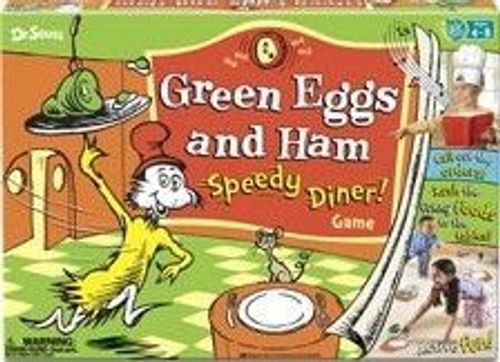
Green Eggs and Ham: Speedy Diner!
Green Eggs and Ham: Speedy Diner! Rulebook
Table of Contents
Table of Contents
Object
As a team, earn as many coins as you can by serving customers quickly.
- 2-3 players: Play as one team.
- 4-6 players: Take turns playing as two teams. Then compare your scores.
Set Up
- Customers: Put the Fox, Goat, and Mouse pads in three corners of the play area. The farther they are apart, the more challenging the game!
- Scoreboard and Coins: Put the Scoreboard and coins in another corner.
- Foods: Put the food tiles in the middle. This will be the diner kitchen.
- Your Team: Choose one player to be your team's Chef. (The first time you play, let a grown-up be the Chef.) The rest of the team are Waiters.
Musical Menu
Install 3 AA batteries (see the battery instructions below). The Musical Menu comes already loaded with a menu card. To learn how to load menu cards, see "How to Load a Menu Card" below.
How to Load the Musical Menu
- Make sure the Musical Menu is in the load position. You'll see stars in the windows when it's in the load position. If it's not in the load position, click the green button until you see stars.
- Insert a menu card. Make sure the notch is pointing down. When a menu card is fully inserted, you'll see stars in the windows.
Attention: Do not try to insert or remove the menu card unless the Musical Menu is in the load position.
Battery Instructions
The device needs three AA batteries (not included). Turn the device over, remove the cover using a standard or Phillips screwdriver, insert the batteries as indicated, and replace the battery cover and tighten the screw. Batteries must be installed and removed by an adult only.
On Your Team's Turn
Chef
- Put on the chef hat.
- Is the Musical Menu in the load position? (Do you see stars in the windows?) If not, click the green button until you see them.
- If there's not a menu card in the Musical Menu, load one now (see "How to Load the Musical Menu" above).
- Switch the Musical Menu on (LO or HI volume).
- Start the game by pushing the green button a few times. Call out the order you see in the windows. Say the customer (Fox, Goat, or Mouse), the food, and the color. Example: "The Fox would like purple pizza!"
- If you see a crossed-out picture in the window, tell the waiters to take that type of food off the customer's plate and back to the diner kitchen. Look at the examples below before playing.
- Keep clicking the green button and calling out orders until you see the words "done!"
Waiters
- Listen to the chef and rush the correct foods to the customers.
- Make sure the food is placed with the correct color facing up. Note: Food tiles have different colors on each side!
- Don't take food away from the customers unless the chef tells you to (see the examples below).
- Work as a team!
Examples of Menu Pictures
- Any food: The customer wants that food in that color.
- A crossed-out food, shape, or color: The customer doesn't want that food, color, or shape. Take any matching foods back to the diner kitchen.
- Swap: The two customers want to trade food with each other.
"Bug Bonus!"
When you hear a "Bug Bonus!" announcement from the Musical Menu, look at all the foods on the customers' plates and count how many bugs are face-up. Then, immediately put that many coins on the Scoreboard and keep playing!
Take 1 coin for each bug.
End of Game
When the music stops and you see the words "done!", the game is over.
Flip the page on the Musical Menu and check your answers. Listen! The Musical Menu will announce how fast you were and how many coins your team gets for each customer you served accurately.
"Wow! That was:"
- Fast: take 1 coin
- Super fast: take 2 coins
- Super-dooper fast: take 3 coins
- Super-dee-dooper rocket-booster fast: take 4 coins
...for each customer that has just the right things!
Then, count all the coins on the Scoreboard to see how well you did. Try to get more coins each time you play!
For a New Game
Advance the Musical Menu until you see stars. Remove the menu card and insert a new one. Put the food tiles back in the diner kitchen and clear the coins off the Scoreboard. Now it's the other team's turn. Or play again and try for a higher score!
See "How to Load the Musical Menu" above for details about how to load a new menu card into the Musical Menu.