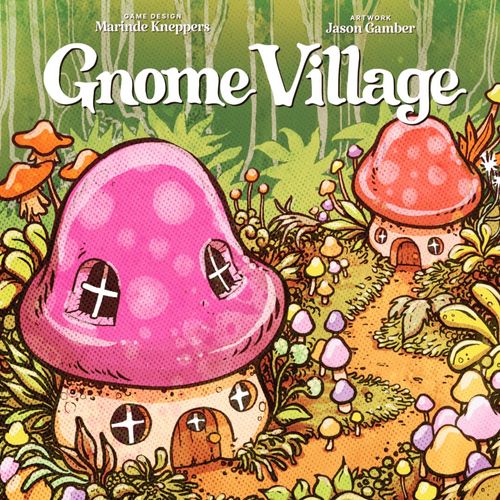
Gnome Village
Gnome Village Rulebook
Table of Contents
Table of Contents
Goal of the Game
Gnomes may be small, but they are capable of remarkable feats! These little folk are friendly, hardworking, and occasionally quite mischievous. Whether they are helping a neighbor out of trouble, or being up to no good, this is what being a part of a gnome village is all about. Build the most beautiful village for your Gnomes and earn points by buying Houses, Workshops and Businesses. Put your Gnomes to work and once a player has 5 Gnomes in their Gnome village, finish the round and end the game. The player with the most points wins!
Components
Tiles
- Workshops: Carpenter (5), Painter (5), School (5), Gardener (5)
- Houses (20)
- Roads (45)
- Businesses (24)
Pieces
- Gnomes (20)
- Gnome Coins (40)
- Product Tokens (8)
- Happy Gnome Token (1)
- First Player Token (1)
Cards
- Forest Cards (39)
- Business Reference (1)
- Village Costs (1)
- What to Do On Your Turn (8)
Set Up
Step 1: Give each player:
- 1 Gnome
- 2 House tiles
- 5 Road tiles (3 four-ways and 2 T-junctions)
- 4 Gnome Coins
- 1 What to Do on Your Turn card
Step 2: Build your village according to these placement rules:
- Each House tile must be adjacent to at least 1 Road tile.
- All Road tiles must be connected to each other.
- Choose 1 House tile and place it with the 'Lights On' side up. The other House tile will be on the 'Lights Off' side.
- Place your Gnome on the House tile with the 'Lights On' side. During the first turn, this Gnome can move immediately.
Step 3: 4 Player Game. Place the following components in the middle of the table:
- A. Create a separate stack for each type of 4 Workshop tiles.
- B. Create a stack of House tiles.
- C. Shuffle the Road tiles and create a face down stack.
- D. Shuffle the Business tiles, create a face down stack and reveal 2 tiles.
- E. Shuffle the Forest cards and create a face down deck leaving enough space for a discard pile.
- F. Place the Product tokens, Happy Gnome token, wooden Gnomes, Gnome Coins and Business Reference card within reach.
Step 4: First player token. Give the First Player Token to the player who last spotted a mushroom. Play then proceeds clockwise.
Setup for 2 or 3 Players. Set up the game for 4 Players, but adjust the following quantities:
- 2 Players: House tiles (10), Workshop Tiles (3 each)
- 3 Players: House tiles (15), Workshop Tiles (4 each)
Gameplay
Your turn consists of 4 phases. You always perform these phases in the same order.
1. Reveal. Flip a Forest card onto the discard pile and resolve it. (page 5)
2. Earn. Receive Gnome coins for Gnomes on a Business tile. (page 7)
3. Work & Buy.
- Work. You may use each active Workshop tile by deactivating it. (page 6)
- Buy. Buy tiles and/or Products with your Gnome coins. You may buy whatever you want, as long as you have enough coins to pay for it. Exception: a maximum of 5 House tiles per Gnome village. Tiles are placed in your village immediately. Once a tile is placed, you may not move it.
4. Move. Move your Gnome(s) to a Workshop or Business tile. Your Gnome may move across any number of tiles. A Gnome can move across House, Workshop, and Business tiles, but not through a Road blockade. When the Gnome leaves their House, the light remains on. Only 1 Gnome of the same color can be on a Workshop or Business tile.
- Workshop. If your Gnome ends on an inactive Workshop tile (small mushroom), flip the Workshop tile to its active side. (page 6)
- Business. If your Gnome ends on a Business tile, you may perform the associated action. (page 7)
Forest Cards
At the start of your turn, reveal 1 Forest card and resolve it.
Activate
-
Choose 1 of the Workshop icons and activate 1 corresponding Workshop tile. You may use this Workshop during this turn. If you do not have the Workshop or if it is already active, this tile does not activate.
If there is a "group of Gnomes" symbol on the card, then all players may choose a Workshop and activate it.
-
Receive 1 Gnome Coin.
Removal
- Take a Business tile from another player's village and place it in the Forest Card discard pile. If there was a Gnome on this Business tile, return it to its House tile.
- Receive 1 Gnome Coin.
Note:
- If the opponent's village no longer complies with the placement rules, the empty space must be filled as soon as possible with a new Road or Business tile.
- If you discard a Hat Business causing a tie, then the Happy Gnome stays with the player who already has it (page 7). Does this player no longer have a Hat Business? Place the Happy Gnome back in the center of the table.
Gnome Coins
Receive the number of Gnome Coins shown.
Roads
- Draw 1 Road tile from the stack and place in your village.
- Receive 1 Gnome Coin.
Angry Gnome
- All players choose 1 of their Gnomes that is standing on a Workshop or Business. Place the Gnome back on a House tile. If the Gnome is standing on a Workshop, then flip the Workshop tile over so that it becomes inactive.
- Receive 1 Gnome Coin.
Workshops
The Workshops are: Painter, Carpenter, School and Gardener.
Activate
Once you place a Gnome on an inactive Workshop tile, flip it to the active side. From your next turn onwards, you can use this Workshop tile.
After activating the Workshop tile, you may:
- Use it in your next turn by deactivating the tile. (page 6)
- Choose not to use it yet. If you move the Gnome during your next 'Move' phase, the Workshop remains active.
You may only use Workshop tiles during the Work phase. Because the Move phase occurs at the end of your turn, you can only use activated Workshop tiles in your next turn.
Produce
Painter and Carpenter (Place House). You need both an activated Painter and Carpenter tile to place a new House tile. Deactivate the Painter and Carpenter tiles and receive a new House tile. Acquiring a new House tile does not cost you Gnome coins.
School (Place Gnome). You need an activated School tile to place a new Gnome in your village. Deactivate the School tile and receive a new Gnome. Without an available House tile, you cannot place a new Gnome. (page 10)
Gardener (Place Road). You need an activated Gardener tile to place a new Road tile in your village. Deactivate the Gardener tile and receive a new Road tile. Acquiring a new Road tile does not cost you Gnome coins.
Workshop tiles can be reactivated by placing a Gnome on them.
Products
Product tokens are used for Workshop actions. Use these tokens instead of deactivating a Workshop. You can identify which Workshop they belong to by looking at the colors.
- Painter, Carpenter, Gardener and School: each has its own colored Product token.
Businesses
Some Businesses also allow you to perform special actions as well as provide Gnome coins and points. Businesses are purchased from one of the revealed Business decks. Replace immediately after drawing.
Earn Gnome Coins
During the 'Earn' phase of your turn you earn Gnome coins for each Gnome on a Business tile. The number of Gnome coins you receive is shown in the bottom left hand corner.
Restaurant
A Restaurant earns you 1 point at the end of the game.
Hat Business
If you have more Hat Businesses than your opponents, you receive the Happy Gnome. In case of a tie, the Happy Gnome remains with the player who already has it.
At the end of the game, the Happy Gnome earns you an additional point for each Hat Business you have. Other players do not earn points for their Hat Businesses.
Actions
You may perform an action immediately after placing your Gnome on the Business tile. Note: you cannot use a Business tile 2 turns in a row!
Village Costs
For the cost of 1 Gnome Coin, place a Business tile in your village from one of the two face up reveal stacks. Then replenish from the face down stack. Buy a new Workshop tile for 2 Gnome coins. Place this Workshop tile in your village with the inactive side facing up.
Sometimes you can not or do not want to use a Workshop tile. Instead, you can pay with Gnome coins.
- Pay 3 Gnome coins and place a new Road tile.
- Pay 3 Gnome coins and place a new Gnome on an available House tile.
- Pay 3 Gnome coins and perform the action of a Workshop tile of your choice.
Example: You have an active Carpenter tile, but no Painter tile. During the 'Work & Buy' phase, you pay 3 Gnome coins and deactivate the Carpenter tile to acquire a House tile.
Business Actions
Police: Each opponent receives a fine. Each opponent gives you 1 Gnome coin, unless a player has no Gnome coins.
Chapel: Your Gnome falls in love. Choose 1 Gnome from an opponent and place it next to your Gnome on this tile. If the opponent's Gnome was on an active Workshop tile, flip this Workshop tile over to its inactive side.
When it's the opponent's turn again, return the Gnome. The opponent places the Gnome on a House tile where the 'Lights on' side is turned up.
Theater: You give a performance. Receive 1 Gnome coin from the supply. For each Gnome on an adjacent Workshop or Business tile, receive 1 additional Gnome coin. These tiles can also be adjacent diagonally.
Courier: You sell a Product to another village. Flip the active Workshop tile of which the product you want to sell to its inactive side. Give the corresponding Product token from the general supply to a chosen opponent. This opponent gives you 3 Gnome coins.
Military: You protect your village. You are protected against the actions: 'Police', 'Date', 'Courier', 'Thief', 'Airport' and 'Prison'. If an opponent places a Gnome on this tile using the 'Airport' action, this protection only applies to their village. The 'Prison' action is part of the mini-expansion.
Thief: You steal from an opponent. Choose 1 opponent and take up to 2 Gnome coins from their supply.
Financial Advisor: You make a good investment. If you spend all your Gnome coins this turn, receive 1 Gnome coin at the end of your turn.
Architect: You remodel your village. You may rearrange your village. After rearranging, your village must comply with all placement rules.
Doctor: You heal a Gnome from another village. Activate 1 Workshop tile without placing a Gnome on it. Give 1 corresponding Product token from the general supply to one opponent.
Airport: You fly to another player's village. Place this Gnome in another player's village on a Workshop or Business tile without a Gnome.
- Workshop: Activate the Workshop tile. During the opponent's 'Earn' phase, receive 1 corresponding Product token from the general supply.
- Business: Immediately perform the corresponding action. During the opponent's 'Earn' phase, receive 1 Gnome coin.
After the opponent's 'Earn' phase, take back your Gnome and place it on its 'Airport' tile. The Workshop or Business tile becomes available again for the opponent. When you return your Gnome to your 'Airport' tile, you will not receive a Gnome coin during the 'Earn' phase in your turn.
Mini-Expansion
Construction site: You build a Business. Take 1 Business tile from the facedown stack and immediately place it in your village. This action is only possible if you can connect the Business tile to a Road tile.
Prison: You capture an opponent. Take 1 Gnome from an opponent's village and place it on the Prison tile. During the opponent's 'Earn' phase, take 1 Gnome coin from their supply. The opponent places the captured Gnome back on a House tile in their own village. The prison only has room for 1 Gnome at a time.
Swimming pool: Your Gnome feels refreshed. Your Gnome may activate 1 additional Workshop or Business tile without moving.
The mini-expansion includes printed wooden Gnomes and 4 extra Business tiles.
Roads
Roads are the connections in your village.
- Every House, Workshop, and Business tile must border at least 1 Road tile. Buildings can border each other as long as each building also borders a Road tile.
- Some Road tiles have a path with a blockade. Your Gnome cannot pass through these blockades and you cannot place a blockade that borders a Business.
Correct: Each building borders a Road tile. (Diagram in the printed rulebook.)
Incorrect: There is no continuous Road tile bordering the House and Doctor tiles. (Diagram in the printed rulebook.)
Placing Gnomes
To place a new Gnome in your village, you must:
- Have at least 1 House tile per Gnome. For example, for 3 Gnomes, you must have 3 House tiles.
- Have an activated School tile, spend a School token or spent 3 Gnome coins.
When you place a new House tile, the 'Lights off' side is faced up. If you want to place a Gnome there, flip the House tile to the 'Lights on' side. Then, place your Gnome lying down on this House tile. They need to rest from the journey and are inactive.
In your next turn, at the start of the 'Move' phase, place the new Gnome upright. This Gnome is active and you can move them within your village.
The light is off in new House tiles. When a Gnome lives there, the light is on. (Diagrams in the printed rulebook; Gnome shown Inactive, then Active.)
Tip: Are you playing with children under 12? Then each player can play with 1 less Gnome to make the game easier and shorter.
End of Game
Once a player has placed 5 Gnomes in their Gnome village, the game ends. Complete the round so that each player has had an equal number of turns.
Then, score the tiles in your village. Scoring is as follows:
- 2 points per Workshop (Carpenter, Painter, Gardener and School tiles).
- 2 points per House with the 'Lights on' side up.
- 1 point per Restaurant.
- If you have the Happy Gnome, earn 1 point per Hat business tile.
- 1 point per unused Gnome coin.
Do you have the most points? Then you win the game! Is there a tie? Then the player with the most tiles wins.
Example: 1 + 2 + 4 + 2 + 1 = 10 Points
Index
- Goal of the game, 2
- Components, 2
- Set Up, 3
- Step 1: Give each player, 3
- Step 2: Build your village, 3
- Step 3: 4 Player game, 3
- Step 4: First player token, 3
- Setup for 2 or 3 players, 3
- Gameplay, 3
- Reveal, 3
- Earn, 3
- Work & Buy, 3
- Move, 3
- Forest Cards, 5
- Activate, 5
- Removal, 5
- Gnome Coins, 5
- Roads, 5
- Angry Gnome, 5
- Workshops, 6
- Activate, 6
- Produce, 6
- Painter and Carpenter, 6
- School, 6
- Gardener, 6
- Businesses, 7
- Earn Gnome Coins, 7
- Restaurant, 7