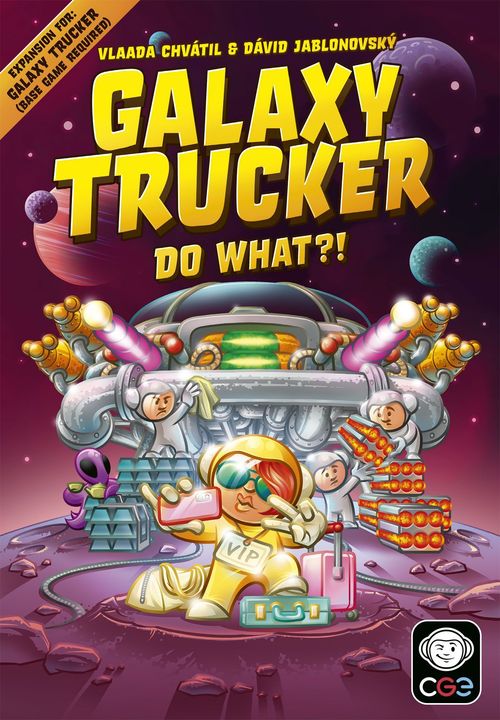
Galaxy Trucker: Do What?!
Galaxy Trucker: Do What?! Rulebook
Table of Contents
Table of Contents
Components
Printed on the rulebook's component page:
- 18 VIP cards in 3 colors
- 20 astronaut figures in 4 colors
- 4 cabins
- 1 new trucker title tile
- 16 mission cards (including mandatory yellow exclamation marks)
- 64 payload component tiles, used only when playing specific missions
- 23 extra cosmic credit tiles, now with 100-credit tokens
- 24 supercards, used in specific missions
- 2 turn-based player aids, to help everyone remember which actions you can take in the turn-based game
- 1 mission manual
Contracts Web App
This expansion includes a lot of new ways you can play the game! With VIPs, missions, and all the elements from the Keep on Trucking expansion, the amount of possible combinations is huge.
To help you decide what elements you should play with in any given game of Galaxy Trucker, you may use the free Contracts web application. You'll select your preferred complexity and cruelty level of excitement, and the app will offer you a contract — a combination of game elements for your flight. And you either accept it, or keep asking for more until you find one you like. Easy peasy. [Oh, wait, not that one. (Don't worry, you'll understand this note later.)]
The Contracts web application is found at cge.as/gt-contracts.
VIPs: Customer Service Guide
To safeguard our valued passengers from the colorful personalities of our truckers, Corporation Incorporated has developed this rigorous customer service training guide. Carefully following these instructions will ensure a painless flight — well, at least painless for the VIPs. Um, we have just checked the flight statistics … maybe a painless takeoff is more accurate.
Setting Up for Them
- Separate the VIP cards into 3 decks, based on their colored backs. Shuffle them, then reveal the top card from each deck.
- There are VIP astronaut figures in 3 different colors. For each color, take a number of figures equal to the number of players, and place them next to the VIP cards. Return any unused figures to the box.
- Shuffle the marked VIP cabins face down, and give 1 to each player. Place this cabin face up in your reserve. Return any unused VIP cabins to the box. You'll be able to add this cabin to your ship during shipbuilding.
Building for Them
VIPs occupy cabins in your ship. However, VIPs are picky: they will only occupy a cabin according to their demands. Each VIP's demand is explained in the box at the top of their card.
Before you begin shipbuilding, look over all 3 VIPs. While building your ship, you can try to place cabins into spots that a particular VIP will find suitable, according to their demands. Unfortunately, VIPs cannot occupy your starting cabin: all the extra "command" equipment in there looks far too much like a responsibility for their tastes.
Because playing with VIPs increases the need for cabins, each player will start ship building with 1 extra cabin in their reserve. This functions like any other cabin, and can be added to your ship at any time during building. (If you forget to add it to your ship, it will count against you at the end of the flight. Don't worry, truckers forget about that extra cabin all the time.)
Corporation Incorporated gladly provides an extra cabin whenever you're transporting VIPs. And by gladly, we mean in direct response to passenger feedback like this: "It'd be a shame if toilet flappers suddenly faced an extra 110% import tax for the next thousand years — just because I had to travel in a cramped cabin with some snoring, smelly, swearing old marine again …"
VIP Card Examples
Printed on the setup and building pages, as examples. Each card's demand is in the box at the top; its in-flight ability and final reward follow. Icons on the printed cards are described in words here.
Retired Admiral
- Demands a view of a cannon or a catapult. Mark all his viewed weapons with a cube. (It's not goods. It's just a marker.)
- In-flight ability: The marked weapons have an additional +½ strength. Double cannons have an additional +1 strength.
- In-flight reward: Gain 1 credit whenever a marked weapon shoots or adds its strength (2 credits for double cannons).
Smuggler King
- Demands a joined structural module.
- In-flight ability: Each joined structural module can store 1 goods block of any color. Ignore these goods when losing goods.
- Final reward: All goods stored in structural modules are worth double credits.
Feng Shui Master
- Demands a cabin with all of its connectors joined to perfectly matching connectors (1–1, 2–2, or universal–universal).
- Final reward: 1 credit per flight level plus 2 credits for each joined tile.
Xenodoctor
- Demands there be no alien life support module on the eight neighboring squares.
- In-flight ability: When evaluating Epidemic, Contamination or Plague, consider Xenodoctor's cabin unoccupied.
- Final reward: For each alien in joined cabins, you gain 3/4/5 credits (according to the flight level).
Welcoming Them Aboard
After you finish building, but before performing the spot check, you may choose to add a VIP to any non-starting cabin that meets their demand. Take a VIP astronaut figure of the corresponding color (red, blue, or yellow) and place it in the appropriate cabin. You do this instead of adding regular astronauts to that cabin. The player spot-checking you should also check that any cabins with VIPs meet their demands. If not, replace the VIP with 2 regular astronauts.
Each cabin can only contain one VIP. The rich and famous enjoy their privacy.
You can have up to 3 VIPs on your ship at once: one of each color. Of course, having all 3 VIPs on your ship means that you had to satisfy a LOT of demands … and may have forgotten to add enough engines or to look at all of the cards in the flight forecast. But you'll be fine ... probably.
Flying with Them
VIPs are counted as crew members. They can help in Combat Zones and Abandoned Stations, plus, if they really get on your nerves, you can send them away on an Abandoned Ship or give them up to Slavers (don't expect a tip when this happens). They can even pilot the ship alone — they just won't be happy about it.
Some VIPs have unique in-flight abilities, while others can sometimes give you in-flight rewards. These are always in highlighted frames on the card, and they can be used as long as the VIP is on board your ship.
VIPs do not leave your ship if their demands cease to be fulfilled during the flight. You just had to convince them to get on board — whatever happens during the flight is your business, and VIPs tend to assume that everything will go according to plan.
The stars of the box-office flop Trucks of our Hearts famously conducted extensive research on the lives of truckers through the VIP program. Actor Kris Krystal admitted in a celebrity tell-all that, sometimes, he can still hear the screams ...
Delivering Them
At the end of the flight, most VIPs give you a hefty reward — of course, they'll only give you a reward if they are still on board your ship.
Take VIP rewards before evaluating the regular rewards at the end of a flight (finish order, awards, goods, and penalties).
If playing with VIPs as a part of a Transgalactic Trek, reveal the next VIP card in each stack when setting up the next flight, covering the old VIPs.
New Title: Party Organizer
At the end of a particularly difficult flight, some truckers just want to kick back and let loose. A diverse and colorful crew guarantees the food and the dancing will be top notch!
Count the number of different types of crew members you have (regular astronaut, every color of alien, and every color of VIP). The player with the most colorful crew can claim this title.
Gold Title: You cannot place any human crew (regular astronauts or VIPs) in the eight spaces neighboring an alien life support component.
Component note: the Party Organizer title tile is marked "Not recommended for use in games without VIPs."
VIP FAQ
Retired Admiral It doesn't matter what cube you use to mark the viewed weapons. These cubes are not goods, and cannot be redeemed for credits at the end of the flight. They're just there to remind you not to forget the strength bonus given by the VIP, and are removed from your ship if you lose him. Single cannons and catapults both receive a +½ strength bonus from this VIP.
Rocket Engineer You can use her "in-flight" ability whenever it is your turn to calculate engine strength, but only after you have finished all of your other calculations. That means you'll have to subtract the weight of heavy cargo before doubling your engine strength. You do not earn credits for the current adventure card, only the cards that have already been resolved.
Rushed Politician If multiple players have a Rushed Politician on their ship, resolve their "before flight" ability from front to back. If the reward for finish order has been doubled by a mission, the Rushed Politician's reward is also doubled, as you evaluate VIPs after evaluating missions.
Cautious Rich Widow Think of this VIP's cabin and all tiles joined to it as one single component. If 1 of these components would be lost, you lose all of them instead. The VIP takes off in her private vessel, leaving your ship behind. If this VIP is joined to fragile or explosive cargo that would be destroyed, the Widow leaves before the effects of these cargo are resolved.
Quarantined Patient This VIP's Epidemic is the same as a normal Epidemic. Each cabin that is connected to another cabin loses one crew member.
Feng Shui Master Every connector on this VIP's cabin must be joined to another connector of the same type: one-pipe, two-pipe, or universal.
Force Addicted Guru Whenever you use a battery to power a component, check to see if you can draw a straight line from the component to the battery that passes through this VIP's cabin. This is either done as a result of all 3 components being in the same row or column, or is done on a diagonal line, drawn along the corners of each tile. It doesn't matter how far away the battery is from the powered component, so long as the VIP's cabin is between them.
Keep on Trucking note: Techie Cyan Aliens generate their free battery seemingly out of thin air. As a result, this battery will never count for VIP rewards.
Environmental Activist Whenever you use a battery from a component in the 8 tiles that neighbor this VIP's cabin, check to see if the component you powered is directly connected to that battery.
Carpool If you use the Rocket Engineer's in-flight ability, she counts as lost for this mission. If the Cautious Rich Widow's in-flight rule activates, she counts as neither lost nor delivered — she found her own way to make it to her destination without your help (and made sure you wouldn't get any credits for failing to protect dear Roderick).
Smuggler King The goods stored in structural modules are very well hidden and will never be lost to effects like Smugglers or Nanobot Dust. If you lose the Smuggler King during the flight, you still keep the goods you have stored in the structural modules — they'll just be worth their usual credits. You can rearrange goods between structural modules and cargo holds in the usual way while the Smuggler King is on your ship, but can no longer do so if you lose him.
Trillionaire's Spoiled Child Each type of payload component (heavy, explosive, fragile, and radioactive) counts as an individual component type.
Keep on Trucking note: There are 4 more types of components in this expansions: boosters (cannon, engine, and shield boosters are all boosters), reactor furnaces, catapults, and stasis chambers. Combined components count as both of their types, and cyan alien life support systems are still alien life support systems.
Superstitious Celebrity A component can have between 1 and 4 sides with connectors on them. In order to meet this VIP's demand, each component joined to the VIP's cabin must have a different number of sides with connectors from each other joined component. For example, if the VIP's cabin has 4 connectors, it needs to be connected to components with 1, 2, 3, and 4 connectors — one of each.
Printed diagram: a cabin with components of 1, 2, 3 and 4 connectors joined to it (diagram not reproduced).
Keep on Trucking note: Stasis chambers are radiation proof and can still have crew placed on them. Crew members in stasis can be awakened to replace crew as usual, assuming their new location is legal.
Missions
Whether you're a fresh-faced trucking greenhorn or a grizzled veteran, missions offer you a brand new way to play Galaxy Trucker. Each mission changes the rules of your flight, presenting you with a set of very reasonable, technically-within-the-parameters-of-your-contract expectations that any trucker would feel excited to meet.
Even if you routinely complete flights without a scratch, you will find that missions can turn the basic version of Galaxy Trucker into a real challenge.
Missions can be used when playing a single flight, or as a part of a Transgalactic Trek. Whenever you choose to play a mission, all players receive an advance payment — 10 credits per level of the flight. So, if you're playing any mission on a level II flight, every player would receive 20 credits.
Getting paid in advance is, admittedly, pretty exciting. It represents the high level of confidence that our clients have in you, the truckers. It also ensures that you'll have enough credits to pay us back for any out of the ordinary penalties you may incur.
Since you all started with such a generous advance payment, we're *almost* positive that every player is sure to win any game of Galaxy Trucker played with a mission! Publishing reports of a completed flight in which not a single trucker managed to earn 1 cosmic credit is a real setback for the hiring department.
Truckers don't just take on missions for fun, but for profit! Missions always give you some kind of reward. When evaluating rewards at the end of the flight, always do so in this order:
- Mission Rewards
- VIP Rewards
- Finish Order Reward
- Award/Titles
- Sale of Goods
- Losses and Mission Penalties
Which Mission Do I Play?
You can always select any mission from the mission manual that sounds fun.
If you would like to introduce more serendipity in your mission selection, you can use the mission cards. Before playing, simply shuffle these cards and reveal two of them. Then, the player who most recently gave up on a flight chooses one of those two.
If you're playing missions as part of a Transgalactic Trek, repeat the process for selecting a new mission between each flight. The player with the least credits draws the next two mission cards and chooses which one to play. Just make sure you remove any game components specific to the previous mission before you set up the next one.
As explained on page 3, the Contracts web application is also a great way to choose what mission to play. You can tailor any flight to your exact specifications with the click of a button!
While the specific rules for each mission are detailed in the Mission Manual, there are 2 major elements that reappear throughout the missions: payload components and supercards.
Sample Mission: Heavy Duty
Ho boy! My truckers are here. I hope you don't mind a little heavy lifting.
Setup: Add all heavy cargo payload components to the warehouse. Make sure everyone knows how heavy cargo works. Don't forget to take your advance payment (10 credits per flight level).
Heavy cargo: Cannot be destroyed by meteors or cannon fire that hits a side on which it has no connectors. Whenever you calculate engine strength, subtract the total weight of your heavy cargo.
Taking Off: At the beginning of the flight, before revealing the first card, resolve a virtual Open Space adventure. Just like when resolving the real card, each player in order declares engine strength and immediately moves ahead that many spaces. Then, any player who did not declare a positive engine strength must give up on the flight.
Rewards: The player who delivers the highest total weight of heavy cargo receives 5 credits per flight level. In case of a tie, all tied players receive the bonus.
All players who deliver heavy cargo are paid according to the total weight they delivered:
| Weight | Credits | Weight | Credits |
|---|---|---|---|
| 2 | 3 | 6 | 21 |
| 3 | 6 | 7 | 28 |
| 4 | 10 | 8 | 36 |
| 5 | 15 | 9 | 45 |
+10 credits for each unit above 9.
Penalties: Players who didn't finish the flight and players who delivered no heavy cargo must pay a penalty of 5 credits per flight level.
Sample Mission: Riding a Pow[er]
Hey, buddy, I've got a challenge for you. Don't worry, it's fun ... kind of.
The right-hand half of this sample mission is cut off at the edge of the printed page. Only the legible text is transcribed below; passages cut off in the printed sample are marked [cut off]. The full mission is in the Mission Manual.
Setup: Add all explosive cargo payload components to the cargo works. Don't forget to take your advance payment [cut off].
Explosive cargo: If an explosive cargo component is destroyed, it explodes, destroying all components on the eight neighboring squares. Explosive components are destroyed by this explosion too. This is known as a chain reaction. [Box text partly cut off in the printed sample; the wording above follows the Explosive Cargo rule printed on page 10.]
When preparing the flight forecast, replace one level pile of unknown cards as normal, with no supercard.
Chicken Rule (not used in 2 player): Before the flight, the player with the least explosive [cut off]. (... you mark the chicken is up to you.) If multiple players are tied for fewest [cut off] (unless all players are tied for fewest. In this case, th[cut off]).
Rewards: The player who delivers the most explosive cargo [cut off] 8, 12, or 16 credits. All tied players get the bonus.
Penalties (not used in 2 player): The player who delivers the least explosive cargo [cut off] 4, 6, or 8 credits. All tied players pay the penalty. [cut off]
Note: Giving up on the flight counts as delivering no explosives. [cut off] delivers no explosives, both must pay the penalty.
Payload Components
Payload components are only used when playing specific missions. When a mission asks you to add payload components to the warehouse, just mix them in with the components you already have. Payload components have distinctive backs, so you will know if you are about to draw one even when it is face down.
Don't get too excited. Payload components aren't all that useful. In fact, they mostly cause trouble. Trust me, you wouldn't be taking them along if they weren't necessary for your mission.
During ship building, you cannot voluntarily reserve payload components. If you choose not to add one to your ship, you must return it to the warehouse face up.
There are 4 different types of payload components: explosive cargo, fragile cargo, radioactive cargo, and heavy cargo.
Explosive Cargo
There's an ongoing legal debate about whether Corporation Incorporated is even allowed to manufacture these explosives. Luckily, that debate isn't concerned with whether truckers should be allowed to transport them.
If an explosive cargo component is destroyed, it explodes, destroying all components on the eight neighboring squares.
Note: components are destroyed by meteors, cannon fire, and specific adventure cards (like Sabotage) in which a component is … well, destroyed. While there are lots of ways to lose pieces, only destruction will trigger an explosion.
Of course, if any explosive components are destroyed by this explosion, then they will explode, too. This is known as a chain reaction.
Fragile Cargo
In particularly challenging flights, it can sometimes feel like every component on your ship is made of glass. Now, imagine they actually ARE made of glass — how exciting.
As the name implies, fragile cargo is very sensitive. If any one of the components on the eight squares neighboring a fragile cargo is destroyed, the fragile cargo component is also destroyed.
Of course, if a fragile cargo component is destroyed, that will trigger the destruction of any neighboring fragile cargo, leaving shards of glass everywhere!
Wow, explosive and fragile cargo sound like a lot of fun! Imagine combining the two ... it would be a real party.
Radioactive Cargo
Nuclear generators can provide virtually limitless energy to developing colonies. Too bad they have such adverse effects on a trucker's limited batteries — not to mention the crew.
When building your ship, two radioactive cargo components cannot be joined to each other. (You really don't want to see the results.) If you join them together by accident, this counts as a building mistake, which must be corrected by removing one of them.
The components on the eight squares neighboring a radioactive cargo cannot have battery tokens or crew figures placed on them. It's okay to have battery components and cabins neighboring radioactive cargo, but they won't receive any batteries or crew figures. Radioactive cargo components have no effect on goods.
Heavy Cargo
Megamassive ingots aren't just massive … they're also really, really heavy. So heavy that they slow down your ship.
Each heavy cargo has a weight. That's the number on the tile. Whenever you calculate your engine strength, subtract the total weight of all heavy cargo tiles on your ship. So, if you have an engine strength of 6, but a total weight of 4, your actual engine strength would be 2.
Heavy cargo cannot be destroyed by meteors or cannon fire that hits a side on which it has no connectors. To put it another way, the smooth sides of heavy cargo act as indestructible plating. However, on sides with connectors, heavy cargo is just as vulnerable as any other component. It can also be destroyed by effects that are not hits from a specific direction, such as the effect of Sabotage or explosive cargo.
If you have a basic understanding of physics, you know that heavier loads require stronger engines and a really heavy load will keep your ship from moving at all. Now, it may happen that some of your fellow truckers have more than a basic understanding of physics and they might question our calculations. Don't listen to them. While they are droning on about energy, momentum, and other such nonsense, fire up your engines and leave them in the dust. That'll show them!
Keep on Trucking note: Stasis chambers are radiation proof and can still have crew placed on them. Crew members in stasis can be awakened to replace crew as usual, assuming their new location is legal.
Supercards
Regular adventure cards can be helpful or harmful. Supercards exclusively focus on the harmful aspects.
Supercards have distinctive backs, and are only used when playing particular missions. When using supercards, make sure the flight's combined deck of adventure cards is shuffled so that the topmost card is a normal adventure card of the same level as the flight.
Supercards are supposed to be challenging, but not unstoppable. Most of the time, there will be a way for you to look at them during building so you can prepare for them. If you are the sort of player who doesn't look at the cards much, you should make an exception for supercards.
Types of Supercards
Black Hole
Modern truckers still honor the ancient traditions passed on to them by the terrestrial truckers of old: "When thou seest a pothole, thou shalt swerve."
To avoid being sucked into a Black Hole, truckers need to power up their engines.
The gravitational pull of the Black Hole depends on the level of your flight. For example, this card has strength 5 on a level II flight.
Players deal with the Black Hole in order, beginning with the leader. You need your engine strength to match or exceed the black hole's strength to avoid it. For every point of strength you are short, you'll have to give up 2 components from your ship.
It's important to remember that you give up these components while you are calculating your engine strength. You can power double engines and discard components in any order: this allows you to use a battery token and then give up the component it came from. However, your engine strength is not calculated until everything is discarded. So, if you give up an engine, it won't count toward your strength. If you give up a brown alien's life support module, the alien won't be there to give you a bonus. You really don't want to give up your engines.
When making your calculations for a Black Hole, flip any components you're giving up face down rather than immediately removing them from your ship. This allows you to backtrack if you realize that there are different components you would rather give up. Only remove components from your ship when you have finished your calculations.
If you don't have enough components to make up the difference ... well then, you give them all up, in a way. And you would be forced to give up on the flight, although that's a rather tame way of describing what really happens.
Black Holes may be best-known for inspiring the perennial #1 hit on Truckin' Radio: "My Ship Got Sucked Because it Sucked."
Enemy Fleet
Meeting a fleet has some advantages over the usual enemy encounter. For one thing, the fleet attacks everyone, so the ship in front won't be taking away everyone else's fun. For another thing, defeating a fleet has no reward, which stops your fellow truckers from feeling jealous.
Enemy fleets are too well-coordinated to attack only from the front. This changes the normal rules for calculating your strength. Your forward facing weapons won't always contribute their full strength, and backwards or sideways facing weapons may contribute more than ½ strength.
The top of each fleet card shows you which of your weapons are pointing towards the fleet. All weapons facing these directions contribute full strength. All other weapons contribute ½ strength. So, for the pictured Robber Fleet, weapons pointing forward and backward would contribute their full strength. Any weapons pointing left or right would contribute ½ strength. Purple aliens always contribute their full bonus.
A fleet's strength depends on the level of your flight. You can ignore everything on an enemy fleet card below the line corresponding to the current flight level. (You may even cover the inapplicable lines with another card, if it helps.)
Resolve enemy fleets in order, beginning with the leader. When it's your turn, declare your cannon strength:
- If you match or beat the enemy's strength for the current flight level, you're safe! Nothing happens to your ship.
- If you cannot match the enemy's strength for your flight level, then all the penalties for your flight level and previous flight levels apply to you. Begin with the top line and continue down to the line for the current flight level.
- If the penalties include cannon fire, the leader rolls once per shot and the roll determines the hit location for all impacted ships, as usual. All penalties are cumulative.
Robber Fleet (shown as an example; ship diagram not reproduced)
Using the ship below, you would have 3 and ½ strength against this Robber Fleet, or 7 and ½ if you powered both of your double cannons. Since this is a level I flight, you would be safe from losing any crew (that is, as long as you have two batteries).
Pirate Fleet (shown as an example; ship diagram not reproduced)
Using the ship above, you would have a strength of 3 against this Pirate Fleet, or 6 if you powered both of your double cannons. In either case, you would fail to reach the 8 strength necessary to overcome this fleet in a level I flight. Therefore, you would be forced to endure one heavy cannon shot from the left.
Meteor Shower
In any watering hole frequented by truckers, the conversation will eventually turn to the question of how likely it is for a small meteor to hit that one connector that has been left exposed. Some careless loudmouth will say it's a million to one. The rumpled, grease-stained veteran at the end of the bar will say that on her ship, it's at least a fifty-fifty. The poindexter with the glasses and the pencil will scribble on a napkin and try to explain why it's somewhere between one-in-six and one-in-twelve, depending on the location. Then the loudmouth will grab the scribbler by the collar as a way of explaining the difference between theory and reality ... and this is your opportunity, from your table in the dark corner, to say in your most ominous voice, "Have you ever seen a meteor shower?"
In a Meteor Shower, small meteors come at your ship from two directions and strike every single row and column. No dice are rolled.
The curving arrow shows where the onslaught begins and ends. Resolve the meteors one-by-one in this order. And yes, from one direction, the meteors come twice. The effect of each meteor is the same as any small meteor, and they can be defended against in the usual way.
If you don't have any exposed connectors, you can ignore this card completely. If you do have exposed connectors …
Keep on Trucking note: Because no dice are rolled, the ships from this expansion won't follow their usual rules during a Meteor Shower. The meteors will not be mirrored on ship IIA, and meteors hitting the bottom or top of ship IIIA will not hit the sides instead. Of course, this benefits ship IA — its spaces will not be hit multiple times.
Asteroid Attack
In an Asteroid Attack, every ship encounters a very large asteroid. The exact largeness of the very large asteroid is based on the flight level that you're playing.
To determine which rows or columns the asteroid hits, the leader rolls one die. Add 3 to this result to determine the asteroid's point of impact:
- The space that the arrow on the card is pointing to is the asteroid's center. So, if you rolled a 4, the asteroid would hit row or column 7.
- The asteroid will also strike one, two, or three additional rows or columns, based on the level of the flight. Looking at the card, use the asteroid's center to determine which additional adjacent rows or columns are also hit by the asteroid.
Resolve the asteroid as though multiple large meteors are hitting these coordinates at the same time. Since these hits are simultaneous, each of your weapons pointing sideways or backwards may be used only once: they can still hit part of the asteroid in the same or adjacent row or column … just not multiple parts at the same time. In this instance, the player chooses which row or column the weapon protects.
Example (diagram not reproduced): You're playing a level II flight and the leader rolls a 4. That means that this Asteroid Attack would hit rows 6, 7, and 8. Looking at the ship below, your left-pointing cannon in row 9 can protect row 8. You may also power your left-pointing double cannon in row 6 to protect either row 6 or row 7, but not both.
Phantom Asteroid
The Phantom Asteroid works just like a regular Asteroid Attack. The leader rolls one die, adds 3 to its result, and calculates which columns the asteroid hits based on the flight level.
Fortunately, this asteroid is in a different plane of reality. It is very close to our plane, so you see its reflections, but as long as you don't shoot it, it won't destroy anything on your ship. Just keep calm, and don't power your double cannons in those columns. Unfortunately, your loyal single cannons fire automatically — there is nothing you can do to stop them from bravely "protecting" your ship. If one of your weapons fires on the phantom asteroid, a real large meteor enters our reality in that column and you'll have to face it immediately. Because the first cannon in that column already fired, it can't fire again to destroy the meteor. You'll have to find another way to protect that column, such as a second forward-facing cannon.
Example (diagram not reproduced): On the same level 2 flight, the leader rolls a 5. That means the Phantom Asteroid threatens columns 7, 8, and 9. Looking at the ship above, choosing not to fire the double cannon in column 7 keeps the column safe. Unfortunately, the cannon in column 8 fires automatically, so a large meteor materializes in that column and destroys the cannon. The cannon in column 9 attacks, too. Fortunately, there is another cannon in that column that shoots down the materialized meteor.
Keep on Trucking note: Boosted shields can protect from both Asteroid Attack and Phantom Asteroid, but each boosted shield can only protect from one hit per card. To protect multiple rows or columns you would need multiple shields and a way to boost all of them. (Finally, a reason to have multiple shields covering one side.)
Tactical Zone
Tactical Zones are very similar to Combat Zones. Players compare the properties of their ships and the one who is worst off must suffer a penalty.
Instead of evaluating three rows, a Tactical Zone evaluates two columns: first the left, then the right. And instead of evaluating a specific parameter, a Tactical Zone evaluates the difference between two parameters, as depicted at the top of the column. So, in the pictured Tactical Zone, you would subtract your weapon strength from your crew in the left column.
Players do their calculations in order, beginning with the leader. You are trying to avoid having the lowest value after subtracting one parameter from another. On your turn, you may choose whether to power components that use batteries, but everything else counts as usual — even if you don't want it to. Once you have determined which player has the lowest value, they will suffer a penalty based on the level of the flight. Apply all the penalties on and above the line labeled with the flight level. If multiple players are tied for the lowest value, the one furthest ahead suffers the penalties.
Evaluate each column individually. If you powered a component with a battery in the left column, you would have to power it again in the right column if you want its strength to count.
Example: David has 8 crew members and 6 single cannons. His value is 2. Regi has 6 crew members, 7 single cannons, and 2 double cannons. She chooses not to power her double cannons, but that still gives her a value of –1. Gus has 3 crew members, 6 single cannons, and 1 double cannon. Even without powering the double cannon, that gives him a value of –3. This means that Gus has the lowest value of all 3 players, and must lose 3 crew and go back 5 flight days. Looks like someone is giving up on the flight after this Tactical Zone is resolved ...
Keep on Trucking note: Diplomat Cyan Aliens have no effect in a Tactical Zone. Sometimes, diplomacy just fails.
Deadly Radiation and Radiation Burst
Both of these cards cause critical malfunctions in your battery components. And when a size E battery has a malfunction, well … expect it to be E-normous.
When you encounter Deadly Radiation, each battery token on your ship leaks radiation, forcing you to lose every crew member in the 8 spaces neighboring the battery token.
When you encounter a Radiation Burst, each component with a battery token on your ship destroys every other component with a battery token in the 8 neighboring spaces. This happens simultaneously, so components with battery tokens will destroy each other.
Corrosive Dust and Nanobot Dust
Both of these cards are similar to Stardust. They just cause you to lose a lot more than flight days.
In both Corrosive Dust and Nanobot Dust, every player loses 1 flight day per exposed connector. Resolve this just like Stardust, from last in flight order to first.
In Corrosive Dust, every engine and cannon with an exposed connector falls off of your ship after you have lost your flight days. These components are lost. It doesn't matter whether the cannon or engine is a single or a double: it still falls off.
Well, if you're in the gravitational pull of a planet, the double guns and double engines probably fall off faster.
In Nanobot Dust, you lose all crew members, battery tokens, and goods held in any components with an exposed connector. Hey, at least you can tell the families of your crew members that you got to keep the components!
Nanobots were originally designed as a way to get rid of biological and technological waste. Too bad they ate the entire R&D team before they got to "Project phase 2 — How to turn them off".
Plague and Contamination
Both of these cards are similar to Epidemics, but your crew likes them even less.
In a Plague, if there is an occupied cabin in the 8 spaces neighboring another occupied cabin, they both lose a crew member.
In a Contamination, check to see if you have any two cabins on your ship joined together. If you do, every cabin on your ship loses a crew member. I guess you shouldn't have taken the risk to connect those two cabins after all.
Turn-Based Building
If you like Galaxy Trucker, you probably know this situation: You want to share your passion and show it to a friend who's never played before. You explain everything, turn the timer, start building your ship ... and when you're done, you notice your friend is still pondering where to connect their fifth tile. And two of those already placed break rules. Turn-based building is here to save the day!
In turn-based mode, you can play any flight level and any mission, and you can use any other expansion content you would like to use, like VIPs or components from the Keep on Trucking expansion. In fact, when imagining playing some of the most difficult missions with VIPs and expansion tiles … maybe you should play turn-based mode.
Just note in turn-based mode, the ship building takes considerably longer, so if you are trying it for the first time, we recommend a level I (or at most level II) flight.
Setup
-
The player that most wanted to play Galaxy Trucker with turn-based building is the starting player.
-
Give each player 8 goods cubes that match their player color. These will be used as a player's action points (APs).
Each player can have a maximum of 8 APs at one time. The player going last always starts the game with 8 AP available, then each player in reverse turn order has one fewer available AP than the previous player:
Players Player 1 Player 2 Player 3 Player 4 4-Player Game 5 AP 6 AP 7 AP 8 AP 3-Player Game 6 AP 7 AP 8 AP 2-Player Game 7 AP 8 AP -
Prepare the flight forecast piles, dealing one additional card of the highest level used to each pile. So, in a level II flight, each pile gets one additional level II card.
Using Action Points
Building will now take place over a series of turns. On your turn, you will spend some of your APs to take actions:
- 1 AP — Reveal: Reveal a face-down tile, leaving it face up.
- 1 AP — Reserve: Reserve a face-up tile, placing it into your reserve. You can still only hold 2 tiles in your reserve.
- 2 AP — Place: Place a face-up tile on your ship, either a tile from the center or one you already reserved. Follow the normal rules of shipbuilding.
- 3 AP — Look: Look at a card pile from the flight forecast. Take it into your hand, and return it at the start of your next turn. You may only take the look action as your final action on your turn and only after you have added at least one component to your ship.
We recommend tracking the actions you take by moving APs from right to left. Place available APs on the right side of your board, and used APs on the left.
Ending Your Turn
You must continue taking actions until you have 3 or fewer action points remaining. That means that you can only take the look action if it would cause you to have 3 or fewer action points remaining afterwards.
When you end your turn, replenish 5 action points, moving them from the left side of your board to the right.
Ending Building
Once at least half of your ship board is filled with tiles, you may choose to stop building at the end of your turn. (Calculate half by counting the total number of spaces on your ship board and rounding up.) You will no longer take any more building turns, and you may move your ship token to one of the starting spaces, just like you would in the real-time mode.
As soon as you stop building, you initiate the end of building countdown for all other players. Take the die next to the flight forecast and set it to a value of 2 more than the level of the flight.
If you are the first player to stop building, on each of your subsequent turns, you decrease the die by one (instead of building). When the die decreases to zero, building ends immediately for all players.
Note: If there is no longer a way for you to spend your APs (because all tiles have been revealed, none of the revealed tiles can be added to your ship, and you have more than six APs and thus cannot look at any cards), you automatically initiate the end of building.
Glossary
Neighboring: Whenever a VIP or payload component refers to "neighboring," that means the 8 possible spaces on your ship that surround the component. You can also consider this as all orthogonally and diagonally adjacent spaces, if you're a board game geek.
Joined: Two components are "joined" when they are directly connected to each other.
View: To have a view, a cabin must have a smooth side (without connectors) that is facing empty space. This can mean either the edges of your ship, or a literal "empty space" that you left in your ship when you built it. For a cabin to have a view "of" something, you must be able to draw an uninterrupted line in the same row or column between the smooth side of a cabin and any side of the particular component it needs to have a view "of."
There can be any number of blank space between a cabin and the viewed component, even zero.
Walking Distance: To calculate walking distance, imagine yourself inside the ship, traveling through the pipes. A tile joined to your current component is a distance of 1. A tile joined to that is a distance of 2. And so on. Each step must go through connectors. Use the shortest path. Walking distance is thus very different from adjacency: two components could be adjacent, but could have walking distance of 4 or more between each other.
Doubling: This means what you think it means, unless something gets doubled twice. If a mission and VIP both double the same reward, you get it 3 times, not 4. If a reward is doubled, then tripled, you get it once, then once from the doubling, then twice from the tripling. So that would be 4 times. So doubling really just means "get the base value again."
Mission-Specific Components in Reserve: If a mission asks you to add tiles to your reserve before ship building, they still count towards your limit of tiles in reserve. This is still true even if you are given more than 2 tiles to put in reserve. For example, if you are given 3 components in your reserve during setup, you will not be able to add another component to your reserve until you've used at least two of them.
Losing Components: Destroyed, Fallen Off, and Given Up. There are 3 different ways in which a component can be lost. Regardless of whether a component is destroyed, falls off, or is given up, it is still lost. As usual, all lost components count against you at the end of a flight, unless the rules for a VIP or mission say otherwise.
A component can be destroyed by a meteor, a shot, or by a card like Sabotage. Only destruction triggers the effects of explosive and fragile payload cargo.
A component will fall off if something happens that makes it no longer attached to the ship. For example, components fall off when they are no longer connected to your ship as the result of losing another component. Nanobot Dust makes components fall off without destroying anything.
Components are given up "voluntarily," as the result of cards like Black Hole or missions like Beverage Run.