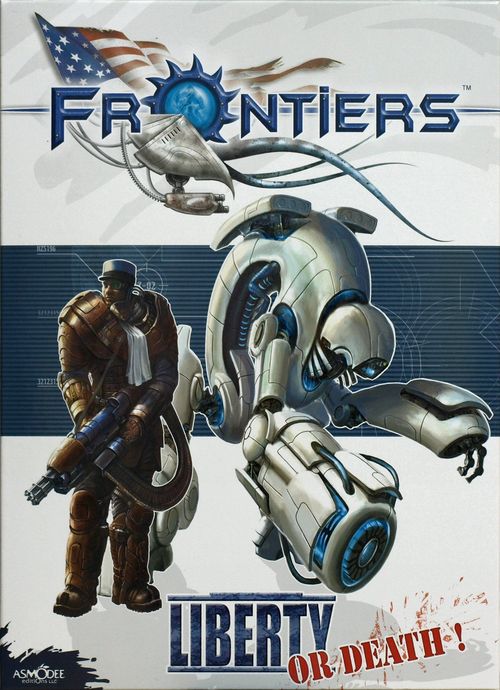
Frontiers: Liberty or Death!
Frontiers: Liberty or Death! Rulebook
Table of Contents
Table of Contents
Contents
- 1 rule booklet
- 3 range and movement rulers
- 2 small blast templates
- 1 large blast template
- 10 equipment crates
- 9 impact markers
- 17 miscellaneous markers
- 17 circular Legion units
- 3 small Legion vehicles
- 2 large Legion vehicles
- 30 Legion action cards
- 12 Legion Order markers
- 2 Legion smoke clouds
- 20 circular Zirl units
- 3 small Zirl vehicles
- 2 large Zirl vehicles
- 30 Zirl action cards
- 12 Zirl Order markers
- 2 Zirl smoke clouds
- 25 corridors or buildings components
- 4 bunkers / terrain elements
- 1 paper game board
- 1 die
Description of Contents
Circular units
These units are the most common. They represent soldiers, officers, support material, and the special characters. Circular units are the only units that can enter buildings. They also represent infantry (body armor defense, yellow background) and small vehicles (heavy armor defense, violet background).
Their backs generally represent the same combatant, but with reduced stats (corresponding to a step of damage). The back can also represent the use of a special ability (see Special Abilities, page 12). The back is recognizable by the absence of the unit's name. If the name is present on both sides, the unit's owner can choose which side is face-up at the beginning of the game.
The circles marked L (Locomotion) and E (Equipment/Crew) are used to hold Move activation Order markers (on the L circle) and the projection of smoke (on the E circle) (see Activation phase, page 8), as well as the impact markers (see Damage on vehicles, page 9). The circles marked A1, A2, A3... are used to hold Shoot activation orders and impact markers.
A penalty symbol on a unit applies when shooting if the line of sight is blocked (e.g. by a flimsy structure).
Certain characters with a star before and after their names are unique.
Oval units
Oval units cannot enter buildings. They represent monstrous infantry and vehicles (in this box, all oval units are vehicles, but who knows what the future may hold?).
Their backs generally depict the carcass of the destroyed vehicle, and represent a terrain element once the vehicle is destroyed. In very rare cases, the back represents the use of a special ability. In this case, the back is recognizable by the absence of the unit's name. If the name is present on both sides, the unit's owner can choose which side is face-up at the beginning of the game.
Action cards
Action cards spice up the game, and make each game more dynamic. Each player has his own deck of cards, according to the camp he commands. If you have several Frontiers boxes, you can create your own deck of 25 cards, as long as you respect the following simple restriction: A deck cannot have more copies of a card than indicated on the card.
Game Setup
Once the players agree on a scenario (see Scenarios, page 14), the players must then agree on the size of army each will be able to deploy, which is defined by the number of Army Points (AP).
A small battle ranges from 100 to 300 AP. A medium battle ranges from 300 to 500 AP. Beyond 500 points, you will be sitting through quite a grand battle (You'll need some munchies!).
The number of points chosen also affects the duration of the game: The greater the number of AP, the longer the game will be.
The playing surface must be flat, and completely devoid of any obstacles. The size of the battlefield should be proportional to the size of the armies (For example, we suggest a large table for a battle of more than 500 AP).
The starting deployment is given in the description of each scenario.
Each player also must construct his own deck of 25 cards. He must choose from the cards belonging to the camp he will be playing, while respecting the card limit indicated at the bottom of each card. If you only have one copy of the game, each player will simply remove 5 cards from the 30 cards available for their camp.
Composition of an army
- An army of the Legion (regardless of its total AP) cannot have more than one captain.
- An army of the Legion cannot have more than 2 lieutenants per 500 AP (round armies up to the next highest 500 AP).
- A Zirl army (regardless of its total AP) cannot have more than one processor.
- A Zirl army cannot have more than 3 memories per 500 AP.
- No army can have more than one copy of a unique character.
Breakdown of a Game Turn
A game turn is divided into 4 phases:
- Preparation phase
- Order phase
- Activation phase
- Reserve phase
Preparation phase
During this phase, the players can discard one or more action cards, and then refill their hands to 4 cards. Each card very clearly indicates during which phases it can be played. During the first preparation phase of the game, each player simply draws 4 cards from their deck.
Order phase
During this phase, the players simultaneously place a certain number of Order markers face-down on units of their choice (under their command, of course). Each Order marker has a number from 1 to 10 on its back. During the activation phase, units that receive an Order marker will act in the order indicated by the number on their Order marker.
If your army has 1 to 500 AP, you have 2 Order markers. If your army has 501 to 1000 AP, you have 4 Order markers. Beyond that, you have 6 Order markers.
Each officer (captain, processor, lieutenant or memory) grants its army a certain number of additional Order markers, as indicated on the unit. When an officer dies, at the beginning of the following order phase you will lose any additional Order markers that it provided.
Certain action cards enable you to recover additional Order markers.
Example: A player who has 5 orders will use the Order markers bearing the numbers 1, 2, 3, 4, and 5, while a player with 2 orders will use the markers bearing the numbers 1 and 2.
You cannot place more than 10 Order markers (plus two Decoys).
An infantry unit can receive one Order marker. A vehicle unit can receive up to 2 Order markers (see Activation of vehicles, page 8).
Special case: decoy
In addition to all these markers, you always place two Decoy markers to confuse your opponent. Place these markers during the order phase. They will not be used for anything during the subsequent activation phase (discard them at the end of that phase).
Activation phase
The players simultaneously reveal their Order markers with the number 1. The two units activated this way can act immediately. They can undertake one of the following 4 actions:
- Move
- Shoot
- Use an action card
- Use a special ability
The player with the slowest unit (lowest Movement value) is the first one to announce which action that unit will take. In the event of a tie for lowest Movement, determine randomly. Once both sides' actions are announced, they are resolved in the order indicated above (example: a unit, which chooses to move, acts before one that wishes to shoot).
Once these two units have been activated, each player reveals the number 2 Order marker, and so on. Once one player no longer has any Order markers to reveal, his opponent resolves all her remaining orders, in order. Leave the Order markers beside the units to easily differentiate the active units from the others. Certain cards "activate" units which do not have an Order marker. In those situations, place an "over" marker on the appropriate unit.
Special case: activation of vehicles
Vehicles can receive up to two orders. They execute those actions normally, one action for each time a vehicle is activated. You can use these orders to shoot twice if the vehicle has two weapons, or to move and shoot, if it has only one weapon. However, you cannot move it twice during the same turn. In order to move, place the Order marker in the "L" space. To shoot, place the Order marker in the space for the weapon you wish to use. When the vehicle is damaged, and that damage affects the equipment, it can then only receive one order.
Move
Each player has a ruler marked in LNS (Light Nanoseconds). When a unit executes a movement action, it can move a distance up to its Movement value, expressed in LNS.
When a unit enters a building, place it on the first circle after the door. That counts as 1 LNS. Each circle crossed thereafter costs 1 LNS. When a unit with a carcass on its back is destroyed in a building, the circle on which it lies costs 2 LNS, instead of 1. A unit may make a movement that includes both outside and inside spaces. An infantry unit cannot cross over another unit: It must go around.
A vehicular unit can pass over an infantry unit, but it will not crush it: The members of the infantry unit will quickly step aside to let the vehicle through.
If two units move at the same time, the faster one moves before the slower.
Terrain can affect movement (see Terrains and buildings, page 10).
Shooting
Any unit that has a shooting bonus (see Description of contents, page 6) can use its weapon. The shots are resolved simultaneously. As a result, two units that shoot at the same time can destroy each other.
To attack a target, the center of a unit must have an unobstructed line of sight to any part of its target. Buildings or other units block this line of sight - we suggest that you use the ruler to trace this imaginary line (or a string if the range exceeds the length of the ruler). The weapons of Frontiers have unlimited range.
Certain units have a limited firing arc. If nothing is specified, the unit has a firing arc of 360°. Certain vehicles' weapons bear a representation of their firing arc (see Oval units, page 6).
In order to resolve a shot, the player rolls the die. He adds the die roll to the bonus indicated on the unit, according to the type of defense the target has (body armor, heavy armor, or structure).
If the result is greater than or equal to the defense value of the target unit, the target takes a step of damage. If the unit is already showing a side with the damaged symbol, remove it from play. If not, turn the unit over.
If the result is greater than or equal to double the defense value of the target unit, the target is immediately removed from the game.
Some modifiers can affect the combat roll:
| Situation | Modifier |
|---|---|
| The target is at a distance greater than the length of the ruler (shooting at long range) | -1 |
| The line of sight crosses a light structure | -1 |
| The target is in a building, seen through a window or open door | -2 |
Example of shooting: The commando fires on the cluster. The shot crosses a light structure, -1. The target is in a building, -2. The total penalty is therefore -3. The target's defense is 5, while the bonus against a unit in body armor is +2. As a result, the legion player must get at least a 6 to wound his target.
Damage to vehicles
Whenever a vehicle takes a step of damage, roll a die (d6) and consult the location table below:
| D6 | Type 1 | Type 2 | Type 3 |
|---|---|---|---|
| 1 | A | A | A1 |
| 2 | A | C | A2 |
| 3 | L | L | L |
| 4 | L | L | L |
| 5 | E | E | E |
| 6 | E | E | E |
Type 1: Liberation tank. Type 2: Walker tank, Vega Tank. Type 3: Orion tank.
- A: weapon destroyed (same with A1, A2, A3).
- C: a unit on board, of the owner's choice, takes a step of damage.
- L: locomotion system destroyed.
- E: Equipment/Crew hit. The vehicle can now only receive one order. If it had the ability to launch smoke bombs, it can no longer launch them.
In any case, place the appropriate impact markers on the vehicle.
If you hit the same location twice, the vehicle is destroyed and it is turned over if its back depicts a carcass; otherwise remove it from the game.
Blast templates and indirect fire
Certain weapons use blast templates. All units touched by at least part of a blast template can take damage (even buildings).
Grenades
Grenades use the small blast template. You can throw a grenade a maximum distance of 3 LNS. Place the blast template on the center of the target. You can launch a grenade into a building if you are within 1 LNS of a window. In this case, the blast template is not used. Instead, all units in the space just behind the window are caught in the explosion. The building receives 1 impact marker.
Special weapons
Certain weapons use blast templates. Their range is not limited. Use the normal shooting rules, but without any modifier. On the other hand, you must have a line of sight to the target. Place the blast template in the center of the target.
Indirect fire
Certain weapons can hit targets without finding a line of sight. If such a weapon does have a line of sight on its target, use the special weapons rules above. Otherwise, execute a Drop: hold the blast template horizontal above the target, with your arm extended at the height of the smallest player's shoulder. Then release the blast pattern. All units at least partially covered by the blast pattern are hit. If the blast pattern ever leaves the table during a Drop, place it back on the edge from which it departed, such that it is entirely within the bounds of the play field. There are two types of blast template: large and small.
Smoke bombs
Smoke bombs are used like grenades, but each player has his own smoke clouds. During the first turn, place the cloud with the "-1" side up (it is a penalty against any shot whose line of sight passes through the smoke). At the beginning of the following turn, turn the cloud over to the "-2" side (the smoke thickens and the penalty increases). At the beginning of the third turn, flip the cloud over once more (the smoke has started to dissipate, and the penalty decreases). Remove the cloud at the start of the fourth turn. Each army has targeting systems and polarizing filters that render their units immune to "friendly" smoke clouds. The maximum range of a vehicle's smoke bomb launcher is one ruler length.
Using an action card
An action card must be used during the phase indicated in its description. When a card grants a bonus (to shooting, for example), in order to receive any benefit, either the unit must have an Order marker, or the player needs to use the card in combination with another card.
Using a special ability
Certain units have special abilities beyond moving or shooting. An icon on the unit indicates it has a special ability. To use a special ability, simply flip over the unit. Use of these special abilities is always resolved last.
Reserve phase
Discard the Decoys placed on each player's units. Next, units that do not have an Order marker or an "over" marker may move or use a special ability (decoy markers do not prevent movement, having been removed at the start of the reserve phase). This movement should not cause shooting. Certain units can shoot during this phase (as indicated on their unit token).
The players may move their units in whatever order they like. In the event of a dispute, the fastest unit moves first.
When all eligible units have been given an opportunity to move, remove all order markers and a new turn begins.
Terrain and Buildings
Craters and other depressions
This terrain offers a defensive protection of +1 for targets that are infantry units (body armor defense) and within the terrain. Unlike light structures and vegetation, shots across these elements do not receive a penalty. All these modifiers are indicated directly on the terrain elements.
Vegetation
Blocks line of sight. Units inside vegetation can shoot, but with a penalty of -2 (but they get the same protection when someone shoots at them). A unit in a vegetation element can shoot at another unit in a different vegetation element with just one penalty of -2. Two units in the same vegetation element can shoot at each other with a penalty of -1. Vehicles can enter vegetation elements, but their Movement is reduced by 2 LNS. All these modifiers are printed directly on the terrain elements.
Light structures
These include ruins, low walls, sand bags, etc. Passing over a light structure does not reduce Movement. They offer protection of -1 in any shot that crosses a portion of the structure (unless the target is a vehicle represented by a large oval unit). They cannot be destroyed (theoretically, ruins offer the same protection, so it would be pointless anyway). Oval unit movement is not affected by light structures and may even stop on them. Oval units push any of the circular units on the structure out of the way.
Buildings
A unit cannot pass over a building. When a unit enters a building (which must be through a door), it no longer uses the ruler to measure distances; instead, it uses the circular spaces (one space = 1 LNS). When a unit with a carcass on its back is destroyed in a building, crossing the circle where it was destroyed costs 2 LNS, instead of 1.
Vehicles must go around buildings. You can shoot at a unit that is in a building as long as it is adjacent to a window (but it will receive substantial protection). Windows are indicated by a small green triangle. If the attacker is directly adjacent to the opening, it can shoot at units inside the building that are not adjacent to the window or door. In this case, the attacker takes no shooting penalty from the building.
Each building has two characteristics indicated above. The value indicated in the circle is its defense (it is used the same way as it is on the circular units) and the value in the square X is the number of steps of damage it takes to destroy it (at which point it is turned over, and becomes a ruin). A building's defense is always of the structure type. Place the impact markers (face up, or face down for 3 impacts) or other unused markers on this space.
When a corridor is destroyed, units can use the breach to enter the adjacent building. Certain building elements have an X icon, and are destroyed if one of the elements attached to it is destroyed. They do not have defense or damage step traits.
All infantry units (body armor defense) present in a building element (room or corridor) when it is destroyed undergo an attack with a bonus of +0.
Hills
Hills block line of sight, and increase the useful range of weapons. A unit on a hill only incurs the penalty for firing at long range if the target is at a distance greater than two rulers.
Equipment crates
These tokens show a closed crate on one side and on the other its contents in the form of an icon. These contents provide a bonus to the unit that collected them. Note: Certain crates are trapped. Only infantry units can collect crates and receive their bonus.
Place two to eight crates (by mutual agreement) on the game board, unless the scenario description specifies otherwise.
When an infantry unit comes into contact with an equipment crate, it can ignore it and continue on its way, or stop to open it. In the latter event, turn over the crate to see what it contains. Once the contents are revealed, they are "associated" with the unit that found it. That ends the activation of the infantry unit.
A unit can get rid of a bonus by simply leaving it on the spot (it is a free action). Also, one unit can pass it to another if they are in contact with one another. This transfer is done at the beginning or end of a movement (it is a free action, but the unit cannot shoot during the turn in which it gives or receives equipment).
- Anti-tank weapon: Gives a +2 bonus when firing on vehicles (heavy armor defense), and grants the Missile ability.
- Automatic weapon: Gives a +3 bonus when firing on infantry (body armor defense).
- Experimental grenade: This is a very effective grenade. It gives a +4 bonus against any type of defense, and uses the small blast template. Must be discarded after use.
- Explosive ammunition: Gives an additional +3 firing bonus and the Missile ability (small blast template) against all targets. Must be discarded after use.
- Explosives: The unit carrying these can try to demolish a building with which it is in contact (this counts as an action). The building takes 1D6 points of damage. Must be discarded after use.
- Jump jet: This object gives a +2 movement bonus (but the total movement of the unit cannot exceed 6 LNS).
- Medi-kit: This object allows the unit carrying it to ignore one step of damage. Must be discarded after use.
- Smoke bomb: This object can create a smoke cloud. Must be discarded after use.
- Special ammunition: Gives an additional +2 bonus when firing on any target. Must be discarded after use.
- Trap: Trapped crate! The unit that just opened it undergoes an attack with a +0 bonus. The crate is then removed from the game.
Special Abilities
Certain units have special proficiencies represented by an icon (sometimes even graphically depicted on its back). In all the following descriptions to be in contact with one another means that the two units touch outdoors or that they are in adjacent spaces indoors.
Automatic Order
Permanent. This unit provides an additional order to the army, but must receive an order every turn.
Camouflage
Permanent. The unit receives protection of -1 against snipers and when being shot at.
Charge
Permanent. During the same action the unit can move and attack a target if it ends its movement in contact with the target. If it is already in contact, it can attack its target.
Deployment
Permanent. The unit can deposit the units it carries during its movement. The units can then act during the same turn if they received an order with a higher number.
Does not shoot
Permanent. This unit cannot fire.
Energy shield
Activated. When you activate this special ability the unit's defense value increases. Moreover, it offers additional protection of -1 against snipers. When a shield is activated flip the unit on its back. If the unit fights (shooting or melee), flip it back over "face up" and the bonus disappears (but not if it moves). However, certain units have permanent shields: Those units only have the defensive bonus against snipers.
Flight
Permanent. A flying unit can pass over other units, buildings, light structures and vegetation elements. If its move ends in a vegetation element it is considered to be inside it. If its move ends on a building (but it did not pass by a door on the way), it is considered to be on top of it and can be targeted without it receiving the protection of the building.
Grenades
Permanent - counts as an action. The unit can throw a grenade. Bonus of +2 against all types of defense. Usable several times per game. Use the small blast template (see Grenades, page 9).
Indirect fire
Permanent. The unit uses the rules of indirect fire (see Shooting, page 9) and a large blast pattern.
Infiltration
Permanent. During army deployment, place this unit in a building of your choice, but at least 3 LNS from any objective.
Mechanic
Permanent - counts as an action. The unit can move AND repair a vehicle in contact with it by using a special ability. It can remove a damage marker of its choice, but not from the vehicle's equipment/crew. In general, damage from a previous turn can be repaired; however, for a destroyed vehicle that doesn't have any steps of damage this unit must repair it during the turn in which it was destroyed. In order to indicate which unit the mechanic will repair use the "repair order" marker placing it on the unit when they come in contact. Once placed, the marker cannot be moved. Each mechanic has its own marker.
Medic
Permanent - counts as an action. The unit can move AND care for one infantry unit in contact with it by using a special ability. The treated unit is turned over or put back in the game if it had been destroyed. The medic must intervene during the turn in which the unit was hit or eliminated. One medic can care for a "equipment/crew" damage in a vehicle, even if it was caused during a previous turn. In order to indicate which unit the medic will repair use the "repair order" marker, placing it on the unit when they come in contact. Once placed, the marker cannot be moved. Each medic has its own marker. Unique characters can be treated at any time, except when they are directly eliminated by an attack.
Missile
Permanent. If the symbol is on a black background when shooting at a target with heavy armor or structural defense, ignore the long-range penalty. If the symbol is on a blue background the unit can use a blast template when it fires. If you have a direct line of sight on your target, place the small blast template in its center - your weapon hits any unit even partially under the blast.
Open vehicle
Permanent. Units within this vehicle can be the target of a sniper.
Rapid-fire
Permanent. A unit with this ability can divide its attack bonus over several targets, as long as it commits at least a +1 to each target (it can therefore make several combat rolls). It must declare this before carrying out its first shot and can only target units up to 2 LNS from each other with the same type of defense.
Example: A unit with a +3 bonus against body armor can shoot on 3 targets of this type, with a +1 bonus each time. It can also fire on just two targets: one with a +2 bonus and the other with a +1 bonus.
Reserve action
Activated. The unit can carry out any action (move, shoot, special ability, etc.) during the reserve phase. This special ability must have been activated in the previous turn (the unit is therefore flipped over) and the unit must not have received Order or "activated" markers during this turn. That means that it can act every turn if it receives an order or alternate turns if it does not have an order and uses this special ability.
Smoke bomb
Permanent - counts as an action. The unit can launch a smoke bomb as long as it can use a special ability. Usable several times per game.
Sniper
Permanent. This unit's lines of sight are not blocked by other units. The sniper uses a special damage table. It is effective only against infantry and "open" vehicles (see Special ability: Open vehicle, page 13).
| Defense of the target | Roll required on 1D6 to hit |
|---|---|
| 0-4 | 2+ |
| 5+ | 3+ |
| Penalty to shooting | |
|---|---|
| Shielding | -1 |
| Camouflage | -1 |
| Shooting at long range | -1 |
| Per light structure crossed (ruins, low wall, sand bags, etc.) | -1 |
| The target is in a building | -1 |
| The target has movement of at least 6 | -1 |
Example: A sniper fires on a unit that has a Defense of 6 in a building. It must roll 5+ to hit the target. The same unit targeted on open ground is hit on 3+.
Targeting computer
Permanent. This unit ignores the penalty for shooting at long range.
Transformation
Activated. A unit with this ability can transform when it executes an action or acts during the reserve phase. Turn over the unit. It can transform as many times as it wants during the game if the "Transformation" symbol is present on both sides (but only once per turn). If not, once turned over it remains on the new side.
Tripod
Activated. A unit with a tripod ignores the penalty for shooting at long range. Flip the unit over if it moves.
Troop transport
Permanent. The vehicle can transport as many circular units as indicated in the icon. A unit must receive an order in order to enter or leave the vehicle. That counts as a move for the transported unit.
In addition to units, the vehicle can also transport as many crates as you like. An infantry unit must carry the crates inside.
Scenarios
The board provided with the rules is ideal for the first few games. During subsequent games the space used for a standard game (4 ft. wide by 2 ft. deep) may be used. Some players may find it preferable to play on larger or smaller areas.
At the beginning of the game place your units face-up (the side where the unit is not destroyed or which bears the unit's name).
Confrontation
The basic scenario is the confrontation. For a short game, we suggest armies of 150 AP. For a longer game, 250 to 500 AP. For the ambitious it can be played with armies of 500 to 1000 AP.
Once you have placed the terrain elements in a mutually agreeable fashion, the players sit at each side of the table and deploy their units at the edge of the playing area. The units must be placed so that they touch the edge of the playing area. Randomly determine which side of the table places the first unit. The players take turns placing one non-Infiltration unit at a time. Finally, they take turns placing units with the Infiltration ability, again, one at a time.
Victory goes to the first side that inflicts more than 80% damage to the other. Which means:
- for a battle with 250 AP: 200 AP eliminated;
- for a battle with 500 AP: 400 AP eliminated;
- for a battle with 1000 AP: 800 AP eliminated.
Data recovery
There is a data disk containing vital information for the two camps in an abandoned communications center. The two armies must seize it and bring it to the center's teleprinter in order to transfer the information to their own command center. Place two buildings (at least one central element and 3 corridors) in the center of the table, about two rulers' length from each other.
Same troop deployment as for the Confrontation scenario. Place the diskette token in one of the buildings. Place the teleprinter in the other building where the diskette must be brought.
The player who finishes a turn with an infantry unit carrying the diskette on the teleprinter's space, wins the game. An infantry unit can take the diskette during its movement then continue to move normally. It can also toss it to a fellow infantry unit up to 3 LNS away (like a grenade). If the unit is destroyed, the diskette remains where it is and can be picked up again. If the teleprinter's building is destroyed, the teleprinter remains intact in the debris. A unit can be stationed on the teleprinter.
Treasure hunt
Construct a complex in the center of the table, with at least three buildings connected by as many corridors as you wish. Build it as parallel as possible to the deployment zones. Then place the light structures in an equitable fashion between the complex and the deployment zones (see diagram). Place the 10 equipment crates in the various parts of the complex.
The player who brings back more crates to his deployment zone (within 1 LNS of his edge of the table) wins. The bonuses contained in the crates can be used, but any that are used do not count toward victory.
A unit can transport only one crate at a time.
In the event of a tie, the player who has inflicted the most damage (in AP) wins the game.
Cameron (this scenario is played in 2 parts)
The person playing the Legion chooses 250 AP and constructs his base in the middle of the table with any elements he wants. He places his units inside. He also takes the equipment crates and can allot them to his units before the game starts.
The Zirl player takes all of the Zirl units that came in the box and sets them up wherever he wants around the base touching the edge of the table.
Tally the number of turns the Legion holds out before being totally exterminated.
Then reverse the roles. The Zirl player takes 250 AP and builds his base. He also takes all the equipment crates and can allot them to his units before the start of the game. The Legion player takes all the Legion units that came in the box and places them wherever he wants around the base touching the edge of the table.
Whoever held the most turns wins!
Attack/Defense
This scenario is interesting for introducing a friend to Frontiers. Have him play the defender in easy mode or the attacker in difficult mode. If you both are familiar with the game, we recommend the balanced mode.
- For an easy game for the defender: The attacker has the same number of AP as the defender.
- For a balanced game: The attacker has one-and-a-half times the number of AP of the defender.
- For a difficult game for the defender: The attacker has twice the number of AP of the defender.
The number of AP allocated to the defender depends on the game length.
Divide the table into two equal sections. In the defender's half, place at least two buildings and as many corridors as you like. In the other half, place the light structures. Place three objectives in the defender's zone. They must be at least a ruler's length apart from each other and in the furthest quarter against the edge of the table (see diagram).
The defender deploys his troops entirely in his half. The attacker places his units on the opposite edge of the table. His units must touch the edge of the table.
The attacker wins if he finishes a turn with a unit on each objective. The defender wins when the attacker becomes unable to hold the objectives (when he no longer has enough units).
Quick Reference
Game turn:
- Preparation phase
- Order phase
- Activation phase: 1) Move, 2) Shoot, 3) Use an action card, 4) Use a special ability
- Reserve phase