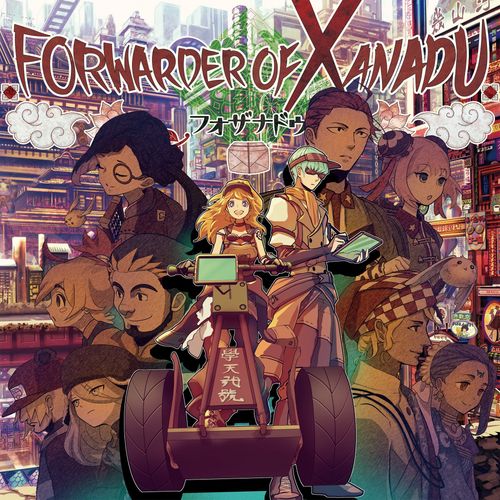
Forwarder of Xanadu
Forwarder of Xanadu Rulebook
Table of Contents
Table of Contents
Company Introductions
- Kikou Kessha Gakutendou (machinery guild): A super-high-tech transport company using the latest steam trucks and electronic calculating machines. Thoroughly mechanised and automated, with assistant robots, it specialises in running with few people. The machines are not yet stable, however, and it suffers from long maintenance and sudden breakdowns.
- Kyuusenpou Kōshi Sakuchō (a vanguard company): An unusual human-powered transport group of martial artists. They can serve niche needs, such as alleys and high places where vehicles cannot go. The catch is that very few martial artists can do the work.
- Zouin Tokkyuubin (elephant-seal express): A wealthy transport company begun by a prince from the southern country. It excels at long-distance, large-volume transport with huge elephants and many servants, but in Hotan, with its many old narrow roads, it cannot fully use that advantage. Its servants' service is well regarded by customers.
- Kogumahaisō Akaza (bear-cub delivery): A transport company from the northern country backed by a railway company. A strong armed band that protects trains from raiders, it owns many cutting-edge weapons and is also familiar with illegal activity, doing whatever it takes to expand its share. Its ultimate aim is to link Hotan to its home country by rail and take all the profit.
- Tenshin Nakahara Shōkai (trading house): A long-established transport company from an island country in the east. In transition to modernity, it eagerly absorbs new technology, but much of its equipment (rickshaw transport, hand-calculated ledgers) remains old-fashioned. It makes full use of long-established know-how and excels at regional activities that reach everywhere.
Overview
- The game is played over 6 rounds. There are 2 scorings (settlements): once partway through and once at the end. Before a scoring, watch who holds the majority.
- Players are transport companies. They move goods (resources) to the randomly generated areas of Hotan, looking at the order cards placed in the common area and carrying whatever cargo seems necessary.
- First come, first served: a player who gathers the required resources achieves an order and gains VP (achievements). Achieving an order in an area also earns share in it, and at scoring you may gain a majority bonus.
- The only actions a player can perform are three: Order Fulfilment, Transport and Improvement.
- Each action has 3 spaces; placing a worker there performs that action and gains resources. Example: on the 2nd space of Transport you gain 1 resource and may transport 2 times.
- The more times you act, the fewer resources you gain, so watch how many resources you have left.
- Transporting moves resources to an adjacent area, once per transport. At first you can carry only 1 resource, but as the game goes on you can carry more.
- Companies grow during the game and these actions become stronger. Removing a white pawn placed at setup strengthens that item. The removed white worker can be reused once as a proxy worker.
- Proxy workers are placed together with a worker on an action to adjust the position of the space. Some company skills are very powerful but require consuming proxy workers. The number of proxy workers is limited, so choose where to use them.
- Companies can be grown freely according to your preference.
Components
Area Boards (10)
Game boards representing the 10 districts (areas) of the city of Hotan. The one large board is the base area Hotan Port, where the players' companies are located.
The area boards other than Hotan Port have: icons corresponding to each order, a Share Gauge showing market share in the area, each player's Warehouse, and a Landmark Icon.
Action Board (1)
A board showing the chosen action and how many times it is performed. It has the Round Track (current round), the three actions (Transport, Improvement, Order Fulfilment) each with 3 Worker Placement Spaces (1, 2, 3), and a Summary of the bonuses obtained in the scoring phase (p12).
Company Boards (5)
The transport company a player runs. They carry common growth elements and a "Final Scoring Skill" specific to each company. Locked Spaces are gradually unlocked as the game progresses, raising action effects or giving additional workers and special skills.
Order Cards (60) and Daily Cards (10)
Cards representing each area's demand. Orders come in 5 types: Furniture, Books, Food, Clothing and Entertainment. Each order specifies the kind and number of resources needed to achieve it, the VP (= reputation) obtained, and so on.
Order cards are either a lower-grade order card (black) or an upper-grade order card (gold), and show an Order Icon, required resources and VP.
Daily cards are a kind of order card. Each company has 2, all with identical content.
Skill Cards (40)
Special effects that affect play. There are 6 colours: the 5 colours set for the companies, and white. They become usable through the company's growth (p11), but a skill card with a discard icon can be applied once by discarding, regardless of growth.
Workers (30) and Proxy Workers (60)
Pawns representing workers; each company has 6 (30 workers in total), and there are 60 white proxy workers. White pawns represent temporary workers obtained by company growth (p11); they are gone after one use.
Resource Cubes (60 / 30 / 15)
Daily-life goods required by orders. Resources have three grades: Standard, Superior and Special (best). Improvement (p10) raises the grade.
VP Tokens (107)
Tokens representing each player's VP (= achievements): 1 VP, 5 VP, 10 VP and 30 VP.
Share Tokens (60)
Markers representing rights in an area. Each company has 12.
Office Tokens (5)
House-shaped markers representing a second base, which can be built during the game. Each company has 1.
Round Marker (1)
Marker showing the current round.
Start Player Marker (1)
Marker showing the current start player.
Setup
1) Creating Hotan
Place the area boards to build the town of Hotan. After placing Hotan Port, place the remaining area boards randomly, referring to the figure in the manual.
After placing them, shuffle the lower-grade order cards and the upper-grade order cards well, separately by type, into a pile each. Put the lower pile to the left of Hotan Port and the upper pile to the right of Hotan Port.
Next, draw 3 cards from each of the two piles and place them face up in the left and right recesses at the top of Hotan Port. Together these two groups are called the Market. The Market is fixed at 3 lower-grade cards and 3 upper-grade cards; when refilling, refill so that this holds.
Place the Action Board where all players can reach it. It need not be placed at the very bottom as in the figure. The area beside the board is the Stock.
2) Player Preparation
Decide the start player by any preferred method, such as rock-paper-scissors. Starting with the start player and going clockwise, each player chooses one company.
Each player then takes: that company's board, 3 workers (same colour as the company), 11 proxy workers (white), 12 share tokens (same colour as the company), 6 standard resources (brown), and 1 office token (same colour as the company).
After receiving them, place the proxy workers and the office token on the Locked Spaces of the company board as shown in the figure.
Place the 6 standard resources in your own Warehouse at Hotan Port.
Next, each player takes Daily Cards 1 and 2 (indicated on the common side) and places them face up in the Daily area.
Then draw 1 card from the lower pile and place it face up as your Exclusive Order. Unlike the cards in the Market, this order card is an exclusive order that only you can achieve.
3) Style Setting
The game has two styles, "Standard" and "Custom". In Standard, there are limits on skill combinations; in Custom there are none. Decide together which style to play. "Standard" is recommended for a first play; "Custom" once you are used to the game. Experts may use "Custom" from the start.
Standard
The skills each company can use are fixed. Each player takes the 4 skill cards of the same colour as the company they chose into hand. Next, mix and shuffle the remaining skill cards (with 4 or fewer players, also use the skills of the companies that were not chosen) and deal 2 to each player. The remaining skill cards are not used in the game; remove them without looking at them. In Standard, your hand is these 4 company-fixed cards plus the 2 randomly dealt cards.
Custom
Shuffle all the skill cards well and deal 6 to each player. Then draft clockwise: choose 1 card from your hand and place it face down, and pass the remaining hand to the player on your left. Continue until no hand remains. When finished, take the face-down cards as your hand. The remaining skill cards are not used in the game; remove them without looking at them.
4) Setup Complete
Place all remaining resources, workers, and so on in the Stock. From now on, whenever the game instructs it, take resources and workers from the Stock or return them to it. This happens often, so use something easy to take from, such as a commercially available plastic ball container.
Now everything is ready. Start your business right away!
Important: Basic Handling
Rules that are especially important when playing the game.
About the Warehouse
Each area has a Warehouse for each company. Each space of a Warehouse can hold 1 resource. The grade of the resource does not matter: a standard resource and a special resource each use 1 space.
When the text says "Warehouse", it means "your company's Warehouse". When the target is another player's Warehouse, the text says "another player's Warehouse".
Hotan Port has no spaces and you may place as many resources as you like there. The maximum number of resources that can be placed in the Warehouse of any other area depends on the "Warehouse Expansion" your company has unlocked. At the start of the game Warehouse Expansion is "4", so in each area only 4 Warehouse spaces can be used.
The Warehouse maximum cannot be exceeded, even "temporarily", and transport (p09) that would exceed it cannot be done, so take care.
About Resources
Resources have 3 grades: Standard, Superior and Special. Normally they are written as "standard resource", "superior resource", and so on. If simply written "resource", all grades are included.
A higher-grade resource can substitute for a lower-grade one. For example, when asked to pay 2 superior resources, you can pay in 3 ways: "2 superior resources", "1 superior resource and 1 special resource", or "2 special resources".
If resources run out in the Stock, and they are standard resources, substitute some other tokens. However, if superior or special resources run out through Improvement (p10) and so on, the grade-raising effect is nullified.
How to Play
The game proceeds in units called rounds. An interim scoring is performed at the end of round 3. The game ends after round 6, with a final scoring. The player who finally has the most VP (= achievements) wins.
The flow of each round is as follows.
1. Main Phase
Starting with the start player and going clockwise, players take turns. However, if you have run out of workers (not counting proxy workers), you are forced to pass.
On your turn, choose any one action and place one of your workers in an empty space of that action, filling from the left. The number on the space where you placed it is the number of times you perform the action. From round 2 on, you may also use proxy workers together (p12).
After placing the worker, first gain as many standard resources as the number of icons drawn on the space where you placed the worker, and place them. You place the standard resources you gained before performing the action, so do not mistake the order.
The gained standard resources can be divided as you like among the Warehouses of: Hotan Port, your Office (p11) if you have one, or an area where you have at least 1 of your own resources.
Basically only 1 resource can be placed per area, but any number may be placed at Hotan Port and the Office. However, when placing in the Warehouse of the Office, take care about the maximum number.
Examples (from the figures): you cannot place more than 1 in a single area; you cannot place resources in an area where you have no resources.
After placing the standard resources, perform the action as many times as the number of actions (= the number on the space). If you do not need to, you may end your turn leaving some of the number of times unused.
Transport
For each action, transport 1 resource.
Choose any 1 area and move resources in its Warehouse to the Warehouse of an adjacent area. You cannot choose multiple destination areas, and areas other than Hotan Port cannot be moved beyond their Warehouse maximum, so take care.
If you have unlocked "Transport Enhancement", the "upper limit of resources that can be transported in 1 action" increases.
Examples (from the figures): "Transport up to this number of resources, this number of times" is shown by the Transport Enhancement row of the company board. With a limit of 1, the first action moves 1 resource from one area to an adjacent area, and the second action moves it on to another adjacent area. With a higher limit, several resources can be moved together in one transport; however, in a single transport you cannot divide resources and transport them to multiple areas. You may also exchange the resources you are carrying in the middle of transport.
Improvement
For each action, raise the grade of 1 resource in the Warehouse at Hotan Port or, if you have one, the Office. Exchange it for a resource of 1 grade higher from the Stock. However, if the Stock has no resource of the grade you want to exchange for, you cannot exchange.
If "Quality Improvement" has been strengthened, you gain additional action count.
Order Fulfilment
For each action, achieve 1 order. Order fulfilment broadly divides into Market / Exclusive Order, and Daily.
Market / Exclusive Order
Choose one order card in the Market or in your Exclusive Order, and an area with the same icon as that card (when performing multiple actions, it is fine to choose the same area consecutively).
Next, pay from that area's Warehouse. Return the specified resources to the Stock and achieve the order. If you are short of resources, you cannot achieve the order, and the action is wasted.
Example (from the figure): an order card shows an Order Icon (the same icon as the area is fine) and required resources, in this case 2 standard resources and 1 superior resource.
When you achieve an order, gain the VP set on that order card. Further, place 1 of your share tokens, filling from the left, in an empty space of that area's Share Gauge. If you have share tokens left, you must do this; if you have none, do not place one.
If all spaces are filled, return the rightmost share token to its owner, and place your own share token there. (When placing on the last space, i.e. the rightmost, return the token there to its owner and place your share token.)
This makes the area where your share tokens are placed a Market Entry Area. The number of share tokens shows your market share in the entry area; players are ranked by number, from the most, and obtain VP at scoring. If tied, the player whose share token is placed further to the left has priority.
Example (from the figure): Red 2, Blue 2 and Yellow 1 share tokens are placed. Red and Blue are tied, but the token placed further left (the first token) is Red's, so Red is 1st, Blue is 2nd and Yellow is 3rd.
Finally, discard the achieved order card face up. However, refilling of order cards is not done at this time; it is done at the end of your turn, so when performing multiple actions you must achieve from the remaining order cards.
Daily
Choose any face-up Daily Card among your Daily cards and pay with any combination of resources from the Warehouses of Hotan Port and, if you have one, the Office. Return the specified resources to the Stock and achieve the order.
When you achieve a Daily, gain its set VP. However, unlike achieving an order, you cannot place a share token by doing this.
Finally, turn the achieved Daily Card face down. A Daily Card turned face down cannot be achieved again until it is turned face up again.
Reset
After performing an action, if all of that action's spaces are filled, a Reset occurs. Return all workers (including proxy workers) placed on the spaces to the Stock.
Also, if cards have decreased in the Market, refill from each pile so that there are "3 lower-grade cards" and "3 upper-grade cards". If a pile runs out, shuffle the discard pile to make a new pile and refill from it.
If the Exclusive Order has decreased, refill it from the lower pile. If you have unlocked the 2nd space of "Quality Improvement", you may also refill from the upper pile (refilling from the lower pile is also fine).
2. End of Round
The round ends when all players have passed. If this is the final round (= round 6), you need not do the following processing; go straight to "3. Scoring Phase".
Company Growth
From among the proxy workers placed on your company board, remove 1 from the leftmost of any item you like to "unlock" the space and grow your company. In addition, the proxy worker removed this way can be used from then on.
However, the "Worker Increase" space cannot be unlocked unless every space of one of the items "Warehouse Expansion", "Transport Enhancement" or "Quality Improvement" has been unlocked.
Skills likewise become usable by removing a proxy worker and "unlocking" the space. However, only for the 3rd and 4th spaces of skills, you cannot unlock them until after the interim scoring (= round 4 or later).
Also, in rounds 4 and 5 after the interim scoring, remove a total of 2 proxy workers (you may remove from multiple items).
For each item, unlock the spaces in order from the left. "Warehouse Expansion", "Transport" and "Quality Improvement" start from the 2nd space; "Skill" starts from the 1st space.
Warehouse Expansion
The maximum number of resources that can be placed in the Warehouses of areas other than Hotan Port increases. Also, when you unlock the 2nd and 3rd spaces, the number of resources replenished at the end of each later round increases. However, this effect does not stack; apply only the larger replenishment number (= 3 from the 3rd space).
The Warehouse of the Office also follows "Warehouse Expansion" like other Warehouses. There is no upper limit on the Warehouse at Hotan Port, but the Warehouse in the Office area has a limit, so take care.
Transport Enhancement
The number of resources that can be transported in 1 action increases.
Also, when you unlock it, you can build an Office. Choose one Market Entry Area (= an area where at least 1 of your share tokens is placed) and place your office token there. However, you cannot place it in an area where another player's office token is already placed. If you have no possible Market Entry Area, or do not yet want to place it, you may postpone it; place the office token during company growth at the end of a later round.
The Office has almost the same function as Hotan Port. You can replenish resources there at the end of a round, and you can place any number of the resources gained when choosing an action. You can also improve the resources in the Warehouse of the Office area.
Quality Improvement
The number of actions at Improvement increases. Also, when you unlock the 3rd space, you can make an upper-grade order your Exclusive Order. If necessary, immediately discard your current Exclusive Order, draw 1 from the upper pile and place it face up as your Exclusive Order (this is not compulsory; leaving it is fine).
Also, from then on, when you achieve an Exclusive Order and refill, you can also refill from the upper pile (refilling from the lower pile is also fine).
Skill
Each time you unlock 1 space, you may play 1 card of your choice from your hand face up. Place it face up in an open spot, such as on the right side of the company board.
The skill effect applies immediately, and skills that have a condition to activate (such as consuming proxy workers) can be used at any time once the condition is satisfied.
Disposable Skills
Skills with a "discard icon" can be used without unlocking a space. However, the skill effect can be applied only once; after applying the effect, immediately discard the card face up. You can use any number of these at one time.
After Growing
After growing your company, each player does the following:
- Take 3 of your own workers from the Stock (this is regardless of how many workers you still have on the action board; you always replenish 3 workers). If "Worker Increase" is unlocked, replenish 1 additional worker (= 4 in total). If you lack workers, substitute something suitable.
- Turn all face-down Daily Cards in your Daily face up.
- Each player then replenishes 2 standard resources from the Stock to Hotan Port. If the 2nd space of "Warehouse Expansion" is unlocked, replenish 2; if the 3rd space is unlocked, replenish 3. You may also split them up and place them in the Office if you have one (however, you cannot exceed the Warehouse maximum).
- Finally, advance the round marker by 1 and move the start player marker 1 to the left to begin a new round. (However, at the end of round 3, which has the interim scoring, you must continue on to the next scoring phase.)
- If the start player has gone around once, look at each player's current VP and designate one player (you may designate yourself) who is a "player with the fewest VP" to receive the start player marker. If there are several, the one farthest clockwise from this round's start player has priority.
Use of Proxy Workers
Proxy workers obtained by growth can be used for various purposes. However, proxy workers are consumed: once used, they return to the Stock rather than your hand.
Action Count Adjustment
Before placing a worker, you may place as many proxy workers as you like to adjust the spaces of the action.
Placing proxy workers is not counted as a turn, and no action occurs; it simply fills spaces. Also, if you use proxy workers to fill all the spaces, a Reset (p10) occurs at that point. So you can fill the spaces with small numbers to increase the number of actions, or when you want resources, reset once and then place your worker. However, you cannot place proxy workers after placing your worker, so take care.
Example (from the figures): normally it would be 1 action, but placing 2 proxy workers changes it to 3 actions. Or: normally it would be 3 actions, but placing 1 proxy worker and resetting changes it to 1 action.
Market Re-survey
Each time you return 1 proxy worker to the Stock, draw 1 card from the lower pile or the upper pile and make it an Exclusive Order for this round only. However, all Exclusive Orders obtained this way are discarded at the end of your turn.
Skill Cost
If a skill has a proxy worker icon, it means a proxy worker is required to use that skill. By returning the specified number of proxy workers to the Stock, you can apply the effect. This must be done each time you try to use the skill.
3. Scoring Phase
If this is round 3 or round 6, perform scoring. After the interim scoring, begin the new round. After the final scoring, determine the winner.
Interim Scoring
Performed at the end of round 3.
Look at the number of share tokens in each area and rank them from the most placed (in case of a tie, the one placed further left has priority). According to the position of the area in the figure, the 1st and 2nd ranked players gain VP:
- Areas marked 1: 1st 3 VP, 2nd 1 VP
- Areas marked 2: 1st 4 VP, 2nd 2 VP
- Areas marked 3: 1st 5 VP, 2nd 3 VP
(The figure shows the area layout: the top row's two outer areas and the second row's two areas marked 1; the third row's three areas marked 2; the bottom row's two areas marked 3.)
Final Scoring
Performed at the end of round 6.
First, apply each company's Final Scoring Skill and gain VP.
Next, look at the number of share tokens in each area and rank them from the most placed (in case of a tie, the one placed further left has priority). According to the position of the area in the figure, the 1st and 2nd ranked players gain VP:
- Areas marked 1: 1st 3 VP, 2nd 1 VP
- Areas marked 2: 1st 6 VP, 2nd 3 VP
- Areas marked 3: 1st 9 VP, 2nd 6 VP
Finally, gain 1 VP for every 2 proxy workers you still hold unused.
Sum these VP; the player with the most VP wins. If tied, the player with the lower total of ranking values over all areas wins. If still tied, it is a draw.