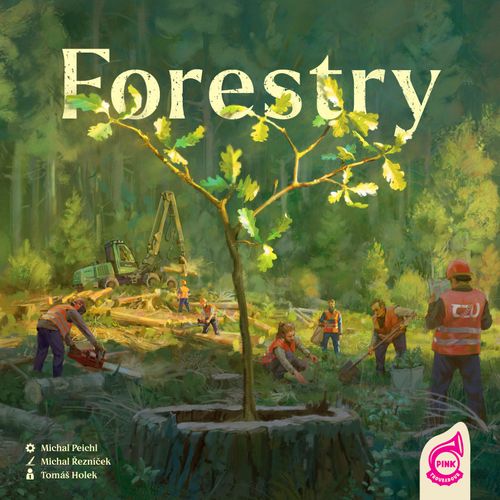
Forestry
Forestry Rulebook
Table of Contents
Table of Contents
Components
Base game components:
- 4 player boards
- 1 game board
- 40 contract cards
- 4 starting contract cards
- 40 wood tokens (5×8 pieces: pine, birch, spruce, oak, beech)
- 30 wood adjustment tokens (3×10 pieces: pickling, drying, and planing)
- 45 forester tokens (3×15 pieces: paint protection, support of den trees, and thinning)
- 8 river tokens
- 9 clearing tokens
- 10 game round tokens
- 2 reference tiles
- 4 technology tiles
- 49 task cards
- 9 HQ tiles (3×3 tiles for 2/3/4 players)
- 15 spawn cards
- 9 sawmill building tiles
- 1 first player token
- 15 harvest tokens
- 8 water structure tokens (4× meander, 4× reservoir with bridge)
- 75 resource tokens (20× temp worker, 35× seedling, and 20× construction material)
- 63 coin tokens (36×1, 19×2, 8×5)
Player components (one set per player):
- 1 sawmill manager token
- 9 cubes
- 1 action token
- 1 star token
- 6 building tokens
- 1 scoring token
- 1 harvester token
- 3 storage extension tiles
Advanced game components:
- 1 den tree board
- 15 life tokens
- 15 data tokens
- 5 reward tokens
Solo game components:
- 1 forester board
- 14 forester tiles
- 18 forester cards
- 3 advanced forester cards
Game Setup
- Place the game board in the middle of the table.
- Shuffle the contract cards deck and place two cards face-up in each of the three areas (orange, dark green and light green). Then place the deck face-down next to the game board.
- Shuffle the spawn cards deck and place it face-down next to the game board. Place the forester tokens next to it.
- Shuffle the task cards deck and place it face-down next to the game board. Reveal one card and place it next to the deck.
- Place the sawmill building tiles on the exactly matching spots in orange, light green, or dark green area of the game board. In a 3-player game, flip the spawn cards until you reveal one numbered from 1–9. Flip over the sawmill building tile with that number, so that the upgraded side is face-up. Place a building token from the unused set of player components on the upgrade icon. In a 2-player game, follow the same procedure with two sawmill building tiles.
- Place the appropriate wood adjustment tokens next to the three sawmill buildings with the matching wood adjustment symbol.
- Depending on the number of players, choose the corresponding set of three HQ tiles with any side facing up and place them randomly on the designated spaces on the game board.
- Place 15 harvest tokens on the game board to match the pre-printed spaces on the game board.
- Flip the top three cards of the spawn cards deck. Then, flip face-down the harvest tokens on the game board which match the numbers on those cards.
- Randomly place the 9 clearing tokens face-up on the numbered spaces connecting the hexagonal fields. In a 3-player game, flip the spawn cards until you reveal one numbered from 1–9. Remove that number's clearing token, and place a building token from the unused set of player components. In a 2-player game, follow this procedure with two clearing tokens.
- Randomly place the river tokens face-up on the river spaces between the hexagonal fields. In a 3-player game, flip the spawn cards until you reveal one numbered from 1–8. Place a meander token from the unused set of player components on that space instead. In a 2-player game, follow the same procedure with two river tokens. Instead of a second meander token, place a bridge token from the unused player components.
Note: If the spawn cards run out during setup (or during the game), shuffle all the spawn cards and create a new deck.
Player Setup
- Each player takes a player board and all components of one color. Use the player board side marked A.
- Put the action token on the space with the number 3 on the action track.
- Place six building tokens on the designated spaces in the bottom-left of your player board.
- Place one cube of your color on the following spaces:
- the development track
- the space with resources as reward on the reward track
- the bottom space of the water structure track
- Place the remaining 6 cubes next to your player board.
- Place a technology tile on the designated space on your player board. You may choose or select randomly whether to play with the tile's A or B side, but all players must play with the same side. Note: Skip this step if you are playing a tutorial game (see Game Variants).
- Place your storage extension tiles on your player board in the order of I, II, III on the last three spaces of storage to the right.
- Place your star token on space 2 of the reward track.
- Place two water structure tokens on the player board. Put the meander token on the top space and the reservoir with a bridge token on the bottom space.
- Place the reference tile next to the player board. Note: There are two reference tiles in the game — share them with the other players during the game.
- Place the scoring token on the space with a score value of 0 on the edge of the game board.
- Take a random starting contract card and place it to the right of the player board.
- Place your sawmill manager token on one of the three HQ tiles which matches the color of your starting contract.
- Place a wood token indicated by your starting contract card on one of your free storage spaces.
Tip: Each starting contract has an HQ symbol in the bottom right that shows the color where you must place your sawmill manager at the start of the game.
Tip: You can store resources and coins on your player board on your character's image.
Gameplay
Forestry is played over 10 rounds (9 for the advanced game). At the beginning of each round, the top game round token is revealed, and the players evaluate its effect. Depending on the symbol, all of the players may receive a small bonus, or there may be a little change in the forest. See the list of game round tokens (List of Tokens).
Each player starts the game with 3 action points, which are tracked on the left side of the player board.
On their turn, a player spends action points to perform an action. When performing an action, they move the action token the number of spaces down the action track required by the action. Players may perform actions with their harvester or manager in any sequence, so long as they have enough action points.
During a player's turn, it is possible to purchase up to 2 bonus action points. Each bonus action point costs 4 coins (as indicated in the top section of the action track).
Throughout the game, it is possible to increase the number of action points available by using the development track.
After a player spends all of their action points—including bonus action points—their turn ends. Play passes clockwise to the next player.
After performing any action, move the action token down 1 or 2 spaces to see how many action points you have left until the end of your turn.
Tip: Each action's cost is listed on the reference tiles. Keep your tile nearby!
Once all players have taken their turn, the first player reveals the new game round token. This token is always revealed and evaluated before the turn of the first player. The order of players remains the same throughout the game. After the last game round token is revealed, each player takes one final turn before the End of the Game (see End of the Game and Scoring).
Player Board Overview
Throughout the game, players use their player board to track actions, resources, and other game elements. It is divided into several sections, each having its own purpose.
In the top-left corner is the storage, where players store and process their wood tokens. These wood tokens are used to fulfill the player's contract cards. The storage begins with 2 open spaces, and new spaces can be purchased during the player's turn.
In the middle of the left part can be found the heart of the entire game. The development track determines the number of action points, along with the active technologies highlighted on the technology tile. Nearby is the circular reward track, which players progress throughout the game.
At the bottom is the buildings track, holding the player's building tokens.
The right half of the player board represents forestry activities and forest care. At the top-right is the forestry table, where the player will gradually place forester tokens earned by caring for the forest, providing various bonuses.
Below is the reforestation table, where the player will place seedlings and advance on the reward track as a bonus.
To the right is the water structure track. When built, water structures modify the game board for all players. They also allow the player to score additional points at the end of the game.
Game Board Overview
The game board is divided into the sawmill area and the forest area.
The sawmill area is located on the outer ring of the game board. It features HQ tiles where each player's sawmill manager token is placed, as well as the sawmill building tiles.
The forest area contains 15 hexagonal spaces (of which 4 are double spaces). Each space's type of tree is pre-printed on the game board. The corresponding harvest token is placed on the board during game setup. The harvester tokens move within the forest area.
Wood is the most important resource in the game. Each type of tree is found on three hexes, but always with a different harvesting difficulty and varying additional rewards.
The map is divided by rivers into three areas (light green, dark green, and orange). Throughout the game, it is beneficial to pay attention to which area players are performing actions in, such as planting trees, constructing buildings, or even gaining points at the end of the game.
Tree Species in the Game
There are approximately 400 tree species of wood plants in European forests. These species include both trees and shrubs. Diversity is important not only for biodiversity, but also for the resilience of forests. In this game, we have selected five different types of wood that are common in European forests and managed by foresters.
Pine is soft but durable, with a distinct grain and warm color which is particularly valued in rustic furniture and interior elements. Due to its high resin content, pine is suitable for outdoor use, such as for fences and terraces, as it withstands weather conditions.
Birch is hard and light-colored. It is used to make furniture, flooring, and plywood. Due to its smooth texture and ease to work with, birch is also popular among manufacturers of decorative items and small wooden utensils. In the paper industry, birch is used to produce quality white paper.
Spruce is light, soft, and easy to work with, which makes it commonly used in construction. For example, it is used in framing, paneling, and roofing batten. Due to its acoustic properties, it is also a sought-after material for making musical instruments, such as violins and guitars. Spruce is also important in the paper industry, where its wood pulp is processed into paper.
Beech is hard, dense, and has a uniform structure, making it suitable for furniture, flooring, and kitchen utensils. It is favored for its easy workability and light appearance, which makes it ideal for interior elements. Beech is also often used to produce plywood and veneers. Its strength makes beech suitable for tools and sporting equipment, such as handles and sticks.
Oak is exceptionally hard and resistant to rot, making it an ideal material for furniture, flooring, and barrels for wine or whiskey. Its beautiful grain and long lifespan are valued in carpentry and construction, for example, in bridges and outdoor structures. Oak is also known for its resistance to weather, and is often used for luxury wooden surfaces.
Important Game Concepts
Stars
Players earn stars of various values from different sources throughout the game. When a player earns stars, they move their star token clockwise by the specified number of steps on their player board's reward track.
Once a player completes a cycle (accumulating 7 stars), they move the cube in the middle of their track to one of the two visible rewards. They gain that reward immediately after completing their current action. It is not possible to receive the same reward twice in a row, as the reward track's cube must always move in order to get a reward. When earning stars, the player always moves their star token the indicated number of spaces. They don't need to land on (or stop at) the top space. Alternatively, the player may gain 3 victory points instead of moving their reward track's cube.
Rewards:
- Advance on the development track
- Draw a task card (revealed one or random from top of the deck), gain any 2 resource tokens, and gain 1 victory point
- Gain 4 coins and apply any wood adjustment to a storage space
Example: The player earned 4 stars. They moved their star token 4 spaces clockwise. Since they completed a cycle, after completing their current action the player may move their cube to one of the two visible rewards.
Development Track Advancement
If a player receives an advancement on the development track as a reward, they advance the cube on their track one space to the right. Each time the player advances on their development track, they either acquire a technology upgrade or an increase in the number of action points available during their turn. The acquired action point can be used right away during this turn.
Players do not gain an additional action point for their first advancement on the development track. Instead, they can activate one upgrade on their technology tile.
If a player receives a technology upgrade, they take one of their unused cubes and place it on any space on their technology tile.
If playing a tutorial game with the player board's pre-printed technology tiles, players receive one of three immediate rewards for each upgrade.
If playing the standard game, the player can choose between permanent upgrades (on the tile's left side) or an immediate reward (on the tile's right side). More details about the technology tiles can be found in the overview (see Game Variants).
Resources
There are three types of resource tokens in the game: construction materials, seedlings, and temp workers. Players use construction materials and temp workers in various combinations to upgrade sawmill building tiles, construct forest buildings and construct water structures. Seedlings are needed after harvesting to renew the forest (reforestation). In addition to these three resources, there are also coins which are used to purchase various upgrades. For example, to extend the player board's storage for the first time, the player must spend 5 coins.
Each resource token can be used as 1 coin, but coins can't replace resource tokens! At any time, a player can spend their resources instead of (or in addition to) spending coins. However, resources are scarcer and more valuable than coins!
Harvester Actions
Movement
For one action point, a player can move their harvester token up to 2 spaces. They can pass through spaces occupied by another harvester, but can't end their movement in a shared space.
The harvester must end its movement before performing another action. It is not possible to use one movement action to travel one space, perform an action, then travel to a second space.
- Double spaces on the map are considered as one connected space.
- No more than one harvester may ever occupy a single space.
- Each time a player crosses a river, they must pay 1 coin into the common supply.
Note: The harvester token's movement can be improved with the technology tile during a standard or advanced game (see Game Variants).
Example: The pink player spent 1 action point to move their harvester token 2 spaces. They passed through a space with the blue player's harvester token, and crossed a river once. The other harvester token doesn't impede their movement, but they must pay 1 coin to cross the river.
Forest Roads
Forest roads play an important role in forestry. They allow foresters to perform all activities related to forest care (reforestation, monitoring forest health, logging, transporting timber, managing wildlife, and more).
However, forest roads are not only used for forest management, but also provide access to the forest for emergency services. Obstructing the passage of rescuers or firefighters by a parked car belonging to forest visitors can cause serious complications in saving lives and extinguishing forest fires.
The weight of a freshly cut oak with a volume of 1 cubic meter is approximately 1000 kilograms. The weight of such wood can damage the forest roads designated for transporting timber from the forest. Repairing them is very costly. Such repairs are only undertaken after all planned logging in the area has been completed. Forest roads are repaired and reinforced by leveling the surface, adding gravel, or clearing debris from drainage ditches and culverts.
Harvesters
Gentle technologies are used for logging that minimize damage to the forest and roads. Traditionally, chainsaws are used, but modern harvesters are becoming increasingly common. This machine not only cuts down trees but also removes branches and prepares the wood to the desired dimensions directly in the forest. When used properly, it conserves the forest environment and is safer than a chainsaw.
The use of harvesters increased during the bark beetle calamity, as they were able to harvest significantly more timber in one shift compared to chainsaws. Harvesters are used only after considering the slope of the terrain and the load-bearing capacity of the soil surface.
Harvest
During the harvest action, the player adds wood tokens to their storage from their harvester token's current space. To use this action, the space's harvest token must have the colorful side face-up.
When harvesting, the player follows these steps:
- Pay 1 or 2 action points. The amount required is indicated by the dots on the left side of each harvest token.
- Add the corresponding wood token(s) from the supply to any of the free spaces in the player's storage.
- If the harvest token has a star symbol, the player moves their star token forward the indicated number of spaces on their reward track.
- Turn the harvest token over to its dark back side.
Each tree species is represented by three types of harvest token:
- Cost: 1 action point — Gain: 1 wood token and 1 star
- Cost: 2 action points — Gain: 1 wood token and 3 stars
- Cost: 2 action points — Gain: 2 wood tokens
Note: If your wood storage is full, you may discard any wood token you already have to make space for a new one. You may do this even if you gain wood in ways other than harvesting. In all cases, this is an inefficient use.
Example: The pink player wants to use their harvester token to harvest these pines. First, they pay 2 action points. Next, they take 1 pine wood token from the general supply, and place it in any empty storage space on their player board. The pink player also receives 3 stars. They move their star token 3 spaces clockwise around the reward track on their player board. Finally, the player flips the harvest token over to its dark back side.
Harvesting
Forestry is an important part of a nation's economy, providing employment in rural areas and supporting the woodworking and construction industries. Forests serve the economic interests of their owners. Wood harvesting is a key activity in managed forests.
To obtain quality wood, it is essential to harvest trees at the optimal rotation age. If trees become too old, the quality of the wood declines. This leads to a higher risk of damage from pests and decay. Timber from old trees is usually only used as fuel.
Logging also keeps managed forests healthy, since thinning promotes tree growth, the stability of the forest stand, and increases its resilience to environmental changes. Foresters ensure forests provide quality wood in the long term while also fulfilling other ecological functions, such as soil protection and ensuring biodiversity.
Wood is a renewable material that results from the combination of water, sunlight, CO2, and minerals, making it a natural and sustainable material. Properly managed forests therefore not only provide valuable materials, but also support balance in nature.
Reforestation
The reforestation action allows a player to plant seedlings and restore the forest. The player's harvester token must be on the space being reforested, and the space's harvest token must have the dark side facing up.
When reforesting, the player follows these steps:
- Pay 1 or 2 action points. This value is indicated by the dots on the left side of each harvest token.
- If the harvest token has a star symbol, the player moves their star token forward the indicated number of spaces on their reward track.
- Pay 1 or 2 seedlings. The number required is indicated on the left side of each harvest token. The player then places the spent seedling tokens on their reforestation table. The player moves their star token forward on their reward track the number of space(s) indicated by the spaces covered with their seedlings on the reforestation table.
- Turn the harvest token over to its colorful side.
Reforestation Table: Seedling tokens are never returned to the general supply. Each time a player reforests, they place their spent seedling tokens in the corresponding forest area's column of their reforestation table. Seedling tokens are always placed from the top space. The player then gains a number of stars indicated by the covered spaces. These stars are in addition to any stars gained from the harvest token.
If a player fills a horizontal row on the reforestation table, they gain the additional reward indicated to the right.
If a player reforests a space, but has already filled that area's column on their reforestation table, the player places their seedling token in the empty section below the table. They immediately gain 2 victory points.
Example: The blue player wants to use their harvester token to reforest this space's pines. First, they pay 2 action points. Reforesting this harvest token requires 1 seedling. The player places it in the light green column of their reforestation table and gains 2 stars. They also gain 3 stars from the harvest token, passing the reward track's top space! The blue player moves their cube and gains one of the available rewards. Finally, the player flips the harvest token over to its colorful front side. This forest space is healthy once again!
The Forestry Cycle
The forestry cycle includes restoration, growth, and care for the forest ecosystem. This supports wood production, soil protection, biodiversity, climate regulation, and space for recreational activities. Its key phases are reforestation, protection, and cultivation.
Reforestation is the first step, where new growth is established in the forest through planting or seeding, emphasizing species diversity. Restoration can be natural—using seeds from the parent stand—or artificial if natural regeneration is not possible or only possible in a limited way.
Protection focuses on preventing damage caused by pests, diseases, or climatic influences. Foresters do so with chemical protection, fencing, or monitoring.
Cultivation involves interventions such as pruning and thinning that promote healthy tree growth. This increases their resilience, and ensures quality future wood production. These steps keep the forest healthy, stable, and sustainably managed.
Note: In the game, the forestry cycle is illustrated by flipping harvest tokens. Once you harvest wood on a space, you must reforest it for harvesting to continue. In the real world, there is also an obligation to reforest an area after harvesting, for which foresters have a specific time frame.
Tending the Forest
On the game board there are usually three white forester tokens. These represent actions that need to be performed in the forest for it to thrive. There are three types of forester tokens: thinning, supporting den trees, and painting to protect seedlings from animals.
The player's harvester token must be on the space they are tending.
When tending the forest, the player follows these steps:
- Pay 1 action point.
- Take the space's forester token and place it on the player's forestry table. The forester token may be placed in the topmost free space of any column. Forester tokens can be placed in any column, but each column can have only one type of token. If they wish, the player may collect the same type of forester token in multiple columns.
- Gain the reward on the table covered by the forester token.
If the player completed a row on their forestry table, they receive the additional bonus indicated to the right of the table.
When one of the forestry table's columns are completely filled, the player may instead place additional forester tokens of that type in the empty space beneath and immediately gain 2 victory points.
At the beginning of each turn, the player always checks that there are exactly 3 forester tokens on the game board. If any forester tokens are missing, flip the top card of the spawn deck and place the missing type of forester token on the space with the corresponding number.
If that space already has a forester token or is occupied by a player's harvester token, instead place the new token on the next space in ascending order.
The players who gained the most forester tokens will gain additional points at the end of the game.
Tending helps the forest thrive. Gaining a token means that a player has performed the action assigned by the forester.
Example: The pink player wants to tend the forest. First, they pay 1 action point. Next, they take the forester token and place it on their forestry table. Since they already have different forester tokens in the middle and right columns, the player must place their new token in the left column. The player gains 2 stars for placing the forester token on this space. Because they completed this entire row, the player also activates an upgrade on their technology tile!
The Forester
The forester is an expert who must have a thorough knowledge of their forest. Their work is both time-consuming and physically demanding, but the forester sees it as their mission. Thanks to the care of foresters, forests remain significant natural resources and a lasting source of wood.
Today's technologies allow foresters to seek optimal solutions for adapting our forests to climate change. They also use innovative methods to mitigate threats like bark beetles. This enables them to cultivate the forests of the future, where various tree species grow alongside each other. Conserving diverse tree thicknesses and ages helps forests withstand changing natural conditions such as precipitation—from torrential rain to extreme drought—as well as insects, fungi, and other pests.
These forests help, with the assistance of foresters, retain water to the greatest extent possible, ensuring there is enough during extremely dry periods. Healthy forests guarantee that even if a particular tree species struggles due to changing conditions, another species will replace it, and the forest in that area will not disappear. This prevents society from facing a calamity of the extent we are witnessing today.
Forests in this form ensure ecological stability, biodiversity, and the forest's economic and social functions for future generations.
If you want to learn about new technologies used in forestry and what the forests of the future should look like, watch this YouTube documentary!
Forest Buildings
Each player's building track contains 6 building tokens which can be used to construct a building on one of the game board's clearing tokens. Each clearing token has a reward that a player will immediately receive if they place a forest building there.
Players may construct buildings on any clearing token adjacent to the space where their harvester stands. Some spaces are adjacent to only one clearing, while others are adjacent to multiple clearings.
Building in the forest area costs 1 construction material and 1 temp worker. This cost is indicated on the left side of the building track.
To construct a building, the player follows these steps:
- Pay 1 action point.
- Pay 1 construction material and 1 temp worker from their supply.
- Remove the clearing token and replace it with the player's leftmost building token.
- Gain the clearing token's indicated reward, and return it to the box. Clearings are never replaced.
With each building constructed, the number of points a player can earn at the end of the game increases.
Note: Players also use their building tokens to upgrade the sawmill building tiles. Choose carefully where to build. Once all six tokens are used, the player can't construct more buildings!
Example: The pink player wants to construct a forest building. They can choose either of the clearing tokens adjacent to their harvester token's space. First, the player pays 1 action point, 1 construction material, and 1 temp worker. If they want to gain the optional reward from the clearing token, they must also pay 2 additional coins due to the clearing token's symbols (see List of Tokens). Next, they remove the clearing token and replace it with their leftmost building token. Finally, because they paid this clearing token's optional cost, the player gains the clearing token's reward, gaining 1 wood token of their choice.
Buildings and Structures in the Forest
Forest buildings and structures play an important role in both forest management and public recreation. Foresters build them to support economic activities, nature protection, and sustainable use of the forest.
Hunting and observation facilities include hunting blinds and feeding tables, which are used to monitor and regulate game. They help maintain the balance of the ecosystem and provide food for wildlife during difficult periods.
Protective fencing safeguards young saplings from damage by game and ensures successful reforestation. Wooden or wire materials are typically used for this purpose.
Water reservoirs, ponds, and wetlands help protect the forest from fires, improve water balance, and support biodiversity.
Educational trails and informational boards promote environmental education by informing the public about forests and forestry.
Rest areas, such as benches and gazebos, allow forest visitors to rest and enhance their experience of nature.
Bridges and boardwalks allow safe passage across streams, wetlands, and sensitive areas, preventing soil erosion and habitat disturbance while improving accessibility for both workers and visitors.
Water Structures
Each player begins the game with 2 water structure tokens. If they build one of these structures on the game board, they gain the opportunity to score additional victory points at the end of the game. Players may construct water structures on any river token adjacent to their harvester token's space.
To construct a water structure, the player follows these steps:
- Pay 1 action point and either 3 construction materials or 3 temp workers, as indicated on the player board.
- Remove the river token and replace it with the selected water structure token. Keep the river token to score victory points at the end of the game (see End of the Game and Scoring).
Water structures change how harvesters move on the game board.
- Reservoir with Bridge: All players can now cross the river on this token without paying a fee of 1 coin.
- Meander: Because the soil in this area is more fertile due to the retained water, all players gain 1 seedling token each time they cross a meander–but only once per each move action. However, crossing a meander still costs 1 coin.
Example: The pink player wants to construct a reservoir with bridge on one of the two adjacent river tokens. They choose the river token with a green house symbol. First, they pay 1 action point and 3 construction materials, as indicated under the bridge token on their player board. Next, they exchange the river token with their reservoir with bridge token (making sure to keep the river token so they'll score victory points later). It is now possible to cross this river without paying a fee! The pink player also might score some additional points on their completed contract cards due to acquiring that river token's green house symbol.
Water Structures Track
The right side of the player board tracks a player's score multiplier for their river tokens. At the beginning of the game, the player places a cube on the 1× space. During play, the player can increase this multiplier by completing any of the following:
- Filling the second row of their forestry table.
- Filling the second row of their reforestation table.
- Purchasing the fifth space in their storage.
- Constructing their fifth building in a forest or sawmill area.
Water and Forest Wildfires
Climate change brings drier and warmer conditions, which are a problem even for traditionally water-rich regions, such as areas around the Alps. Research shows that conifers are less resilient to drought and high temperatures than deciduous trees. Trees like beech and oak are better able to withstand climate change.
Drought and high temperatures increase the risk of forest fires, which will become more frequent in Europe. Foresters are already implementing preventive measures such as changing species composition, cultivating stands, and ensuring accessibility for firefighters. An important part of these measures is the construction of water bodies, such as wetlands and ponds. These structures retain water in the landscape, mitigate the effects of drought, and help maintain ecosystem stability. They also serve as water sources during fires, increasing the chances of timely crisis management.
Sawmill Manager Actions
Movement
Sawmill managers move around the sawmill area, which contains three complexes that process harvested wood, provide resources, and help players acquire new contract cards.
A player's sawmill manager token moves between areas where they perform individual actions. Sawmill managers do not enter the buildings themselves, but always remain on the HQ tile of a sawmill area.
A player can pay 1 action point to move their sawmill manager token to a different HQ tile. There are three sets of HQ tiles in the game, depending on the number of players. Each HQ tile provides different rewards for entering it.
Each time the sawmill manager moves onto a HQ tile, the player may gain a reward. The HQ tiles' possible rewards depend on the number of sawmill manager tokens which are already on the tile.
In a two-player game of Forestry, each HQ tile has one available reward. In games with three or four players, the HQ tiles have two available rewards.
A player's reward for moving depends on the number of sawmill manager tokens on the HQ tile after they move. They gain the reward for the total number of tokens on that HQ tile. If after moving there are more sawmill manager tokens on the HQ tile than rewards, no reward is gained.
If the player moves to a HQ tile with no sawmill manager, they may choose the second reward instead of the first, if they wish.
Example: The pink player pays 1 action point to move their sawmill manager token. They can move it from the planing (pink) sawmill area onto the HQ tile in either the pickling (blue) or the drying (yellow) sawmill areas. After moving to the drying sawmill area, the player evaluates the HQ tile's rewards. Unfortunately, the blue player's token is already there! The pink player only receives one coin.
Wood Processing and Use
Modern technologies enable efficient and sustainable processing of timber. It is important that wood harvested from European forests is processed directly in Europe. It is even better if the wood is harvested in the country or region where it is also processed and used. This adds value rather than leaving it as just a raw material exported abroad.
Wood is used in a wide range of products, from musical instruments and furniture to flooring, paper, packaging, and decorations. Due to its antibacterial properties, it is also ideal for kitchen equipment. Wood utensils can destroy bacteria, unlike plastic, which remains contaminated after washing.
Innovations in the use of wood also include modern products like wooden glasses frames, watches, bow ties, and phone cases. Today, wood is also used in construction, aviation, and the automotive industry, where it is applied to build lightweight and durable structures. The possibilities are nearly limitless, from changing the structure of wood through thermal or chemical processes to its conversion into cellulose and lignin for further chemical processing. Wood is advantageous to use as a building material, thus contributing to the decarbonization of the construction industry.
Note: In Forestry, players are incentivized to distribute work and use all available sawmill buildings. They receive rewards for this on the HQ tiles. Conversely, if all sawmill managers are on one HQ tile, they will not receive any additional rewards.
The contract cards contain a variety of products currently made from wood.
Sawmill Actions
In each sawmill area, there are three sawmill buildings. Each sawmill building tile has its own function, which a player can pay 1 action point to use.
A player's sawmill manager token always stands on one of the three HQ tiles.
If a player wants to use multiple buildings in the same sawmill area, they do not need to move their sawmill manager token. So long as the player has sufficient action points, they can use multiple buildings (or one building multiple times) each turn.
Some rewards allow the player to use a sawmill building in any area. Their manager token does not need to be on that area's HQ tile.
In each sawmill area, there are three building types:
- Wood adjustment: The player places the indicated wood adjustment token beneath the wood token in one storage space. Note: Each wood token has a maximum of 2 adjustment tokens below it.
- Resources: The player gains 1 coin and either 1 seedling, 1 construction material, or 1 temp worker, as indicated on the tile.
- Contracts: The player gains a new contract card or task card, or may exchange wood tokens for coins as indicated on the tile.
An explanation of all nine sawmill building tiles can be found below.
There is also a list of all buildings on the back side of the forest ecologist's den tree board.
The nine sawmill building tiles provide the following:
- Either draw a contract card or a task card (revealed one or random one from the top of the deck).
- Gain 1 coin and 1 seedling token. Place them in the supply on the player board.
- Gain 1 planing (pink) wood adjustment token, and add it to the wood in one storage space.
- Either draw a contract card, or exchange 1 wood token in your storage for another of any type (discard any adjustment tokens on the original wood) and gain 1 coin.
- Gain 1 coin and 1 construction material token. Place them in the supply on the player board.
- Gain 1 drying (yellow) wood adjustment token, and add it to the wood in one storage space.
- Either draw a contract card, or pay 4 coins to gain 1 wood token of any type.
- Gain 1 coin and 1 temp worker token. Place them in the supply on the player board.
- Gain 1 pickling (blue) wood adjustment token, and add it to the wood in one storage space.
Example: The pink player spends 3 action points using sawmill buildings. They perform these three actions, each for 1 action point: First, they use the middle building to gain 1 coin and 1 seedling and place them on their player board. Next, they take a contract card from the building on the left. They immediately replenish it with a new contract card from the deck. Finally, from the same building, they take one task card (either from the deck or from the display).
Sawmill Upgrade
A player can use their building tokens to upgrade a sawmill building tile in the same area as their sawmill manager token. Upgraded tiles provide stronger effects which any player can use. After upgrading a sawmill building, the player also immediately activates its enhanced function.
To upgrade a sawmill building tile, the player follows these steps:
- Pay 1 action point and the upgrade cost indicated in the bottom-left corner of the tile.
- Flip the building tile to upgraded side and place the building token from the leftmost space on the player board in its bottom-left corner. If this was the fifth token, remember to advance the water structure track!
- Immediately use the upgraded sawmill building.
In a game with 3 or 4 players, the player receives 1 coin from the general supply whenever any of their opponents use the upgraded sawmill building. This also applies, when an opponent triggers the building through this icon's action.
In a 2-player game, the player receives 1 coin from the general supply whenever either player uses the upgraded sawmill building.
An explanation of all nine upgraded sawmill building tiles can be found below.
The nine upgraded sawmill building tiles provide the following:
- Either draw a contract card and gain 1 coin or a task card (revealed one or random one from the top of the deck) and gain 1 coin.
- Gain 2 seedling tokens. Place them in the supply on the player board.
- Gain two of the following in any combination: 1 planing (pink) wood adjustment token, 1 star.
- Either draw a contract card and gain 1 coin, or exchange 1 wood token in your storage for another of any type (discard any adjustment tokens on the original wood) and gain 2 coins.
- Gain 2 construction material tokens. Place them in the supply on the player board.
- Gain two of the following in any combination: 1 drying (yellow) wood adjustment token, 1 star.
- Either draw a contract card and gain 1 coin, or pay 3 coins to gain 1 wood token of any type.
- Gain 2 temp worker tokens. Place them in the supply on the player board.
- Gain two of the following in any combination: 1 pickling (blue) wood adjustment token, 1 star.
Example: The pink player wants to upgrade the sawmill building that provides seedling tokens. First, they pay 1 action point, 1 temp worker, and 3 coins, as is indicated in the bottom-left of the tile. They then flip the tile to the other side, place their building token, and immediately activate the upgraded building. The player gains 2 seedling tokens from the upgraded building.
Contract Fulfillment
An important part of Forestry is fulfilling contracts. Each player starts with one starting contract at the beginning of the game. Throughout the game, players can acquire additional contracts and fulfill as many as they are able.
Each contract requires a different amount of wood with specific adjustments to complete.
Three different wood adjustment tokens are available from the sawmill building tiles: Pickling, Drying, and Planing. Each adjustment is performed in a different sawmill area.
To gain these tokens, the player must first have a wood token in their storage to which the adjustment will be applied. Adjustment tokens cannot be obtained beforehand. Once a wood token has an adjustment token, that adjustment token can't be replaced or removed.
The game's contract cards are divided into simple and double contracts.
A player can fulfill a contract card if they have the required wood tokens with the specified adjustments (if any) in their storage.
A simple contract must be fulfilled completely. When fulfilled, the player gains all rewards indicated on the card's right side.
A double contract can be fulfilled either partially or completely. The upper half must always be fulfilled, but the player is not required to fulfill the lower half. If the player fulfills only the upper half, they receive the corresponding rewards on the card's upper-right side. If they also fulfill the lower half, the player also receives the card's lower-right rewards. Players cannot fulfill only the lower part of a double contract card.
To fulfill a contract, the player follows these steps:
- Pay 1 action point.
- Return the contract's wood tokens and adjustment tokens to the general supply.
- Receive the rewards on the contract card's right side.
- Place the fulfilled contract card beneath the left side of the player board. Keep the card's upper-left category symbol visible.
Some contracts, including the starting ones, belong to two categories.
Example: The pink player is prepared to fulfill a double contract card. First, they pay 1 action point. Next, they return 1 spruce wood token with the drying (yellow) and planing (pink) adjustments, and 1 oak wood token with the pickling (blue) adjustment to the general supply. Since the player fulfilled both halves of this double contract, they receive the contract card's upper and lower rewards. In total, they gain 10 victory points, 2 coins, 4 stars, and can also draw a new contract card from anywhere on the game board. Not bad for 1 action point! Finally, the player slides this card beneath their other contract cards to the left of their player board. They keep the category symbol visible so they can strategize how to score bonus victory points at the end of the game.
Each contract card belongs to one or two of four categories of wood products indicated by a symbol in the card's upper-left corner: Buildings, Furniture, Innovations, and Accessories. If a player has fulfilled contract cards, task cards, and river tokens with matching symbols, they can gain additional victory points at the end of the game (see End of the Game and Scoring).
If there are two symbols, the player must choose to which category the card belongs at the end of the game. The card belongs to one category for all the scoring purposes, including water structure tokens and task cards.
Free Actions
During their turn, a player can perform four different free actions:
- Any number of times: Pay 1 coin to refresh the contract cards at the area with your sawmill manager. Put the pair of current contracts on the bottom of the contract card deck. Then draw two new ones and place them on the free slots.
- Once per turn: Evaluate the immediate effect of a task card and return it to the bottom of the task deck.
- Up to twice per turn: Purchase 1 action point for 4 coins. Move your action point indicator on the action track up by 1 space.
- Up to 3 times per turn: Build a new section of the storage. Pay the number of coins indicated on the left-most locked storage space on the player board. Then, gain the reward from the storage extension tile. Return that tile to the box.
A list of free actions, including how often they can be used, can be found on the back of the reference tile.
A large storage allows a player to have more wood on their player board at one time. Storage spaces must be unlocked in order from left to right. They provide the following rewards:
- Gain 1 construction material, temp worker, or seedling token of the player's choice.
- Gain 1 wood token of any type or any forester token from the supply.
- Advance their water structure track by 1 space.
Unlocking a storage space costs coins, but offers new space for harvested wood. The player also gains a reward indicated on the tile.
Task Cards
A player can gain task cards by various actions or rewards. Unlike most elements in Forestry, a player's task cards are hidden from other players.
Each task card is divided into an upper and lower half:
- Upper Half: Once per turn, the player can discard the task card as a free action to evaluate the task card's effect. Afterward, return the card to the bottom of the task deck.
- Lower Half: At the end of the game, the player gains the task card's victory points if they fulfill the requirement shown in the lower part of the card.
Each player may have an unlimited number of task cards. However, a player can use the immediate effect of a card only once per turn.
At the end of the game, the player gains the task card's victory points if they match one of the following: the wood product category of their fulfilled contract card, tokens in a specific column of their reforestation table, forester tokens they gained, sawmill buildings they upgraded, forest buildings they constructed, or a river token they gained (see List of Tokens).
At the end of the game, player will receive points for their task cards (see End of the Game and Scoring).
Example: If a player keeps a task card until the end of the game and has fulfilled an accessories contract card, they can fulfill this task card. Alternatively, the player can discard it during their turn and use the immediate effect. This task card allows them to exchange 1 wood token in their storage for 1 wood token of any type. If the player also keeps a second such task card until the end of the game, they will need a second fulfilled accessory contract to gain victory points for both task cards. Alternatively, the player can discard it during their turn to gain 1 wood adjustment token of any type.