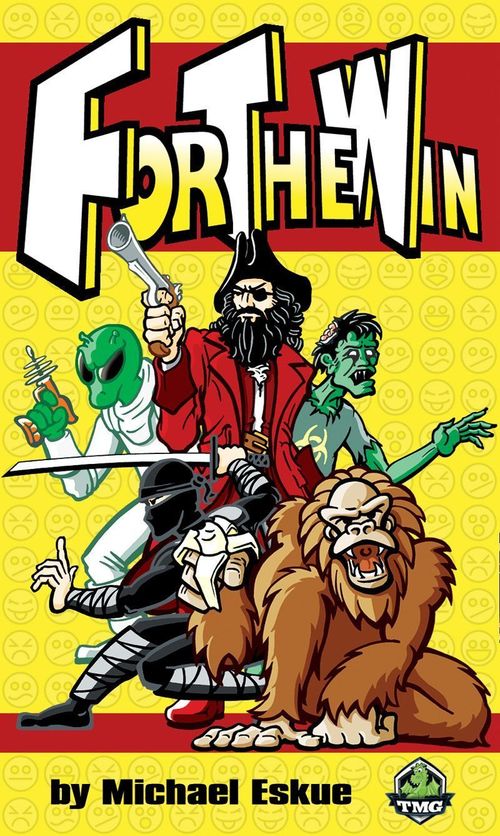
For The Win
For The Win Rulebook
Table of Contents
Table of Contents
Contents
- 10 black tiles (2 Ninjas, Pirates, Monkeys, Zombies, Aliens)
- 10 white tiles (2 Ninjas, Pirates, Monkeys, Zombies, Aliens)
- 1st player marker
- 2 Player aids/action counter cards
- Action counter tokens (one for each player)
Goal
The game ends when a player has at least one of each of their active characters in contact with each other. Character tiles that are adjacent (orthogonally or diagonally) are considered to be in contact.
Setup
Players pick a color and take all of the tiles of that color. One Monkey tile of each color is used to start. The Monkey tiles are placed in the playing area called "The Grid" and touch each other on a flat side (orthogonally). (If players agree, the starting Monkey tiles can be placed to touch diagonally instead of orthogonally.)
Each player takes an action counter token and player aid/action counter card and places their action counter on the zero spot.
Player Aid
Actions
- Add a tile
- Move a tile 1 space (face up only)
- Shove tiles 1 space (face up only)
- Use an ability (flip tile face down when used)
- Flip a tile face up
Victory: All 5 tiles types touching and face up.
- ALIEN: Tractor Beam - Bring any tile in play to an adjacent space.
- MONKEY: Banana - Flip over all adjacent tiles.
- NINJA: Stealth - Move to any other location.
- PIRATE: Cannon - Shoot an adjacent tile to any other location.
- ZOMBIE: Infect - Replace an adjacent tile with any Zombie tile. If none remain, deactivate an adjacent tile.
The action counter track runs from 0 (start) through 5, with a "First Action" and "Second Action" marked.
Game Play
Randomly decide which player will go first and give that player the 1st player marker. On each turn, the active player must take one or two actions. After taking their action(s), the player adjusts their action counter card accordingly and their turn is over. Players continue taking turns until all players have used their 5 actions for that round.
To begin a new round, the action tokens are set back to the zero spot and the 1st player marker is given to the other player. Depending on how you budget your actions, it is possible to have several in a row if you are the last player in one round and then are the starting player for the next round.
Actions
Actions include:
Add a tile to the Grid (face up) - added tiles may not touch a tile of your own color. Diagonal contact is considered touching.
Move a tile of your color - Move one of your Active tiles horizontally, vertically, or diagonally one space. Only face up (active) tiles can move. You cannot end your turn in a way that would separate part of the Grid. At the end of your turn, all tiles in play must be touching another tile in play. (It is possible to make two moves on your turn where the Grid is not connected in between the moves.)
A player can separate the grid on their first action, but must reconnect all pieces using their second. In this example, Black's Pirate has been separated from the grid by White's Monkey moving down. This is only legal if White uses a second action that reconnects all of the pieces, in this example by moving his Alien.
Refresh a tile (Flip face up) - In order to move, activate an ability, or to meet the winning condition of each character touching, tiles need to be face up. Because tiles are flipped face down when their ability is activated (or when flipped by a Monkey), it costs an action to flip a tile from face down to face up. (Face up tiles are Active; face down tiles are Deactivated.)
Shove a tile or tiles - Similar to moving, you can spend one action to move one of your Active tiles and all the tiles adjacent to it orthogonally (touching sides) in the direction of the shove. The shove affects both your tiles and the tiles of your opponent. The affected tiles are moved one space per action used. Shoving cannot be done diagonally. The action may not end in a manner that separates parts of the Grid. If a shoved tile is moved into an empty space, the space is then occupied by the shoved tile, but if there is a tile beyond the empty space, that tile does not move as a result of the shove.
Example: The white Alien shoves the white Monkey up to the black Ninja. The white Monkey and white Pirate are connected at the corner as a result of the shove. The black Ninja does not move because it was not touching the white Monkey when the shove was initiated.
Activate ability - Each character has a unique ability which can be used at the cost of one action point. When used, the tile is turned face down to indicate that the action is completed and the tile is inactive.
Note: Players cannot end their turn in a way that separates the Grid.
Game End
The game ends immediately when all 5 character types of a single color are touching and Active. The tiles can touch on the sides or the corners (orthogonally or diagonally) and can be touching more than one other tile at the same time. Players may have more than one of the same characters in the chain, but they must still have each of the 5 different types.
Character Abilities
Alien - The Alien uses her tractor beam to pull any tile (friend or foe) in the Grid to a space that is adjacent (orthogonally or diagonally) to her. (Grid separation rules apply.)
Monkey - The mischievous Monkey flips all of the tiles it is touching (friend and foe alike). Any adjacent tile (orthogonal or diagonal) gets flipped over. Tiles that were face up are now face down and vice versa.
Ninja - The sneaky Ninja can move from his current spot to any other unoccupied space in the Grid.
Pirate - The Pirate uses his trusty cannon to blast an adjacent tile (friend or foe) to any unoccupied space in the Grid.
Zombie - The Zombie can infect any adjacent tile (friend or foe). The infected tile is removed from the Grid and replaced with a Zombie tile (friend or foe) that has not yet been added to the Grid. If all of the Zombie tiles have already been added to the Grid, the Zombie may choose one adjacent tile and deactivate it (flip face down).