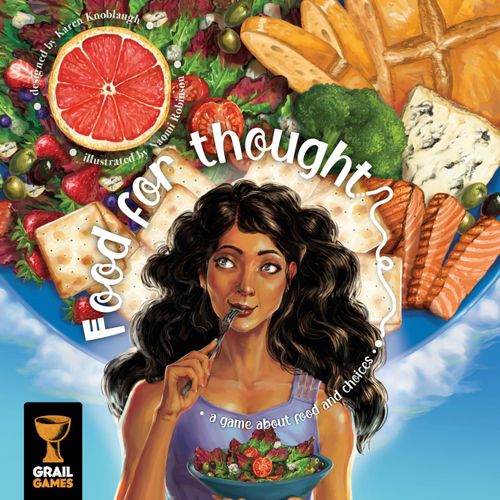
Food for Thought
Food for Thought Rulebook
Table of Contents
Table of Contents
Game Components
For the base game:
- Cardboard tokens: 400 food tokens, 36 shopping tokens, 1 first player token
- Cards: 48 activity cards, 56 recipe cards, 12 farmers market cards, 12 Out of Stock cards, 6 assistant cards, 4 reference cards
- Wooden tokens: 24 player markers (in 4 colors), 1 Round marker
- Other components: 5 double-sided diet boards, 2 dice, 1 food token bag, 1 game board
For the modules and variants: 16 extra recipe cards, 10 goal cards, 4 freezer boards, 4 allergy tiles. For information on the components used for the variant modules see the Modules section.
Component notes: Each player has 5 scoring and action markers. There are 11 types of food tokens. Note that some Recipe cards have icons in their bottom-right corner; remove these from the deck of Recipe cards before playing.
Game Setup
-
Place the game board in the center of the table.
-
Shuffle the deck of recipe cards. Divide the deck into two roughly equal piles and place each of them on the indicated recipe deck spaces face-up. Place the top card of each half of the recipe deck face-up in the spaces below the decks (so that there are 4 recipes available at the start of the game).
-
Shuffle the deck of activity cards and place it face-down on the indicated space on the Daily Planner. Place 3 activity cards face-up on the indicated spaces (so that there are 3 activity cards available at the start of the game).
-
Place the dice and a supply of shopping tokens near the Shopping List or beside the board.
-
Place all of the food tokens near the board to create the supply. From the supply, add 10 of each type of food token to the food token bag, then:
- Take 1 Fats and Oils token from the general supply and place it on the indicated space on the Pizza To Go brochure.
- Randomly fill the remaining Pizza To Go spaces with food tokens from the Food token bag.
- Randomly fill all Chinese Buffet spaces with food tokens from the bag.
Note that food tokens in the supply are not intended to be limited. In the unlikely event that you run out of food tokens, use a suitable substitute.
-
Place the 6 assistant cards face-up next to the board within reach of all players.
-
Place the Round marker on the "1" space on the Round track near the top-left corner of the board.
-
Sort the farmers market cards into separate decks according to their card backs. Next, arrange each deck of farmers market cards face down with the highest value at the bottom and the lowest value on top. Then flip over any cards whose number matches the current round. (In round 1 this will mean the top "Meat Street" card will remain face-down.)
Note: When playing with 1 or 2 players there are some small changes to setup that are explained in the Variants section.
There are other components and cards included in the game but leave these aside for now. To include them, check out the Modules section.
Key Concepts of the Game
Recipe cards
During the game, players will take recipes from the Recipe Book spaces on the board (using the "Recipes & Cook" action). Players should place these cards face-up and to the left of their diet board, next to their kitchen.
Once a recipe has been completed (when all required food tokens have been placed on its spaces), the player should move it down towards the bottom of their diet boards. A recipe can only be completed once. After a recipe is completed, its ability (written in text on the card) may be used by the player once. They also immediately score the number of Victory Points (VP) listed on the corner of the card.
The "flip this card" icon appears on recipe cards. Recipe abilities are one use only, shown by the flipping of the recipe after use.
Activity cards
When a player takes activity cards from the Daily Planner spaces on the board (using the "Activities & Workout" action), they should place these cards face-up and to the right of their diet board, next to their kitchen. Once an activity is completed (when all required food tokens have been placed on its spaces), the card is flipped over and the Victory Points (VP) on the corner of the card are awarded to the player.
Activity cards also have an icon in their top-right corner which indicates the type of activity it is. At the end of the game, players score bonus VP for each set of unique icons they have in their completed activities.
The Kitchen & Trash
At the top of each diet board is the kitchen. In order to cook recipes a player needs to have food in their kitchen.
The food icons at the top of the kitchen spaces indicate the expiration date of each type of food. Meats for example, spoil sooner than water. When a player places food in their kitchen from anywhere, they place the food token in the space matching the icon at the top of each kitchen space. At the end of each round (including after the final round), all food tokens in kitchen spaces are moved one space to the right. Note that all food tokens in the last kitchen space will be moved into the trash — if a player doesn't cook their food before it spoils, it will have to be thrown away! Each food token in the trash at the end of the game scores -2VP as indicated on each player's diet board.
The Body
The lower section of each Diet board represents the player's body. It holds all of the Food tokens "consumed" by the player during the course of the game. The desired number of food tokens for each food group is indicated by the green colored spaces in that food group's area. The goal is to end the game with Food tokens within this range.
When players place Food tokens into their bodies, they must always be placed in the first available food group space going from left to right and top to bottom. If a food group is full, return any excess food tokens to the supply. At the end of the game, each food group is scored based on where the last Food token in that food group is located. Red spaces in each food group indicate that points will be lost at the end of the game if players can't find a way to eat more or work off particular types of food.
If a player ends the game with zero Food tokens in a particular food group, they will score the amount of VP shown at the top-right of each food group box. (For example, -3VP in the case of Nuts & Seeds.)
(Illustration: a player who ends the game with the last food token placed in the Nuts & Seeds group on a space valued 5VP scores 5VP for Nuts & Seeds.)
Diseases and Conditions
As a result of consuming too much or not enough of some food groups, a player may be at risk of developing a variety of diseases or conditions. The red spaces in a food group indicate that you have gone beyond or are below the amount needed and will score negative VP at the end of the game. While these icons do not have a gameplay impact, they do provide some thematic underpinning for the loss of VP associated with those spaces. It is possible to "cure" yourself of all conditions during the game.
The conditions shown are: Dehydration, Energy stores, Excess Alcohol, Heart Disease, High Blood Sugar, Low Fiber.
Other Important Icons
- The wild food icon represents any Food token. This icon can appear on various cards.
- The end game scoring icon refers to End Game scoring. It is on a number of Recipe cards to remind you to score them.
Some Recipe cards have an asterisk (*) in their title. These should be removed from the game if playing solo.
Playing the Game
A game of Food for Thought is played over 6 rounds. Each round will follow this sequence:
- Select assistants.
- Take actions.
- Prepare for the next round.
1. Select assistants
There are 6 different assistant cards available during the game (if playing with 2 players, there are only 5. Remove the Life Coach assistant card from the game). At the start of each round, players select one assistant. To do this, the last player (in turn order) collects all the assistant cards and selects one, placing it on the table in front of them. (After round 1, a player may not select the assistant they just had in the previous round.) Then, the last player passes the remaining assistant cards to the next player in reverse turn order to choose from. Continue doing this until the starting player for the round has selected their assistant from those remaining. Once all players have selected a new assistant for the coming round, set any remaining assistants aside until next round.
NOTE: A player will never have the same assistant two rounds in a row. Additionally, each assistant card offers two options, and players can only benefit from one option, one time per turn.
Each assistant card gives players a special ability for the round. The assistants are:
- Executive Chef: Helps to complete recipes.
- Fitness Coach: Helps to complete activities.
- Kitchen Assistant: Helps to complete recipes.
- Life Coach: Helps you to stay balanced.
- Personal Shopper: Helps when shopping.
- Restaurateur: Helps when dining out.
At the beginning of round 1 of your first game, if players don't know which assistants to select, they could be handed out randomly.
2. Take actions
Every round (beginning with the starting player and going clockwise around the table), players alternate taking actions one at a time until each player has taken 4 actions. To take an action, players must place one of their action markers on any available (empty) action space on the main board or on their personal diet board, and immediately perform the action as instructed. Once all action markers have been placed, the round will end.
Here is an overview of all the possible actions available to players on the main board.
Grocery Shopping
The grocery shopping action is one of the ways a player can put food into their kitchen (in order to cook it or eat it later). To shop, the active player must place an action marker in an available (empty) space beneath the shopping list on the main board. In a 1 or 2-player game, there are 3 available spaces. In 3-player games there are 4, and in 4-player games there are 5 (as shown by the numbers on the action spaces). Once all spaces are filled with action markers, no player may shop until the following round. Players may shop more than once during a round if there is an open action space to do so on their turn.
The grocery shopping action allows you to purchase up to $6 worth of food. (There are no money tokens in the game, simply add up what you "spend" as you shop.)
After placing your action marker, roll both dice and place them on the matching spaces around the Shopping List. The cost of a food token depends on its position on the Shopping List. Any food item that is in the same column or row as a die is considered "on sale" and can be purchased for $1. An item that is outside of the "on sale" column or row can be purchased for $3.
After choosing the items you wish to purchase, take 1 matching food token for each item (from the supply) and immediately place a shopping token on each space on the shopping list that you bought from. The food item from that particular space is now unavailable for the remainder of the round!
A player may also choose to purchase any unavailable food token directly from the supply for $5 (a "special order"). In this case, no shopping token is placed on the shopping list.
At the end of a player's grocery shopping action, the player places all of the food tokens they purchased into their kitchen. Shopping tokens are not removed from the Shopping List until the end of the round.
Example: The green player has placed their action marker on the next available space to go shopping. (Previously, the blue player had bought 6 items from the shopping list which are now unavailable.) The green player rolled a 2 and a 5, showing which column and row has On Sale items for their turn. Green decides to purchase 1 Fats & Oils, 1 Dairy and 1 Water token for $1 each. They then purchase 1 Grain token for $3 from elsewhere on the board (they may decide which Grain space to cover up). As this tallies $6 they end their turn by covering what they bought with shopping tokens and placing the food tokens they bought onto the matching spaces in their kitchen (at the top of their diet board).
Farmers Market
Each round, the Farmers Market will have different food tokens available for players to place into their kitchen or body. The market stands that are available for players to visit are fixed from round to round (as indicated by the round number on the market cards).
The Farmers Market action spaces feature an open circle, signifying that these spaces are always available to all players (the first player taking this action does not "block" the action space from other players). However, each player can only visit the Farmers Market twice per round. (Players may select the same Market card twice with two different actions.)
To visit the Farmers Market, place your action marker on one of the two Farmers Market action spaces on the board and select one available stand. Take food tokens from the general supply that match all the indicated food tokens on the chosen stand and place them directly into your body or kitchen as directed. Do not take the card from the board — it remains available until the end of the round. Some stands have a wild food icon. A player that selects a stand with a wild food icon can add any Food token to their body or kitchen as directed.
Example: A player that selects the Shish Kabob from Meat Street would add all 3 of the indicated Food tokens to their body from the supply.
Dining Out
Dining out consists of two different action spaces: Chinese Buffet and Pizza To Go. Collectively they are considered dining out, and both can be affected by cards that specify "dining out." However, some game effects will refer to one or the other dining out space.
To dine out, place your action marker on an available (empty) dining out action space on the board. Then, perform the action for that space.
Pizza To Go. When a player dines out at the Pizza To Go space, that player takes all available food tokens from the pizza brochure and places them in their body.
Important! At the end of the round, the player with their action marker on the Pizza To Go space can move it to any other available action space and immediately take that action (as if they had an extra turn at the end of the round). As a reminder, the Pizza To Go action space has an arrow.
Example: The blue player will take all 6 food tokens from the Pizza To Go brochure and add them to their body. At the end of the round their action marker may be used again.
Chinese Buffet. When a player dines out at the Chinese Buffet space, that player takes all available food tokens from one of the rows of tokens and places them in their body.
The "3+" space is only available in a game with 3 or more players. This means that in a 1 or 2-player game, some food tokens will remain on Chinese Buffet spaces at the end of a round.
Example: The blue player must decide to take either all the food tokens in the top row OR the bottom row and place them into their body.
Here is an overview of all the possible actions available to players on their personal Diet boards.
Snack
To snack, a player places their action marker on the "Snack" action space on their Diet board. Then, that player places any 1 food token from their kitchen into their body. Each player may only snack once per round.
Recipes & Cook
On the left side of each player's diet board is the Recipes & Cook action space. This action allows a player to take new recipes from the board, cook with the food in their kitchen, or both!
This action can be taken any number of times in a round, as indicated by the action space's dotted circle.
Take Recipes. When taking this action, a player first selects up to 3 face-up recipe cards from the Recipe Book on the main board and places them to the left of their diet board. These are incomplete recipes that will need to be cooked in order to score them. At the end of a player's turn, refill any empty Recipe Book spaces so that there are 4 available recipes again. (The player may choose to take zero Recipe cards.)
NOTE: There is no limit to the number of recipes (complete or incomplete) that a player can have. However, any recipes that are incomplete at the end of the game will score negative victory points (VP)!
Cook. Then, the player may move up to 3 Food tokens from their kitchen onto any of their incomplete recipes with empty, matching food spaces. A player may be working on multiple recipes simultaneously.
When a player fills all of the food spaces on any of their recipes with matching food tokens, that recipe is completed. That player immediately scores the points (VP) listed on the bottom-right corner of the recipe (moving their token on the score track) and places the food tokens on the recipe card into their body (they have "eaten" the food). Then, they move the completed recipe down towards the lower edge of the diet board. The special ability written on the completed recipe is now available for the player to use as directed on the card.
NOTE: Some recipes have a split icon indicating that a food token of either type can be used to fulfill that requirement.
Example: This player already had a Nuts & Seeds token on this recipe and completes it now with the 3 remaining required tokens. The completed recipe is moved down. The player scores 6VP and now has an end game scoring ability to work towards. The food tokens from the card are placed in the player's body.
Completed recipe card abilities may be used at any time during a player's turn, including the turn the recipe is completed. If multiple players are able to and want to use any recipe abilities at the same time (such as when using "end of round" abilities), resolve them in turn order. After a player uses a recipe's ability, the recipe card is flipped face-down in their completed recipes area. Its ability is no longer available. (Remember that some cards have "end game scoring" abilities that cannot be used until the end of the game.)
Activities & Work Out
On the right side of each player's diet board is the Activities & Work Out action. This action allows a player to take new activity cards from the board, workout to remove calories from your body, or both!
This action can be taken any number of times in a round as indicated by the action space's dotted circle.
Take Activities. When taking this action, a player may first select up to 2 face-up activity cards from the Daily Planner on the main board and place them to the right of their diet board. These are incomplete activities that will need to be completed by working out in order to score them. At the end of a player's turn, refill any empty activity card spaces on the Daily Planner from the activity card deck, so that there are 3 available activities again. (The player may choose to take zero activity cards.)
NOTE: There is no limit to the number of activities (complete or incomplete) that a player can have. However, any activities that are incomplete at the end of the game will score negative victory points (VP)!
Work Out. Then, to Work Out, a player may move up to 3 Food tokens from their body onto any of their incomplete activity cards with empty, matching food token spaces. A player may have food tokens on multiple incomplete activities.
When a player has filled all of the food spaces on any of their activities with matching food tokens, that activity is completed. Return the food tokens from the completed activity to the supply. Move the completed activity down, towards the lower edge of the diet board. Flip that activity card face-down and immediately score the points (VP) listed on the bottom-right corner of the card (moving the player's token on the score track).
Remember: Cooking recipes is the main way to move food tokens into your body, and Working Out is the main way to remove them!
Example: Green takes an Activities & Work Out action. They place 2 food tokens from their body matching the icons on their incomplete Badminton activity card on the corresponding spaces. With all of the spaces filled, the activity is now complete. Green moves the activity to their completed activities area and scores the 2VP on the back of the card. They have also collected 1 Racquet Sports icon for end game scoring.
Wild Food Icons on Activities
Activity cards feature a few variations of Wild food icon spaces. When found on activity cards, any food token from a player's body may be placed on a Wild icon, but only if that type of food token isn't already present on the activity card or required by the card. (Each food token requirement on an activity must be unique.)
- Activity cards with a single Wild food icon space are treated as if it were any other food token space. These can be fulfilled with any food token from a player's body that does not match either a food icon or food token present on the activity card.
- Activity cards that feature the double Wild icons in a box with the text "1 or 2" below the icons can be fulfilled with either 1 or 2 food tokens. These food tokens must be placed at the same time and must be of the same type and cannot match a food icon or food token present on the activity card. If a player uses 1 food token to fill this space, they cannot place another token on that space at a later time (it is considered filled for the purposes of completing the activity).
- Activity cards that feature the double Wild food icons in a box must be fulfilled with 2 food tokens of the same type at the same time and cannot match a food icon or food token present on the activity card. A player cannot split up fulfilling this space across multiple Work Out actions.
Collecting Activity Sets
Every activity card features an icon in the top-right corner that is used for bonus scoring based on the size of the set. At the end of the game, players will score points (VP) based on the number of unique icons they have among all their completed activities. It is possible to score multiple sets. However, an activity card can only belong to a single set for the purposes of scoring. The amount you score for your sets is printed on the diet boards and reference cards as a reminder.
| Set Size | Bonus |
|---|---|
| 3 icons | 5VP |
| 4 icons | 7VP |
| 5 icons | 10VP |
| 6 icons | 14VP |
| 7 icons | 19VP |
| 8 icons | 25VP |
Example: Here are one player's completed activities at the end of the game. They would score 12VP for their two sets of activities; 5VP for the set of 3 and 7VP for the set of 4. Remember that this is on top of the VP they scored for completing the activities during the game (shown in the corners of the cards).
Place and Pass
The final option available to players is to pass. To do so, a player may place their Action marker on any available action space and do nothing, passing their turn. If a player passes, that player sets aside all of their remaining action markers. That player cannot take any more actions this round. This action is rare and not recommended (usually there are better options available to a player — avoid passing if you can).
3. Prepare for the next round
At the end of every round there are a number of organizational and clean up steps for the players to follow. Follow this list of events before starting the next round (these are also summarized on the Reference cards):
- Starting with the right-most kitchen space, players move all food tokens in their kitchen one space to the right. All food tokens in the right-most kitchen space will be moved into that player's trash. Once a food token is moved into a player's trash, it remains there until the end of the game.
- If this was the 6th round proceed to "End of the Game" (below) otherwise, advance the Round marker to the next space on the Round track.
- Return all action markers to players.
- Remove all shopping tokens from the Shopping List.
- Return any food tokens remaining on Pizza To Go and Chinese Buffet to the supply. Place 1 Fats & Oils token from the supply on the indicated Pizza To Go space. Then, refill every other space with new food tokens from the food token bag.
- Remove all face-up farmers market stands from the game and flip each farmers market stand that matches the next round number, face-up.
- Place all face-up recipe cards on the bottom of the recipe decks. Then, refill all empty spaces on the Recipe Book so that 4 face-up recipe cards are available.
- Place all face-up activity cards on the bottom of the activity deck. Then, refill all empty spaces in the Daily Planner from the top of the activity deck so that 3 face-up activity cards are available.
- Pass the first player token clockwise to the next player. They will take the first action in the following round.
End of the Game
The game ends after the 6th round. Players score their end of game Victory Points (VP) using the following steps:
- Players add or subtract VP for each of the food groups on their diet boards, based on the position of the last-placed food token. A player only scores the VP for that food token, not all the tokens in the food group. Food groups with zero food tokens in them score VP equal to the indicated value located in the top-right corner of each food group. (Example: Seafood will score 1VP, Poultry will score 5VP, Meat will score -1VP.)
- Add the indicated VP on any completed recipe cards with the end game scoring icon.
- Add VP for each set of completed activity cards with different icons using the table above (it is also on the diet boards and reference cards). Multiple sets can be scored, but the same activity card cannot be used to complete multiple sets.
- Subtract 2VP for each food token in your trash.
- Subtract the VP indicated on the bottom-right corner of each incomplete recipe and activity card.
The player with the most VP wins the game!
In the case of a tie, the tied player who completed the most recipe cards during the game wins. If it is still a tie, the tied player with the most completed activity cards is the winner. If it is still a tie, players share the victory!
Game Variants
Playing with 2 Players
The 2-player version of Food for Thought plays with all the same rules as a 3-4 player game, with three alterations to the setup as follows:
- Randomly select 8 farmers market cards to use (in total) and remove all remaining farmers market cards from the game.
- Remove the Life Coach assistant card from the game.
- Take the 12 Out of Stock cards from the box. Shuffle them, and place them in a face-down deck near the main board.
Follow the rules for a multiplayer game with the following change: At the start of each round, reveal the top 2 out of stock cards and place a shopping token on all of the spaces marked on both cards. Food tokens cannot be purchased from these spaces during this round. At the end of the round, discard the Out of Stock cards from the current round to the box.
Playing with the Alternate Diet Boards
Once you are confident playing Food for Thought you can try the alternate diet boards. There are five different boards to select, all found on the reverse side of the "Standard Diet" boards and on the reverse side of the "Cleanse" board. Each of these boards give players a different diet to pursue as they play. The various diets require differing amounts of food for each food group in order to score optimally.
Players may select the board they wish to use for a game, or players can be handed their board randomly. All players should play the game either using the "Standard Diet," or all using an alternate board, but do not play with some players using the "Standard Diet" and some using the alternate boards.
Remember that the "Cleanse" board is only for solo play.
Playing the Game Solitaire
The solo game of Food for Thought is more restricted than the multi-player game, in order to give you a challenge! The goal is still to score as many VP as possible, but the "Cleanse" Diet board requires the player to end the game with only Water food tokens in their body if they are to avoid scoring negative VP. (If you wish to use a diet board besides "Cleanse" when playing solo, you may, however these will be easier to gain higher scores with.)
Setup the game as you would a multiplayer game, with the following changes:
- Do not add Food tokens to the Chinese Buffet or the Pizza To Go areas, as they are not used in the solo game!
- Remove the Restaurateur assistant card from the game. Place the other assistant cards near the main board.
- Remove all recipes with an asterisk (*) preceding their title from the game.
- Take the 12 Out of Stock cards from the box. Shuffle them, and place them in a face-down deck near the main board.
Follow the rules for a multiplayer game with the following changes:
Out of Stock cards: Reveal the top 2 Out of Stock cards and place a shopping token on all of the spaces marked on both cards. Food tokens cannot be purchased from these spaces during this round. At the end of the round, discard the Out of Stock cards from the current round to the box.
Assistants: At the start of each round, the player will be required to follow a specific pattern when selecting assistant card(s):
- Round 1: Select any two assistant cards (or select randomly for a greater challenge).
- Round 2: Keep the two assistant cards selected in Round 1 and select one additional assistant card from the three assistant cards that were not selected in the previous round. A player should have three assistant cards to use during this round: two from Round 1 and the one added this round.
- Round 3: Set aside the three assistant cards used during Round 1 and 2, then take the two remaining assistant cards. Return the three set aside assistant cards to the area near the board.
- Round 4: Keep the two assistant cards selected in Round 3 and select one additional assistant card from the three assistant cards that were not selected in the previous round. The player should have three assistant cards to use during this round: two from Round 3 and the one added this round.
- Round 5: Set aside the three assistant cards used during Rounds 3 and 4, and then take the two remaining assistant cards. Return the three assistant cards to the area near the board.
- Round 6: Keep the two assistant cards selected in Round 5 and select one additional assistant card from the three Assistant cards that were not selected in the previous round. The player should have three assistant cards to use during this round: two from Round 5 and the one added this round.
Recipes & Cook action: After completing this action, immediately refill the Recipe Book so there are 4 face-up recipes available.
Activities & Work Out action: After completing this action, immediately refill the Daily Planner so there are 3 face-up activities available.
Solo End of Game: The game ends after the 6th round. The player now calculates their score the same way as a multiplayer game. However, instead of competing with other players, a player will see how their score ranks on the personal goals chart:
| Score | Result |
|---|---|
| 0-59 | No pain, no gain. Consider this a learning experience! |
| 60-89 | Good for a beginner! |
| 90-109 | Solid effort. Keep trying! |
| 110-129 | Well done. You are doing great! |
| 130-150 | Excellent. You have got your goals locked in now! |
| 150+ | Success! You have mastered your diet plan! |
Modules
When playing Food for Thought, players can add one or more of the following modules to their game. While all of the modules are compatible, we recommend trying them individually before adding all of them at once. Note that some of these modules are not suitable for solitaire play, which will be noted in each section.
Pot Luck Module
The Potluck Module introduces a set of recipe cards for players interested in a more interactive experience. These recipes can easily be identified by the knife and fork icon above the "VP" on the front of the recipe. These recipes are not compatible with the solo game.
To play with the Potluck Module, simply remove 8 recipe cards (randomly) from the recipe deck before the game, and shuffle the 8 Potluck recipe cards into the deck.
Goals Module
The Goals Module introduces a set of objectives players can complete for additional end game points. The Goals Module is not compatible with the solo game.
When playing with the Goals Module simply select two goal cards at random and place them on the main board near the coffee cup where they can be seen by all players.
Goals award VPs during end of game scoring to the two players most successful in pursuing the goal. The 1st place VPs are awarded to the player who most successfully completed the goal, and the 2nd place VPs are awarded to the next most successful player.
If there is a tie for 1st place involving any number of players, add the 1st and 2nd place VP awards together and divide them evenly among all of the tied players (rounding down). In this case, no 2nd place VPs are awarded. If there is a clear 1st place and a tie for 2nd place, all tied players divide the 2nd place VPs between them (rounded down). In all cases, a player must have at least one of something to be considered for any goals.
Examples: For one goal, the player who scored the most total VP from their completed activity cards during the game will score 7VP. The player with the second most will score 4VP. For another goal, the player who completed the most activities worth 3VP will score 7VP. The player with the second most will score 4VP. And for another goal, the player who completed the most recipe cards in total will score 7VP. The player with the second most will score 5VP.
Food Allergy Module
The Food Allergy Module introduces a set of 4 tiles that modify a specific food group on each player's diet board. These are titled: Dairy Sensitivity, Gluten Free, Nut Allergy and Seafood Allergy. Note that this module is more difficult and is intended for experienced players only!
To play with the Food Allergy Module, once players have their diet boards in front of them, randomly assign one of the food allergy tiles to each player; alternatively, allow each player to choose one and then return any remaining food allergy tiles to the box. Each player places their food allergy tile on top of the appropriate food group section of their body so that the food group on the diet board is completely covered by the food allergy tile.
Players treat their food allergy tile exactly as though it were any other food group in their body with the following exceptions:
- Players can add food tokens they are allergic to into their kitchen, but never into their body! This is indicated by the "X" through the icon located on the top-left corner of the allergy tile. Avoid Dining Out options, recipes and farmers market cards with these foods as much as possible, and use recipe abilities and the assistants to help you out of difficult situations!
- Spaces on the food allergy tiles can only be filled with food tokens matching any one of the tokens displayed within the spaces. For example, the "gluten-free" tile can only be filled with two particular grain-type food tokens (icons not reproduced in the source text).
When completing activities, the player can still place food tokens from the food allergy tile as though they were of the type they are allergic to (even though they will not match the space on the activity). For example, the grain requirement on the water skiing activity card could be fulfilled with food tokens that come from the gluten-free tile.
Food allergy tiles are scored like any other food group during end game scoring.
Freezer Module
The Freezer Module introduces a player board extension and a set of recipe cards that give players more flexibility with their Meat, Seafood and Poultry tokens. By placing tokens in their freezer, a player will have more control over when their food will spoil. The Freezer Module also includes 8 recipe cards that can be identified by the snowflake icon above the "VP" on the front of the recipe.
To play with the Freezer module, remove 8 Recipe cards (randomly) from the recipe deck before the game, and shuffle the 8 Freezer Module recipe cards into the deck. Each player takes a freezer board and places it near their diet board (above the trash area if there is room).
Each player's freezer board consists of two areas: the freezer area and the thaw area. The freezer area can hold a maximum of 4 food tokens at one time. The thaw area can hold a maximum of 2 food tokens at one time.
During the game, whenever a player acquires Meat, Seafood or Poultry tokens they may place them into their kitchen (as normal), or into their freezer. Before food tokens from the freezer can be added to a recipe, they must be thawed.
To thaw food tokens, they must be moved from a player's freezer area into their thaw area. A player may do this as part of a Recipes & Cook action by placing a food token from their freezer area into their thaw area instead of placing a food token from their kitchen onto a recipe. A player can do this a maximum of 2 times as part of a single Cook action. A player can only place a food token from their freezer area into their thaw area if there is an available space.
Food tokens in a player's thaw area are treated as though they are in the player's kitchen, but tokens cannot be moved between the kitchen and freezer board.
At the end of every round, any food tokens in a player's thaw area are moved to their trash!
Example: The Meat token may be placed on a recipe because it is thawing, however the Seafood and Poultry tokens must first be moved into the thaw area before cooking.