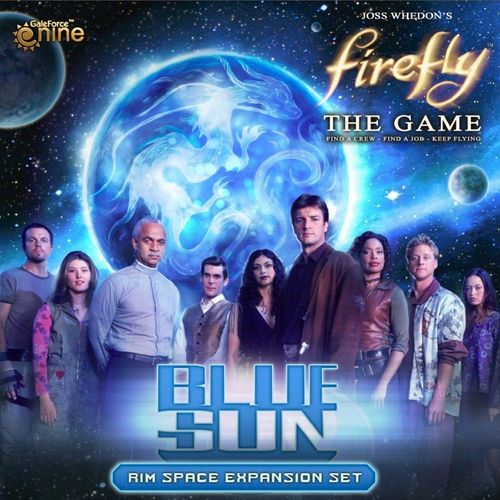
Firefly: The Game – Blue Sun
Firefly: The Game – Blue Sun Rulebook
Table of Contents
Table of Contents
- Box Contents
- Blue Sun Map Extension
- Rim Space Nav Deck
- Meridian Supply Deck
- Alert Tokens
- New Leaders
- New Contacts
- Story and Set Up Cards
- The Rim
- New Reaver Rules
- Desperate Times
- Alert Tokens
- Reaver and Alliance Tokens, Continued
- Notes on Resolving Alert Tokens
- New Contact: Lord Harrow
- New Contact: Mr. Universe
- Mr. Universe, Continued
- New Story and Set Up Cards
- Meridian Credit Exchange
- Additional Rules
Box Contents
- Map Expansion
- 25 Supply Cards
- 30 Nav Cards
- 75 Job Cards
- 2 Leader Cards
- 3 Story Cards
- 2 Set Up Cards
- 2 Ship Models
- 88 Tokens
- Rulebook
Each Blue Sun card is marked with a Blue Sun Set Symbol.
Blue Sun Map Extension
A new 10" x 20" map section fits on the left-hand side of the existing Firefly: The Game map. This new map extension both expands Border Space and adds a new region: The Rim. Combined with the original game, the board measures 20" x 40" - make sure you have plenty of room to play!
Rim Space Nav Deck
When you're flying through Rim Space, draw Nav Cards from the new Rim Space Nav Deck. Rim Space presents a unique set of challenges and opportunities for captains willing to venture to the far ends of the 'Verse.
Meridian Supply Deck
The capital of the Blue Sun system is Meridian, a thriving financial center. Travel in Rim Space is dangerous and the markets of Meridian offer a variety of ways to outfit ships to avoid the Reaver Threat.
Alert Tokens
Double-sided Alert Tokens represent a higher level of Reaver or Alliance activity within a Sector.
New Leaders
Blue Sun includes 2 new Leaders to choose from, each with distinct special abilities. Murphy excels at trading goods while Atherton's keywords make Misbehaving early in the game more likely to succeed.
New Contacts
Mr. Universe provides the opportunity to take on "Big Damn Challenges" which reward daring captains willing to assume higher risks!
Lord Harrow is a Smuggling and Shipping magnate and is a reliable source of Cargo for captains he trusts.
Story and Set Up Cards
New Story Cards add fresh goals, challenges and twists to your game. Combine any Story Card with the new Set Up Card for more dynamic game play variety.
The Rim
Rim Nav Deck
Rim Space uses a unique Nav Deck. When you're Full Burning through Rim Space, draw Nav Cards from the Rim Space Deck. Rim Space offers a wide variety of new obstacles, dangers and opportunities for captains willing to venture farther afield.
The 'Verse is divided into three regions. Rim Space Sectors are bordered in red lines. Alliance Space is bordered by blue lines, Border Space by orange.
The three regions, highlighted
NOTE: You may never move diagonally between Sectors.
New Border Space Nav Cards
Blue Sun includes 10 Border Space Nav Cards. These are replacements for existing cards. To update your Border Space Nav Deck, remove:
- 1 Reaver Cutter
- 1 Reaver Bait
- 8 Reavers on the Hunt
The 10 new Border Space cards fully replace the older cards, representing the increased Reaver threat and addition of Rim Space to the game.
Uroboros Belt
The Uroboros Belt is an area of space around the Blue Sun star that is littered with mineral-rich asteroids and planetoids. A number of new Jobs have their pick-up in the Uroboros Belt. You can start working a Job in the Uroboros Belt in any of the 4 Sectors that picture Uroboros asteroids.
Note: Uroboros Sectors are not considered "Planetary Sectors" unless they also contain a named planet.
New Reaver Rules
In the far orbit of the proto-star Burnham, Reavers lurk among the floating carcasses of the many ships they've cannibalized. The Reaver blockade of Miranda has been in place for years, but recent rumors of business opportunities on Miranda have inspired captains to push their luck.
Reaver Space
The 3 Sectors surrounding Burnham are designated as Reaver Space on the map. Only these 3 Sectors are considered "Reaver Space".
New Reaver Ships
Blue Sun includes 2 additional Reaver Cutters. When playing with the Blue Sun expansion, you'll have a total of 3 Reavers terrorizing Border and Rim Space. Only 1 Reaver ship may ever be in a Sector. When moving a Cutter, you may not move it to a Sector that contains another Reaver ship.
New Reaver Set Up
When setting up a game with Blue Sun, place a Reaver Cutter in each the three Reaver Space sectors, forming a blockade around Miranda. As the game progresses, the Reaver ships will move, opening up routes to Miranda.
Activity in Reaver Space
Each Sector of Reaver Space is marked with a permanent Reaver Alert that is never removed. There is always a threat of a Reaver ship showing up when traveling through Reaver Space!
Desperate Times
Sometimes, a desperate captain may have to brave the Reavers. When playing with the Blue Sun expansion, you may Mosey into a Sector that contains a Reaver ship.
Note: You may not Full Burn or Evade into a Reaver occupied Sector.
Example: The Reavers are at the Space Bazaar, right where Sally needs to go to complete a Goal. She uses a Fly Action to Full Burn to a Sector adjacent to the Space Bazaar, then ends her turn. Her next turn, she Moseys into the Space Bazaar and Works the Goal, ending her turn. The Reaver ship stays at the Space Bazaar, so she starts her next turn in the same Sector as a Reaver Cutter and must resolve the Reaver Contact event normally.
Alert Tokens
Included in the Blue Sun expansion are double-sided Reaver/Alliance Alert Tokens. Alert Tokens represent recent activity in a Sector, with an increased chance of an unwelcome encounter.
Spawning Reaver Tokens
Each time a Reaver ship moves from one Sector to another, place a Reaver Alert Token in the Sector vacated by the Reaver. There can be more than one Alert Token in a Sector, if the Reavers move in and out multiple times.
Reaver ships leave a Reaver Alert Token behind whenever they move to a different Sector.
Note: Additional Reaver Alert Tokens are added to the Reaver Space Sectors, as normal. When the Cutters leave Reaver Space for the first time, they leave behind a token, in addition to the printed, permanent Reaver Alert.
Reaver and Alliance Tokens, Continued
Placing Alliance Alert Tokens
Unless otherwise specified by a Story or Set Up Card, Alliance Cruiser movement does not generate new Alliance Alert Tokens.
Resolving Alert Tokens
If you move into a Sector containing one or more Alert Tokens during your Fly Action, you must resolve the Alert Tokens before drawing a Nav Card. To resolve Alert Tokens, roll a dice.
If the dice roll is equal to or less than the number of Alert Tokens, you've got company! The player to your right chooses and moves a Reaver or Alliance ship to your current Sector, depending on which token was encountered. All normal rules for contact with Reaver and Alliance ships apply. Whatever the dice roll, remove all the tokens from the Sector.
Example: John full burns his ship into a Sector with three Reaver Alert Tokens. He rolls a dice, getting a 2! The Reavers hunger! Sally, to his right, chooses a Reaver Cutter and moves it to John's location. John then draws a Nav Card for that Sector, as normal. Oh no! Breakdown! If John stops in this Sector, he may get gnawed on by Reavers at the start of his next turn. If John is able to Keep Flying, he'll avoid the Reavers, for now.
Notes on Resolving Alert Tokens
- If you encounter Alert Tokens in the midst of a Full Burn, resolve the Alert Tokens first, then draw a Nav Card for the Sector that had the Alert Tokens, as normal.
- Resolving Alert Tokens is not a "Test." Cards that modify Tests have no effect on Alert rolls.
- If you are an Outlaw Ship and an Alliance Alert Token calls the Alliance Cruiser to your location, your Fly Action is over immediately; do not draw a Nav Card if Full Burning.
- If you Mosey or Evade into a Sector, you must resolve the Alert Tokens. Moseying or Evading into Reaver Alert Tokens is generally not a good idea!
- The "Long-Range Scanner Array", a new Ship Upgrade from Meridian, allows you to resolve Alert Tokens in adjacent Sectors. You may do this at any time during your Fly Action; it does not interrupt your Fly Action. If you roll equal to or less than the number of Alert Tokens in the adjacent Sector, the Alliance/Reaver ship will move to that Sector. You may do this multiple times in a Fly Action.
- If an Alert Token brings a Reaver Cutter to your Sector and you then draw the "Reaver Cutter" Nav Card, do not move another Cutter to your location. Resolve Reaver Contact immediately. This applies any time the "Reaver Cutter" Nav Card would move a Cutter to a Sector already occupied by a Reaver ship.
New Contact: Lord Harrow
From his abode on Highgate, Lord Harrow directs a shipping network that moves vast amounts of goods across the 'Verse. Sometimes though, Harrow needs a captain who doesn't kowtow to Alliance regulations.
Lord Harrow: "Protect My Property: When you complete a Smuggling or Shipping Job, take $500."
Solid Rep With Lord Harrow
Unlike other Contacts, when you earn a Solid Rep with Lord Harrow, you can purchase Cargo for $300 each from him. When using an Action to Deal with Lord Harrow, you may buy as much Cargo as you'd like, in addition to considering his Job Cards.
When you are Solid with Lord Harrow, you'll also make an additional $500 each time you complete a Smuggling or Shipping Job. It pays to get in good with Lord Harrow.
"Now, you taking on this job - being my Second - does this mean we're in business?" - Mal
"It means you're in mortal danger. But you mussed up Atherton's face, and that has endeared you to me somewhat." - Lord Harrow
New Contact: Mr. Universe
Mr. Universe offers captains Big Damn Challenges, adding additional stunts and hurdles to normal Jobs.
Big Damn Challenge Cards
To get Big Damn Challenge Cards, use an Action to Deal with Mr. Universe, just as you would with a standard Contact. Challenge Cards go into your hand and count towards your Max Hand size, just as Jobs normally do.
Rise to the Challenge
Instead of being Worked on their own, Challenges are attached to other Contacts' Jobs. To attach a Challenge to a Job, place it under the Job when you first Work the Job. You may not attach Challenges to Piracy Jobs or Bounties. You may not attach Challenges to Jobs already in the Active Job area.
Badger Job with attached Big Damn Challenge
Note: Once you've attached a Challenge Card, the Challenge Card does not count towards your Active Jobs limit. You could have three Active Jobs, all with Big Damn Challenges attached.
Big Damn Challenge Cards are marked as either "Legal" or "Illegal". Legal Challenge Cards may only be attached to Legal Jobs and Illegal Challenge Cards may only be attached to Illegal Jobs.
A Legal and an Illegal Challenge
Mr. Universe, Continued
Completing Big Damn Challenges
In order to complete a Job with an attached Challenge, you must meet the normal requirements of the Job along with all the requirements added by the Challenge. Big Damn Challenges impose a wide variety of hurdles. Each Challenge details exactly what must be done to overcome it.
With Your Hands Tied
For example, "With Your Hands Tied", pictured above, prevents you from adding your crew's Fight Skill Points to Skill Tests while working the attached Job. With that Challenge attached, any Fight Tests on Misbehave Cards, or on the Job itself, would be made as if your Crew has no Fight Skill.
Big Damn Challenge Rewards
Each Big Damn Challenge Card has an additional reward listed, which is added to the Pay of the attached Job. You only earn the reward on the Challenge Card after successfully completing the attached Job while also fulfilling the requirements of the Challenge.
Example: Pete's Working a Job that requires him to Misbehave three times that has "With Your Hands Tied" Challenge attached. Pete proceeds past the first two Misbehave Cards but botches the third. As a result, he doesn't earn any Credits: it's all or nothing!
Solid Rep With Mr. Universe
After completing a Job with an attached Challenge, you become Solid with Mr. Universe, in addition to the attached Job's Contact. Slide the Challenge under your Ship Card with your other Solid Contacts. At this point, the Challenge Card is treated separately: you'll keep or lose your Rep with Mr. Universe independent of your Solid Rep from the original Job.
When you are Solid with Mr. Universe, your Max Hand Size goes up by 2. With a base Hand Size of 3, this means you can hold up to 5 cards in your hand after earning a Solid Rep with Mr. Universe.
Losing Rep With Mr. Universe
If you are working a Job with an attached Challenge Card and have a Warrant Issued, discard the Challenge along with the Job, as normal. As with other Contacts, if you discard a Challenge because of a having a Warrant Issued, you lose your Solid Rep with Mr. Universe.
Note: If you lose your Solid Rep with Mr. Universe, your Max Hand Size will drop by 2 as a result. If this means you have more cards than you're allowed, you must immediately discard down to your Max Hand Size.
"Can't stop the signal, Mal. Everything goes somewhere, and I go everywhere." - Mr. Universe
New Story and Set Up Cards
Firefly: Blue Sun contains a 3 new Story Cards and 2 Set Up Cards. The Set Up Cards may be paired with any Story Card to add variety to your games.
Set Up Cards
Set Up Cards detail alternate ways of starting the game. They detail all the aspects of Set Up: Starting Jobs, Assets, Havens, etc. Each aspect of the Set Up that differs from standard Set Up is marked with a Green title bar, as pictured on the right.
Awful Crowded in My Sky
Story Cards take precedence over Set Up Cards.
- Nav Decks: Place the "RESHUFFLE" cards in the Nav Decks at the start of the game, regardless of the number of [remainder of line cut off in the printed illustration].
- Choose Ships & Leaders [no further text legible in the printed illustration].
- Alliance & Reaver Ships:
- Place an Alert Token in every planetary sector. Alert Tokens in Alliance Space, Reaver Alert Tokens in Border and Rim Space. [remainder of line cut off in the printed illustration]
- Do not place Alert Tokens on players' starting locations.
- Alliance Ship movement does not generate new Alert Tokens. Reaver Ship movement generates new Alert Tokens, as per Blue Sun's Alert Token rules.
- Place Alliance & Reaver Ships normally.
- Goal of the Game [no further text legible in the printed illustration].
- Starting Supplies [no further text legible in the printed illustration].
- Starting Jobs: Each Player receives a Job Card from Harken, Amnon Duul and Patience. Players may discard their starting Jobs. [remainder of line cut off in the printed illustration]
- Priming the Pump [no further text legible in the printed illustration].
Transcriber's note: the Set Up Card is printed in this rulebook as a small, low-resolution illustration that is cropped at its right edge. Only the text above is legible; the bracketed portions could not be read and have not been filled in. Consult the physical Set Up Card for the complete wording of steps 1, 2, 4, 5, 6 and 7.
Note: Some Set Up and Story Cards refer to "Planetary Sectors." A Planetary Sector is any Sector that contains a named planet. The Space Bazaar and Cortex Relay 7 count as planets.
Meridian Credit Exchange
Meridian is home to a system-wide exchange for sending Credits over the Cortex. When playing with the Blue Sun expansion, you may give Credits to another player at any time, even if you're not in the same Sector.
Note: To trade Goods, Crew, Gear, or Ship Upgrades, you must both be stopped in the same Sector, as normal.
Additional Rules
Reshuffle Cards
"Reshuffle" Cards in the Misbehave and Nav Decks may never be in their decks' discard piles (except during some Set Ups). If any action would put a "Reshuffle" Card in a discard pile without resolving it, reshuffle the deck when you've finished the action that discarded the card.
What Are Goods?
Many of the Cards in Blue Sun refer to "Goods". Goods are Cargo, Contraband, Fuel and Parts. Some cards may allow you to load a number of Goods. In this case, you may choose which type of Goods you'd like to Load. You may choose to Load a mix of different Goods.
"Goods" refers to Cargo, Contraband, Fuel, and Parts.
Havens
Havens are planets that have special importance to the corresponding players. Haven tokens are color-matched with the Ship Models. Some Story Cards will direct you to Choose Havens during Set Up. Each Story Card will detail the Havens' importance and which planets may or may not be eligible for selection.
Serenity's Haven Token
Choosing Havens
During Set Up, after choosing Leaders, players place their Haven tokens instead of placing their ships. Haven Tokens must be placed in Sectors containing planets but may not be placed at Supply or Contact planets. Players may not place their Haven Token in a Sector that is already another player's Haven. Unless otherwise noted, players' ships start at their Haven.