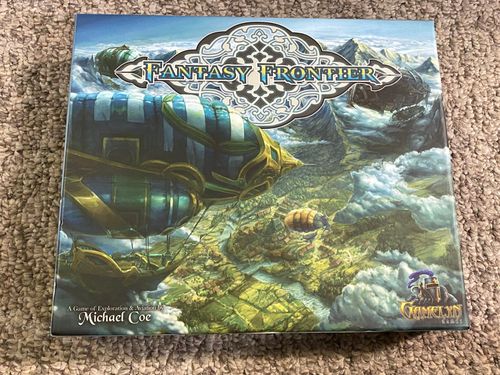
Fantasy Frontier
Fantasy Frontier Rulebook
Table of Contents
Table of Contents
Contents
- 4 Airship Player Boards (1 for each player color)
- 80 Terrain Tiles (26 Plains, 18 Forest, 18 Mountains, 18 Water)
- 35 Research Cards (25 Map Cards; 10 Development Cards)
- 4 Airship Game Pieces (1 for each player color)
- 12 Township Game Pieces (3 for each player color)
- 20 Airship Damage Markers
- 4 Combat Victory Point Markers
- 20 Workers (5 for each player color)
- 48 Resource Pieces (12 Gold, 12 Stone, 12 Wood, 6 Fish, 6 Turkey Legs)
- 1 Combat Die (6 sided)
- 3 Resource Dice (1 Forest Die, 1 Mountain Die, 1 Water Die)
- 1 Draw Bag
- 1 Rule Book
Objective
The objective of Fantasy Frontier is to be the first player to score 40 victory points. Players earn victory points throughout the game by creating and matching terrain patterns on the board with their map cards, building townships and through successful aerial combat.
Preparation
Shuffle and place all the research cards face down within reach of the players.
Add all terrain tiles to the draw bag, shuffle the contents.
Sort and place all the resource pieces, airship damage markers and resource dice (green, brown and blue) within reach of the players.
Roll the combat die to determine the starting player, highest roller goes first. Player order is then determined in a clockwise fashion from the starting player.
The starting player selects which faction he would like to play then the remaining players select their factions in their respective player order.
Each player:
- Takes the 1 airship player board of their chosen faction
- Takes all the pieces of their color (5 workers, 1 airship, 3 townships)
- Takes 1 combat victory point marker
- Draws 1 map card from the research deck to start the game with. If a development card is drawn return it to the research deck and draw again until a map card is drawn. Do not show map cards to other players. Shuffle the research deck again if needed.
- Draws 2 terrain tiles to start the game with.
Player Factions
- The Royal Vanguard (BLUE) – Sponsored by the King, the blue player receives the bonus of a resource market. This bonus is present the entire game. The resource market allows for easier construction of townships. Instead of a township requiring 2 gold, 2 stone and 2 wood to be built, it simply requires 6 of any (non-food) combination of resources.
- The Academy (GREEN) – Advanced in cartology, the green player receives the bonus of an improved study. This bonus is present the entire game. The improved study allows the player to hold a maximum of 4 map cards in hand instead of the regular limit of 3.
- The Juggernaut (RED) – Prepared for battle, the red player receives the bonus of armored plating. This bonus is present the entire game. Armor plating fortifies the Juggernaut airship and reduces the odds of taking damage. This means the red player can only be hit on an attack roll of 5 or 6. However, the red player is still susceptible to focused attacks.
- The Skyflower (YELLOW) – Carefree and adventurous, the yellow player receives the bonus of drift. This bonus is present the entire game. Drift allows the player to move one free space, in addition to, and without having to assign a pilot.
Game Set-Up
- The starting player will begin forming the game board by placing his 2 terrain tiles adjacent to each other in the center of the table. He then places his airship game piece onto one of the tiles.
- The second player then adds to the game board by placing her two terrain tiles; each terrain tile must be placed adjacent to an already existing tile. Her tiles can, but do not have to be, placed adjacent to each other. She then places her airship game piece onto any unoccupied tile.
- The third and fourth players will do the same thing as the second player in their respective order. They will place their two terrain tiles adding to the game board and place their airship game piece onto an unoccupied tile.
- The starting player now begins the game with a regular turn following this order of play:
Game Play
Each turn a player will assign tasks to 5 workers. He does this by placing all 5 workers onto designated assignments on his airship player board. This is called the worker placement phase. He then resolves the assignments of his workers following this order of play:
Order of Play
- Phase 1 (Green Circles) – Do the following assignments in any order before moving on: Place Terrain Tiles, Pilot, Blast Ground, Attack, Repair
- Phase 2 (Yellow Circles) – Do the following assignments in any order before moving on: Exit (Gather Resources and/or Build a Township)
- Phase 3 (Red Circles) – Do the following assignments in any order before ending your turn: Research, Scout
All workers remain on their assignments until the start of the next turn. At that point, all 5 workers are reset and the new turn begins.
Placing Terrain Tiles
Placing terrain tiles are a free action. Meaning, placing terrain tiles does not cost any workers and therefore does not have an assignment on the airship player board.
Terrain tiles consist of 4 types of terrain: Plains, Forest, Mountains and Water. A terrain tile must be placed adjacent to at least one other terrain tile; this is the only requirement of placing a terrain tile. They do not have to be of the same type.
The different types of terrain tiles offer different resources to be used in building townships. The forest, mountains and water each have a specific resource die that is rolled to determine what resources will be gained. See Gather Resources below.
Terrain tiles are acquired from assigning workers to scout the land. They are received at the conclusion of a player's turn during Phase 3 so that he may observe them and strategize their placement off-turn. At the start of his next turn, he must place all his terrain tiles during Phase 1. Terrain tiles cannot be saved.
Terrain tiles are used to create the community game board and increase the playable area. They are also used to create the geographic patterns found on map cards to score victory points.
Pilot
Assigning a worker to pilot the airship allows that player to move his airship game piece 1, 2 or 3 spaces on the board. Spaces are placed terrain tiles. A player may split up his movement, moving some spaces, perform another assignment within Phase 1, and then move the remaining spaces. There is only one pilot assignment on an airship.
Blast Ground
Blast ground allows a player to remove an adjacent and unoccupied terrain tile from the board. This must be a tile adjacent to his airship game piece. In order to perform this task, three workers must be assigned to blast ground. The removed terrain tile is placed back into the draw bag.
Attack
Attacking allows a player to fire upon adjacent players' airships in effort to slow down their progress and even score victory points. The attacking player targets worker assignments that can be shut down if successfully hit.
A player may only attack an opponent's airship if it is adjacent to theirs on the game board. If multiple airships are adjacent, attacks may be split upon multiple targets but the target order must be declared before the attacks are made. A player may assign up to 5 workers to attack in a single turn and attacks occurs any time during Phase 1.
There are TWO kinds of attack:
- Standard Attack – Perform one attack roll on the combat die for each worker assigned to attack. A roll of 4, 5 or 6 is considered a hit and a damage marker is placed on your opponent's airship on an assignment of your choice, rendering it useless. The attacking player must declare the assignment he is attacking BEFORE he rolls the attack die.
- Focused Attack – This attack requires 2 assigned workers and counts as an automatic hit. No attack die is rolled. Simply place a damage marker on your opponent's airship on an assignment of your choice, rendering it useless.
All assignments are eligible to be targeted by an attack. Players may even target cargo bays. If a cargo bay is successfully hit then instead of a damage marker being placed, 1 resource from that bay is removed and placed back into the general supply.
Each time a player is able to score 3 successful hits in a single turn, he scores 5 victory points, these hits can be split between multiple airships. Any combination of standard and focused attacks is allowed. To track these victory points, the player simply uses the combat victory point marker on the Combat VP track of his airship player board. Players with damaged assignments on their airship must assign workers to repair the damaged assignments before they are usable again.
Counter Attack
Counter attack is an off-turn option for any player being fired upon by the active player. This option allows the targeted player to pre-assign 1 through 5 workers to attack. These workers MUST already be onboard the ship, meaning workers who have exited the ship on the targeted player's previous turn are not eligible to counter attack. The off-turn player must declare how many workers he will be counter attacking with before the battle begins.
ALL workers that are assigned to counter attack are considered spent for the next turn. They must sit out for one full turn before eligible for use again.
Counter attack works the same as regular attack in the sense that both the standard attack and focused attack are allowed and both players are eligible to score victory points. The active player, who is attacking, will make the first attack. The off-turn player who is counter attacking then makes an attack. The battling players exchange shot for shot. When one of the players runs out of workers assigned to attack, the other player will take the remaining attacks he has assigned.
Repair
Repairing your airship will remove one damage token from any damaged assignment, making that assignment immediately accessible for use.
To repair a damaged assignment, a player simply places a worker onto that assignment. Repairing occurs anytime during Phase 1 and that worker is considered spent for the turn.
For instance, a player may repair a damaged assignment with a worker then use that same assignment in the same turn, but a second worker would have to be assigned.
Exit
Exiting the airship allows workers access to the resources below, as well as having the opportunity to build townships. 1 to 5 workers can be assigned to exit the airship. Workers exiting the airship must be placed on a terrain tile, not currently occupied by any other workers or townships. The tile must be directly under or adjacent to the tile with the active player's airship game piece. The exit assignment occurs during Phase 2. Any actions performed on the ground, including building townships, can occur in ANY order during Phase 2. Workers that exit the airship must be assigned one of these actions: Gather Resources or Build a Township.
Gather Resources – Food (Turkey Legs & Fish) – Gold – Stone – Wood
Resources are used to build townships that score victory points, re-roll bad rolls and gain additional actions with your workers. Gathering resources can be done with as few as 1 worker or as many as 5.
Workers can only be sent to gather resources from terrain tiles that are adjacent to or directly under the airship game piece. The tiles cannot be occupied by other workers or townships.
There are four categories of resources with 5 total types: food (turkey legs & fish), gold, stone and wood.
Each category is represented by a cargo bay on each of the player's airship player boards. This is where the collected resources are held. No more than four of each category of resources can be held in a player's cargo bay at one time.
If a player is owed a resource or resources and they are not in the general supply, that player may choose to take the resource(s) from other players of his choice.
Each type of resource comes from different types of terrain tiles. Therefore, the type of terrain tile a worker is placed on will determine the type of resources gained. Sometimes no resources are gained at all.
Food: Acquired in the plains, the forest or the water.
- Fish – Acquired from the water type terrain tiles. A fish can be consumed (discarded back to the general supply) to gain an additional action with a worker. Meaning, any worker that has already performed an assignment can be assigned again to something different. A fish can be consumed at any time and for any assignment during Phase 1 and/or Phase 2. A fish cannot be consumed during Phase 3. 1 to 4 fish can be consumed in a turn and do not have to be consumed consecutively.
- Turkey Legs – Acquired from a plains or a forest type terrain tile. A turkey leg can be consumed (discarded back to the general supply) to re-roll any of YOUR rolls of any type OR consume to redraw terrain tiles during Phase 3. Meaning, if a player has assigned a worker to attack and is not satisfied with the current attack roll, he may consume a turkey leg to re-roll that attack roll. If a worker is assigned to gather resources and is not satisfied with the resource roll, he may consume a turkey leg to re-roll the resource roll. If a player draws terrain tiles he is not happy with he may consume a turkey leg to redraw new tiles. Consuming one turkey leg allows for the redraw of 2 terrain tiles, he must redraw BOTH terrain tiles; he cannot pick one to keep and redraw the other, all or nothing. Turkey legs cannot be used to force opponents to re-roll.
Gold, Stone and Wood: These three resource types all share the same purpose and functionality. They are only different in how they are acquired. These resources are used to build townships. They will also be counted as victory points in the final scoring if not used.
Types of Terrain Tiles
- Plains type Terrain Tile: A worker placed on a plains terrain tile gains a turkey leg with no roll required.
- Forest type Terrain Tile (GREEN RESOURCE DIE): A worker placed on a forest terrain tile is granted a roll of the green resource die. This die offers wood, turkey leg, wood & turkey leg and a miss.
- Mountains type Terrain Tile (BROWN RESOURCE DIE): A worker placed on a mountain terrain tile is granted a roll of the brown resource die. This die offers stone, gold, stone & gold and misses.
- Water type Terrain Tile (BLUE RESOURCE DIE): A worker placed on a water terrain tile is granted a roll of the blue resource die. This die offers fish, gold, fish & gold and misses.
Build a Township
To build a township a player must assign 4 workers to exit the airship and must spend 2 gold, 2 stone and 2 wood to fund the construction. A township can only be built on a plains type terrain tile that is not occupied by another player's township or worker.
| Township Cost | Township Reward |
|---|---|
| 4 Workers | 10 Victory Points |
| 2 Gold | Potential Resource Every Turn |
| 2 Stone | |
| 2 Wood |
These 4 workers that build the township are removed from the airship player board and placed off to the side. This indicates they are not on the airship during the off-turn and therefore not eligible to counter attack.
A township scores a player 10 victory points and provides that player a chance for a free resource at the start of his turn for the remainder of the game.
The placement of the township and the types of adjacent terrain tiles will determine the type of free resources available. This resource is acquired at the start of the turn during the worker placement phase.
- Plains type Terrain Tile: Free turkey leg, no roll involved.
- Forest type Terrain Tile: Free roll of the green resource die (wood/turkey)
- Mountains type Terrain Tile: Free roll of the brown resource die (stone/gold)
- Water type Terrain Tile: Free roll of the blue resource die (gold/fish)
Once a township is built, it remains for the rest of the game. It cannot be removed or destroyed.
Research
Research is used to gain map cards and development cards. A player may draw 1 research card off the top of the deck for every worker he has assigned to research. It may be a map card or a development card. Only 1 to 3 workers may be assigned to research. This assignment occurs during Phase 3.
Maps Cards
Each map card has a geographic pattern and a victory point value on it. These cards are to be kept secret from other players.
To score the victory points on the card, a player must create the geographic pattern on the community game board by using terrain tiles acquired from scouting. That player must fly his airship onto any one of the tiles of the pattern that matches the card to score it. A player can only score a map card on his turn.
A player can score a map card any time during their turn. Maps cards cannot be scored off turn.
A scored map card is public knowledge and placed face-up next to the scoring player's airship player board.
Once a map card is scored, the victory points are secured and cannot be taken away. The terrain that was used to score the map card may be changed and this will not undo the scored card.
Development Cards
Development cards offer permanent upgrades to a player's airship. There are nine types of upgrades (10 total cards) and each card has a description explaining the bonus provided by that upgrade. Development bonuses supersede all other rules.
When a development card is acquired, that player must make a choice: Equip the card or sell the card. The player must make his decision before he can take his next turn.
Equipping the card is a permanent airship upgrade. An equipped card cannot be removed and sold at a later time. To show the card is equipped it is placed face-up next to the airship player board.
Selling the card gains the player an immediate 1 to 2 resources based on the value of the card. This is indicated on each card. Once a card is sold it is removed from the game, not returned to the deck.
Scout
Scouting allows for a player to gain terrain tiles to add to the game board. A player will draw TWO random terrain tiles for each worker assigned to scout. Only 1 to 2 workers can be assigned to scout. This assignment occurs during Phase 3, but the placing of the terrain tiles occurs during Phase 1 of the following turn.
Again, terrain tiles are used to create the community game board and increase the playable area. They are also used to create the geographic patterns found on map cards to score victory points.
End of Game
The game is immediately over when a player reaches or exceeds a total of 40 victory points. Each player adds up the total victory points they gained from scored map cards, aerial combat and constructed townships.
- Scored map cards range from 4-7 victory points
- Victory points scored through aerial combat are in increments of 5
- Each constructed township is worth 10 victory points
Then, each player gains 1 victory point for each resource they have in their cargo bay with the exception of turkey legs. VP is not rewarded for turkey legs. The player with the highest victory points wins the game!