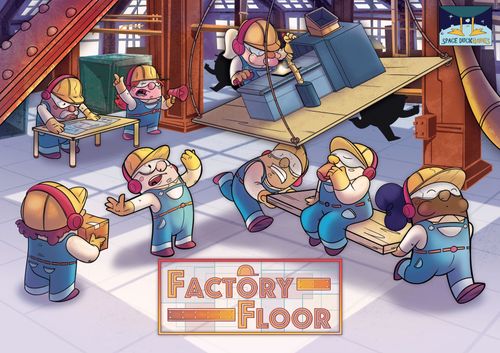
Factory Floor
Factory Floor Rulebook
Table of Contents
Table of Contents
Components
4 player boards 120 Factory tiles (the printed sub-counts below total 124 including the 16 Column tiles; transcribed as printed)
- 48 Production Line tiles
- 24 Quality Control tiles
- 24 Staff Room tiles
- 12 Storage tiles
- 16 Column tiles
48 Worker pawns 1 schedule and scoring board 1 shift marker 1 first player token 1 architect's bag 4 player markers
Game Setup
The Column tiles are left in the box unless you are using the advanced rules. If so, see the "Advanced Rules" section.
The schedule and scoring board is placed in the middle of the table with its marker on Monday morning. Each player takes 1 player board and selects a colored marker, which is placed on space 00 of the scoring track.
The Storage tiles are placed near the scoring board. For each player, draw 12 Worker pawns and place them near the scoring board to form the labor pool.
Finally, the players decide which of them is the most industrious in the real world, and that player receives the first player token!
Order of Play
The first player draws a number of tiles from the architect's bag and places them in the middle of the play area around the scoring board. Draw 4 tiles plus 2 additional tiles for each player in the game. This means that for a 2-player game, 8 tiles are drawn.
Clockwise, starting with the first player, each player takes one of the following actions on their turn. These are explained in the "Player Actions" section.
- Place a tile.
- Hire workers.
- Spend a worker.
- Pass.
On the last player's turn, after taking their first action, they immediately take a second action. Turn order then moves counterclockwise until each player has completed a second action.
At this point the round is over, and the players do the following:
- The first player token moves clockwise around the table. Whoever receives it is the first player for the next round.
- Tiles not taken by the players are returned to the architect's bag, which is shaken again.
- The shift marker is moved one space along the schedule.
- If the shift marker moves to the afternoon shift (PM), a new set of tiles is drawn from the bag, placed in the middle of the play area, and a new round begins.
- If the shift marker moves to the Production Phase (PR), follow the instructions in the "Production Phase" section.
Player Actions
On each of their turns, players may take one of the following 4 actions:
Place a Tile
Players may select one of the tiles drawn from the bag, or a Storage tile if any are available, and place it on their board. The tile may be placed in any orientation they wish, but it cannot be placed face down and cannot extend beyond the limits of the factory.
When a new Staff Room is placed on the board, the player may immediately add up to 2 workers to that tile, provided there are enough workers in the labor pool.
Hire Workers
If players have spaces in a Staff Room, they may choose to Hire Workers. Only one Staff Room may be filled per action, and a Staff Room can never hold more than 2 workers in total at any one time. This means that if a Staff Room already has 1 worker who was not assigned during a previous Production Phase, only 1 additional worker can be added to that tile. The labor pool is a limited resource, which means that if there are no workers left available, players cannot hire workers.
Spend a Worker
Players may take a worker from a Staff Room or from a Production Line and return it to the labor pool. After doing so, they may exchange one of their already-placed tiles for a tile that was drawn from the architect's bag, or they may reposition one of the tiles already on their board. If you move a Production Line with workers already assigned to it, those workers must be moved to available spaces in a Staff Room, or returned to the labor pool.
Pass
If players cannot or do not want to take a turn, they may pass.
Production Phase
During the Production Phase, players perform the following actions in order:
- Move workers into adjacent Production Lines.
- Count the factory's total production and add it to the scoring track.
1. Move Workers into Adjacent Production Lines
Each player who has workers available in their Staff Rooms now moves them onto the available spaces of adjacent Production Line tiles. This means that only Production tiles which share horizontal and/or vertical edges with the Staff Room can be filled with workers from that Staff Room.
Depending on their size, Production Lines can hold 2 or 3 workers. The worker icons on the Production tiles indicate the open positions. Each worker added to a Production Line increases its output by 1. Once a worker has been placed on a Production Line, it cannot be moved unless it is spent during the "Spend a Worker" action.
2. Count the Factory's Total Production
Players must total the production of their factory by adding up the total value of their Production Lines (including worker modifiers) and adding it to the scoring track. Production Lines do not need to have workers assigned in order to score points; each worker simply increases the tile's score by 1.
The German edition adds a worked example here: two Production Line tiles with base values of 3 and 4, with 4 workers placed on the tiles, give a total of 3 + 4 + 4 = 11. This amount is added to the player's current score on the scoring board (for example, after the first Production Phase, 0 + 11 = 11).
If a player's score goes past space 99 on the scoring board, they move the marker back to space 00, but this time count from 100.
At this point the Production Phase is resolved. The shift marker moves to the next morning shift, and the players begin a new round.
Tile Types
Production Lines
Production Lines are the most numerous tiles in the game.
Each worker icon on the tile indicates an available worker position, where you can place a worker from an adjacent Staff Room. The number in the green circle is the tile's base output during the Production Phase. (In the German edition this base value is 3 or 4.)
Output increases by 1 for each worker placed on the tile.
During each Production Phase, players use the total output of all their tiles to increase their score on the scoring board.
Staff Rooms
Staff Rooms let you hire and distribute your workers throughout your factory during production.
Whenever a player places a new Staff Room on the board, they may immediately add up to 2 workers to that tile, provided there are workers available in the labor pool.
During the Production Phase, players move all workers from their Staff Rooms onto any orthogonally adjacent Production Line with available worker spaces.
During other turns, players may choose to "Hire Workers" by adding workers from the labor pool to any Staff Room with 1 or more open spaces. These workers can then be moved normally into adjacent Production Lines during the Production Phase, or used for the "Spend a Worker" action.
Quality Control
Quality Control tiles do not increase a player's production during the game, but they can significantly raise the final score when placed effectively.
At the end of the game, after the final Production Phase, Quality Control tiles cause the adjacent Production Lines to score again.
A Quality Control tile can be connected to several Production Lines, and each of them will score at the end of the game. In addition, a single Production Line can be connected to several Quality Control tiles, in which case it scores once for EACH Quality Control tile it is connected to.
All worker modifiers placed on those Production Lines are included in this extra scoring. (In the German edition, "producing" in this context means adding the Production Line's base value together with the workers placed on it to the current score.)
Storage
Storage tiles are not drawn from the architect's bag. They are available to all players, but there is a limited supply.
Storage tiles are the only tiles in the game that are 2 spaces in size. They let players "fill the gaps" on their board to cancel out the point loss from empty spaces. If a player is able to completely surround their Storage tile (by placing other tiles in the 10 adjacent spaces of the grid), the Storage tile scores 1 point at the end of the game.
End of Game
Once the last Production Phase is over, the players enter the final scoring. Points are awarded in the following order:
- Find any fully surrounded Storage tiles and add 1 point for each.
- Examine each Quality Control tile in turn, and score each Production Line to which it is orthogonally adjacent. (This includes worker modifiers placed on those Production Lines.)
- Award the following bonus points. (If more than one player qualifies for a bonus, all of those players receive the bonus.)
- 10 points to the player with the largest Staff Room. This may be a single Staff Room tile, or the total of several adjacent Staff Room tiles added together.
- 10 points to the player with the largest Quality Control area. As with the Staff Room, this may be a single tile or the total of several adjacent tiles.
- 7 points to the player with the most workers on their board. Workers may be in Staff Rooms or on Production Lines.
- 5 points to the player with the most Production tiles on their board.
- For each space on the player's board that is not covered by a tile, subtract 1 point from the scoring track.
The player with the highest score at this point is the winner of the game, and may immediately and without ceremony fire all other players. (In the German edition, if more than one player shares the highest score, all of those players win.)
Advanced Rules
For players seeking more of a challenge, the Column tiles can be used to increase the difficulty of the game.
During setup, once each player has selected a player board, the players collectively decide how many Column tiles to use (up to 4 per player in a 4-player game) and where to place them in the factory.
During play, it is forbidden to build on Columns, and they cannot be moved. Players must carefully plan their factory to navigate around these columns and still produce the most productive and efficient factories.