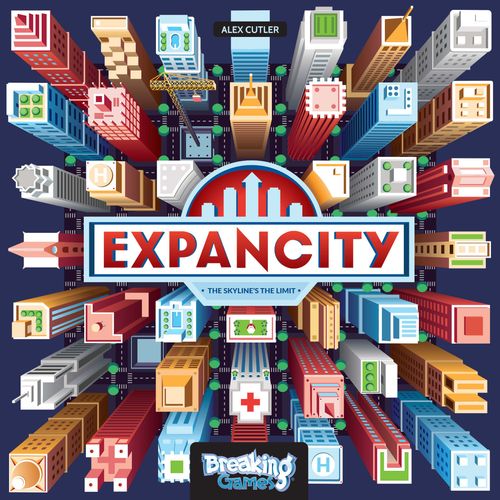
Expancity
Expancity Rulebook
Table of Contents
Table of Contents
Game Components
- 56 Red building blocks
- 56 Yellow building blocks
- 56 Light Blue building blocks
- 56 Teal building blocks
- 1 Tile Bag
- 1 City Hall tile
- 20 Commercial tiles
- 20 Residential tiles
- 20 Residential rooftops
- 20 Commercial rooftops (10 rounded, 10 pointed)
- 20 Modifier tiles:
- 2 Church
- 2 Bar
- 2 Police Station
- 2 Bank
- 2 School
- 2 Mall
- 1 Hospital
- 1 Stadium
- 6 Park
- 50 Contract cards
- 6 End of Game Goal cards
- 4 Reference cards, double-sided
- 1 Scoring chart
Modifier tiles have a red border. These buildings will affect the score of adjacent tiles in 4 directions. For example, a stadium will cause a small score boost on adjacent residential buildings and be a big boost to each adjacent commercial building (per floor).
Setup
- Players select a color and take the corresponding building blocks. This is called your "Reserves".
- Place the 40 different rooftops (residential and commercial) to the side where everyone can reach them.
- Shuffle the contract cards and place them face down where everyone can reach them.
- Place the scoreboard in sight of all players. Put the City Hall tile in the center of the table.
- Shuffle and place all remaining 60 tiles in the tile bag.
- Players randomly draw two tiles from the tile bag and look at them, keeping them secret from the other players.
- Players each place 1 building block at the top of the scoreboard, and 6 building blocks in front of them as a "Supply Pool". The rest remain aside as their reserves.
- Shuffle the End of Game Goal cards. Randomly draw 3 and place them face up. Return the rest to the box; they won't be used this game.
- Each player takes a reference card. One side shows turn order and tile counts, and the other is a guide to building rules.
How to Play
The player who has been in the tallest building in the past week goes first! Each player takes a turn by playing through the 4 steps in order. After all steps have been completed, play then passes to the left.
Step 1: Zoning (Place a Tile)
Choose one of your two tiles in hand, and place it touching at least one other tile, which may include City Hall. The tile must share a whole border with an existing tile - it can't connect to just a corner.
Step 2: Building (Three Actions)
You must perform exactly three actions during this step. These actions can be any combination of Constructing and Getting Materials. Example: Construct 1 building, then get 1 material, and construct again.
A) Construct Buildings
Place a block from your Supply Pool on an empty Residential or Commercial tile OR add that block to one of your existing buildings. You must obey all city Building Regulations (see Building Regulations).
B) Get Building Materials
Move one of your blocks from your Reserves into your Supply Pool. This block may be used to construct buildings on this same turn, as long as you have more actions available.
Note: Placing your tile and adding rooftops do NOT count towards your three actions in Step 2!
Step 3: Completing Buildings (Rooftops, Contracts)
After you have spent all three actions, you have the option to place rooftops and complete as many of your buildings as you want, as long as they meet the city's minimum height requirements (see Building Regulations).
Once a building is completed, score the building according to how tall it is and how many modifying tiles surround it (see Completing & Contracts). Then, update your score on the scoreboard!
Additionally, for every building you complete, you get to take on a new contract. Draw 2 contract cards, choose one to keep, and return the other to the bottom of the contract deck. Repeat this process separately for each building you completed during this phase.
Complete Contracts (Optional)
If you have met the requirements of any contracts held in your hand - even ones you just drew, or that were made complete by an opponent's turn - reveal that contract and score the points on the scoreboard. If you forget to reveal a contract right away, there is no penalty, but it should be revealed on your next turn.
Step 4: Planning (Refresh Hand)
At the end of your turn, draw two tiles from the tile bag and choose one to keep in your hand. Return the other drawn tile back into the bag.
Building Regulations
City Council has some rules and ordinances for construction! These rules affect how many buildings you can work on at a time, how tall those buildings can be, and how buildings are scored.
Starting New Buildings
Players can only build on commercial and residential tiles. The City Hall tile and the modifier tiles cannot be claimed.
Only one player may claim each tile. Once the first piece is placed on a commercial or residential tile, no other player may add to that building. Buildings can only be one color.
No player may have more than three buildings in-progress (without a rooftop) at any time. (The city council disapproves of too much construction without complete buildings!) If you already have three in-progress buildings, then you cannot start a new one!
Note: You can only have three buildings in progress at a time. It's easy to forget this, even for city planners! Since you complete buildings at the END of your turn, be sure to add rooftops if you want the option to construct a new building next turn.
Adding Blocks (Stories) to Your Buildings
Buildings take time! Players may only add one new story per building on their turn. For example, you can't add 3 pieces to a single building at once! With 3 actions, you could add to 3 different buildings.
You may only build up to one story higher than your tallest COMPLETED building - of that type. The city council needs proof that you can complete the basics before they'll let you build higher and higher. Residential and commercial buildings are evaluated separately. More on each building type below:
Residential
These buildings are only ever 1-3 stories high. (3 stories is the MAX). You begin with 1 story, and you must complete it (add a rooftop) before you can add a second story to another residential building. Once you complete a two-story, you qualify to build a three-story residential. (you can also still build and complete lower ones).
Tip: Your first residential building is already at max height. Complete it to grab a quick contract, and get ready for new heights.
Commercial
Commercial buildings are tricky because they have a MINIMUM of four stories to be completed (with rooftop). Thus, your first few moves will be to place 1-2-3 stories (one turn at a time) until reaching a height of four stories. During this time, it is ok to have other incomplete commercials. You can have all 3 of your unfinished buildings be commercials of various heights. You just can't add a fifth story to any of them until you complete one at four stories. After you complete one at four, you qualify to build up to five, and after you complete that, you qualify for six stories, and so on. Commercial buildings have no maximum height!
Here's a chart showing minimum height to be completed with a roof, and a maximum height for each type.
| Building Type | Minimum | Maximum |
|---|---|---|
| Residential | 1 | 3 |
| Commercial | 4 | (none) |
Completing & Contracts
As you complete buildings, the city council rewards you with unique contract opportunities...
When you are satisfied with an in-progress building, and it meets Building Regulations, you can choose to complete the building by topping it with a rooftop piece. Residential buildings are completed with the flat Residential rooftops, while Commercial buildings are completed with either the pointed or rounded Commercial rooftops, your choice.
Once completed, the building is scored according to the following rules:
Each story of a building starts with a value of 1 point. Add the modifiers on all the adjacent tiles that apply to that building (blue circles adjust commercial buildings, green circles adjust residential buildings). Each modifier is added to the value of each story. For example, if you are completing a 4 story Commercial building next to a mall with a +2 Commercial modifier, each story in that building is worth 3 points (1 base point + 2 modifiers).
Empty Residential or Commercial tiles adjacent to any building are considered vacant lots and act as a -1 modifier to each story.
Once all the modifiers are counted, multiply that value by the number of stories for the total score. For example, a 4 story Commercial building where each story is worth 3 points is worth 12 points.
Once a building has been completed and scored, it cannot be scored again. Any modifying tiles or empty lots placed next to it later do not affect that building's score.
Scoring Formula
(1 Base Point + Tile Modifiers - Number of Vacant Lots) x Number of Stories = Total Building Points
Contract Cards
Contract cards are secret goals that you can try to complete over the course of the game. Each card can be turned in for points during Step 3 of your turn.
There is no limit to the number of contract cards you can hold and there is no penalty for not completing a contract by end game.
Many contracts involve multiple elements of the city. For example, a contract might say: "Complete a 6 story Commercial building next to a bar." The order in which these elements are satisfied does not matter. Contracts may be satisfied even after a building has been completed and scored.
If a contract card specifies a number of stories for the building, then the building must be exactly that height to qualify.
Contract Language Reference
- Control - A building (complete or incomplete) in your color.
- Complete - A building that has a rooftop piece, and has been scored. All completed buildings are also controlled buildings.
- Adjacent - Shares a side with another tile (diagonal doesn't count).
- Line - Horizontal or vertical row of buildings.
- (e.g. TWO-STORY) - Height in pieces in a building.
- 2x2 or 3x3 - A 2x2 or 3x3 section of the map (includes gaps between tiles).
Example Turn
Shari (the Red Player) is in the middle of a game. We'll focus on this segment of the board where she sees an opportunity to make some points.
Shari starts by placing a Park, adding a +1 modifier to the surrounding unfinished buildings. (Her completed commercial building has already scored, so will be unaffected).
She then takes 3 Actions:
- She plays one block from her supply pool onto her unfinished residential.
- She takes a block out of her reserves and into her supply pool.
- She places this block on her tallest unfinished commercial building.
After all 3 actions are taken, she decides to finish some buildings.
Shari places a rooftop on her residential building and scores 4 points. The Park modifies each story, but the Mall doesn't affect residentials: (1 Base + 1 Park) x 2 Stories = 4.
She then places a rooftop on her tallest commercial building. This building will take a hit from the vacant lot next door, but it is still worth 15 points due to the boost from the Park and the Mall: (1 Base + 1 Park + 2 Mall - 1 Empty Lot) x 5 Stories = 15.
Since her last open building doesn't meet the minimum height requirements for commercial buildings, she can't complete any more of her buildings. She would now take contracts for each of her completed buildings separately: drawing 2 and choosing 1, then repeating.
A lucky break! One of the contracts drawn happens to be a condition she already has achieved (controlling a commercial and residential building next to the same park). She earns these points right now! Finally, she ends her turn by drawing 2 tiles out of the bag and picking 1.
End of Game
The game is over when ALL tiles have been played, including those tiles drawn into players' hands. The final player gets a full turn.
Players review each of the end game goals to determine who earned each one. If players are tied, then the points for that goal are split evenly among them.
The player with the most points is declared the winner! Congratulations on your victory! Now sit back and relax as your opponents destroy the city Godzilla-style and then clean up the pieces.