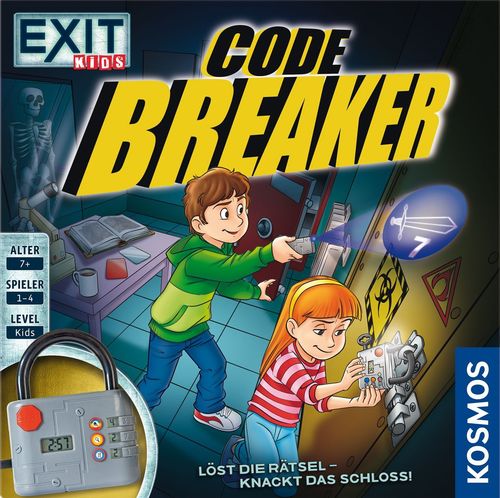
EXIT Kids: Code Breaker
EXIT Kids: Code Breaker Rulebook
Table of Contents
Table of Contents
Components
- 30 double-sided puzzle cards
- 20 double-sided clue tiles
- 1 electronic lock
- Detective tools:
- 1 UV flashlight
- 1 mirror foil
- 1 red filter
- 1 rulebook with solutions
Before the First Game
Carefully punch out the clue tiles from the punch board.
Peel off the protective films on both sides of the red filter and the mirror foil, and dispose of them.
Ask your parents to insert three AA batteries into the lock and three AAA batteries into the UV flashlight. The exact procedure is described on page 8 of this rulebook.
Setup
Play alone or in a group. Groups should work together as a team and solve the puzzles jointly.
Hang the lock on the door handle or place it in front of the door.
WARNING: When hanging the lock on the door handle, make sure that the lock does not fall down. Otherwise it could break!
Lay out all the clue tiles on the floor or on a table.
Keep the UV flashlight, the mirror foil and the red filter within reach, and place the stack of puzzle cards beside you.
How to Play
1. Choose the Game Mode
TIMER: "Solve the puzzle before it is too late!" Slide the grey switch on the back of the electronic lock to the position TIMER. In this mode you have 5 minutes to open the lock. Each wrong attempt costs you 30 seconds. When only one minute remains, a recurring beep sounds.
CHRONO: "Escape as the fastest!" In this mode you stop the time it takes you to open the lock. Slide the grey switch on the back of the lock to the position CHRONO. The game ends when you have opened the lock. You have at most 20 minutes. Who is the fastest?
2. Draw a Puzzle Card
Choose a puzzle card. There are 10 different puzzle types:
- Word Puzzle (Worträtsel)
- Hidden Letters (Versteckte Buchstaben)
- Crazy Numbers (Verrückte Zahlen)
- Puzzle Pro (Rätselprofi)
- Cuckoo's Egg (Kuckucksei)
- From A to B (Von A nach B)
- The Path of the Clues (Der Weg der Hinweise)
- Lost Letters (Verlorene Buchstaben)
- Word Jumble (Wort-Wirrwarr)
- Encrypted Words (Verschlüsselte Wörter)
Prove your skills at four difficulty levels:
- Level 1 = Detective Beginner
- Level 2 = Advanced Detective
- Level 3 = Experienced Detective
- Level 4 = Master Detective
Immerse yourself in 9 different worlds: Legends & Stories, Pirates, Witches, Ghosts, Secret Mission, Laboratory, Investigations, Pyramid, and Museum.
3. Activate the Lock
Wait until the numbers "5:00" for TIMER mode, or "0:00" for CHRONO mode, appear on the display after the lock has been switched on.
Then insert the chosen puzzle card into the slot on the top of the lock, with the puzzle facing you. Press the red start button on the front of the lock. The countdown starts with a beep. After that you may take the puzzle card out again. The game begins!
Example: to solve the Cuckoo's Egg puzzle with the pirate theme, insert the card as shown in the illustration.
IMPORTANT: If the puzzle card is not inserted the right way round, the game will not work. The puzzle you want to solve must be visible on the front of the lock. Press the start button before you take the puzzle card out of the lock to read it.
4. Solve the Puzzle to Find Three Clues
If you are playing as a team, choose one player to read the puzzle card aloud.
You are looking for a three-digit number code. For each puzzle you receive this code through three clues:
- a colour
- an object
- something edible
Tip: The Detective's Handbook on pages 6 and 7 of this rulebook gives hints for solving the puzzles.
5. Find the Clues on the Clue Tiles
Once you have worked out which three clues the puzzle card gives you in the categories colour, object and something edible, congratulations! Now you know what you are looking for. The detective tools help you find the right clue tiles.
- With the UV flashlight you can make visible the invisibly written symbols or words on clue tiles where you see only a border but nothing else.
- With the red filter you can make the words written over in red readable.
- The mirror foil helps you read mirror writing. Place it upright next to the clue tile.
Tip for beginners: every clue tile has a coloured border matching its category. Rainbow colours for a colour; orange for an object; blue for something edible.
6. Enter the Number Code into the Lock
Once you have found the three clue tiles you are looking for, you will see on them, in a small lock, the numbers you need for the code.
- To enter the three numbers into the electronic lock, press the respective button until the correct number appears on the display next to it.
- Turn the key on the lock to the left to confirm the entered number code.
THE LOCK DOES NOT OPEN? – Wrong number code!
- In TIMER mode you lose 30 seconds for each wrong number code you try with the key. For example, if you only have one minute left, the time drops to 30 seconds.
- In CHRONO mode there is no penalty.
If the lock does not open, check your clues and your number code. Is the order correct? Look at the puzzle again. Is the solution right? Hurry, the time is running!
THE LOCK OPENS?
Congratulations, you have won and earned the title of Master Detective! Close the lock's shackle and choose a new puzzle card to play again.
Tip: when the game is over, you can solve the next puzzle directly by following the instructions from step 2 onwards. You do not have to wait until "5:00" or "0:00" appears on the display.
When you stop playing, do not forget to switch off the lock. To do so, set the grey switch on the back to "OFF".
IMPORTANT: With the red safety bolt on the back of the lock you can open the lock at any time. To do so, slide the bolt to the left.
The Detective's Handbook
The 10 Puzzle Types
1. Word Puzzle (Worträtsel) The clues you need for the 3-digit number code are hidden in the text. Read it carefully. You are looking for a colour, an object and something edible.
2. Hidden Letters (Versteckte Buchstaben) The words seem strange! What is interesting, however, are the letters printed in red. These form the clues you are looking for.
3. Crazy Numbers (Verrückte Zahlen) Find the clues you are looking for by replacing the digits with the matching letters. For example, the digit 2 corresponds to B, the second letter of the alphabet. The following table gives you a quick overview. It is best to write the letters down one after another.
| 1 | 2 | 3 | 4 | 5 | 6 | 7 | 8 | 9 | 10 | 11 | 12 | 13 |
|---|---|---|---|---|---|---|---|---|---|---|---|---|
| A | B | C | D | E | F | G | H | I | J | K | L | M |
| 14 | 15 | 16 | 17 | 18 | 19 |
4. Puzzle Pro (Rätselprofi) Answer the questions to find the clues.
5. Cuckoo's Egg (Kuckucksei) Find the pictures that do not fit the theme world.
6. From A to B (Von A nach B) Find the clues you are looking for by replacing each letter with the next letter of the alphabet. For example, if you see an A, replace it with a B. But beware: on Levels 3 and 4 the intervals change!
A→B, B→C, C→D, D→E, E→F, F→G, G→H, H→I, I→J, J→K, K→L, L→M, M→N, N→O, O→P, P→Q, Q→R, R→S, S→T, T→U, U→V, V→W, W→X, X→Y, Y→Z, Z→A
7. The Path of the Clues (Der Weg der Hinweise) Follow the arrows to find the clues you are looking for. Start at the starting point. Each arrow corresponds to one step in the labyrinth. For each clue you begin again at the starting point.
8. Lost Letters (Verlorene Buchstaben) Put the letters of the same colour together, each time to form a word. It may help to write the letters down in order on a sheet of paper. On Level 4 you must additionally put the letters of one colour into the correct order.
9. Word Jumble (Wort-Wirrwarr) Only three of the many words on the puzzle card can also be found on the clue tiles. These are the clues you are looking for. Find them and enter the numbers into the lock!
10. Encrypted Words (Verschlüsselte Wörter) Put the letters into the correct order to find the clues you are looking for.
Notes for Parents: Batteries and Electronic Devices
Batteries must be inserted and replaced by an adult. Open the battery compartment covers on the lock and on the UV lamp first, using a Phillips screwdriver. Insert three AAA-LR03 batteries (1.5 V) into the UV lamp and three AA-LR6 batteries (1.5 V) into the lock, as shown in the illustrations. Pay attention to the different positioning of the plus and minus poles. Close both battery compartment covers again and switch the devices on. If they do not work, first check that the batteries are inserted correctly, and insert new batteries if necessary.
Handling batteries
- Use only the batteries specified. Batteries or rechargeable batteries must be inserted according to the polarity markings "+" and "–" on the battery/rechargeable battery and the device.
- Avoid short-circuiting the batteries. A short circuit can cause lines to overheat and batteries to explode.
- Unlike battery types (e.g. rechargeable battery and battery) or new and used batteries must not be used together.
- Non-rechargeable batteries must not be recharged. They could explode!
- Rechargeable batteries may only be charged under adult supervision.
- Rechargeable batteries must be removed from the toy before they are charged.
- Empty batteries must be removed from the toy.
- The terminals must not be short-circuited.
- Avoid deforming the batteries.
- Dispose of used batteries in accordance with the environmental regulations.
- Keep batteries out of the reach of children. If a battery is swallowed, seek medical help immediately.
- If the game is not used for a longer period, the batteries should be removed from the lock and the UV lamp.
Handling electronic devices
Do not store the devices in a dirty, dusty or damp place. Handle them with care.
Failure / malfunctions: if the devices do not work properly, switch them off and on again. If this does not help, the batteries need to be replaced. If the product shows electrical faults or damage, it should first be moved out of reach of other electronic products. After that it may be switched on again, if necessary.
Disposal of electrical and electronic components
The electronic parts of this product are recyclable and must not be disposed of with household waste at the end of their use, in order to protect the environment. They must be handed in at a collection point for electronic waste. The symbol shown indicates this. Please ask your municipal administration for the responsible disposal point.
Warning: Not suitable for children under 3 years. Choking hazard, as small parts can be swallowed or inhaled. The UV lamp emits ultraviolet rays, an invisible, high-energy light. Do not look into the eyes of other persons or living beings!
Keep the packaging and the instructions, as they contain important information.