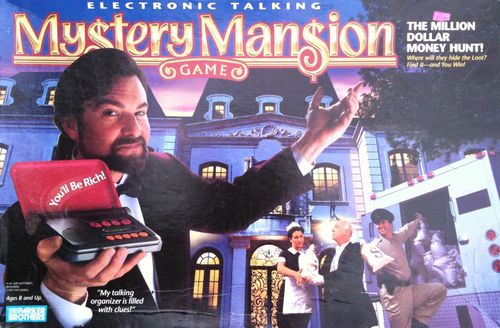
Electronic Talking Mystery Mansion
Electronic Talking Mystery Mansion Rulebook
Table of Contents
Table of Contents
Equipment
- MYSTERY MANSION game board with separate walls
- Electronic Organizer
- 35 pieces of furniture (see list on page 10)
- 8 Movers (4 girls, 4 boys)
- Magnifier and handle
- 10 "Clue" Cards
- 2 Dice
- Labels
- 9 "Turn" Cards (their use is optional)
- 4 AA-size batteries required
THE ELECTRONIC ORGANIZER: To learn how to insert the batteries and adjust the LCD brightness, see the technical instructions on page 11. IMPORTANT: Do NOT "test" the Organizer before you are ready to begin actual game play, since it is pre-programmed for a real game. But if you were too curious and started it, hit RESET and, when it asks, "CONTINUE Y/N," press NO.
Setup
- Players may want to have paper and pencils, to make notes.
- The deck includes two extra cards that describe other Parker Brothers games. Please read them, then put them aside, out of play.
- Separate the 10 "Clue" Cards and look at them: The 4 people and 4 items are the "clues" you want to collect as you play. The 2 Keys will get you into locked rooms. (The people are the Cook, Chauffeur, Maid and Butler; the items are the Tape, Letters, Photos and Map.)
- Mix up the Clue Cards and stack them face down on the table, next to the game board.
- OPTIONAL "TURN" CARDS: The nine cards you have left are the "Turn" Cards, which some players like to use to keep track of the three parts of each turn. If you decide to use them, make three separate piles - "Move," "Look," and "Let's Talk" - face up, to one side of the game board. To use them, "draw" the appropriate Turn Card as you begin each part of your turn and place it face up in front of you. When your complete turn is over, put the three cards you used back on the piles.
- Set the furniture to one side of the game board, where everyone can reach it.
- Each player selects a mover and puts it in the tiled foyer, just inside the front Entrance. You all start your explorations from here. The Entrance does not count as a "room," and there are no clues hidden here.
- Pick a player to go first. Play passes to the left.
- Note: You do NOT use the die to move around the mansion.
About the Electronic Organizer
Buttons:
- Apply "MYSTERY MANSION" label to front of cover
- ON / RESET
- YES
- NO
- REPEAT/CLEAR: To hear or see your clue again; or, if you haven't hit ENTER yet, to clear the display so you can re-enter a number you entered incorrectly
- ENTER
- Read visual clues here (display)
- Number Pad (1, 2, 3, 4)
- Insert batteries in back
How to Resume a Game after Interrupted Play
If you stop in the middle of a game and don't use the Organizer for several minutes, it will automatically shut off. To continue playing the same game, press ON and, when it asks, "CONTINUE Y/N" answer YES to continue.
How to Start a New Game
If you tried a few "test" entries before you started the real game, or if you're in the middle of an actual game but you want to start a NEW game, hit RESET and, when it asks, "CONTINUE Y/N," press NO.
Here's what the Electronic Organizer does...
- It tells you the name of the room you have just entered and what you will furnish it with for this game.
- It gives you clues.
- It asks YES/NO questions related to the Clue Cards. Whenever it asks a question such as, "Do you have a Key?" show the other players that you do or don't have the card in question, then enter the correct answer, YES or NO.
Object
To search millionaire B. Emmet Redstone's mansion and be first to find the million dollars he has hidden in a piece of furniture. To find the money you must 1) discover the particular piece of furniture it's hidden in; and 2) prove that you have collected the two Clue Cards (one item and one person) you will be asked to present - the Map, Letter, Tape or Photos; and the Cook, Butler, Maid or Chauffeur. If you have found the correct piece of furniture and you hold the correct combination of Clue Cards, you win the fortune!
Game Play
To Start the Game
Who's going first? The First Player's first turn will teach you all about moving, turn sequence and how to use the Organizer, so pay close attention!
You may do 3 things on every turn - MOVE, LOOK and/or TALK. You may do any combination of these actions in any order.
- Press the ON button. You will hear, "Welcome." If "Continue? Y/N" appears on the screen, press YES.
- First action: MOVE from the Entrance foyer through the doorway into the first room; it's room #11. (If you are using the Turn Cards, put a "Move" Card face up in front of you.)
- Key the number 11 into the Electronic Organizer, press ENTER, and listen as Redstone tells you what furniture goes in the room. If you need to hear the list again, press REPEAT and Redstone will repeat it.
- Arrange those pieces of furniture in the room however you want.
- Second action: Now you may LOOK for a Clue! (Put a "Look" card in front of you if you wish.) Pick up any piece of furniture in Room #11 and read its number with the magnifier.
- Key that number into the Organizer and press Enter. What did you hear? (See under "LOOK," page 6.) If you want, make a note of what you learn.
- Third action: You have two options. You may LOOK at a second piece of furniture in the same room and get another clue, OR you may MOVE into an adjacent room (next door) and furnish it. (Whichever you do, you may play the appropriate Turn Card if you wish.) Your first turn is over.
- All subsequent players: The first part of your first turn must be to MOVE into Room #11, but do not key the number into the Organizer, since the first player has already furnished that room. When the first part of your turn is over and you have made a MOVE inside the mansion, what you do next is up to you!
How to "Move" - "Look" - "Talk"
Remember: There are 3 things you can do on every turn, so decide if you will MOVE, LOOK and/or TALK. It's up to you which combination of those actions you choose.
For example: You could MOVE into three empty rooms, furnishing each as you arrive. Or you might MOVE into one already-furnished room and LOOK at two pieces of furniture there. Later, when players have collected Clue Cards, which you find by LOOKing at furniture, you might add a LET'S TALK to your turn - or try to TALK to one player three times to get the card you want! Do whatever 3 things you want on each turn - as long as you understand the instructions that follow.
MOVE
- Move into another room. You can only move through doorways and only into adjacent rooms.
- If you are the first person to enter an unfurnished room, do NOT pass through it to another room - you must stop and furnish it. Here's how: Enter the Room Number into the Electronic Organizer and press ENTER. You will hear which room it is and what pieces of furniture go in it. For instance, you might hear "This is the living room. You see the following: Rug, sofa, coffee table, two white armchairs." Arrange the pieces however you want. Note: Furnishing a room does not count as a separate action; it is part of your MOVE.
- If the room you move into is already furnished, this MOVE part of your turn ends.
- If you want to go to another room, that second MOVE counts as the second part of your turn. Or if, at the start of your turn, you want to end up in a room three rooms away, you will MOVE three times and use up all three parts of your turn.
- Locked Rooms: Don't be surprised if the Organizer says the room is "locked" and asks if you have a Key. If you have collected a Key card from the Clue Card deck, show it to the other players and press YES. (Keep the Key - you may need it again.) The room is now unlocked for all players. If you don't have a Key card, go back to the room you just came from. Being denied entry into a locked room counts as one MOVE part of a turn.
LOOK
- Select any piece of furniture in the room you are in and use your magnifier to read the number on it.
- Enter the furniture number into the Organizer.
- Listen! Here's what you will hear:
- "You have found a clue." This means, take the top Clue Card from the pile. This message will be the same the first two times this piece of furniture is searched during this game; if any other players check it out, they'll hear, "Sorry, no clues here."
- "Beep-Beep-Beep" is the signal that you are about to receive a private VISUAL clue on the read-out, such as "Look in the fish tank for a clue." (You should jot down this information.) Note: To read the clue, it's best to leave the Organizer flat on the table and turn it towards you.
- You - and everyone else - might hear a public AUDIO clue such as, "The money is not in the refrigerator." (Write this down!)
- At some point, the Organizer will ask if you've found a particular clue, such as "Do you have the Map?" If you have what you're asked for, show that Clue Card to the other players, then push YES. You'll be rewarded with a juicy bit of information on the secret read-out. If you don't have what you're asked for, press NO.
- If you hear, "Take a Clue from another player," do it! Take any Clue Card you want from any player. This is one way to get a handy Key so you can get into a locked room.
"LET'S TALK!"
- Now's your chance to challenge another player for a Clue Card you want.
- Announce which player you want to "talk" to.
- You roll the die first. Then the challenged player rolls. If you rolled the higher number, take any one Clue Card from the other player. But if you lose the roll, or it's a tie, you may not take a Clue Card from the other player. Strategy: Don't announce which card you're after until you've won the roll!
Strategy
- LOOK! Remember, you're looking for clues, so search furniture to get Clue Cards. You'll need the right Clue Cards in your possession to win the game!
- LOOK again! If you're told the money is not in a particular room or piece of furniture, don't avoid that place just because the money isn't there! You might learn some other useful bit of information.
- Later in the game, when you have found lots of clues, use "LET'S TALK" to challenge other players and try to steal Clue Cards from them.
- Keep notes of things you want to remember - like secret visual clues only you have seen; information about where the money isn't hidden; which furniture requires a specific Clue Card in order to get even more information.
- Be on the lookout for furniture that asks about two Clue Cards. It may take time to find out which pieces those are - especially if you answer "No" to the first Clue Card question!
Winning
If you have just checked out and keyed in the correct piece of furniture - the piece with the money hidden in it! - Mr. Redstone will ask if you have the Clue Card for one of the four Persons. If you do, he will ask if you have the card for one of the four Items. If you have both cards you're asked for, you win!
For example, you enter the code for the Kitchen Sink and he asks, "Do you have the Map?" If you do, show it to the other players and press YES. Then Redstone asks, "Are you with the Butler?" If you can prove you are by presenting the Butler card, press YES. If you were looking at the right piece of furniture - in this example, the money is hidden in the Kitchen Sink - you will hear: "You've found the money. You win!"
Now, what are you going to do with all that money?
Assembly
Game Board
Plastic Wall Foundations: Right & Left: Insert tabs of straight-edged white plastic pieces into game board slots as shown. Center: Squeeze curved plastic piece slightly, insert tabs into board, and release.
Cardboard Walls: Carefully bend Right and Left Walls and curve Center Wall along score lines. Insert into plastic foundations.
Magnifier
Insert the clear round lens into the black handle.
Furniture
- Carefully break off individual pieces from the plastic runners.
- Labels: Check out the sheet of decorative adhesive labels. The name and number of the piece of furniture it goes on are printed next to each label; match the arrow on the label with the arrow in the plastic piece so you apply the label the right direction. Most of the plastic pieces have a recessed area the label fits into.
- To assemble the Planter: Fold both Outside Plants in half along the score lines. Sandwich the Middle Plant between them and insert all three into the Base.
- Note: Some furniture comes in two pieces. The completed piece has one code number.
- Lost furniture? The Organizer expects all 35 pieces to be in play; if you lose any, the game will be affected. You may create a substitute piece by writing the furniture code number on a small piece of paper or any small item (such as a poker chip). You could also order sets of replacement furniture by color. (See below.)
List of the Mansion's furniture and code numbers (an asterisk (*) indicates the piece comes in two parts):
- 111 Dining Chair #1
- 112 Dining Chair #2
- *113 Dining Table (both black)
- 114 China Cabinet
- 121 Sofa
- 122 Coffee Table
- *123 Bed (brown; white bedspread)
- 124 Dresser
- 131 Bookcase (small)
- 132 Refrigerator
- 133 Sink
- 134 Oven
- 141 Kitchen Table
- 142 Pool Table
- 143 Pinball Machines
- 144 Bookcase (large)
- 211 Hot Tub
- 212 Treadmill
- *213 Piano (black; black lid)
- *214 Telescope (white; black tripod)
- 221 Clock
- 222 Computer
- 223 Juke Box
- 224 Rug
- 231 Fireplace
- 232 Knight
- 233 Television
- 234 Fish Tank
- *241 Floor Lamp (black base; white globe)
- 242 Planter
To order a complete set of brown, black or white replacement furniture: Send $3.00 for each color set (postage and handling included) to Consumer Relations, Parker Brothers, P.O. Box 1012, Beverly, MA 01915. Please allow 4 to 6 weeks.
Electronic Organizer
Batteries
- Insert batteries: Loosen the screw on the battery compartment on the back of the Electronic Organizer, and remove the door. Insert 4 AA-size batteries (we recommend alkaline), making sure to align the + and - with the markings in the plastic. Replace the door and tighten the screw.
- Batteries may leak if improperly installed. Remove during extended storage.
- If the speech becomes weak or distorted, or the visual display becomes too light to read and adjusting the brightness (see below) does not improve it, it is probably time to put in new batteries.
CAUTION: 1. Be sure to insert the batteries correctly and always follow the game and battery manufacturers' instructions. 2. Do not mix old and new batteries or alkaline, standard (carbon-zinc) or rechargeable batteries. 3. Always remove exhausted or dead batteries from the product.
Adjust LCD Brightness
You may lighten or darken the read-out display before or after a complete game - but NOT during a game. Follow these steps:
- Press ON.
- Press button number 1 twice.
- Press ENTER.
- Press ON again.
- When "CONTINUE Y/N" appears on the LCD, you can adjust the brightness by pressing the button until you get the brightness you like.
- When you're happy with the readout, press NO.