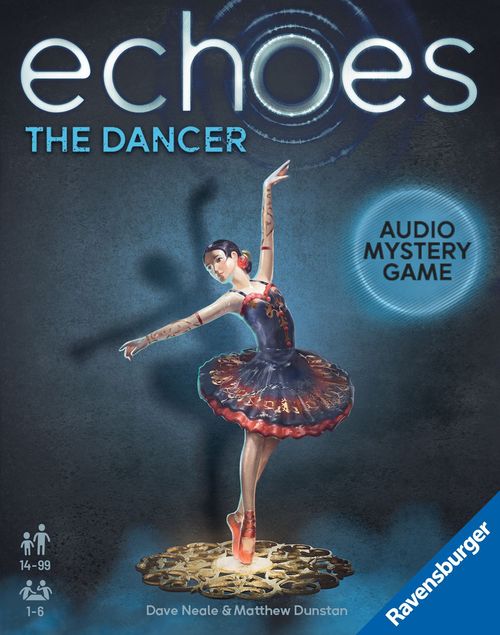
echoes: The Dancer
echoes: The Dancer Rulebook
Table of Contents
Table of Contents
Contents
- 6 chapter marker tiles
- 18 item cards
Game Setup
- First, download the free Ravensburger® echoes app for your smartphone or tablet. You will need the app to play the game.
- Take all game materials from the box.
- Turn the 18 item cards (black border) facedown and remove all cards marked with a diamond symbol. Set those 9 cards aside facedown. You will solve half the chapters before moving on to the remaining three chapters.
- Lay out the 6 chapter marker tiles (glowing border) and the 9 item cards without a diamond symbol faceup in the middle of the table.
- Launch the app and navigate to The Dancer. Tap "Start Game" to listen to the prologue and dive into the story.
The chapter marker tiles and item cards will help you solve part of the mystery. Once you have correctly matched the first 9 item cards to the chapter marker tiles, use the other 9 item cards to complete the story.
Are you veteran echoes investigators, looking for a bigger challenge? Start the game with all 18 item cards. The more items players start with, the more difficult it is to solve the mystery.
Playing the Game
To solve the mystery, you will need to put the 24 parts of the story in the correct chronological order. Each part of the story is represented by an item (chapter marker tile or item card) and its echo. Listen to the item's echo – sounds and conversations – to determine how the parts fit together. The items themselves also might hold a visual clue, so don't miss any details.
Use the listen mode in the app to play the echoes.
1. Listen
Each of the 18 item cards and the 6 chapter marker tiles have their own echo. Together, they form the 24 parts of the story. Use your device's camera to scan any item and listen to its echo.
Hints:
- You may listen to the echoes as often as you like.
- The story might jump around in time, so the echoes might not connect directly to each other.
Did you find items and echoes that you think might go together? At any time, you can use the app to solve part of the story.
Do you want to listen to the prologue again? While in the listen mode, enter the code PRL.
2. Solve
The story is divided into 6 chapters. Each chapter starts with one of 6 chapter marker tiles. Each chapter consists of 3 item cards. When you test your theory, you should try to solve the sequence of items for one specific chapter.
Put the app in the solve mode. Scan a chapter marker tile, then scan the 3 item cards in the order you believe they happened in that item's chapter of the story. The app will tell you if your sequence of events is correct.
Guessed wrong?
The app will give you one of the following clues:
| Clue | Meaning |
|---|---|
| 0 | None of the 3 scanned item cards belong to this chapter. They might fit together but belong to another chapter. |
| 1 | One of the 3 scanned item cards belong to this chapter. The app won't tell you if it's in the correct position. |
| 2 | Two of the 3 item cards belong to this chapter. Again, the app won't tell you if they are in the correct position. |
| 3 | All 3 of the item cards belong to this chapter but the sequence is not correct. |
If you set the difficulty level to easy or tap "hint", the app will mark individual item cards. The colored symbols will tell you if a card belongs to a different chapter (red X), if it's in the wrong position (blue two-way arrow), or if it is correctly placed (green check mark).
Correct?
Now you can listen to the whole chapter. Listening to all four items in the chapter together may provide new, additional clues.
To listen to a solved chapter again, switch to the listen mode and scan the chapter marker tile.
No cards left?
Did you correctly match the 9 item cards that you laid out at the beginning of the game to their chapters? Turn the cards marked with the diamond symbol faceup. Use them to solve the remaining chapters of the story.
End of the Game
Once you have solved all 6 chapters, there is one final challenge: Put the chapters in the correct sequence to unravel the whole story.
Switch to the solve mode of the app and scan the 6 chapter marker tiles in the correct sequence.
If you are correct, you have solved the puzzle! Listen to the epilogue to learn how the story ends.
In the main menu of the app, you can listen to the whole story.
Item Recognition Tips
If the app has trouble recognizing a chapter marker tile or item card, try the following:
- Make sure the scanned item card or chapter marker tile is fully visible in the app and no other game materials are visible.
- Make sure the lighting is good: Avoid creating a shadow on the card or tile, and/or tilt the card or tile so it doesn't reflect the light.
- Hold the card or tile in your hand to scan it. That might help your camera focus.
- As an alternative, you may instead enter a 3-digit item code into the app. The code for each item is printed on the back side of the card/tile.