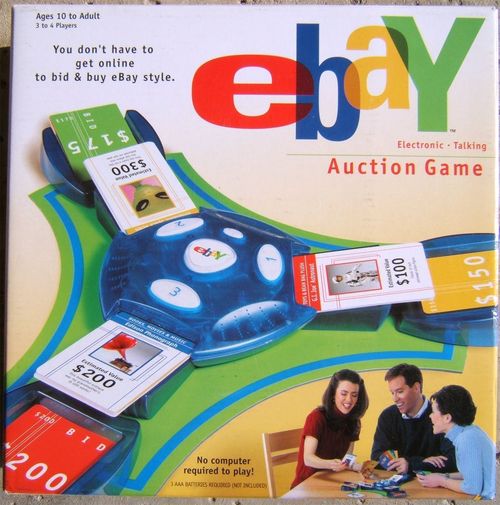
eBay Electronic Talking Auction Game
eBay Electronic Talking Auction Game Rulebook
Table of Contents
Table of Contents
Contents
- Electronic Auction Game Unit
- Gameboard
- 3 Plastic Auction Bays
- 3 Plastic Bid Trays
- 63 Item Cards
- 9 Special Cards
- 48 Bid Cards
Object
Outbid your opponents to collect the most valuable items up for auction.
Batteries
Insert batteries: Loosen the screw on the battery compartment, located on the underside of the game unit, and remove the door. Insert 3 AAA-size batteries (alkaline recommended), making sure to align the + and - with the markings in the plastic. Replace the door and tighten the screw.
Caution: As with all small batteries, the batteries used with this game should be kept away from small children, who still put things in their mouths.
- Make sure the batteries are inserted correctly, and follow the game and battery manufacturers' instructions.
- Do not mix old and new batteries, or alkaline, standard (carbon-zinc), or rechargeable (nickel-cadmium) batteries.
Setup
- Attach the electronic auction game unit to the center of the gameboard and attach the 3 auction bays as shown in Figure 1.
- Secure bid trays into the openings on the gameboard as shown in Figure 2.
- Shuffle the Special cards and Item cards together and divide them evenly into the 3 auction bays with the "Estimated Value" side of all cards facing up.
About the Item Cards
There are three cards for each item up for sale in the eBay Auction Game. Each card has an "Estimated Value" on the front and an "Actual Value" on the back. Sometimes it is difficult to determine exactly what you are bidding on. You might be bidding on a hidden treasure that's worth more than its estimate. Or, the item might be exactly what is described and is worth the estimated value. Occasionally, however, you may bid on an item that is worth less than what was estimated. (IMPORTANT: The content and values on the Item Cards are fictitious.)
Collections
There are 6 different categories of items to collect and each are color-coded:
- Toys and Bean Bag Plush
- Books, Movies, and Music
- Pottery and Glass
- Collectibles
- Antiques and Art
- Everything Else
Three or more items, in any one category, make a collection. Once you make a collection of at least three items, all of the items within that category double in value.
Special Cards
Special cards may come up for auction at any time during the game and can be bid on and purchased like any other Item card. There are two types of Special cards: A Display Case card and a Gift card.
- A Display Case matches any category and can help you to build a "collection." Keep this card as part of your collection. And, Bonus, it's also worth $100. (Card text: Matches any category. Estimated Value $100. Show off your collection with this beautiful display case!)
- A Gift card allows you to make another player pick an item that they've bought and give it to you. You may use a Gift card at any time in the game but once used it must be discarded. (Card text: Pick a player. That player must give you one item that they own.)
The Interface
- New Game: Press this button to begin a new game.
- Resume: Press this button to pause a game between rounds. Press again to resume play. The Resume button is also used to select the number of players in a game.
- Enter: Press the corresponding bay's numbered button to register your bid.
To Begin Play
- Press the New Game button on the game unit to begin.
- When prompted, press the Resume button to select the number of players. (The eBay Auction Game will automatically default to 3 players.)
- The auctioneer then announces the colors of the Bid cards to be used during this game. Each player chooses one of the colors and takes the matching color Bid cards. NOTE: Players must use only the colors announced.
Bidding
- The top cards in the auction bays are the items currently up for auction.
- When everyone is ready, press the Resume button to start the bidding!
- The auctioneer calls a color and the player with the matching color Bid cards has the chance to bid on one of the items.
- Choose a Bid card for an amount you are willing to pay and quickly place it in the bid tray next to the item you want. You must bid higher than the last bid made on the item. Then press the corresponding ENTER button to register your bid. (If you weren't fast enough, a BUZZ will sound. Your bid cannot be placed once the BUZZ has sounded. So take your bid card back, and you'll have to wait until the next round.)
Proxy Bid
A Proxy Bid card is an automatic high bid. This card can be played on top of any other bid card. A player may even play a Proxy Bid on top of another Proxy Bid. The last proxy played when the bay closes is the highest bid and, therefore, the winning bid on the item.
Buying
- The auctioneer will announce when an auction bay has closed and the color of the last player entering a bid. If players bid correctly, this should be the highest bidder. However, if a player mistakenly bids the same as, or lower than, the current bid, it is up to the other players to determine the real highest bidder.
- Discard the winning Bid card facedown into a discard pile within reach of all players.
- The winner takes the Item card and keeps it "Estimated Value" side up for the remainder of the game. You may look at the "Actual Value" on the back of the card, but be sure to not show any other players.
- Return all remaining Bid cards from the bid tray to the appropriate players. These bids can now be used to purchase other items.
- Press the Resume button to continue.
Important Things to Remember
- You may only bid higher than the last bid made on an item.
- A Proxy Bid card can be played on another Proxy Bid card.
- When an auction bay closes, the item goes to the last player who bid on that bay.
- At any time, you may choose not to bid. Simply wait until the BUZZ sounds.
- You cannot up your own bid by playing a bid card directly on top of one you've already bid.
- Bid cards do not represent money, only how much you would be willing to bid on an item.
- There are approximately 30 rounds of bidding and the auctioneer will announce when you are half way through the auction.
- The more times an item is bid on, the better the odds it will sell at the end of a round.
Ending the Game
The auctioneer announces the last round of bidding and all remaining items are sold. At that point, all players flip over their Item cards to show the "Actual Value" of each item. Remember: These values double if the items are part of a Collection (3 or more items in the same category). Add up the value of all of your items. NOTE: Do not add in Bid card values.
Winning
The player with the highest total value of all items wins! If there is a tie, the player with the highest value remaining on his/her Bid cards wins.