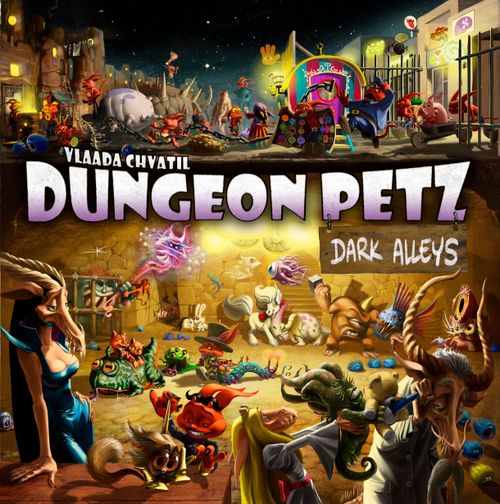
Dungeon Petz: Dark Alleys
Dungeon Petz: Dark Alleys Rulebook
Table of Contents
Table of Contents
Setting Up the Game
In this chapter we'll show you how to set up the Dark Alleys board for round 1 and we'll tell you what to do during the Setup phase of the following rounds.
New Stuff
Before setting up the game, shuffle the new pets, cages, addons, artifacts, customers, and exhibitions into the corresponding stacks.
Progress Board Extension
The Progress Board Extension allows you to play an extra round ... if you like.
Extended Game
If you decide to play an extended game, place the Progress Board Extension on top of the Progress Board so that it covers all of round 5. The side that has rounds 5 and 6 should be up. Then set up imps, exhibitions, and customers according to the usual rules.
For a two- or three-player game, use the side of the Progress Board Extension that has rounds 6 and 7. Place it on top of the two-or-three-player Progress Board so that it covers up all of round 6.
Note: There is one more space for imps, so the extended Progress Board will have 5 imps of each color. Rounds 5 and 6 will each have two customers. If a round has 2 customers, they should both be revealed at the same time.
Note: The Progress Board Extension has the new final scoring exhibitions. It also depicts the rule for passing the Starting Player Token in the final round.
Standard-Length Game
If you decide to play the usual number of rounds, you will still need the Progress Board Extension, but only for the final scoring exhibitions. Just stick the extension (either side up) under the Progress Board so that these exhibitions are visible. Set up imps, customers, and exhibitions according to the usual rules.
Compromise-Length Game
With 2 or 3 players, you can also go for a compromise. You can use the side of the Progress Board Extension with rounds 5 and 6 to cover rounds 5 and 6 of the Progress Board. You get that cool extra customer in round 5 without extending the game. You will have to ignore the depicted rules for moving the Starting Player Token and just pass it on to the next player at the end of each round, but that is the price of compromise.
Player Boards
Set up Player Boards according to the usual rules, except that each player gets 1 additional imp and 1 additional gold. More opportunities require more means.
So each player begins with 7 imps and 3 gold. (After getting income in round 1, some will have 4 gold and some will have 5.)
Note: This expansion provides 2 new imps of each color. Only one of these begins on your board. The other one goes onto the Progress Board if you are playing an extended game, or back into the box if you are not playing an extra round. (Tell him that he can have his turn working for you in the next game you play. He'll understand.)
Dark Alleys Board
Put the Dark Alleys Board next to the Central Board. It offers four new action spaces that your imps can visit.
Black Market
You can buy lots of stuff on the black market!
Note: This black market is not the same as the one mentioned in the rules for the original game. This one is where pet store owners get stuff; that one is for selling pets. The imps who run these markets each claim that the other one stole his cool idea.
Black Market Options
At the beginning of the game, six items are available at the black market. Place them on the corresponding spaces, from left to right: the bodyguard (black imp figure), a random pet (set to size 2), a random cage, a random exhibition (to represent food), a random addon, and a random artifact. Put one gold token above each item. The token indicates that taking the item requires an extra payment of 1 gold. (See Buying on the Black Market in Game Play.) The gold token is removed when someone buys the item or when it gets discounted by the fortune teller. (See Consulting the Fortune Teller in Game Play.)
Initial discount: If you are playing a standard-length game, do not put a gold token above the artifact. You may imagine this item got discounted on the previous round – the one you are not playing.
No Replenishing
The black market is never replenished. Each type of item can be bought there only once.
Note: The pet at the black market does not grow. In fact, there is no pet. There is just a cardboard mock-up with a rotating wheel. If you stop to admire it, you'll hear: "Psst! Hey buddy. You like it? How'd you like to buy the real thing for cheap? It's got high-quality papers. I forged them myself."
Slug Shop
A merchant is selling fashionable accessories from the back of a giant slug.
Accessory Stack
Mix the 8 accessories and form a stack (or pile, if the tiles are too small for your fat, clumsy fingers).
Permission Tiles
The imp that guards the entrance to the industrial zone looks kind of serious. And he has a big nasty dog. You don't want to send imps into the industrial zone without permission. Each player places the permission tile in his or her color at the entrance.
Accessory Options
Draw 3 accessories and place them face up on the accessory spaces.
Adding New Accessories
During Setup for round 2 and later rounds, 1 new accessory tile should be added to the slug shop's accessory spaces. First, make space for it: If all three accessory spaces are occupied, remove the uppermost accessory (the one closest to the slime trail) so that there are only two. Whether you had to make space or not, move the remaining two accessories up so that the bottommost space is empty. Put the new accessory tile there. Skip this step if the slug shop action space is blocked by a neutral imp.
Industrial Zone
This action space gives you access to cool facilities in the industrial zone.
Facility Stack
These six new tiles represent facilities that will open for business during the game. Mix them up and put them in a face-down stack next to the Dark Alleys Board.
Revealing the First Facility
Reveal the topmost facility tile and place it at the edge of the Dark Alleys Board. This is the first facility open for business in the industrial zone.
Revealing More Facilities
During Setup for round 2 and later rounds, the next facility on the stack will be revealed and placed at the end of the row, giving players an additional option. Skip this step if the facility action space is blocked by a neutral imp.
Neutral Imps
For a 2-or-3 player game, use the side of the Dark Alleys Board with the neutral imp arrows. Neutral imps block spaces on the Dark Alleys Board the same way they do on the Central Board.
In a 3-player game, a neutral imp should begin on the fortune teller action space.
In a 2-player game, one neutral imp should begin on the fortune teller action space and another should begin on the black market action space.
Fortune Teller's Wagon
There is nothing to set up here. Seriously. The fortune teller is a spiritual being unconcerned with material things.
Game Play
New Possibilities for Groups
Groups of imps and gold now have additional possibilities during the Shopping phase.
Withdrawing Groups
As you know, when it is your turn to send a group of imps and gold, you may send them to town or let them stay home. That is still true, but now you have an additional decision: When it is your turn to send a group, you can withdraw any group or groups that are still waiting for their turn. This can allow you to take back some imps and gold before you perform an action. This will come in handy because some of the new actions require available imps or gold.
Group Size Change
In this expansion, group size can be more dynamic. It sometimes happens that a group's size changes while it is waiting for its turn to go shopping. What happens next depends on the group size that is currently taking turns.
If the waiting group becomes bigger than the current size, it gets to go shopping next. Deal with it as soon as you are done with the action that made it grow in size. Then Shopping continues with the player who would have gone next if your group had not cut in line. (That is, you continue dealing with the current group size.)
If the waiting group becomes the same size as the current group size or smaller, just make sure your groups are in order and wait patiently. Play continues as though your group had been that size all along.
New Action Spaces
The Dark Alleys have four new action spaces. In this section, we'll talk about how to use them and what to do with the cool new stuff you find there.
Buying on the Black Market
When you send your imps to the black market, you can get any one of the displayed items. At the beginning of the game, there are six different items and each has a gold token next to it (except the artifact, if you are playing a standard-length game). The token reminds you that you must pay one gold to take the item. In later rounds, some items may be available at a discount (see Consulting the Fortune Teller), but the choices will be limited because items purchased here are not replaced.
Paying the Extra Gold
To take an item that has a gold token next to it, you must pay one gold from your Treasury. You do not need to have gold in the group you sent, and having gold in the group does not help. Only the gold in your Treasury may be used. This could be gold that you did not assign to a group or it could be gold that you took back when you withdrew a group (as explained above). When you pay one gold, also return the gold token that marked the price to the bank.
If you choose an item with no gold token, you take it for free.
If you have no gold in your Treasury, you cannot take an item marked by a gold token. If there is no item you can afford, you are not allowed to use this action space.
Getting the Usual Stuff
If you take a pet, a cage, an addon, or an artifact, do exactly what you would do if you had gotten the item in the usual way. (You may even make an innocent face and whistle.) If an artifact requires some immediate action (like choosing a color and drawing a card) do it immediately.
Note that your group does not need 2 imps to get the cage. It does not need gold to get the pet. You're shopping on the black market, where the rules are a little looser.
Getting Food
You can get food by taking the exhibition tile. Choose one of the groups of food displayed on the tile and add that food to your storage. Discard the tile. (The exhibition depicted on the black market exhibition tile is not relevant.)
Hiring the Bodyguard
He stands at the edge of the black market, making sure the shoppers don't steal anything. Funny, right? Imps don't steal. Anyway, he looks awfully big, so maybe you should pay with real gold this time. Hey, you know what would be cool? To have that guy working for you. He could be your bodyguard.
When you get the bodyguard, take the black imp figure. You can put it in your Imp Quarters or add it to one of your groups that is still waiting to go shopping. See Group Size Change above.
The bodyguard counts toward his group's size. In later rounds, you can assign him to groups just like any other imp except the bodyguard can never be in a group by himself.
The bodyguard has been hired to walk around town guarding your imps. He won't work in your pet store and he certainly won't go find a job and bring you back the money. Even when he is in your Imp Quarters, the bodyguard is not an available imp. This means he doesn't do anything outside the Shopping phase, and he can't be sent to work in a facility (explained later). He's not lazy. Those things just aren't in his contract.
The bodyguard can escort his group to the platform, but he won't sell pets for you. (That's no longer the Shopping phase, and anyway, he doesn't want to stand on the platform alone.) The bodyguard returns from the platform's action space at the end of the round (while any other imps left there move onto the platform).
The bodyguard counts as one of the two imps required for a cage-choosing action space, and he can carry an accessory home for you (explained later). But you can't leave him alone on an action space because he can never be in a group by himself.
Consulting the Fortune Teller
At the fortune teller's wagon, you do three things. Whoa! It's like three wishes or something.
The Far Future
What will the future hold? Will it be, "A big opportunity awaits your pets"? Or maybe even, "You will meet the dungeon lady of your dreams"? Imps just can't wait to find out.
The first effect of this action space is that you may peek at 1 of the unrevealed exhibition or customer tiles on the Progress Board. Yeah, we know this does you no good once everything has been revealed, but check out what you get to do next:
The Near Future
And then imps always have some more practical questions like, "Will we get another pearl from our Pearlpusher?" and "Is our House Vampire going to get hungry ... again?"
The next effect is that you draw one Need Card of each color. For the rest of this round, you will have four extra cards to choose from. At the end of this round, when discarding assigned Need Cards, you will also have to discard one of each color from your hand, so that you have the correct number for the next round.
(This effect does not allow you to draw a potion, nor does it cause you to discard a potion at the end of the round.)
Discount on the Black Market
The fortune teller has mystical powers over the black market. (These powers may have something to do with the fact that the imp who runs the market is her husband.)
The final effect is that you remove one of the gold tokens from the black market and return it to the bank. From now on, this item is for free.
You may discount only items that were not yet sold. (Sold items should not have gold tokens anyway. The token should have been removed when the item was purchased.)
Discounting is mandatory. The fortune teller insists. It would be rude to say, "No, thanks. I like it when the other pet store owners pay high prices in the black market."
Note: You benefit other players less if you discount items they don't want. Of course, the best move is to discount the thing you want, then go take it for yourself.
Visiting the Industrial Zone
When you send your imps here, two things happen.
Immediate Use of a Facility
First, you may immediately choose any one of the revealed facilities and use its effect. Each facility requires some input (imp, gold, or food).
If the facility requires an imp, you take one imp from your Imp Quarters. You cannot use an imp that is part of a group, not even one from the group you send to the action space. The imp stays on the facility until the end of the round. You use the facility's effect immediately. (Facilities and their effects are described in the Appendix.)
The same applies to a facility that requires gold. You can use only gold from your Treasury. Put the gold in the bank and use the facility's effect immediately.
Note: This is another place where withdrawing groups may be handy. When you send a group to the industrial zone action space, you can withdraw another group (as explained above) so that you have gold or imps available for use in a facility.
If the facility requires meat or vegetables, you pay for it with one food token of the corresponding color from your Food Storage – not food from the Magic Box, and not processed food produced by a facility. Facilities use only fresh, natural ingredients. (Well, reasonably fresh. The food token can come from any of your Food Storage chambers.) The food is converted to processed food. For details, see the Appendix.
You can send imps to this space even if you do not or cannot use one of the facilities now. You still get to move your permission tile, as explained below.
Obtaining Permission
Whether you use one of the facilities or not, you immediately gain permission to access all the facilities that have been revealed so far. Put your permission tile below the most recently revealed facility. (This should be the rightmost revealed facility.)
When you visit the industrial zone for the first time, you find your permission tile at the entrance and put it on the most recently revealed facility. If you visit again on later turns, you move your permission tile from a previously revealed facility to the most recent one.
This grants you access to all facilities that have been revealed so far. You can use this access when you use available imps at the end of phase 5.
Using a Facility and Unused Imps
In phase 5, while using unused imps, you may also use 1 of the facilities that you have access to. That includes the facility your permission tile is on and all older facilities – those to the left of it. Using a facility does not prevent other players from using it.
You do not have access to any facility that was revealed after the one your permission tile is on. (But you can gain access by visiting the industrial zone on a later turn.) If your permission tile is still at the entrance, you cannot use any facility.
You choose the order in which you use the facility and unused imps. If the facility you choose requires an available imp, you can use any of your imps that has not yet done something this round. If the facility requires food, you can take any food from your Food Storage. If it requires gold, you can use any gold you have, including gold produced when you use an available imp.
(The original rulebook says you take gold "after cleaning cages", but order didn't really matter in the original rules. Now that it does matter, use these rules instead. Just remember: if you use an imp to get gold, he is no longer available to do anything else this round.)
Example: If you visit this action space on the first round, you can use the first facility immediately and then again in phase 5. In phase 5 of each subsequent round, you will be able to use the first facility, but none of the others until you visit the industrial zone again.
If you wait until round 2 to make your first visit, then you will not be able to use any facility in round 1. However, when you visit in round 2, you will have 2 facilities to choose from. You will have access to these 2 facilities for the rest of the game. (And you can gain access to others if you visit again later.)
Shopping at the Slug Shop
Getting an Accessory
When you send your imps here, you can take one of the displayed accessories. You can put it on or next to your Pet Display Board. (We recommend putting it on an unoccupied cage or cage plot so you don't forget about it.) Accessories can be given to your pets later, during the Need Cards phase.
The Imp's Triumphant Return
Imps love these new accessories. Just look at that jolly food bowl, that cool spiked collar, that fancy ribbon bow, and that mystical magic pendant! Imps love these accessories so much, that they break the usual rules. Someone just has to bring this shiny trinket home right now!
Whenever you send a group to the slug shop you may take one of your imps from an action space and return it home.
Note: We do not require you to hold the accessory tile next to the imp figure and bounce them back to your pet store shouting, "Yippee!" But we're not going to forbid it, either. You can take the imp from this action space or from any other action space, as long as at least one of your imps remains to block the space. You are even allowed to leave only one imp on a cage action space. (But you are never allowed to leave the bodyguard alone on an action space. He'll carry the accessory for you, though, if you ask nicely.)
If there is no action space with at least two imps, no one can return. (But you still put the accessory on your Pet Display Board. The slug shop offers free delivery.)
The returning imp may go back to the Imp Quarters, or he may be added to a group that is still waiting for its turn. See Group Size Change on page 4.
Note: If your last group is a single imp and you are thinking of withdrawing it, check this action space first. If the space is unoccupied, you can play here and take one of your other imps home. And you'll get a cool accessory, too!
Example: The ability to take an imp back can let you do some sneaky things. Imagine these are your last two groups and it's your turn to send a group of size 2. No one expects you to take the cage because you need 2 imps for that. See what you can do? You can send one group to get an accessory. You get an imp from another action space to bring the accessory home. And now that imp is standing with your other group, which is suddenly size 3! It goes immediately, so you can send it to get the cage. Then play passes to the player on your left, who stares dejectedly at the 2 imps he had ready to take the cage.
Assigning an Accessory
When arranging cages and pets in phase 3, you can decide to assign any of your accessories to your pets. To do so, simply take one or more of your accessories and put them on one or more of your pets. There are no limits. One pet can have any number of accessories of the same or different types. You do not have to assign all your accessories. Any not assigned to a pet may be kept on or near your Pet Display Board. Accessories assigned to a pet on previous rounds may be assigned to the same pet, assigned to a different pet, or left unassigned. (Unless you sell a pet with accessories. See below.)
Drawing and Assigning Need Cards
So why do you give your pets accessories? When drawing and assigning Need Cards, each accessory counts as an extra bar of the corresponding color.
The accessories must be assigned before you start drawing cards (and before you exchange cards if you are using the Crystal Ball). Once you start drawing cards, you cannot change your mind.
Selling a Pet
When selling a pet, you also sell all accessories that were assigned to it this round. Just discard them together with the pet. (Or even better, keep the accessories with the pet and its new owner in the display of satisfied customers.)
For each accessory sold with a pet, you get 1 extra gold.
Example: You assigned a ribbon and a food bowl to Baby Golem because you know Dungeon Girl will visit your shop this round. You hope the ribbon will make Baby Golem even more playful. And that jolly food bowl should boost his appetite.
When drawing cards, you draw 2 red, 3 yellow, and 1 green Need Card for Baby Golem. Then you have to assign him 2 red, 3 yellow, and 1 green Need Card. This goes almost according to plan, except that the extra yellow card turned out to be a magic need and you have to assign Baby Golem a mutation.
Never mind. You can still sell him to Dungeon Girl. You give away Baby Golem and both accessories, but you get a decent reputation and 1 gold. Let's add it up: At size 4, Baby Golem has a base price of 1. You get -2 for the mutation and +2 for the accessories, so the total price is 1.
Note: Accessories do not make taking care of your pet easier. Quite the opposite, actually. But the extra card can be worth lots of points during exhibitions and sales. Plus, accessories look cool.
Starting the Extra Round
In an extended game, there is a special rule for moving the Starting Player Token in the final rounds. For round 5, give it to the player with the lowest reputation, as usual. For round 6, pass it two places to the left. Or right. Just give it to the player opposite the one who had it for round 5, regardless of current reputation. (Also we recommend ignoring the Full Variant's "Final Round Order" rule when playing an extended game. Just play clockwise, as you do in all the other rounds.)
In an extended game with 2 or 3 players, start round 7 by giving the Starting Player Token to the player with the lowest reputation. In case of a tie, pass it to the left. If that player is not one of those tied for lowest, pass it to the left again.
(With 3 players, you can use the Full Variant's "Final Round Order" rule, if you wish. It determines whether the final round is played clockwise or counter-clockwise.)
Final Scoring
The final scoring exhibitions have been changed so that you can also score points for some of the new stuff. These exhibitions replace the original ones, whether you are playing an extended game or a standard-length game.
Business Acumen Exhibition
The bodyguard is worth 1 exhibition point.
Different foods are scored separately. Each token of fresh food or frozen food (from the Magic Box) is worth 1 exhibition point, as usual. Each 2-token stack representing processed food is worth 2 exhibition points.
Pet Display Exhibition
Each accessory you have is worth 1 exhibition point, regardless of whether it is assigned to a pet or not.
New Rules Overview
This overview shows where the new rules come into play in the context of the original game. Headings and subheadings correspond to those used in the original rulebook.
Setting Up the Game
Progress Board
- To play an extended game, use the Progress Board Extension to provide one more round.
- Even in a standard-length game, use the Progress Board Extension to provide the final scoring exhibitions.
Central Board
- Add the Dark Alleys alongside the Central Board.
- Put the black imp figure, a pet, a cage, an exhibition tile, an addon, and an artifact on the black market.
- If you are playing an extended game, mark each item with one gold token.
- If you are playing a standard-length game, mark each item except the artifact.
- Set each player's permission tile on the entrance to the industrial zone.
- Mix the facilities and make a stack.
- Reveal the first facility and place it next to the Dark Alleys Board.
- Mix the accessories and make a stack.
- Draw 3 accessories and put them on the accessory spaces.
Player Boards
- Each player gets 7 imps and 3 gold (instead of 6 imps and 2 gold).
The Round
Phase 1 – Setup
Adding New Stuff
- The game is already set up for round 1. In later rounds do the following:
- Reveal the next facility (unless the action space is blocked by a neutral imp).
- Draw a new accessory and put it in the lowest space (unless the action space is blocked by a neutral imp).
- To open up the lowest space, it may be necessary to move the other accessories up, possibly discarding the topmost.
- The black market never gets new stuff.
Phase 2 – Shopping
Choosing Actions
- You can withdraw any waiting group of imps while sending another group.
- If a waiting group gets bigger than the current biggest group size, it goes next. Then continue dealing with the current biggest group size.
- At the black market, choose 1 item and behave as though you acquired it normally.
- If there is a gold token next to the item, you must pay 1 gold from your Treasury. Return both gold tokens to the bank.
- To take food, choose one of the groups depicted on the exhibition tile. Take that food and discard the tile.
- The bodyguard goes to your Imp Quarters, or he can join a waiting group. He can never be the only imp in a group, and he can never be used as an available imp.
- At the fortune teller's wagon, you do 3 things:
- You peek at 1 exhibition or customer tile on the Progress Board.
- You draw 4 extra Need Cards, 1 of each color.
- You must remove 1 gold token from a black market item (if possible). Return the token to the bank.
- In the industrial zone, you move your permission tile to the most recently revealed facility. You may use 1 revealed facility.
- If the facility requires an imp, move 1 imp there from your Quarters.
- If the facility requires gold, return 1 gold token from your Treasury to the bank.
- If the facility requires food, use a food token from your Food Storage.
- At the slug shop, take 1 accessory and add it to your Pet Display Board.
- In addition, you may return 1 of your imps from an action space that has at least two to your Imp Quarters or to any waiting group.
Phase 3 – Need Cards
Arranging Cages and Pets
- You can assign some or all of your accessories to one or more pets.
Drawing Need Cards
- For each accessory assigned to a pet, draw 1 additional Need Card of that color.
Assigning Need Cards to Pets
- For each accessory assigned to a pet, you must assign 1 additional Need Card of that color.
Phase 4 – Showing Off
- Pets are evaluated one-at-a-time. The order in which your pets are evaluated sometimes matters. You choose.
- See the Appendix for details on cages, addons, and pets.
Phase 5 – Business
Selling a Pet
- Gain 1 extra gold for each accessory assigned to the pet you are selling.
Discarding Assigned Cards
- If you have extra cards because of the fortune teller, discard 1 Need Card of each color.
Using Unused Imps
- Jobs can be given to available imps in any order.
- At any time during this step, you may use 1 facility to which you have access.
- You have access to the facility under your permission tile and to all facilities that were revealed before that one.
- The rules for using a facility are the same as in phase 2.
Phase 6 – Aging
Imps Return Home
- Imps that worked in a facility also return.
- The bodyguard returns even if he was sent to the platform.
Starting the Next Round
- The Starting Player Token moves as depicted on the Progress Board Extension.
- Exception: In a 2- or 3-player compromise-length game, it is passed to the left every time.
End of the Game
Final Scoring
- In the Business Acumen Exhibition:
- Score 1 exhibition point for the bodyguard.
- Score 2 exhibition points for each processed food.
- In the Pet Display Exhibition:
- Score 1 exhibition point for each accessory you still have.
Appendix
Facilities
The six facilities are described below. Facilities are introduced in Game Play under Visiting the Industrial Zone.
Headhunter Headquarters
He had fingers like cold sausages and a face like an over-cooked ham. When I looked into his egg-yolk eyes, I knew I'd found my imp.
When you use this facility pay 1 gold and gain 1 imp that would not have otherwise returned home.
- It can be your leftmost imp remaining on the Progress Board.
- It can be one imp from the hospital.
- It can be one imp from the platform.
This is not like those imps who run home with accessories. This imp needs some time to recover.
- If you use this facility during phase 2, the imp goes to your Quarters. He may be used later this round, but not added to any group.
- If you use this facility during phase 5, the imp is not available this round. Keep him at the facility. He will return at the end of the round.
Lollipop Factory
Lap it, lick it, on a stick it's yummy yummy in the tummy of your pet so come and get some: Lollipop!
When you use this facility take one vegetable from your Food Storage and turn it into a lollipop. You do this by taking a gold token from the bank and putting it on top of the vegetable. From now on, it is a lollipop.
Lollipops are processed food, so they go in your Artifact Storage. (See Processed Food below.)
If you give a lollipop to a pet when showing it off in phase 4, it satisfies one hunger need, one play need, or both. It cannot satisfy needs on 2 different pets. It cannot satisfy a hunger need if the pet does not eat meat or vegetables. (So House Vampire can't eat it, but he can still play with it.)
Pet Food Cannery
Top breeders recommend food. From a can.
When you use this facility take one meat from your Food Storage and turn it into a food can. To make a food can, put a manure token from the bank on top of the food. (This is just representing the can. We assure you, the cannery uses only the purest additives.)
A food can is processed food, so it goes in your Artifact Storage. (See Processed Food below.)
You can give a food can to a pet when showing it off in phase 4 to satisfy one hunger need if it eats meat or vegetables. You can give more than one can to a pet, but not more than one for each hunger need. If your pet is in the exhibition, you gain 1 exhibition point for each can that was fed to it. If multiple pets are in an exhibition, you gain exhibition points for all their cans.
Office
Are you still doing odd jobs for minimum wage? It's time you got a real job. Join our office team. Better salary, higher status, no dirty paws.
Yeah, you could send the imp out to get a job somewhere and bring you back a gold. But if you send an imp here, he brings you back (bump ba-da dah!) 2 gold.
Pet Psychiatrist
And how did you feel when you realized the other pets did not share your sense of humor? Does your pet seem depressed? Traumatized? Mutated? The Pet Psychiatrist can help.
Use 1 available imp and remove 1 suffering token or 1 mutation token from 1 pet. (Apparently, the mutation was psychosomatic.)
Fecal Slug
At Fecal Slug Cage Cleaning Service, thoroughness is our priority. Our slugs have special tentacles to suck the manure out of your shop's tightest corners. So when you think of clean, think of Fecal Slug.
Pay 1 gold and remove 2 manure tokens from anywhere on your Pet Display Board. This even works on occupied cages. Cleanup has never been so easy.
Processed Food
Two facilities make processed food, the Lollipop Factory and the Pet Food Cannery. A piece of processed food is represented by a food token stacked with some other kind of token (a gold token for a lollipop, a manure token for a food can). These rules apply to both kinds of processed food:
- The processing facility requires fresh food – that means a food token that came from your Food Storage, not a piece of processed food, not a piece of frozen food from the Magic Box.
- The facility produces processed food, which is kept in your Artifact Storage.
- It is not possible to put processed food in the Magic Box.
- Processed food can satisfy a hunger need as though it were either meat or a vegetable. (This is just like frozen food from the Magic Box.)
- Processed food does not satisfy a hunger need for pets that cannot eat meat or vegetables.
- After processed food is used, return both tokens to the bank.
- Processed food does not age and never needs to be thrown out. Yum!
Lollipops and food cans also have special properties that you can read about under the Lollipop Factory and the Pet Food Cannery above.
New Customers
The two new customers have one thing in common: paired symbols.
Look at Dungeon Doc. For each pair of a hunger need and a magic need assigned to the pet, 3 points are added to the pet's match score. (Dungeon Doc also offers 1 point for each poop need.)
Only pairs with one of each symbol count. If you assign your pet 2 magic needs and 4 hunger needs, that counts as 2 pairs. The other 2 hunger needs do not score you additional points. (So the match score is 6 points, which is still pretty good.)
The same is true of Dungeon Disciplinarian. Pets score 3 points toward their match with her for each pair of an anger need and a play need (and 1 point for each disease need).
Note: The card icons are described here by need name: the green bowl is hunger, the purple diamond is magic, the poop pile is poop, the red jaws are anger, the yellow ball is play, and the grey sick face is disease. These follow the need colours of the base game.
Don't confuse the paired symbols on the new customers with the double-symboled Need Cards. If you are playing with the double-symboled card rule, the two symbols in a pair might come from the same card but they can also come from two different cards.
Dungeon Doc
Seeks subject for his research paper (Doc et pet. Influence of magic on digestion. Publication pending). It's not disgusting. It's science!
Dungeon Disciplinarian
She likes to play with angry pets. Now maybe that's a little sick, but she never causes her pets to suffer.
New Exhibitions
Dancing Pet Star
A dancing competition! Send in a playful pet and let the magic happen.
For each play need paired with a magic need, score 3 exhibition points. You also get 1 exhibition point for each unpaired play or magic need. You lose 1 exhibition point for each poop need. There are some things you shouldn't do while dancing.
Wild Party
Sometimes your employees just need to blow off some steam.
Score 1 exhibition point for each food token that your pets consumed while you were evaluating hunger needs. Processed food counts as 1 token. Other things a pet may have eaten do not count. (Your pet may think they are "food", but the judges attending your party disagree.) Needs that are met by the cage or by an addon do not count (and using them is mandatory).
You also score 2 exhibition points for each imp sent to the hospital this turn. Yeah. It was that kind of party. (Imp Armor that prevents an imp from going to the hospital also prevents you from scoring the points, but using Imp Armor is not mandatory.) You lose 1 exhibition point for each suffering token* on your pets and 2 exhibition points for each mutation token on your pets. We don't want to see any sad eyes.
* Yes, that translucent cube is suffering. It should be the same icon as the one we used in the base game. Sorry for any inconvenience. The imp responsible for this mistake was assigned two weeks of cage-cleaning duty.
New Cages
Experimental Cage
Imp-Plosion Labs is a dynamic new research company advocating enlightened pet shop design. Sometimes they enlighten entire neighborhoods and rattle their neighbors' china cabinets, but who cares when they produce such wonderful things?
This experimental cage has a decent fence, decent antimagic protection, and a decent hygienic shack (so the pet does not have to sleep in the ... dirt). But grab the lever and amazing things happen. Some things retract into the ground, some emerge, and you end up with a completely different cage. Cool, huh?
In its basic state, this cage has strength 1, antimagic 1, and it cancels out 1 disease need. However, this cage can adapt dynamically, as indicated by the red starburst symbols. You may double any one aspect of the cage, and reduce the other two to 0. Thus, you can have a cage with strength 2, antimagic 0, and no disease prevention. Or you can have a cage with strength 0, antimagic 2, and no disease prevention. Or you can have a cage with strength 0, antimagic 0, and the ability to cancel out 2 disease needs. (Or you can leave it as 1, 1, and 1.)
You decide in phase 4, before evaluating the pet in the cage. You can decide differently each round.
Mud Wallow
We wanted to add one more copy of the most favorite cage. So we asked the imps. They couldn't decide between the self-cleaning pasture and the play cages, where the pets do not need to be entertained. Seems they have become a bit lazy recently.
So here's the Mud Wallow, a cage every lazy imp will love. Well, the fence is nothing special, so maybe the pet escapes or vanishes, but that means even less work for the imps.
The printed card shows strength 1 and antimagic 0, plus a play symbol and a poop symbol, each marked with a check mark. The rules text gives no further description of these two symbols, so the printed card is the only source for them.
New Addons
Thing That Goes Ding!
This is great! You put a coin in, it makes some funny crackling noises, it starts glowing and sparkling, and then it goes Ding! The coin is gone, but for some reason, you feel much better. Imp-Plosion Labs say they were inspired by church offering boxes. And if the container ever gets full, they'll come and empty it for free!
You can use this addon after you evaluate all needs assigned to the pet in its cage. Pay 1 coin from your Treasury (return it to the bank) and remove 1 suffering** and/or one mutation token assigned to the pet in the cage. It can be used only once each turn.
This can be used only if the pet survives your care. If it disappears because of two mutations or passes away because of too much suffering, it is too late to bring it back with a Ding!
** See * on the previous page and add another week.
Jukebox
Presenting another business solution from Imp-Plosion Labs: Drop a coin in this addon and it plays a melody. Different melodies do different things – a quiet one calms the pet, a funky one entertains it, a mystical one protects it from magic. And if you think music can't satisfy hunger, then you've never heard of meat-lover's or vegetarian sandwich raps.
The addon does nothing until you pay one gold. But when you pay one gold (from your Treasury) you can choose any one of the effects (we covered them all in the basic game). Mark the effect with the gold token. (It is not your gold anymore; it is now just a marker.) The addon stays like this, playing the same tune until the end of the game or until you decide to change it. If you do, it will cost you another gold from your Treasury: Discard the previous gold token and put the new one on the spot of your choice.
You may pay to set or change the tune during phase 4, before you start evaluating needs for the pet in this cage. You may pay to change the tune every round, if you like.
New Pets
These pets require some extra care, but they're worth it. Each new pet has a special ability. Many of these affect the evaluation of other pets. This means the order of evaluation is now important. During the Evaluating Needs step, you choose the order in which your pets are evaluated.
If an ability affects neighboring pets, cages, or cage plots, then it affects the two next to the pet but not the one in the opposite corner.
Each pet has an extra bar printed on the top layer. This counts like a regular bar when assigning needs, but it does not count toward the pet's size. When you set the pet to size 2, it will have 3 bars.
Sly Piggy
Sly piggy loves to play games: hide and seek, guess what I've got in my pocket, treasure hunt, midnight surprise, ... He knows lots of games, but they all have a similar theme.
Each time you meet one of Sly Piggy's play needs, you can move one manure token from his cage to a neighboring cage or cage plot. Manure tokens in empty cage plots are just like manure tokens in empty cages: Available imps can remove them and they count as manure tokens in your pet display. If you place a cage on the cage plot, put the cage plot's manure tokens on the new cage's tile.
Pearlpusher
Sometimes it pays to rummage around in the bottom of the cage.
If you add one or more manure tokens to Pearlpusher's cage while attending to Pearlpusher's needs in phase 4, put a gold token from the bank on 1 of these fresh manure tokens. (No, it's not processed food. Ugh. We can't believe you even asked that.) Any time you clean a gold-topped manure token out of a cage, you get to keep the gold. (But throw away the manure token, okay?)
A gold-topped manure token is still a manure token. For example, if Sly Piggy moves into that cage later, he can hide the manure token in a neighboring cage. The gold will go with it – a classic case of swine throwing pearls.
Nomnivore
Omnivorous pets eat meat and vegetables. Nomnivore eats anything. Gold! Nom, nom, nom. Food! Nom, nom, nom. Potion! Nom, nom, nom. Artifact! Nom, nom, nom. Yes, Nomnivore is easy to feed. The downside is that it burps magic.
Nomnivore eats gold, food, potions, and artifacts. (He might eat pacifiers, too, but this game doesn't have any.) Each food, each gold paid from your Treasury, and each discarded potion or artifact satisfies one hunger need. If an artifact is eaten, its effect ceases immediately. For example, if you feed Nomnivore a book, you must immediately discard your extra card.
Nomnivore can eat only the things depicted. For example, you cannot feed it an imp. But who would want to eat imps?
House Vampire
Domesticated vampires try to keep their blood lust suppressed, but sometimes, they get sooo hungry. And then, well, you just gotta feed the little guy.
Each round, 1 hunger need assigned to House Vampire is automatically satisfied. For each remaining hunger need, you must either give House Vampire a suffering token or send him an available imp. The imp ends up in the hospital. (No, sorry, Imp Armor doesn't help.) House Vampire cannot eat food – not even processed food.
Shining Spook
It's unsettling to watch a magical creature grow a new tentacle. But it's even more unsettling to watch a magical creature and start growing a new tentacle yourself.
When you have to give Shining Spook a mutation token, you can give the token to a neighboring pet instead. Shining Spook can transfer 1 mutation per pet per round. (So it can give away at most 2 mutations per round, and only if both neighboring cages are occupied.)
Soulful-Eyed Lemur
It watches you eat, and its hunger is satisfied. It watches you play, and it is no longer bored. It watches you fight, and it calms down. It watches you ... well no one knows why it works, but there's a way to keep it from pooping, too.
Each pair of like needs assigned to a neighboring pet automatically satisfies one need of that type assigned to Soulful-Eyed Lemur. It doesn't matter how the other pets' needs are met – or even if they are met at all. For example, if you assign 2 disease needs to Sly Piggy, that cancels out 1 of Soulful-Eyed Lemur's disease needs, regardless of whether Sly Piggy gets sick. It doesn't matter whether the neighboring pets have their needs evaluated before or after Soulful-Eyed Lemur's needs.
Soulful-Eyed Lemur can benefit from the needs of both neighbors on the same turn, but needs assigned to two different pets cannot be paired to satisfy Soulful-Eyed Lemur.
Snuggly Sickie
This little guy is so used to being sick that it doesn't bother him. But if he ever gets cured ... well then he starts feeling out-of-sorts.
Each disease need assigned to Snuggly Sickie is automatically satisfied. He can't get sick from them. However, if you don't assign him at least one disease need, then check for sickness as though he were a normal pet with 1 disease need.
Pony
Children love this little, wild, meat-eating monster. Yeah, Pony looks cute, but once she stomps on your foot and takes a bite out of your hand, you'll have a new perspective on friendship and magic.
Although Pony is nasty, she's also really fun when she tries to escape. For each point by which her anger needs exceed the total strength of her cage, one play need in every other cage is automatically satisfied. It doesn't matter whether the imps catch her in the end or whether she actually manages to escape. It's entertaining either way (even if the imps are armored). And yes, this applies to all cages, not just neighboring cages. Pony likes to spread it around.
If Pony is planning to escape, you should probably evaluate her first so that she can satisfy the play needs of the pets you evaluate later.
Wreckie
Look at the size of that guy! So much energy. Look at how he shakes the bars of his cage. Heh. Did you see that? It almost looked like the bars were gonna give a little.
When evaluating needs you should probably do Wreckie last, because he can wreak a lot of havoc if he gets out.
If his anger needs exceed the strength of his cage, he cannot be caught by imps, not even if they are wearing armor. But neither does he escape. Instead, he destroys one cage or addon for each excess anger need. You choose which tiles to discard. (Wreckie can't destroy the pre-printed cage on your Pet Display Board. If there is a cage tile on top of the pre-printed cage, the pre-printed cage will magically reappear the instant the cage tile is removed.)
If Wreckie destroys an occupied cage, leave the pet and any manure tokens on the cage plot. The pet will not run away immediately. Essentially, it's in a cage with all zeros. (That's why you probably want to evaluate Wreckie last.) Just remember that any uncaged pets must be released in the Arranging Cages and Pets step of phase 3 next round.
This applies to Wreckie, too. Even if he destroys his own cage, he still won't run away this turn. He'll just sit there among the pieces, tired but happy... as long as all his anger needs have been satisfied.
If you don't have enough cages and addons to satisfy Wreckie's excess anger needs, then there will be trouble. First he destroys all the cages and addons you have and then he runs away. You lose the usual number of reputation points, but this time it's not because people suspect you buried Wreckie in your back yard. No, you lose reputation because people know what Wreckie has done in their back yards.
New Artifacts
Fancy Hat
Look at that hat! That imp must be very important. You should probably let him go ahead of you.
At the start of each Shopping phase, the Fancy Hat can be assigned to any group. The group still needs one of your imps, of course. (Gold doesn't look good wearing a Fancy Hat anyway.) The hat increases the group's size by ½. That means the group has a unique size (unless someone messes things up with the Gift Box).
When you get the hat, you may immediately assign it to any waiting group. (See Group Size Change on page 4.) If you have no waiting groups, just keep it for next round. You can keep it in your Imp Quarters to remind you what it does.
The Fancy Hat stays with the imp that is wearing it. If an imp in its group runs home with an accessory, the Fancy Hat can come home, too. If the Fancy Hat is sent to the platform, it cannot come home until an imp comes home wearing it.
Gift Box
This box has exactly what you always wanted! As long as you want something someone else already has.
When you receive the Gift Box, you may choose an artifact currently owned by another player. From now until the end of the game, the Gift Box is an exact copy of that artifact.
Alternatively, you can choose no artifact, wait until another player gains an artifact you want, and copy that one. (You might do this if no other player has an artifact yet, or if you don't want to copy any of those that have been acquired so far.)
You can copy an artifact only once per game and only at one of those two moments: either when you get the Gift Box, or when another player is gaining an artifact – and in the latter case, you must copy one of the artifacts the player is gaining, not one that already came into play. You can never copy your own artifact.
When copying an artifact, announce it. Behave as though you just gained it. Choose a color and draw a card if you copied a book, put a food token from the bank on the Gift Box if you copied the Magic Box, assign the Gift Box to an unsent group if you copied the Fancy Hat, etc. If you think it will be difficult to remember what artifact you copied, you may put a token on the original artifact, but this is usually not necessary.
Petdemonium: A Mysterious Game of Devouring Rage
Can't afford to collect every book? Just get this one. It's a collection all by itself!
This very rare book works exactly the same as the books in base game, except you can choose any color!
You still choose only one color and gain only one card. Yes, the artifacts in this expansion are better than the ones in the base game, but only a little.
Accessories
Accessories can be assigned to pets while arranging cages and pets. Each assigned accessory gives the pet an extra bar of that color. If you sell a pet with accessories, they leave your shop with the pet and you get 1 gold for each.
The four accessory tiles in this expansion are the Jolly Food Bowl, the Cool Spiked Collar, the Fancy Ribbon Bow, and the Mysterious Magic Pendant. The printed tiles carry no rules text of their own beyond the general accessory rules above.