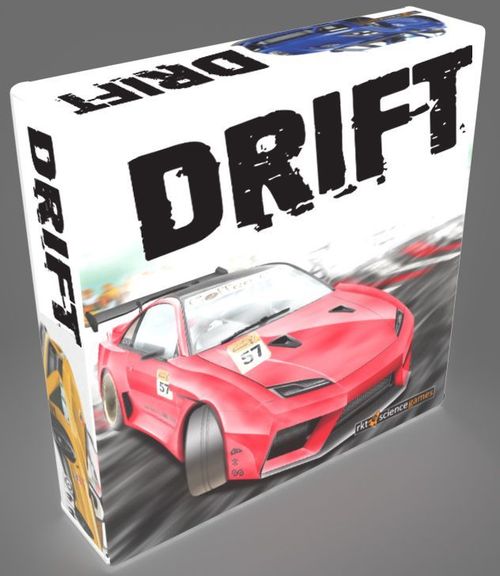
Drift
Drift Rulebook
Table of Contents
Table of Contents
Welcome to DRiFT
DRiFT is a racing game of fast driving and clever maneuvering for 2-4 drivers. Under the pressure of the turn timer, you will race around the tightly wound track, drifting to score Edge Points which you can spend on Special Maneuvers. It's an all out battle to be the first across the finish line - do you have what it takes to be the next Drift Racing champion?
Components
- XX Modular Track Sections.
- 1 Start/Finish Track Section.
- 4 Cars.
- 42 Trajectiles.
- 4 Move Assist Tiles.
- 4 Dashboards.
- 4 Gearshifts.
- 4 Position Cards.
- 5 Special Maneuver Reference Cards.
- 1 Timer.
Component Descriptions
Track pieces: Assemble these track pieces into different tracks.
Cars: Race these cars around the track.
Trajectiles: Use the various Trajectiles to map out your movement each turn. Each Trajectile represents the gear you are in as you move around the track. Lower gear Trajectiles can maneuver better than higher gear Trajectiles, but don't move your car as far.
Move Assist Tiles: Use these to place your car at the end of your turn.
Dashboards: Use these to track your gear at the end of the turn, your current position and your Edge Points.
Position Cards: Assign these to players at the beginning of the game and to players at the end of each Round.
Special Maneuver Reference Cards: These contain rules for 5 special maneuvers in the game.
Timer: Use the timer to limit the time players may take each turn. It is a race after all!
Setup
Set up a track using the track pieces. If it is your first game, set up the "Club Circuit" track, pictured below. There are a number of suggested track layouts at the back of this rulebook, or you can create your own, remembering that your track must include the Start/Finish Track Piece. Remember, when setting up the track, more twists and turns will make for a more exciting race.
(Figure: Sample setup for four drivers.)
Place the Trajectiles in stacks near the track within each player's reach.
Place the Special Maneuver Reference Cards near the board where all players can see them.
Each driver chooses a Car and takes a Dashboard and a Gear Shift. Place the Gear Shift in the centre of the gear shift area on the Dashboard to show that the car is starting in neutral and set the Edge Point needle so that it is pointing to "1".
Take one Position Card for each player, ensuring that they are sequential (eg for three players, take the First, Second and Third Place Position Cards). Then, randomly deal a Position Card to each driver.
Drivers then place their cars on the starting grid position matching their Position Card, and place their Position Card near their Dashboard.
Object of the Game
To win a game of DRiFT, you must be the furthest past the finish line after completing two Laps of the track. The game will end at the completion of the round in which one player passes the finish line for the second time.
To achieve victory, players will need to gather Edge Points by drifting around corners, use those Edge Points to trigger Special Maneuvers and strategically position their Cars to make things difficult for their opponents. Of course, a few good bursts of speed won't hurt either...
The Game Round
- Driver Turns (in order of Position Card) a) Gather Trajectiles b) Start Timer c) Place Trajectiles and use Special Maneuvers d) Move Car or Slingshot Draft (if possible/desired) e) Adjust Gear Shift f) Gain Edge Points from Drifting g) Clear used Trajectiles
- End of Round a) Redistribute Position Cards b) Drivers receive free Edge Points
A Player Turn in Detail
a) Gather Trajectiles
Gather up an assortment of Trajectiles you are likely to use to plot your movement this turn. You may hold them in hand or put them off the track, conveniently close your car. You may take as many or as few as you like and may take and use other Trajectiles during your turn as needed.
b) Start Timer
When ready, the driver to your left starts the 45 second timer. If a driver is in the process of manipulating a tile when the timer runs out, they may finish placing that tile but no more.
c) Place Trajectiles
On your turn, use between one to five Trajectiles to plot your movement on the track. Any tiles not placed before the timer runs out are lost.
The five basic Trajectiles, with chevrons numbering one through 5, represent the gear you are driving in; controlling your speed and handling. The more chevrons on the Trajectile, the further you will move on the track, but the less you are able to pivot it. i.e.- The faster you go, the less you can steer.
Place these tiles one after the other, fitting the rounded nub of one Trajectile into the hub of your car, or the last Trajectile placed. Pivot the Trajectile you are placing to point where you want to move to. Pin that Trajectile firmly in place with one finger: it is considered 'locked in'. Then place another Trajectile in the same way.
Each Trajectile you place must be one number higher, lower or the same as the previous Trajectile played.
Example: At the start of the game you are in neutral. The first Trajectile you may place is a 1st Gear Trajectile. Your second placement must be a 1st or 2nd Gear Trajectile. Then, assuming you placed a 2nd Gear Trajectile, your third placement may be a 1st, 2nd or 3rd Gear Trajectile. Then assuming you placed a 3rd Gear Trajectile you may now place a 2nd, 3rd or 4th Gear Trajectile. For your fifth and final Trajectile placement, assuming you placed a 4th Gear Trajectile last, you may follow it with a 3rd, 4th or 5th Gear Trajectile.
The first Trajectile you place each turn must be the same as, or one higher or lower than the gear you ended your previous turn in as indicated by the Gear Shift on your Dashboard (set in Step 5).
Example: You ended your previous turn in 3rd Gear. You may only follow it with a 2nd, 3rd or 4th Gear Trajectile. If you then place a 4th Gear Trajectile, your next tile must be a 3rd, 4th or 5th Gear Trajectile.
If you wish to adjust a tile that has been previously placed, any tiles following it must be removed from the track first. Then after the Trajectile is adjusted, place additional Trajectiles again, within the usual time limit.
Note that, when placing Trajectiles, each Trajectile's nub must remain firmly in the previous Trajectile's hub; there can be no gap between the rounded ends of the tiles and the hollow of the Trajectile they fill.
(Figure: the upper tiles are properly "meshed" whereas the lower tiles are not properly "meshed" as there is a gap between them.)
You may not place Trajectiles in such a way that they would move into or through an opponent's car.
You may move over the striped areas at the sides of the track without penalty.
You may place Trajectiles onto the grass areas at the side of the track using an "Offroad" Special Maneuver (see Offroad on page 12).
Trajectiles may never cross edge of track pieces that aren't joined directly.
You may perform the Powershift, Nitro Boost, Offroad and Bullet Time special maneuvers as you move. Simply pay the edge points to use them as required. See details below.
d) Move Your Car
Make a mental note of how many Drift Trajectiles you have played that are in the zone (see Drifting on page 9). Then, if your last tile placed isn't a Handbrake or Drift Trajectile, pick up a Move Assist Tile (MAT) and place its nub into the hub of your final Trajectile. Pin it down firmly with one finger and remove the last tile played, then plug your car into the MAT.
Note: There may be times, particularly when you're hot on someone's tail, that the Gear Assist Tile may not fit. In this case, there are other ways the Move Assist Tile can be used. See below for some examples.
(Figure: examples of the Move Assist Tile placement.)
If your Move Assist Tile must be placed in such a way that it overlaps the back base of a car, and you are both in at least 3rd Gear or higher, you may use the Slingshot maneuver (see page 12).
e) Adjust Gearshift
Once you have finished moving your car, move your gearshift to the position corresponding to the gear of the last Trajectile you played.
Example: The red car finished with a 4th Gear Trajectile last turn. On this turn, the red car's driver places a 4th, 3rd, 2nd and 2nd Gear Trajectile and then finishes with a 3rd Gear Trajectile. The then move their car to line up with the last tile played and move their Gear Shift to the 3 position.
f) Gain Edge Points
Adjust the Edge Point tracker on your dashboard according to the number of Edge Points you may have earned from drifting in the zone during your turn.
g) Clear Trajectiles
Remove the projectiles used on your turn, except for any Drift or Handbrake Trajectiles that are underneath your car, and return them to the supply.
End of Round
Once all drivers have taken their turns, redistribute the Position cards so that each driver has the Position Card for their current position in the race. Each driver then receives a number of free Edge Points equal to their position (i.e. a driver in fourth position at the end of the round receives the "4th" Position card and receives 4 free Edge Points). Remember, you may never have any more than 18 Edge Points.
Then, a new round begins with the driver in first position taking their turn, and so on, until two laps have been completed.
Sometimes, particularly in tight corners, it may not be immediately apparent which car is in the lead. To determine this, draw an imaginary line in front of the cars from the centre to the outside of the corner (a 5th Gear Tile can be used for this). The car closest to this line is in the lead. If the cars are tied, the car closest to the inside of the corner is considered to be in the lead or, on a straight Track Section, the car closest to the inside of the track is in the lead.
(Figure: White is clearly in the lead.)
(Figure: Both cars are tied for position. However, Red is on the inside of the turn so they take the lead.)
Edge Points
Over the course of the race you will earn Edge Points to spend on Special Maneuvers to help you win the race. Your Edge Points are tracked using the Edge Point tracker on your Dashboard. You may never have more than 18 Edge Points at any time. Use them or lose them.
Edge Points can be earned in two ways. Firstly, at the end of each turn, each driver is awarded a number of Edge Points equal to their position in the race. Secondly, Edge Points may be earned by drifting.
Drifting
Drifting is a special type of movement which uses two special Trajectiles: Handbrake and Drift Trajectiles. The aim of Drifting is to slide your car around corners to both steer and gain Edge Points.
The first step to drifting is to use the Handbrake Trajectile. The Handbrake Trajectile is considered a 2nd Gear Trajectile and follows the same rules for placing the basic tiles. So you may only use the Handbrake Trajectile if the previous tile placed was a 1st, 2nd or 3rd Gear Trajectile. The Handbrake Trajectile is double sided, giving you the option to drift left or right. When you place the Handbrake Trajectile ensure the chevrons on the Handbrake Trajectile point in the direction you would like the car to turn during the drift. Note that, due to its shape, once placed, a Handbrake Trajectile may only be followed by a Drift Trajectile placed in its corner hub.
Next place a Drift Trajectile onto the Handbrake Trajectile. Like the Handbrake Trajectile, Drift Trajectiles are also double sided so you can drift left or right. The chevrons on a Drift Trajectile also point in the direction the car will turn during the drift. During a drift, ensure that all of the chevrons are pointing in the same direction.
Drift Trajectiles work a bit differently than the basic Trajectiles; they will only fit into the corner of a previously played Handbrake or Drift Trajectile. Like basic Trajectiles, a Drift Trajectile can be pivoted but, if fully rotated into the turn, may also be slid sideways along the previous Trajectile as per the picture below.
(Figure: the third Drift Trajectile played has been slid out along its diagonal edge.)
Drift Trajectiles have a black mark on their tail. At the end of your turn, for every one of these marks that are touching any of the white-striped drift zones around the track, you receive Edge Points on the Edge Point track on your Dashboard.
(Figure: In this example, the first two Drift Trajectiles played do not count towards scoring Edge Points as the black mark on their tails are not touching the drift zone.)
The more Drift Trajectile markers you play on your turn that are touching a drift zone, the more Edge Points you earn:
| Drift Tiles In Drift Zone | Edge Points Earned |
|---|---|
| 1 | 3 |
| 2 | 6 |
| 3 | 9 |
| 4 | 12 |
| 5 | 18 |
For quick reference, this chart can also be found on each Position Card.
Note that Drift Trajectiles counted as "in the zone" do not carry over from turn to turn, even if you are continuing the same drift.
A drift ends whenever you place a standard Trajectile after a Drift Trajectile. The nub of a standard Trajectile is placed into the center hub of a Drift Trajectile.
As with the Handbrake Trajectile, a Drift Trajectile counts as 2nd Gear Trajectile so it may only be followed by 1st, 2nd or 3rd Gear Trajectile, or even a Handbrake Trajectile, in case you would like to separately drift again.
If the last Trajectile you place on your turn is either a Handbrake or Drift Trajectile, instead of using the Move Assist Tile, leave the Handbrake or Drift Trajectile on the track and place your car on top of it. It is important to remember that, on your next turn, this Trajectile does not count towards your allotment of five tiles.
(Figure: Drifting example. The yellow car ended its last turn in with a 3rd Gear Trajectile. This turn, it starts its turn with a Handbrake Trajectile, followed by three Drift Trajectiles and then exits the drift with a 3rd Gear Trajectile. The black mark on all three of its Drift Trajectiles are touching a drift zone so it scores a total of 9 Edge Points!)
Note: It is possible that you may finish your turn on a Handbrake Trajectile but another car subsequently moves alongside you and, on your next turn, you can not place a Drift Trajectile without it hitting their car. In this instance, using the MAT to assist you, remove the Handbrake Trajectile and replace it with your car and proceed with your turn as though you finished your previous turn with a 2nd Gear Trajectile.
Special Maneuvers
Edge Points can be used to purchase Special Maneuvers during the race. During each driver's turn, the other drivers should keep an eye on the Current Driver's Edge Point track on their Dashboard to make sure they don't overspend. Special Maneuvers can be used in combination with each other throughout your turn.
There are four Special Maneuvers that can be triggered during your turn and one that can be triggered at the end of your turn. They are:
Power Shift (Cost: 2 Edge Points)
During your turn, you may trigger a Power Shift to skip up, or down, one additional gear. For example, if you have just placed a 2nd Gear Trajectile, instead of following it with a 1st, 2nd or 3rd Gear Trajectile, you could trigger a Power Shift to follow it with a 4th Gear Trajectile. You may trigger multiple Power Shifts simultaneously so, for example, you could trigger three Power Shifts, at a cost of 6 Edge Points, to skip all the way from a 5th Gear Trajectile down to a 1st Gear Trajectile!
Nitro Boost (Cost: 6 Edge Points)
For each Nitro Boost you trigger, you may place one additional Trajectile on your turn, obeying all other movement rules. This Special Maneuver may be triggered multiple times so, at a cost of 18 Edge Points, you could trigger three Nitro Boosts to play an extra three Trajectiles on your turn!
Offroad (Cost: Varies)
Triggering an Offroad maneuver allows you to place a Trajectile that touches or moves through the grass at the sides of the track. The cost depends on the number of chevrons on the Trajectile placed so, for example, a 3rd Gear Trajectile can be placed on the grass at a cost of three Edge Points. (Note: Remember that Trajectiles may never cross the concrete blocks at the edge of the track.)
Bullet Time (Cost: 2 Edge Points)
If you feel you need more time on your turn, you may purchase Bullet Time and the driver minding the timer flips it back over to give you an additional 45 seconds.
(Source note: the Glossary gives Bullet Time as "an extra 30 seconds"; the body text above says 45 seconds. Both are kept as printed.)
Slingshot Draft (Cost: 3 Edge Points)
At the end of the Place Trajectiles step of your turn, you have the opportunity to purchase a Slingshot Draft if all of the following conditions can be met:
- The end of the last Trajectile you placed is within the length of the Move Assist Tile of an opponent's car (also called the Target Car).
- The last placed Trajectile was a 3rd Gear Trajectile or higher.
- The Target Car's Gear Shift is on 3 or higher.
- There is room on one or both sides of the Target Car for your car to move to.
If all of these conditions can be met, instead of placing your car at the end of the last Trajectile placed, you may trigger a Slingshot Draft and place your car immediately alongside the Target Car. If there is room enough on both sides of the Target Car, you may choose which side to move to.
(Example: The red car's last played Trajectile is within range of the green car. The last Trajectile they have placed is a 4th Gear Trajectile and the green car's gearshift is on 3. The red car triggers a Slingshot Draft and the red car is moved immediately alongside the green car.)
Losing the Edge
If a driver, at the start of their turn, ever finds themselves in the unfortunate position of being unable to legally place a tile, or if they run out of time without placing at least one tile, they are considered to have "Lost the Edge". They must move their car to the outside of the track, lined up along the striped area. They then move their Gear Shift to the neutral position on their Dashboard and reset their Edge Point Tracker to 0. They may then take their turn as normal, starting with a 1st Gear Trajectile.
(Example: After a few bad decisions, the driver of the white car finished in 5th Gear on their previous turn. With no Edge Points available to trigger any Power Shifts, they are unable to legally place a Trajectile without running off the track. The car is moved to the side of the track, all Edge Points are lost and the driver may now move legally, starting with a 1st Gear Trajectile.)
Winning
On the second lap around the track, the end of the race is triggered as soon as a driver places a Trajectile that touches the finish line. Any time remaining on the timer is ignored and that driver stops placing Trajectiles and adds up the total number of Trajectiles they have placed (not counting any Trajectiles purchased by Nitro Boosts). That driver may then trigger any Special Maneuvers they can afford. Then, all remaining players may take their turn as normal but may only place as many Trajectiles as first driver used to touch the finish line (excluding Trajectiles purchased by Nitro Boosts). They may then trigger any Special Maneuvers they wish as well. However, once the end of the race has been triggered, no Slingshot Drafts may be triggered.
Once all drivers have finished their turns, the driver of the car furthest across the finish line is the winner. Congratulations!
Winning example:
It is the second lap of the race. Yellow ended their last turn in 2nd Gear with 7 Edge Points. Green ended in 5th Gear with 5 Edge Points and Red ended in 4th Gear with 18 Edge Points. Yellow has the lead so they take the first turn of the round.
The second tile placed by Yellow touches the finish line and triggers the end of the race. The drivers make note of the number of tiles used by Yellow to reach the finish line (two). Yellow may place no more tiles for free but may use Special Maneuvers and chooses to spend 6 Edge Points on a Nitro Boost to place an extra tile.
Yellow finishes the race and Green is up next.
Green realizes that they have entered the turn going far too fast and decides to spend 3 Edge Points on a Power Shift maneuver (5th -> 3rd) and places their two free tiles.
With only 2 Edge Points left, Green can not purchase any Nitro Boost maneuvers and finishes the race just short of the finish line. Red is up next.
Red places their two free tiles but, with a full 18 Edge Points, they are able to purchase three Nitro Boosts to place three extra tiles!
Red is the furthest past the finish line at the end of the race and takes the win!
Tips
- Remember that you can drift anywhere. Even though you won't earn any Edge Points for drifting outside of a drift zone, it still might be just the trick to get you around a corner and set up for the next straightaway. Plus, as a Drift Trajectile is considered to be a 2nd Gear Trajectile, it protects you from being the target of a Slingshot Draft and does a good job of blocking the track for the cars behind you.
- Races are won and lost in the corners. Slow in, fast out. Make good use of the Power Shift maneuver and try to come out of a corner, into a straightaway as fast as possible.
- Keep an eye on the other drivers' Edge Point totals. Sometimes it pays to hang behind and let another couple of cars duke it out and exhaust each other's Edge Points before making your move.
- Don't forget to save enough Edge Points for that final push at the end of the race. A Nitro Boost or two might just get you far enough across the finish line to steal the win from a driver who planned poorly!
Glossary
- Bullet Time - A special maneuver costing 2 edge points. Bullet Time gives its user an extra 30 seconds of planning time.
- Car - A player's piece on the board.
- Current Driver - The player who is taking a turn right now.
- Dashboard - A player's personal reference board. It shows which gear their car is currently in and how many Edge Points they have.
- Drifting - Drifting is a special type of movement. To drift, a driver must first place a Handbrake Trajectile, followed by a number of Drift Trajectiles. A drift ends when any Trajectile is played, other than a Drift Trajectile. Trajectiles that are placed with the black mark on their tails within a drift zone earn Edge Points.
- Drift Zone - Areas on the track, indicated by diagonal white stripes, where Drivers can score Edge Points by drifting.
- Drift Trajectile - A special Trajectile used when drifting. A Drift Trajectile is considered to be a 2nd Gear Trajectile for the purpose of chaining Trajectiles together. The nub of a Drift Trajectile is always played into the corner hub of a previously played Trajectile. It may also be slid out along its flat side. See page 9 for details on how to use Drift Trajectiles.
- Driver - Driver is a term used for a player in this game.
- Edge Points - Edge Points represent a Driver using their drifting prowess to maneuver in a race and are accrued each turn, and by drifting. They can be spent to trigger Special Maneuvers.
- Edge Point Tracker - Each Driver has an Edge Point tracker on their dashboard that records how many Edge Points they have, from zero to eighteen.