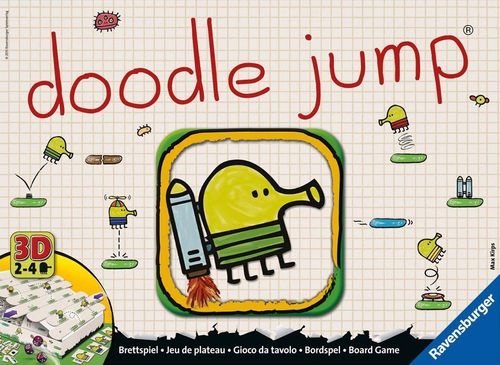
Doodle Jump
Doodle Jump Rulebook
Table of Contents
Table of Contents
Components
- 4 Doodlers and Doodler Cards
- 1 Crown and 1 Replacement Tile
- 20 Power Tiles
- 7 Expert Tiles (UFOs, Monsters, Black Hole)
- 5 Numbered Dice and 1 Symbol Die
- 8 Game Board Levels with green Doodle Pads
- Game Ramp (with support panels and cover)
Setup
Setup is given as a countdown, shown in the rulebook as steps 5 to 0.
Step 5 – Prepare. Remove all tiles from the pre-cut board. Place the Power Tiles in the Power Tile compartment. Leave the Crown, Expert Tiles (and Replacement Tile) outside the box. Play the very first game without tiles.
Step 4 – Set up the game ramp. Place the game board support panels into the box to easily access the compartment as shown.
Step 3 – Prepare the board. Separate the levels from the pre-cut boards and remove the cover (see illustration). Stack the 8 levels in the middle of the game ramp in any sequence.
Step 2 – Place your Power Tiles. The randomly selected Power Tiles must be placed face up on every second level of the platform, starting from the bottom: always on the highest number.
Step 1 – Pick your color. Each player selects one Doodler Card and matching Doodler. Place the Doodlers on the table in front of the ramp.
Step 0 – Start! Let the game begin!
Let's Play
Whoever rolls the highest number begins, and play then continues clockwise.
On your turn you roll all the dice. (With only two players, put away one numbered die.) Your roll is successful when you either:
- A) are able to jump on a pad, or
- B) are able to use the symbol die.
If neither A nor B is possible, you fall (C)!
The turn flow is: roll → A) jump or B) use the symbol die → roll again or choose to stop → next player. A fall (C) ends your turn and passes play to the next player.
A) Jump
At the start of the game, all the pads on the bottom level are reachable. Later, only the neighboring pads directly near the Doodler are reachable. The Doodler never jumps down or remains in place.
After rolling the dice, combine and count the dice as needed to match a number on a reachable pad.
- Black arrows: reachable.
- Red crosses: not reachable.
Example: The player is able to jump on pad 6 with a 6, with 4+1 on pad 5, or with 1+4+4 on pad 9.
Once your Doodler reaches a new pad, put aside the dice you used for that jump.
Note: Never make more than one jump with the same roll. The remaining dice can be rolled again to extend your turn!
B) Use the Symbol Die
The symbol die shows various options. Put it aside once you have used it.
-
1 or 2 dots: Use like regular dice.
-
Shift to one side: Slide any level exactly one space to the left or right. Be sure to keep the levels above and below it in place. A level can only extend over the left or right edge by one space.
Note: Shifting allows you to make a pad reachable to your Doodler, or out of reach for your opponent!
Example: Allowed! / Not allowed! (The rulebook shows one allowed and one forbidden shift.)
-
Remove: Take out any Game Board Level on which there is no Doodler and move it to the top of the Game Ramp. All other levels slide down.
Note: Removal can sabotage your opponents or ease your way to the top. Keep an eye on the Power Tiles.
Example: Remove … and place on top!
-
Try again: Roll all the dice that have not been used.
Note: Don't like your first roll? Use this special symbol to re-roll and give your luck another try!
Continue or Stop
Once you A) jump or B) use the symbol die, decide whether to continue or end your turn.
- If you continue, roll all the remaining dice again, which of course increases the risk of falling.
- If you stop voluntarily, your Doodler remains on its reached pad. It is then the next player's turn to roll all the dice.
C) Fall
If you cannot jump or use the Symbol Die, it's just bad luck. Your Doodler falls down to the next empty pad (empty = no other Doodler, no Power Tile). If there is no empty pad, the player must start again from the beginning.
Example: Blue falls off the board, Yellow falls on 9 and Red falls on 8.
After a fall, it is the next player's turn to roll with all the dice.
Special Features
1. Pushing
If your Doodler jumps onto the pad of another Doodler, knock the other Doodler off the pad. The other Doodler falls as usual (see above).
- Black arrows: jump on your opponent's Doodler and knock him off.
- Red arrow: a falling Doodler does not knock his opponent off. (He falls down to the next empty pad.)
2. Power Tiles (leave out for the very first game)
If you land on a Power Tile, take it, turn it over, and:
- use it right away if it has a lightning bolt on it;
- use it anytime in the game (during your turn) if it has a Doodler on it.
Once you use a Power Tile, remove it from the game. Until then, accessorize your Doodler Card with the tile.
Note: You can have and use several tiles (and identical tiles) at any given time.
The backside reveals what the tile is:
| Front | Back (effect) |
|---|---|
| Trampoline & Springs | You may immediately jump to a reachable pad on the next level up, as illustrated by the arrow on the tile. |
| Shield | Prevent your Doodler from falling with the shield. Then it's the next player's turn. Unfortunately, the shield does not help against pushing. |
| Jump Shoes | Jump onto another reachable pad on the same level, as illustrated by the arrow on the tile. |
| Propeller Hat | Jump onto a reachable pad on the next level up, as illustrated by the arrow on the tile. |
| Jetpack | Jump onto a reachable pad on the next level up, as illustrated by the arrow on the tile. |
Whenever you land on a Power Tile, always replace it with another random one from the game box. Place it face up on the lowest empty level (= no Doodler, no Tile) onto the empty pad with the highest number.
And the Winner Is …
Whoever reaches the top first is crowned the winning Doodler!
Variations for Expert Doodlers
Additional Features: Expert Tiles
Before you start, add the Expert Tiles to the Power Tiles in the box.
Then place the tiles as usual. When you draw an Expert Tile, it must always be placed at the highest empty Game Board Level (= no Doodler or Tile) on the empty Pad with the highest number.
| Expert Tile (front) | Back |
|---|---|
| Monsters & UFOs | Either Try again, or Slide a level, or Remove a level & place on top |
| Black Hole | Only option here: Avoid it! Whoever lands on it is swallowed up and must start again from the beginning. |
In addition to A) jumping and B) using the Symbol Die, you have a third possibility now: shoot it or boot it!
Shoot It or Boot It!
When you are in a straight line under a UFO or monster, use one of the dice with the number of levels up to your target. As usual, remove the die from play.
Example: The monster is 2 levels away. You need to roll a 2 to shoot.
If you hit your target, you get the tile as a reward. (Remember to replace the tile.) You can use your tile immediately or at any future turn. After using, remove it from the game.
The same thing goes if you jump on a UFO or Monster from the side. Use the tile immediately or at any future turn. After using, remove it from the game and replace the tile on the highest empty Game Level.
Watch out! If you jump directly from beneath the monster, your Doodler falls down from where [sic: printed as "were"] you started to [the "jump" action icon, which the English text does not expand in words; the German original of this sentence reads "stürzt von seinem Ausgangspunkt aus ab", i.e. falls from its starting point]. Remove that tile from the game and replace the tile on the highest empty Game Level.
Monster jump: Black arrow: you can jump on a Monster this way. Red arrow: ZONK! Watch out!
After the move, you can continue or stop as usual.