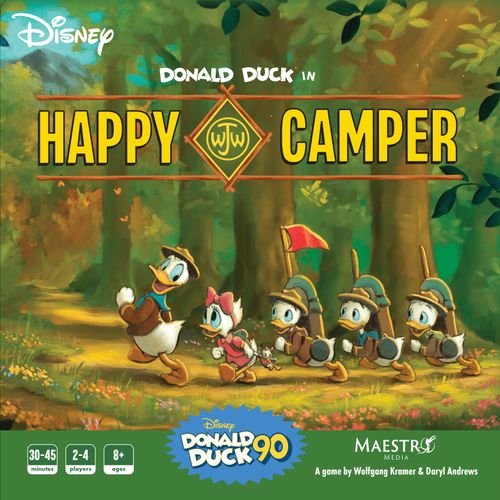
Donald Duck in Happy Camper
Donald Duck in Happy Camper Rulebook
Table of Contents
Table of Contents
Welcome, Junior Woodchucks
You are about to embark on the adventure of your life: to places unknown, and with dangers unseen. It will take wit, bravery, and your resourceful skills as a Junior Woodchuck to complete your mission.
Using your knowledge of the surrounding area, you and your troop will attempt to find & document the illusive Lookout Point, but who will be the first one there? Use your gadgets and stake unclaimed land to earn prestigious badges and awards, but which of you will become the most decorated Woodchuck?
Troop Leader Donald Duck will do his best to advise you, but in the end it's up to you to figure out what will make you stand out as the best Junior Woodchuck. Only one of you will be promoted to Senior Junior Woodchuck and earn the Beacon of the Brave badge at the end of this trip.
GOOD LUCK!
Components
- Board (1)
- Area tile back
- Forest tiles x5
- Cave tiles x5
- Lake tiles x5
- Boulder tiles x5
- Meadow tiles x4
- Tool resource tokens x20
- Wood resource tokens x20
- Food resource tokens x20
- Rope resource tokens x20
- Donald Duck cards x10
- Merit Badge cards x24
- Starting Card "Tent Pitching" Merit Badge cards x4
- Gadget cards x18
- Starting Card "Collector" Gadget cards x4
- Movement Tracker x4
- Explorer Award tiles x4
- Backpack x4
- Reference cards x4
- Tent (Webby) x12
- Tent (Louie) x12
- Tent (Dewey) x12
- Tent (Huey) x12
- Character standee x4
- Donald Duck standee (1)
Set Up
- Place the board in the center of the table.
- Shuffle the 24 Area tiles and place them face down on the empty spaces on the board.
- Place the 4 "Photography" Merit Badge cards face up next to the Lookout Point Area. Stack them in descending order with the 8 VP card on top.
- Take the "Last Day!" Donald Duck card and place it face down next to the board. Shuffle the remaining Donald Duck cards, and then place 6 cards face down on top of the "Last Day!" card. Return the extra cards to the box without looking at them.
- Place the Donald Duck standee on the starting area.
- Place the Food, Tool, Wood, and Rope resource tokens in reach of all players.
- Place Explorer Awards tiles on the Explorer Awards area of the board.
- Set aside "Tent Pitching" Merit Badge cards and "Collector" Gadget cards. Shuffle the remaining Merit Badge and Gadget decks and place them face down on their spaces on the board.
Player Set Up
- Each player chooses a character and takes the matching starting components (return extra components to the box):
- a. Backpack
- b. "Collector" Gadget (place under "1" on right side of backpack)
- c. "Tent Pitching" Merit Badge (near left side of backpack)
- d. Movement Tracker
- e. Tents (x12)
- f. Player Aid
- g. Character standee (place in starting area)
- Each player takes 1 Food, 1 Tool, 1 Wood, and 1 Rope resource token and places them in their backpack.
- Whoever went camping most recently is the first player.
- 3-Player Game: If playing with exactly 3 players, each player takes a turn revealing 2 area tiles.
- Each revealed tile must be either next to the beginning Path or a revealed tile.
- No tiles are revealed during set up for a 2-player or 4-player game.
Gameplay
In Donald Duck: Happy Camper, players become a Junior Woodchuck: Webby, Huey, Dewey, or Louie and embark on a 7-day camping trip represented by the 7 rounds of gameplay. Players will explore the area and earn Merit Badges as they compete to earn the most Victory Points (VP).
Round
At the start of each round:
- Reveal a new Donald Duck card by drawing the top card of the deck, which will give Donald Duck a unique ability for that round.
- Players take turns one at a time, starting with the first player placing their Movement Tracker and going clockwise around the table.
- After the seventh Donald Duck card (the "Last Day!" card) is revealed, it is the final round of the game and players will each have one final turn.
Start of Round Example: It's said that strange things can happen overnight in these woods. Flip the top card of the Donald Duck deck to see what went on while you were sleeping. It looks like Donald has some information he wants to share! For the rest of the round, after you Scout, you may move your Camper to the same space as Donald Duck.
Donald Duck card "Determined": "Let's refocus and regroup!" After you place Donald Duck, you may move to his area during your Scout step.
Junior Woodchuck Rule 2: All Junior Woodchucks must be open to the unknown in their quest for the truth.
Player Turn
On your turn, you must complete the Scout step.
The steps following the Scout step are optional but are completed in order.
- Scout
- Use Gadgets
- Build Tents & Move
- Use Gadgets (Last Chance!!)
- Earn Badges
1) Scout
Flip over an area tile that is next to, but not diagonal from any revealed area tile, or Path.
- 2 player game: Flip a second tile.
Move Donald Duck to the newly revealed area, and follow any other instructions from the Donald Duck card.
- 2 player game: Move Donald Duck to the second tile that you flipped.
During the last round of the game, the Scout step of the round is skipped, and Donald Duck is placed at Lookout Point.
Scout Example: Donald Duck may Scout any area tile that is adjacent, but not diagonal, to the path along the top or left side of the board, or any revealed area tile.
2) Use Gadgets
You have two chances to use Gadgets on your turn: before and after the Move step. Each Gadget may only be used once per turn.
To use a Gadget, do the action as described on the Gadget card.
After using a Gadget, flip it face down to indicate it was used this turn.
If the Gadget has a condition (for example, needing to be in a Forest area), then you must fulfill that condition to use the Gadget.
You cannot have more than 3 Gadgets.
- If you gain a 4th Gadget, you may choose to replace any of the previous Gadgets you have, including the "Collector", or discard the newly drawn Gadget.
Gadget Example: Webby starts her turn on a Path near the starting area. She uses "Collector" and adds a Food and Rope to her backpack. She now has 4 Movement Points on her turn.
She moves to a Forest with her 4 Movement Points and ends her movement on the Forest Adventure area. She is now done with the Build Tents & Move step.
She then uses the "Zip Line" Gadget to move from her current Forest Adventure area to a different Forest Adventure area near Lookout Point. She also uses her "Lumber Axe" Gadget to collect a Wood and a Food and adds them to her backpack.
Gain Resources
The "Collector" Gadget allows you to gain resources: Food, Rope, Wood, Tools, or a resource of your choice from an area with a white border. You can also use it to gain new Gadget cards. As with all Gadgets, it can only be used once per turn during the Use Gadgets or Use Gadgets (Last Chance!!) step.
Gain Resources Examples:
- Webby starts her turn on the starting area. She uses "Collector" and adds a Food, Wood, Tool, and Rope to her backpack.
- Webby starts her turn on a Meadow area. She uses "Collector" and adds a Tool to her backpack.
- Webby starts her next turn on a Gadget area. She uses "Collector", draws a card from the Gadget deck, and adds it to the right side of her backpack. She can use it immediately if she wants to, or can wait to use it until the Use Gadgets (Last Chance!!) step.
3) Build Tents & Move
Building a tent
While moving, you may choose to build a tent in the Adventure area that you are in.
To build a tent, remove the required resources from your backpack.
The resources required to build a tent in an area are shown on the tile.
You may build as many tents in a turn as you have resources to build.
You may build more than one tent in the same area. This can help with Merit Badges and the Explorer Awards.
Note: Spending resources from your backpack to build a tent does not gain you more in a single turn. Movement Points are re-evaluated at the beginning of each round.
Building a Tent Example: Dewey moves from the Start area into a Cave Adventure area (2 Movement Points). He spends a Wood and a Food to build a tent, staking his claim on the land.
He then moves into the Forest Adventure area (1 Movement Point) because he has a tent in the Adventure area he is leaving. He builds 2 tents in the Forest Adventure area by spending 2 Tools and 2 Food. He currently has the most tents in all forests and is set to win that Explorer Award.
He cannot move any further because he has used his 3 Movement Points that he began this step with. Even Woodchucks need to rest!
Movement Points
Movement Points are equal to the number of empty spaces in your backpack.
- The Movement Tracker is placed on the last empty space in the backpack.
When determining Movement Points, a player may discard Resources from their backpack to gain additional movement from each empty space revealed.
Movement Points are used to move out of areas. You may move to revealed areas that are above, below or on either side of you (this includes the starting area and Path areas).
During your Move step, you may also build tents in the area you are in. Building tents does not cost Movement Points.
You do not need to spend all of your Movement Points and may end your move at any time.
Movement Points Example: Dewey has 6 empty spaces in his backpack, so he places his Movement Tracker over the "6" space. As he continues to move during his turn, he can move the Movement Tracker to remember how many spaces he can still move this turn.
When moving out of any area
You may move to revealed areas that are above, below or on either side of you (this includes the starting area and Path areas).
You may not move diagonally.
To move out of a white-border normal area (Starting area, Paths, Meadows, and Lookout Point): This costs 1 Movement Point.
Moving Example 1: Louie cannot move diagonally.
Junior Woodchuck Rule [number not legible in the page render]: There's always another way around.
To move out of an Adventure area (Caves, Boulders, Forests, and Lakes)
This costs 3 Movement Points.
If you have a tent in the Adventure area, it costs 1 Movement Point.
You may build a tent during your move to reduce the cost of moving out of an Adventure area from 3 to 1. Building a tent does not use any Movement Points. This does not end your move if you still have Movement Points.
Movement Costs
| Area | Movement Cost |
|---|---|
| Normal area (areas with white borders): Starting area, Paths, Meadows, Lookout Point | 1 Movement Point |
| Adventure area: Caves, Boulders, Forests, Lakes | 3 Movement Points, OR 1 Movement Point + a tent |
Moving Example 2: Huey wants to make it to the Lookout Point before anyone else: to be the first person to document the area & earn the 8 VP "Photography" Merit Badge. He built a tent on his current Boulders Adventure area, so it takes him 1 Movement Point to move down to the Forest. He does not have a Tool and a Food in his backpack to build a tent, so he must spend 3 Movement Points to move out of the Forest. Then each of the Meadows only take 1 Movement Point to move through. Since he does not have a Tool and Rope in his backpack, he must use 3 Movement Points to move from the Boulder Adventure area to the Lookout Point Area.
4) Use Gadgets (Last Chance!!)
After you end your Move step, you have another chance to use any Gadgets not already used on this turn.
Once you have used all of the Gadgets you wish to use, it is the end of your turn.
See Use Gadgets (page 5 of the rulebook) for more info on using Gadgets.
5) Earn Badges
You may earn your active Merit Badge if you have completed it at the end of your turn. A badge is complete if you fulfilled its requirements by the end of that turn.
When a badge is completed:
- Place it face up on the left side of your backpack.
- Draw 2 Merit Badges from the deck, choose 1 to become your new active Merit Badge and discard the unselected badge.
- Active Merit Badges are face up and placed near your backpack.
- You can only have one of each Merit Badge. If you draw a Merit Badge that you already have, discard it and draw another.
If you didn't complete your active Merit Badge at the end of your turn, you may choose to abandon it by discarding that card. If you do, draw 2 new Merit Badges and select one to become your new active Merit Badge.
Round End
The round ends once all players have taken their turn. To start the next round, reset any used Gadget cards and continue taking turns from the start player. The seventh round will always begin with revealing the "Last Day!" Donald Duck card and indicates the final round of the game.
Lookout Point: Photography Merit Badge
When you move into Lookout Point for the first time, you earn the highest VP value "Photography" Merit Badge that is still available.
- The highest point value badge is worth 8 VP, each after that is worth 2 VP less.
You can only gain 1 "Photography" Merit Badge.
Explorer Awards
The Explorer Awards are given at the end of the game to the players with the most tents in each type of Adventure area: Caves, Boulders, Forest, and Lakes. When scoring, the players with the most tents in that type of Adventure area win that Explorer Award and earn 6 VP.
- If there is a tie for an Explorer Award, each player that is tied gains 6 points.
End Game Scoring
The game ends after the last player's turn on the 7th round of the game.
After the game ends, your score is determined by the total Victory Points (VP) on all of your Merit Badges, "Photography" Merit Badge, and Explorer Awards.
The player with the highest score receives the Beacon of the Brave badge, commemorating their incredible efforts as the newest Senior Junior Woodchuck. Congratulations.
- If there's a tie, the player with the most tents built wins.
- If there is still a tie, the player with the most resources in their backpack wins.
Junior Woodchuck Rule 7: Work harder, make yourself better, and try again.
End Game Scoring Example
The example scoring table shows four players (Huey, Dewey, Louie, and Webby):
| Huey | Dewey | Louie | Webby | |
|---|---|---|---|---|
| Merit Badge(s) | 2 VP | 5 VP | 4 VP | 4 VP |
| Photography Merit Badge | 6 VP | 4 VP | 0 VP | 8 VP |
| Explorer Award(s) | 6 VP | 0 VP | 6 VP | 12 VP |
| Total | 14 VP | 9 VP | 10 VP | 24 VP |
Webby focused on moving to the illusive Lookout Point as fast as she could, as well as focusing on building her tents on Cave and Forest Adventure areas to complete 2 Explorer Awards! With 24 VP, and an adept understanding of what it means to be a Woodchuck, Webby wins & advances to the rank of Senior Junior Woodchuck!
Quick Start Guide
The Quick Start Guide on page 11 of the rulebook summarizes the set up and gameplay for experienced players.
Quick Start Set Up
- Place the board in the center of the table. Shuffle the area tiles and place them face down on the board.
- Each player chooses a color and takes their matching dual-layer backpack, character standee, movement tracker, tents, and reference card. Give each player 1 "Collector" Gadget and 1 "Tent Pitching" Merit Badge Starting cards.
- Stack the 4 Lookout Point "Photography" Merit Badge cards face up in descending order with the 8 VP card on top next to Lookout Point.
- Shuffle the Merit Badge and Gadget decks and place face down on their designated spaces on the board.
- Place the "Last Day" Donald Duck card face down next to the board, and then place 6 shuffled Donald Duck cards on top of that.
- Place the Donald Duck standee and all player character standees on the starting area. Place the Resource tokens in reach of all players.
- Each player places 1 of each Resource token Food, Tool, Wood, and Rope in highest-numbered spots in their backpack.
3 Player Game: If playing with exactly 3 players, each player takes a turn revealing 2 area tiles.
- Each revealed tile must be either next to the beginning Path or a revealed tile.
- No tiles are revealed during set up for a 2-player or 4-player game.
Quick Start Gameplay
- Whoever most recently went camping goes first. Each round starts with revealing a new Donald Duck card, and then each player takes a turn in clockwise order. The 7th round will always be the "Last Day" Donald Duck card and indicates the final round of the game.
- After the 7th round is complete, VPs are tallied. VP is earned from Merit Badges collected throughout the game, including the "Photography" Merit Badge earned by reaching Lookout Point, as well the Explorer Awards given at the end of the game. The player with the most VP at the end of the game wins!
All right, experienced Junior Woodchucks, you are ready now to start your camping adventure!
Player Aid
The player aid on page 12 of the rulebook summarizes the player turn and movement costs.
Player Turn
Take your turn by following these steps in order:
Mandatory:
- Scout: Flip an Area tile that is adjacent to a Path or a previously scouted Area tile and place Donald Duck on it. Follow any instructions from the Donald Duck card.
Optional:
- Use Gadgets: If you meet the conditions on the Gadget card, perform the action as described and flip it face down.
- Build Tents & Move: Reset your Movement Tracker. Move up to the number of empty spaces in your backpack through any revealed area. Movement out of areas with a white border or 1 of your tents costs 1 Movement Point. Movement out of an Adventure area costs 3 Movement Points. Reference revealed Area tiles to see what resources are needed to build a tent there.
- Use Gadgets (Last Chance!!): You have another chance to use any Gadgets that weren't used earlier on your turn. If you meet the conditions on the Gadget, perform the action as described and flip it face down.
- Earn Merit Badges: If you have fulfilled the requirements on your Merit Badge and place it on the left side of your player backpack. Draw 2 new Merit Badges from the deck and keep 1, discarding the other. If you did not fulfill your Merit Bade [sic, as printed], you may discard it and follow the same rule above for receiving a new Merit Badge.
Once all players have taken their turn, a new round starts by revealing the next Donald Duck card, and resetting used Gadget cards.
Don't forget, when you move into Lookout Point for the first time, you earn the highest point value "Photography" Merit Badge that is still available.
After the last round, award Explorer Awards to the players who have the most tents on each type of Adventure area. Calculate your score by adding up the total VP value of your Merit Badges (including the "Photography" Merit Badge) and Explorer Awards, and the highest score wins!
Player Aid Movement Costs
| Area | Movement Cost |
|---|---|
| Normal area (areas with white borders): Starting area, Paths, Meadows, Lookout Point | 1 Movement Point |
| Adventure area: Caves, Boulders, Forests, Lakes | 3 Movement Points, OR 1 Movement Point + a tent |